1. What are Lightroom presets and how do they work?
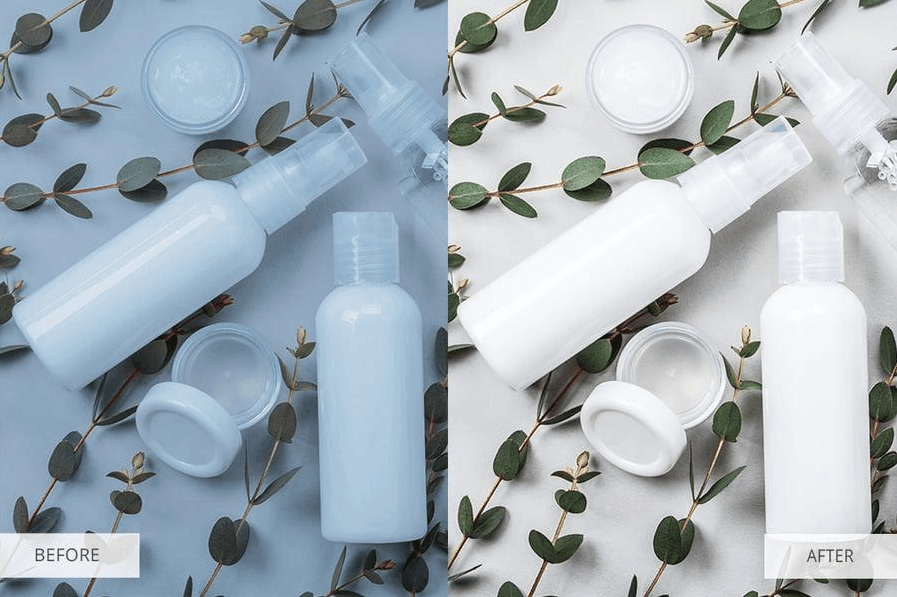
Lightroom presets are pre-set editing parameters that allow users to apply a range of adjustments to a photo with a single click. When you select a preset, the software automatically adjusts multiple parameters simultaneously, such as exposure, contrast, saturation, black and white tones, sharpness, white balance, and many other factors, based on formulas programmed by the preset creator. In other words, a preset is a record of the entire editing process of a sample photo, which can then be copied and applied to any other photo.
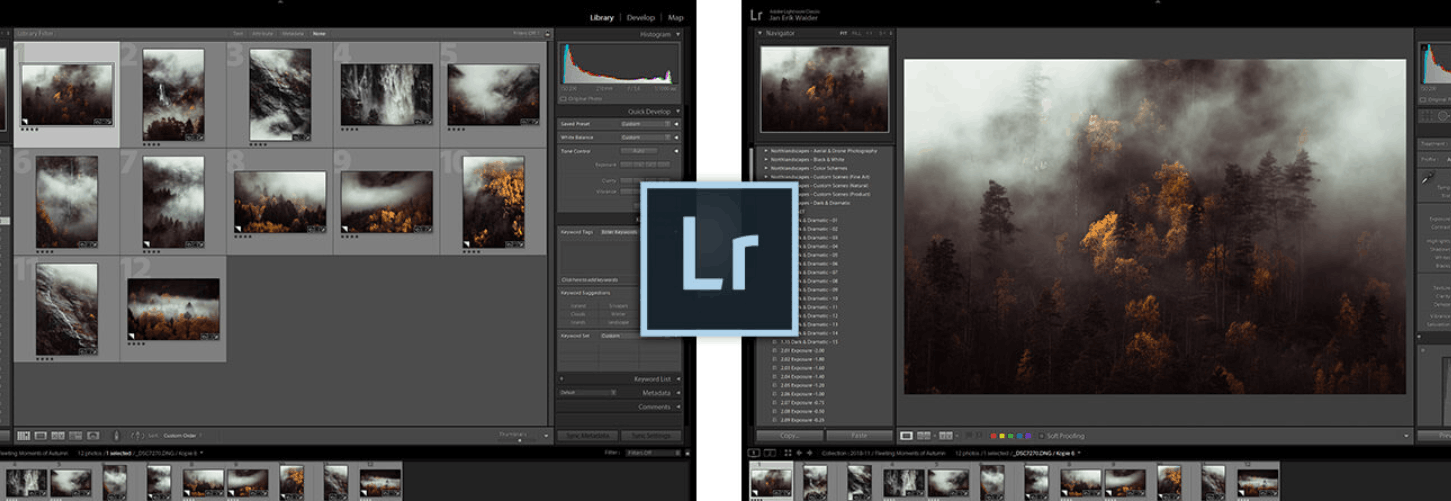
Technically, presets typically exist as files with the extensions .xmp or .lrtemplate and contain command lines that precisely describe each parameter to be changed in Lightroom's Develop panel. When importing a preset into the software, these parameters will appear as available options in a list, ready to be applied at any time.
For professional photographers, especially those who process hundreds or even thousands of photos in a project, manually editing each image is nearly impossible if they want to meet deadlines. Presets solve this problem by handling most of the work in a single step, after which the photographer only needs to fine-tune a few minor details such as local brightness or skin tone to finalize the image as desired. This significantly shortens post-processing time, while maintaining high consistency in output quality throughout the entire set of photos – crucial for building a unique style for a photographer or studio.
2. Why should you use Lightroom presets for photography?
There are many reasons why Lightroom presets have become an indispensable tool in the workflow of modern photographers. Below are the most important benefits you should consider.
First and foremost is the time-saving advantage. If you want to maintain a consistent visual style across multiple photos, presets are the ideal tool. With just one application, a series of photos can be processed simultaneously, giving you more time to focus on other creative aspects such as composition, detail editing, or customer service.

Secondly, there's the element of personal branding. A consistent, easily recognizable visual style across your entire portfolio will help clients remember and recognize your unique signature. This is a key factor in brand building, especially for photographers active on social media or those running professional photography businesses.
Thirdly, using presets also helps improve the aesthetic quality of the work. Many high-quality presets are created by experienced professional photographers who have a deep understanding of color, light, and visual emotion. When applying these presets, even beginners can achieve results that look much more professional and impressive than those achieved with entirely manual editing.
Finally, presets also open up opportunities for those who don't have much time or advanced editing skills to access professional-quality results. Not every photographer has the time or knowledge to perform complex manual edits. The best presets, built by experts, bridge this gap, allowing anyone to create a final product of much higher quality than their current editing capabilities.
Thanks to these benefits, finding and using the best photo editing presets has become a popular trend, especially for professional photographers who want to own well-designed and in-depth Lightroom presets.
3. The most popular Lightroom presets in 2026
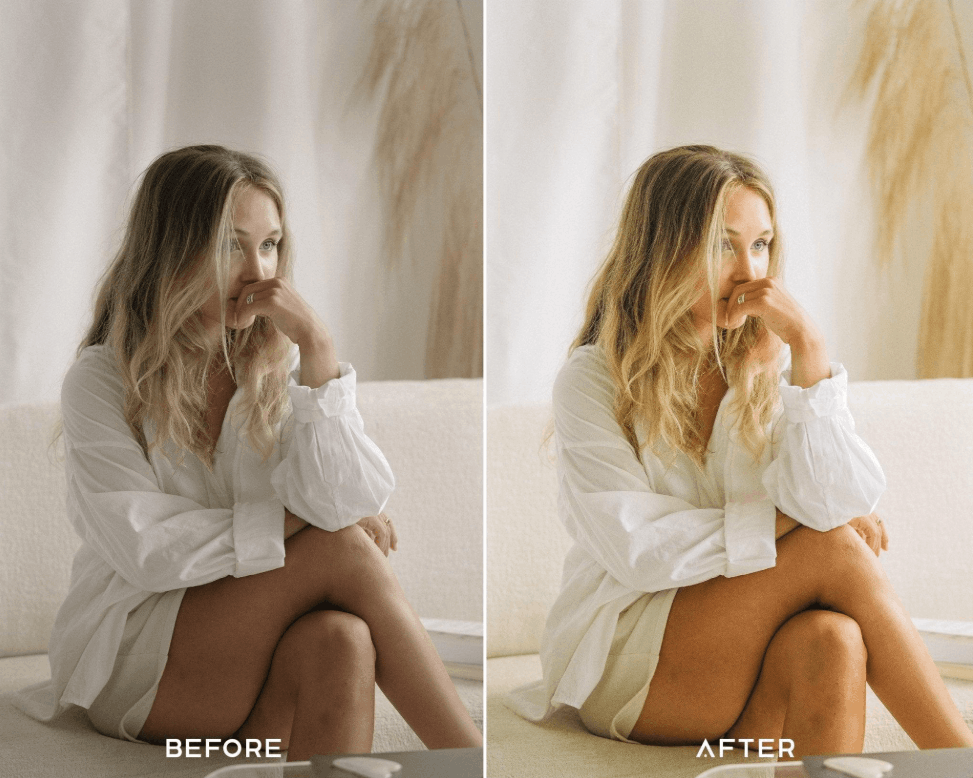
3.1 Bright and Airy Lightroom Presets
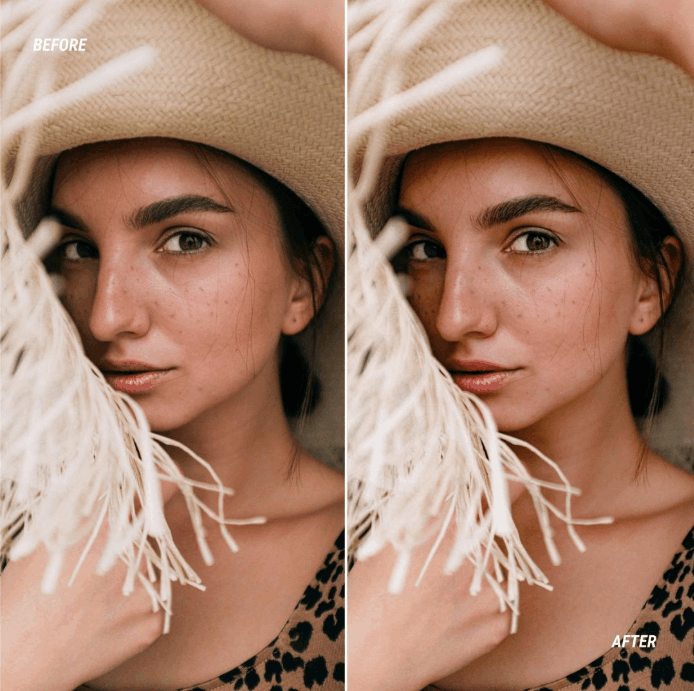
The Bright and Airy style focuses on clearly highlighting the subject in the frame. Presets in this category typically smooth skin tones naturally, while adding a light, soft, and warm feel to the overall image. This is a particularly favored choice among portrait photographers, due to its ability to make skin look clean, fresh, and vibrant while maintaining its natural appearance.
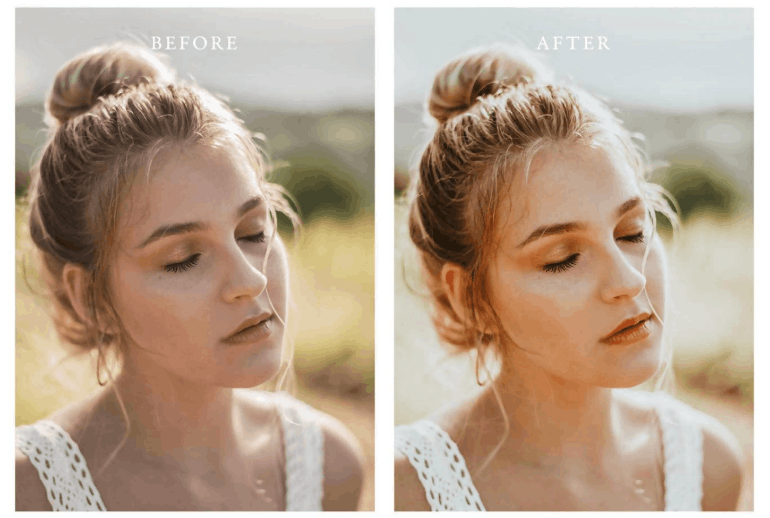
3.2 Natural Lightroom Presets
For photographers pursuing a natural and authentic aesthetic, the Natural Presets collection is the top choice. These presets are designed to preserve the original colors and tones of the image as much as possible, while delivering beautiful, natural skin tones with a pleasant warmth. This style is particularly favored by portrait photographers who want to highlight the genuine features and expressions of their subjects without creating a forced or overly edited look.
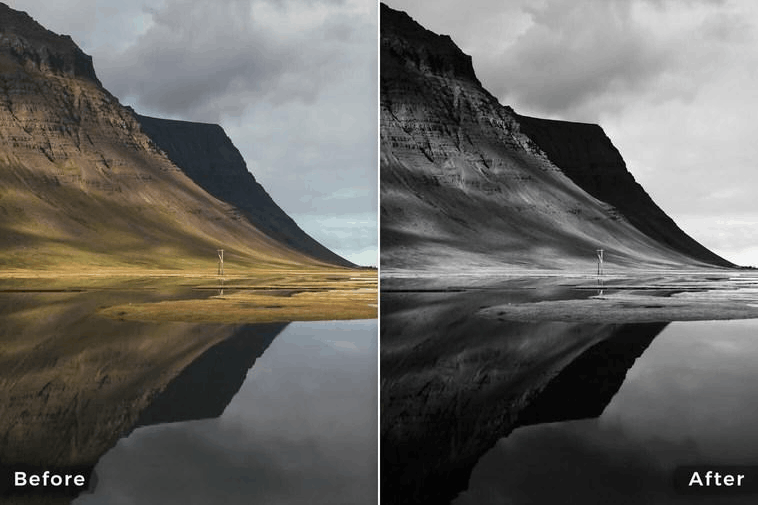
3.3 Black & White Lightroom Presets
Black and white preset packs are a fantastic tool for enhancing the post-processing skills of any photographer. This group of presets is particularly useful for creating soft, natural skin tones while highlighting highlights on the subject. As a result, images convey emotion and mood more deeply. Many photographers appreciate this preset pack for its subtle, simple beauty while maintaining the authentic and profound quality of black and white images.
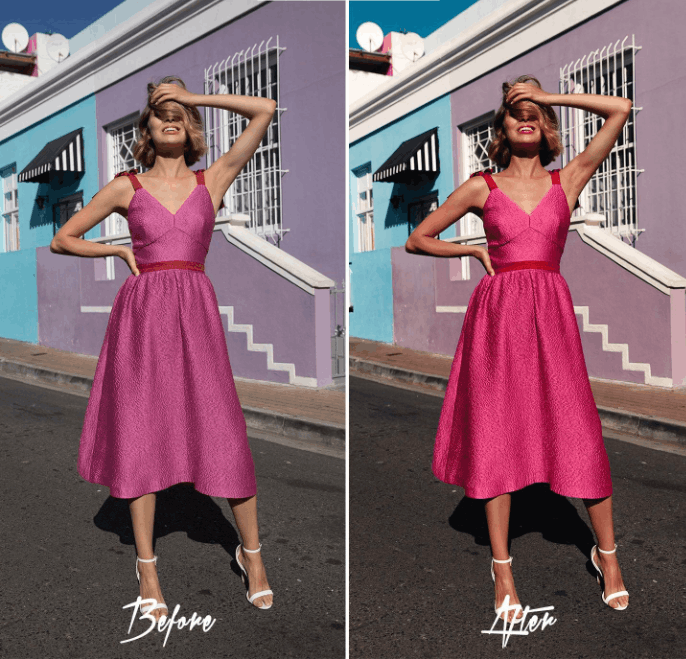
3.4 Colorful Lightroom Presets
Images with vibrant yet natural colors are always a valuable addition to any photographer's toolkit. This preset collection includes clean, subtle edits combined with striking and impressive color enhancement effects. This is why this group of presets is widely popular, due to its versatile application across various genres such as product photography, wedding photography, real estate photography, portraits, and many more.
3.5 Portraits Lightroom Presets
Portrait presets are specifically designed to enhance the beauty and unique personality of each subject. These presets are often used to adjust skin tone, subtly blur the background, and increase the sharpness and detail of the subject's face to create a professional look. As a result, they help highlight the subject's best features while maintaining a natural appearance, avoiding an unnatural or overly edited look.
3.6 Wedding Lightroom Presets
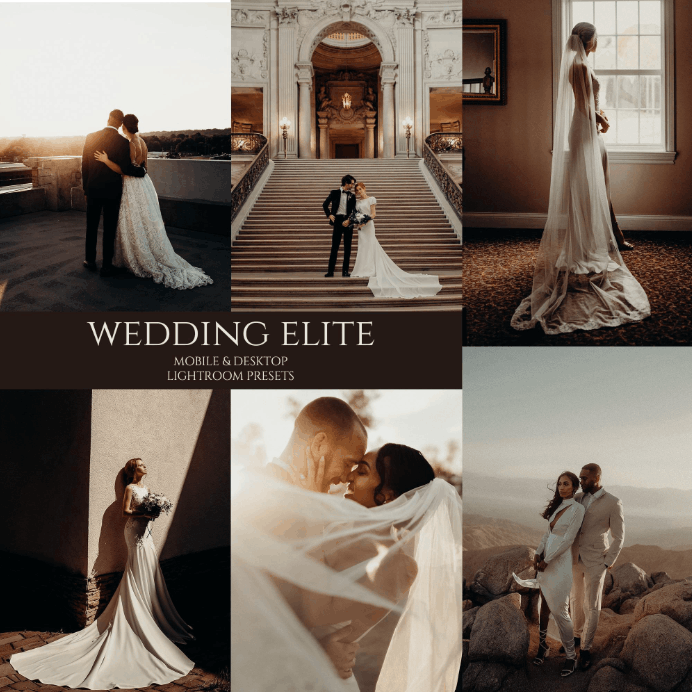
Presets specifically designed for wedding photos are often intended to brighten and enhance the beauty of the image, while toning down warm tones to create wedding moments that look truly magnificent and sophisticated. This style works wonderfully in a variety of contexts, from professional client photos and social media posts to content on the photographer's personal blog.
4. Instructions on how to download and install Lightroom presets for photography.
For those looking to take their post-production process to the next level, downloading and installing Lightroom presets isn't as complicated as many people think. Here are the basic steps you can follow.
-
Find a reliable source of presets. You should look for reputable websites that offer Lightroom presets, either free or paid, depending on your needs and budget. When choosing a download source, prioritize those with good community reviews, clear descriptions of the editing style, and compatibility with your version of Lightroom.
-
Download the preset files to your computer. These files are usually in .xmp or .lrtemplate format, depending on the software version and preset provider. After downloading, you should save them to a separate folder for easy management and retrieval when needed.
-
Import presets into Lightroom. First, open Lightroom and go to the Develop module. Next, click the plus icon in the upper left corner of the Presets panel and select the Import option. Then, browse to the location where you saved your downloaded preset files and add them to your library. Once complete, the new presets will appear in the list and be ready to apply to any photo with just one click.
Additionally, if you're using Lightroom on a mobile device, the installation process is quite similar, the only difference being that you need to import the preset file through the Lightroom Mobile app and ensure the file format is compatible before proceeding with the import.
5. How can Lightroom preset packs elevate your photography business?
Using professional preset packs goes beyond simply improving image quality; it also has a profound impact on your photography business. When applied appropriately, presets can enhance the quality of work delivered to clients while simultaneously increasing the number of projects you can handle.
Thanks to presets, photographers can make necessary adjustments quickly and efficiently when working on multiple projects, thereby delivering finished products to clients in a shorter time while maintaining quality. This directly improves the client experience, as they receive the product faster without compromising on aesthetics.
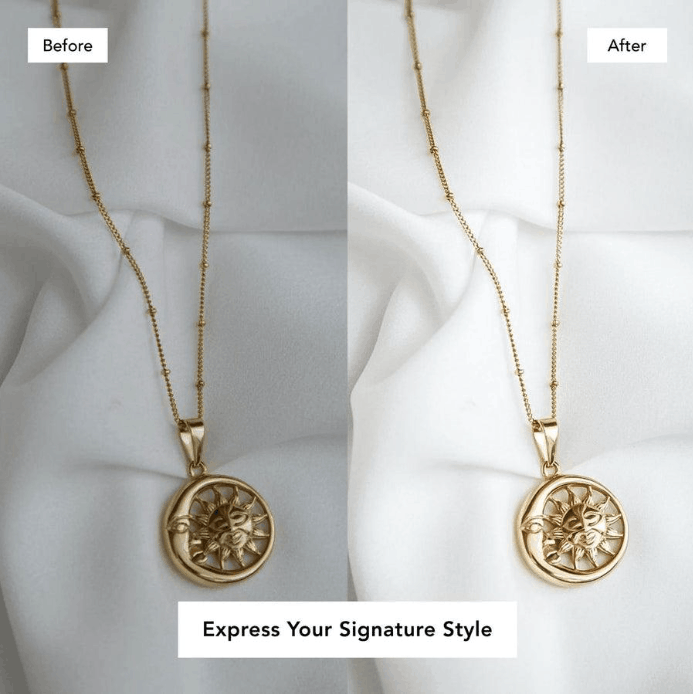
Furthermore, consistency in style across the entire portfolio helps build a stronger brand image. Potential customers, when browsing your photo collection, will easily recognize your distinctive style, thereby building trust and a desire for long-term collaboration. This is also why many studios and professional photographers invest seriously in developing or purchasing high-quality presets, considering them an indispensable part of their brand building and customer expansion strategies.
Furthermore, shortening post-processing time using presets allows photographers more time to focus on other important aspects of their business, such as marketing, customer service, developing their photography skills, or expanding their service offerings. In the long run, this is a key factor in increasing revenue and strengthening their competitive position in the market.
6. Tips for creating your own unique presets in Lightroom
Creating your own presets is a great way for a photographer to develop a personal editing style while avoiding duplication with generic presets widely used in the market. Below is a basic process to get you started.
First, choose a photo and edit it until you are completely satisfied with the result. This should be a good representative image of the style you want to pursue, with sufficient lighting and detail so you can experiment with various settings.
After completing the edits, you need to save all these changes as a permanent preset. To do this, go to the Develop module in the software and click on the "Create New Preset" option. Here, you can name your preset and select exactly which editing elements will be included, such as exposure, white balance, tone curve, color correction by channel, or other detail effects.
When naming your presets, choose memorable and descriptive names that will help you easily identify and reuse them in the future without having to start over. Categorizing presets by style, such as portraits, landscapes, and events, is also an effective way to manage your library as your preset collection grows.
This approach ensures you always have highly personalized editing presets that accurately reflect your aesthetic taste and artistic style. One of Lightroom's unique features is its ability to create and save presets, used equally by both amateur and professional photographers. Thanks to this tool, editors can save time, improve image quality, and gradually build and develop a distinct style for their entire portfolio.
In addition, experimenting with different preset styles helps photographers discover more interesting effects, thereby optimizing the overall design of the image, bringing diversity while maintaining unity throughout the entire project.
7. Frequently Asked Questions about Lightroom Presets
Are Lightroom presets really worth using?
The answer is yes. Lightroom presets offer real value to photographers who want to speed up their editing process while maintaining a consistent and professional style throughout their entire portfolio.
Do presets work on the mobile version of Lightroom?
Most modern presets are compatible with Lightroom Mobile, Lightroom Classic, and Lightroom CC. However, before downloading, you should carefully check the compatibility information of each preset with the version of software you are using to avoid errors during installation.
Can I create my own presets?
Absolutely. Adobe Lightroom allows users to save all their custom edits as reusable presets, directly within the Develop module without needing any other supporting software.
Should you choose a free preset or a paid preset?
Both options have their own pros and cons. Free presets are suitable for beginners or those with limited budgets, however, they may lack flexibility or not deliver the high quality expected. Meanwhile, paid presets often offer superior quality and in-depth customization, built by professional photographers, significantly enhancing your photos. For serious photographers pursuing the best results, investing in a professional preset pack is often a worthwhile long-term choice.
Overall, Lightroom presets are powerful tools that help every photographer, whether beginner or experienced, save time in post-processing, improve image quality, and develop their own unique style. Choosing the right presets for your chosen genre, combined with the ability to create personalized presets, is key to sustainable growth in your photography journey.