Best Selling Products

Genuine Cheap Canva Pro
39 USD

Autodesk All App Account Copyright
120 USD

Capcut Pro 1 Year
39 USD

Genuine Adobe Illustrator account
99 USD

Adobe Photoshop Copyright - Full App
120 USD

MidJourney Account
29 USD

Upgrade Duolingo Super
29 USD

Adobe Premiere Pro Account
99 USD

Upgrade genuine Capture One account
120 USD

Plugin Retouch4me
69 USD

ChatGPT Plus Account (GPT-4)
16 USD

Upgrade Genuine Office 365
49 USD

Windows 10 & 11 Pro Key
36 USD

Copyright Adobe Lightroom Account
59 USD

Freepik Premium Account
59 USD
10 Online Mockup Creation Tools Designers Must Know
Nội dung
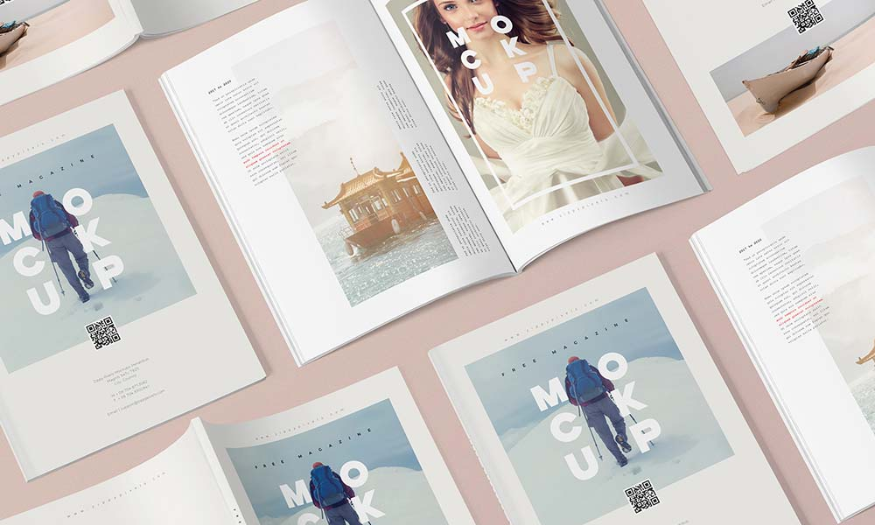
In the world of graphic design, presenting ideas visually is extremely important. Online mockup creation tools not only help designers save time but also deliver more professional and attractive products. Below is a list of 10 useful tools that every designer should know to improve their work efficiency. Let’s explore with Appvip!
1. Screenpeek.io
Screenpeek.io is a powerful tool that allows you to capture a screenshot of a website and display it in mockups of various devices. With a friendly and easy-to-use interface, you only need to enter the URL of the website you want to create a mockup for. The tool will automatically generate screenshot images with many device options such as phones, tablets, and desktop computers.
One of the highlights of Screenpeek.io is its customization feature. Users can choose device sizes as well as background colors to match their design style. This helps increase the aesthetics of the mockup, highlighting the product you want to introduce. Besides that, you can also download mockup images in high-quality format, ready for sharing or presentation.
Furthermore, Screenpeek.io also supports creating multiple mockups at the same time. This is very useful for designers who need to present many ideas or different versions of a product. Users can save time and effort while creating more options for customers.
2. Screely
Screely is a great tool that helps you create mockups with just a few simple steps. Users only need to drag and drop screenshots into Screely’s interface, and the tool will automatically create mockup templates for you. The feature that automatically selects a background color suitable for the image helps you save time and effort in design.
Screely supports many different types of mockups, from mobile devices to desktops, helping you easily choose the template that suits your needs. Screely’s interface is very intuitive, allowing users to easily adjust elements such as tilt, shadow, and reflection, helping create more impressive mockups.
A major plus point of Screely is the ability to export images in high quality. You can download mockups in many different formats, ready to be used in marketing materials or product presentations. The simplicity and effectiveness of this tool will help you quickly get beautiful mockups without needing much design experience.
.png)
3. Animockup
If you are looking for a tool that helps create animated mockups, Animockup is a great choice. This tool allows you to create mockup templates for your applications and website designs with motion support. You only need to upload images, and Animockup will help you create a video or animated GIF, vividly highlighting the product’s features.
One of the outstanding advantages of Animockup is its ability to create smooth and natural motion. You can adjust the speed, direction, and movement style of the mockup, helping create unique and impressive products. This not only helps attract customers’ attention but also creates a more interactive experience compared to static mockups.
Besides that, Animockup also allows you to directly share the videos or GIFs you have created on social media platforms. This helps you easily promote your product and attract attention from potential customers. With Animockup, creating lively mockups has never been easier, helping you improve your ability to convey your design ideas.
4. Cleanmock
Cleanmock is a great platform that provides many ready-made mockup templates for mobile devices with beautiful designs. The highlight of Cleanmock is its simplicity and effectiveness in creating mockups. You only need to choose the mockup template you like, then upload your product image. Cleanmock will automatically create a complete mockup with the product image displayed professionally.
Cleanmock’s interface is very user-friendly, allowing you to easily search for and choose a suitable mockup template. This is very important, especially when you have many products to present. Cleanmock’s mockup templates are designed in a modern style, helping increase the aesthetics of your product. Besides that, you can also customize the background color and other elements to match your brand.
Another strength of Cleanmock is its quick sharing capability. After creating the mockup, you can easily download it or share it directly on social media platforms. This helps you promote your product effectively, attracting attention from customers and partners.
.png)
5. AppLaunchpad
AppLaunchpad is a powerful tool specifically for creating mobile app product mockups, especially for iPhone and iPad. With AppLaunchpad, you can create mockups in just a few seconds by using free mockup generator templates. This helps save time and effort compared to using traditional PSD mockup files.
AppLaunchpad’s interface is very easy to use. You can easily add titles, logos, and other information to your mockup through the tools available on the website. This helps you create a complete and professional product without needing many design skills. AppLaunchpad also provides many different mockup templates, suitable for many types of applications and different design styles.
In addition, AppLaunchpad also supports downloading mockup images in high quality. You can use them for marketing materials, websites, or any other platform where you want to introduce your product. The flexibility and ease of creating mockups with AppLaunchpad will surely satisfy many designers.
6. Smartmockup
Smartmockup is a free online mockup creation tool that allows you to create beautiful marketing images in just a few seconds. With Smartmockup, creating mockups becomes easier than ever. You only need to choose a mockup template, upload your product image, and the tool will automatically create a complete mockup for you.
One of Smartmockup’s outstanding advantages is the diversity of mockup templates. You can find many types of mockups for different devices, from mobile phones and tablets to laptops and more. This helps you easily choose the template that suits your product, increasing appeal and professionalism in presentation.
Smartmockup also supports customizing mockups as you like. You can adjust the background color, position, and size of the image, helping you create a unique and outstanding mockup. After finishing, you can download the mockup in high quality, ready to be used in advertising campaigns or product presentations.
.png)
7. Mockuper
Mockuper is an online tool that helps you easily create mockups for your products. With a diverse template library, Mockuper allows you to choose from many different types of devices, from phones to desktops. You only need to upload your product image and choose your favorite mockup template. This tool will automatically create a complete mockup image, helping you save time and effort.
Mockuper’s interface is very user-friendly, allowing you to easily move and adjust images in the mockup. This helps you create products that look professional without needing much design experience. A special point of Mockuper is its ability to create mockups with many different styles and layouts, helping you easily find the template that best matches your brand.
In addition, Mockuper also allows you to share mockups immediately after completion. You can download images in high quality or share them directly on social media platforms, helping promote products effectively.
8. Dimmy.club
Dimmy.club is a creative tool that allows you to create completely unique device mockups for your business. With the support of Dimmy.club, you can create eye-catching and attractive mockups, helping your product stand out more in customers’ eyes. The simple and easy-to-use interface helps users quickly get familiar and create mockups in just a few steps.
One of the highlights of Dimmy.club is its high customization capability. You can easily change the colors, styles, and position of images on the mockup, helping create products in your own style. This is very useful for businesses that want to express their brand identity more clearly.
In addition, Dimmy.club also provides many diverse mockup templates, from mobile devices to desktop computers, helping you easily choose according to your needs. The quick sharing feature is also an advantage, helping you easily present products to customers or partners.
.png)
9. Mockuuups.studio
Mockuuups.studio is a powerful tool that helps you create beautiful mockup templates with just a few simple steps. With a diverse and rich template library, Mockuuups.studio allows you to easily search for and choose mockups according to your needs. You only need to drag and drop product images into the mockup, and the tool will automatically create the complete image.
One of the outstanding advantages of Mockuuups.studio is its integration with many different platforms. You can easily use this tool on both computers and mobile devices, helping you create mockups anytime, anywhere. Mockuuups.studio’s interface is very intuitive, helping users operate easily without difficulty.
Besides that, Mockuuups.studio also allows you to export mockups in high quality, suitable for use in marketing materials or product presentations. The flexibility and ease of creating mockups with Mockuuups.studio will surely satisfy many designers.
10. Mockup Editor
Mockup Editor is a great tool with many beautifully designed mockup templates. With the Pro version, users can enjoy more options and features, making mockup creation easier and more enjoyable. Mockup Editor allows you to easily download mockups in very high quality, suitable for presenting products professionally.
Mockup Editor’s interface is very friendly and easy to use. You can easily search for mockup templates by product type, from mobile applications to printed products. This helps you save time and quickly find a suitable template.
Another strength of Mockup Editor is its high customization capability. You can adjust the color, position, and size of the image on the mockup, helping create unique and outstanding products. After completing it, you can download the mockup in high quality, ready to be used in advertising campaigns or product presentations.
.png)
11. Canva
Canva is one of the most popular graphic design tools today, not only dedicated to mockup creation but also for many different types of design. With a friendly and easy-to-use interface, Canva allows users of all skill levels to create professional mockup templates with just a few clicks.
Canva provides a huge library of diverse mockup templates, from mobile devices and computers to printed products such as flyers or T-shirts. You can easily search for mockup templates suitable for your design needs. Just choose a template and drag and drop your product image into it, and Canva will automatically adjust it to fit the mockup layout.
One of Canva’s highlights is its flexible customization feature. You can change colors, fonts, backgrounds, and many other elements to create a product with a strong personal mark. Canva also supports sharing and downloading in many different formats, helping you easily publish your design on social media platforms or use it for marketing materials.
In addition, Canva also provides teamwork features, allowing many people to edit and comment together in real time. This is very useful for design teams or businesses that want to collaborate in developing ideas. With Canva, creating impressive and professional mockups has never been easier.
12. Figma
Figma is a powerful interface design and prototyping tool, very popular among digital product designers. Figma not only serves interface design but is also a great tool for creating mockups. Figma’s intuitive interface and teamwork features help designers easily collaborate and share ideas.
Figma allows users to create high-quality mockups with powerful customization capability. You can create shapes, add images and text, and adjust every element in your design. Figma also supports plugins, helping expand the tool’s capabilities and features, from mockup creation to complex motion effects.
One of Figma’s major advantages is its online working feature. You can work on the same project with colleagues anywhere in the world without needing to install software. This helps enhance work efficiency and save time for design teams. Moreover, Figma allows you to export mockups in many different formats, including PNG, JPG, and PDF, helping you easily share or present products.
Figma also has a prototyping feature, allowing you to create interactive samples and test user experience directly on the application. This helps you have an overview of the product before release, increasing the project’s chance of success.
.png)
13. Conclusion
Choosing the right mockup creation tool can help designers express ideas more impressively and professionally. Hopefully, the list above will be a useful reference source, helping you find your favorite tool to bring your product closer to customers. Try and explore to enhance your creativity!





















VIP Products








Best Selling Products
Genuine Cheap Canva Pro
39 USD
Autodesk All App Account Copyright
120 USD
Capcut Pro 1 Year
39 USD
Genuine Adobe Illustrator account
99 USD
Adobe Photoshop Copyright - Full App
120 USD
MidJourney Account
29 USD
Upgrade Duolingo Super
29 USD
Adobe Premiere Pro Account
99 USD
Upgrade genuine Capture One account
120 USD
Plugin Retouch4me
69 USD
ChatGPT Plus Account (GPT-4)
16 USD
Upgrade Genuine Office 365
49 USD
Windows 10 & 11 Pro Key
36 USD
Copyright Adobe Lightroom Account
59 USD
Freepik Premium Account
59 USD