Best Selling Products

Adobe Photoshop Copyright - Full App
120 USD

Autodesk All App Account Copyright
120 USD

Upgrade Genuine Office 365
49 USD

Adobe Premiere Pro Account
99 USD

Plugin Retouch4me
69 USD

Genuine Cheap Canva Pro
39 USD

Capcut Pro 1 Year
39 USD

ChatGPT Plus Account (GPT-4)
16 USD

Freepik Premium Account
59 USD

Upgrade Duolingo Super
29 USD

Windows 10 & 11 Pro Key
36 USD

MidJourney Account
29 USD

Copyright Adobe Lightroom Account
59 USD

Upgrade genuine Capture One account
120 USD

Genuine Adobe Illustrator account
99 USD
5 of the best AI presentation creation tools to consider in 2026.
Nội dung
- 1. Presentations.AI - An option for structured and easily editable presentations.
- 2. Gamma, a visual storytelling platform right in your browser.
- 3. Beautiful.ai - The pacemaker for consistent design and automated layout.
- 4. Plus AI, AI assistants right in PowerPoint and Google Slides
- 5. Canva: A presentation toolkit for marketing and visual content teams.
- 6. How to choose the right tool for your needs
- 7. Conclusion
A good presentation isn''t just about being visually appealing. It must clearly explain complex information, guide the audience through a logical narrative, and make key findings easy to remember and understand. For sales, consulting, marketing, or leadership teams, organizing content can be just as time-consuming as designing slides. AI presentation tools have emerged to address this bottleneck. They transform existing ideas, outlines, documents, or reports into structured presentations in minutes. However, each platform takes a different approach. Some focus on narrative flow and information hierarchy, some excel at design automation, some are optimized for online sharing, and others are designed to integrate seamlessly with existing software. This article explores five of the most prominent platforms currently available, analyzing their features, strengths, limitations, pricing, and target user groups to help you choose the right tool for your process.
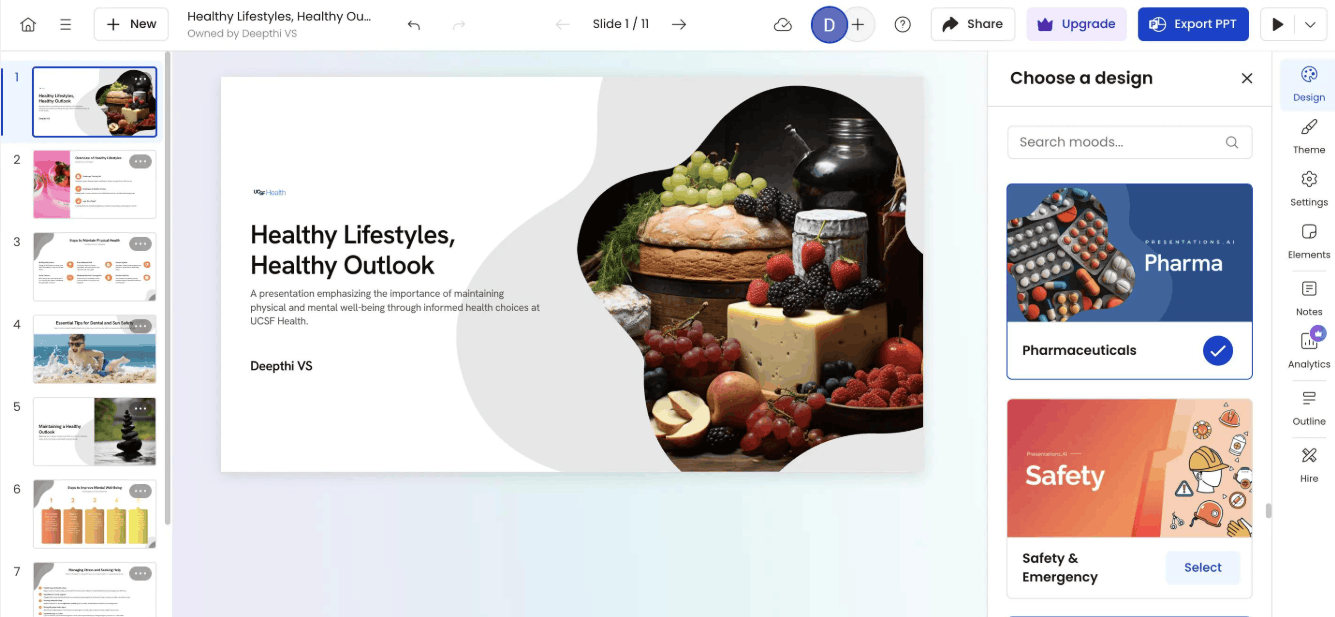
1. Presentations.AI - An option for structured and easily editable presentations.
Presentations.AI is aimed at those who frequently create reports, proposals, strategies, or updates for stakeholders. The platform's unique approach lies in what they call Presentation Intelligence. Instead of viewing slide creation as purely a formal task, the tool focuses on the content flow, information hierarchy, and communication goals of the presentation.
In fact, you can start with a short statement or from existing documents such as PDF files, Word documents, outlines, or website links. A project manager can turn a progress report into an update for stakeholders, a consultant can translate research results into a deliverable for a client, and a sales team can quickly create a proposal or campaign summary. This approach allows you to leverage readily available information instead of rebuilding each idea in a blank text editor.
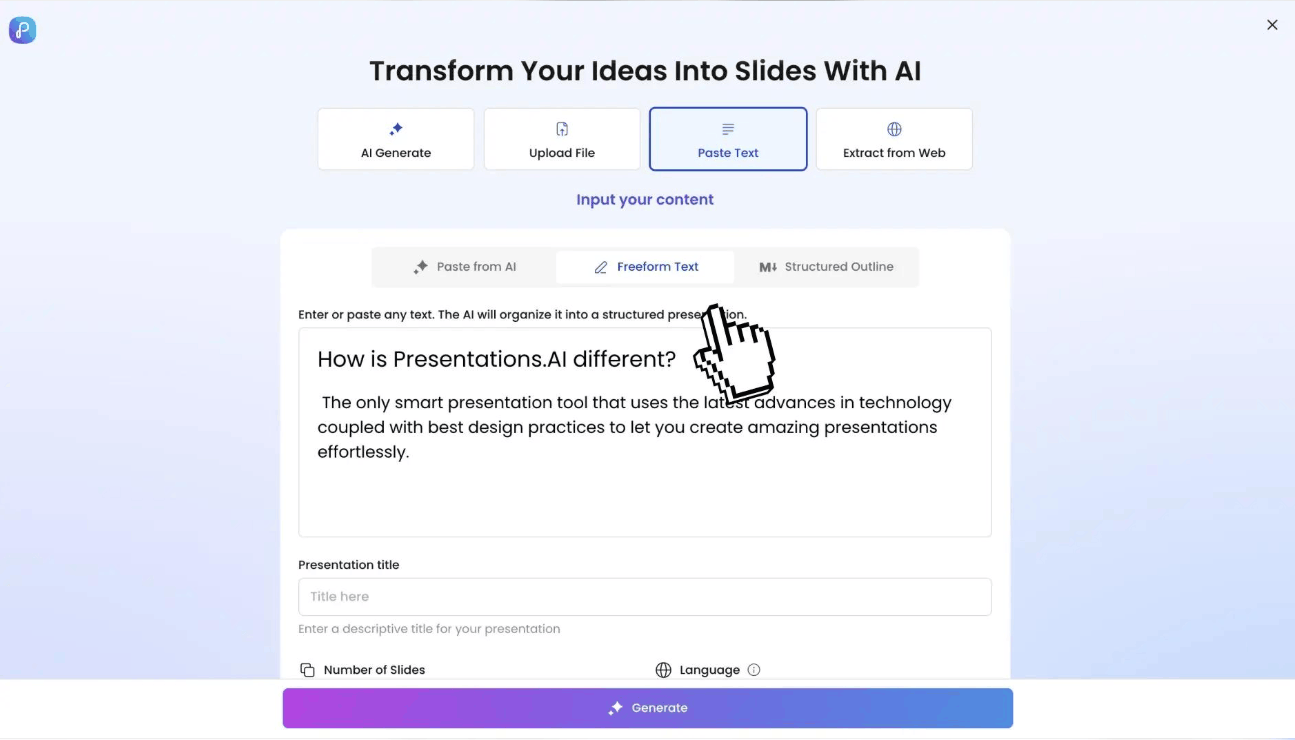
In terms of practical use, Presentations.AI allows high-quality PowerPoint exports in the paid plan, so presentations can still be edited and shared through the familiar Microsoft Office workflow within a business. The platform also supports branding customization such as colors, fonts, and other branding elements, helping to maintain consistency across the team's presentations. Additionally, you can share, collaborate, and track views and engagement for each slide, which is very useful when sending documents to partners or clients.
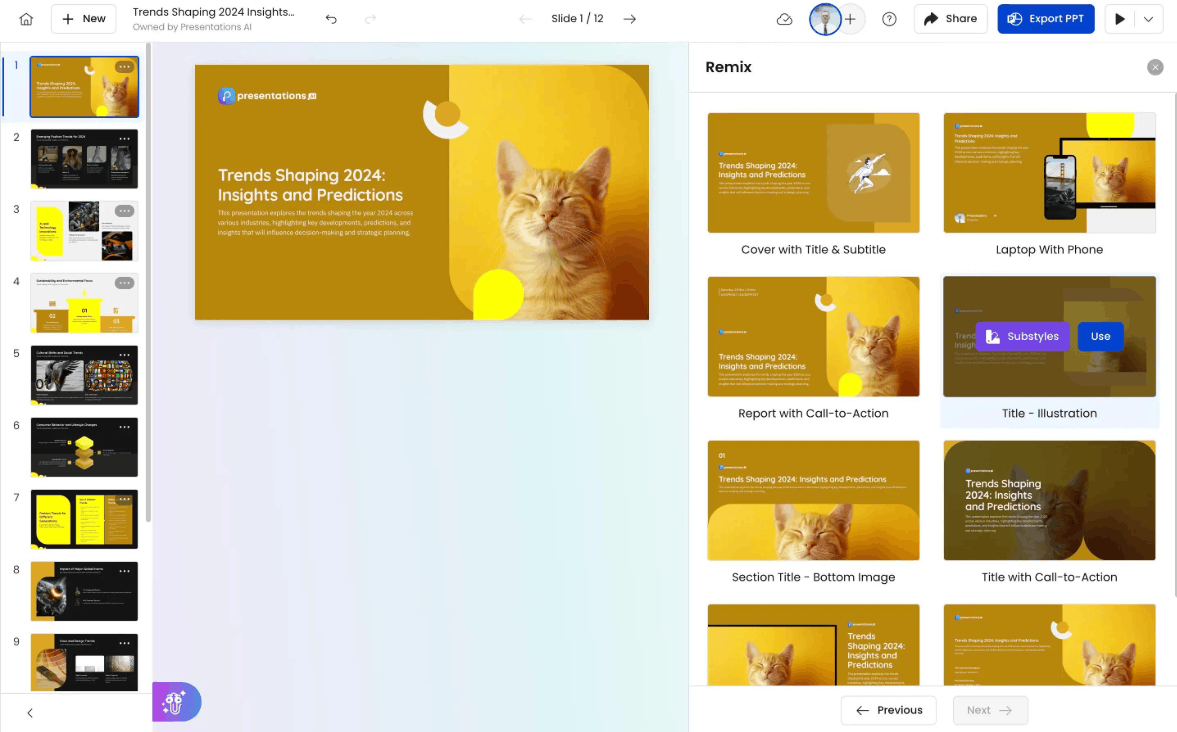
Its greatest strength lies in its ability to move from source information to a complete presentation, focusing on the logic of the content, making it particularly suitable for executive reports or strategic advisory documents, where the connection between facts, evidence, and conclusions is more important than the decorative appearance.
Limitations also need to be clearly stated. This is a tool specifically for presentations, so if you need a lot of illustrations, photo editing, or diverse creative content production, you'll need additional design software. Advanced AI models, larger content creation limits, and in-depth branding tools are all included in paid packages. And as with all AI tools, you still need to review data, assessments, and conclusions before using them for important decisions.
Regarding costs, there's a free plan with a limited number of AI credits, a Pro plan at around $20 per month when paid annually, and higher-tier plans for advanced needs. Prices displayed between sites may vary, so you should confirm the current fees before making a payment.
2. Gamma, a visual storytelling platform right in your browser.
Gamma is an AI-powered content creation platform that supports presentations, documents, and websites. Instead of relying solely on traditional, fixed-frame slides, Gamma organizes information in flexible content cards that can be scaled and rearranged according to how the viewer receives it. This makes the tool particularly suitable for content that is read, viewed, and shared online.
The process typically begins with a command or pre-written content, after which the AI generates a draft with titles, layout, images, and charts. You refine the draft directly within the tabbed editor, where text, images, charts, and visual elements are arranged more smoothly than with traditional tools. Gamma also allows importing content from PDF or PowerPoint files and exporting to formats such as PDF, PPTX, and PNG. You can share presentations via links, and paid packages add branding features, view analytics, and viewer engagement time tracking for each section, which is quite useful for business and marketing teams wanting to measure document effectiveness.
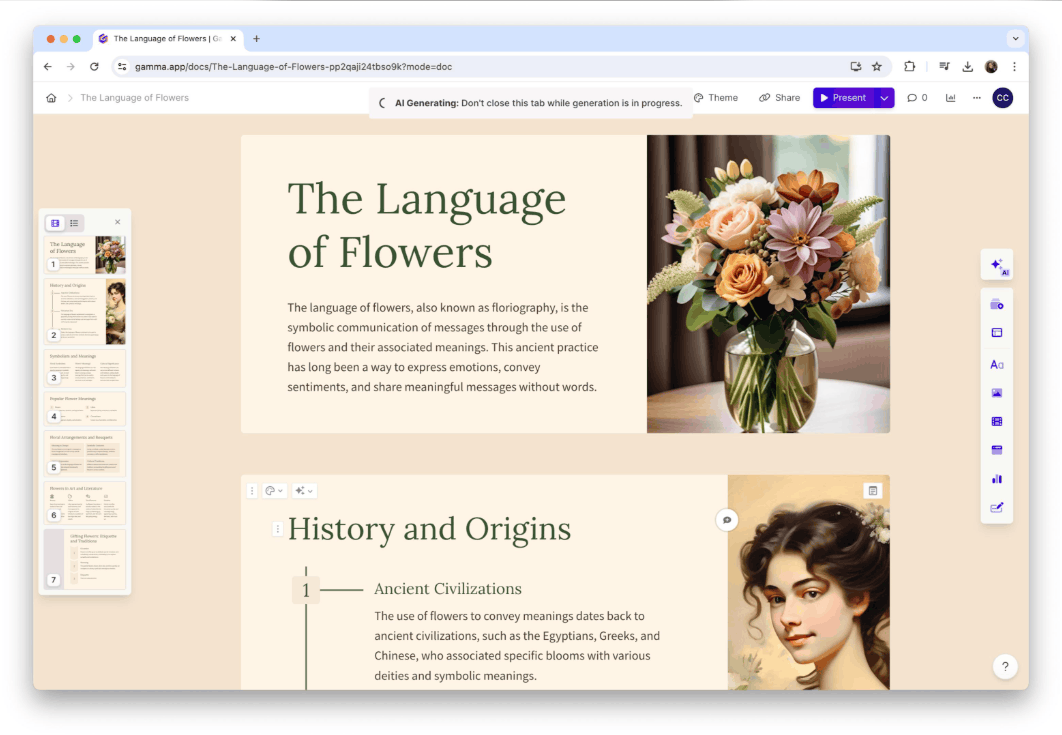
Gamma is well-suited for startups, small teams, instructors, and those who work primarily online, such as for internal updates, lectures, project summaries, or brochures. Its standout features include fast draft generation, flexible content layout, and a free trial plan allowing users to experience the platform before paying. The platform is also continuously expanding its AI-powered image creation capabilities, bringing Gamma closer to becoming a versatile content tool.
However, those familiar with traditional slide editors may need some time to get used to working with tabs. When exporting to PowerPoint, you should double-check complex layouts to ensure formatting is accurate, especially if the presentation will be further edited by others. Spacing and alignment controls are also less detailed than in PowerPoint. Features like custom branding and in-depth analytics are mostly found in higher-tier packages.
In terms of pricing, Gamma offers a free plan and paid plans per user. The Plus plan is around $9 per month when paid annually, the Pro plan is around $18, and the Ultra plan is around $90 for advanced needs. The plans differ in AI credits, content creation limits, branding features, and analytics.
3. Beautiful.ai - The pacemaker for consistent design and automated layout.
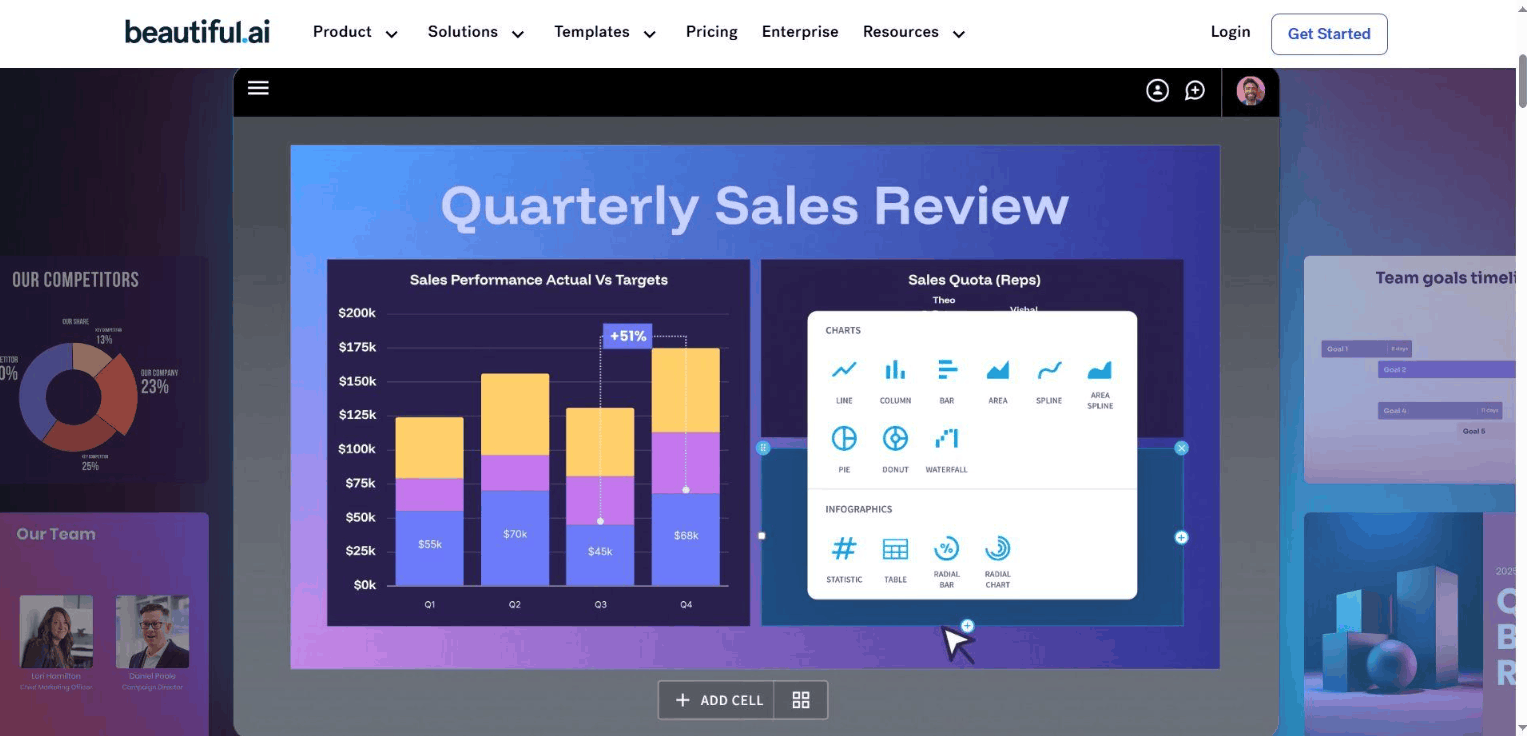
Beautiful.ai builds its entire experience around a simple idea: you focus on the content, and the tool handles the presentation. The Smart Slides system is at the core of the platform. Each slide is an intelligent layout that automatically adjusts as you add, remove, or change content, keeping margins, spacing, and proportions neat without the need for manual dragging and dropping of elements. The library contains hundreds of layout templates categorized by purpose, such as timelines, comparisons, processes, team introductions, and data visualizations.

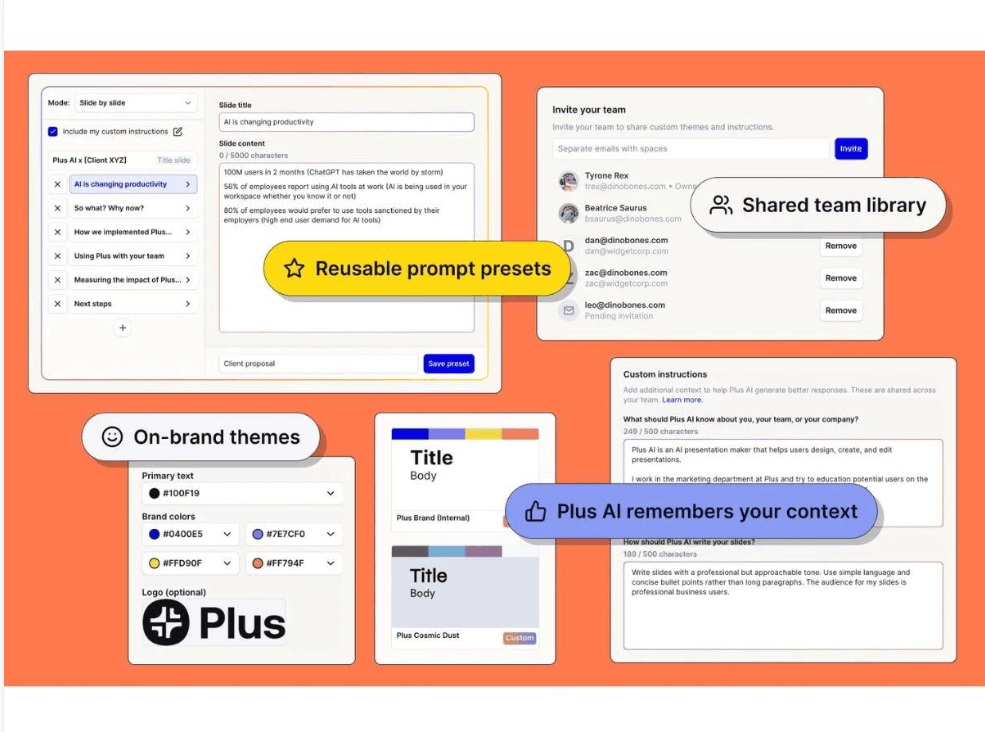
This approach is particularly valuable for organizations that frequently produce repetitive presentations, such as sales materials, customer proposals, management reports, or periodic updates. When multiple people collaborate on slides, built-in design rules help create a consistent look, as if they all came from the same source. You can create your own themes with colors, fonts, and company logos, and use AI to generate drafts from commands or from files and paths that add context. Team packages also offer shared resources, collaborative editing, and organization-level control tools.
Its most obvious strength is automatic formatting, which significantly saves editing time and reduces the risk of misaligned or cluttered slides. The tool also supports importing and exporting PowerPoints, convenient for teams transitioning from traditional software to an AI platform.
In return, consistency comes with less flexibility. If you need very unusual layouts or highly personalized designs, Smart Slides' constraints can be frustrating. The tool is also not the strongest option for slides containing numerous charts or dense data tables. Teamwork features require a higher-tier package than the individual package, and automatic formatting doesn't guarantee that AI-generated content, figures, or recommendations are always accurate, so you still need to double-check.
Regarding costs, Beautiful.ai doesn't offer a perpetual free plan but does provide a 14-day trial. The Pro plan costs around $12 to $15 per month when billed annually, the Team plan is around $40 per user per month, and the Enterprise plan is priced separately. Since publicly available pricing pages may show different rates, you should confirm the Pro price before subscribing.
4. Plus AI, AI assistants right in PowerPoint and Google Slides
Plus AI takes a completely different approach. Instead of requiring you to switch to a new platform, the tool acts as an add-on built right into PowerPoint and Google Slides. You still work in your familiar environment, only with the added ability to create drafts, rewrite content, insert slides, and adjust layouts using AI.
This approach is particularly beneficial for businesses that have already built a library of slides, company-standard presentation templates, and workflows centered around Microsoft 365 or Google Workspace. The presentations created are native PowerPoint or Google Slides files, allowing colleagues to open, edit, and comment without needing a Plus AI account or learning new tools. Google Slides' real-time collaboration features are also preserved.
In terms of capabilities, you can create presentations from commands or outlines, defining your audience and tone. From the Pro package onwards, the tool supports uploading PDF, DOCX, and text files as source documents. Besides creation, Plus AI excels at editing, such as rewriting slide content, adjusting tone, changing layouts, and adding images, icons, or charts. This is very useful when you need to update a report regularly or adjust the same presentation for multiple audience groups. The Team package adds branding options such as logos, colors, fonts, shared settings, and custom AI guidance.
It's worth noting that Plus AI was built primarily for Google Slides, and its experience on PowerPoint is considered less smooth. The tool relies on these two applications, so there's no standalone editor. Some features, such as document uploading or team branding, require a higher-priced subscription plan, and AI-generated drafts sometimes still need minor editing to achieve the desired result.
In terms of pricing, Plus AI offers a Basic plan at around $10, a Pro plan at around $20, a Team plan at around $30 per user per month when paid annually, and Max and Enterprise plans for larger needs. All paid plans include a 7-day free trial, which includes Google Slides and PowerPoint.
5. Canva: A presentation toolkit for marketing and visual content teams.
Canva is more than just a slide-making tool. It's a comprehensive design platform where you can create presentations alongside social media photos, marketing materials, documents, videos, and many other types of visual content. This versatility makes Canva particularly attractive to marketing teams who need to produce content for multiple channels while maintaining a consistent brand identity.
In terms of AI, the Magic Studio suite includes features like Magic Design for creating presentations from commands, Magic Write for writing content, Magic Media for creating images and videos, and text-based image editing tools. Canva AI 2.0 also allows you to chat with an assistant to build and edit designs using text or voice, creating editable design objects rather than flat images. A vast resource library of images, graphics, illustrations, and fonts allows you to customize presentations for different audience groups. The Brand Kit manages colors, fonts, and logos, while features for sharing designs, commenting, and editing simultaneously support efficient teamwork. Another interesting advantage is the ability to resize slides to various formats or export them as videos in just a few steps.
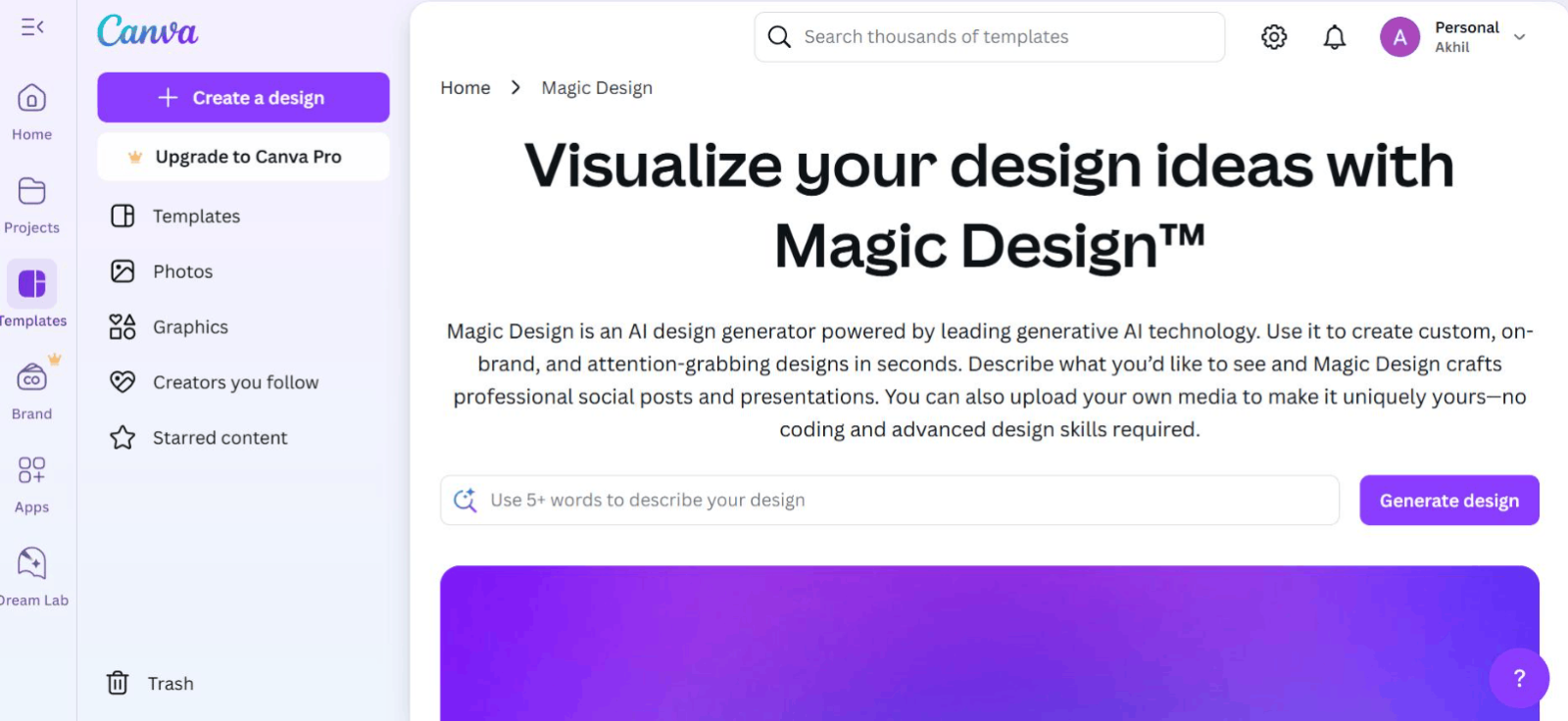
Canva's strengths lie in its virtually limitless image customization capabilities, coupled with the fact that all design needs are met in one place. For small businesses and marketing teams, this significantly saves costs and time spent switching between multiple applications.
Conversely, Canva is more focused on design than on organizing complex content. For long reports or research papers with multiple layers of argument, you may need to manually arrange the presentation to make it more logical. Advanced AI features and usage limits also vary depending on the subscription plan.
In terms of pricing, Canva offers a free lifetime plan, a Pro plan at approximately $144 per year per user, a Business plan at approximately $250 per year per user, and an Enterprise plan with on-demand pricing. Prices and features may vary by country, so please check the applicable rates in your region.
6. How to choose the right tool for your needs
The best tools are those that support the most critical steps in your workflow. Creating a first draft, organizing complex information, maintaining brand consistency, and editing existing slides are four related but distinct tasks, and each platform prioritizes one or more of them.
1. Consider the importance of content structure. For executive reports, advisory papers, or strategic documents, the audience needs to clearly see the problem, evidence, conclusions, and proposed actions without having to piece things together. These situations favor content-structured tools like Presentations.AI.
2. Check the ability to work with source documents. Most business presentations start from reports, research papers, spreadsheets, or project files. Confirm that the tool supports the formats your team commonly uses and which packages unlock document uploading capabilities.
3. Assess compatibility with PowerPoint. Don't just look at whether it can export to PPTX, but also see if the text, shapes, and layout can still be easily edited after export. Presentations.AI and Beautiful.ai support exporting to PowerPoint, while Plus AI works directly within PowerPoint and Google Slides.
4. Consider branding and collaboration. When multiple people are creating documents for an organization, branding management, shared resources, and collaborative editing become especially important.
5. Compare costs based on the features you actually need. The lowest advertised price often doesn't include everything you need. Document downloads, advanced AI modeling, file export, branding, analytics, and collaboration can all be tied to specific packages, so factor in the number of users and the actual editing and delivery requirements of your team.
If you need quick suggestions, Presentations.AI is suitable for executive reports, business proposals, and project updates. Gamma is ideal for content viewed and shared in a browser. Beautiful.ai is for teams who want consistent layouts without manual adjustments. Plus AI is a sensible choice for those already familiar with PowerPoint or Google Slides. Canva is for marketing teams that need to create presentations with a lot of visual content.
7. Conclusion
These five tools represent five different philosophies for creating AI-powered presentations. For professionals who regularly transform business information into structured, branded, and easily editable presentations, Presentations.AI is a strong overall choice thanks to its combination of content organization, the ability to create presentations from source documents, branding customization, and PowerPoint export. Gamma excels at visual storytelling on the web, Beautiful.ai ensures design consistency, Plus AI maintains familiar workflows, and Canva caters well to broader content creation needs.
Regardless of which tool you choose, remember that AI is only an assistant. Data, information sources, conclusions, and messages tailored to specific audience groups still need to be carefully reviewed by humans, especially for financial reports, sales proposals, and other critical documents. Take advantage of free trials or packages of several tools, test them with a real presentation, and then choose the platform that best suits your team's workflow.





















VIP Products








Best Selling Products
Adobe Photoshop Copyright - Full App
120 USD
Autodesk All App Account Copyright
120 USD
Upgrade Genuine Office 365
49 USD
Adobe Premiere Pro Account
99 USD
Plugin Retouch4me
69 USD
Genuine Cheap Canva Pro
39 USD
Capcut Pro 1 Year
39 USD
ChatGPT Plus Account (GPT-4)
16 USD
Freepik Premium Account
59 USD
Upgrade Duolingo Super
29 USD
Windows 10 & 11 Pro Key
36 USD
MidJourney Account
29 USD
Copyright Adobe Lightroom Account
59 USD
Upgrade genuine Capture One account
120 USD
Genuine Adobe Illustrator account
99 USD