Best Selling Products

Autodesk All App Account Copyright
120 USD

Genuine Cheap Canva Pro
39 USD

Genuine Adobe Illustrator account
99 USD

Windows 10 & 11 Pro Key
36 USD

Copyright Adobe Lightroom Account
59 USD

MidJourney Account
29 USD

Plugin Retouch4me
69 USD

Capcut Pro 1 Year
39 USD

Upgrade Genuine Office 365
49 USD

ChatGPT Plus Account (GPT-4)
16 USD

Upgrade Duolingo Super
29 USD

Upgrade genuine Capture One account
120 USD

Adobe Premiere Pro Account
99 USD

Freepik Premium Account
59 USD

Adobe Photoshop Copyright - Full App
120 USD
5 Website Traffic Tracking Methods Every Website Owner Should Know
Nội dung
- 1. Google Analytics - The industry standard for web analytics
- 2. AWStats, an open-source solution that analyzes server logs
- 3. Hotjar - A tool that helps you understand why users act the way they do
- 4. Clicky: Real-time statistics with a clean interface
- 5. Usermaven: A modern, privacy-friendly analytics tool
- 6. Choosing the right tool for your needs
A website, whether a personal portfolio, a professional blog or an online store, needs to be monitored regularly. Without data, every decision about content, design or promotional campaigns rests on gut feeling alone. Traffic tracking tools tell you how many people visit, where they come from, what devices they use, which pages they view and when they leave. From there, you know what is working and what needs improvement.

1. Google Analytics - The industry standard for web analytics
Launched in 2005, Google Analytics has become the most widely used tool for measuring website traffic. The current version is Google Analytics 4, which fully replaced Universal Analytics on July 1, 2023. The biggest difference in GA4 lies in its data model. Instead of revolving around page views, GA4 treats every interaction as an event, from scrolling, clicking external links and downloading files to on-site searches and watching videos.
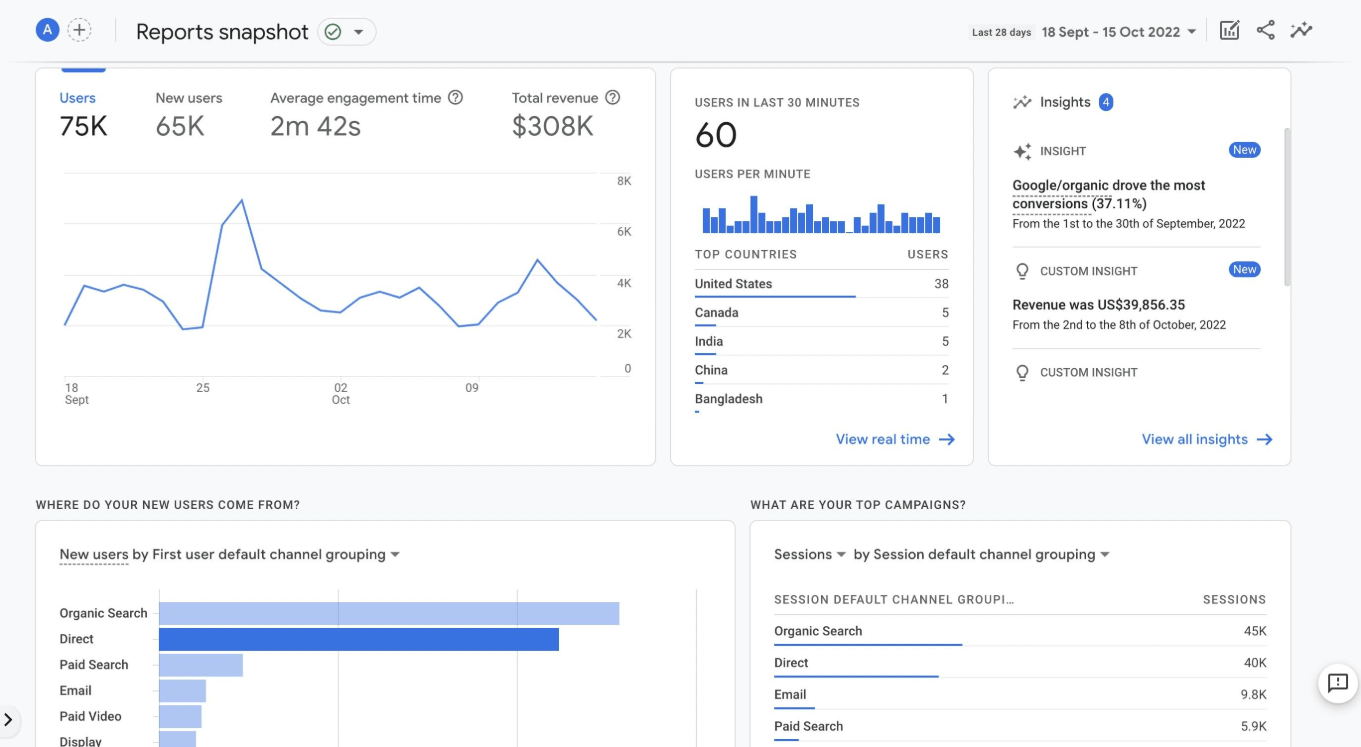
Thanks to this approach, you understand the visitor's journey more completely. GA4 lets you combine data from your website and mobile app in the same property, so you can tell when someone starts browsing on a phone and then completes a transaction on a computer. Acquisition reports show whether visitors come from organic search, paid ads, social media, direct traffic or referral sites, helping you evaluate the effectiveness of each channel. The tool also supports funnel analysis, retention analysis, e-commerce tracking, custom reports and anomaly detection in your data.
In terms of privacy, GA4 integrates cookie consent mode, data retention controls and data deletion requests, helping businesses comply with data protection regulations. Setup is fairly simple: you just add the tracking tag to your website, either directly or through Google Tag Manager, and data will start being recorded. A drawback of GA4 is that its interface is considerably more complex than the previous version, and newcomers often need time to get used to it. Even so, because it is free and has a broad integration ecosystem with Google Ads and Search Console, it remains a foundational choice that almost every website should have.
2. AWStats, an open-source solution that analyzes server logs
If Google Analytics collects data using code that runs in the visitor's browser, AWStats takes a completely different approach. It is an open-source tool written in Perl that directly analyzes access log files on the server to produce reports on visits, most-viewed pages, requested file types, browsers, operating systems, visitors' countries, search keywords and referral sources.
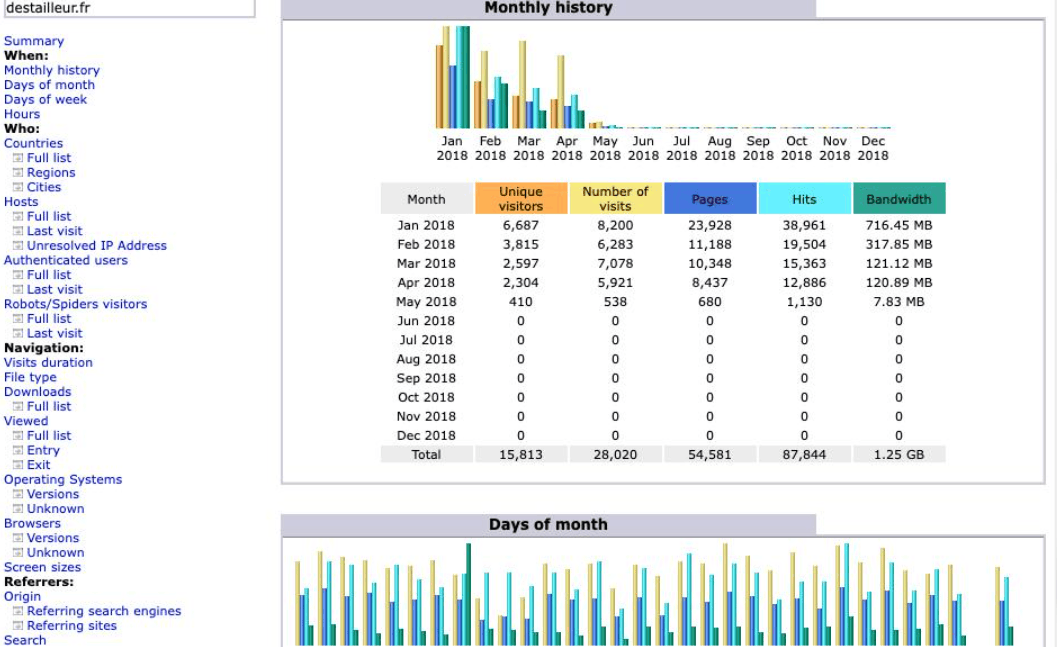
AWStats' strength lies in its flexibility and independence. The tool can read many common log formats, including Apache, Microsoft IIS and many other server types, even mail server and file transfer server logs. It can process very large log files thanks to its intermediate data storage mechanism, can run from the command line or through a CGI interface, and the entire configuration for each website is contained in a single file. Its modular design also allows extension through plugins.
Because the data comes from the server, AWStats does not depend on JavaScript or cookies, so it is not affected by ad blockers. Many hosting packages already have this tool pre-installed, and you only need to ask your provider how to activate it. In return, AWStats does not go as deep as Google Analytics, has no real-time data, has a dated-looking interface, and its figures may include bot visits. The project is currently mostly in the maintenance and bug-fixing stage. Even so, for those who want a free, lightweight solution that can be cross-checked against data from other tools, AWStats remains a reliable choice.
3. Hotjar - A tool that helps you understand why users act the way they do
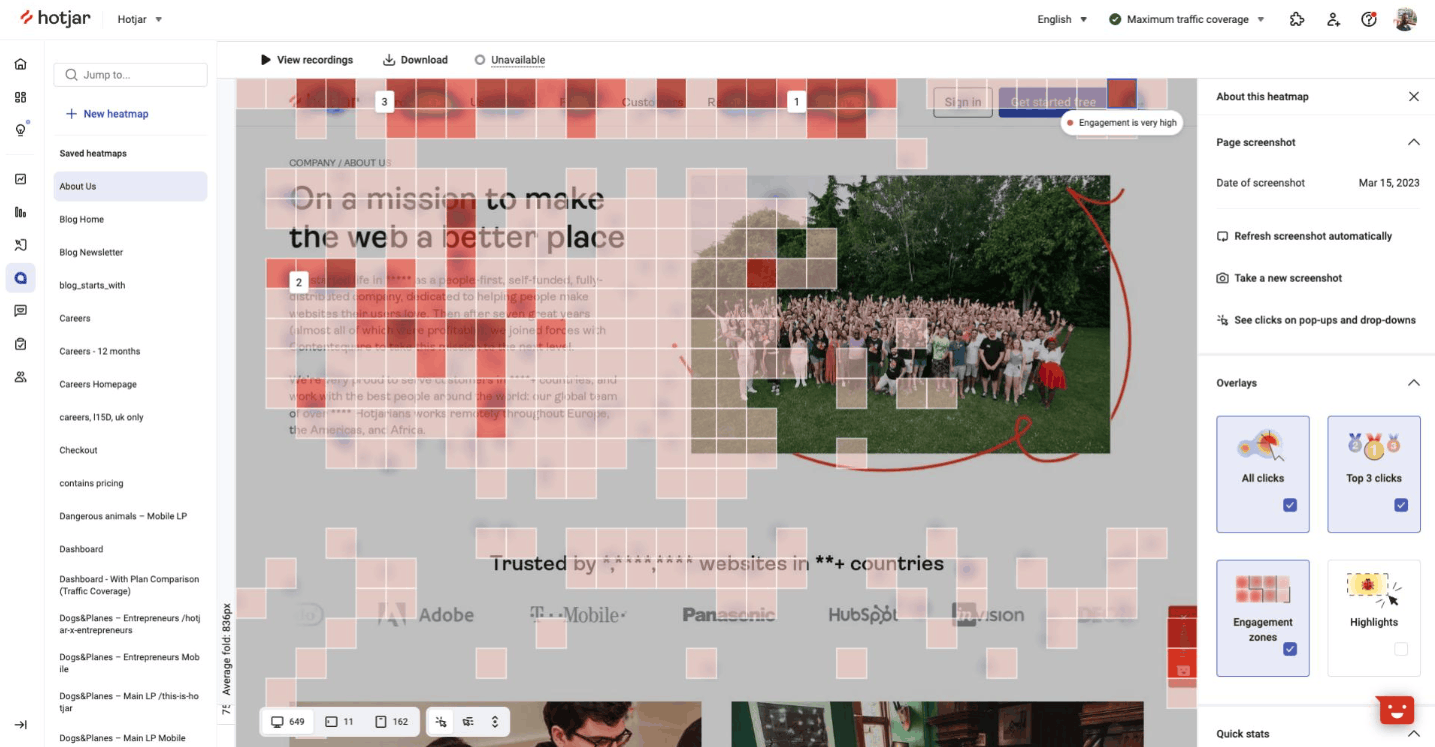
Traditional tools tell you what is happening, while Hotjar helps answer the question of why. It is a user behavior analytics platform that offers four main groups of features: heatmaps, session recordings, surveys and direct feedback from visitors.
Heatmaps visualize where users click, tap and scroll, showing which parts of the content attract attention and which are ignored. Session recordings recreate each person's actual journey, from how they move between pages and where they hesitate to where they leave, making them very useful for spotting interface bugs or frustrating points in the checkout process. On-site surveys and feedback forms let you ask visitors directly about their experience, turning subjective opinions into concrete evidence. Hotjar also applies a mechanism to mask sensitive data such as personal information, passwords and card numbers in recordings.
In terms of cost, Hotjar has a free plan that limits the number of recorded sessions per day to a modest level, suitable for trying it out. Paid plans are priced by the number of sessions or responses, with starting prices typically around a few tens of dollars per month and increasing as traffic grows. Note that Hotjar complements rather than replaces traffic analytics tools, since it leans toward qualitative data. For design, marketing and product teams who want to optimize landing pages, increase conversion rates or validate interface changes, this is a tool well worth investing in.
4. Clicky: Real-time statistics with a clean interface
Clicky was developed by Roxr Software in Portland, Oregon, and appeared in 2006, quickly becoming known as a new-generation web analytics solution with a clean, easy-to-use interface. Its biggest highlight is that every report updates in real time. You can watch each visitor to see which page they are on, where they came from, what device they use and what action they are taking at that very moment.
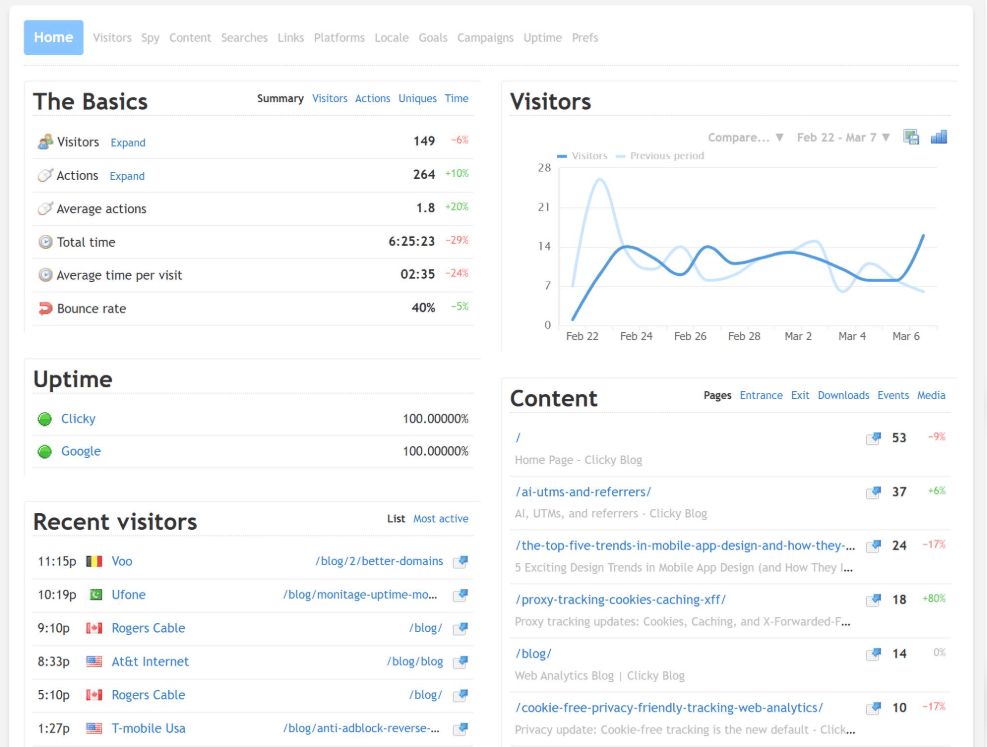
Besides live data, Clicky has many other valuable features. Its goal and revenue tracking system helps you measure conversion performance, heatmaps can be viewed by page, by visitor or by segment, and the uptime monitoring feature sends alerts when your website goes down, with checks performed from multiple locations around the world. Its bot detection and blocking mechanism also keeps your data cleaner. In addition, you can schedule reports to be sent by email at your preferred frequency and access data through an API.
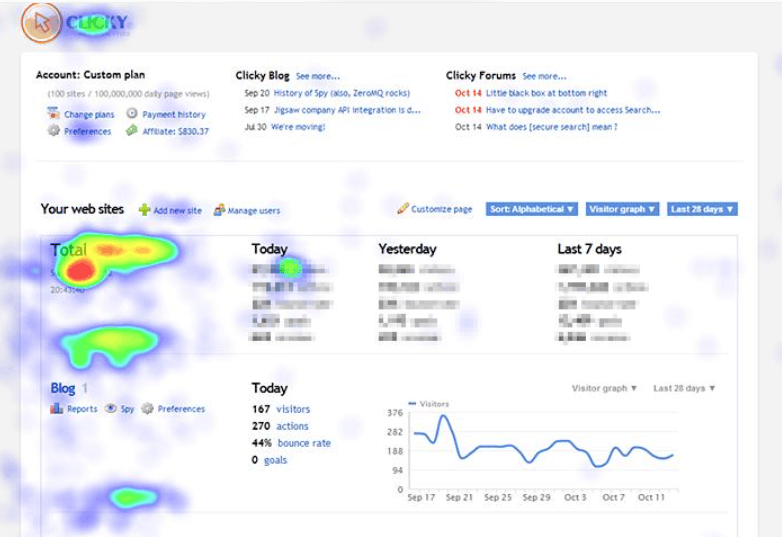
Clicky has a free plan for one website with a daily page view limit, and paid plans start at around 10 dollars per month. Some features, such as heatmaps or uptime monitoring, are only available on higher plans. Clicky's weakness is that its depth of analysis and number of integrations cannot match Google Analytics, so larger teams often use additional tools. However, for small website owners, content creators or anyone who needs to catch fluctuations immediately without a dedicated analytics team, Clicky is a lightweight and worthwhile choice.
5. Usermaven: A modern, privacy-friendly analytics tool
Usermaven is a website and product analytics platform that emerged in recent years, aimed at marketers, product teams and agencies who want a clear view without facing the complexity of traditional tools. The tool emphasizes privacy-friendly data collection and can operate without cookies, reducing the burden of consent banners and legal requirements.
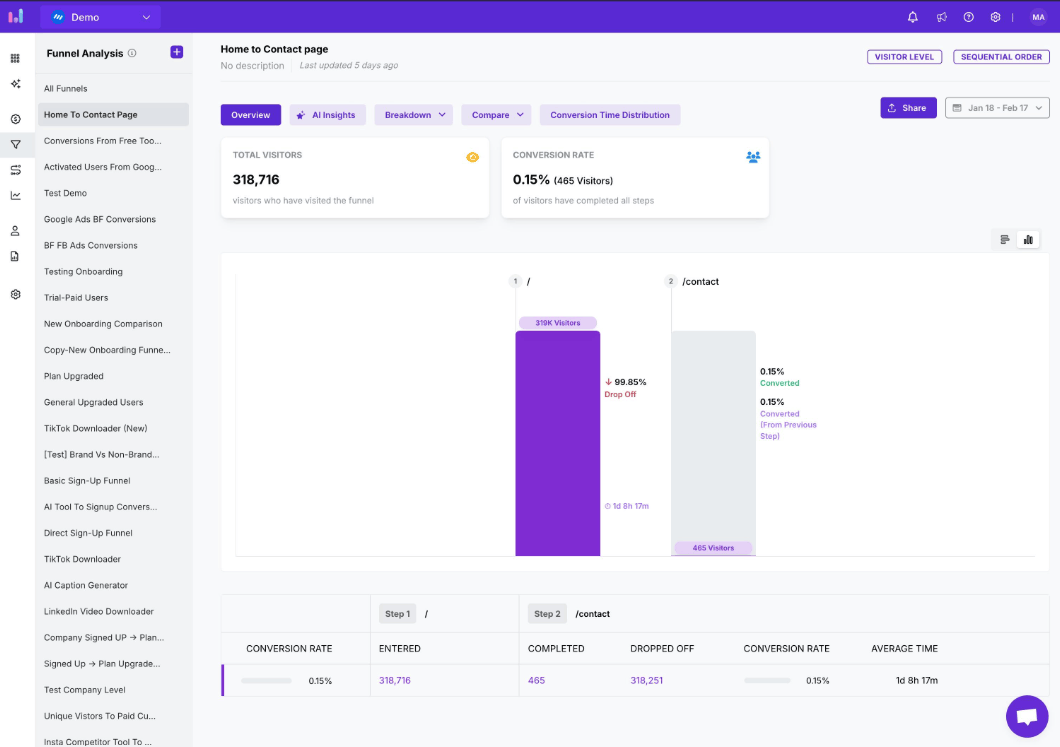
Deployment is quite fast: you just insert a snippet of code into the head of your website, after which the system automatically records events and tracks goals without any programming. The dashboard displays key metrics right from the start, along with time comparison, annotations directly on charts and real-time data. You get to know entry pages, exit pages, visit duration, devices, browsers, operating systems and visitors' geographic locations. For deeper needs, Usermaven provides funnel analysis, cohort analysis, retention analysis, user journey maps, audience segmentation and user profiles. An AI assistant tool helps you draw insights from data faster.
The starting price is around 14 dollars per month, higher than using free Google Analytics, but in return you get an easy-to-understand interface and data that is right on target. Some users report that attaching user or company properties requires a bit of technical knowledge. Usermaven is especially suitable for those who want to replace Google Analytics with a simpler solution, or who need to measure both a website and a SaaS product in one place.
6. Choosing the right tool for your needs
No tool is perfect for every case, and many effective websites combine two or three solutions. Google Analytics should be the foundation for most people, thanks to its broad data coverage and zero cost. AWStats adds a server-side perspective, useful for cross-checking figures and independent of the user's browser. Hotjar helps you observe real behavior and find the reasons behind the numbers. Clicky is suitable when you need to track things immediately, while Usermaven is a direction worth considering if you value privacy and want a modern, easy-to-use platform.
What matters is not owning the most tools but the habit of looking at data and turning it into action. Start with one tool, identify a few metrics that truly matter for your goals, then expand gradually as your analytics needs become deeper. Which tool are you using for your website, and which one has helped you make the right decision most?





















VIP Products








Best Selling Products
Autodesk All App Account Copyright
120 USD
Genuine Cheap Canva Pro
39 USD
Genuine Adobe Illustrator account
99 USD
Windows 10 & 11 Pro Key
36 USD
Copyright Adobe Lightroom Account
59 USD
MidJourney Account
29 USD
Plugin Retouch4me
69 USD
Capcut Pro 1 Year
39 USD
Upgrade Genuine Office 365
49 USD
ChatGPT Plus Account (GPT-4)
16 USD
Upgrade Duolingo Super
29 USD
Upgrade genuine Capture One account
120 USD
Adobe Premiere Pro Account
99 USD
Freepik Premium Account
59 USD
Adobe Photoshop Copyright - Full App
120 USD