Best Selling Products

Genuine Cheap Canva Pro
39 USD

Upgrade Duolingo Super
29 USD

Adobe Photoshop Copyright - Full App
120 USD

Freepik Premium Account
59 USD

Adobe Premiere Pro Account
99 USD

Upgrade Genuine Office 365
49 USD

Copyright Adobe Lightroom Account
59 USD

Plugin Retouch4me
69 USD

Upgrade genuine Capture One account
120 USD

Genuine Adobe Illustrator account
99 USD

ChatGPT Plus Account (GPT-4)
16 USD

Capcut Pro 1 Year
39 USD

MidJourney Account
29 USD

Windows 10 & 11 Pro Key
36 USD

Autodesk All App Account Copyright
120 USD
6 best vector design tools for beginners and designers
Nội dung
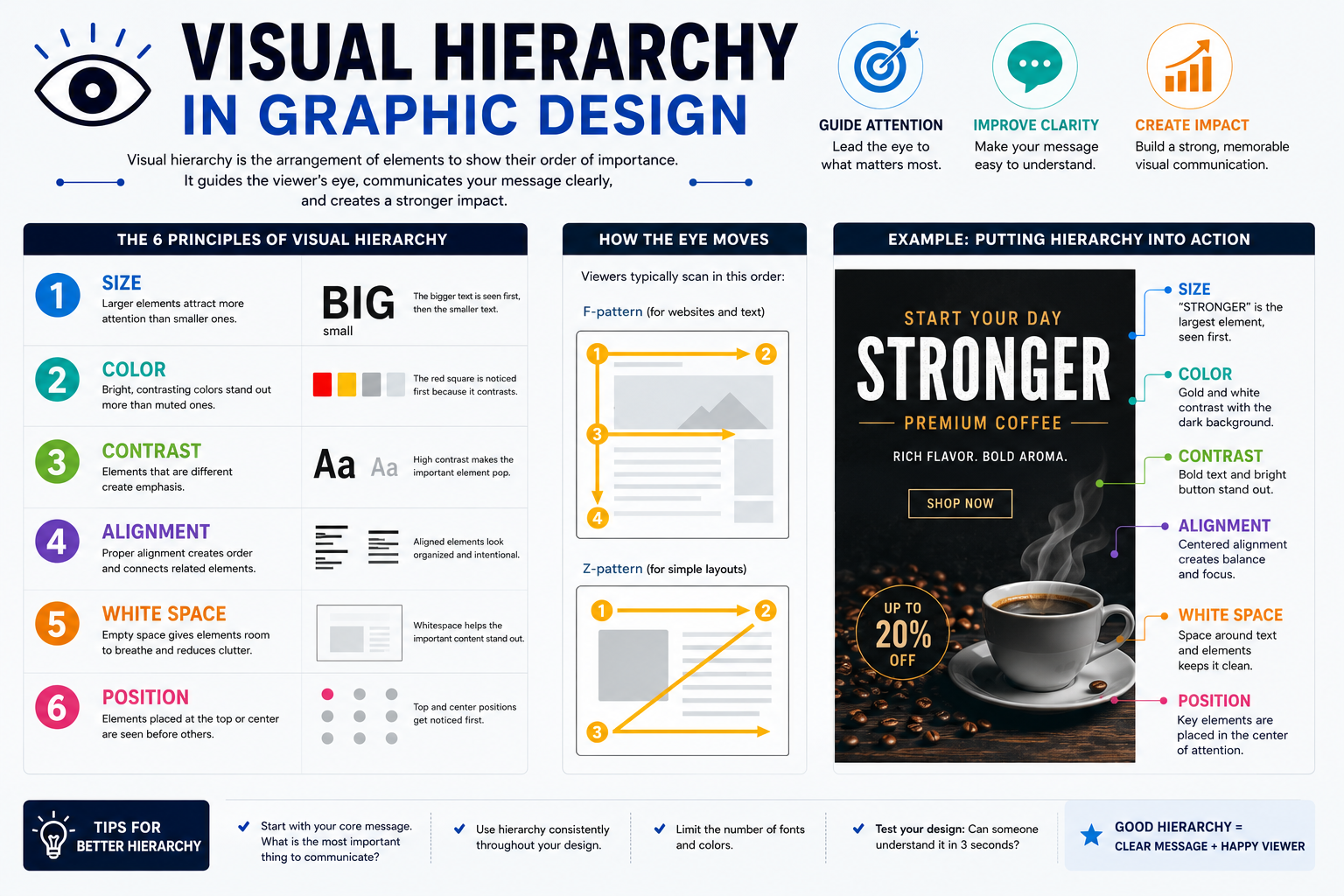
Vector graphics are a crucial foundation in the design of logos, icons, illustrations, banners, and many other digital products.
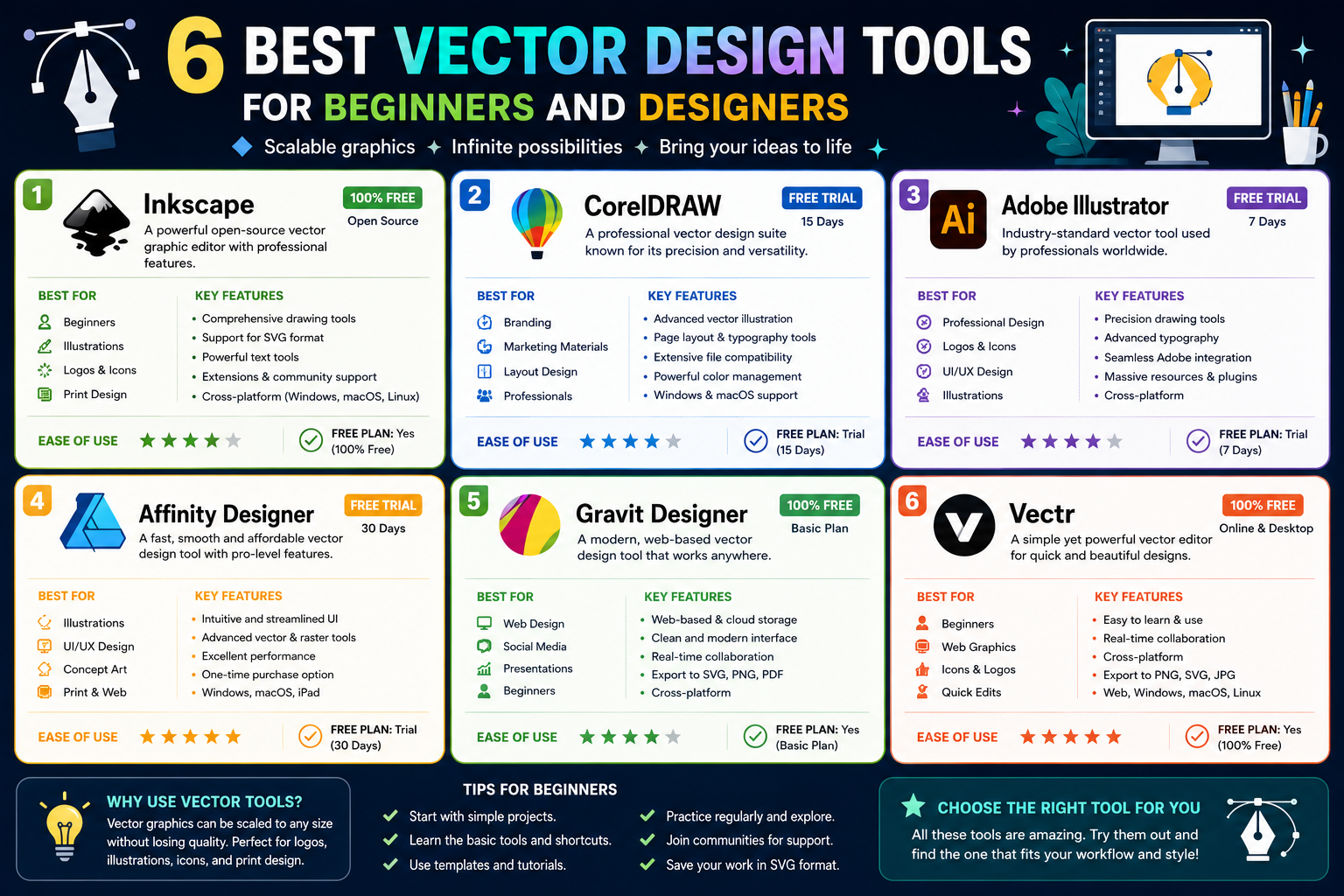
1. Learn about vector graphics
Vector graphics are a type of image composed of geometric objects such as points, lines, curves, shapes, and paths. These components are defined by mathematical formulas rather than being fixed pixel by pixel like raster images.
For example, when designing a logo using vectors, the image can be created from circles, squares, Bezier curves, and paths combined with colors, outlines, or effects. When the logo is scaled up from a few centimeters onto a large billboard, the lines can still maintain sharpness.
This is a key advantage that makes vectors widely used in brand identity design, logos, icons, illustrations, packaging, typography, and printed materials in various sizes.
One notable difference between vector and raster designs is the ability to edit them. With raster images, changing a specific line or shape can sometimes affect surrounding pixels. Vector designs, on the other hand, typically allow for the selection of individual objects, anchor points, or paths for independent adjustment.
Common vector design formats include SVG, EPS, AI, and PDF. Of these, SVG is particularly popular in web environments because it can display vector images directly in the browser and offers flexible scalability.
However, vectors aren't always suitable. Images with a lot of natural detail, such as photographs, landscapes, or portraits, are often better suited to raster formats like JPEG, PNG, or TIFF. Therefore, the choice of tool and graphic type should be based on the actual intended use.
2. 6 Best Vector Design Tools
Here are six tools worth considering if you're looking for an easy-to-use and flexible vector design solution.
2.1. Lunacy
Lunacy is a graphic design tool focused on a modern design experience, suitable for those who frequently work with interfaces, icons, illustrations, and digital design products.
One of Lunacy's advantages is its ability to run on a computer without relying entirely on a browser. The interface is designed to be intuitive, allowing beginners to quickly familiarize themselves with the basic tools.
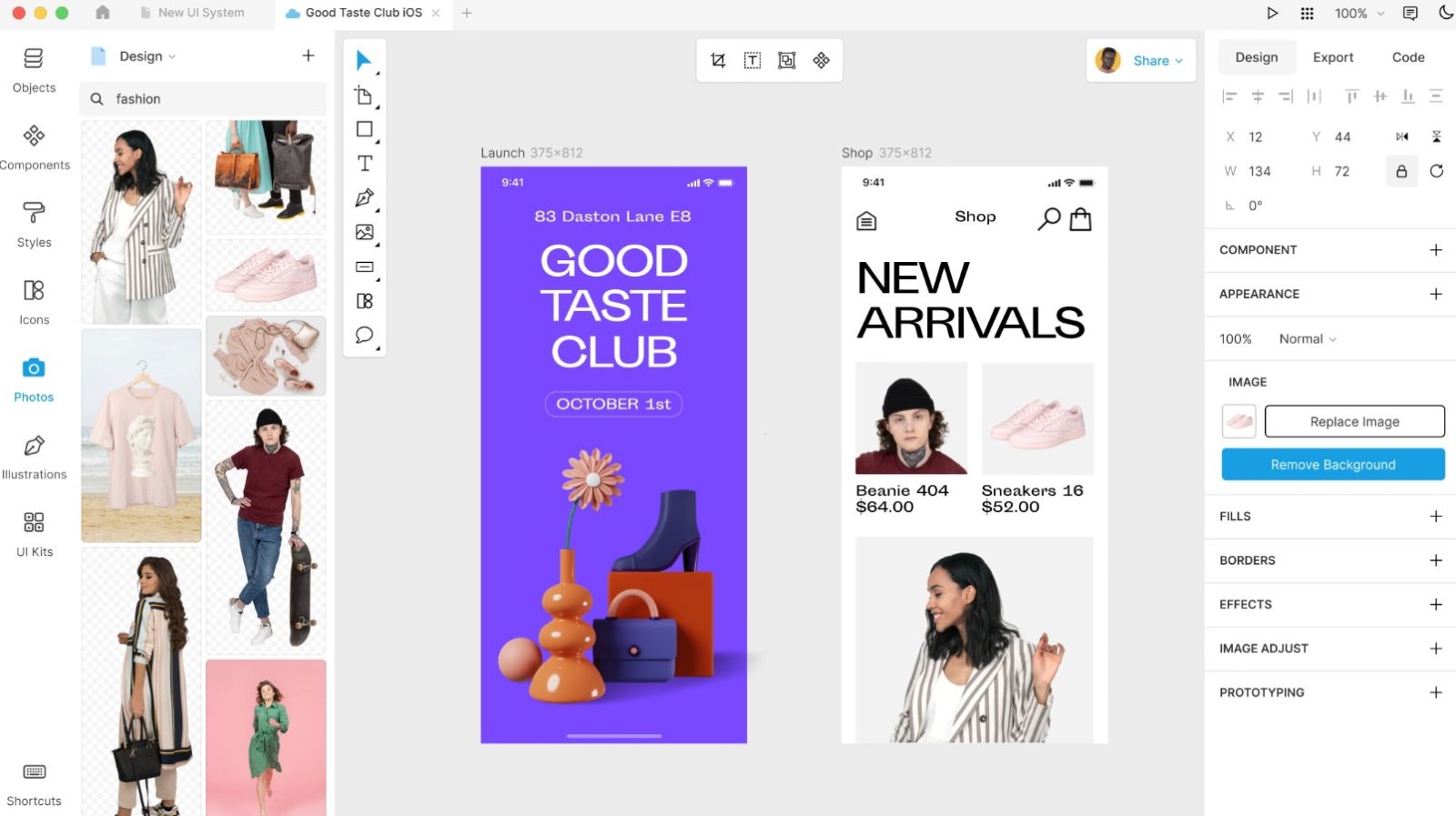
Lunacy supports many features for vector design, such as shape creation, path editing, object merging, layer manipulation, and typography. Users can build graphic elements from basic shapes and then further edit them as needed.
This tool is also suitable for UI/UX design workflows. Users can create wireframes, application interfaces, websites, and visual components all within the same environment. It's a worthwhile option for students, beginner designers, or anyone looking for a versatile design tool.
Lunacy's key selling point is its focus on easing common barriers to entry in the design process. Therefore, if you prioritize a modern, accessible interface that can be used across a wide range of digital projects, Lunacy is a suitable choice.
2.2. Inkscape
Inkscape is one of the most widely known open-source vector design software programs. It's a noteworthy option for those who want to use powerful vector tools without investing in commercial software.
Inkscape offers a relatively comprehensive set of tools for vector design. Users can create and edit paths, shapes, text, gradients, patterns, and many other graphic elements.
A key feature of Inkscape is the Bezier tool, which allows for the creation of highly precise straight and curved lines. Users can edit nodes on the path to control the shape of the object.
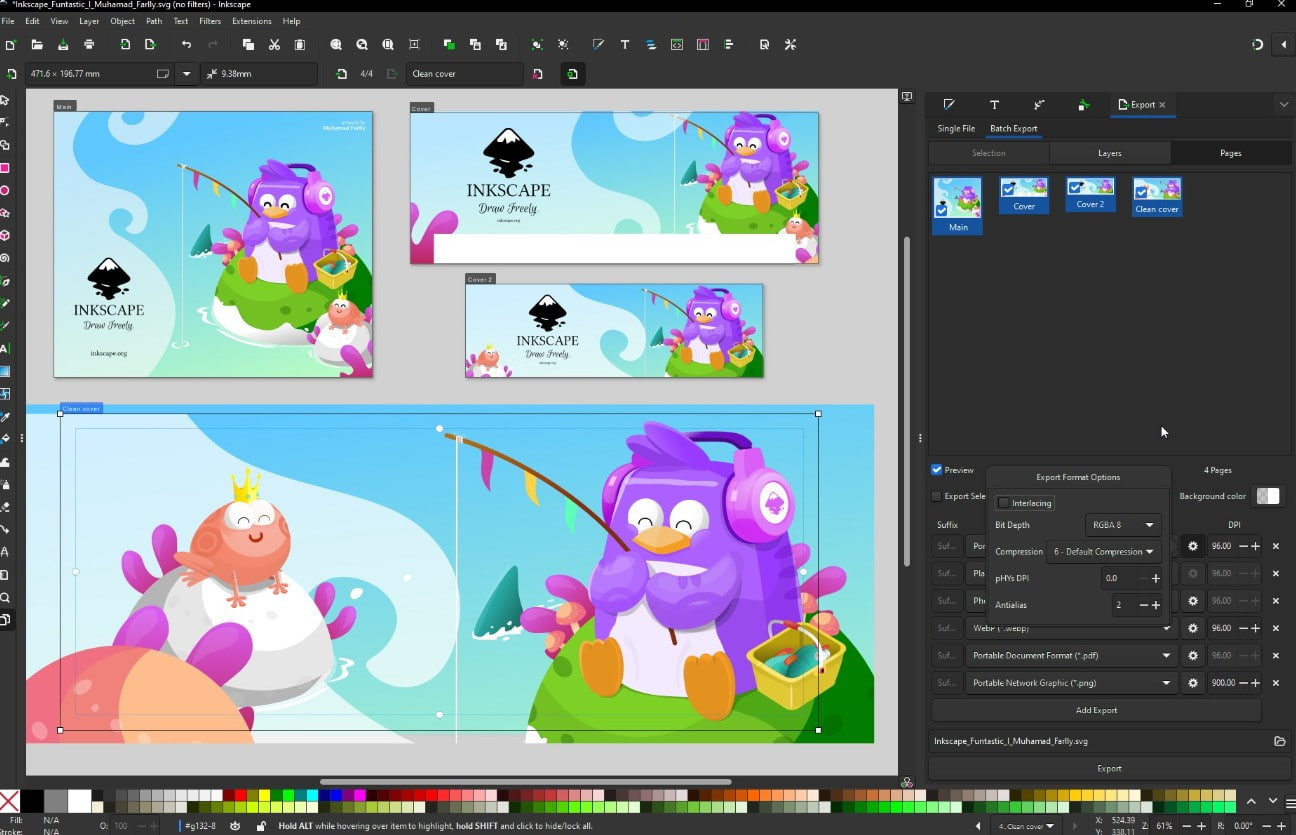
Inkscape is particularly useful when working with SVG. Users can create, edit, and export SVG designs for websites, icons, infographics, or other digital graphic projects.
Furthermore, the Inkscape user community is also an advantage. There are many tutorials and learning materials shared online, making it easy for newcomers to find solutions when they encounter difficulties.
However, due to its many features, the Inkscape interface can feel a bit complex for beginners at first. Users should start with basic tools like Shape, Select, Node, Pen, and Text before exploring advanced features.
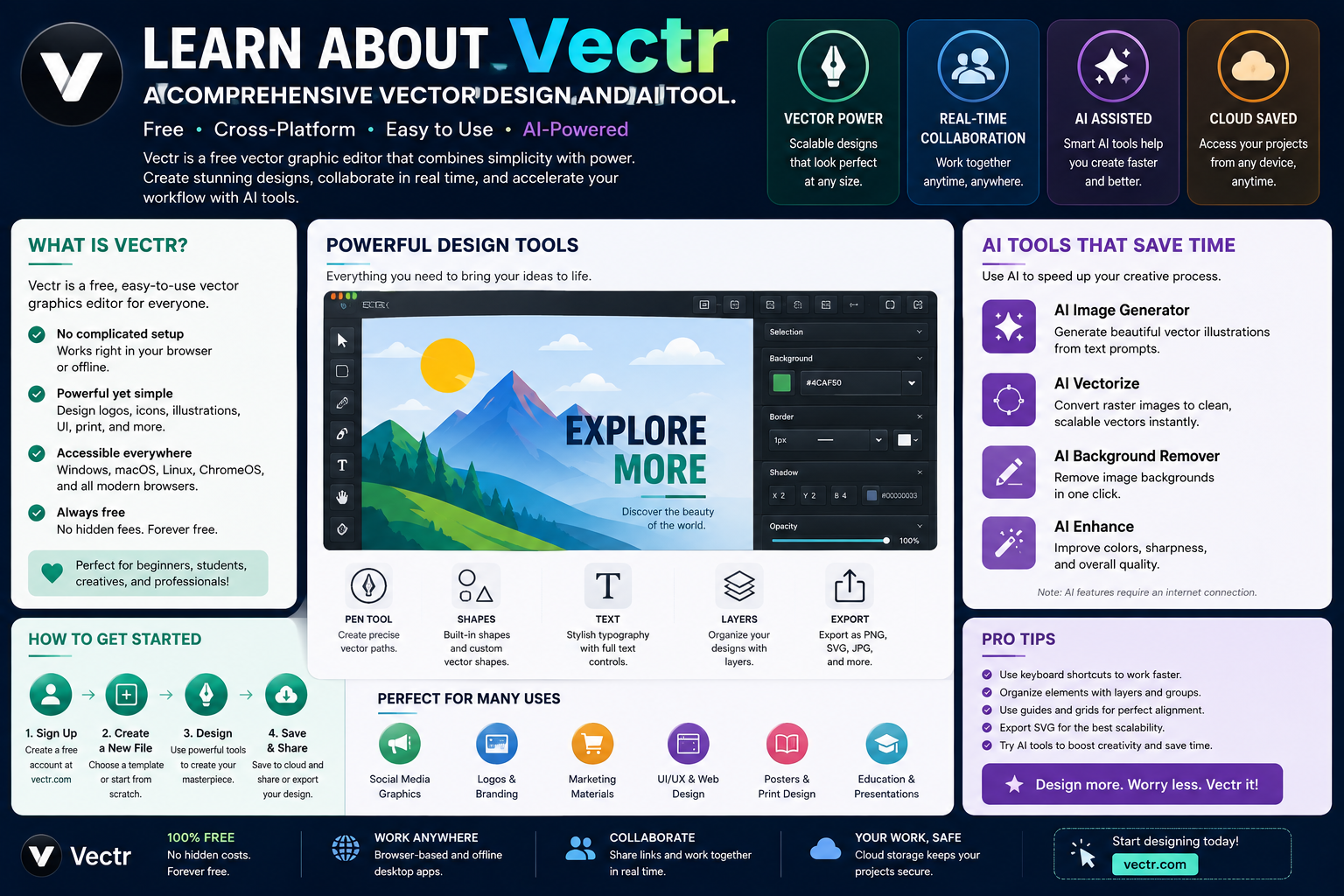
2.3. Vectr
Vectr is a vector design tool focused on simplicity and ease of use. It's a suitable choice for beginners or those who only need to perform basic vector tasks.
Vectr allows users to create shapes, paths, text, and other graphic elements. Its relatively intuitive interface makes it easy to get started quickly.
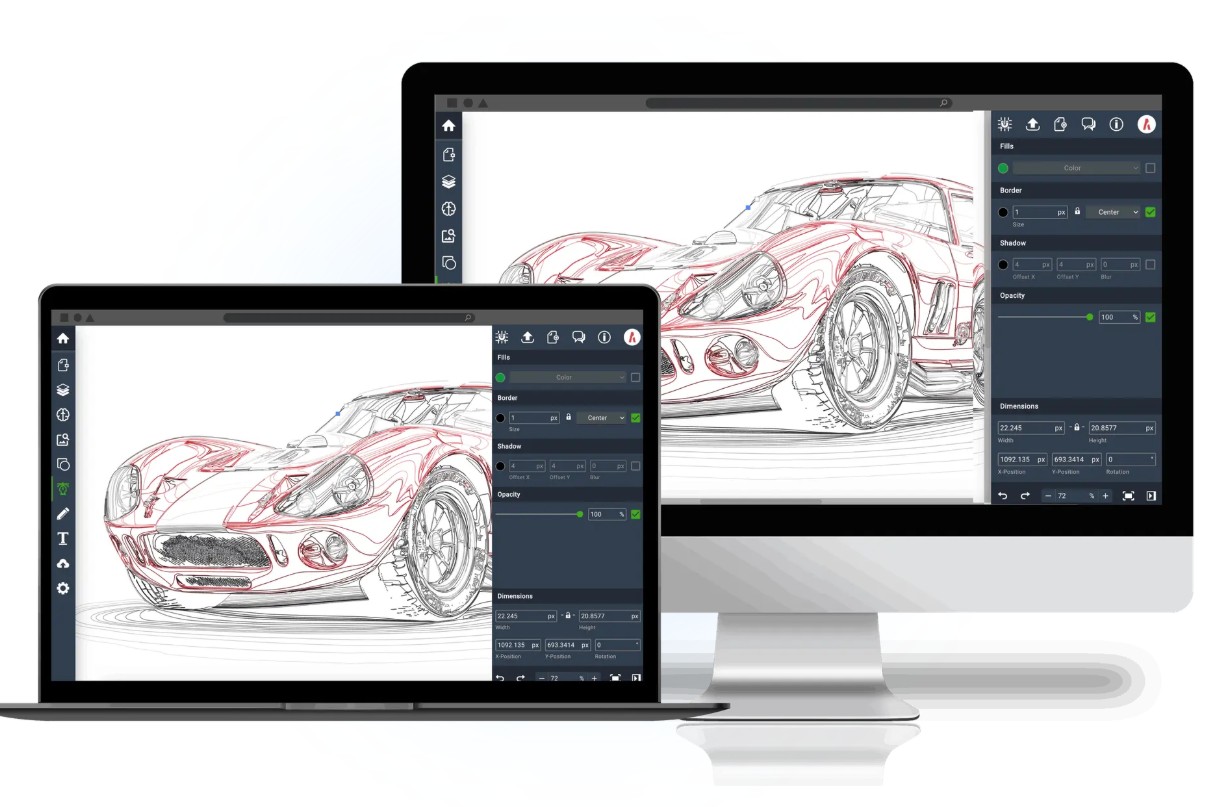
One advantage of Vectr is its accessibility. Instead of having to learn a software with too many specialized tools, users can start with simple operations such as creating shapes, changing colors, aligning objects, and arranging layers.
Vectors can be used for projects such as simple logos, icons, banners, illustrations, or graphic content for social media. For less complex needs, this tool can save learning time.
However, if you need advanced features to handle complex vector projects, Vectr may not fully meet your needs as professional software. Therefore, this tool is more suitable for beginners and projects of moderate complexity.
2.4. SVG-edit
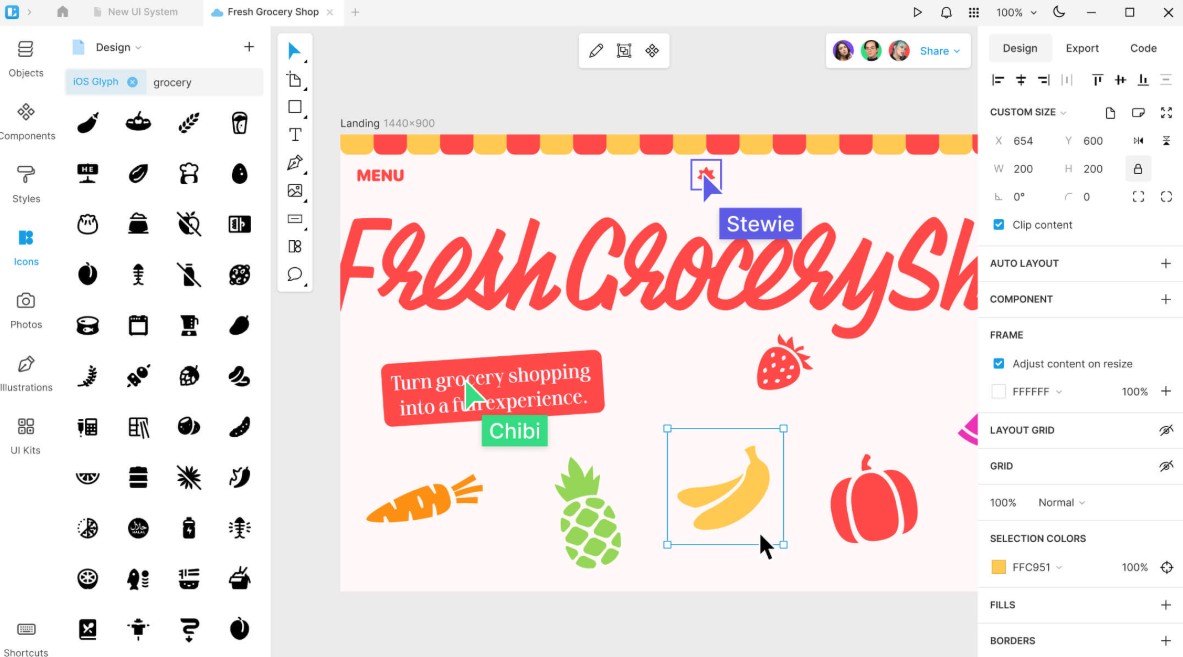
SVG-edit is a vector graphics editor focused on the SVG format. Its highlight is its ability to be used directly in a web environment, making it suitable for those who want to quickly edit vectors without installing specialized software.
SVG is an important format in web design because images can be scaled up or down without losing quality. Therefore, a tool specifically designed for SVG can be useful for web designers, developers, or anyone who frequently works with icons and illustrations online.
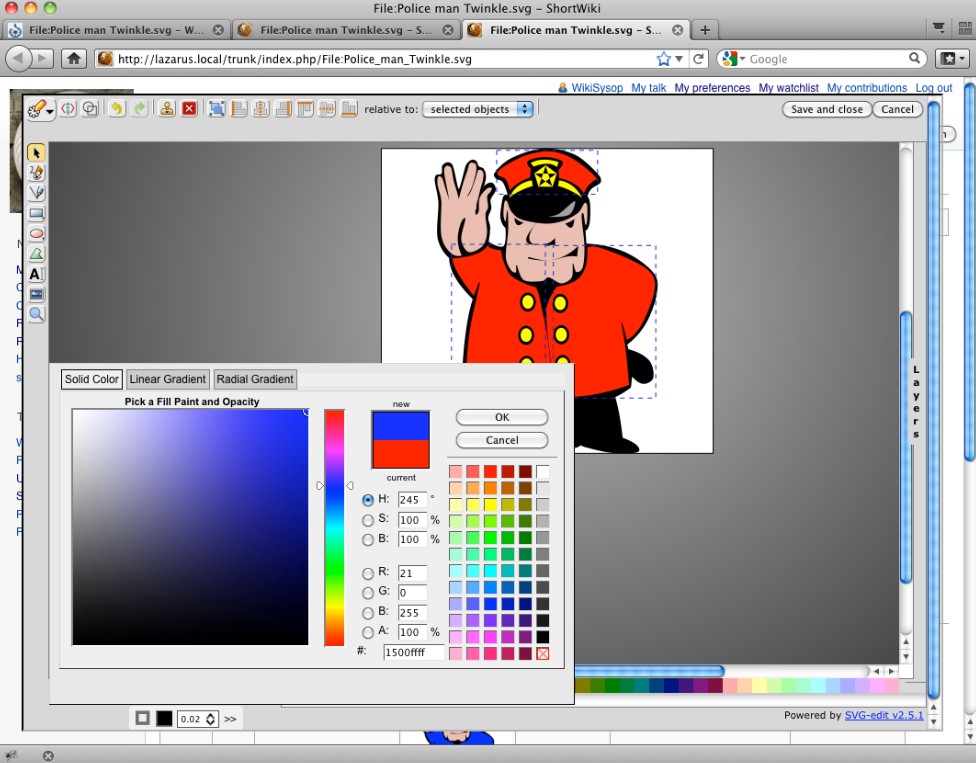
SVG-edit supports basic operations such as creating shapes, paths, text, and editing SVG elements. Users can manipulate these directly within the browser interface, thereby reducing software installation and setup time.
This tool is particularly suitable for quick tasks. For example, if you need to edit an SVG file, change colors, adjust size, or modify some elements, SVG-edit can be a convenient solution.
However, SVG-edit is not intended to completely replace professional vector design software. For large projects requiring the management of many layers, complex effects, or in-depth design workflows, users may need a more powerful tool.
2.5. Linearity Curve
Linearity Curve is a vector design tool geared towards digital products and modern creative workflows. It was developed with the goal of helping users create illustrations, icons, branding, and graphic content visually.
Linearity Curve offers a variety of tools for creating and editing vectors, including shapes, paths, nodes, typography, and other design elements. The interface is designed to be intuitive, allowing users to focus on the creative process.
One of Linearity Curve's strengths is its ability to support projects requiring a high level of aesthetics. Designers can use the tool to build illustrations, logos, icons, or graphic elements for applications and websites.
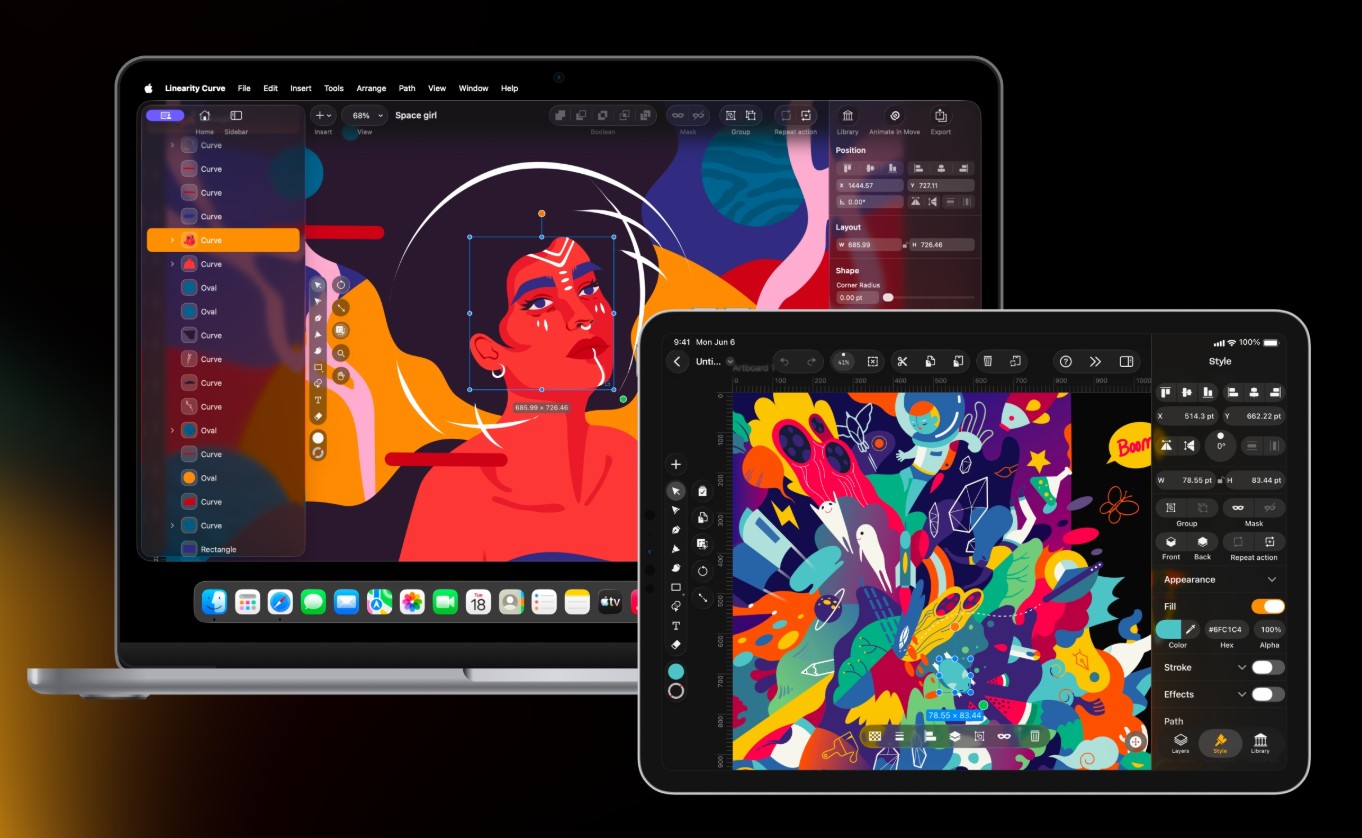
For those who frequently design on Apple devices, Linearity Curve is also a worthwhile option due to its development orientation for the modern device ecosystem.
Linearity Curve is suitable for designers, illustrators, and digital content creators who want a specialized vector tool but still prioritize an accessible interface. Beginners can start with simple shapes, then gradually learn about nodes, paths, layers, and advanced features.
2.6. Vecteezy Editor
Vecteezy Editor is an online vector design tool suitable for those who want to create or edit graphics directly in their browser. The convenience of this tool is that users don't necessarily need to install specialized design software.
Vecteezy Editor has a relatively accessible interface and provides basic tools for creating shapes, editing vectors, adding text, and adjusting colors. This allows beginners to quickly start a project without going through a complicated setup process.
Another advantage of Vecteezy Editor is its ability to integrate with Vecteezy's graphic resource ecosystem. Users can search for a wide variety of vector resources and use them as a foundation for developing their designs.
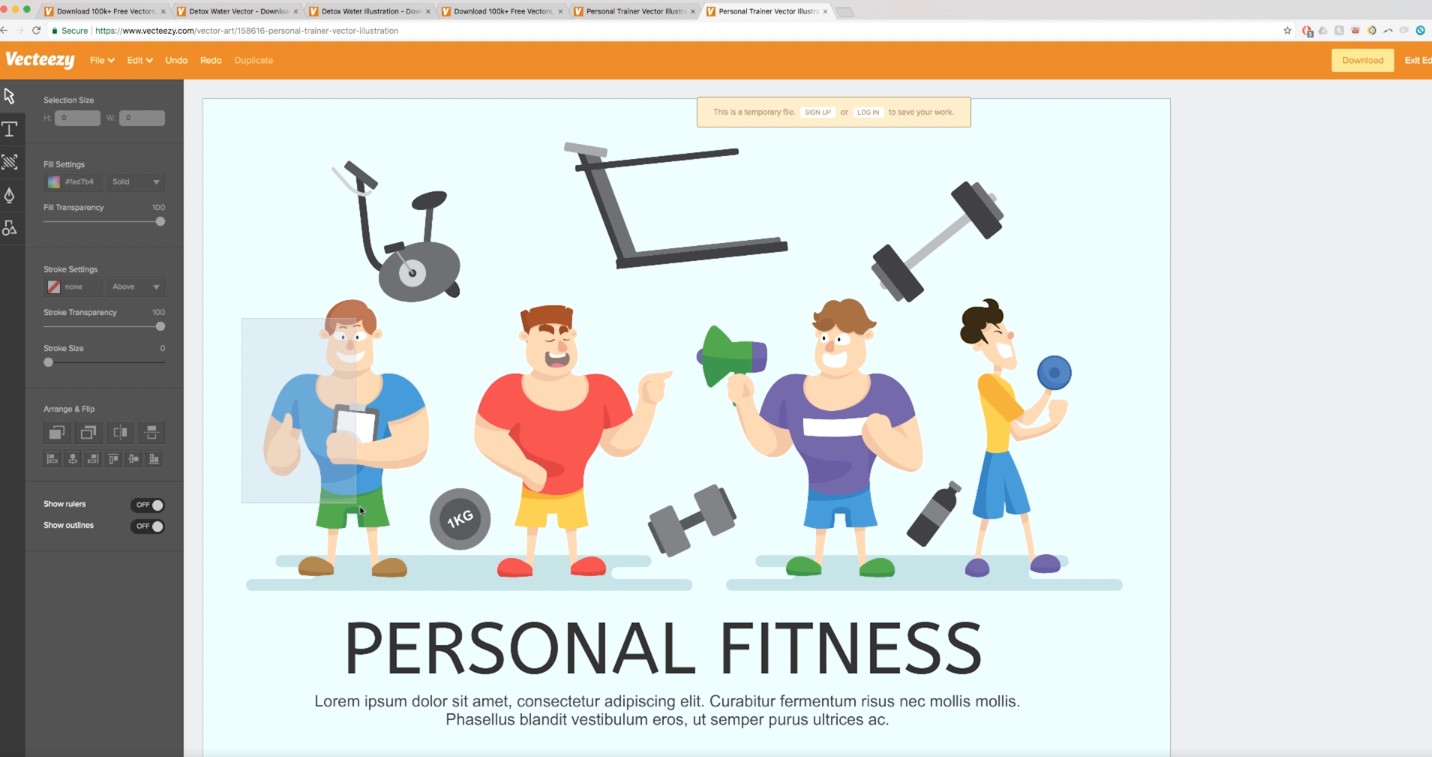
This tool is suitable for needs such as designing social media posts, banners, posters, icons, simple illustrations, or quickly editing an existing vector resource.
However, like many other online design tools, Vecteezy Editor is best suited for projects of basic to medium complexity. If the work requires in-depth vector control, large project management, or more professional features, users should consider specialized software.
3. Which vector design tool should I choose?
The choice of vector tools depends on your goals, experience, and the type of projects you typically work on.
If you're just starting out in design, you might prefer tools with simple interfaces like Vectr or Vecteezy Editor. They help you get acquainted with basic concepts like shape, path, layer, color, and typography without feeling overly complicated.
If you're looking for open-source software with more features, Inkscape is a worthwhile option. This tool is suitable for users who want to delve into vector design and work extensively with SVG.
If you frequently design interfaces, illustrations, or digital products, Lunacy and Linearity Curve might be a better fit due to their modern approach and ability to support various design workflows.
If you only need to quickly edit SVG files in your browser, SVG-edit can adequately meet your basic needs without requiring the installation of specialized software.
It's important to remember that there isn't one single tool that suits everyone. A professional designer might use a variety of tools depending on the project. Meanwhile, beginners should choose an accessible tool, master the fundamentals, and then move on to more advanced software.





















VIP Products








Best Selling Products
Genuine Cheap Canva Pro
39 USD
Upgrade Duolingo Super
29 USD
Adobe Photoshop Copyright - Full App
120 USD
Freepik Premium Account
59 USD
Adobe Premiere Pro Account
99 USD
Upgrade Genuine Office 365
49 USD
Copyright Adobe Lightroom Account
59 USD
Plugin Retouch4me
69 USD
Upgrade genuine Capture One account
120 USD
Genuine Adobe Illustrator account
99 USD
ChatGPT Plus Account (GPT-4)
16 USD
Capcut Pro 1 Year
39 USD
MidJourney Account
29 USD
Windows 10 & 11 Pro Key
36 USD
Autodesk All App Account Copyright
120 USD