Best Selling Products

Freepik Premium Account
59 USD

Genuine Cheap Canva Pro
39 USD

Adobe Premiere Pro Account
99 USD

Upgrade Duolingo Super
29 USD

Autodesk All App Account Copyright
120 USD

Copyright Adobe Lightroom Account
59 USD

Genuine Adobe Illustrator account
99 USD

Windows 10 & 11 Pro Key
36 USD

Upgrade Genuine Office 365
49 USD

MidJourney Account
29 USD

Capcut Pro 1 Year
39 USD

Upgrade genuine Capture One account
120 USD

Adobe Photoshop Copyright - Full App
120 USD

ChatGPT Plus Account (GPT-4)
16 USD

Plugin Retouch4me
69 USD
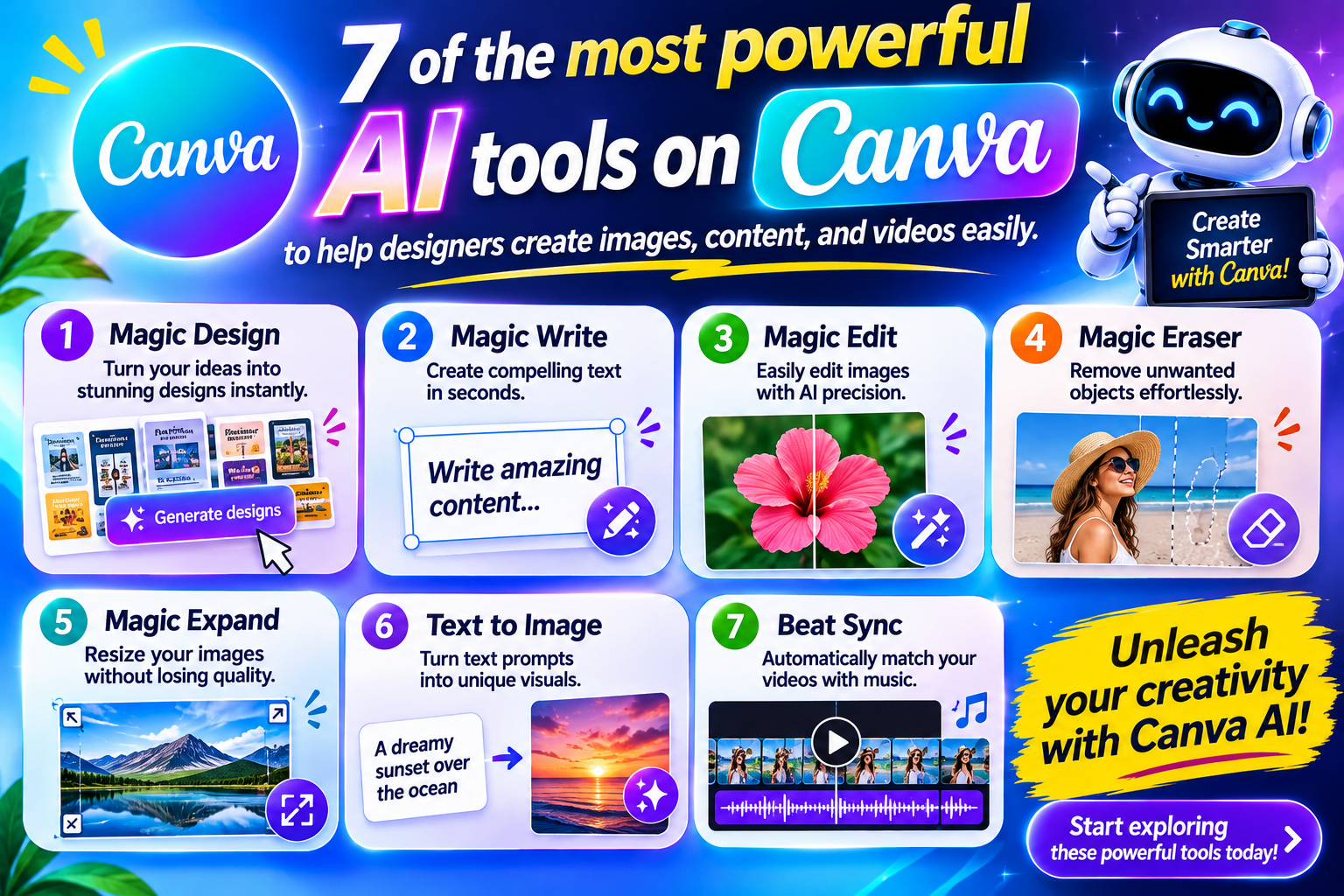
7 of the most powerful AI tools on Canva to help designers create images, content, and videos easily.
Nội dung
Discover the full power of Canva''s AI with Magic Studio™ – an intelligent toolset that helps designers quickly edit images, create content, translate, and produce videos.
1. Edit Magic
Magic Edit is an AI tool that helps designers add, edit, or replace details in images with just a few simple descriptions. Instead of using multiple complex editing tools, users simply select the area to be changed and enter their request in natural language.
For example, a designer might upload a product image and ask Canva to add a wooden table, change the color of the clothing, or transform the background into a more luxurious space. The AI will automatically analyze the original image, understand the areas that need editing, and create a new version that fits the overall design.
For designers, Magic Edit opens up the possibility of quickly experimenting with ideas. When building an advertising concept, designing social media posts, or creating brand imagery, designers no longer have to spend hours searching for suitable images or manually editing every detail. With just a few commands, multiple different design versions can be created to choose from.

This tool is particularly useful in marketing, e-commerce, and content creation, where image production speed is crucial. Designers can quickly change image styles for each campaign while maintaining a professional look.
2. Delete Magic
Magic Eraser is an AI tool that automatically removes unwanted objects or details from images. It's a useful solution when a photo has distracting elements such as people in the background, superfluous objects, or details that disrupt the composition.
Previously, removing an object from an image typically required skills in using professional editing software. Designers had to process each area of the image, adjust colors, and recreate the lost background. With Magic Erase, this process is significantly simplified.
Canva's AI can identify areas that need to be removed and recreate the background as naturally as possible. This saves designers time when editing product photos, advertising images, or media content.
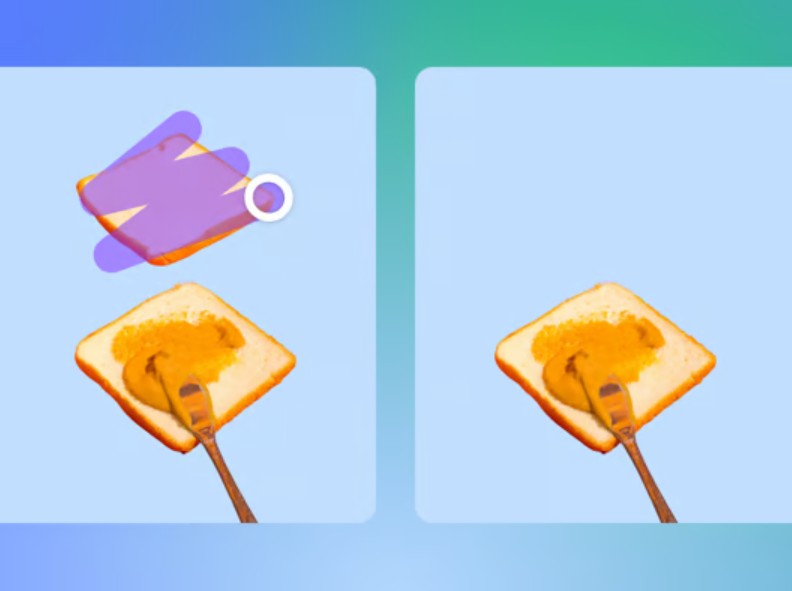
For content creators, this tool helps improve image quality before publishing. A simple photo can become cleaner and more professional with just a few taps, allowing the design to achieve the necessary focus on the main subject.
3. Magic Grab
Magic Grab is an AI tool that allows designers to select a subject in an image to change its position or size without editing the entire image. This is an important feature when rearranging design layouts.
For example, in an advertising image, a designer might move the product from the center to the left to create space for the product description. Or in a poster, the main character might be enlarged, reduced in size, and rearranged to suit the design concept.
Magic Grab's strength lies in its ability to preserve the naturalness of the image. The AI not only separates the subject from the background but also processes related details such as lighting, color, and image texture.

For designers, this feature makes layout experimentation more flexible. Instead of having to search for or create a new image, they can quickly transform an existing image into multiple different design versions.
4. Create Magic
Magic Write is an AI tool that assists in writing content directly within Canva. This feature can generate first drafts for various content types, such as social media posts, advertising headlines, product descriptions, marketing emails, or presentations.
For designers, beautiful design often needs to be accompanied by relevant content. However, designers don't always have ideas for wording readily available. Magic Write solves this problem by providing quick content suggestions based on user requirements.
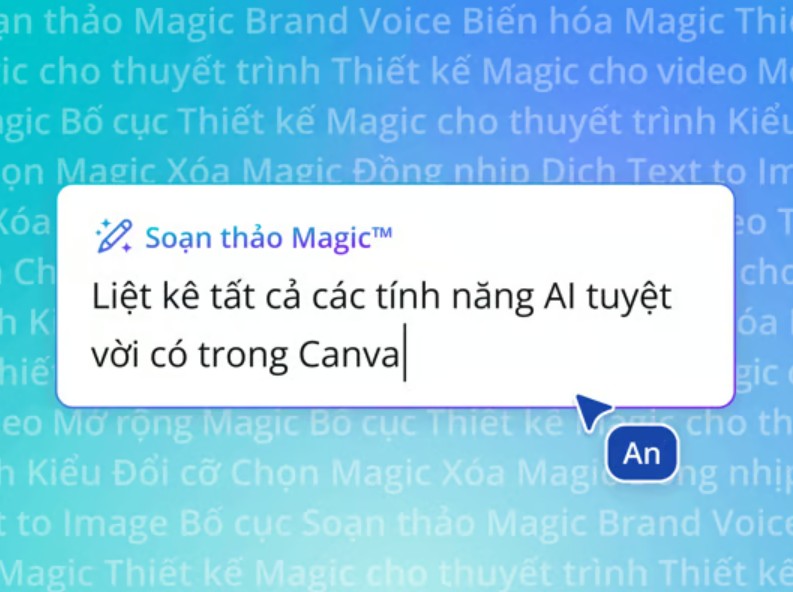
Designers can input their desired theme, goals, or style, and the AI will generate sample content. Users can then further edit it to match their brand's tone.
This tool makes the creative process more seamless. Designers no longer have to constantly switch between design tools and content writing tools, saving time and maintaining focus during idea development.
5. Translation
Canva's Translate feature uses AI to convert text into multiple languages directly within the design process. This is a useful tool for global brands or designers who need to create content for diverse customer groups.
Instead of copying content to an external translation tool and then editing the layout, users can translate directly within Canva. The AI automatically adjusts the text while preserving the original design structure.
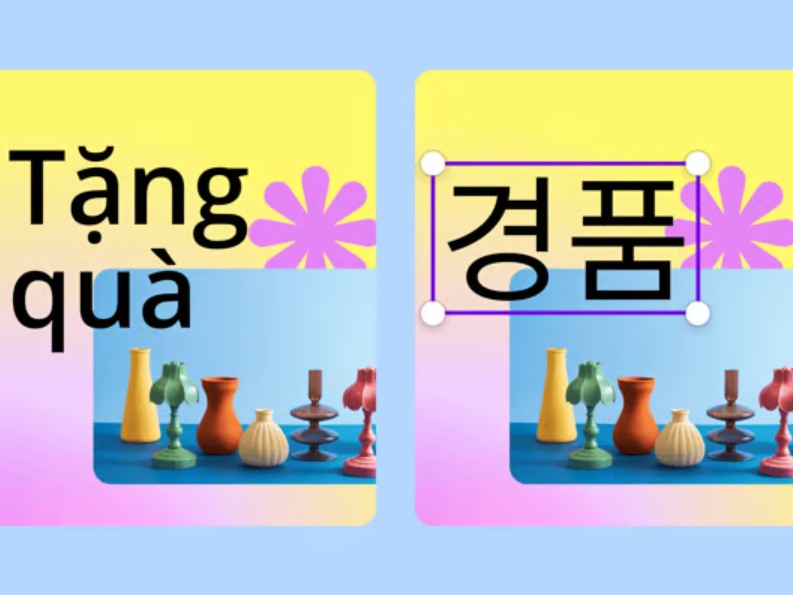
This feature strongly supports the creation of multinational advertisements, international social media posts, training materials, or presentations for multiple markets.
For designers, the ability to work with multiple languages expands their creative scope. A design can be quickly adapted to suit a wider audience without having to rebuild it from scratch.
6. Dream Lab
Dream Lab is Canva's AI image creation tool, allowing users to transform text descriptions into highly detailed visuals. Designers simply describe their desired idea, style, or theme, and the AI will generate the corresponding image.
For example, a designer might request an image of a cosmetic product in a luxurious setting, a cinematic-style natural landscape, or a character in a specific artistic style. Dream Lab will create a new image based on that description.
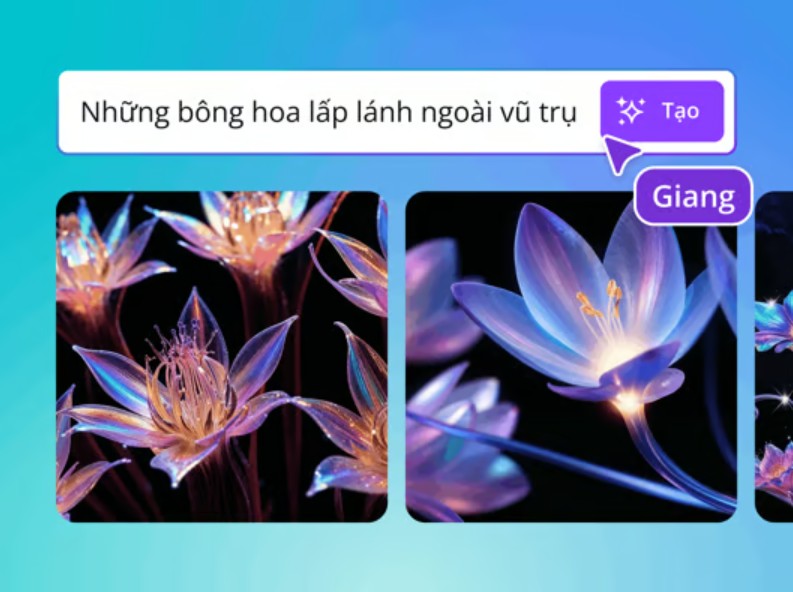
This tool helps solve one of the biggest challenges for designers: finding images that match their creative ideas. Instead of relying entirely on pre-existing image libraries, designers can proactively create exclusive images according to their needs.
Dream Lab is particularly useful for concept development, advertising design, branding, and media content creation. It helps transform ideas that are still in the imagination into concrete images for further development.
7. Magic Content
Magic Media is an AI tool that transforms text descriptions into images and videos. This represents a significant advancement in integrating written content with visual products.
Designers simply need to input a description of the desired image or video, and Canva will use AI to generate suitable content. For example, a descriptive sentence about a landscape, product, or person can be transformed into an illustration or short video clip for design purposes.
This feature allows designers to quickly create creative resources without needing cameras, hiring models, or going through complex production processes. Especially in the digital media field, where short videos and visual content are increasingly important, Magic Media offers many new creative opportunities.

With the ability to create images and videos from text, designers can experiment with more ideas, build storyboards faster, and develop more effective marketing campaigns.
8. Conclusion
Magic Studio™ is not just a collection of intelligent editing tools, but also a comprehensive creative assistant for designers. From image editing, removing unwanted details, and redesigning layouts to content creation, translation, and AI-powered image production, Canva is making the design process simpler and more flexible.
Tools like Magic Edit, Magic Eraser, Magic Grab, Magic Write, Translate, Dream Lab, and Magic Media help designers save time on technical tasks, while freeing up more energy for idea development and creating their own unique style.
In the future, AI will continue to play a crucial role in the design industry. With Magic Studio™, Canva is creating an environment where anyone can quickly, professionally, and inspiringly transform ideas into creative products.





















VIP Products








Best Selling Products
Freepik Premium Account
59 USD
Genuine Cheap Canva Pro
39 USD
Adobe Premiere Pro Account
99 USD
Upgrade Duolingo Super
29 USD
Autodesk All App Account Copyright
120 USD
Copyright Adobe Lightroom Account
59 USD
Genuine Adobe Illustrator account
99 USD
Windows 10 & 11 Pro Key
36 USD
Upgrade Genuine Office 365
49 USD
MidJourney Account
29 USD
Capcut Pro 1 Year
39 USD
Upgrade genuine Capture One account
120 USD
Adobe Photoshop Copyright - Full App
120 USD
ChatGPT Plus Account (GPT-4)
16 USD
Plugin Retouch4me
69 USD