Best Selling Products

ChatGPT Plus Account (GPT-4)
16 USD

Upgrade Duolingo Super
29 USD

Upgrade Genuine Office 365
49 USD

Plugin Retouch4me
69 USD

Autodesk All App Account Copyright
120 USD

Windows 10 & 11 Pro Key
36 USD

Freepik Premium Account
59 USD

Genuine Cheap Canva Pro
39 USD

Copyright Adobe Lightroom Account
59 USD

Upgrade genuine Capture One account
120 USD

MidJourney Account
29 USD

Adobe Photoshop Copyright - Full App
120 USD

Genuine Adobe Illustrator account
99 USD

Capcut Pro 1 Year
39 USD

Adobe Premiere Pro Account
99 USD
Creating Fashion Model Photography on CapCut: A Detailed Guide from A to Z
Nội dung
- 1. Create fashion model images using AI on Capcut.
- 2. Steps to create AI fashion models on CapCut
- Step 1: Upload the outfit image to CapCut
- Step 2: Choose the right fashion model.
- Step 3: Create a complete AI model image.
- 3. Advanced tools to improve AI fashion photos.
- 3.1. Improve image quality using AI Enhancement
- 3.2. Facial and body reshaping
- 3.3. Remove background and change context
- 3.4. Creating context using Text-to-Image
- 3.5. Expanding Images Using AI Expander
- 4. Secrets to creating professional fashion model photos on CapCut
- 5. Conclusion
AI technology is changing the way fashion brands create visual content. With CapCut, creating professional fashion model photos becomes simpler, eliminating the need for large investments in studios, models, or photography teams.
1. Create fashion model images using AI on Capcut.
CapCut is not just a typical video editing app; it has evolved into a comprehensive content creation platform. With its integrated AI tools, the app allows users to create virtual fashion models, experiment with various styles, and present products in a more professional manner.
CapCut's standout feature lies in its ability to simplify the fashion image creation process using AI. Previously, creating a product image of a model required a professional team. Now, with just a few taps on the app, users can create multiple versions of the image for advertising, sales, or social media posting.
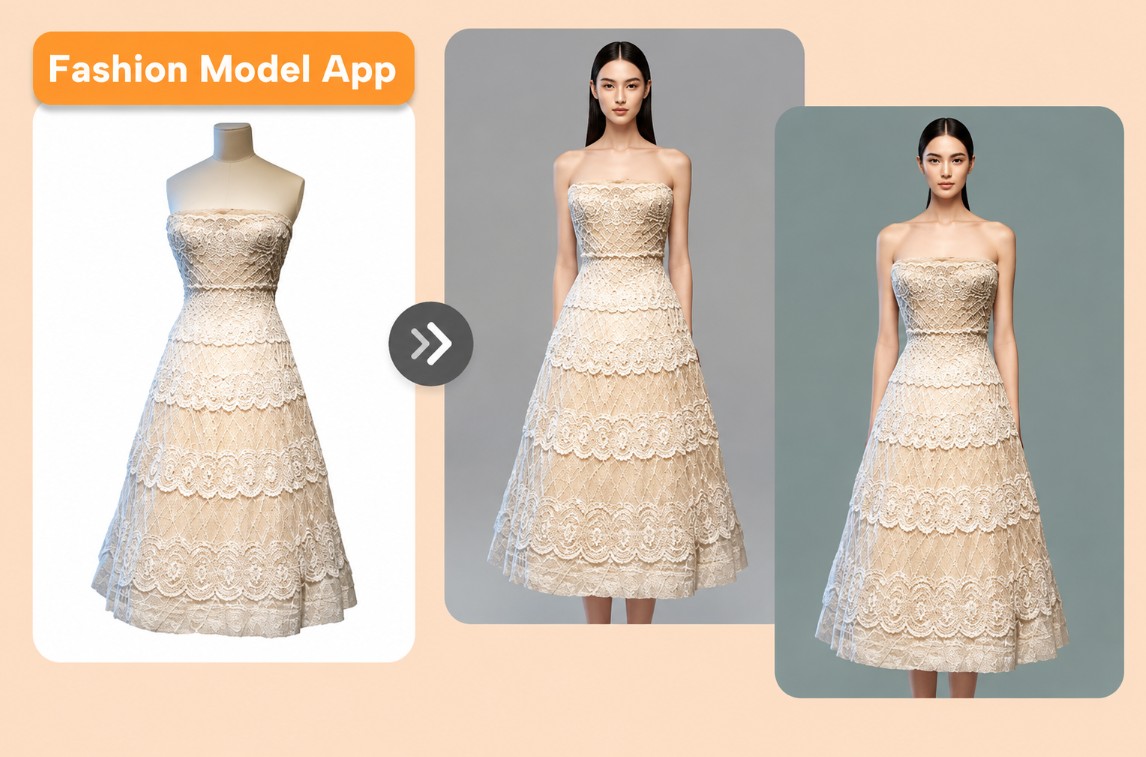
In the Marketing Tools section, CapCut provides features to help fashion brands quickly create product images. Users can upload clothing photos, select suitable AI models, and let the system automatically process the images.
CapCut's AI technology analyzes product characteristics such as color, style, material, and detail placement to create images that harmoniously combine the model and the clothing. As a result, the product is presented more visually than with conventional product photos.
This is a particularly useful tool for online fashion stores, newly launched brands, or content creators who want to build a professional image but don't have the resources to invest in large-scale photoshoots.
2. Steps to create AI fashion models on CapCut
The process of creating fashion model images using CapCut is designed to be simple, suitable even for those with little experience in design or image editing.
Step 1: Upload the outfit image to CapCut
First, open the CapCut app on your device and access the Marketing Tools area . Here, select the AI Model feature to begin the process of creating a fashion model image.
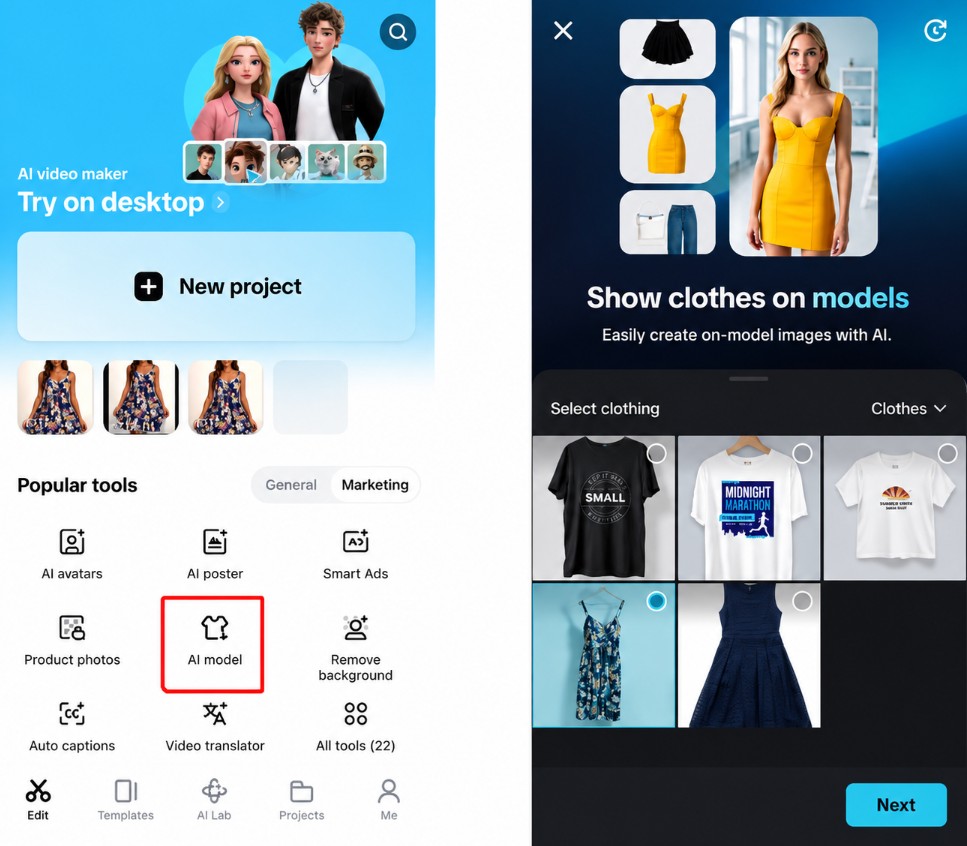
Next, directly upload product images from your device to the app. This is a crucial step that determines the quality of the output image, as the AI needs to rely on the original image to accurately identify the style, color, and characteristics of the garment.
For best results, use product photos with a simple background, clear lighting, and no obstructions. A high-resolution photo of clothing with sharp details will help the AI recreate the outfit on the model more accurately.
For example, when uploading an image of a dress, users should ensure that the bodice, sleeves, pattern, or any special material are clearly visible. This helps the system easily analyze and create a more natural-looking model wearing the product.
Step 2: Choose the right fashion model.
After successfully uploading the product image, CapCut will display a library of available AI model templates. Each template is designed with various styles to suit different customer groups and brand directions.
Users can select models based on various factors such as age, fashion style, appearance, demeanor, or target customer group.
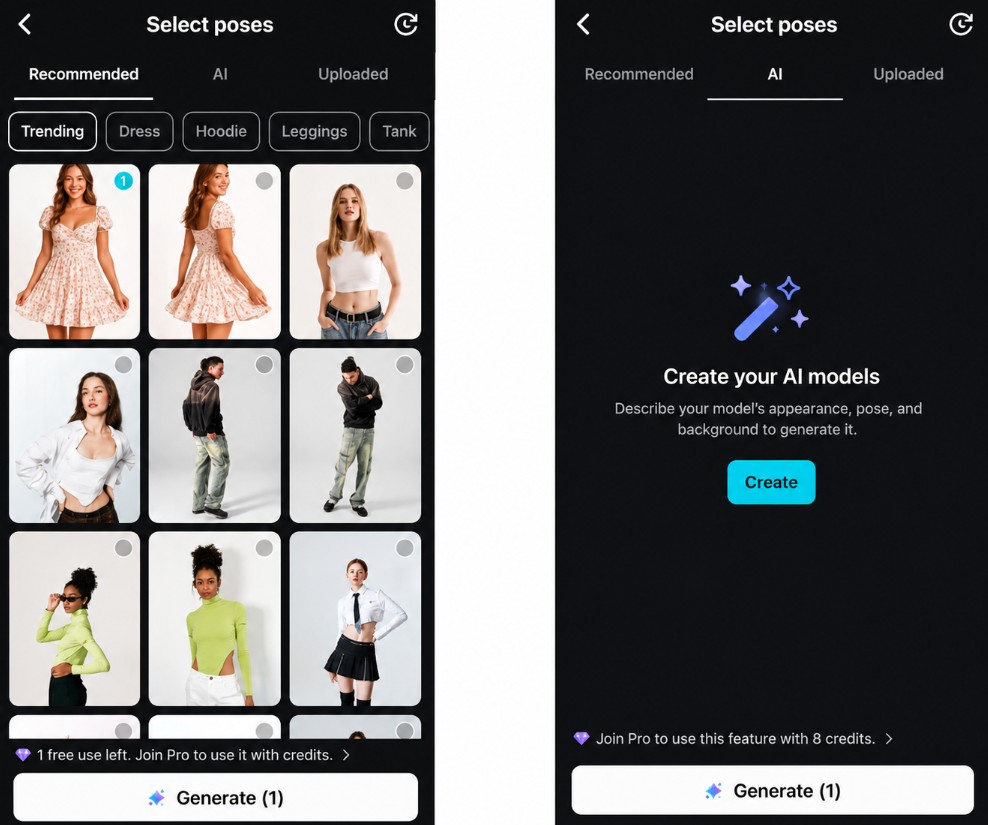
For example, if a brand targets high-end office wear, it should choose AI models with an elegant and professional style. If the product is for dynamic young people, it can choose models with a more modern and individualistic style.
CapCut offers a wide range of appearance and style options, making it easy for brands to find an image that aligns with their communication strategy.
If no suitable template is found, users can create a new AI character from scratch. This helps brands build their own unique model image, creating differentiation in their marketing campaigns.
Step 3: Create a complete AI model image.
After selecting a suitable model, press the Generate button to begin the image creation process.
CapCut will process the data and combine images of the clothing with the selected AI model. The system will create a model wearing the product with appropriate composition, lighting, and pose.
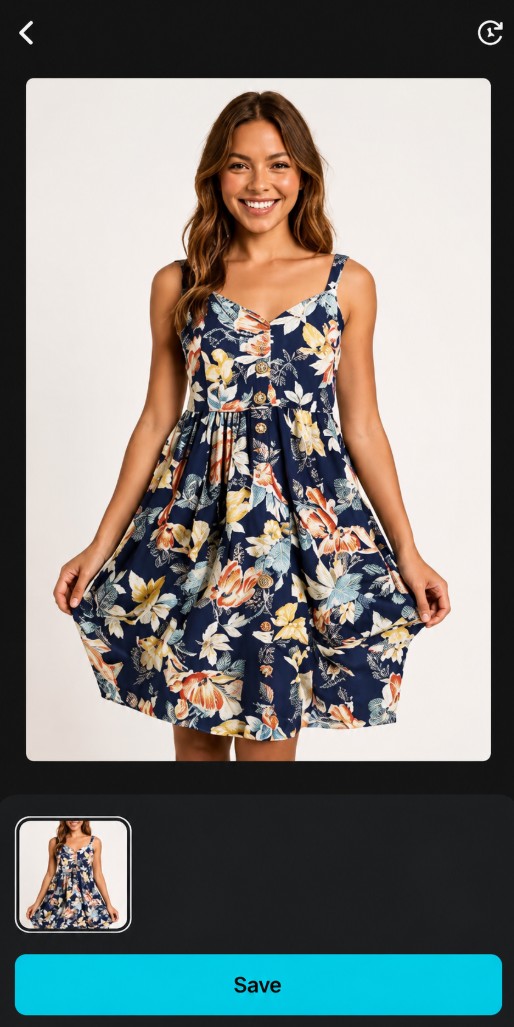
After the processing is complete, users can review the resulting image. If the image meets the requirements, simply press Save to save it to the device.
If users want to try more variations, they can select Retry to create a new variant based on the same original model.
Trying out multiple versions helps brands find the most suitable image before using it for advertising or posting it on sales platforms.
3. Advanced tools to improve AI fashion photos.
In addition to its AI model creation feature, CapCut also provides many supporting tools to help make fashion images more professional.
3.1. Improve image quality using AI Enhancement
One of the common problems when selling online is the low quality of product images, often taken with mobile phones or using outdated photos.
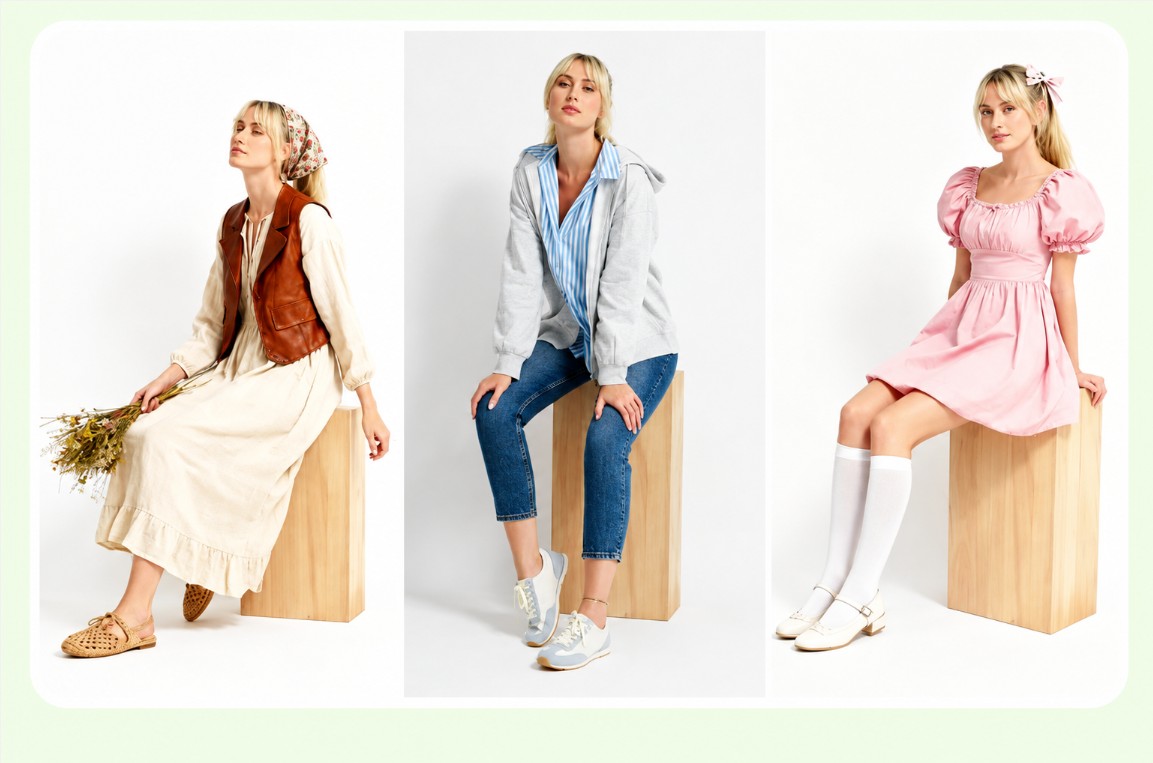
CapCut's HD enhancement tool improves sharpness, increases detail, and makes images look more professional. This feature is especially useful when processing older product images or upgrading images before combining them with AI models.
After the upgrade, the images can achieve a quality nearly identical to that of photos taken in a professional studio.
3.2. Facial and body reshaping
CapCut supports editing elements such as face, skin, body proportions, and physical details in both real and AI-generated images.
This tool helps maintain consistency in visual style, especially when a brand needs to create multiple different product images for the same campaign.
Editing should be done appropriately to maintain a natural look and avoid making the image appear unnatural.
3.3. Remove background and change context
The background removal feature helps eliminate distracting details in product photos. After background removal, users can replace it with a studio setting, a high-end fashion store, or a minimalist background that matches the brand.
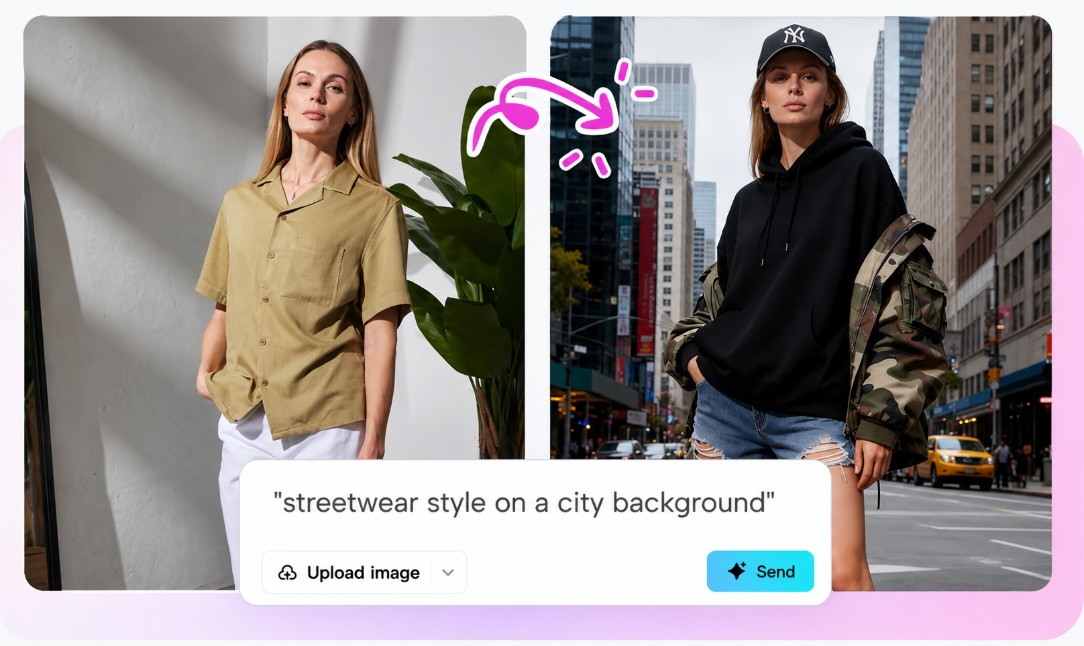
This helps make simple photos look more professional when used on websites, e-commerce platforms, or social media.
3.4. Creating context using Text-to-Image
CapCut also supports creating background images using text descriptions. Users can enter requests such as: "A high-end fashion store space with warm yellow lighting."
or: “A minimalist fashion studio with soft lighting”
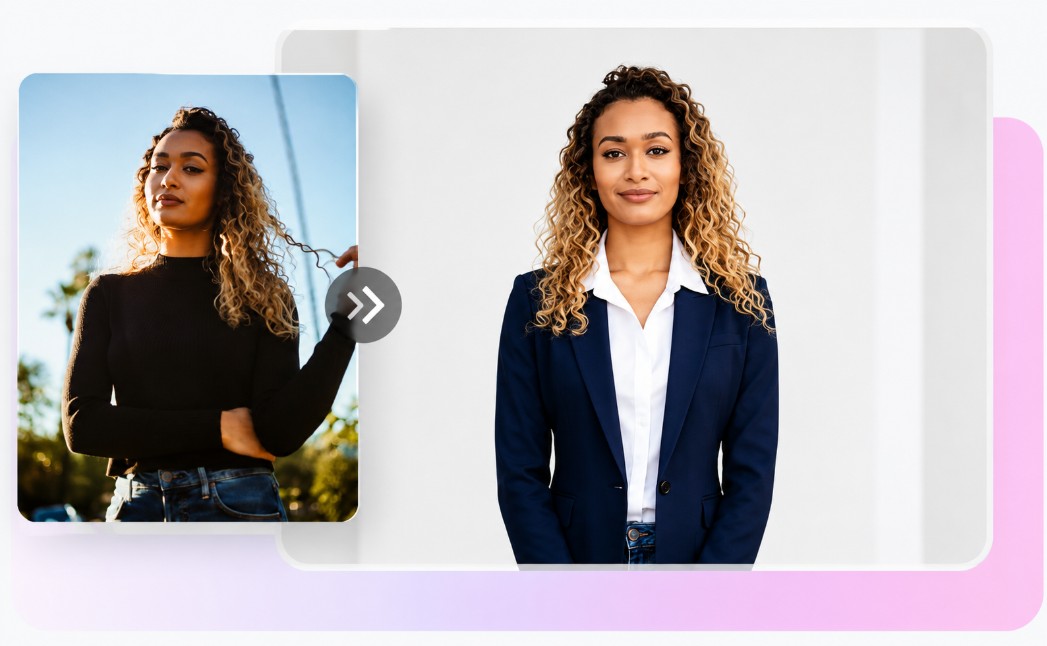
AI will create a suitable setting to combine with the model's image.
This feature allows brands to freely create their own photoshoot spaces without having to rent a physical location.
3.5. Expanding Images Using AI Expander
Each social media platform has different image size requirements. A beautiful photo may sometimes not be suitable for the posting format.
CapCut's AI Expander tool helps to expand the frame without losing the essential parts of the image.
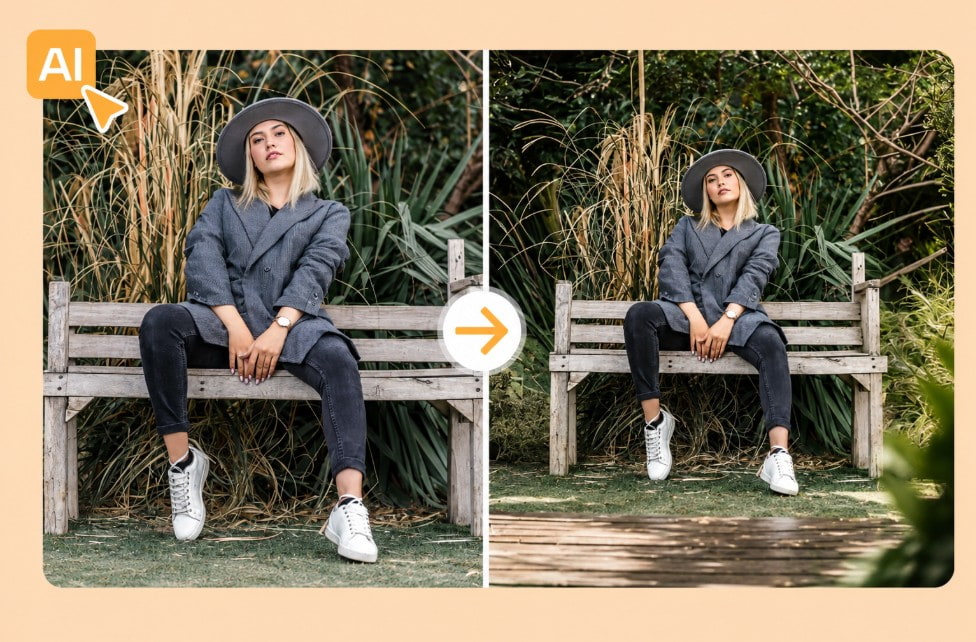
For example, a square image used for Instagram can be scaled up to a vertical image for TikTok or a horizontal image for a website while still maintaining a professional layout.
4. Secrets to creating professional fashion model photos on CapCut
To achieve the best results when using CapCut to create AI fashion images, users need to pay attention to their brand style and the intended use of the images.
First, choose an AI model that suits your target audience. A sportswear brand should choose a model that exudes dynamism and athleticism, while a high-end fashion brand needs an image of elegance and sophistication.
In addition, images need to be optimized for each platform. Instagram is generally suitable for square 1080x1080px images, TikTok prefers vertical 1080x1920px images, while e-commerce images should have higher resolution to clearly display the product.
Maintaining consistency is also crucial. Brands should develop a distinctive modeling style with consistent colors, lighting, and composition across most of their content. This helps customers easily recognize the brand.
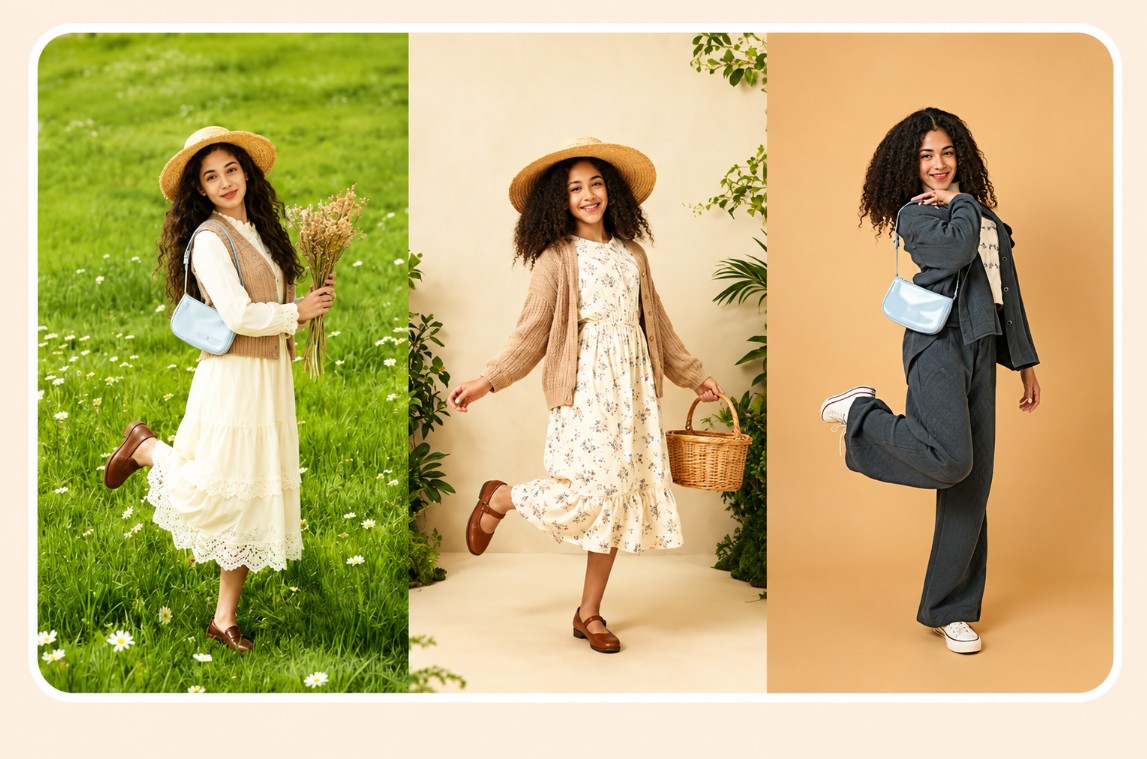
Additionally, it's advisable to experiment with different versions. A product could generate 3 to 5 AI images with different models, ages, styles, and settings to evaluate which version appeals most to customers.
5. Conclusion
CapCut is opening up a new approach in fashion photography by making the creation of professional model images simpler and more accessible.
Through AI technology, businesses can quickly transform ordinary product photos into aesthetically pleasing fashion images without investing heavily in traditional photoshoots.
From uploading clothing photos and selecting AI models to creating sample images and advanced editing, CapCut provides a complete process to help brands build effective visual content.
In the future, the combination of AI and fashion photography will continue to grow strongly, giving smaller brands the opportunity to create professional images and compete with larger businesses in the digital environment.





















VIP Products








Best Selling Products
ChatGPT Plus Account (GPT-4)
16 USD
Upgrade Duolingo Super
29 USD
Upgrade Genuine Office 365
49 USD
Plugin Retouch4me
69 USD
Autodesk All App Account Copyright
120 USD
Windows 10 & 11 Pro Key
36 USD
Freepik Premium Account
59 USD
Genuine Cheap Canva Pro
39 USD
Copyright Adobe Lightroom Account
59 USD
Upgrade genuine Capture One account
120 USD
MidJourney Account
29 USD
Adobe Photoshop Copyright - Full App
120 USD
Genuine Adobe Illustrator account
99 USD
Capcut Pro 1 Year
39 USD
Adobe Premiere Pro Account
99 USD