Best Selling Products

Plugin Retouch4me
69 USD

Upgrade Genuine Office 365
49 USD

Genuine Adobe Illustrator account
99 USD

Capcut Pro 1 Year
39 USD

Genuine Cheap Canva Pro
39 USD

Adobe Photoshop Copyright - Full App
120 USD

Freepik Premium Account
59 USD

Upgrade Duolingo Super
29 USD

Upgrade genuine Capture One account
120 USD

Copyright Adobe Lightroom Account
59 USD

MidJourney Account
29 USD

ChatGPT Plus Account (GPT-4)
16 USD

Adobe Premiere Pro Account
99 USD

Windows 10 & 11 Pro Key
36 USD

Autodesk All App Account Copyright
120 USD
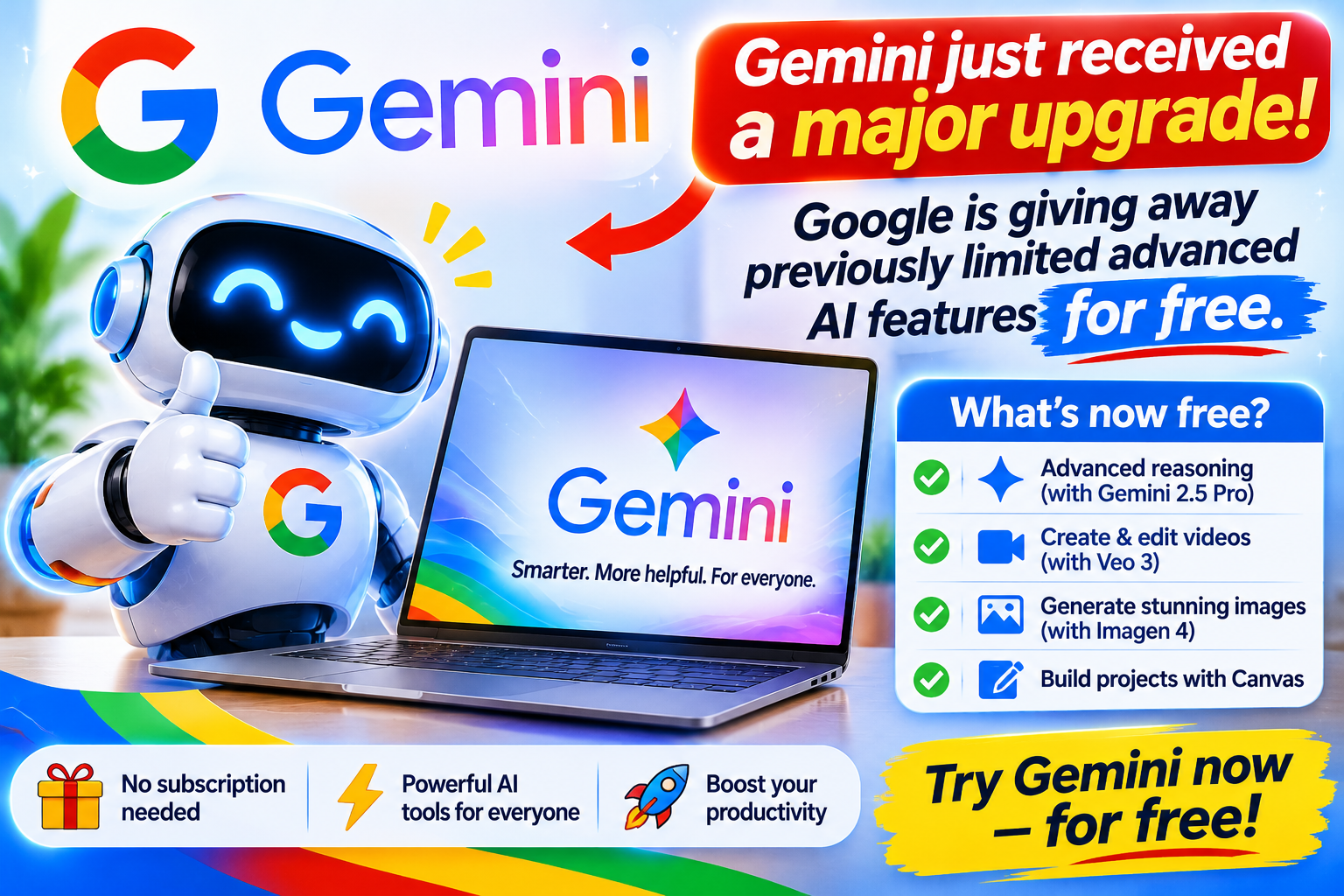
Gemini just received a major upgrade: Google is giving away previously limited advanced AI features for free.
Nội dung
Google is expanding Gemini''s capabilities by bringing Daily Brief to free users. Previously only available on the AI Plus, Pro, and Ultra plans, this feature now allows more people to access AI-powered personal information aggregation.
1. Daily Brief is now officially available for free users.
Daily Brief was first introduced by Google at the I/O developer conference in May. It's a feature focused on aggregating information, allowing users to avoid checking each individual app to grasp important daily events.
Instead of simply responding when a user asks a question, Gemini's Daily Brief can proactively generate a summary based on relevant data such as Gmail emails, calendar events, and past conversations on the Gemini platform.
Google's goal is to help users start their day with a clearer overview. In a single summary, users can see what tasks need prioritizing, upcoming appointments, or important information they need to address.
Before its expansion, Daily Brief was exclusive to accounts subscribed to the AI Plus, Pro, or Ultra packages. These packages offered more advanced features within the Gemini ecosystem, but the limitation of Daily Brief meant that many regular users didn't have the opportunity to experience the proactive support capabilities of AI.
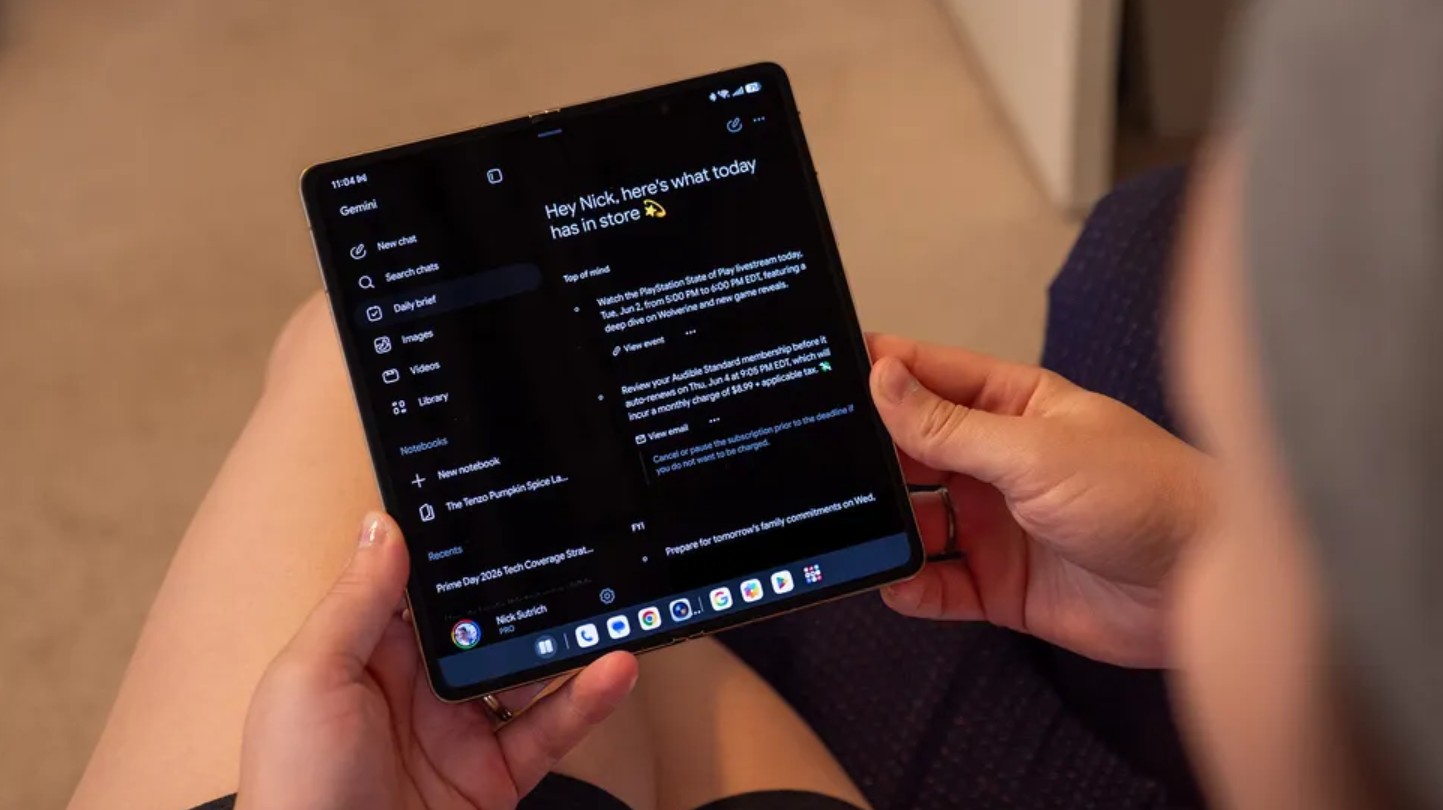
Google's decision to offer this feature for free shows that the company wants to promote Gemini as a more popular AI assistant. This move is particularly significant as Google is gradually phasing out Google Assistant and viewing Gemini as a primary alternative to its traditional virtual assistant.
As Gemini becomes the default assistant on many devices, offering additional personal information management features will help it stand out. Instead of just answering questions, Gemini can act as a central hub coordinating users' daily activities.
2. Gemini aims to be a smart personal assistant.
The appearance of Daily Brief reflects how Google is shifting its AI development direction. Previous generations of virtual assistants focused primarily on executing commands such as setting alarms, searching for information, or opening apps. Gemini, on the other hand, is built to understand context and support users in a more proactive way.
If someone regularly checks their email and calendar every morning, Daily Brief can be a significant time-saver. Users don't need to open each app, read each email, or manually check their calendar; they can quickly see what's important for the day.
For example, instead of having to search for information about an upcoming meeting, Gemini can compile relevant schedules, previous email exchanges, and necessary preparation information. This gives users a more comprehensive overview before starting work.
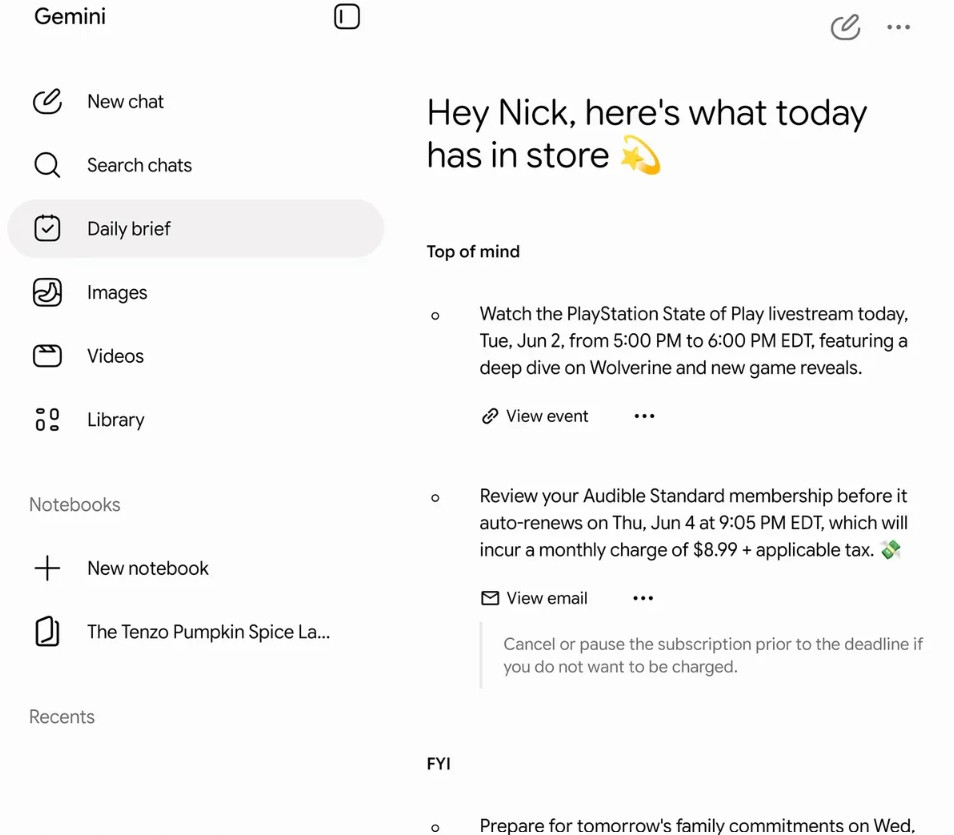
Notably, Daily Brief doesn't simply generate a static summary. Google designed this feature to be interactive, allowing users to continue working directly from the summarized content.
When users see an important task, they can click on it to view more information, open related emails, or create a new event calendar. This significantly shortens the transition from receiving information to taking action.
This is also the general direction of development for modern AI tools. Instead of just acting as a search engine or chatbot, AI is increasingly expected to become an assistant capable of supporting entire workflows.
However, to be most effective, Daily Brief needs access to users' personal data. This is also a factor that many people need to consider when weighing convenience against security concerns.
3. How to activate Daily Brief on Gemini
To use Daily Brief, users need to complete a few setup steps within the Gemini app. First, the account needs to be connected to Google Workspace to allow Gemini access to services such as Gmail and related tools.
Next, users must enable the Storage feature in the Personal Intelligence settings. This mechanism allows Gemini to use user-related information to create a more personalized experience.
Once the setup is complete, the Daily Brief will appear in the Gemini app sidebar. Google divides the summary content into different sections, including tasks that need immediate attention and suggestions related to long-term goals.
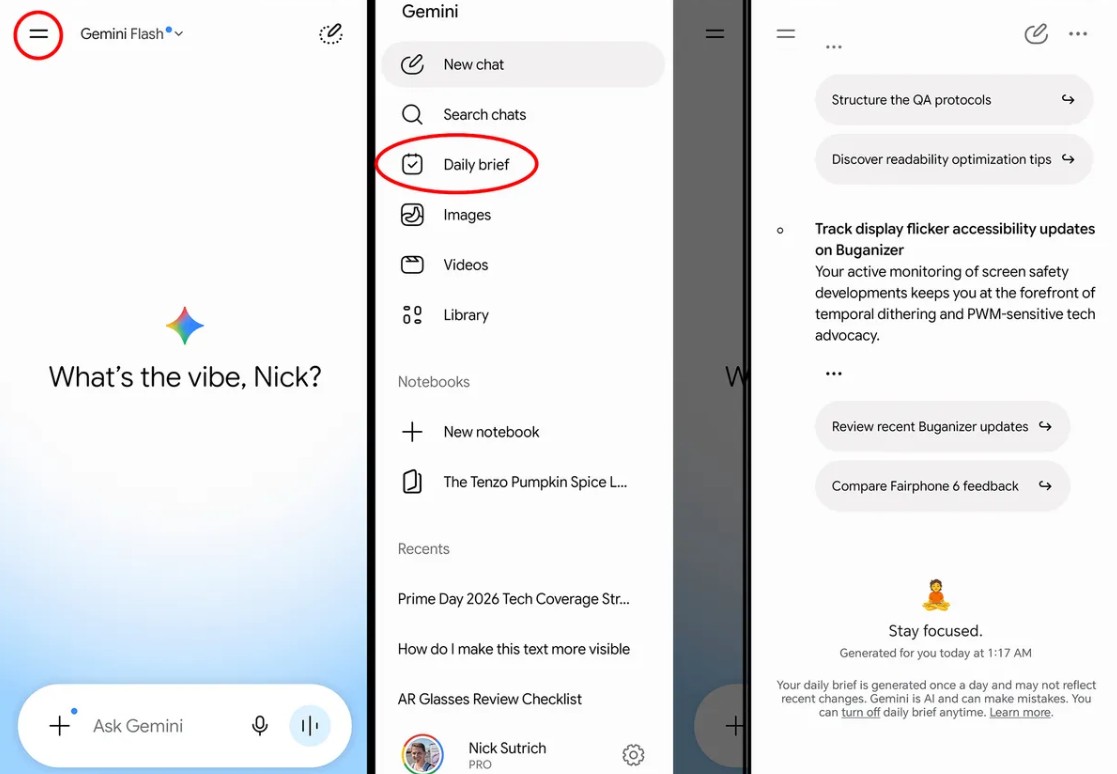
This organizational approach makes it easy for users to distinguish between urgent tasks and plans that need to be tracked in the future. Instead of displaying a long list of information, Gemini attempts to sort data by importance.
Another point to note is that Daily Brief is currently only available for personal accounts. Users with work or education accounts will not be able to experience this feature.
Restricting user access may be related to how Google handles data in business and school environments. These accounts typically have stricter privacy, data management, and security policy requirements.
Once activated, Daily Brief can become part of your daily Gemini routine. Users can quickly check a summary at the beginning of the day or use it as a task review tool before starting important tasks.
4. Privacy is a matter of concern for users.
While Daily Brief offers many benefits, its access to personal information also raises privacy questions. To create an accurate summary, Gemini needs permission to read and analyze data from Gmail, calendar, and connected applications.
Google says that some data from Gemini may be used to improve and train its artificial intelligence models. Additionally, some of this information may be reviewed by humans during system evaluations.
This means users need to fully understand the access permissions they grant Gemini before activating Daily Brief. Accounts that frequently store sensitive information such as personal documents, financial data, or important work content should consider this carefully.
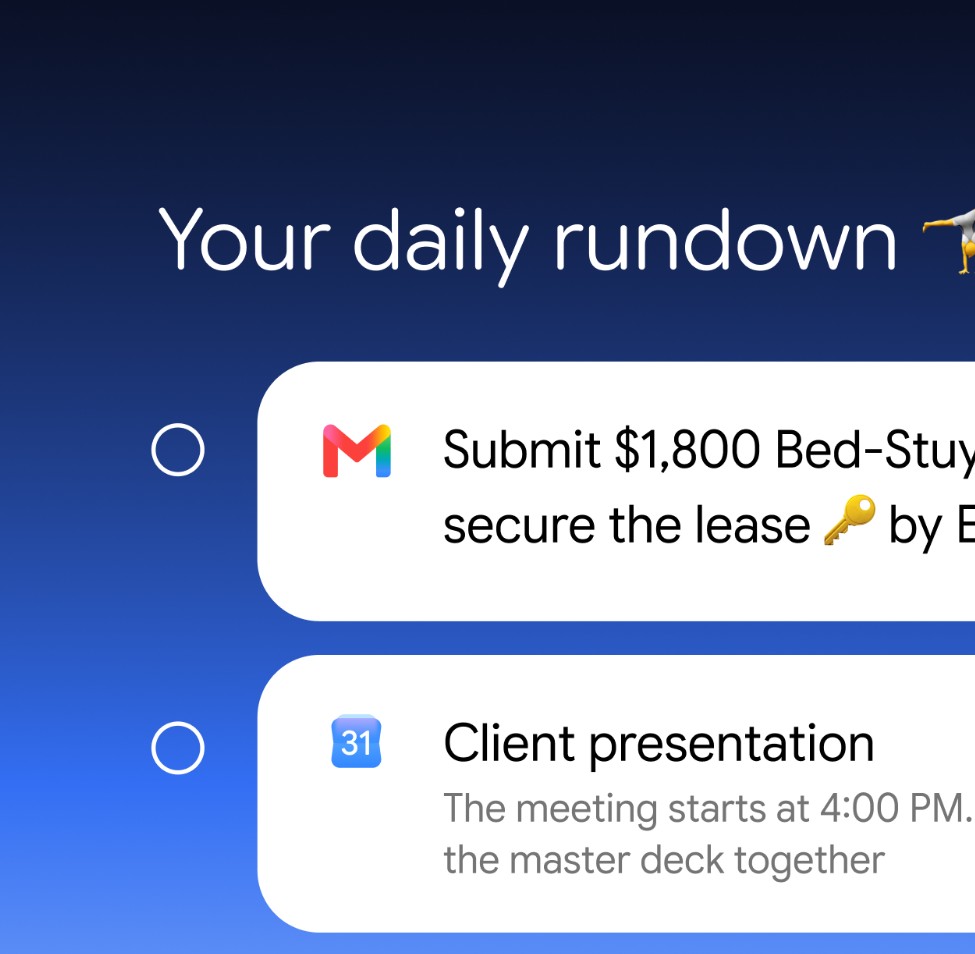
Google also provides the option to manage and disable this feature in the Personal Intelligence settings. If users feel that Daily Brief is not suitable for their needs, they can disable the feature at any time.
However, disabling Daily Brief does not mean that all saved data will be immediately deleted. To completely remove the information Gemini has saved, users need to delete conversations containing relevant data and disconnect unwanted applications.
This is an important point for users to keep in mind when using modern AI tools. Convenience often comes with the need to share more data, so controlling access is a crucial factor.
5. Google expands the Gemini ecosystem for free.
Daily Brief isn't the first premium feature Google has offered to users for free. Previously, the company also made screen and camera sharing available in Gemini Live on Android without requiring users to subscribe to a paid plan.
These consecutive moves show that Google is actively expanding the reach of Gemini. Instead of just viewing advanced AI features as an advantage of subscription packages, the company wants to bring more capabilities to the general user community.
Offering Daily Brief for free is also significant in today's AI competition. Major tech companies are looking to integrate AI assistants into many aspects of life, from work and study to personal information management.
With Gemini, Google has a significant advantage thanks to its extensive ecosystem of services including Gmail, Calendar, Drive, and many other platforms. If the connectivity between these services is well-executed, Gemini could become one of the most powerful personal AI assistants available today.
However, the success of this feature will depend heavily on the level of user trust. Intelligent data processing capabilities will only truly be valuable when users feel secure sharing personal information with AI.
Google's decision to make Daily Brief free is a significant step, demonstrating that Gemini's future lies not only in its ability to answer questions but also in its role as a proactive support tool in daily life. With continued improve





















VIP Products








Best Selling Products
Plugin Retouch4me
69 USD
Upgrade Genuine Office 365
49 USD
Genuine Adobe Illustrator account
99 USD
Capcut Pro 1 Year
39 USD
Genuine Cheap Canva Pro
39 USD
Adobe Photoshop Copyright - Full App
120 USD
Freepik Premium Account
59 USD
Upgrade Duolingo Super
29 USD
Upgrade genuine Capture One account
120 USD
Copyright Adobe Lightroom Account
59 USD
MidJourney Account
29 USD
ChatGPT Plus Account (GPT-4)
16 USD
Adobe Premiere Pro Account
99 USD
Windows 10 & 11 Pro Key
36 USD
Autodesk All App Account Copyright
120 USD