Best Selling Products

Copyright Adobe Lightroom Account
59 USD

Genuine Cheap Canva Pro
39 USD

Adobe Premiere Pro Account
99 USD

Upgrade Genuine Office 365
49 USD

Plugin Retouch4me
69 USD

MidJourney Account
29 USD

Windows 10 & 11 Pro Key
36 USD

Upgrade Duolingo Super
29 USD

Upgrade genuine Capture One account
120 USD

Genuine Adobe Illustrator account
99 USD

Adobe Photoshop Copyright - Full App
120 USD

Capcut Pro 1 Year
39 USD

Freepik Premium Account
59 USD

Autodesk All App Account Copyright
120 USD

ChatGPT Plus Account (GPT-4)
16 USD
8 UX Design Tools Worth Considering for Digital Product Designers
Nội dung
- 1. Adobe XD and the current position of a familiar tool
- 2. Figma and the power of real-time collaboration
- 3. Sketch and the legacy of vector interface design
- 4. The Marvel app and a simple approach to prototyping
- 5. Axure RP and the ability to create complex prototypes
- 6. UXPin and a design approach close to source code
- 7. Balsamiq and the art of quick sketching with wireframes
- 8. ProtoPie and interactive prototypes that go beyond the screen
- 9. Conclusion
User experience design does not stop at choosing colors or arranging buttons. It is an entire process that includes sketching ideas, building interface frameworks, constructing interaction flows, creating interactive prototypes, testing and handing off to the development team. At each stage, the right tool can save you hours of work, limit mistakes and help you communicate ideas more clearly to both teammates and clients. The design tools market has changed quite quickly over the past few years, so this article not only introduces the features of each tool but also updates their current status, so you have a basis for making the right choice.
1. Adobe XD and the current position of a familiar tool
Adobe XD was once one of the most popular interface design and prototyping tools, especially for those already familiar with the Adobe ecosystem. The tool is based on vector graphics, has an intuitive drag-and-drop interface, and supports artboards, symbols and reusable components. Designers can add transitions, gestures, animations, custom icons and system fonts with just a few steps, thereby creating highly polished prototypes that look almost identical to a real app or website.
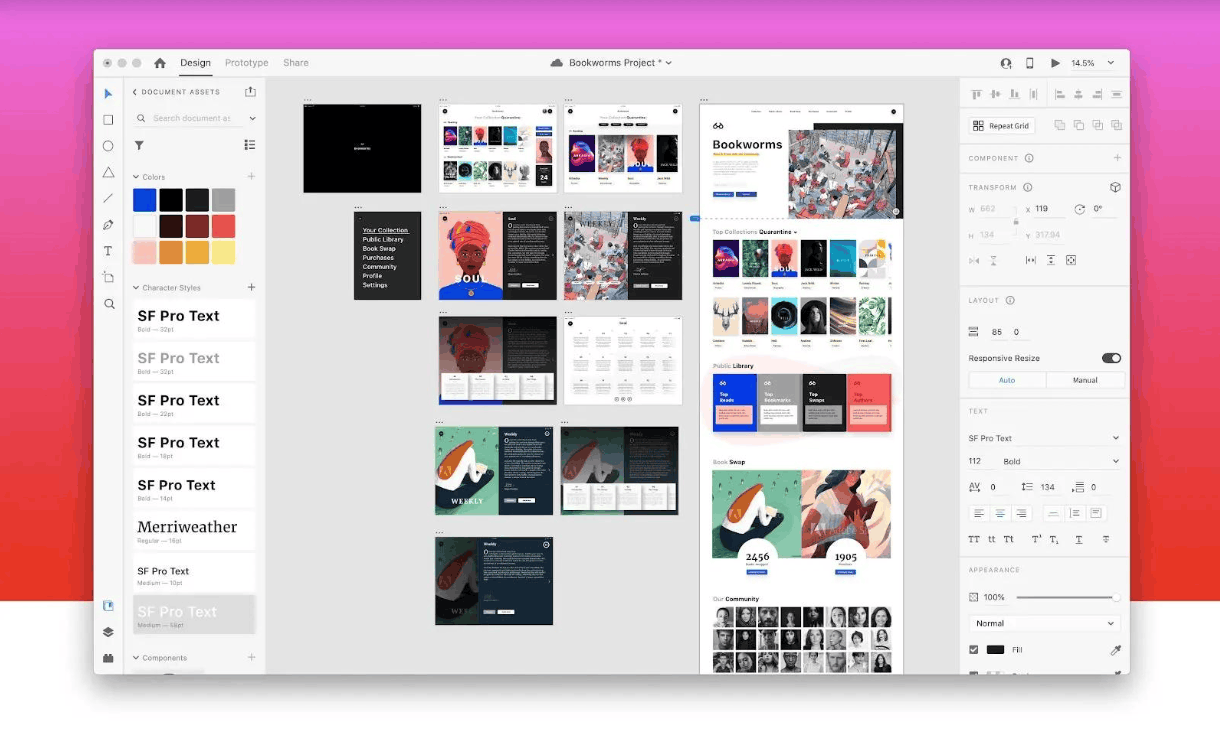
XD's biggest strength is its seamless connection with Photoshop, Illustrator and After Effects, which makes importing graphic assets convenient. However, you should know that Adobe has now put XD into maintenance mode, meaning the tool no longer receives new features and is no longer sold as a standalone product for new users. Therefore, XD is only suitable for those who already have existing projects and old design files to maintain. If you are just starting to learn design or preparing to build a long-term workflow, understanding XD is still useful for reading old documents, but you should prioritize tools that are being invested in and updated continuously.
2. Figma and the power of real-time collaboration
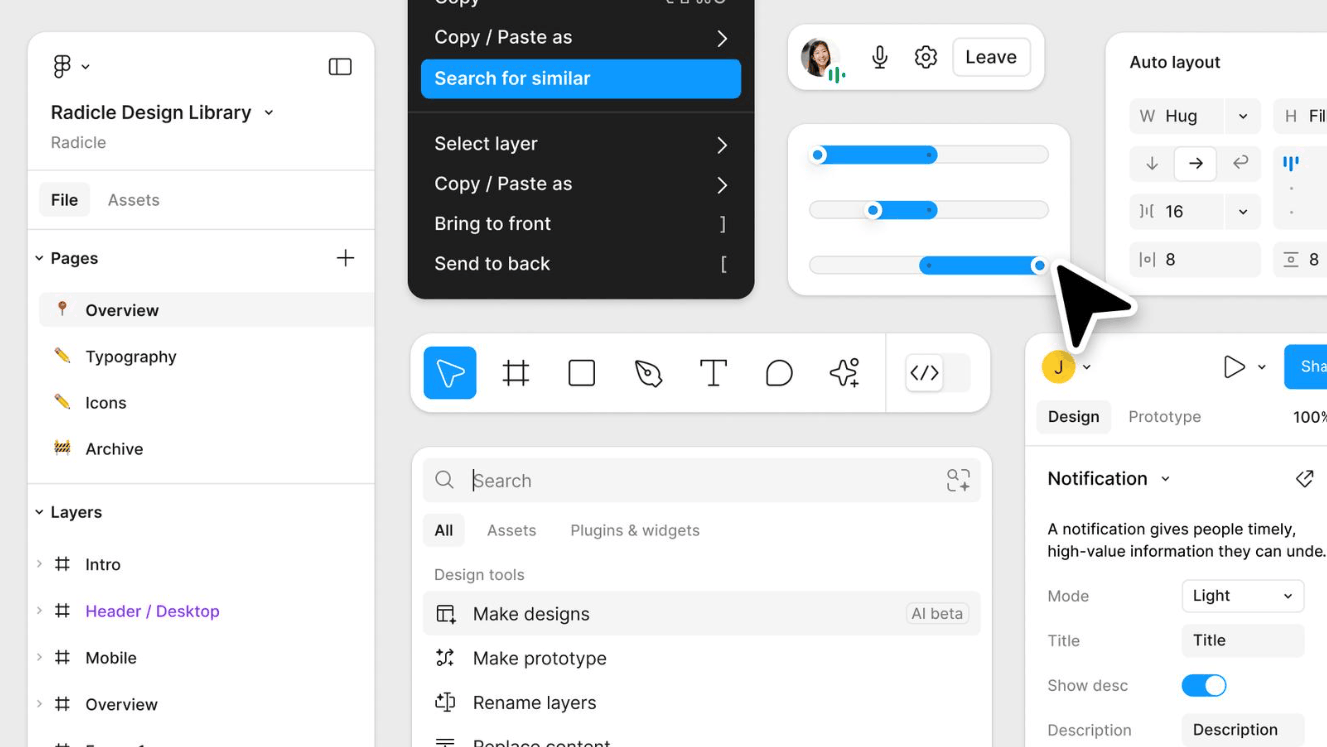
Figma is currently the most popular interface design tool in the industry. Running right in the browser, Figma removes the need for complicated installation and lets multiple people work on one file in real time, similar to how people co-edit an online document. This completely changes how product teams coordinate, because designers, product managers and developers can all view, comment and track progress without exchanging multiple file versions back and forth.
In terms of features, Figma provides everything a design team needs, from components, styles and constraints to auto layout that lets the interface resize itself according to content. The tool supports responsive design for web, desktop and mobile devices, and has built-in interactive prototyping and a developer mode for viewing specs and exporting assets. The plugin ecosystem and the community sharing design templates are also very rich. Figma has a free plan that is sufficient for learners and small projects, while paid plans add more control, shared libraries and features for organizations. For most newcomers, Figma is the most reasonable starting point.
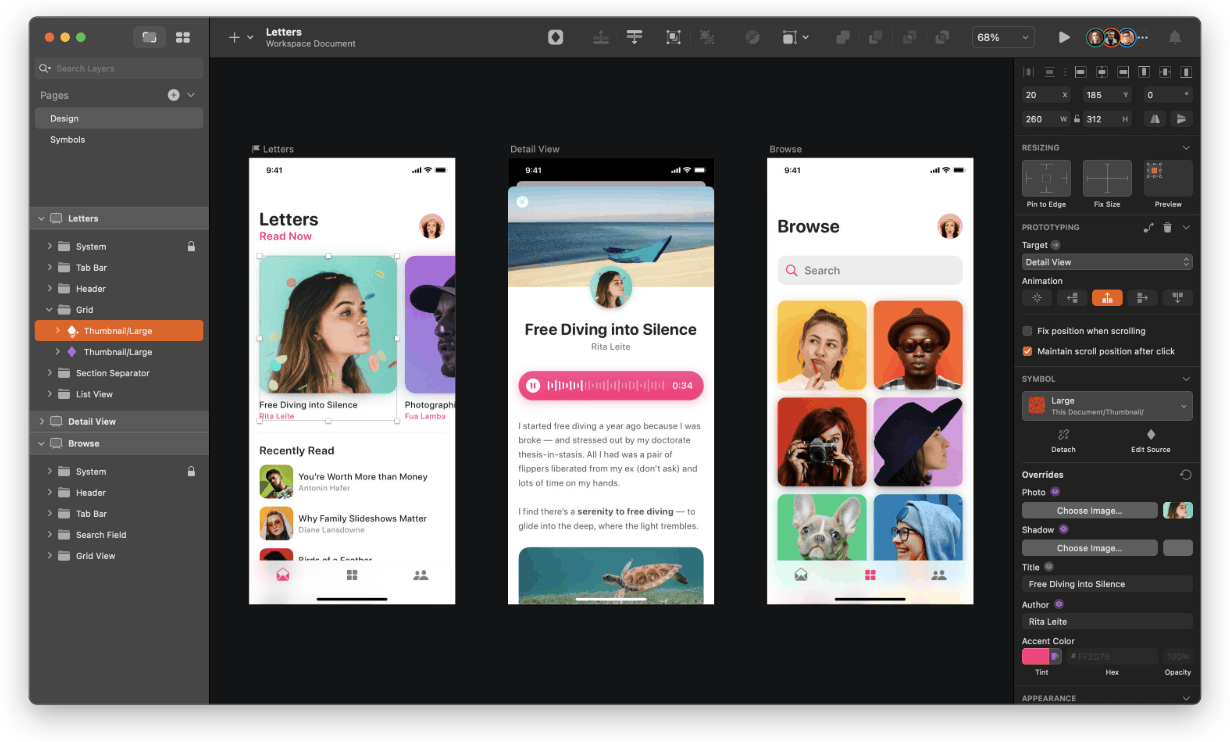
3. Sketch and the legacy of vector interface design
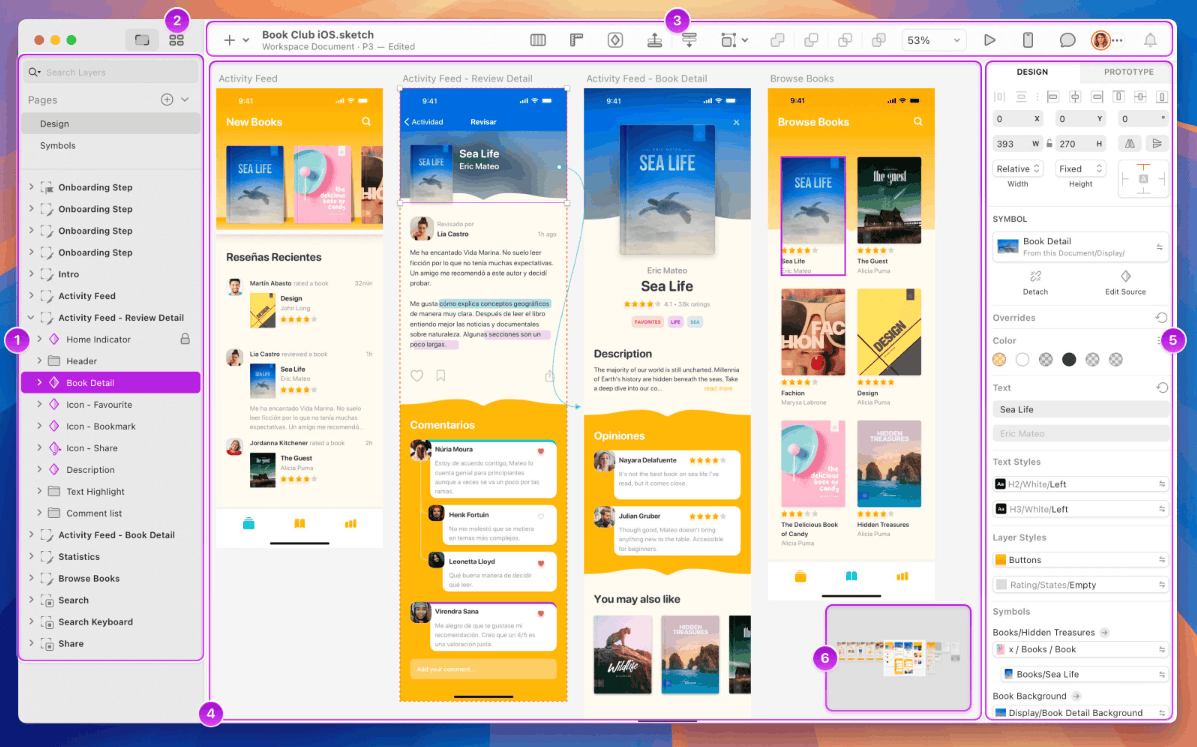
Sketch is a vector graphics editor for macOS and can be seen as the tool that laid the foundation for the generation of modern interface design software. Before Figma became dominant, Sketch was almost the industry standard thanks to its clean interface, focused on exactly what designers need.
Sketch's standout features include symbols for reusing components, shared text styles, a layer system, grids and paths, along with the ability to handle data visualization. Sketch's special strength is its rich collection of plugins and resources developed by the community, which helps extend functionality to individual needs, from generating sample data to automating repetitive tasks. This tool is very suitable for quickly building high-quality mockups and prototypes. The biggest limitation is that Sketch only runs on macOS, so if your team uses many different operating systems, collaboration will be less flexible than with a web-based solution. Sketch has a per-user subscription plan, with a trial version and a discounted price for annual sign-up, along with a plan for organizations with many editors.
4. The Marvel app and a simple approach to prototyping
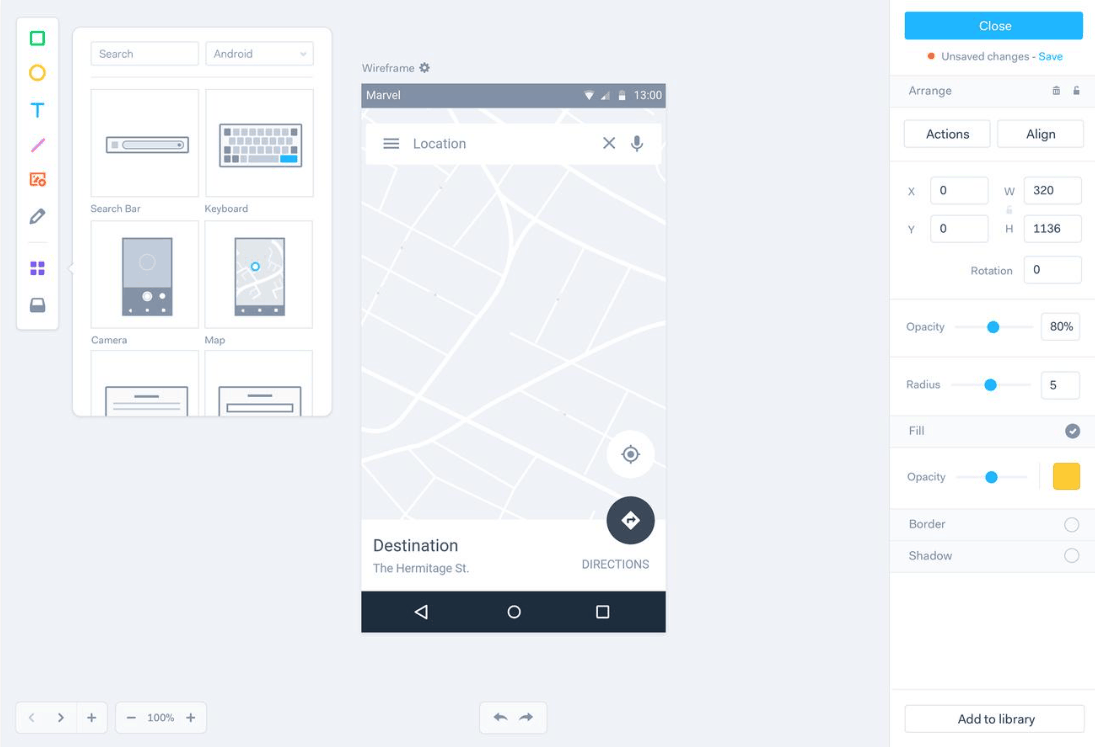
Marvel is a cloud-based prototyping tool, known for its lightweight and easy-to-learn approach. You can upload static screens or design directly in the tool, then link them into an interactive flow that can be clicked through without writing a single line of code. This is especially useful for early-stage mobile app projects, when you need to validate ideas quickly before investing in detailed design.
Marvel offers previews on real devices, collaboration tools, an asset library and a developer handoff mode for viewing technical specs. The tool also supports user testing, helping collect direct feedback on prototypes. Marvel's strength lies in its low learning curve, very suitable for people without much experience with design tools, teachers, students or small teams that need to test ideas very quickly. On the other hand, Marvel's design editor is not as powerful as Figma's and the pace of new feature updates is also slower, so for complex projects you may need a more comprehensive solution.
5. Axure RP and the ability to create complex prototypes
Axure RP is wireframing and prototyping software for projects that demand high complexity. Unlike many tools that lean toward visual interfaces, Axure lets you build real interaction logic, including variables, conditions, formulas, dynamic panels and behaviors that depend on user input. As a result, you can simulate multi-step business processes, such as a registration form with condition checking or an admin panel with data filtering and sorting, without in-depth programming knowledge.
Axure also supports creating advanced diagrams to visualize complex information, along with the ability to export detailed specification documents for the development team. Therefore, this tool is widely used by UX designers, product managers, business analysts and developers, especially in large enterprises and software projects with strict processes. In return, Axure is more complex than many other tools and requires considerable time to get used to. The tool offers multiple per-user plans, from individual and team to enterprise. If your project mainly needs a good-looking interface quickly, Axure may be overkill, but if you need to simulate deep business logic, this is a very worthwhile choice.
6. UXPin and a design approach close to source code
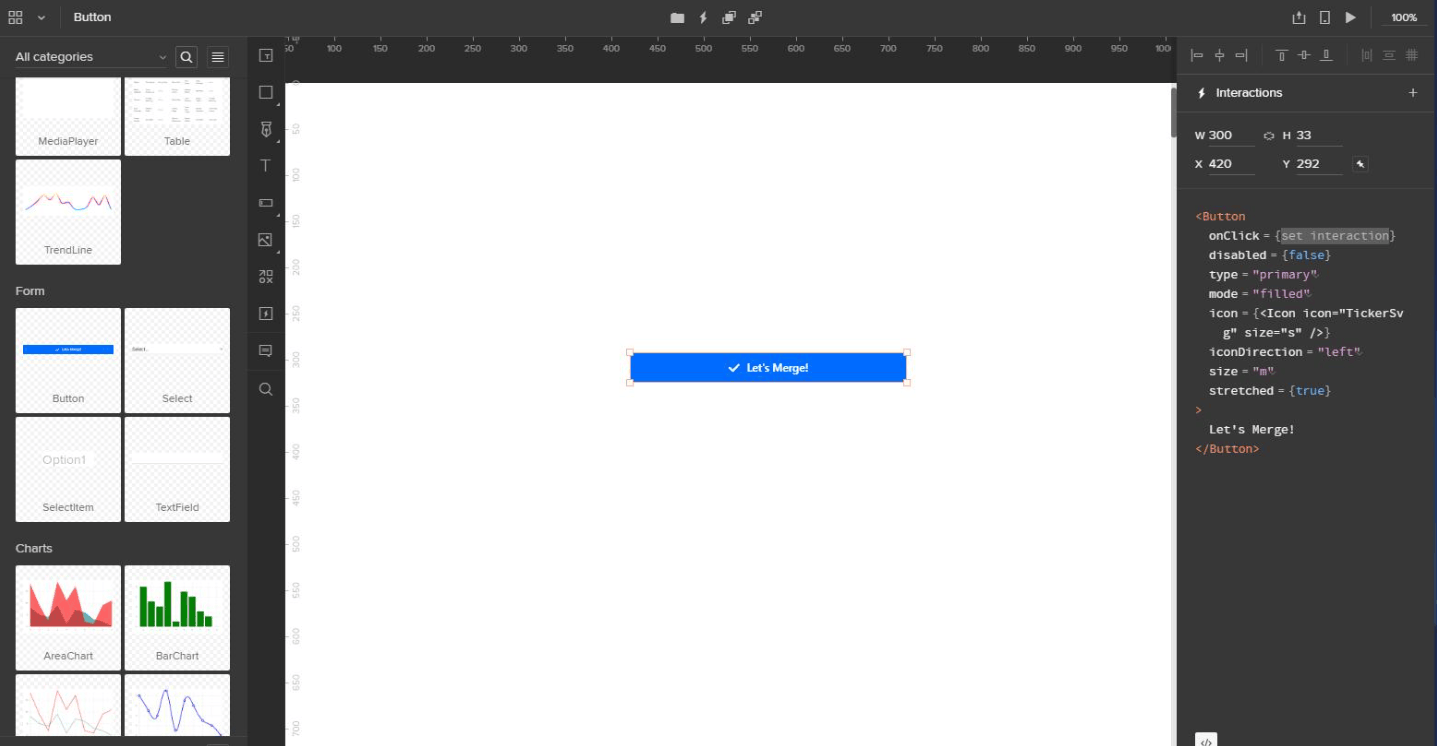
UXPin is a comprehensive platform that allows designing, prototyping and collaborating in the same environment. What makes UXPin different is its ability to create very high-fidelity prototypes, with components that can behave almost like the real product, including states, variables, expressions and conditions. The tool also supports user testing and refining the final product for different platforms such as iOS or Android.
A notable strength of UXPin is its ability to connect with component libraries based on real source code, helping narrow the gap between design and development. When designers use the very components that developers implement, handoff results become more consistent and the situation where the final product differs from the design is significantly reduced. This approach is especially suitable for organizations with large-scale design systems and teams that work closely between design and engineering. UXPin has multiple pricing plans for startups, mid-sized companies and large organizations, with a trial version. Compared with other popular tools, UXPin's pricing is in the higher group, so you should carefully consider your actual needs before deciding.
7. Balsamiq and the art of quick sketching with wireframes
Balsamiq is a simple but effective wireframing tool that uses basic shapes and lines to sketch a website or app in a hand-drawn style. This deliberately rough look is precisely Balsamiq's biggest strength. When looking at a sketch with no polished colors or images, people will focus on structure, layout and interaction flow instead of getting caught up in comments about aesthetics, which should be discussed at a later stage.
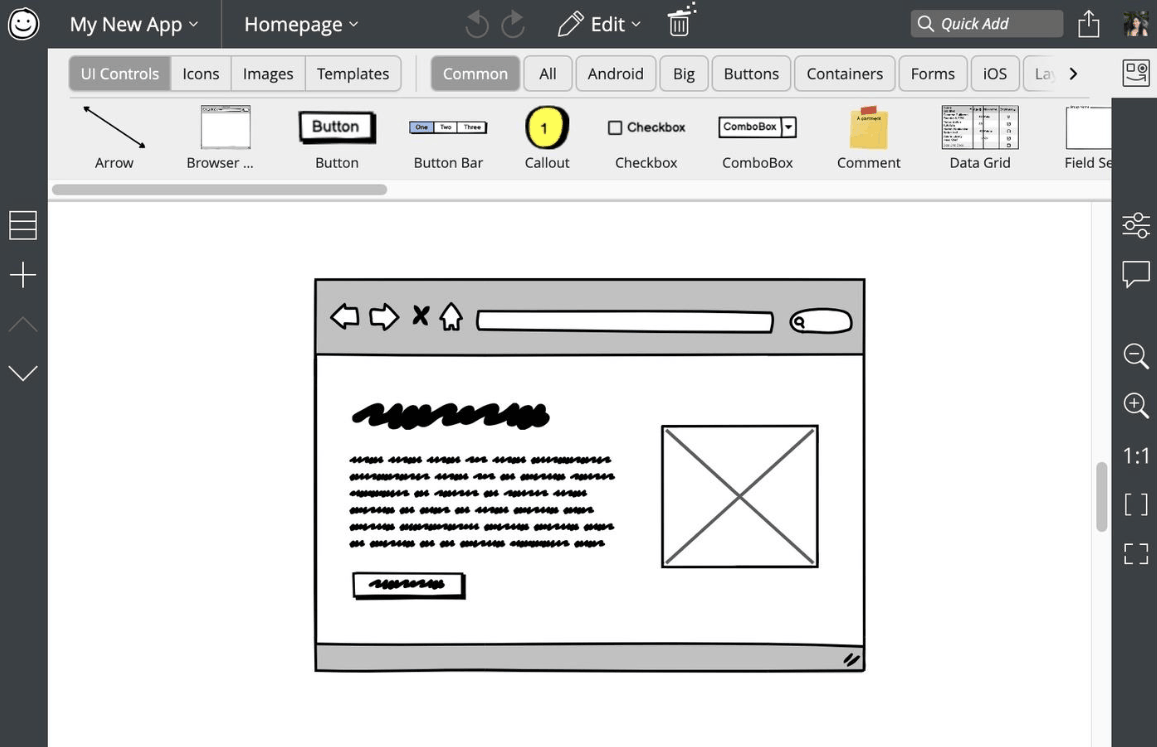
This tool is very suitable for capturing initial ideas, quick exchanges within the team and gathering feedback before investing in the finished design. The drag-and-drop interface with a ready-made component library helps you create a complete screen in just a few minutes, even without much experience. Balsamiq can also link screens to create a simple clickable prototype. The cloud version is priced per workspace with different numbers of projects, from a small plan for a few projects to a large plan for multiple teams. If you need a tool that helps you think about product structure before discussing the interface, Balsamiq is a very reliable choice.
8. ProtoPie and interactive prototypes that go beyond the screen
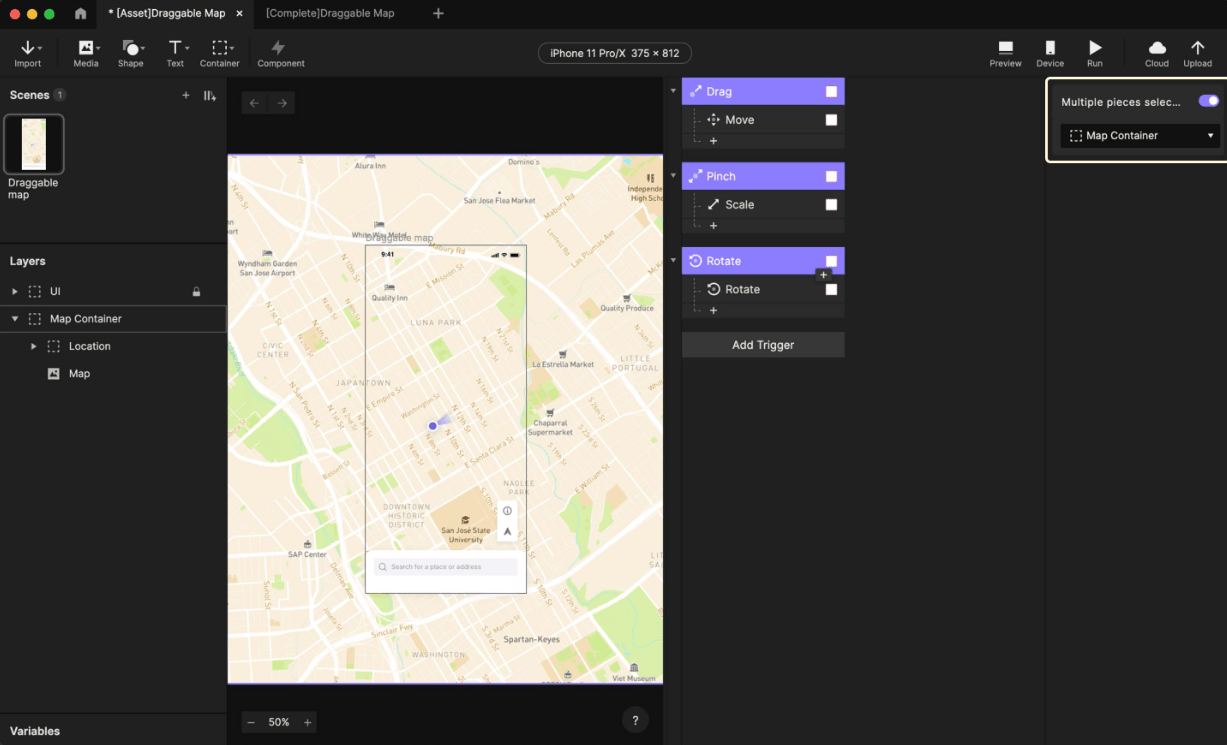
ProtoPie is a versatile interactive prototyping tool for both mobile devices and computers. The tool stands out for its ability to build complex animations and interactions that many other software packages struggle to achieve, based on gestures, screen size changes, sensor data or external events such as Bluetooth signals. Thanks to its mechanism based on objects, conditions and responses, you can simulate subtle experiences such as scrolling effects, drag-and-drop with inertia or reactions to the tilt of a device.
This makes ProtoPie an ideal choice for product teams that demand a high-end experience, such as premium mobile apps, in-car interfaces, smart devices or products combining hardware and software. You can run prototypes directly on a real phone to feel the smoothness of each movement, instead of just viewing them on a computer screen. ProtoPie has a free version with limited features, paid plans for individuals and teams, and a separate plan for enterprises. Typically, ProtoPie is used alongside Figma or Sketch, where the interface is designed in the main tool and then imported into ProtoPie to breathe interaction into it.
9. Conclusion
Each tool in the list above has its own role. Figma and Sketch are suitable for interface design, Axure RP and UXPin are for prototypes with complex logic, Marvel and Balsamiq help validate ideas quickly, and ProtoPie stands out for subtle interactions. At the same time, this list also reminds us that the tools market is always in flux, as Adobe XD has stopped development and InVision has shut down its operations, so updating information before choosing a tool is essential.
The practical advice is that you do not need to master all of them. Start with one main design tool, prioritizing Figma because of its large community and rich learning materials, then add specialized tools when a project truly demands them. Most importantly, tools are only a means. The core value of a UX designer still lies in the ability to understand users, problem-solving thinking and the skill of communicating ideas clearly.





















VIP Products








Best Selling Products
Copyright Adobe Lightroom Account
59 USD
Genuine Cheap Canva Pro
39 USD
Adobe Premiere Pro Account
99 USD
Upgrade Genuine Office 365
49 USD
Plugin Retouch4me
69 USD
MidJourney Account
29 USD
Windows 10 & 11 Pro Key
36 USD
Upgrade Duolingo Super
29 USD
Upgrade genuine Capture One account
120 USD
Genuine Adobe Illustrator account
99 USD
Adobe Photoshop Copyright - Full App
120 USD
Capcut Pro 1 Year
39 USD
Freepik Premium Account
59 USD
Autodesk All App Account Copyright
120 USD
ChatGPT Plus Account (GPT-4)
16 USD