Best Selling Products

Adobe Photoshop Copyright - Full App
120 USD

Plugin Retouch4me
69 USD

Freepik Premium Account
59 USD

Adobe Premiere Pro Account
99 USD

Copyright Adobe Lightroom Account
59 USD

Genuine Adobe Illustrator account
99 USD

ChatGPT Plus Account (GPT-4)
16 USD

MidJourney Account
29 USD

Capcut Pro 1 Year
39 USD

Autodesk All App Account Copyright
120 USD

Windows 10 & 11 Pro Key
36 USD

Upgrade genuine Capture One account
120 USD

Upgrade Genuine Office 365
49 USD

Upgrade Duolingo Super
29 USD

Genuine Cheap Canva Pro
39 USD
A Compilation of Photo Editing Apps for Mobile Phones Suitable for All User Levels
Nội dung
- 1. Things to know about photo editing software on your phone.
- 2. The best basic photo editing apps
- 2.1. Snapseed Software
- 2.2. Lightroom Mobile Photo Editing App
- 2.3. Pixlr Photo Editing Application
- 3. The best photo editing app has many filters.
- 3.1. VSCO software
- 3.2. Prisma Photo Editor Software
- 3.3. PicsArt Photo Editor Application
- 3.4. Photo editing app on mobile phones: A Color Story
- 4. Professional photo editing apps
- 4.1. App Foodie
- 4.2. App Photoshop Fix
- 4.3. Applications of SKRWT
- 4.4. Photoshop Mix Image Editing Application
Whether you're a beginner or an experienced photo editor, this list has something for everyone. The apps are rated based on features, interface, and real-world performance.
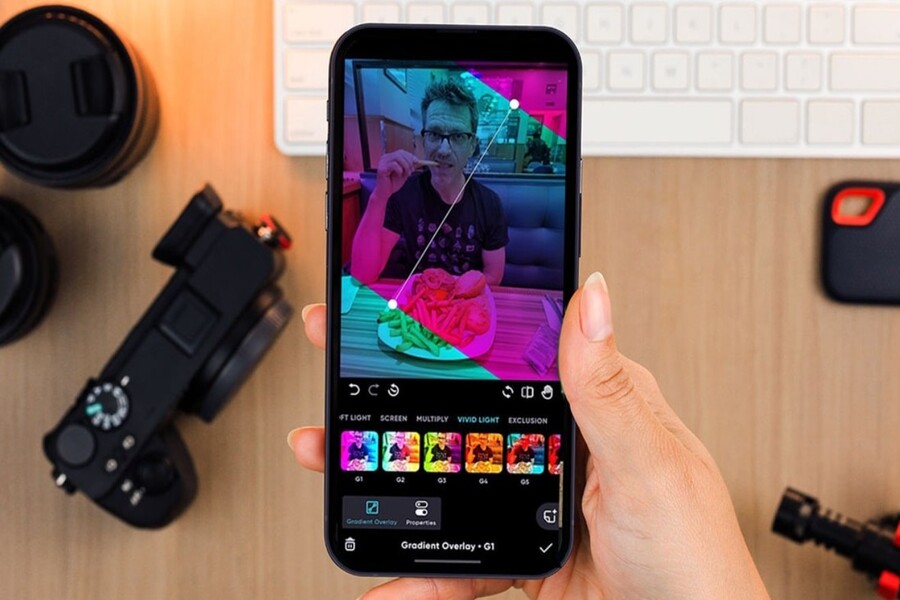
Artificial intelligence is no longer limited to automatic beautification or filter application; it has deeply intervened in the post-production process, from analyzing lighting and identifying subjects to reproducing colors in a cinematic style. This significantly shortens editing time while improving the quality of the final images.
However, the abundance of applications also raises a significant problem: which one is the best fit for your needs? An easy-to-use application for beginners may not be sophisticated enough for designers or photographers. Conversely, overly professional tools can sometimes be overwhelming for the average user.
This article will give you the most comprehensive and practical overview of the 11 best photo editing apps for phones , clearly categorized by needs: from basic editing and creative filter use to highly professional applications. Each app is analyzed based on real-world user experience, advantages and disadvantages, and suitable target audience, rather than just a list of features.
1. Things to know about photo editing software on your phone.
Before delving into specific applications, it's crucial to understand the nature and limitations of photo editing on mobile devices. Smartphones, while increasingly powerful, still have certain constraints regarding screen size, processing capabilities, and interaction methods compared to computers.
Photo editing apps on mobile phones are often designed with a philosophy of "fast, simple, and intuitive." This means the interface prioritizes touch gestures, sliders, and pre-set presets. For the average user, this is a huge advantage. But for those accustomed to working with detail in Photoshop or Lightroom desktop, this simplicity can sometimes become a limitation.
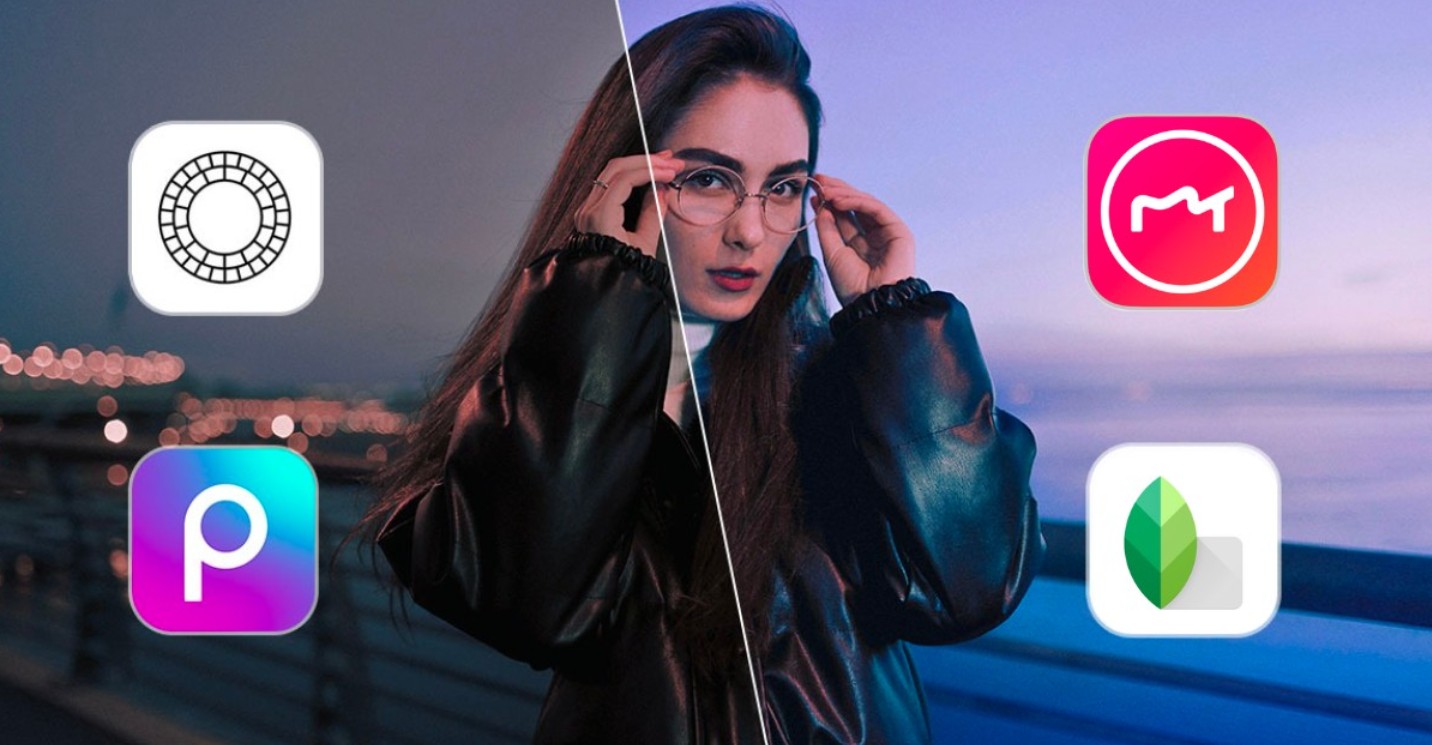
Another factor to consider is the image format . By 2025, most high-end smartphones will support RAW shooting (DNG or HEIF RAW). However, not all apps handle RAW files well, especially in preserving detail in bright and dark areas and managing color. If you prioritize image quality, RAW processing capability is a crucial criterion.
Finally, consider the ecosystem you're using. Some apps work better on iOS, while others are optimized for Android. Additionally, syncing with your computer, cloud storage, and preset sharing also significantly impact your long-term workflow.
2. The best basic photo editing apps
Basic photo editing apps focus on quickly and easily improving images, making them suitable for beginners or anyone who wants to edit photos beautifully without investing too much time in learning.
2.1. Snapseed Software
Snapseed is a familiar name, yet it never goes out of style. Despite launching many years ago, the app still maintains a strong position in 2025 thanks to its stability and incredible depth of tools.
Snapseed's greatest strength lies in its combination of a user-friendly interface and a non-destructive editing system. Users can easily adjust brightness, contrast, and color with simple swipe gestures (up, down, left, and right). However, behind that simple exterior are some very valuable tools like Curves, Selective Adjust, and Brush.
For semi-professional designers or photographers, Snapseed is especially useful in situations requiring quick adjustments on a phone while maintaining control over detail. Its intelligent selection capabilities allow for localized handling of light and color without the need for complex layers.
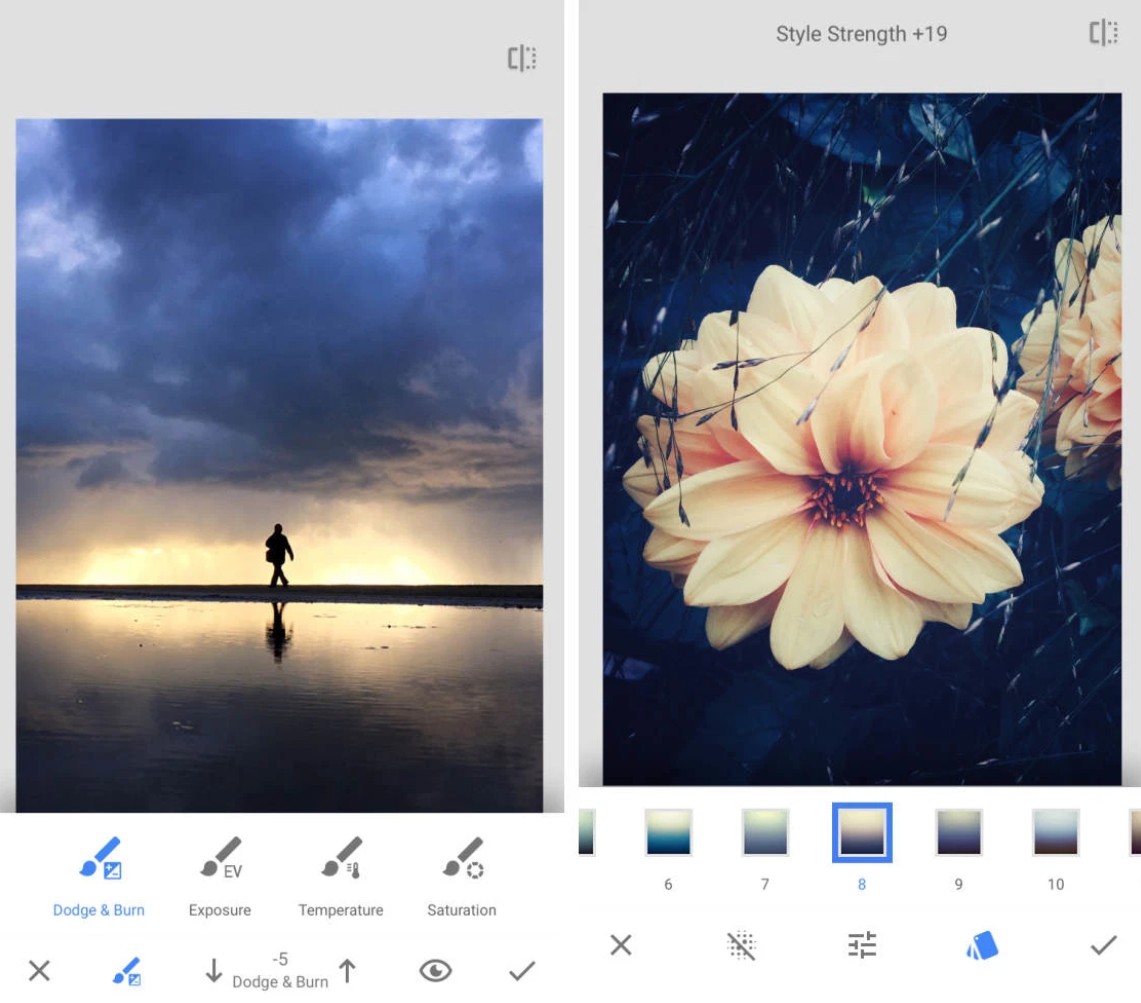
The only downside is that Snapseed no longer receives frequent feature updates from Google. However, this very "stability" makes Snapseed a reliable tool, free from sudden interface changes or changes in its pricing model.
2.2. Lightroom Mobile Photo Editing App
If you had to choose a photo editing app on your phone that comes closest to a professional experience, Lightroom Mobile would be virtually unrivaled.
Lightroom Mobile inherits almost entirely the philosophy of Lightroom Classic: non-destructive editing, precise color management, and excellent RAW file handling. For those already familiar with the Adobe ecosystem, the transition to Lightroom Mobile is virtually seamless.
In 2025, Lightroom Mobile will continue to receive significant upgrades with AI features such as subject selection, background removal, and contextual automatic lighting adjustments. These tools not only save time but also deliver consistent results, perfectly suited to the workflows of photographers and content creators.
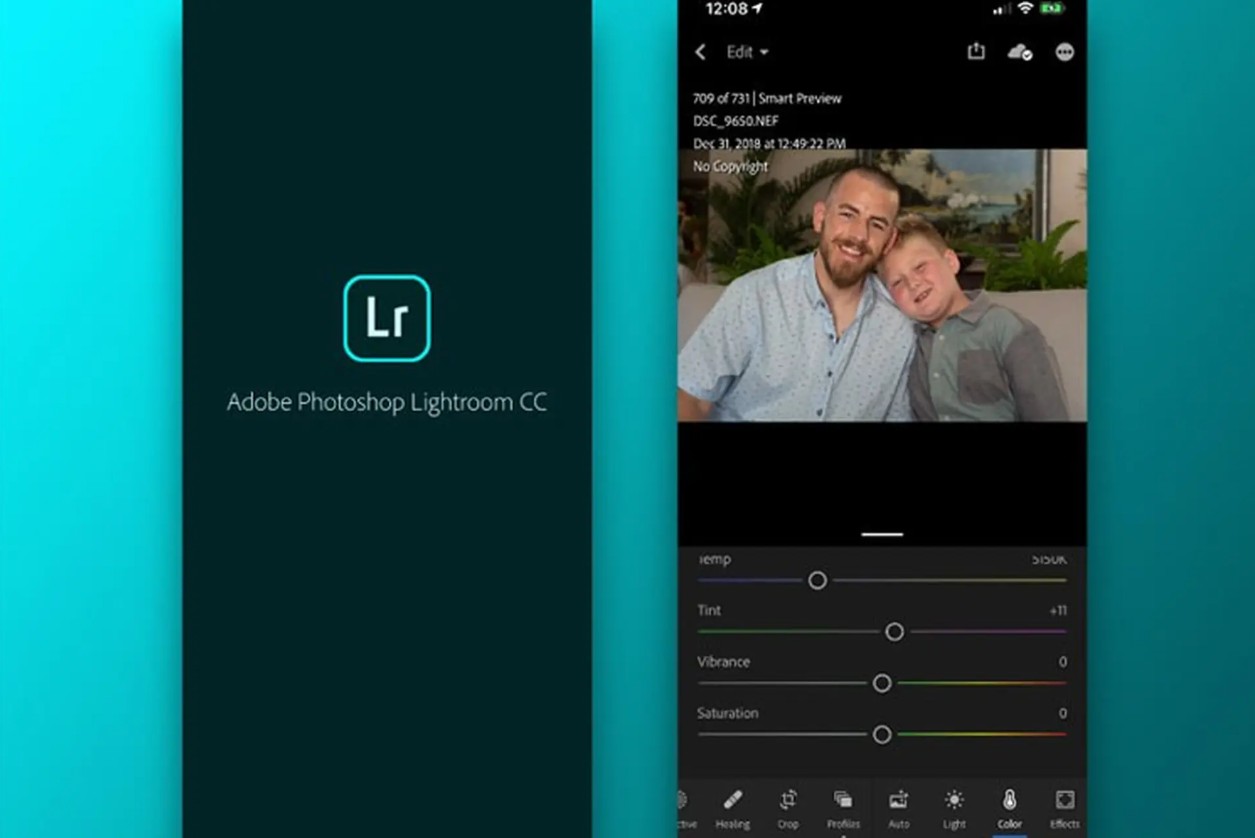
However, to fully utilize the power of Lightroom Mobile, users need to subscribe to an Adobe Creative Cloud plan. This is a point of concern for some casual users. Nevertheless, if you view photo editing as a serious part of your work or personal brand, this investment is entirely worthwhile.
2.3. Pixlr Photo Editing Application
Pixlr strikes a balance between simplicity and versatility. This app is geared towards users who enjoy creative editing, adding effects, text, and graphic elements quickly.
Pixlr's strength lies in its simple layering and blending modes, allowing users to create highly sophisticated images without needing to open Photoshop on their computer. It's a very popular tool among social media designers, marketers, and digital content creators.

While not as powerful in color processing as Lightroom, Pixlr scores points thanks to its rich effects library and intuitive editing capabilities. In 2025, Pixlr will also integrate AI features to assist with object removal and skin smoothing, serving the needs of quick photo editing well.
3. The best photo editing app has many filters.
If you love a distinctive and personalized visual style, apps that focus on filters and presets will be the ideal choice.
3.1. VSCO software
VSCO has long been an icon of minimalist style and subtle color. Instead of chasing flashy effects, VSCO focuses on recreating the feel of analog film, with presets built upon classic film colors.
In 2025, VSCO continues to maintain this identity while adding advanced editing tools for paid users. A key feature of VSCO is its ability to meticulously control each preset, allowing you to fine-tune it to create your own style instead of relying entirely on pre-made filters.
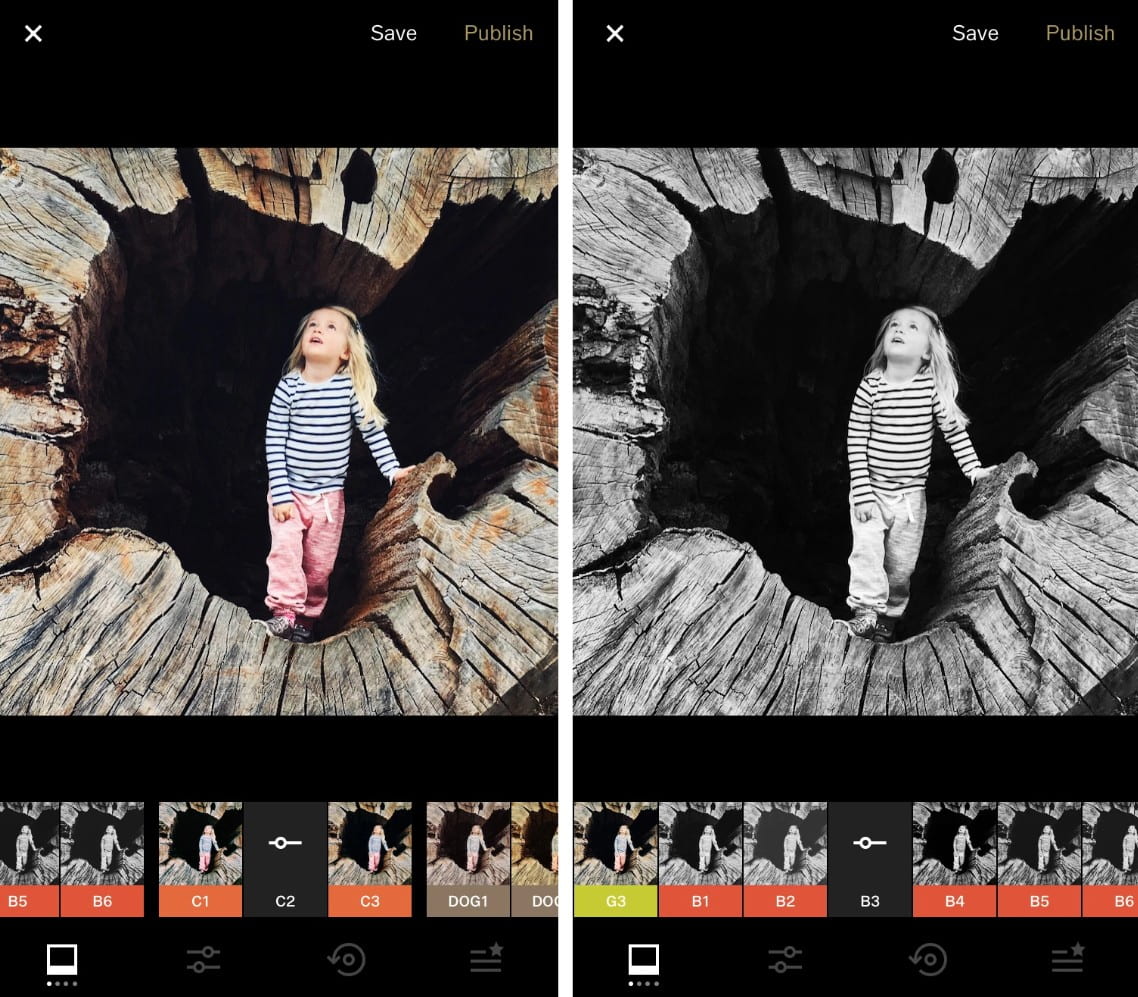
VSCO is ideal for everyday photography, lifestyle photography, and anyone who wants to build a visually appealing and consistent social media feed.
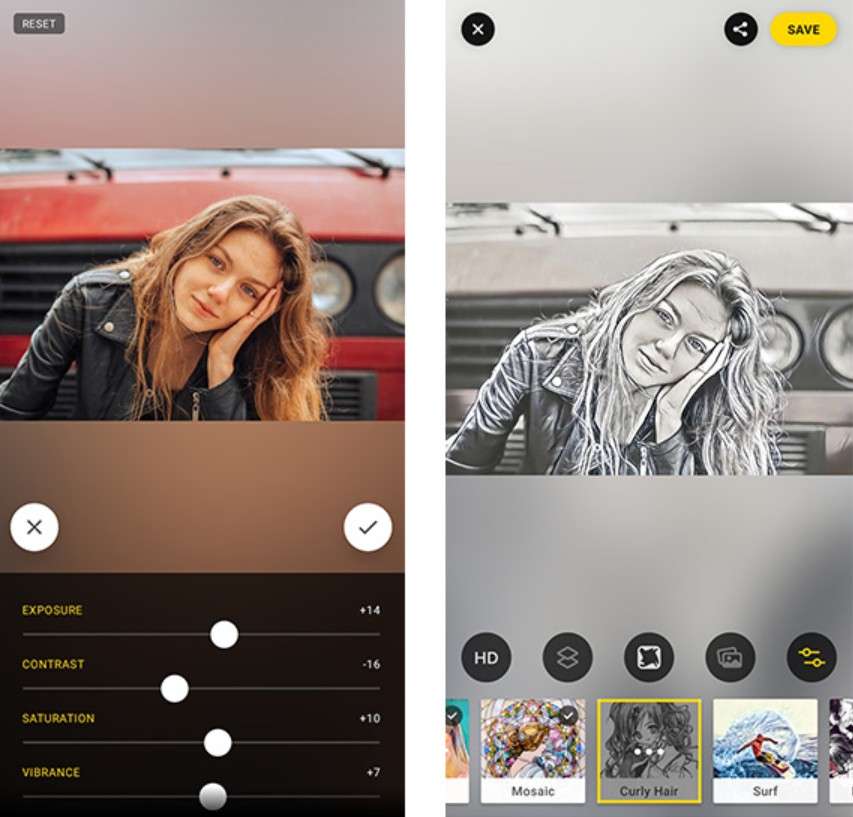
3.2. Prisma Photo Editor Software
Prisma takes a completely different approach: transforming photographs into artistic paintings. With the powerful support of AI, Prisma can transform images in the style of famous painters or distinctive painting schools.
While not suitable for all types of images, Prisma is an ideal tool for creative projects, illustrations, or highly artistic content. By 2025, Prisma will significantly improve detail quality and the ability to retain original image structure, resulting in more natural-looking images.
3.3. PicsArt Photo Editor Application
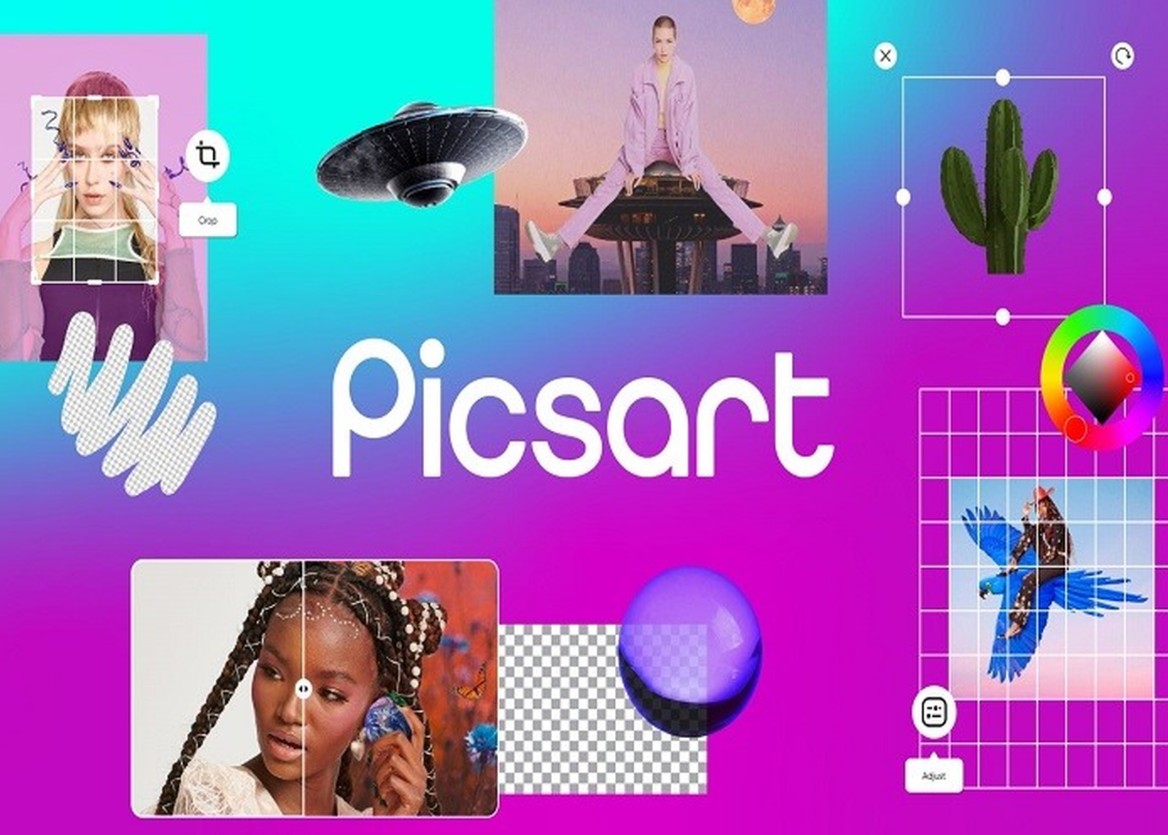
PicsArt is a playground for unlimited creativity. It's not just a photo editing app, but also a community where users share templates, stickers, and ideas.
With PicsArt, you can easily create viral images suitable for TikTok, Instagram, or quick marketing campaigns. However, this very abundance of options can sometimes make PicsArt a bit "noisy" for users who prefer a minimalist style.
3.4. Photo editing app on mobile phones: A Color Story
A Color Story focuses strongly on bright, vibrant colors, making it ideal for lifestyle, travel, and food photography. The app's presets are designed to highlight natural colors, creating a positive and eye-catching feel.

Compared to VSCO, A Color Story has a more modern look, less "film-like," and is more in line with social media trends in 2025.
4. Professional photo editing apps
This group of applications is geared towards very specific needs, where accuracy and control are crucial.
4.1. App Foodie
Foodie is designed specifically for food photography. The app's presets and editing tools focus on highlighting food colors, balancing lighting, and maintaining a natural look.
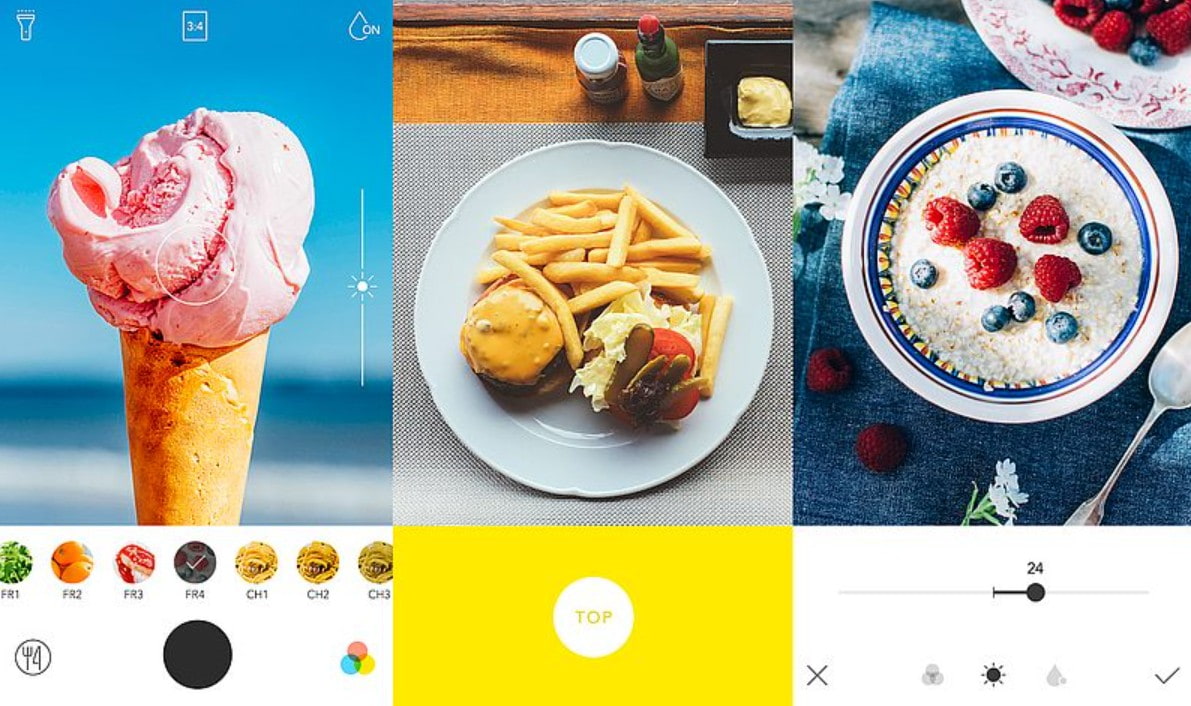
For those creating food content, Foodie is a quick and efficient option, especially when frequent posting is required.
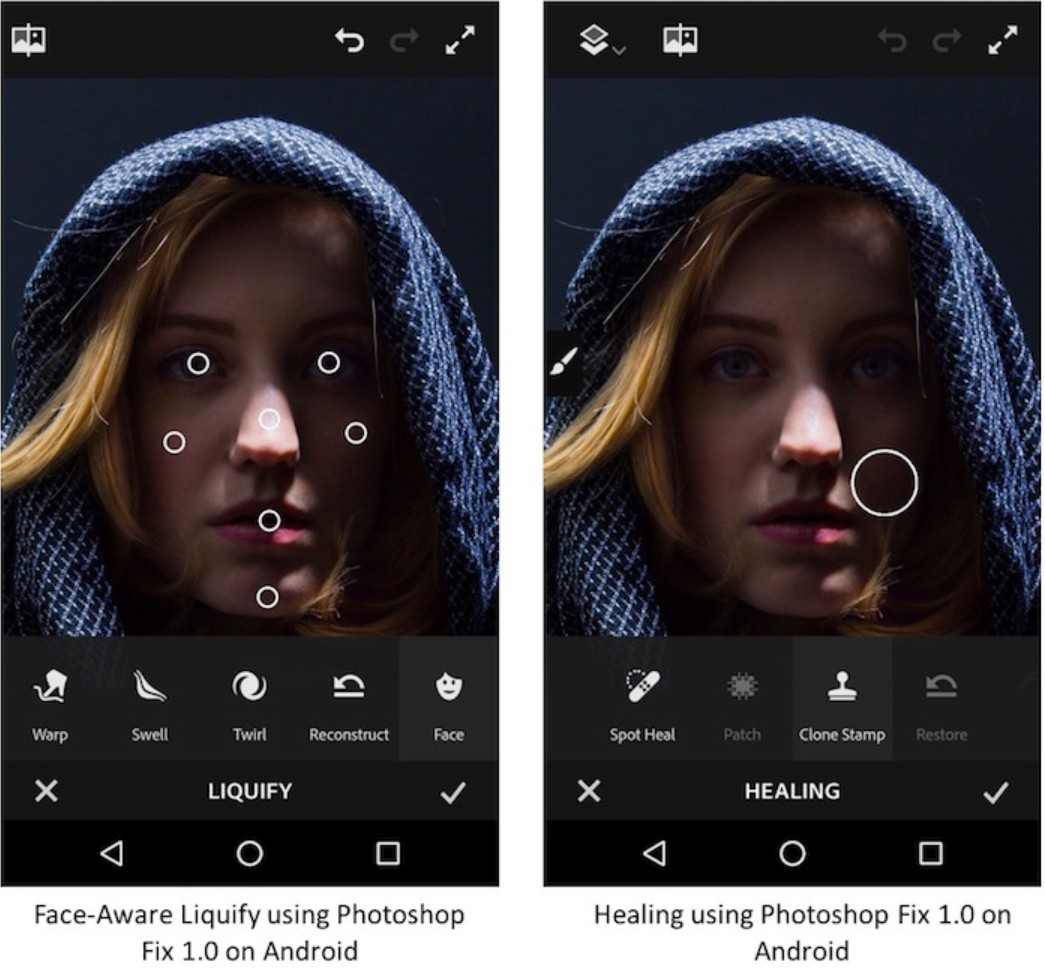
4.2. App Photoshop Fix
Photoshop Fix brings the retouching spirit of Photoshop to your phone. This app is very powerful for portrait editing, from smoothing skin and removing blemishes to fine-tuning facial features.
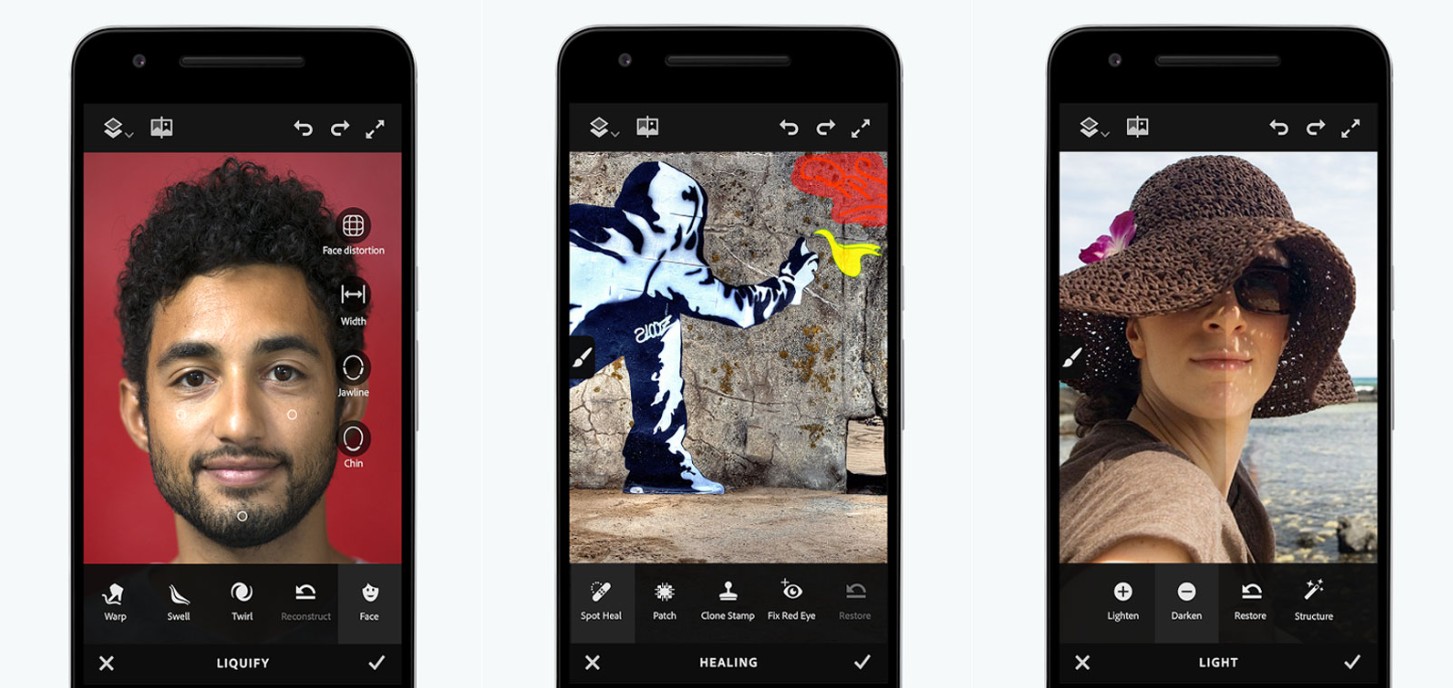
Although Adobe has integrated some of its features into other applications, Photoshop Fix remains a useful tool for those who need quick retouching without opening their computer.
4.3. Applications of SKRWT
SKRWT is an application specializing in geometric and perspective editing. For those who photograph architecture, interiors, or products, SKRWT is an almost indispensable tool.
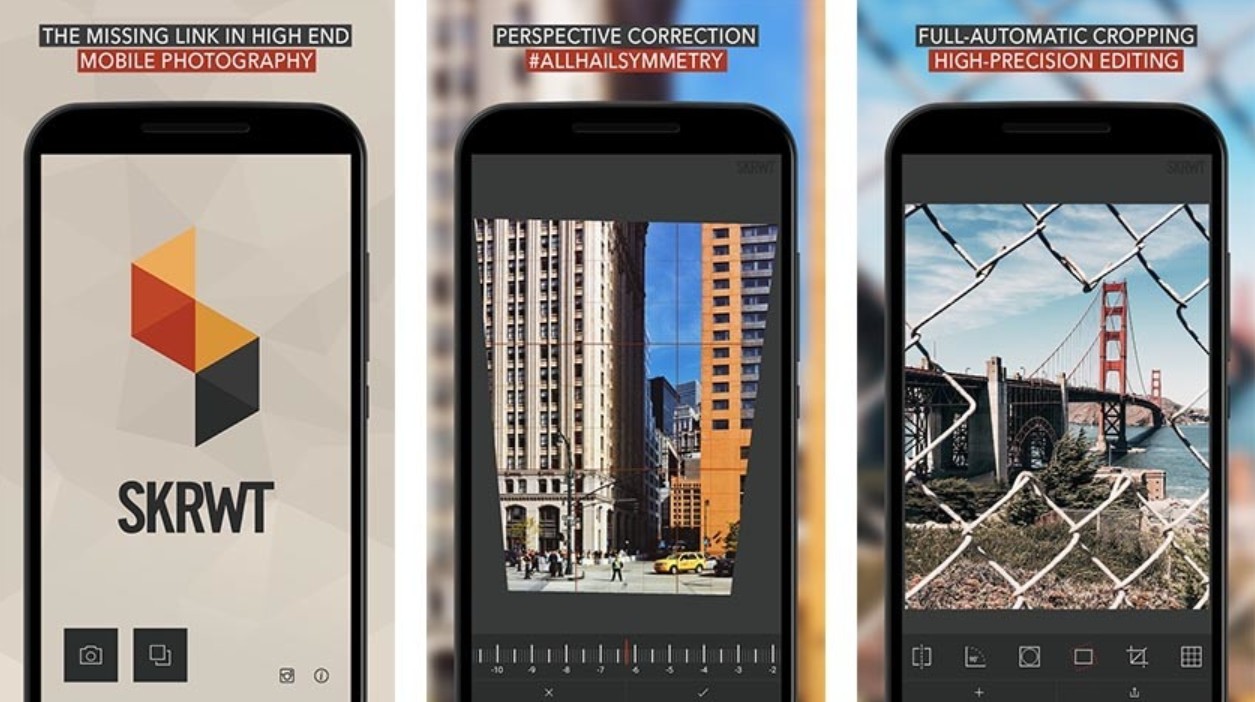
The ability to precisely adjust distortion, perspective, and crop makes images look much more professional, especially when shooting with a wide-angle camera on a smartphone.
4.4. Photoshop Mix Image Editing Application
Photoshop Mix focuses on image cropping, blending, and layering. It's an ideal choice for those who want to perform basic compositing on their phones.
While it can't completely replace desktop Photoshop, Photoshop Mix is still powerful enough for many fast-paced creative tasks, especially in a mobile work environment.
Photo editing on smartphones is no longer just a quick fix; it has become an essential part of the creative process for many people. From casual users to professional designers, photographers, and content creators, each group has apps that suit their specific needs.
There's no single "best for all" app, only the one that best suits your workflow and goals. Understanding the strengths and limitations of each tool will help you maximize the power of your smartphone, turning it into a true photo editing studio in your pocket.
Buy Genuine Licensed Software at Affordable Prices





















VIP Products








Best Selling Products
Adobe Photoshop Copyright - Full App
120 USD
Plugin Retouch4me
69 USD
Freepik Premium Account
59 USD
Adobe Premiere Pro Account
99 USD
Copyright Adobe Lightroom Account
59 USD
Genuine Adobe Illustrator account
99 USD
ChatGPT Plus Account (GPT-4)
16 USD
MidJourney Account
29 USD
Capcut Pro 1 Year
39 USD
Autodesk All App Account Copyright
120 USD
Windows 10 & 11 Pro Key
36 USD
Upgrade genuine Capture One account
120 USD
Upgrade Genuine Office 365
49 USD
Upgrade Duolingo Super
29 USD
Genuine Cheap Canva Pro
39 USD