Best Selling Products

Autodesk All App Account Copyright
120 USD

Plugin Retouch4me
69 USD

Genuine Cheap Canva Pro
39 USD

Capcut Pro 1 Year
39 USD

Freepik Premium Account
59 USD

Copyright Adobe Lightroom Account
59 USD

Adobe Premiere Pro Account
99 USD

Upgrade genuine Capture One account
120 USD

Adobe Photoshop Copyright - Full App
120 USD

Windows 10 & 11 Pro Key
36 USD

MidJourney Account
29 USD

ChatGPT Plus Account (GPT-4)
16 USD

Upgrade Genuine Office 365
49 USD

Upgrade Duolingo Super
29 USD

Genuine Adobe Illustrator account
99 USD
Adobe Firefly integrates Nano Banana 2: A next-generation AI photo editing tool.
Nội dung
- 1. What is Nano Banana?
- 2. How is Nano Banana changing the way images are created?
- 3. Create and edit images using Nano Banana in Firefly
- 4. Nano Banana 2 and Gemini 3.1 expand content creation capabilities.
- 5. The ability to maintain character consistency.
- 6. Nano Banana Pro and its ability to create accurate infographics.
- 7. Create diagrams and maps using real-world data.
- 8. Integrating Nano Banana Pro into Photoshop
- 9. Expand your creative possibilities with third-party AI models.
- 10. Instructions for using Gemini 3 with Nano Banana Pro in Firefly
- 11. Conclusion
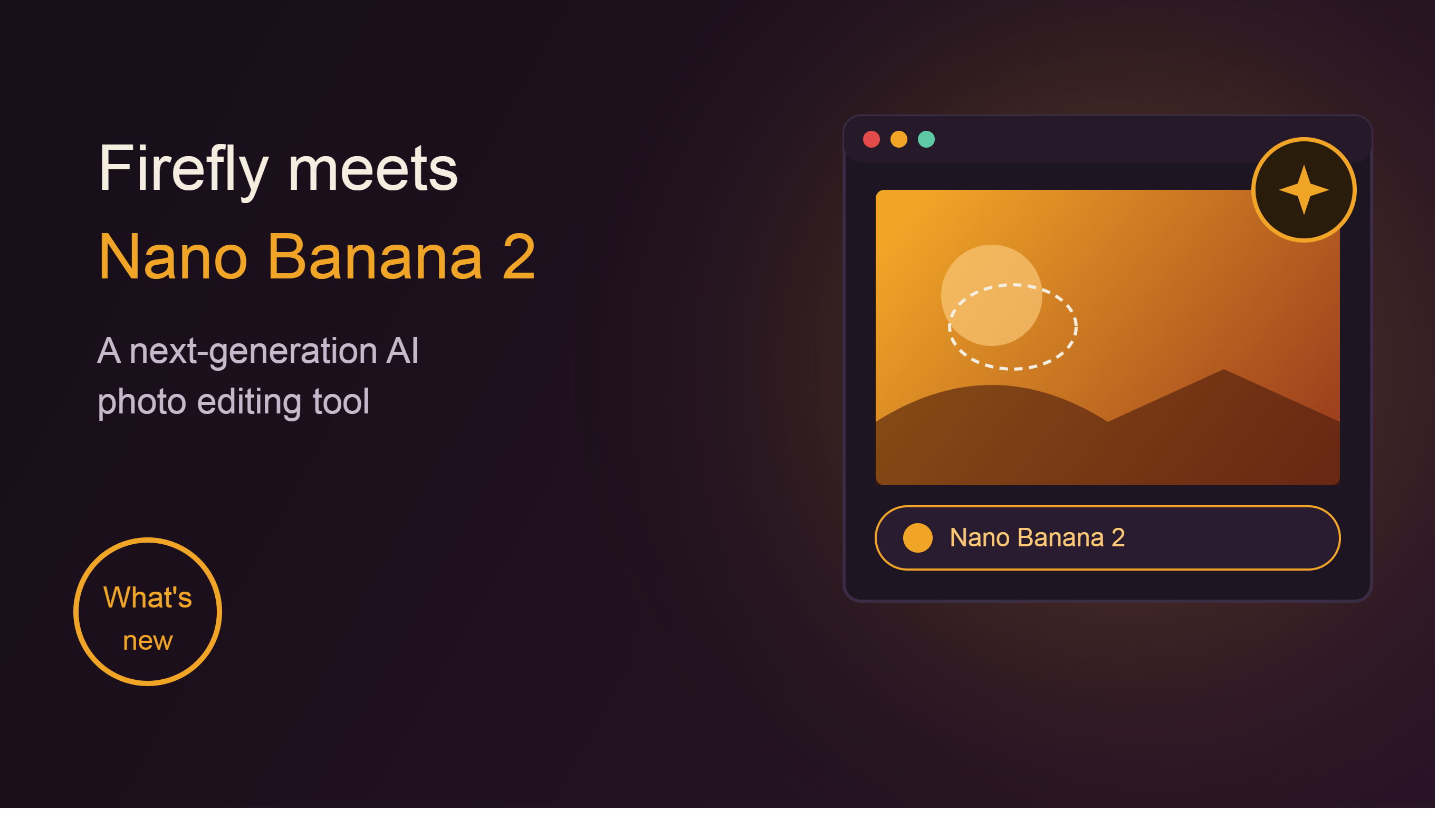
Nano Banana 2 is a new AI image editor integrated into Adobe Firefly, combining the power of Gemini to deliver a more intuitive creative experience.
1. What is Nano Banana?
Nano Banana is an AI image editing model integrated into Adobe Firefly. This technology is built on Google's Gemini platform and is designed to help users create or edit images using natural language in a more intuitive way.
Previously, users had to understand tools like layers, masks, selections, blending modes, and color grading to perform advanced edits. Nano Banana simplifies this entire process. Users simply describe what they want, and AI handles most of the technical work.
For example, instead of manually adjusting the brightness and contrast of each area in a product image, users can enter a command such as "brighten product, increase background contrast, and create a professional lighting effect." Nano Banana will understand the request and make the corresponding changes.
What makes Nano Banana special is that it not only creates new images but can also edit existing ones with high precision. This significantly saves time for designers, photographers, and content creators.
2. How is Nano Banana changing the way images are created?
The development of generative AI has made creating visual content easier than ever before. However, one of the major limitations of many previous AI tools is the lack of control.
Many AI systems can produce beautiful images but struggle when users want to edit a specific detail or maintain consistency across different versions.
Nano Banana was developed to address this very problem.
Instead of simply creating a new image from scratch, the tool allows users to continuously interact with the image through conversational commands. Users can request changes to individual elements such as color, lighting, layout, objects, or design style while keeping other components unchanged.
This makes the creative process more flexible and closer to the actual working methods of design professionals.
3. Create and edit images using Nano Banana in Firefly
The combination of Adobe Firefly and Nano Banana creates a unified working environment for the entire creative process.
Users can start with a text description to create a new image or upload an existing image for editing. After that, all additional operations are performed using natural commands rather than complex technical steps.
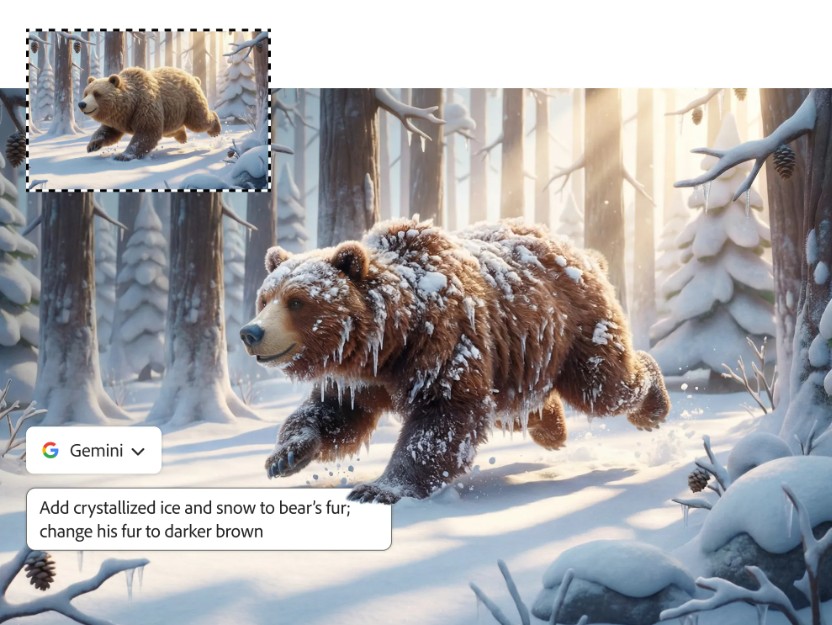
One of its standout advantages is the system's contextual understanding. Nano Banana can maintain consistency across different image versions, which is particularly useful in character building, branding, or long-term content production projects.
Furthermore, AI is capable of handling complex editing requests that previously had to be done manually using various tools.
4. Nano Banana 2 and Gemini 3.1 expand content creation capabilities.
The release of Nano Banana 2 and Gemini 3.1 has taken the creative possibilities in Firefly to a whole new level.
One of the most notable improvements is the ability to generate text directly within images with significantly higher accuracy compared to previous generations of AI.
Previously, many AI tools struggled with creating text within images. The text could be misspelled, distorted, or inconsistent with the overall layout.
Gemini 3.1 overcomes this limitation by creating sharper and more readable text.
This opens up many application opportunities in poster design, advertising banners, product packaging mockups, educational materials, and visual marketing content.
5. The ability to maintain character consistency.
One of the biggest challenges for generative AI is maintaining character traits across multiple different images.
When creating an AI character for comics, commercials, or media campaigns, users often need to maintain characteristics such as facial features, hair color, clothing, and expressions.
Nano Banana is designed to solve this problem.
The tool can remember the character's key attributes and apply them consistently in subsequent edits or variations.
This is a particularly valuable feature for long-term content creators and brands building their own unique identity.
6. Nano Banana Pro and its ability to create accurate infographics.
Nano Banana Pro not only serves the needs of artistic image design, but also targets informational and data-driven content.

By integrating the power of Gemini 3 with the ability to leverage data from Google Search, the tool can support the creation of infographics, diagrams, and maps based on real-world data.
This is especially useful for journalists, researchers, teachers, and those who create educational content.
Instead of manually collecting data and designing, users can describe their requirements and let AI assist in building suitable visual representations.
7. Create diagrams and maps using real-world data.
The ability to create intelligent diagrams is a major step forward for Nano Banana Pro.
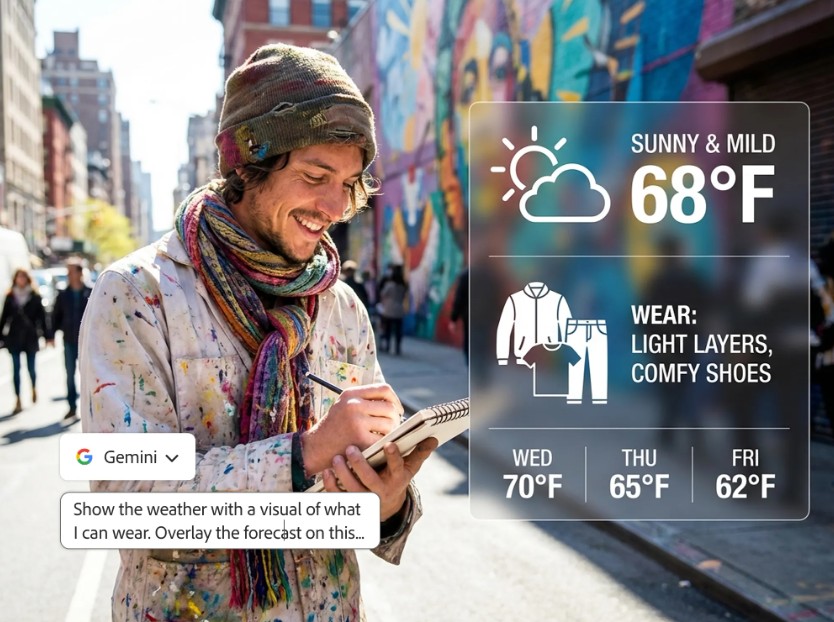
The tool can transform complex data into more easily understandable images for the viewer.
For example, users might request the creation of workflow diagrams, growth charts, or geographic maps based on specific data.
By leveraging the rich data resources from the Google ecosystem, the results produced are more accurate and suitable for a wide range of applications.
8. Integrating Nano Banana Pro into Photoshop
One of the greatest strengths of the Adobe ecosystem is the ability of its applications to connect with each other.
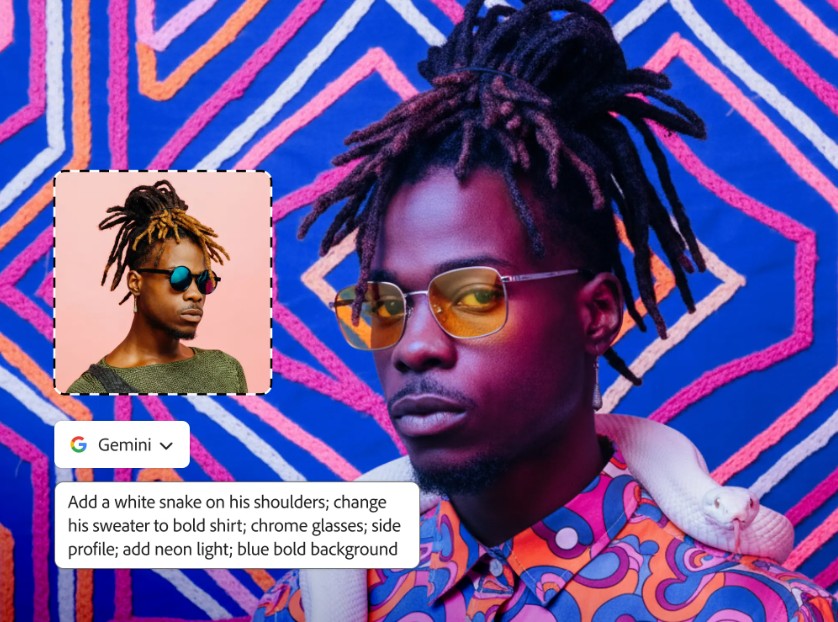
Nano Banana Pro doesn't operate independently but is integrated directly into Photoshop through its image creation features.
This allows users to leverage the power of AI right within their familiar editing workflow.
Users can create multiple design options, experiment with new styles, or make detailed edits without leaving Photoshop.
This integration helps maintain workflow continuity and significantly reduces the time spent switching between software programs.
9. Expand your creative possibilities with third-party AI models.
In addition to Nano Banana, Adobe Firefly also supports many other popular AI models.
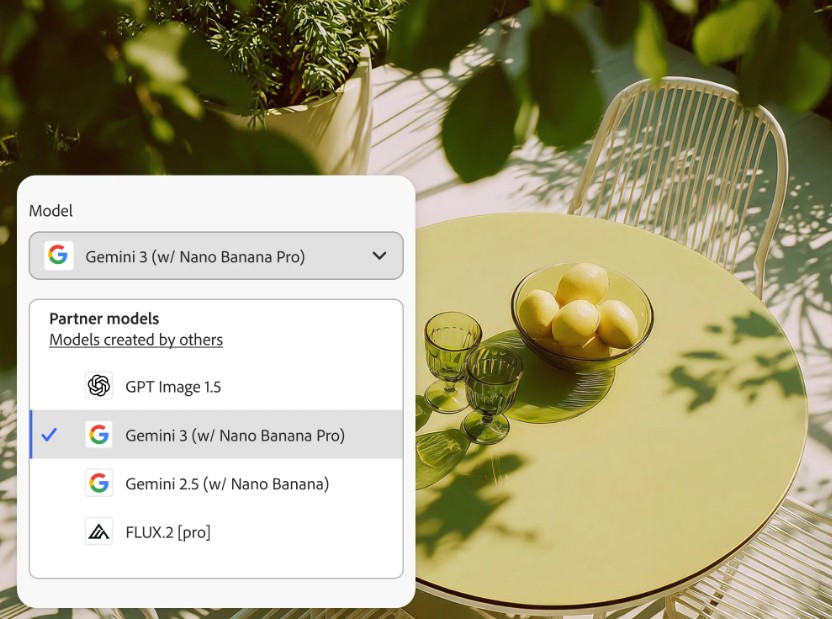
Users can choose between FLUX.2, FLUX.1.1, FLUX.1 Kontext, OpenAI's GPT Image, Luma AI Ray3, or ElevenLabs depending on their work objectives.
Concentrating multiple AI models on a single platform offers tremendous flexibility.
Creators don't need to constantly switch between different services; they can still leverage the unique strengths of each model.
10. Instructions for using Gemini 3 with Nano Banana Pro in Firefly
The process of using Nano Banana Pro is designed to be quite simple.
First, users access Adobe Firefly and select the image creation or command-line editing feature.
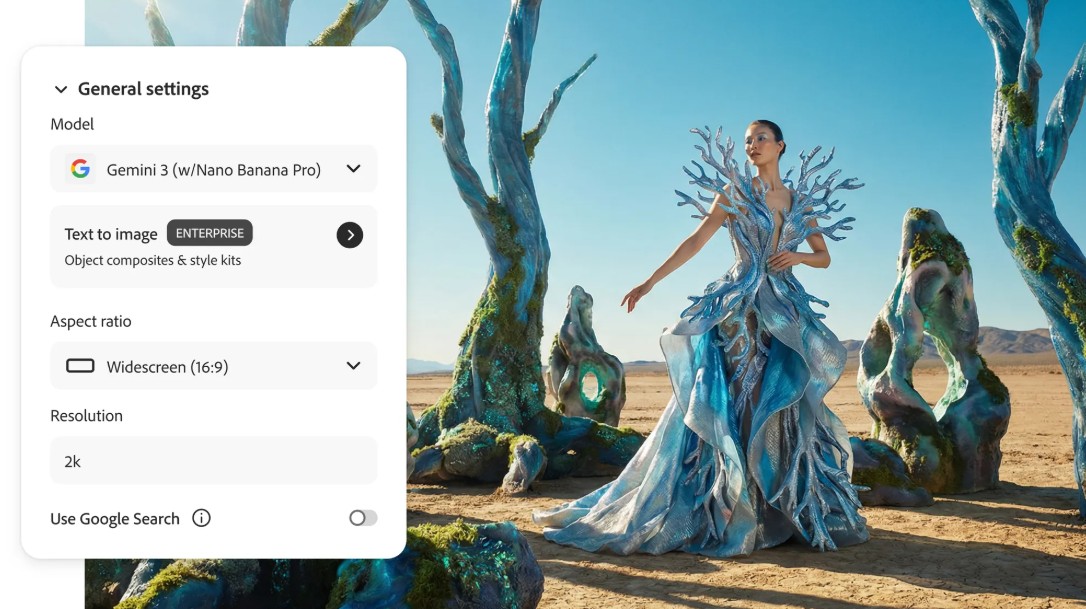
Next, in the AI model selection section, choose Gemini 3 with Nano Banana Pro.
Users can then upload existing images or enter commands to create new ones.
Further edits are made through natural descriptive commands such as adding objects, changing colors, or adjusting lighting.
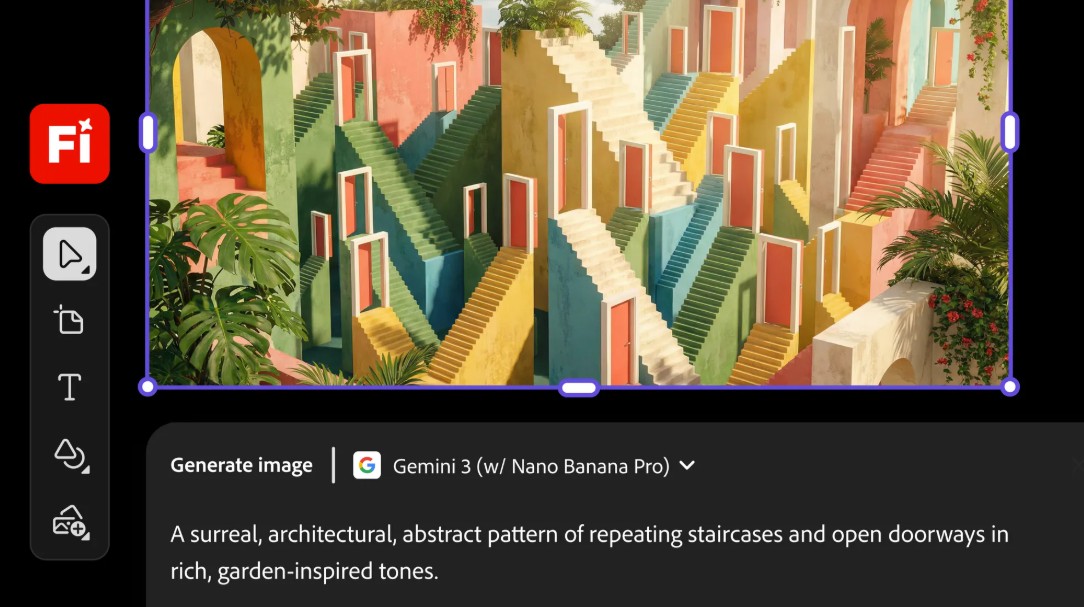
After the AI finishes processing, users can view the generated variations, select the appropriate version, and download it for use.
This process significantly simplifies image editing compared to traditional methods.
11. Conclusion
Nano Banana 2 and Nano Banana Pro mark a significant leap forward in AI-powered image editing. Thanks to the power of Gemini and deep integration into the Adobe Firefly ecosystem, users can create, edit, and refine images through simple voice commands while maintaining detailed control. From advertising design and AI character building to infographic creation and Photoshop workflow optimization, Nano Banana is helping creators work faster, more accurately, and more flexibly. With AI increasingly central to the creative industry, Nano Banana promises to be one of the key tools shaping how people create visual content in the future.





















VIP Products








Best Selling Products
Autodesk All App Account Copyright
120 USD
Plugin Retouch4me
69 USD
Genuine Cheap Canva Pro
39 USD
Capcut Pro 1 Year
39 USD
Freepik Premium Account
59 USD
Copyright Adobe Lightroom Account
59 USD
Adobe Premiere Pro Account
99 USD
Upgrade genuine Capture One account
120 USD
Adobe Photoshop Copyright - Full App
120 USD
Windows 10 & 11 Pro Key
36 USD
MidJourney Account
29 USD
ChatGPT Plus Account (GPT-4)
16 USD
Upgrade Genuine Office 365
49 USD
Upgrade Duolingo Super
29 USD
Genuine Adobe Illustrator account
99 USD