Best Selling Products

Upgrade Duolingo Super
29 USD

MidJourney Account
29 USD

Adobe Photoshop Copyright - Full App
120 USD

Freepik Premium Account
59 USD

Upgrade genuine Capture One account
120 USD

Autodesk All App Account Copyright
120 USD

ChatGPT Plus Account (GPT-4)
16 USD

Copyright Adobe Lightroom Account
59 USD

Genuine Adobe Illustrator account
99 USD

Windows 10 & 11 Pro Key
36 USD

Plugin Retouch4me
69 USD

Capcut Pro 1 Year
39 USD

Adobe Premiere Pro Account
99 USD

Genuine Cheap Canva Pro
39 USD

Upgrade Genuine Office 365
49 USD
Autodesk Account Recap
Nội dung
- 1. What is Autodesk Recap?
- 2. Who should use Autodesk Recap?
- 3. Benefits of using Autodesk Recap
- 4. What is Autodesk Recap used for?
- 5. Comparing Autodesk Recap with other software
- 6. Address for affordable and reliable Autodesk Recap upgrade services.
- 6.1 Software Repository – A Reliable Choice for Autodesk Research
- 6.2 Customers are at the center of all services.
- 6.3 Competitive pricing – superior quality
- 7. Conclusion
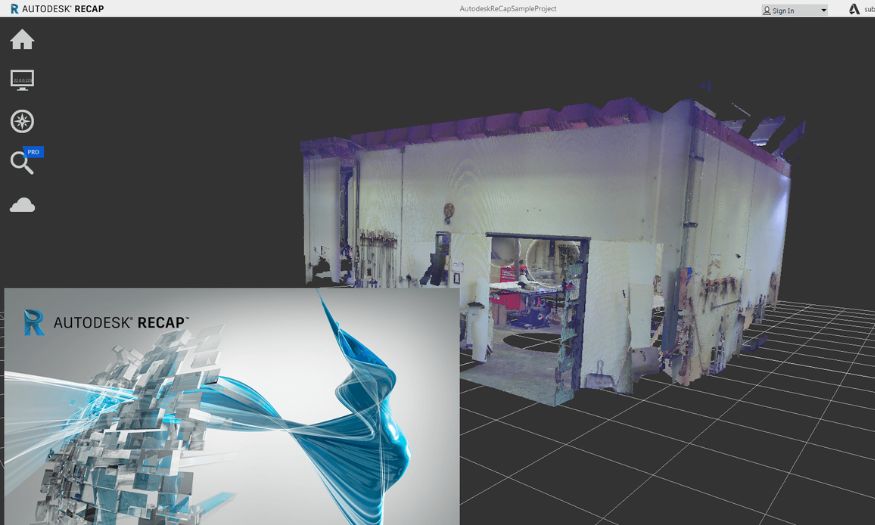
Autodesk ReCap accounts offer a solution for quickly processing and editing 3D scan data, enabling users to convert point clouds into accurate 3D models or drawings. This is an ideal tool for surveying, construction, and architectural design projects.
1. What is Autodesk Recap?
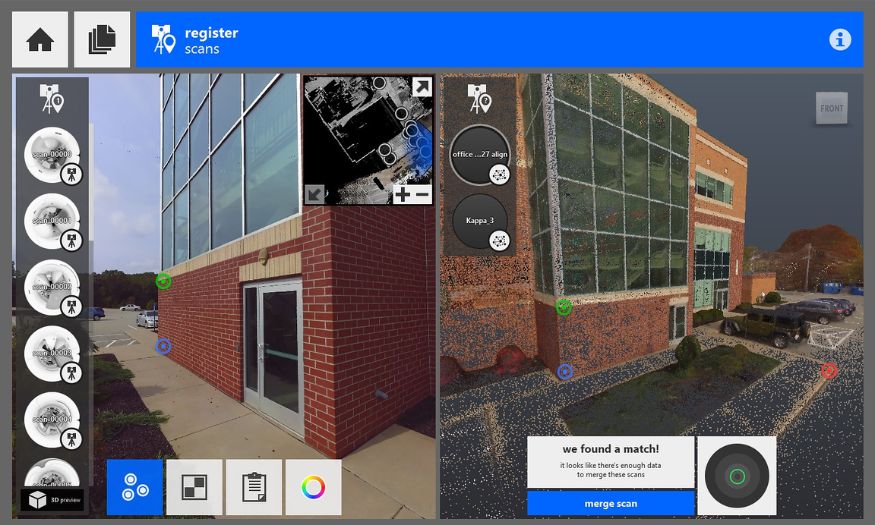
Autodesk Recap is software developed by Autodesk that transforms laser scan data and digital images into detailed, accurate, and easy-to-use 3D models. With its powerful tools, this software allows users to digitize real-world spaces, edit and organize data intuitively, thereby creating faithful digital replicas of real-world objects and environments.
Not only does Autodesk Recap offer superior accuracy, but it also boasts a user-friendly interface, ease of operation, and support for a wide range of data formats, making it suitable for many different fields. From architecture, construction, and building design to cultural heritage preservation and scientific research, this software opens up broad application possibilities and enhances work efficiency.
2. Who should use Autodesk Recap?
Autodesk Recap is suitable for a wide range of professionals, supporting optimized processes and improved work quality. It's an ideal choice for:
- Engineers and architects : Creating and processing detailed 3D models , improving accuracy in design and construction .
- Construction contractor : Inspect , verify feasibility and mitigate risks before construction begins .
- Heritage conservation expert : Preserving , recreating , and accurately restoring valuable buildings and artifacts .
- Interior designers : Create realistic spatial models , helping clients easily visualize and choose the most suitable option .
- Research and education : Supporting teaching and research with visual and realistic models .
- Topographic and geological survey experts : Rapid data assessment , support for surveying and exploitation planning .
3. Benefits of using Autodesk Recap
Autodesk Recap not only helps process 3D scan data quickly but also brings many outstanding values to design, construction, and surveying projects. Owning this software will elevate your workflow with the following notable benefits:
- Superior accuracy : Converts scanned data into detailed 3D models , minimizing errors and ensuring high reliability in design .
- Save time and effort : Automating many data processing steps , from data entry to editing , helps optimize progress and increase productivity .
- Easier collaboration : Share data quickly across cloud platforms , supporting effective teamwork from anywhere .
- Seamless integration : Direct connection with AutoCAD , Revit , and other Autodesk tools ensures data is synchronized and processed continuously .
- Suitable for large projects : The ability to manage and process massive volumes of scanned data helps meet the requirements of large - scale projects .
- Vivid and engaging visuals : Creates sharp 3D models and images , supporting more effective presentations and persuasion of clients and stakeholders .
4. What is Autodesk Recap used for?
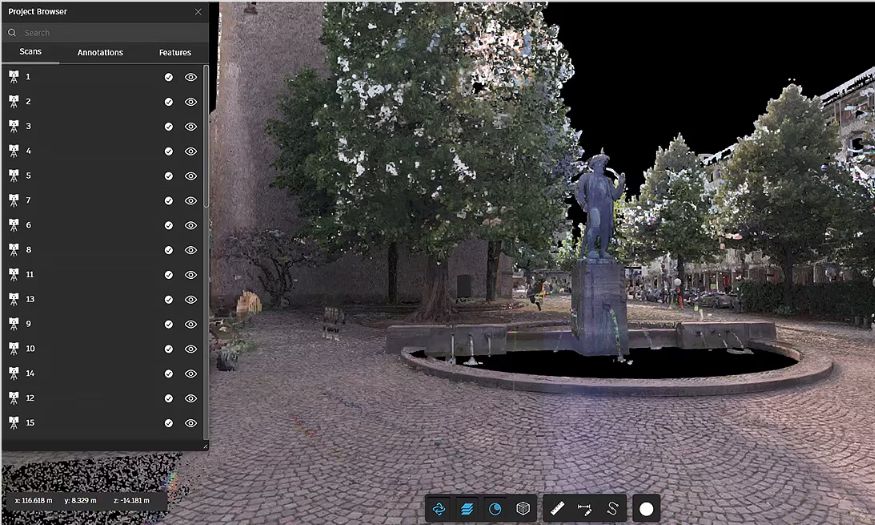
Autodesk Recap is a powerful tool that helps users maximize the value of 3D scan data, supporting faster, more accurate, and more professional design and construction processes. With its outstanding features, this software opens up many possibilities for practical applications:
- Laser scanning data processing : Converting data from laser scanners into visual 3D models , accurately recreating real - world objects and spaces .
- Create high - quality 3D models : Easily edit , analyze , and present data in 3D model format for design , construction , and project browsing .
- Data cleaning and refinement : Remove noise , correct data errors , and optimize the model to ensure accuracy and usability .
- Scientific data management : Organizing , storing , and sharing scanned data effectively , helping teams collaborate more easily .
- Seamless integration with other software : Direct connection to design applications within the Autodesk ecosystem optimizes the entire workflow .
- Analysis and evaluation of construction projects : Assisting in the rapid and accurate assessment of the current state of the construction project , terrain , or survey area , thereby enabling the making of sound design decisions .
5. Comparing Autodesk Recap with other software
6. Address for affordable and reliable Autodesk Recap upgrade services.
6.1 Software Repository – A Reliable Choice for Autodesk Research
Total Software Warehouse is a leading provider of licensed software, including Autodesk Recap, committed to top-quality and reliability. With years of experience, we have served thousands of customers, from individuals to businesses, providing genuine software solutions with complete documentation, VAT invoices, and clear warranty policies. When you upgrade Autodesk Recap here, you not only receive a licensed account quickly but also receive dedicated support throughout your usage.
6.2 Customers are at the center of all services.
At Software Warehouse, customer experience is always our top priority. We provide detailed installation guides, one-on-one technical support, and are ready to answer any questions so you can use Autodesk Recap easily and effectively. Our professional consulting team is always there to help you choose the software package that best suits your needs at the optimal cost.
6.3 Competitive pricing – superior quality
Total Software Warehouse offers Autodesk Recap upgrade packages at reasonable prices, suitable for a wide range of customers while still ensuring full licensed features. Thanks to flexible pricing policies and fast service, this is the ideal place for you to confidently upgrade your software, save costs, and still get high-quality products and a smooth user experience.
7. Conclusion
Owning an Autodesk ReCap account will help you quickly process laser scan and photographic data, creating more accurate and detailed 3D models. This software optimizes workflows in construction, architecture, and surveying, saving time and improving project quality. If you want to work more efficiently and professionally, Autodesk ReCap is a tool you should try.





















VIP Products








Best Selling Products
Upgrade Duolingo Super
29 USD
MidJourney Account
29 USD
Adobe Photoshop Copyright - Full App
120 USD
Freepik Premium Account
59 USD
Upgrade genuine Capture One account
120 USD
Autodesk All App Account Copyright
120 USD
ChatGPT Plus Account (GPT-4)
16 USD
Copyright Adobe Lightroom Account
59 USD
Genuine Adobe Illustrator account
99 USD
Windows 10 & 11 Pro Key
36 USD
Plugin Retouch4me
69 USD
Capcut Pro 1 Year
39 USD
Adobe Premiere Pro Account
99 USD
Genuine Cheap Canva Pro
39 USD
Upgrade Genuine Office 365
49 USD