Best Selling Products

Upgrade Genuine Office 365
49 USD

Plugin Retouch4me
69 USD

Genuine Adobe Illustrator account
99 USD

Upgrade Duolingo Super
29 USD

Capcut Pro 1 Year
39 USD

Windows 10 & 11 Pro Key
36 USD

MidJourney Account
29 USD

Upgrade genuine Capture One account
120 USD

Adobe Premiere Pro Account
99 USD

Autodesk All App Account Copyright
120 USD

Freepik Premium Account
59 USD

ChatGPT Plus Account (GPT-4)
16 USD

Genuine Cheap Canva Pro
39 USD

Copyright Adobe Lightroom Account
59 USD

Adobe Photoshop Copyright - Full App
120 USD
Can Microsoft Defender Really Replace Paid Antivirus Software?
Nội dung
- 1. Microsoft Defender: From a Secondary Solution to the Security Center
- 2. Multi-Layer Protection System on Windows 11
- 3. Advantages of Not Needing Third-Party Antivirus Software
- 4. Limitations and Expert Perspectives
- 5. When Should You Use Defender and When Do You Need Another Solution?
- So, Should You Remove Third-Party Antivirus Software?
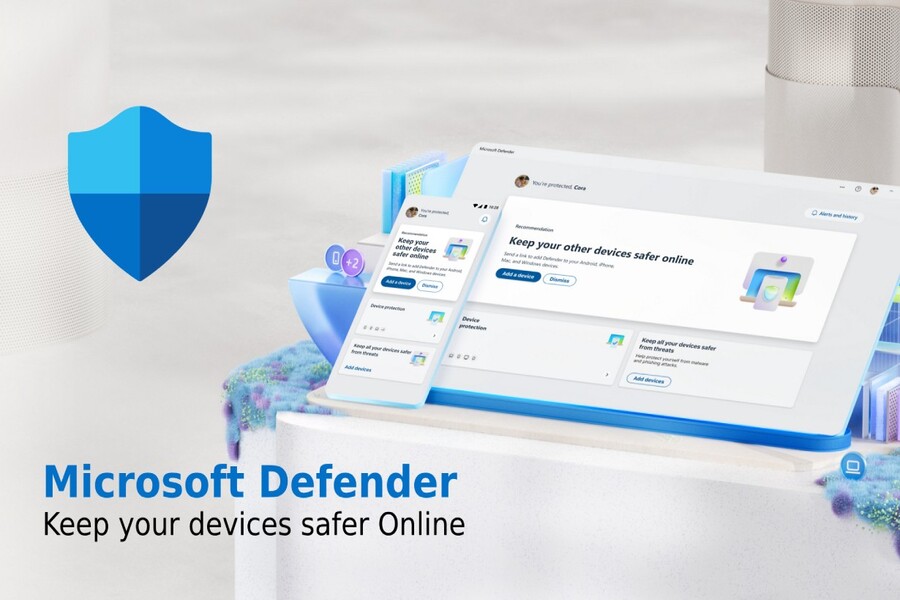
Microsoft Defender has now become one of the most important pillars in Windows’ security ecosystem.
1. Microsoft Defender: From a Secondary Solution to the Security Center
In stark contrast to its image as a “temporary solution” in the past, Microsoft Defender has now become one of the most important pillars of the Windows security ecosystem. While users previously viewed Defender as only a basic layer of protection, it has now evolved into a comprehensive security platform capable of directly competing with many commercial antivirus products.
One of the fundamental changes is that Defender is deeply integrated into the core of Windows 11. This allows the system to monitor activities at the lowest level, where every process, file, and behavior can be tracked in real time. As a result, Defender not only detects malware based on signatures as before but can also analyze behavior to identify new threats, even those that have not yet been recorded in databases.
Another notable point is its ability to connect with Microsoft's cloud platform. Defender continuously updates data from millions of devices worldwide, increasing the speed at which new malware variants are identified. When a threat is detected in one location, the system can quickly warn and protect users elsewhere almost instantly. This is an advantage that traditional solutions, which depend on manual updates, struggle to match.
.jpg)
Not only is Defender powerful in terms of protection, but it is also optimized for performance. Because it is integrated directly into the operating system, it can take advantage of Windows’ built-in resource management mechanisms to operate efficiently without significantly affecting system speed. This differs greatly from many third-party antivirus programs that run as independent processes and consume more resources.
2. Multi-Layer Protection System on Windows 11
One important layer of protection is Microsoft Defender SmartScreen, a tool that helps monitor users’ online activities. When visiting a website or downloading a file, SmartScreen checks its safety level based on data collected from a global network. If signs of danger are detected, the system immediately issues a warning, helping users avoid phishing traps or malicious software.
In addition, Smart App Control acts as an intelligent application control mechanism. Rather than detecting threats only after software has already run, this feature proactively blocks untrusted applications from the start. This is particularly important in a context where many modern malware variants are designed to bypass traditional detection methods.
Another protection layer that cannot be overlooked is Controlled Folder Access. This feature focuses on data protection. When enabled, the system only allows trusted applications to access and modify important folders. As a result, ransomware attacks, which aim to encrypt data for extortion, can be stopped before causing damage.
Besides these standout tools, Windows 11 also integrates many other security mechanisms such as hardware-based protection, access control, and process isolation. Together, they form a tightly integrated security ecosystem that helps minimize risks at multiple levels.
.jpg)
3. Advantages of Not Needing Third-Party Antivirus Software
One of the clearest benefits is improved system performance. Third-party security software often consumes significant resources, especially when performing background scans or continuously updating data. This can reduce computer speed and negatively affect the user experience.
In contrast, Microsoft Defender is designed to work harmoniously with the operating system. Thanks to its deep integration, it can optimize CPU and memory usage, ensuring smooth system performance even while carrying out security tasks.
Another benefit is convenience. Users do not need to install, configure, or worry about renewing licenses. All security features are enabled by default and automatically updated through the Windows system. This significantly reduces complexity, especially for users with limited technical knowledge.
Additionally, using an integrated security solution helps reduce software conflicts. In many cases, third-party antivirus programs can cause system errors or interfere with the operation of other applications. By relying solely on Defender, this risk is almost entirely eliminated, helping maintain system stability over the long term.
Finally, cost is also a significant advantage. Instead of paying recurring fees for premium security software, users can take advantage of a free solution that still provides a high level of protection.
.jpg)
4. Limitations and Expert Perspectives
Although Microsoft expresses strong confidence in its integrated security system, the cybersecurity expert community maintains a more cautious and balanced perspective. Independent testing organizations such as PCMag and SE Labs have conducted numerous real-world evaluations to measure Microsoft Defender’s effectiveness across various attack scenarios.
The results show that Defender has made significant progress compared to its past performance, particularly in detecting common malware and real-time threats. However, in more complex scenarios such as phishing attacks or next-generation ransomware, Defender still does not reach the level of perfection achieved by some leading professional security solutions. This partly reflects the difference between an integrated, all-purpose security system and specialized tools optimized for specific threat categories.
Another notable limitation lies in customization and advanced control capabilities. While many third-party security products offer detailed dashboards that allow security policies to be configured by level, user group, or data type, Defender takes a simpler approach designed for the majority of users. This makes it easy to use but limits flexibility in environments that require strict control.
Furthermore, in large enterprise environments where attacks may be sophisticated and highly targeted, Defender sometimes needs to be combined with more advanced monitoring and analysis solutions to identify hidden threats. This is why many experts recommend not relying on Defender as the sole layer of protection in high-risk environments.
Nevertheless, it is important to recognize that these limitations primarily affect advanced use cases or specialized environments. For everyday users who mainly face basic risks such as common malware or unsafe websites, Defender still provides a reliable and sufficient level of protection in most daily situations.
.jpg)
5. When Should You Use Defender and When Do You Need Another Solution?
The choice between Microsoft Defender and third-party security software does not have a universal answer. It depends on the user’s needs and the level of risk they face. For most individual users who use computers for activities such as web browsing, watching videos, studying, or office work, Defender is a sensible choice. It offers a strong balance between security, performance, and convenience without requiring additional costs or management effort.
In these situations, Windows 11’s integrated security system is sufficient to protect against common risks such as downloading malicious files, visiting dangerous websites, or installing software from unknown sources. More importantly, Defender operates quietly in the background, allowing users to focus on their tasks without being interrupted by complex warnings.
However, as usage patterns change, security requirements also need to increase accordingly. People who frequently handle financial data, sensitive personal information, or work in high-risk environments should consider additional advanced security solutions. These products often provide enhanced features such as online identity protection, network traffic monitoring, abnormal behavior detection, and early warning systems for sophisticated threats.
For businesses, the situation becomes even more complex. In such environments, data not only holds high value but is also a direct target for organized attacks. Therefore, building a multi-layered security system is almost mandatory. Defender can serve as the foundational layer but should be supplemented with centralized management tools, monitoring systems, and other specialized security solutions to ensure maximum protection.
.jpg)
So, Should You Remove Third-Party Antivirus Software?
The answer depends on each individual’s needs and usage habits. For most everyday users, Microsoft Defender on Windows 11 is sufficient to ensure safety in daily usage scenarios. Removing third-party antivirus software can not only make the system lighter but also reduce management complexity.
However, for users with high security requirements or those working in sensitive environments, adding an extra layer of protection remains a reasonable choice. The most important factor is not how many security programs you use, but rather understanding your own needs and implementing the most appropriate solution.





















VIP Products








Best Selling Products
Upgrade Genuine Office 365
49 USD
Plugin Retouch4me
69 USD
Genuine Adobe Illustrator account
99 USD
Upgrade Duolingo Super
29 USD
Capcut Pro 1 Year
39 USD
Windows 10 & 11 Pro Key
36 USD
MidJourney Account
29 USD
Upgrade genuine Capture One account
120 USD
Adobe Premiere Pro Account
99 USD
Autodesk All App Account Copyright
120 USD
Freepik Premium Account
59 USD
ChatGPT Plus Account (GPT-4)
16 USD
Genuine Cheap Canva Pro
39 USD
Copyright Adobe Lightroom Account
59 USD
Adobe Photoshop Copyright - Full App
120 USD