Best Selling Products

Genuine Adobe Illustrator account
99 USD

Genuine Cheap Canva Pro
39 USD

Upgrade Genuine Office 365
49 USD

Adobe Premiere Pro Account
99 USD

Freepik Premium Account
59 USD

Capcut Pro 1 Year
39 USD

Upgrade genuine Capture One account
120 USD

Windows 10 & 11 Pro Key
36 USD

Plugin Retouch4me
69 USD

ChatGPT Plus Account (GPT-4)
16 USD

Adobe Photoshop Copyright - Full App
120 USD

Autodesk All App Account Copyright
120 USD

MidJourney Account
29 USD

Upgrade Duolingo Super
29 USD

Copyright Adobe Lightroom Account
59 USD
Canva Launches New AI Feature in Canva Create 2025
Nội dung
- 1. Visual Suite 2.0: A revolution in diverse design.
- 2. Canva AI Features: An intelligent virtual assistant for creators.
- 3. Canva Code: Create interactive content without coding.
- 4. Canva Sheets: Innovating the way you create content with data.
- 5. Magic Studio at Scale: Accelerate the creative process for design teams.
- 6. Magic Charts: Present data in a visual and impressive way.
- 7. Photo Editor: Edit photos easily and creatively.
- 8. Edit with ease: Edit photos anytime, anywhere.
- 9. Stay in flow: Access your camera roll directly from the home screen.
- 10. Reasons why you should upgrade to Canva Pro at Sadesign
- 10.1 Save money with Canva Pro
- 10.2 Unlimited access to abundant resources
- 10.3 Easy to use on all devices
- 10.4 Flexible customization and easy sharing
- 11. Conclusion
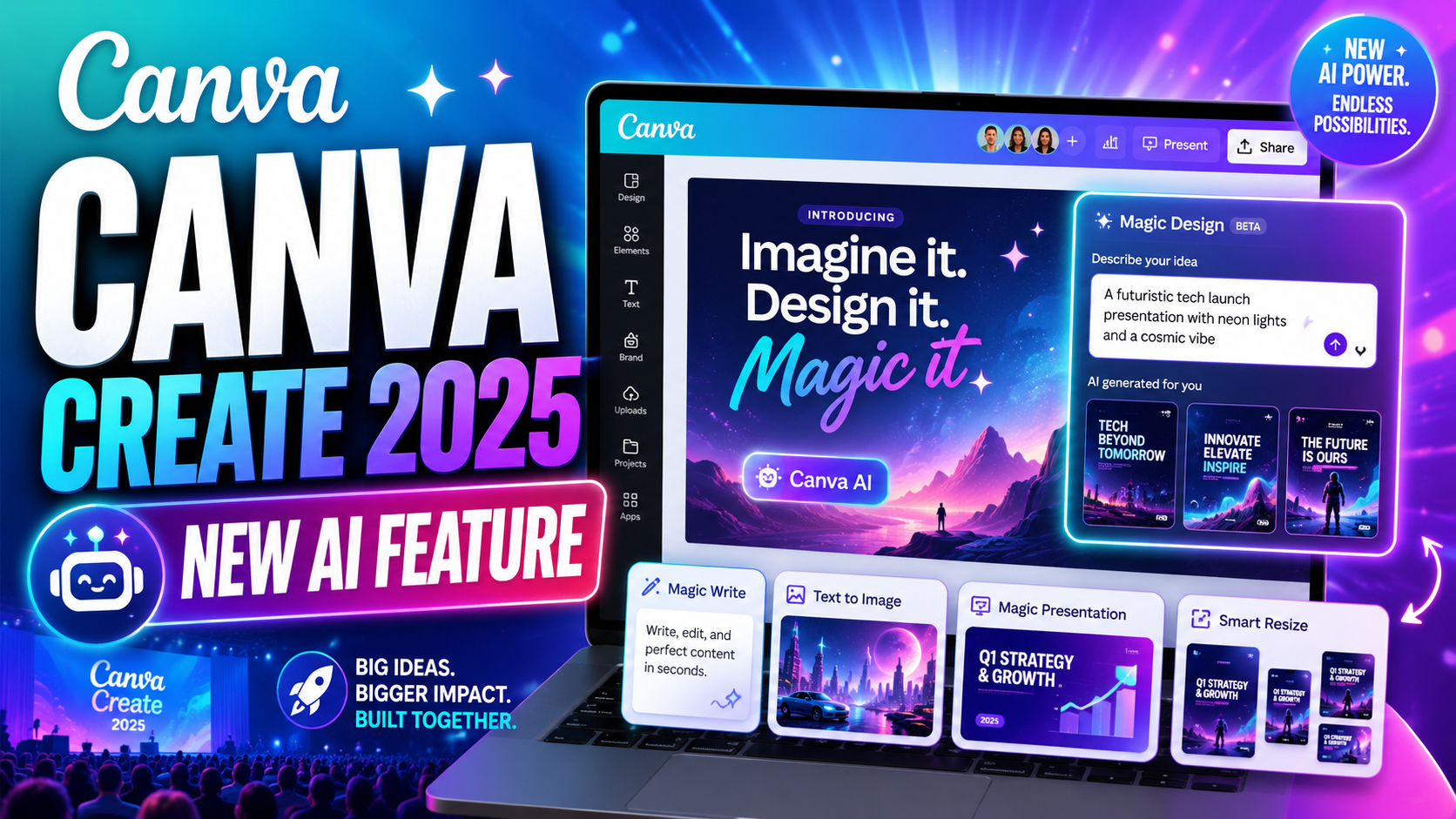
Over the years, Canva has rapidly established itself as one of the world''s leading design platforms, boasting 230 million monthly users and 1 billion designs created each month. The Canva Create Uncharted event on April 10, 2025, marked the launch of a series of groundbreaking AI features, promising to enhance the user''s design experience. These improvements not only make the creative process easier but also unlock new possibilities for designers of all levels. Let''s explore them with Sadesign!
1. Visual Suite 2.0: A revolution in diverse design.
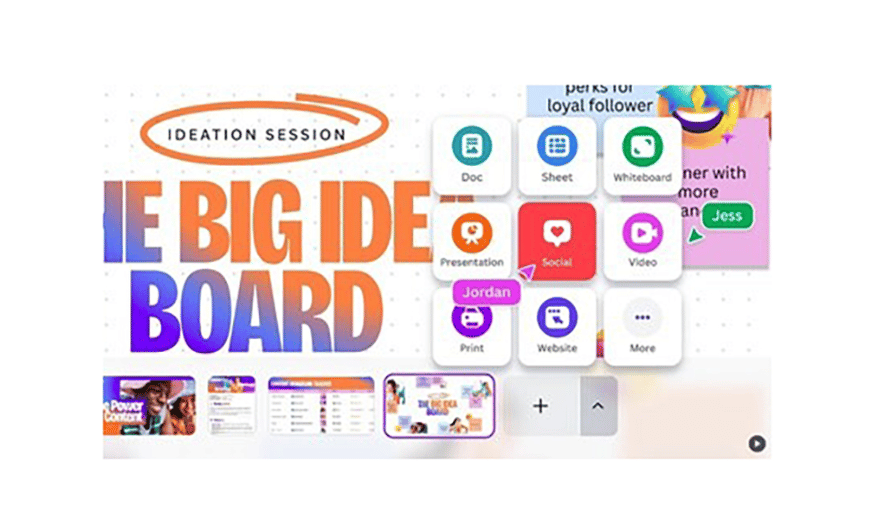
At Canva Create 2025, one of the highlights was the launch of "Visual Suite 2.0". This wasn't just a regular update, but a major leap forward in how users interact with design. Visual Suite 2.0 allows users to combine various formats within a single document, from presentations and documents to whiteboards, social media designs, videos, and websites.
Previously, users often had to choose a specific format, which made it difficult to create rich and diverse content. With the help of AI, creating designs in various sizes and formats is now easier than ever. Users can freely create without worrying about converting between different documents, thus saving time and effort.
With Visual Suite 2.0, Canva not only enhances the user experience but also opens up opportunities for those who want to explore, experiment, and express their creativity in many fields. From professional designers to beginners, everyone can take advantage of this feature to create unique and diverse works.
2. Canva AI Features: An intelligent virtual assistant for creators.
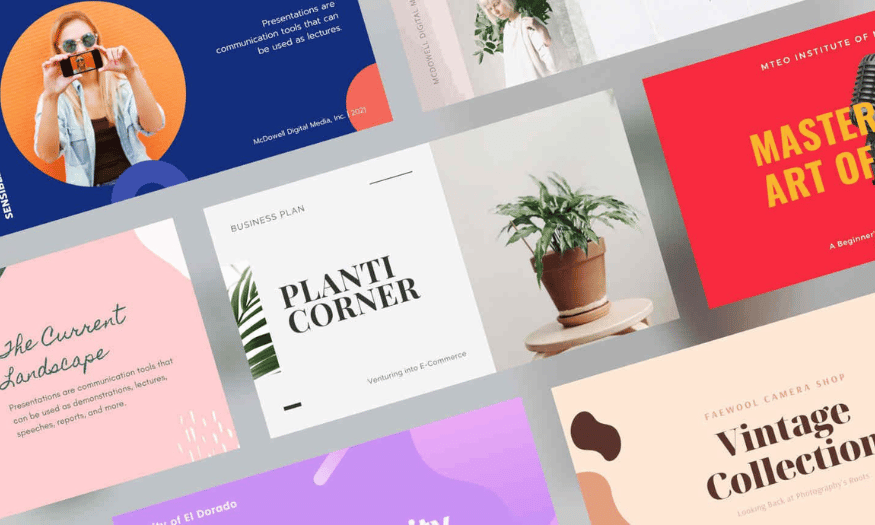
Canva AI was one of the most notable tools introduced at the event. With the ability to create documents, presentations, and images simply by typing in descriptions, Canva AI offers a completely new design experience. Users can easily get started with initial content ideas without having to begin from scratch.
This feature not only saves time but also encourages creativity. Users can input specific themes or brands, and Canva AI will automatically generate suitable designs. This is especially useful for marketers, teachers, and content creators who need to quickly develop ideas while maintaining quality.
Furthermore, Canva AI allows users to adjust and refine their created designs, helping them personalize the final product to their liking. This is the perfect combination of technology and creativity, providing users with powerful tools to realize their ideas.
3. Canva Code: Create interactive content without coding.
At the Canva Create 2025 event, Canva also introduced Canva Code, a feature that allows users to create interactive content without needing programming knowledge. This feature opens up a new world for those who want to develop learning tools, applications, or interactive content such as calculators, flashcards, and forms.
Canva Code is very easy to use, allowing users to focus on creating content instead of worrying about the technical aspects. With its user-friendly and intuitive interface, anyone can easily create engaging interactive products without needing any programming background.
Thanks to this feature, Canva not only serves designers but also attracts content creators in education, marketing, and many other fields. Canva Code opens up opportunities for developing creative ideas without being limited by technical constraints, thereby encouraging innovation and development within the user community.
4. Canva Sheets: Innovating the way you create content with data.
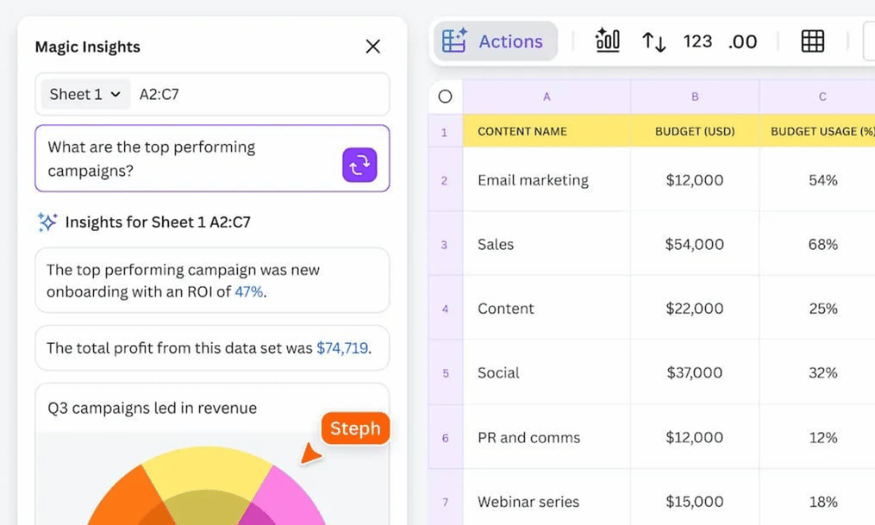
Canva Sheets is one of the promising new features introduced at the Canva Create 2025 event. This feature is more than just a spreadsheet; it's a powerful tool that helps users integrate data with design. With AI support, Canva Sheets allows users to create content in bulk in minutes, transforming dry numbers into visually appealing and engaging works of art.
Users can easily import data into Canva Sheets and instantly see the information transform into eye-catching designs. This feature opens the door to many applications, from creating reports to developing marketing content. With Canva Sheets, combining data and design has never been easier, saving users time and effort in the creative process.
In particular, with the included Magic Write feature, users can transform initial ideas into a series of creative copies, adapted to suit different platforms and audiences. This combination not only increases work efficiency but also creates new opportunities for communication and marketing.
5. Magic Studio at Scale: Accelerate the creative process for design teams.
Magic Studio at Scale is a unique AI tool designed to help design teams create and edit hundreds of pieces of content quickly. This is incredibly useful in today's work environment, where speed and efficiency are key to success. With Magic Studio, designers can easily manage multiple projects simultaneously without worrying about content quality.
This tool allows users to create different versions of a piece of content with just a few clicks. This not only saves time but also ensures that all products are consistent in terms of branding and messaging. Thanks to its workflow optimization capabilities, Magic Studio at Scale helps design teams improve productivity and creativity.
Furthermore, this feature supports sharing and collaboration among team members, making it easier for them to exchange ideas and improve designs. Content creation becomes more flexible than ever, helping design teams respond quickly to market demands.
6. Magic Charts: Present data in a visual and impressive way.
Magic Charts is an indispensable feature for those who work with data. This feature helps users find and create visually appealing charts to best present data. With Magic Charts, converting data into visuals is no longer a challenge, but becomes an enjoyable part of the design process.
Users can easily import data from various sources, including Google Analytics and HubSpot, to create dynamic and intuitive charts. This not only helps users manage data more easily but also enhances the persuasiveness of their message. Clear and engaging charts can highlight key points and make information easily accessible to viewers.
Furthermore, with its high degree of customization, Magic Charts allows users to adjust colors, styles, and other design elements to ensure that the chart perfectly matches their brand and style. Thanks to this feature, data presentation becomes more creative and engaging, helping users make a positive impression on their audience.
7. Photo Editor: Edit photos easily and creatively.
Canva has just introduced a new update to its photo editing features, offering users a fantastic experience with advanced AI tools. Now, photo editing is not just a process but also an enjoyable part of the creative process. With features like "Reimagine your images," users can easily create new scenes for their images with just one click.
The "Reimagine your images" feature allows users to quickly change the background or add new elements, making images more vibrant and appealing. This is especially useful for those who want to highlight a product, event, or moment without having to use other complex software. This feature opens up many creative possibilities, allowing users to freely express their ideas.
8. Edit with ease: Edit photos anytime, anywhere.
One of the highlights of this update is the "Edit with ease" feature. Users can click anywhere in the image to adjust colors, move, delete, or replace elements without any difficulty. This not only saves time but also allows users to focus on creativity without being hindered by complex editing steps.
With its user-friendly and intuitive interface, photo editing has never been easier. Users can make changes quickly and efficiently, allowing them to create perfect images in just minutes. This feature is especially useful for designers, bloggers, and content creators who frequently need to edit and optimize images for articles or marketing campaigns.
9. Stay in flow: Access your camera roll directly from the home screen.
The "Stay in flow" feature allows users to access their camera roll and upload images directly from the Canva homepage. This makes the workflow more seamless, avoiding the need to switch between different applications. Users can quickly import images into Canva for immediate editing, saving time and improving productivity.
This quick access not only makes it easy for users to search and select images but also facilitates content creation. With just a few clicks, they can start editing images and creating impressive, creative products. This feature truly highlights Canva's commitment to providing the best user experience, making it easy for everyone to realize their ideas without obstacles.
10. Reasons why you should upgrade to Canva Pro at Sadesign
10.1 Save money with Canva Pro
Upgrading to Canva Pro not only offers superior benefits but also saves users significant costs. Instead of monthly payments, users only need to pay once and can use it for a whole year. This optimizes spending, especially compared to the exorbitant price of up to 1.5 million VND per year on the Canva website. Upgrading at SaDesign is about 5 times cheaper, providing a perfect solution for those who want to experience the full features of Canva Pro without the financial burden.
10.2 Unlimited access to abundant resources
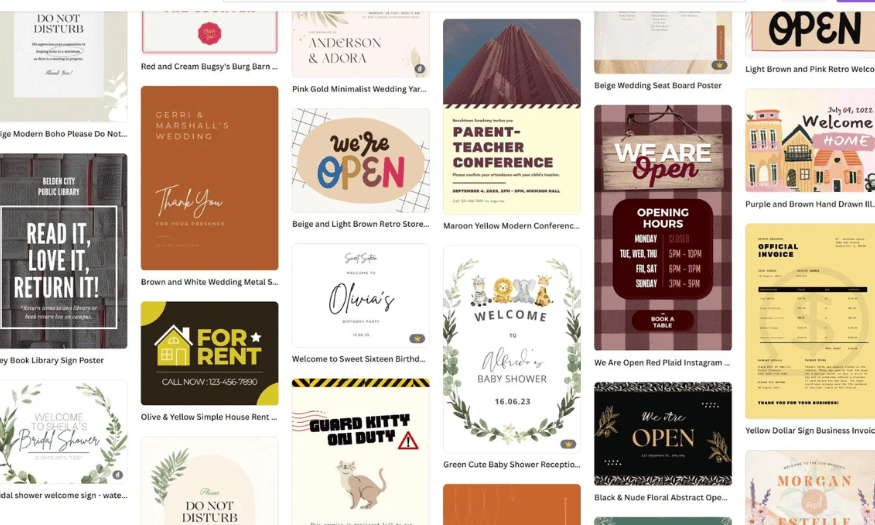
One of the highlights of upgrading to Canva Pro is access to over 100 million advanced resources. All of these resources are created by experts, are high-quality, and fully copyrighted. This allows users to freely create without worrying about copyright issues, helping them focus on design without interruption. With a single payment, you can freely explore and use this vast resource library for your projects.
10.3 Easy to use on all devices
Canva Pro is designed with a user-friendly interface, suitable for everyone, even those without professional design skills. With simple drag-and-drop functionality, users can quickly create impressive works. Canva Pro can be used on various devices such as PCs, phones, and spreadsheets, providing maximum flexibility for users during the creative process. This allows you to easily work anytime, anywhere, from any device.
10.4 Flexible customization and easy sharing
Upgrading to Canva Pro offers users a high degree of design customization. You can modify elements as you wish, from size, color, and position to effects and layers. Furthermore, you can create your own design templates and save them for future use. Sharing and exporting files is also easier than ever; you can share your work via email, social media, or links. Additionally, the ability to publish your work in various formats such as PDF, PNG, JPG, and MP4 gives users greater flexibility in publishing and using their design creations.
11. Conclusion
Canva's new AI features are not just a technological leap, but a turning point in how users interact with design. With powerful and user-friendly tools, Canva is reshaping the future of graphic design, enabling people to realize their ideas faster and more efficiently than ever before. This innovation will appeal not only to professional creators but also to beginners, opening opportunities for everyone on their artistic journey.





















VIP Products








Best Selling Products
Genuine Adobe Illustrator account
99 USD
Genuine Cheap Canva Pro
39 USD
Upgrade Genuine Office 365
49 USD
Adobe Premiere Pro Account
99 USD
Freepik Premium Account
59 USD
Capcut Pro 1 Year
39 USD
Upgrade genuine Capture One account
120 USD
Windows 10 & 11 Pro Key
36 USD
Plugin Retouch4me
69 USD
ChatGPT Plus Account (GPT-4)
16 USD
Adobe Photoshop Copyright - Full App
120 USD
Autodesk All App Account Copyright
120 USD
MidJourney Account
29 USD
Upgrade Duolingo Super
29 USD
Copyright Adobe Lightroom Account
59 USD