Best Selling Products

Genuine Cheap Canva Pro
39 USD

Adobe Photoshop Copyright - Full App
120 USD

MidJourney Account
29 USD

Plugin Retouch4me
69 USD

Freepik Premium Account
59 USD

ChatGPT Plus Account (GPT-4)
16 USD

Windows 10 & 11 Pro Key
36 USD

Upgrade Genuine Office 365
49 USD

Upgrade Duolingo Super
29 USD

Adobe Premiere Pro Account
99 USD

Copyright Adobe Lightroom Account
59 USD

Upgrade genuine Capture One account
120 USD

Genuine Adobe Illustrator account
99 USD

Autodesk All App Account Copyright
120 USD

Capcut Pro 1 Year
39 USD
What is Gamma PowerPoint AI? An Automatic Slide Builder
Nội dung
- 1. What is Gamma AI PowerPoint?
- 2. Why should you use Gamma AI PowerPoint?
- 3. Advantages of Gamma PowerPoint AI
- 3.1 Creating automatic presentation slides
- 3.2 Creating diverse tables, images, and effects
- 3.3 Easily customizable interface
- 3.4 AI tools to assist in content writing
- 3.5 Data analysis and graphics creation capabilities
- 3.6 Diverse range of support tools
- 3.7 Collaboration Features
- 3.8 Natural Language Processing
- 4. How to create free PowerPoint slides with Gamma PowerPoint AI
- 4.1 Step 1: Access the application
- 4.2 Step 2: Start creating your presentation
- 4.3 Step 3: Choose a slide template
- 4.4 Step 4: Export and share slides
- 5. Notes on creating slides with Gamma AI PowerPoint
- 6. How to upgrade to Gamma AI Plus at a low cost
- 7. Why should you upgrade to Gamma AI Plus at Sadesign?
- 8. Conclusion
In the modern age of technology, creating impressive presentations is no longer a difficult task. Gamma PowerPoint AI has emerged as an optimal solution for those who want to create professional slides without spending a lot of time and effort. With this platform, users only need to input the necessary content and let the AI automatically handle the rest, from layout arrangement to selecting appropriate images. This not only saves time but also ensures that each slide is aesthetically pleasing and captivating to the viewer at first glance. Let''s explore it with Sadesign.
1. What is Gamma AI PowerPoint?
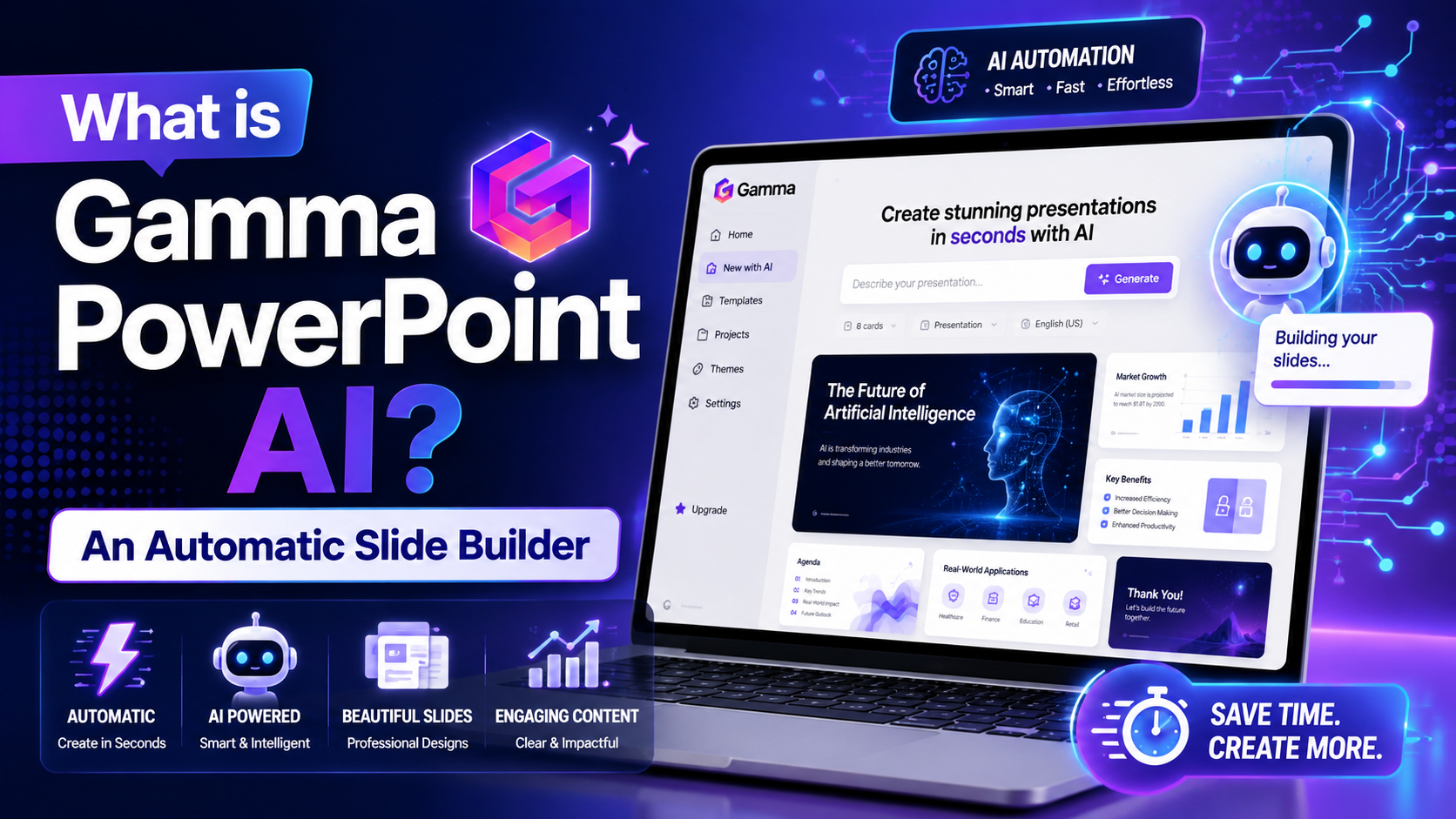
Gamma PowerPoint AI is an advanced tool that uses artificial intelligence to help users create slides quickly and professionally. With this platform, you don't need complex design skills to produce impressive presentations. Instead of spending time adjusting layouts, choosing fonts, or adding effects as in traditional PowerPoint, Gamma AI automatically arranges content, images, and slide formatting for the most intuitive and aesthetically pleasing presentation.
What makes Gamma PowerPoint AI special is its ability to run on multiple operating systems such as Windows, macOS, and Linux, accessible simply through a web browser. Because it runs directly on the web, users don't need to install complex software, saving space and time. This is the ideal solution for those who want to create high-quality presentations without technological barriers.
2. Why should you use Gamma AI PowerPoint?
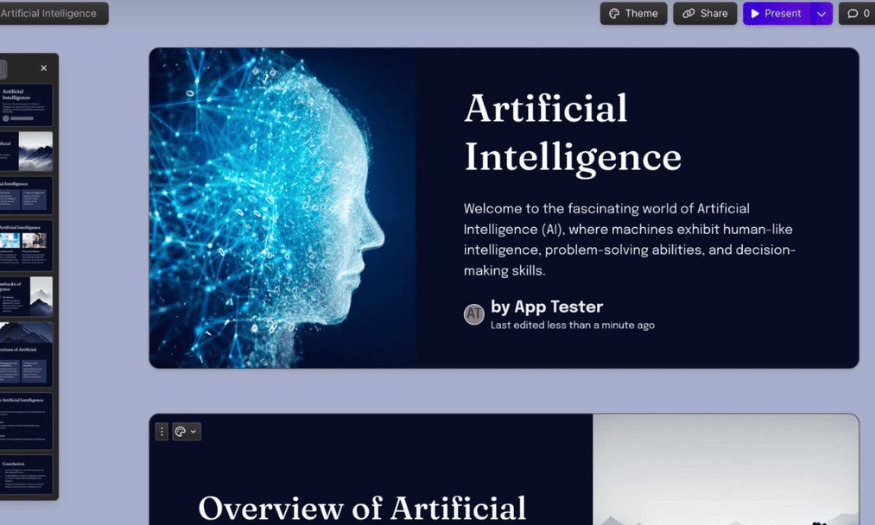
Using Gamma AI PowerPoint offers many practical benefits to users. First, this tool saves considerable time. Instead of spending hours designing slides, you simply input the content and let the AI do the rest. This process is not only fast but also ensures that each slide is aesthetically optimized, making it easy for viewers to absorb the information.
Secondly, Gamma AI PowerPoint is suitable for a wide range of users, from students and teachers to professionals in various fields. With its intelligent automation features, even those with little design experience can create engaging and professional presentations. This simplicity and efficiency will help you feel more confident in each presentation, thereby improving your ability to communicate ideas effectively.
3. Advantages of Gamma PowerPoint AI
The Gamma PowerPoint AI app offers a range of outstanding features, helping users create presentations quickly and professionally. Thanks to the application of artificial intelligence, this tool not only automatically designs slides but also supports editing, data analysis, and content optimization. This makes it easy for users to create impressive presentations without needing advanced design skills.
With Gamma PowerPoint AI, creating slides is easier than ever. Users simply input the content, and the AI automatically arranges the layout, selects appropriate colors, fonts, and images. This significantly reduces workflow time while maintaining high quality, making it particularly useful for students and office workers.
3.1 Creating automatic presentation slides
One of the most outstanding features of Gamma PowerPoint AI is its ability to create slides automatically. Users don't need to perform complex manual operations; simply input your work, and the application will handle all the design. The AI will determine the content layout, select appropriate colors and images, making the slides professional and engaging.
This not only saves time but also helps users focus on the main content. Especially for busy people, this is an ideal solution for creating high-quality presentations quickly without worrying about the design aspect.
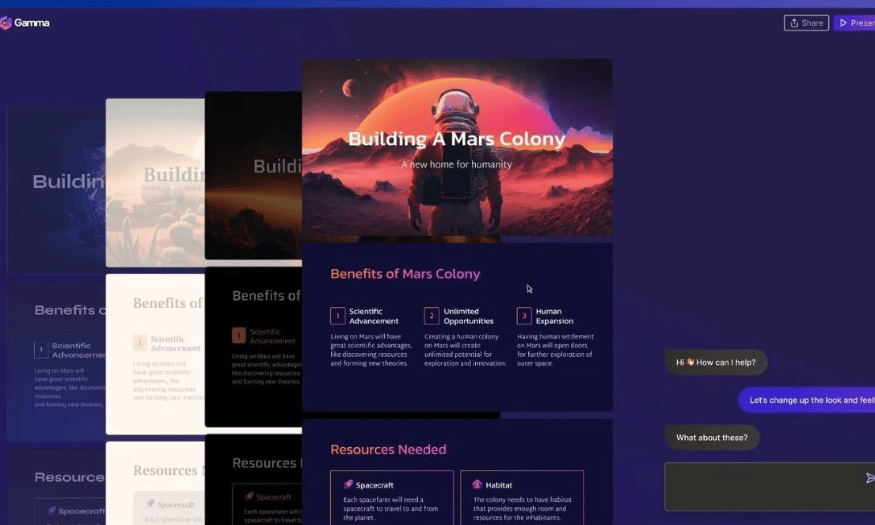
3.2 Creating diverse tables, images, and effects
Gamma PowerPoint AI goes beyond just slide design; it also supports inserting tables, graphics, and professional presentation effects. The AI automatically suggests elements that match the content, making slides more dynamic and visually appealing. Users can easily customize them to their needs without having to search or arrange them manually.
This feature not only creates visually appealing presentations but also makes the message clearer and easier to understand. Even those without design skills can create impressive slides without difficulty.
3.3 Easily customizable interface
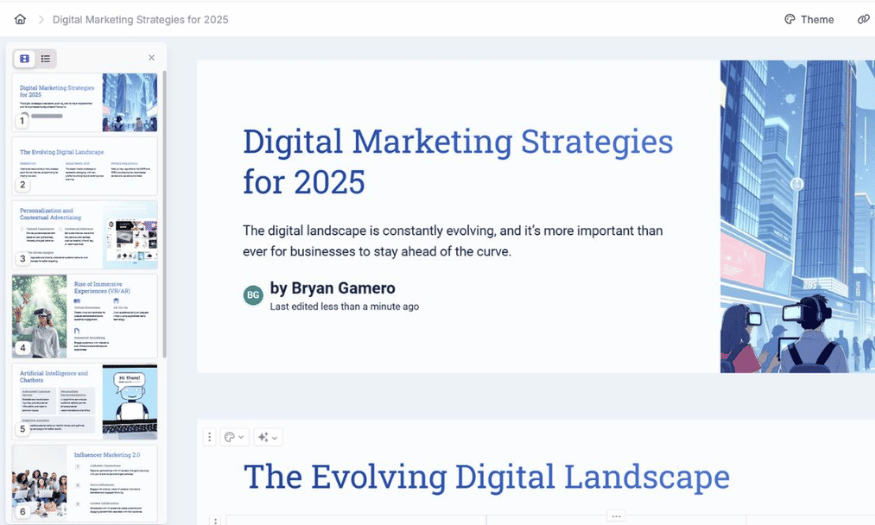
One of Gamma PowerPoint AI's strengths is its user-friendly and intuitive interface. Users can easily change the layout, colors, fonts, or add and remove elements with just a few drag-and-drop actions. The minimalist toolbar interface makes editing faster and easier than ever.
In addition, Gamma PowerPoint AI offers many pre-designed templates, giving users more options to suit their presentation topic. This not only saves time but also makes the design process more enjoyable.
3.4 AI tools to assist in content writing
One major benefit of Gamma PowerPoint AI is its ability to suggest and edit slide content. The AI can effectively summarize information, suggest clearer wording, and optimize content for better understanding and engagement. This is especially useful when you need to create a presentation quickly while maintaining quality.
With the support of AI technology, users not only save time but also get high-quality slides that meet the stringent requirements for conveying information and ideas.
3.5 Data analysis and graphics creation capabilities
The Gamma PowerPoint AI app is capable of processing and analyzing data, helping users present information visually and understandably. When you need to create financial reports, market research, or business plans, AI can help generate professional graphs and charts, enhancing the persuasiveness of your presentations.
Thanks to this feature, users can easily present data accurately and vividly. This not only helps attract attention but also highlights important points in the presentation.
3.6 Diverse range of support tools
In addition to creating slides, the Gamma PowerPoint AI app integrates many other useful features such as grammar checking, keyword suggestions, style adjustment, and content optimization. This tool also supports translation, making it easy to convert to various languages.
These supplementary features not only make slides visually appealing but also ensure they are logical, easy to understand, and professional. This is especially important in business and academic environments, where information must be conveyed clearly and accurately.
3.7 Collaboration Features
The Gamma PowerPoint AI app allows multiple people to edit slides simultaneously, optimizing team workflows and enhancing collaboration efficiency. Team members can add, remove, adjust layouts, or provide feedback directly on slides.
The system automatically saves edits, ensuring that no important data is lost during the workflow. This helps create a more efficient work environment, encouraging creativity and collaboration among team members.
3.8 Natural Language Processing
Utilizing natural language processing (NLP) technology, the Gamma PowerPoint AI app can understand and optimize content in a natural and easily understandable way. This tool not only makes slides more coherent but also supports translation and language adaptation to different audience segments.
In addition, AI provides unique content suggestions, making presentations more lively and engaging. This not only boosts the presenter's confidence but also makes it easier for the audience to absorb the information.
4. How to create free PowerPoint slides with Gamma PowerPoint AI
4.1 Step 1: Access the application
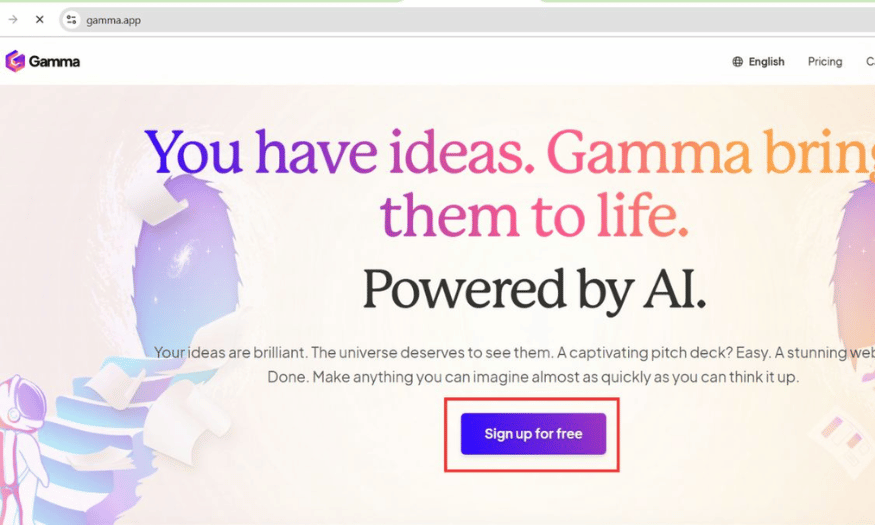
Creating high-quality PowerPoint slides has never been easier with Gamma PowerPoint AI. To get started, simply visit the official Gamma AI website. There, select "Sign Up" to create a free account using your email or quickly log in via your Google account. The process is incredibly simple and takes only a few minutes, allowing you to quickly access this powerful tool.
After logging in, you'll see a user-friendly interface. This means you won't need much time to get familiar with the application's features. With Gamma PowerPoint AI, you're ready to create impressive presentations without needing professional design skills.
4.2 Step 2: Start creating your presentation
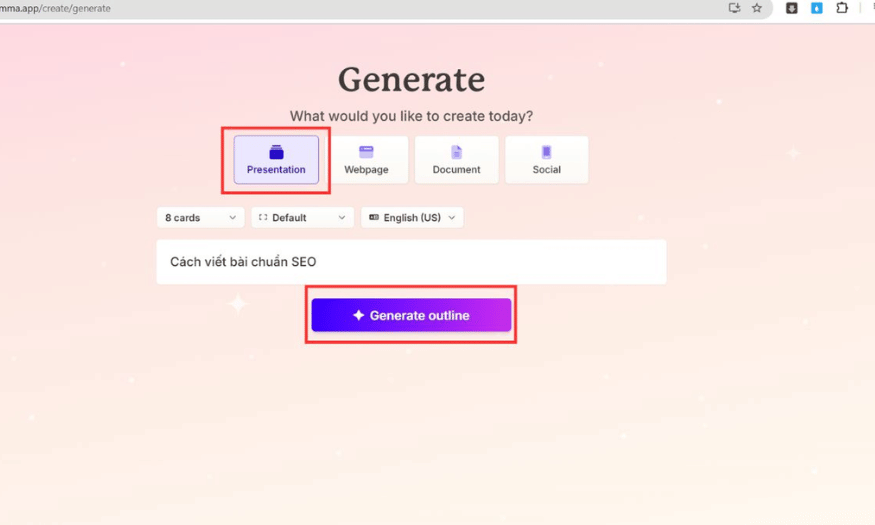
Next, click the "Create" button to start a new presentation. Here, you'll have the option to select "Presentation" if you want to create slides in the traditional PowerPoint style. Enter the title and main topic of your presentation; the AI will immediately suggest a layout suitable for the content you provide.
This not only saves you time but also ensures that your content is presented in a coherent and logical manner. With the help of AI, you'll find creating slides easier and more enjoyable than ever before.
4.3 Step 3: Choose a slide template
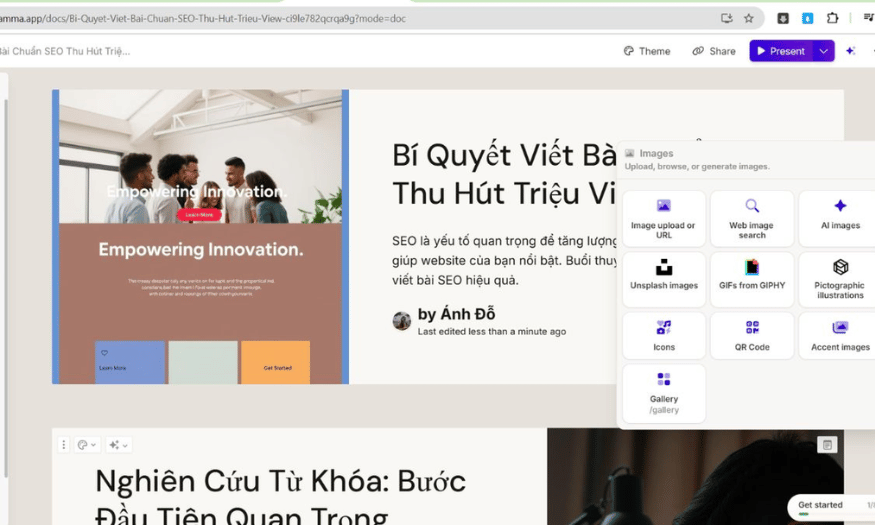
Once you've entered the necessary information, AI Gamma PowerPoint will automatically suggest slide templates suitable for your presentation. You can browse through these options and choose the template you like. If needed, you can also adjust the design to better suit your personal style or the specific requirements of your presentation.
This process not only helps you create visually appealing slides but also ensures that all elements in your presentation are arranged harmoniously and attractively. This is crucial for capturing the audience's attention from the very first minutes.
4.4 Step 4: Export and share slides
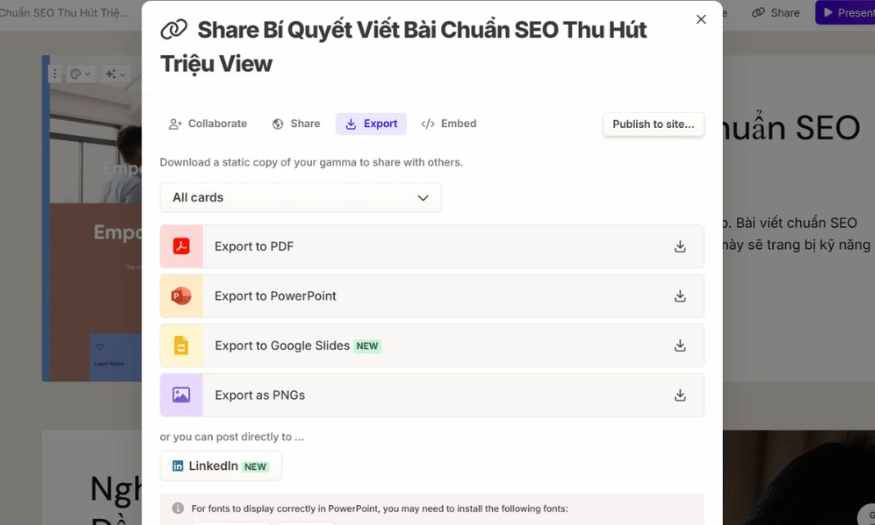
After you've finished designing your slides, you can export your presentation in various formats such as PDF or PowerPoint (PPTX). You can also share the slides online via a link, making presentations easier than ever.
If you want to give a presentation directly on Gamma PowerPoint AI, use the "Present" mode without downloading any files. This feature allows you to focus on delivering your message without being distracted by technical issues.
5. Notes on creating slides with Gamma AI PowerPoint
When using the Gamma PowerPoint AI app to create slides, prior content preparation is crucial. You need to clearly define the outline and main topic of your presentation. This not only helps the AI generate appropriate slides but also avoids rambling or missing important information. A clear outline will help you convey your message effectively, while also making it easier for the audience to follow and understand the content.
Furthermore, choosing the right design style is crucial in creating a positive impression for your presentation. Adjust the colors, layout, and fonts to suit your audience to ensure professionalism and aesthetics. A harmonious and appropriate design will enhance the value of the content and make your presentation stand out in the eyes of your audience.
Ultimately, even though AI Gamma PowerPoint automatically designs slides, you still need to take the time to review and adjust the layout, images, and fonts to suit your personal style. This not only helps you create impressive slides but also ensures that every detail is perfected.
6. How to upgrade to Gamma AI Plus at a low cost
Gamma AI Plus is an excellent solution for those who want to leverage artificial intelligence technology in their daily work. With its automation and analytical capabilities, Gamma AI Plus helps users create and refine content more effectively than ever before. This cutting-edge technology not only saves time but also improves work quality, facilitating sustainable development in today's work environment.
To upgrade to a Gamma AI Plus account at an affordable price, simply contact SaDesign. They are committed to providing genuine accounts, ensuring the rights of each user are protected. If you encounter access issues, SaDesign will assist with a free account replacement, guaranteeing you always have full access to create engaging content to meet your diverse needs.
The account upgrade process is very simple. You just need to provide your current account username and password so SaDesign can proceed with the upgrade. This allows you to easily access the new features that Gamma AI Plus offers without any difficulties.
7. Why should you upgrade to Gamma AI Plus at Sadesign?
Upgrading to a Gamma AI Plus account at SaDesign offers significant economic benefits, with a more competitive price compared to upgrading directly from the developer. This allows users to save costs while still gaining access to Gamma AI's premium features. SaDesign always strives to provide the best solutions for its customers, helping them easily adopt advanced technology without worrying about their budget.
Furthermore, SaDesign supports a variety of flexible payment methods, from bank transfers and e-wallets to QR code scanning, Visa cards, and PayPal. This not only provides convenience but also allows users to choose the payment method that best suits their needs. You can easily complete transactions without any obstacles, saving time and effort.
Finally, SaDesign is committed to strictly protecting customer information. All personal information will be kept confidential and will never be disclosed to third parties. This provides peace of mind for users when upgrading their accounts, knowing that their data is securely protected. This trust is one of the key reasons why many people choose SaDesign as their partner for upgrading their Gamma AI Plus accounts.

8. Conclusion
In summary, Gamma PowerPoint AI is a powerful tool for anyone looking to improve their slide creation efficiency. With its ability to automate the design process, users can save time and effort while creating visually appealing and professional presentations. This is the ideal solution for busy individuals who still want to convey their message effectively and impressively.





















VIP Products








Best Selling Products
Genuine Cheap Canva Pro
39 USD
Adobe Photoshop Copyright - Full App
120 USD
MidJourney Account
29 USD
Plugin Retouch4me
69 USD
Freepik Premium Account
59 USD
ChatGPT Plus Account (GPT-4)
16 USD
Windows 10 & 11 Pro Key
36 USD
Upgrade Genuine Office 365
49 USD
Upgrade Duolingo Super
29 USD
Adobe Premiere Pro Account
99 USD
Copyright Adobe Lightroom Account
59 USD
Upgrade genuine Capture One account
120 USD
Genuine Adobe Illustrator account
99 USD
Autodesk All App Account Copyright
120 USD
Capcut Pro 1 Year
39 USD