Best Selling Products

Upgrade Genuine Office 365
49 USD

Capcut Pro 1 Year
39 USD

Freepik Premium Account
59 USD

Adobe Premiere Pro Account
99 USD

Windows 10 & 11 Pro Key
36 USD

Genuine Adobe Illustrator account
99 USD

Copyright Adobe Lightroom Account
59 USD

Upgrade genuine Capture One account
120 USD

Plugin Retouch4me
69 USD

ChatGPT Plus Account (GPT-4)
16 USD

Upgrade Duolingo Super
29 USD

Autodesk All App Account Copyright
120 USD

MidJourney Account
29 USD

Adobe Photoshop Copyright - Full App
120 USD

Genuine Cheap Canva Pro
39 USD
Detailed Guide on How to Create a Lucky Spin Wheel on Canva
Nội dung
- 1. What is a lucky spin?
- 2. Why should you create a lucky spin game on Canva?
- 3. Things to prepare when creating a lucky spin on Canva
- 4. Features on Canva that help create a lucky spin.
- 4.1 Diverse template library
- 4.2 Easy drag-and-drop functionality
- 4.3 Flexible Customization
- 4.4 Extensive library of images and icons
- 4.5 Easy sharing and publishing
- 5. Detailed instructions on how to create a lucky spin wheel on Canva
- 5.1 Step 1: Access Canva
- 5.2 Step 2: Choose a design template
- 5.3 Step 3: Customize the content
- 5.4 Step 4: Add motion effects
- 5.5 Step 5: Save and share the design
- 6. Tips to make your lucky spin more professional
- 7. Conclusion
Creating a lucky spin wheel on Canva is a great way to make your content more lively and engaging. With Canva, you don''t need to be a professional designer to create impressive designs. The process of creating a lucky spin wheel game is not only simple but also allows you to customize the content to your liking in a flexible way. This article from Sadesign will guide you step-by-step to easily create a unique lucky spin wheel that will attract participants'' attention and provide an enjoyable experience.
1. What is a lucky spin?
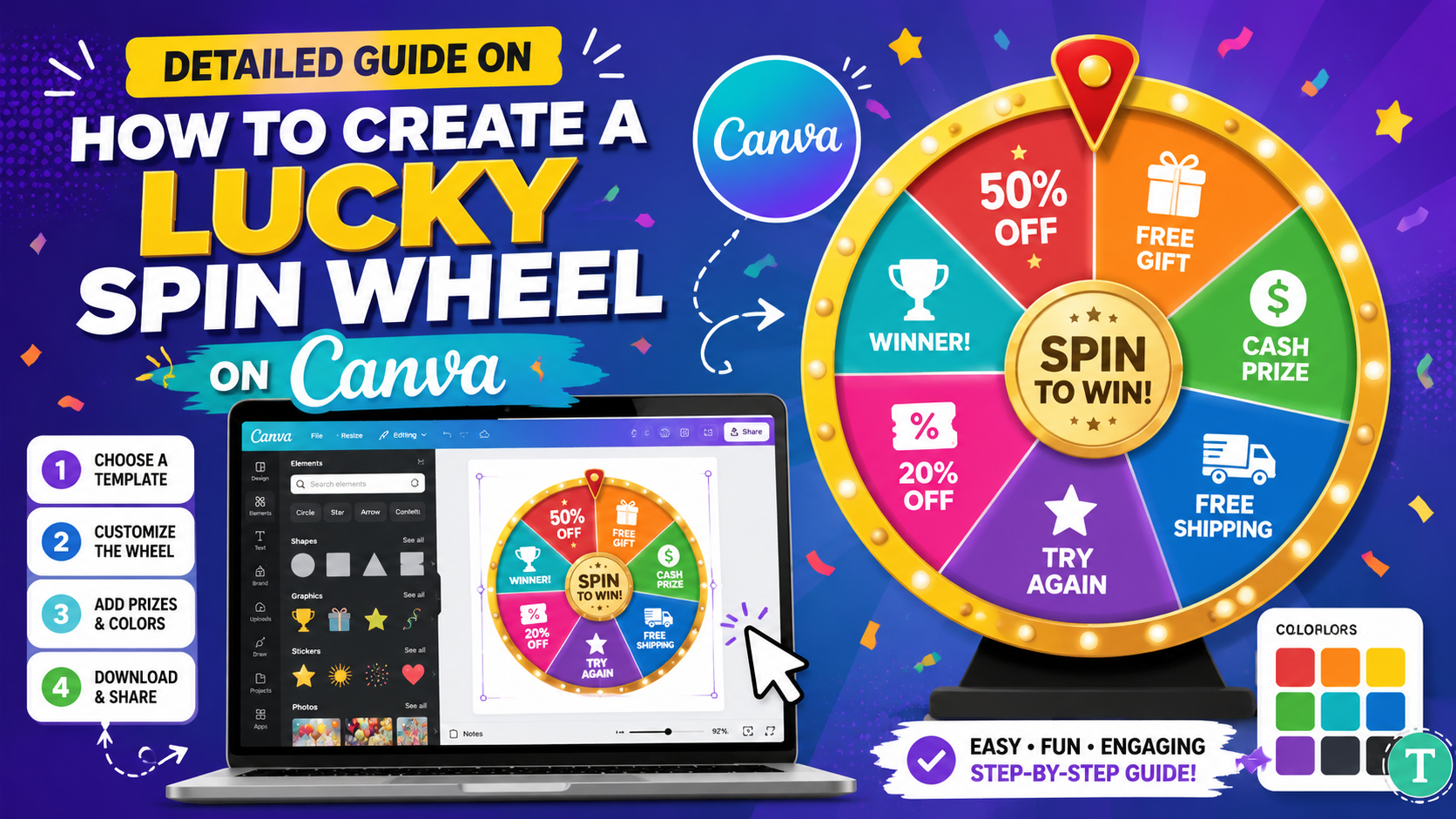
The lucky spin wheel is a fun game often used in events, promotions, or interactive activities to attract participants' attention. It's simply a wheel with different sections, each corresponding to a prize or a message. Players spin the wheel and wait to see what they win, creating suspense and excitement.
More than just an entertainment game, the lucky spin wheel also has high educational and communication value. It helps organizers convey messages in a more vivid and memorable way. In particular, attractive prizes encourage participation, thereby creating a strong connection between them and the brand or event.
With the advancement of technology, creating a lucky spin wheel is no longer difficult. Instead of having to prepare complex physical tools, you can now easily create a digital version through online design tools like Canva.
2. Why should you create a lucky spin game on Canva?
Canva has become one of the most popular design tools today thanks to its ease of use and flexible customization capabilities. Creating a lucky spin game on Canva offers many benefits, from saving time to creating designs that reflect your personal style. This is why many people choose Canva to realize their ideas.
First, Canva offers a user-friendly interface, making it easy for even those without design experience to create their desired products. Simply drag and drop elements onto the canvas, adjusting the size and color as needed. With its diverse and extensive template library, you won't have to worry about running out of ideas or creative inspiration.
Secondly, Canva's high level of customization allows you to flexibly change content and images to suit your needs. You can easily add logos, images, or text that match your brand, giving participants a sense of familiarity and closeness. Furthermore, sharing or publishing your design is very simple, allowing you to quickly get your game into the hands of users.
Ultimately, the lucky spin game on Canva not only attracts attention but also enhances interaction with participants. Players will feel more excited and engaged when participating in a beautifully designed and professional game. This not only provides a positive experience but also helps build a stronger connection with your brand.
3. Things to prepare when creating a lucky spin on Canva
Before you start creating an impressive lucky spin wheel on Canva, there are a few essential things you need to prepare to ensure a smooth and efficient process. First, consider upgrading your account to Canva Pro. Free accounts limit your access to many templates and special effects, which can reduce the creativity and professionalism of your design. With Canva Pro, you'll have full access to resources and tools, helping you create a more perfect product.
Next, clearly defining the purpose of the lucky spin wheel is crucial. You need to know whether it will be used for a marketing campaign, a special event, or simply as a fun game for friends and family. This purpose will shape all subsequent design decisions, from colors and imagery to style. When you have a clear goal, choosing a design style becomes easier and more consistent.
Finally, prepare the content for your lucky spin. Determine the rewards or message you want to convey to participants. You can consider attractive prizes, inspirational messages, or fun experiences that players can enjoy. Thorough content preparation not only saves you time but also ensures that your lucky spin will offer high value and attract attention from participants.
4. Features on Canva that help create a lucky spin.
4.1 Diverse template library
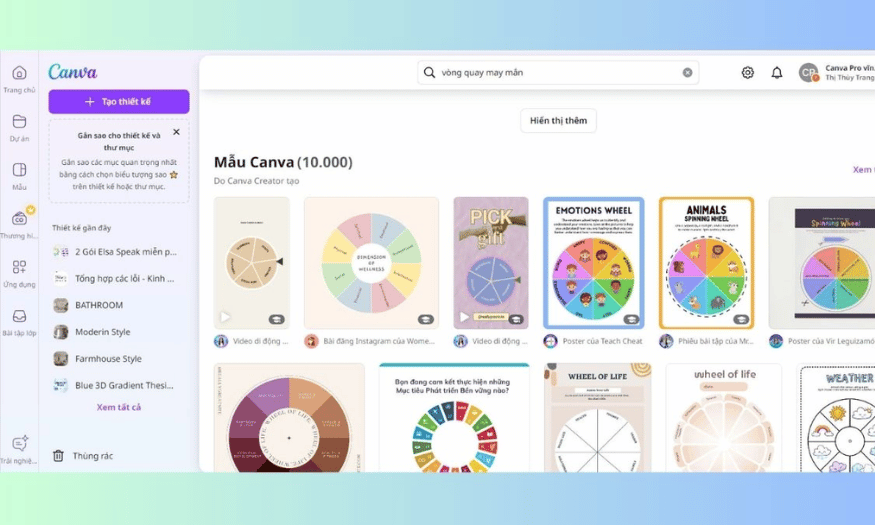
One of Canva's standout strengths is its diverse library of templates, with thousands of ready-made designs. When you start creating a lucky spin wheel, you don't need to begin from scratch. Simply search for relevant keywords, and you'll easily find many attractive spin wheel templates, from modern to traditional styles. This saves time and effort, giving you a quick foundation for your design.
Furthermore, these templates are usually designed by experts, ensuring aesthetics and professionalism. You can customize elements in the template to your liking, from colors and images to text, creating a unique product with a personal touch.
4.2 Easy drag-and-drop functionality
Canva stands out with its user-friendly drag-and-drop functionality, allowing you to easily manipulate elements without needing any design experience. Simply drag elements like images, icons, or text to your desired location on the canvas. This not only speeds up the design process but also creates visually appealing and easy-to-understand designs.
This ease of use enhances the user experience, allowing you to focus on creativity instead of getting bogged down in complex tools. This is why Canva has become a favorite choice for many, from beginners to professional designers.
4.3 Flexible Customization
Canva offers flexible customization options for any design, and the lucky spin wheel is no exception. You can easily change the colors, sizes, and fonts to match your brand or personal preferences. This helps you create a product that is highly personalized and engaging for participants.
In addition, adding graphic elements such as images, icons, or decorative elements becomes easy. This not only enhances the aesthetics but also makes the lucky spin wheel more lively and attractive.
4.4 Extensive library of images and icons
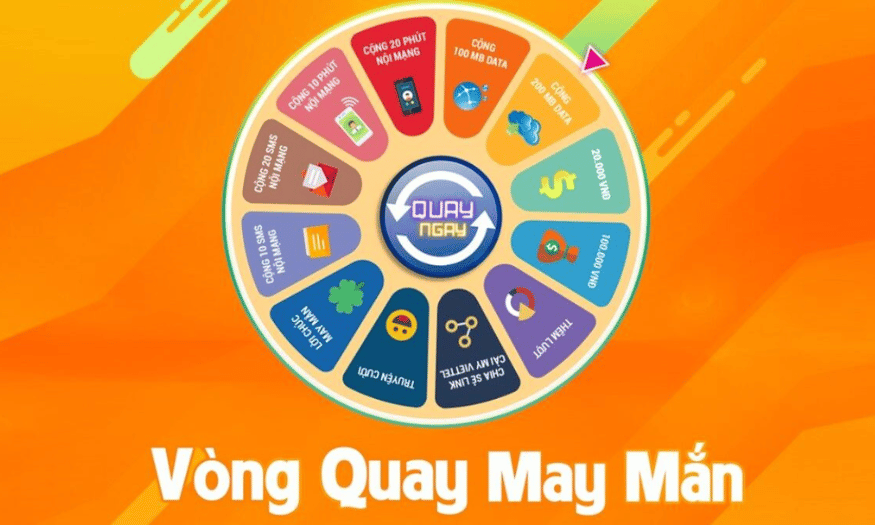
Canva offers a rich library of images and icons, allowing you to search for and use visually appealing images for your lucky spin. You can easily find icons related to the prize, event, or theme you're targeting. This increases interaction and attracts the attention of participants.
Furthermore, these images and icons are often updated regularly, ensuring you always have fresh and modern options. Using high-quality images not only makes your design stand out but also creates a positive impression on participants.
4.5 Easy sharing and publishing
One of Canva's biggest advantages is its ability to easily share and publish your creations. After completing your lucky spin design, you can publish it in various formats, including images, videos, or PDFs. This gives you more flexibility in using your creations on different platforms.
Furthermore, Canva also allows you to share your designs directly via email or social media, increasing your reach to attendees. This not only saves time but also helps you quickly convey your message and generate excitement for your event.
5. Detailed instructions on how to create a lucky spin wheel on Canva
Once you have all the necessary elements ready, it's time to start creating an impressive lucky spin on Canva. Let's explore the specific steps to design a product that is not only visually appealing but also engaging, helping to attract the attention of participants.
5.1 Step 1: Access Canva
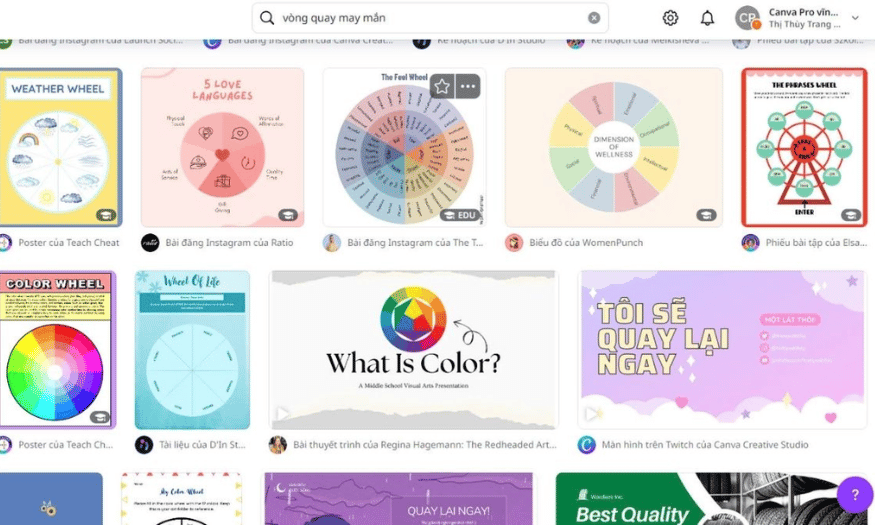
First, you need to access the Canva website. There, type the keyword "lucky wheel" into the search box. Immediately, you will be presented with a range of available designs, from modern to classic styles. This makes it easy for you to choose a design that suits the theme of your event or intended use.
When browsing through the designs, pay attention to those with striking colors and images. An attractive lucky spin wheel will not only grab attention but also pique participants' curiosity. Choose the design that you feel is most suitable!
5.2 Step 2: Choose a design template
Once you've found a template you like, click on it to open it in the Canva editor. Here, you'll find a user-friendly interface that's easy to use, allowing you to quickly familiarize yourself with the tools. The chosen template will be the foundation for your design, so make sure it accurately reflects the message you want to convey.
Once you've opened the template, you can preview the available components and visualize how they will function within the wheel. This selection not only sets the stage for the design but also helps you better understand how participants will interact with the wheel.
5.3 Step 3: Customize the content
Now it's time to start customizing! Change the colors, fonts, and add images if needed. Each section of the wheel should be clearly filled with content, such as attractive prizes or interesting questions. This will help participants easily identify and create excitement when participating in the game.
Don't hesitate to express your personality in every detail. A beautiful design is not just about form, but also about content and how you convey your message. Make sure everything is perfect before moving on to the next step.
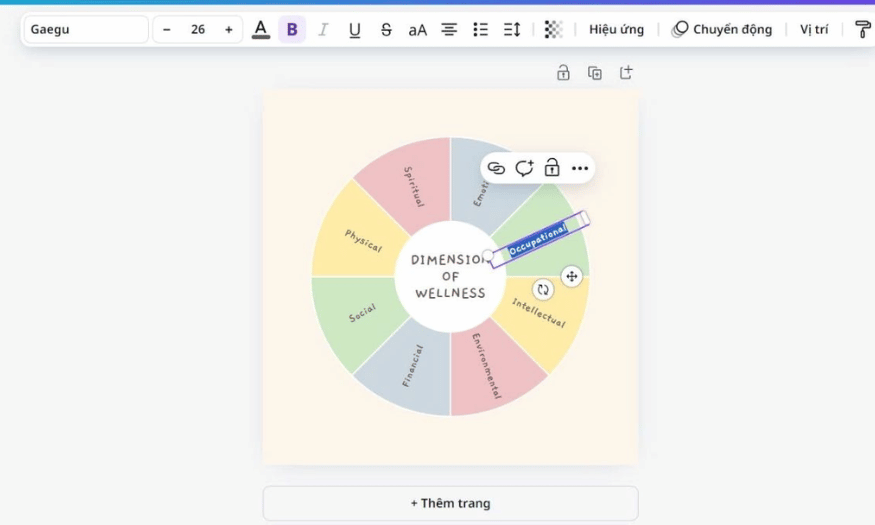
5.4 Step 4: Add motion effects
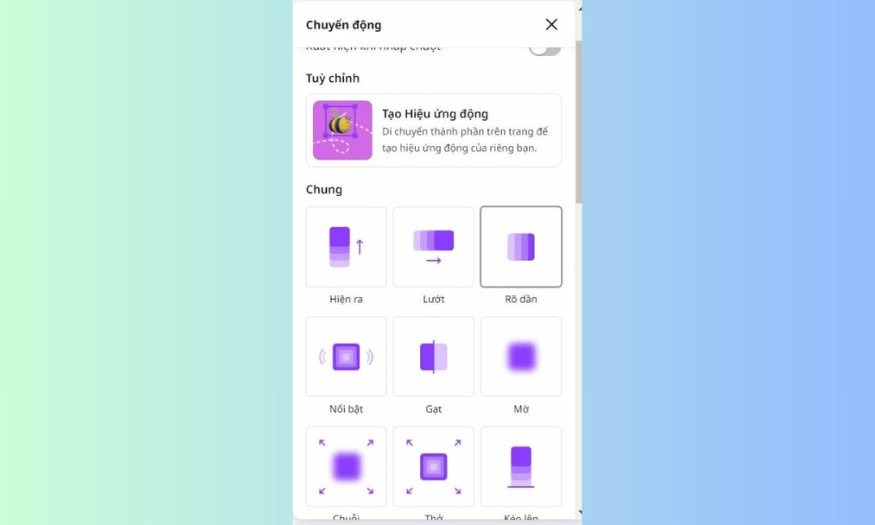
Once you've finished customizing the content, select the spinner or other elements to add motion effects. Use Canva's "Motion" tool to create a spinning effect or add other engaging effects. This will not only make your spinner more lively but also capture the attention of your viewers.
Motion effects enhance the user experience, making them feel excited and eager to engage immediately. Don't forget to experiment with different effects to find the style that best suits your design.
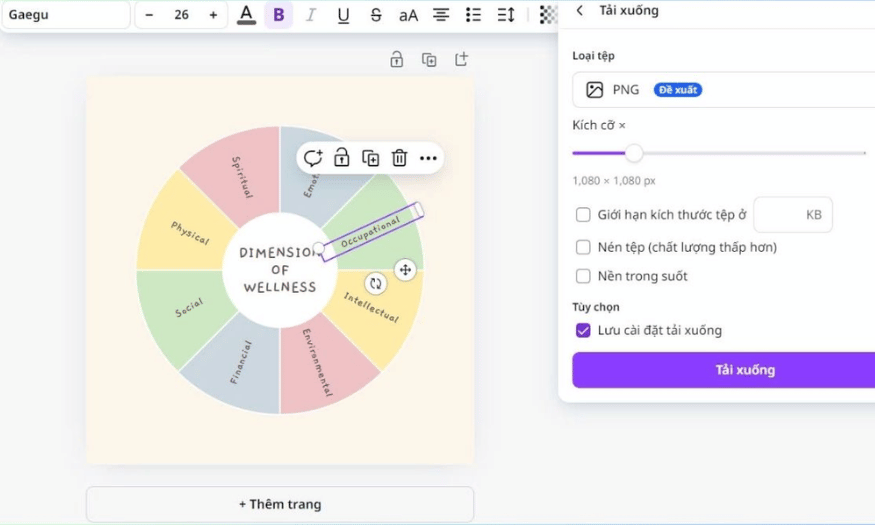
5.5 Step 5: Save and share the design
Finally, after completing all the steps, save your design. You can download it as an image, video, or share it directly for use in presentations or online events. Canva allows you to easily publish your creation, helping you quickly introduce your lucky spin to participants.
Don't forget to double-check every detail before sharing to ensure everything is perfect. Now you're ready to deliver a fun and unique experience for your participants!
6. Tips to make your lucky spin more professional
To create a more impressive and professional lucky spin on Canva, you can apply the following tips:
-
Use Canva Pro : Sign up for a Canva Pro account to take advantage of animated effects and high-quality images. These features will make your wheel more lively and engaging, attracting attention from participants.
-
Choosing the right colors : Select colors that harmonize with and match the theme of your event or brand. A sophisticated color scheme not only creates an attractive design but also conveys a more professional feel.
-
Add sound effects : Don't forget to incorporate sound effects when the wheel spins. Sound will increase the excitement and help create a better user experience.
-
Create smooth motion : Use motion effects to make the rotation feel lively. Smooth movements will make viewers feel engaged and want to participate immediately.
-
Include your logo and contact information : If you're using a lucky spin for a marketing campaign, be sure to include your logo and contact information. This not only enhances brand recognition but also makes it easy for participants to get in touch with you after the event.
7. Conclusion
In today's digital world, creating creative and engaging content is incredibly important. Canva's Lucky Spin not only helps you increase audience engagement but also provides enjoyable entertainment. With this detailed guide, you now have the tool to express your creativity and create unique experiences for your users. Start today and discover the limitless possibilities that Canva offers!





















VIP Products








Best Selling Products
Upgrade Genuine Office 365
49 USD
Capcut Pro 1 Year
39 USD
Freepik Premium Account
59 USD
Adobe Premiere Pro Account
99 USD
Windows 10 & 11 Pro Key
36 USD
Genuine Adobe Illustrator account
99 USD
Copyright Adobe Lightroom Account
59 USD
Upgrade genuine Capture One account
120 USD
Plugin Retouch4me
69 USD
ChatGPT Plus Account (GPT-4)
16 USD
Upgrade Duolingo Super
29 USD
Autodesk All App Account Copyright
120 USD
MidJourney Account
29 USD
Adobe Photoshop Copyright - Full App
120 USD
Genuine Cheap Canva Pro
39 USD