Best Selling Products

Upgrade Genuine Office 365
49 USD

Autodesk All App Account Copyright
120 USD

Capcut Pro 1 Year
39 USD

MidJourney Account
29 USD

Copyright Adobe Lightroom Account
59 USD

Adobe Premiere Pro Account
99 USD

ChatGPT Plus Account (GPT-4)
16 USD

Upgrade Duolingo Super
29 USD

Genuine Adobe Illustrator account
99 USD

Freepik Premium Account
59 USD

Genuine Cheap Canva Pro
39 USD

Plugin Retouch4me
69 USD

Adobe Photoshop Copyright - Full App
120 USD

Windows 10 & 11 Pro Key
36 USD

Upgrade genuine Capture One account
120 USD
CapCut: A free, professional business video creation solution from A to Z.
Nội dung
- 1. Features of CapCut enterprise video production software
- 1.1. Upgrade the quality of your business videos to 4K resolution.
- 1.2. Support for third-party applications and social media platforms
- 1.3. Customizable user interface with a rich library of free business resources.
- 2. The positive aspects of producing business videos
- 3. Learn how to create business videos in just 3 steps.
CapCut makes it easy for small businesses to produce promotional videos, brand introductions, and social media content in just minutes. No need for a technical team or high costs; you can still create high-quality, consistent, and engaging videos.
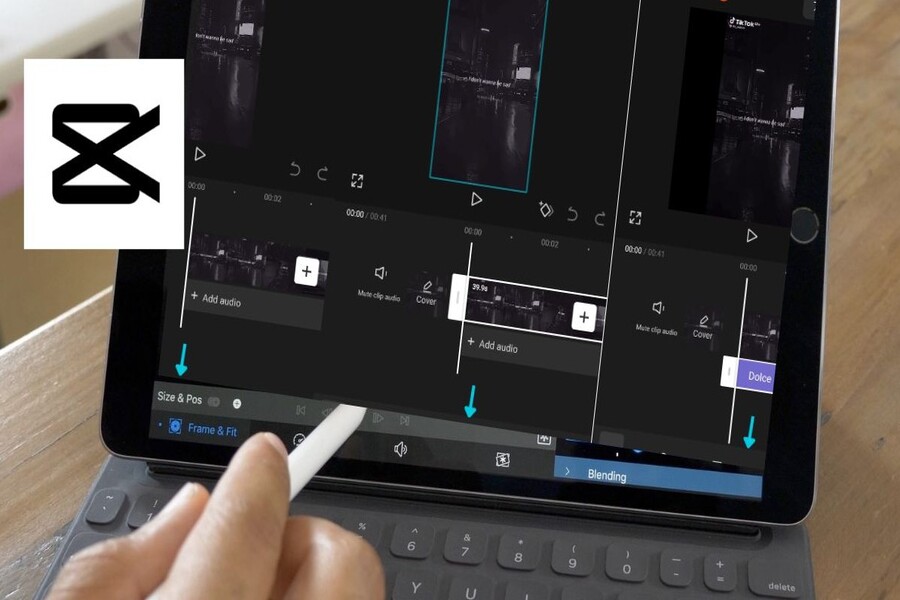
CapCut has emerged as a comprehensive solution for small businesses. As an online video creation tool, CapCut simplifies the entire business video production process thanks to its intuitive drag-and-drop interface, rich resource library, and a wide range of free, pre-designed business video templates. Without investing in expensive equipment or hiring a professional video editing team, businesses can create polished, eye-catching videos suitable for various communication purposes. This article will help you understand why CapCut is considered one of the best free business video creation tools available today, while also analyzing its outstanding features, the benefits of business videos, and guiding you on how to create a business video in just three simple steps.
Buy a Cheap Licensed CapCut Pro Account
1. Features of CapCut enterprise video production software
CapCut is not just a basic video editor; it's developed as a comprehensive content production ecosystem. For small businesses, this is a key factor in saving time, costs, and resources while ensuring high-quality output.
1.1. Upgrade the quality of your business videos to 4K resolution.
Image quality is the first factor determining whether viewers will continue watching a video. In the social media environment, where users constantly scroll through hundreds of pieces of content every day, a blurry, pixelated, or poorly produced video is easily ignored after just the first few seconds.
CapCut allows you to edit and export videos at various resolutions, from 360p to 2160p (4K). This provides great flexibility for businesses, especially when optimizing content for multiple platforms. If the video is for TikTok or Instagram Reels, you can choose the appropriate resolution to ensure fast loading speeds. Meanwhile, brand introduction videos, internal training videos, or videos shown on large screens can be exported in 4K resolution to ensure maximum sharpness.
.jpg)
One notable point is that CapCut doesn't require professional filming equipment. With just a smartphone capable of high-resolution video recording, you can create videos of sufficient quality for corporate communications. In fact, today's social media users tend to prefer authentic, "homemade" content over overly polished, studio-style videos. This creates a huge opportunity for small businesses, as they don't need to chase technical perfection to create engaging content.
However, authenticity doesn't mean sloppiness. CapCut provides all the necessary editing tools to give you the highest level of control over video quality. You can add business video clips to the track, cut and splice, adjust lighting and color, and then set the output resolution to suit your needs. This ensures your business videos maintain a natural feel without sacrificing the professionalism expected of a brand.
1.2. Support for third-party applications and social media platforms
One of the biggest challenges in traditional corporate video production is file management. Videos are often large, easily filling up hard drives and making storage, sharing, and later editing difficult. CapCut addresses this problem by integrating robustly with popular cloud platforms and social media networks.
With CapCut, you can upload content directly to Cloud Drive, edit online, and export straight to social media platforms without having to download the file to your computer. This is a huge advantage over many traditional video editing software programs that require users to export files to their devices before uploading.
.jpg)
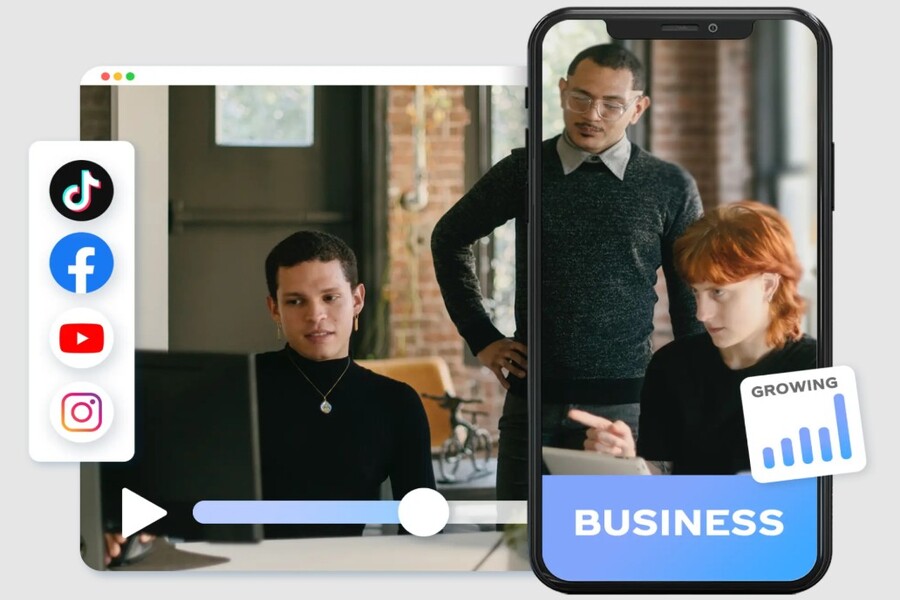
CapCut integrates with most major social media platforms such as TikTok, Facebook, YouTube, and Instagram. You can easily share videos in MP4 or MOV format with just a few simple steps. This not only saves time but also minimizes the risk of errors during file conversion.
For small businesses, optimizing workflows is crucial. By eliminating the need for numerous technical steps, marketing teams can focus more on content creation, messaging, and overall communication strategies. CapCut, in this respect, acts as a valuable assistant, simplifying the entire corporate video production process.
1.3. Customizable user interface with a rich library of free business resources.
One of the reasons CapCut is highly regarded is its intuitive user interface, which is easy to learn even for those who have never edited videos before. Instead of having to learn complex operations, users simply drag and drop elements onto the timeline to complete their video.
CapCut's interface allows for flexible customization, helping users quickly adapt to their own workflow. After uploading a video, you can explore a resource library with a wide range of overlays, effects, sounds, and fonts pre-designed for business purposes. Each resource can be dragged directly into the video, and its position, size, and display duration can be easily adjusted.
.jpg)
In particular, CapCut offers many free video templates and even business card templates, significantly saving businesses time in the design process. Instead of starting from scratch, you simply choose a suitable template, change the content, images, and colors to match your brand identity. This is especially helpful for small businesses without their own design team.
CapCut's extensive resource library not only makes videos more dynamic but also ensures aesthetic consistency. This is a crucial element in building a long-term brand image.
2. The positive aspects of producing business videos
Business videos are more than just product advertising tools. When used correctly, videos can deliver significant long-term value to businesses, from conveying information and improving internal efficiency to expanding markets.
Communicate clearly.
Video is one of the most visual and effective forms of information delivery. Through images, sound, and motion, businesses can explain complex concepts in a much more understandable and engaging way than plain text.
.jpg)
Instead of just using video for advertising, businesses can leverage this format to create "thank you" videos for customers, videos showcasing the production process, or instructional videos on how to use the product included with each order. This content not only helps customers better understand the product but also creates a sense of being cared for, thereby increasing brand loyalty.
Improve employee readiness
Video is also an ideal tool for internal training and communication. Instructional videos help new employees quickly become familiar with their jobs, while also reducing the workload for management.
.jpg)
If a business has an important announcement, instead of sending a long, dry email, creating a short video that conveys the message in a warm and engaging way will be more effective. Videos help information be remembered longer and create a sense of connection between management and employees.
Accessing new markets
Every business video holds the potential for virality. With engaging content, businesses can reach a large number of potential customers without spending a huge advertising budget.
When businesses consistently produce videos, there's a high chance they'll create a standout video that attracts a large audience. When this happens, the number of new followers will increase rapidly, opening up many opportunities for market growth and building a community around the brand.
.jpg)
3. Learn how to create business videos in just 3 steps.
One of CapCut's biggest advantages is its incredibly simple video creation process, making it suitable even for those without a background in design or video editing.
Step 1: Prepare the script. Type in or select a business script template.
Every effective video starts with a clear script. Before opening your editing software, you need to define the topic, the main message, and the target audience for the video. A script helps you keep the content focused, avoid rambling, and ensure the video conveys the intended message.
.jpg)
For business promotional videos, the ideal length is usually between 15 and 30 seconds. CapCut offers many video templates for small businesses with sizes and aspect ratios suitable for each platform. You can choose from pre-made templates or import your own script to begin the production process.
Step 2: Produce with resources such as music, text, filters, and effects.
Once you have your script, you record the audio, upload the video, and start editing. CapCut provides all the necessary tools to add background music, sound effects, text, and image filters.
.jpg)
Adding sound and effects to your timeline is simple. Just select your desired effect from the left-hand panel, then click the “+” sign to add it to your video. CapCut’s effects are designed with a modern aesthetic, suitable for a variety of content styles, from product advertisements to internal communications videos.
Step 3: Share with just one click or download/save your business video.
After completing the video, you can export the file at resolutions up to 1080p or 2160p. CapCut allows you to store the video online, making it easy to share or edit it again in the future.
.jpg)
Besides posting videos on social media, businesses should also proactively interact with the community by commenting, sharing, and participating in forums related to their field. This helps videos reach more people and increases their potential for natural spread.
In the digital age, video has become the universal language of communication and marketing. For small businesses, owning a free, easy-to-use, yet high-quality business video creation tool is a huge advantage. CapCut, with its user-friendly interface, rich resource library, and ability to export high-quality videos, has proven itself to be a suitable solution for modern business video production needs.
Without a large budget or a professional team, businesses can still create videos that convey clear messages, build brand image, and expand their market. More importantly, maintaining a regular video production schedule will help businesses adapt more quickly to new media trends and create a sustainable competitive advantage in the long term.





















VIP Products








Best Selling Products
Upgrade Genuine Office 365
49 USD
Autodesk All App Account Copyright
120 USD
Capcut Pro 1 Year
39 USD
MidJourney Account
29 USD
Copyright Adobe Lightroom Account
59 USD
Adobe Premiere Pro Account
99 USD
ChatGPT Plus Account (GPT-4)
16 USD
Upgrade Duolingo Super
29 USD
Genuine Adobe Illustrator account
99 USD
Freepik Premium Account
59 USD
Genuine Cheap Canva Pro
39 USD
Plugin Retouch4me
69 USD
Adobe Photoshop Copyright - Full App
120 USD
Windows 10 & 11 Pro Key
36 USD
Upgrade genuine Capture One account
120 USD