Best Selling Products

Upgrade Duolingo Super
29 USD

Plugin Retouch4me
69 USD

Adobe Premiere Pro Account
99 USD

MidJourney Account
29 USD

Genuine Cheap Canva Pro
39 USD

Adobe Photoshop Copyright - Full App
120 USD

Genuine Adobe Illustrator account
99 USD

Freepik Premium Account
59 USD

Capcut Pro 1 Year
39 USD

Autodesk All App Account Copyright
120 USD

ChatGPT Plus Account (GPT-4)
16 USD

Upgrade genuine Capture One account
120 USD

Copyright Adobe Lightroom Account
59 USD

Upgrade Genuine Office 365
49 USD

Windows 10 & 11 Pro Key
36 USD
Choose a smart photo background editing app to get a standard-quality profile picture.
Nội dung
- 1. Reasons why the trend of using photo editing apps for ID photos is becoming increasingly popular.
- 1.1. Optimizing time for busy people
- 1.2. Create a relaxed mindset to possess the most natural demeanor.
- 1.3. Storage capacity and flexible conversion for multiple purposes
- 2. Essential core features of a photo ID background changing app.
- 2.1. Smart automatic background removal and separation technology
- 2.2. Library background color standard according to administrative regulations
- 2.3. Built-in grid system for golden ratio alignment.
- 3. Detailed step-by-step process for technically correct editing of ID photo backgrounds.
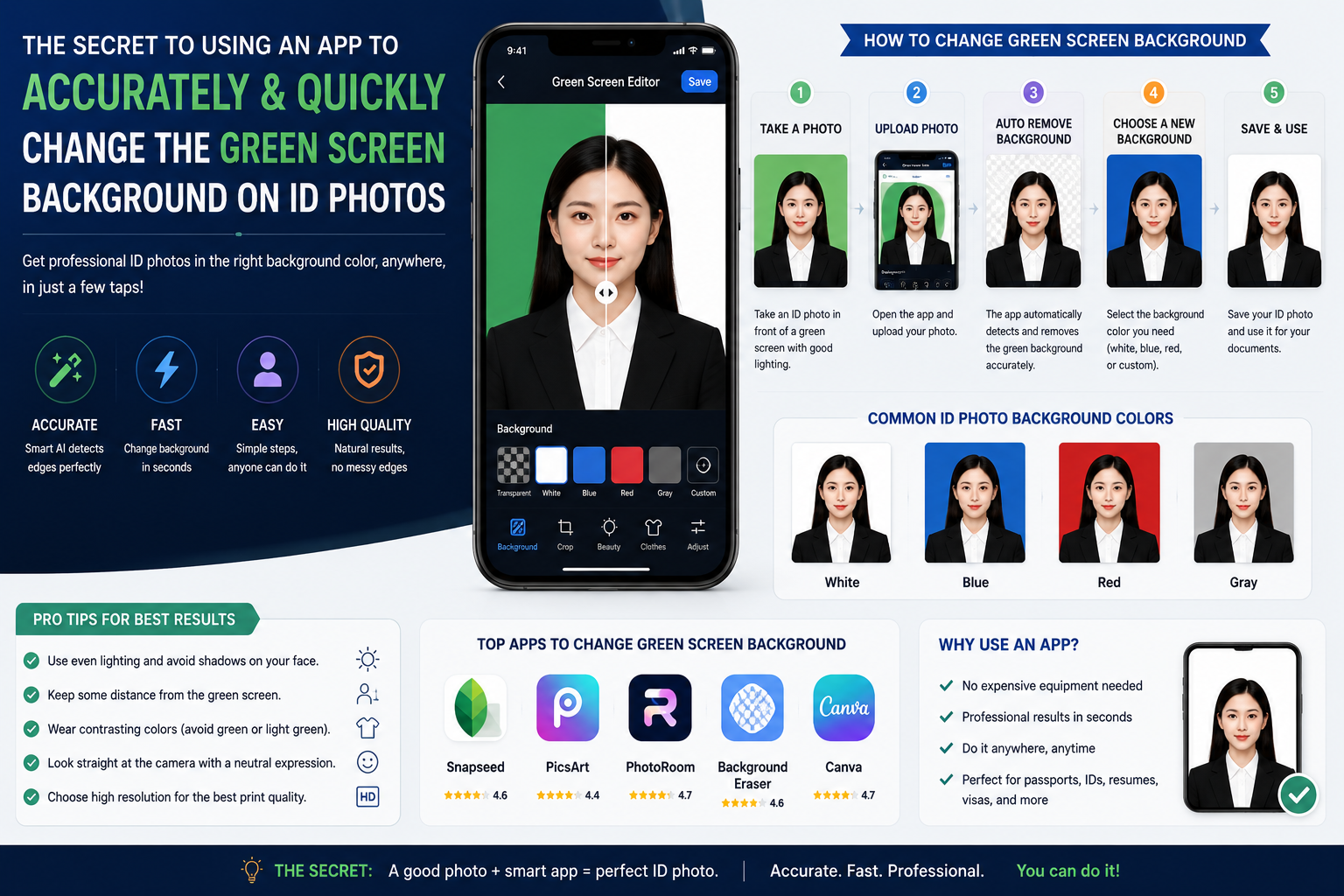
- 3.1. Step one: Set up the lighting conditions and shooting space.
- 3.2. Step two: Upload portrait images to the application system.
- 3.3. Step three: Use the background removal tool and select a new background.
- 3.4. Step four: Change into formal attire and refine your appearance.
- 3.5. Step five: Perform an overall quality check and proceed with file export.
- 4. Mistakes to avoid so your ID photo isn't rejected by the system.
- 4.1. Choosing the wrong or overly flashy background color.
- 4.2. Abusing beauty filters can alter your face.
- 4.3. Careless background cropping reveals traces of image manipulation.
- 5. Smart photo editing and background changing utility for ID photos at appvip.ai
- 6. How to optimize your mobile device for the best image input source.
- 6.1. Clean the camera lens surface before taking pictures.
- 6.2. Activate the camera's highest resolution setting.
- 7. Conclusion
Detailed instructions on how to change your profile picture background at home using photo editing apps. Discover the solution for automatic, sharp, and professional background removal technology at appvip.ai.
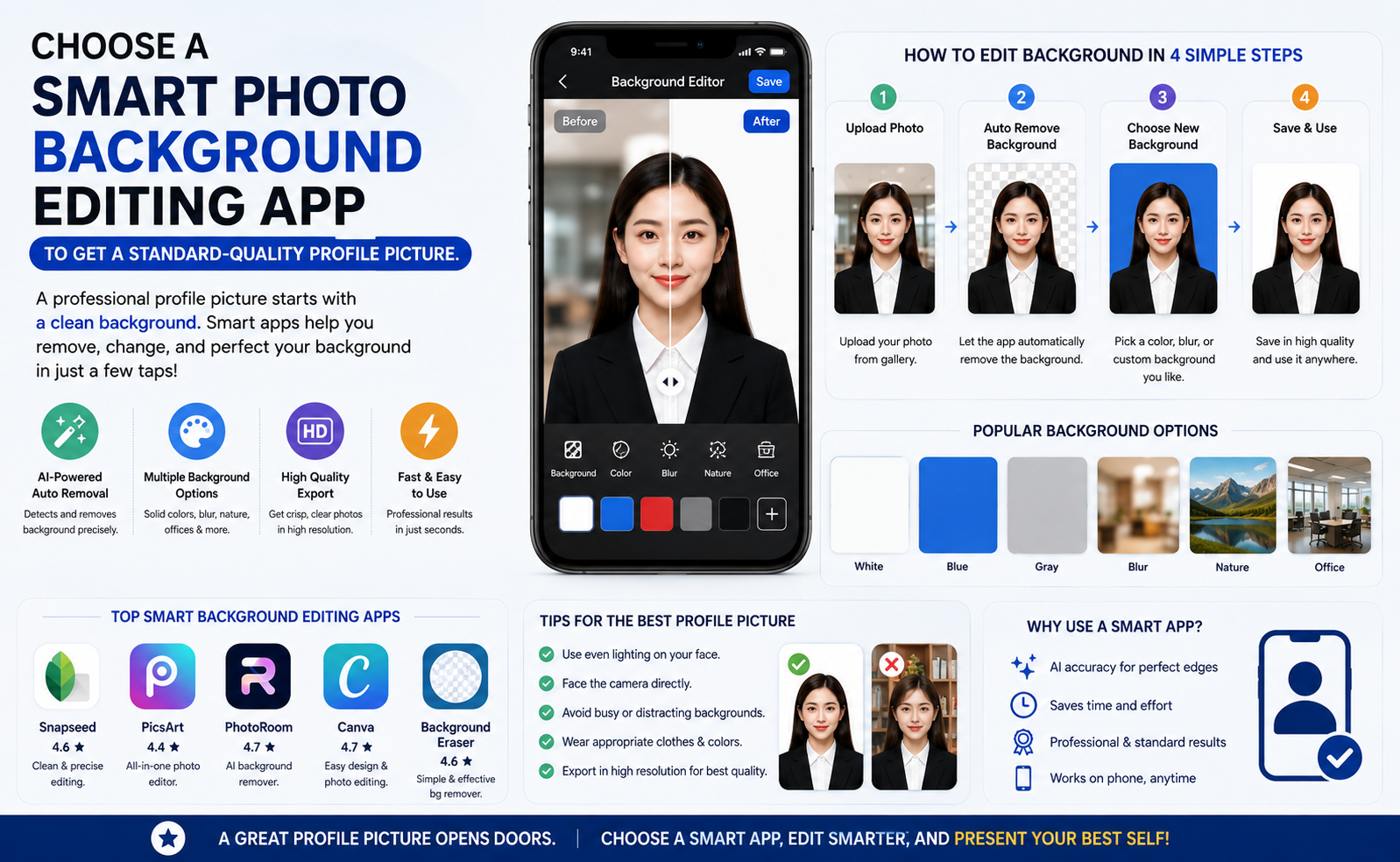
1. Reasons why the trend of using photo editing apps for ID photos is becoming increasingly popular.
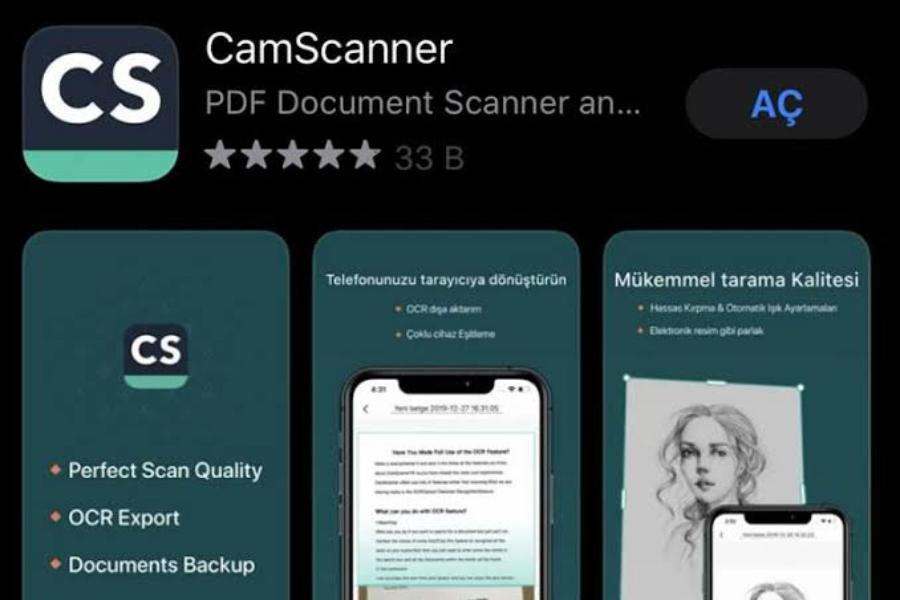
1.1. Optimizing time for busy people
Scheduling time to go to a photo studio, waiting in line for the photographer, and then waiting to receive the digital files can be a hassle in a busy life. Utilizing mobile apps to process backgrounds allows you to complete your portrait photos in just a few minutes. You can do this anywhere, at any time, without being dependent on the opening hours of photo studios.
1.2. Create a relaxed mindset to possess the most natural demeanor.
Many people often experience stiff facial muscles and unnatural expressions when standing in front of a stranger's camera in a studio. Taking selfies with your own device in your familiar living space completely eliminates this psychological pressure. You can freely adjust your facial angle, your gentle smile, and take dozens of shots until you find the perfect picture.
1.3. Storage capacity and flexible conversion for multiple purposes
A high-quality original photo, after being processed through the application, can be permanently stored in cloud storage. Whenever you need to use it for different documents, you simply open the application to change the background color without having to take a new photo. This convenience saves you a significant amount of money over time.
2. Essential core features of a photo ID background changing app.
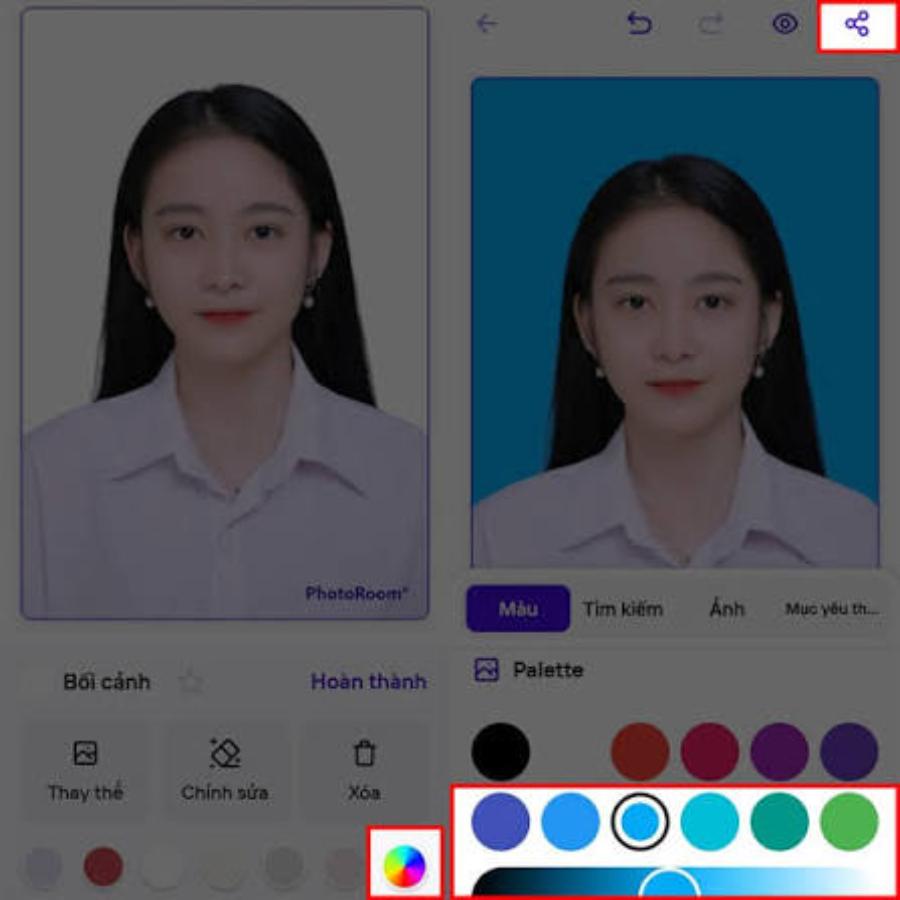
2.1. Smart automatic background removal and separation technology
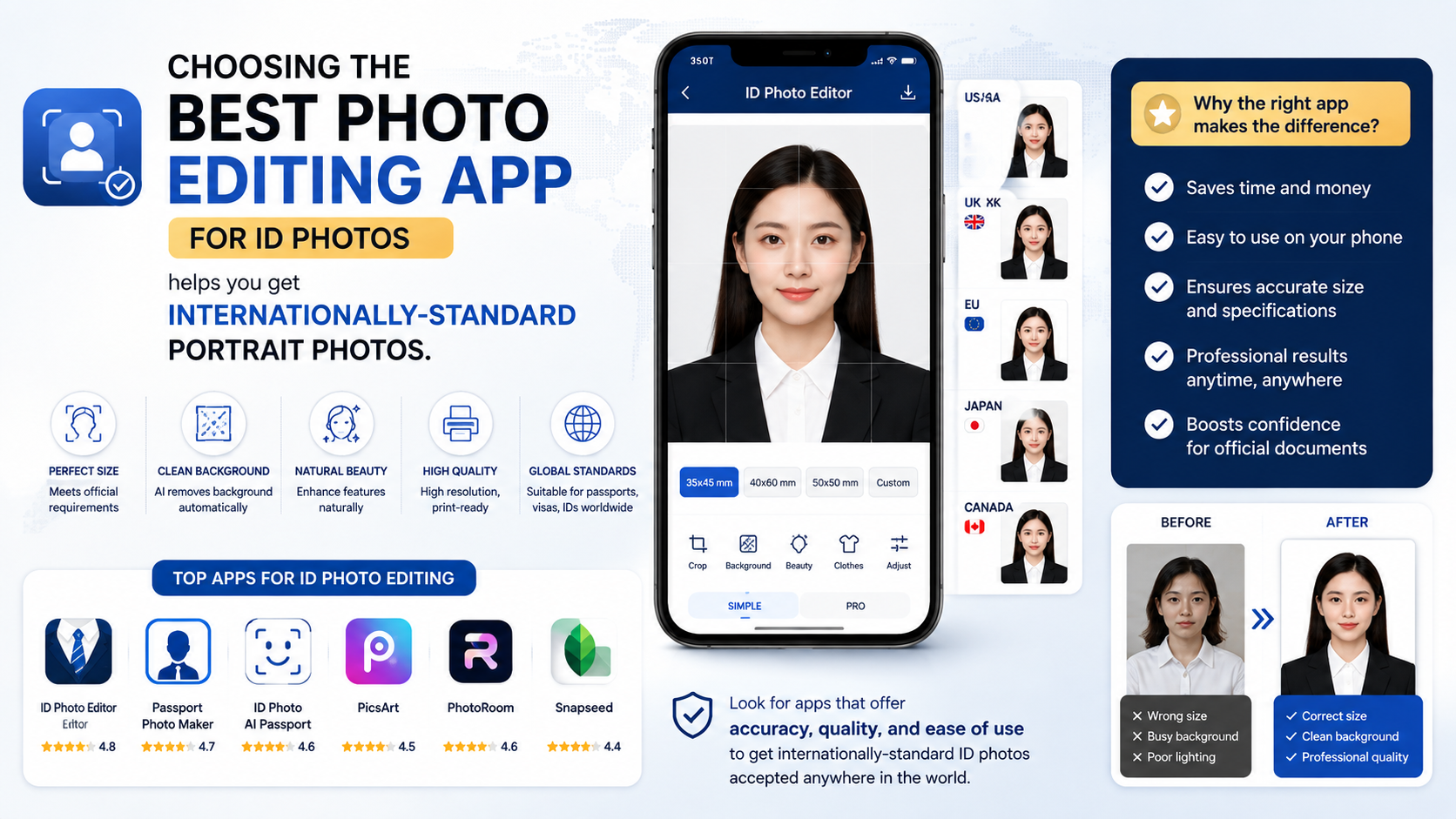
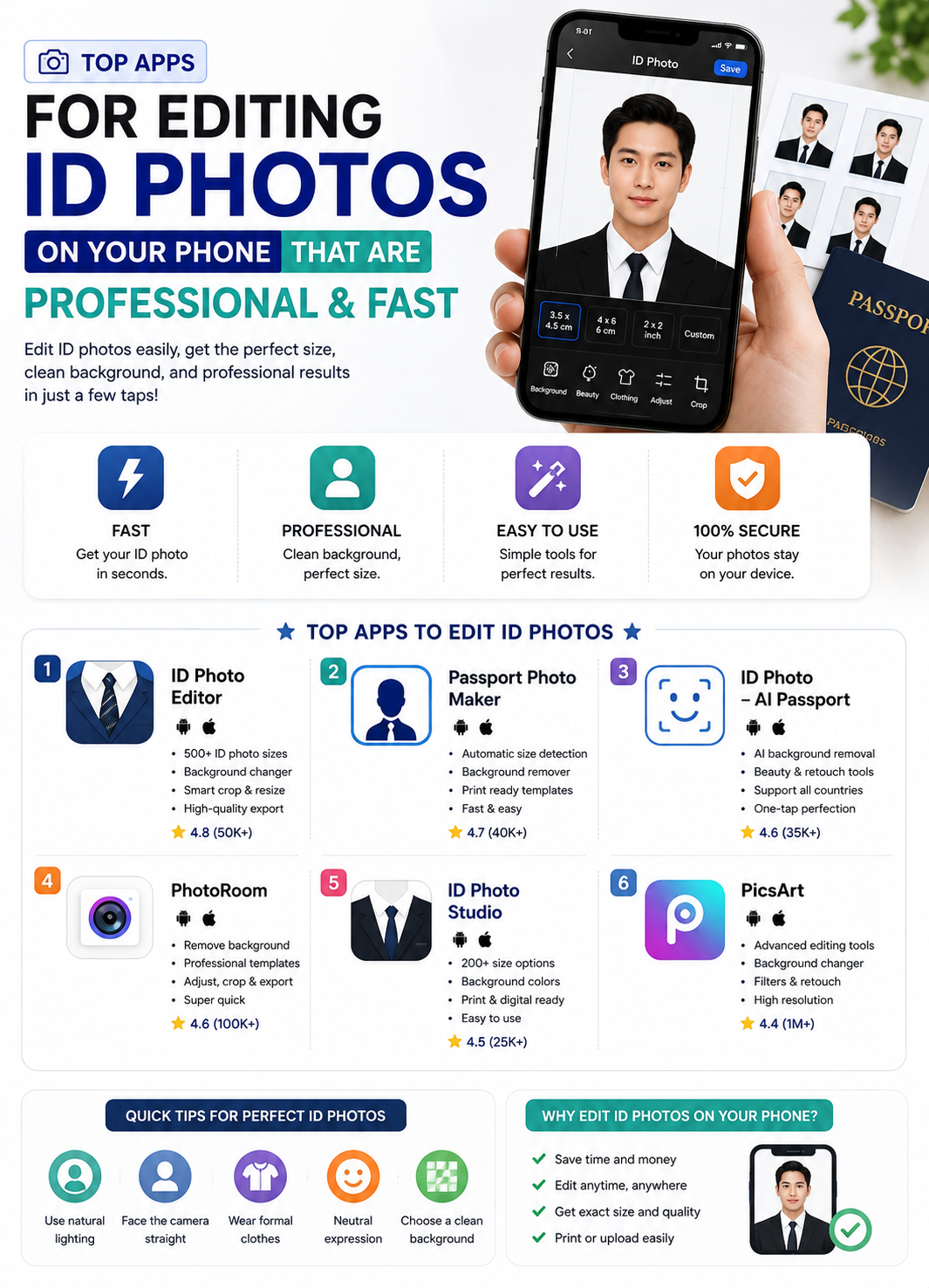
The most important factor determining the quality of a photo editing app is the accuracy of its background removal tool. The system needs to clearly distinguish between intricate strands of hair, shoulders, clothing edges, and rough backgrounds. The process of removing the old background must be smooth, leaving no blurry or jagged marks that reveal traces of digital manipulation.
2.2. Library background color standard according to administrative regulations
The colors used for ID photos always adhere to strict standards, most commonly blue or pure white tones. Professional applications must integrate these precise color codes into their systems. Applying the correct color range helps your photo look professional, consistent, and easily pass online review processes.
2.3. Built-in grid system for golden ratio alignment.
Each type of document has strict requirements regarding the distance from the top of the head to the edge of the photo, as well as the percentage of the face that occupies the entire image. High-quality applications always display visual guide gridlines on the screen. Users simply need to move or zoom in and out to fit the predefined frame.
3. Detailed step-by-step process for technically correct editing of ID photo backgrounds.
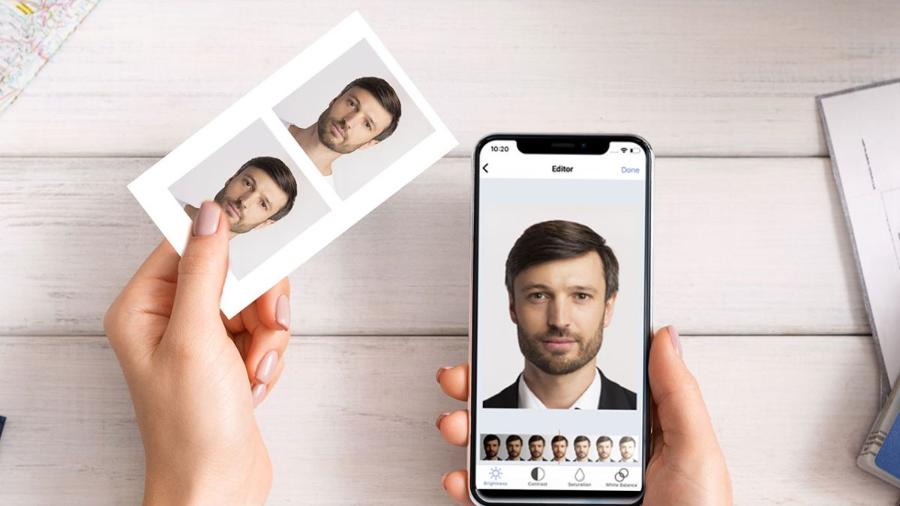
3.1. Step one: Set up the lighting conditions and shooting space.
You need to find a location with evenly distributed light, ideally facing a window to take advantage of soft natural light. Keep your face from being shadowed on one side and avoid standing directly under harsh ceiling lights. Position your phone camera at eye level, sit up straight, and maintain a distance of about one and a half meters.
3.2. Step two: Upload portrait images to the application system.
Open the installed app and select the dedicated background changing feature, then upload a clear photo from your personal collection. Note that you should choose photos with a straight, direct view, balanced shoulders, and your head held straight. Looking directly into the camera lens will ensure the minimum level of seriousness required for an identification photo.
3.3. Step three: Use the background removal tool and select a new background.
Activate the automatic background removal feature so the system automatically scans and removes unwanted background elements behind the character. Next, access the application's color palette to select a white or blue background color, as specified in the application processing agency's instructions. Carefully check the edges to ensure the new background color is evenly applied.
3.4. Step four: Change into formal attire and refine your appearance.
If your outfit isn't formal enough for the photoshoot, take advantage of the app's digital clothing library to add a white shirt or a business suit. Use skin smoothing or light balancing tools to gently remove temporary imperfections, making your face look brighter without losing its natural look.
3.5. Step five: Perform an overall quality check and proceed with file export.
Enlarge the image to double-check all the fine details around the shoulder and hairline one last time. Export the file in a high-quality format such as JPEG or PNG to maintain sharpness. Preserving high resolution prevents the image from becoming pixelated or blurry when uploaded to online public service systems.
4. Mistakes to avoid so your ID photo isn't rejected by the system.
4.1. Choosing the wrong or overly flashy background color.
Many people often choose shades of turquoise, green, or colors that are too dark or too light, not conforming to international standards. These incorrect colors detract from the formality of the photo. Always stick to the standard blue or white color range specifically designed for ID photos.
4.2. Abusing beauty filters can alter your face.
The primary purpose of a profile photo is to accurately identify biometric facial features. Excessively altering your chin, enlarging your eyes, or erasing distinctive features will transform you into someone else. Overuse of cosmetic enhancements will result in your profile being rejected during the automated review process.
4.3. Careless background cropping reveals traces of image manipulation.
When the application processes the image poorly or the user's manual editing is not meticulous enough, white, patchy borders will appear around the hair and clothing. This technical error makes the photo look extremely unprofessional. Such flawed image files are completely unsuitable for online approval or hard copy printing.
5. Smart photo editing and background changing utility for ID photos at appvip.ai
The appvip.ai website is built on next-generation artificial intelligence technologies, specializing in processing portrait images to international standards. At appvip.ai , the entire complex process, from identifying intricate hair edges and removing old backgrounds to applying standard color gradients, is performed completely automatically in just seconds. Customers simply access appvip.ai , upload a photo from their phone to the system, and select their desired background. The intelligent AI at appvip.ai will immediately calculate the proportions, optimize lighting, and return sharp, perfectly valid results, giving you complete confidence when submitting any online application.
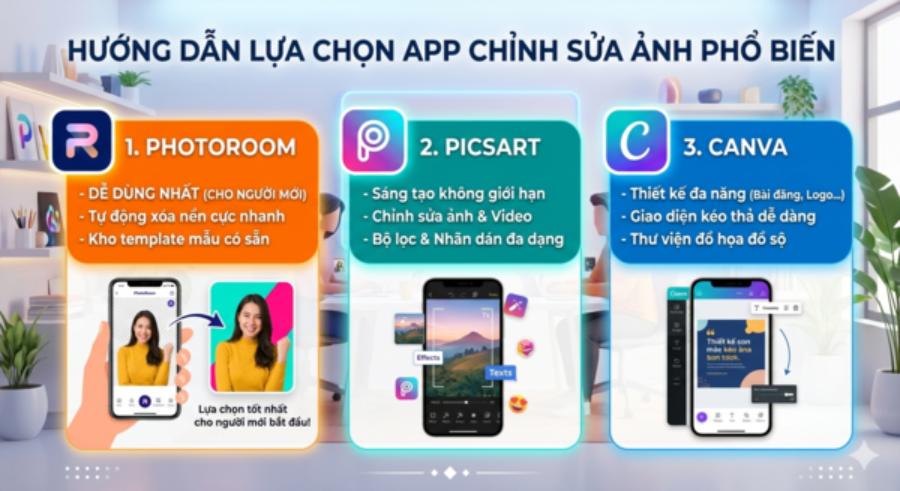
6. How to optimize your mobile device for the best image input source.
6.1. Clean the camera lens surface before taking pictures.
Mobile phone lenses easily accumulate sweat, dirt, and fingerprints during daily use. This hazy layer is a major cause of reduced photo contrast, making images appear foggy. You should use a soft, specialized cloth to clean the camera lens before you start taking pictures.
6.2. Activate the camera's highest resolution setting.
Many phone models default to a medium resolution to save storage space. Before taking a passport photo, access the camera app's settings and switch to high-quality or professional mode to capture the sharpest details of your face.
7. Conclusion
The advent of modern technology has made owning a beautiful and professional-looking ID photo easier than ever. Using a reputable photo editing app along with basic knowledge of lighting and posing will help you completely master your appearance on important documents. By trusting intelligent processing technology platforms, you not only save time and effort but also always get the best photos for yourself.





















VIP Products








Best Selling Products
Upgrade Duolingo Super
29 USD
Plugin Retouch4me
69 USD
Adobe Premiere Pro Account
99 USD
MidJourney Account
29 USD
Genuine Cheap Canva Pro
39 USD
Adobe Photoshop Copyright - Full App
120 USD
Genuine Adobe Illustrator account
99 USD
Freepik Premium Account
59 USD
Capcut Pro 1 Year
39 USD
Autodesk All App Account Copyright
120 USD
ChatGPT Plus Account (GPT-4)
16 USD
Upgrade genuine Capture One account
120 USD
Copyright Adobe Lightroom Account
59 USD
Upgrade Genuine Office 365
49 USD
Windows 10 & 11 Pro Key
36 USD