Best Selling Products

Freepik Premium Account
59 USD

Copyright Adobe Lightroom Account
59 USD

Genuine Cheap Canva Pro
39 USD

Windows 10 & 11 Pro Key
36 USD

ChatGPT Plus Account (GPT-4)
16 USD

Upgrade Genuine Office 365
49 USD

Adobe Premiere Pro Account
99 USD

Genuine Adobe Illustrator account
99 USD

Capcut Pro 1 Year
39 USD

Upgrade genuine Capture One account
120 USD

Plugin Retouch4me
69 USD

Autodesk All App Account Copyright
120 USD

Upgrade Duolingo Super
29 USD

Adobe Photoshop Copyright - Full App
120 USD

MidJourney Account
29 USD
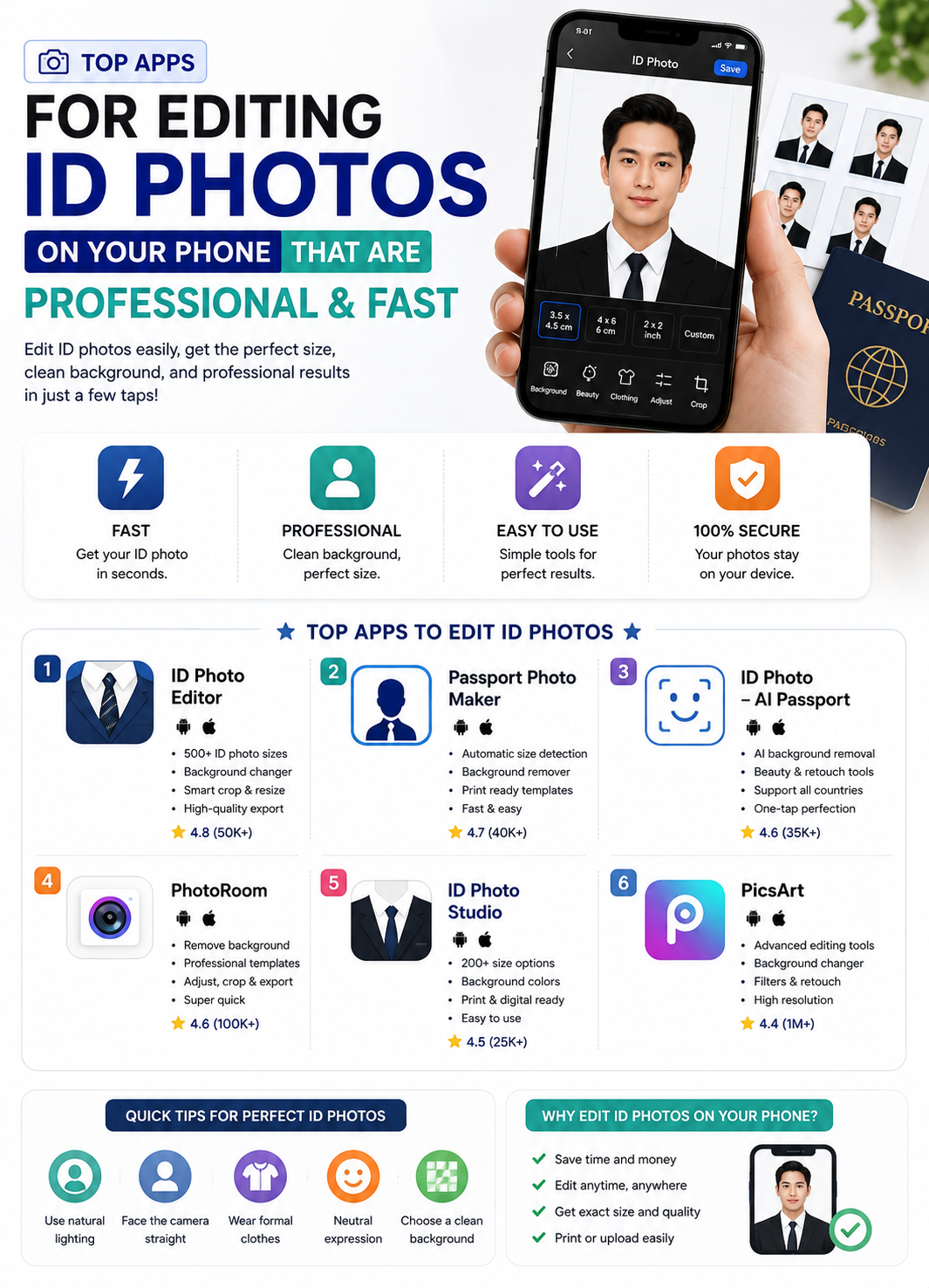
Choosing the best photo editing app for ID photos helps you get internationally-standard portrait photos.
Nội dung
- 1. The current trend of creating your own profile picture using photo editing apps.
- 1.1. Solving the time problem for busy people
- 1.2. Overcoming shyness and anxiety in front of strangers' cameras.
- 2. Mandatory technical standards for ID photo applications.
- 2.1. Automatic background detection and extraction algorithm
- 2.2. Library storage of various sizes according to prescribed standards.
- 2.3. Integrating a diverse digital clothing store with various designs.
- 3. Step-by-step process for creating high-quality portrait photos.
- 3.1. Step one: Setting up the shooting space and lighting
- 3.2. Step two: Import the image into the application's processing system.
- 3.3. Step three: Crop the image and change the background as required.
- 3.4. Step four: Correcting flaws and putting together a presentable outfit.
- 3.5. Step five: Final quality check and file export
- 4. Mistakes to avoid so your ID photo isn't rejected by authorities.
- 4.1. Abusing beauty filters and distorting facial features.
- 4.2. Incorrect head-to-frame ratio selection.
- 4.3. Using input images of excessively low quality.
- 5. Experience the groundbreaking photo ID processing solution at appvip.ai
- 6. How to optimize your personal device before taking photos.
- 6.1. Clean the camera lens surface thoroughly.
- 6.2. Activate the sensor's maximum resolution mode.
- 7. The vision for the development of mobile portrait photography technology.
- 7.1. Extensive integration of deep machine learning technologies
- 7.2. Trends towards direct synchronization with public service systems
- 8. Conclusion
A comprehensive guide to choosing high-quality photo editing apps for ID photos at home. Discover technological solutions for automatic background removal, costume replacement, and size adjustment at appvip.ai.
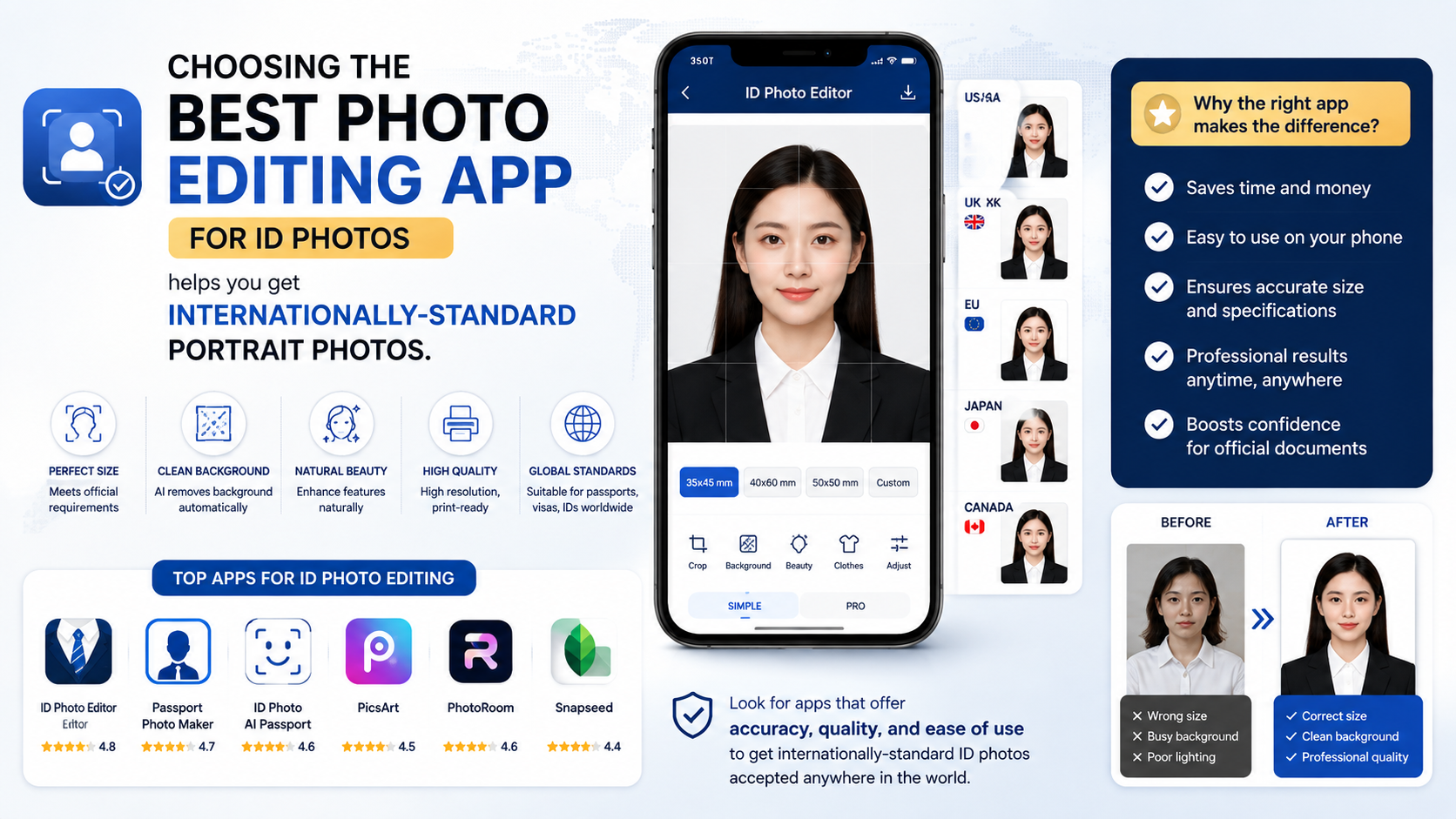
1. The current trend of creating your own profile picture using photo editing apps.
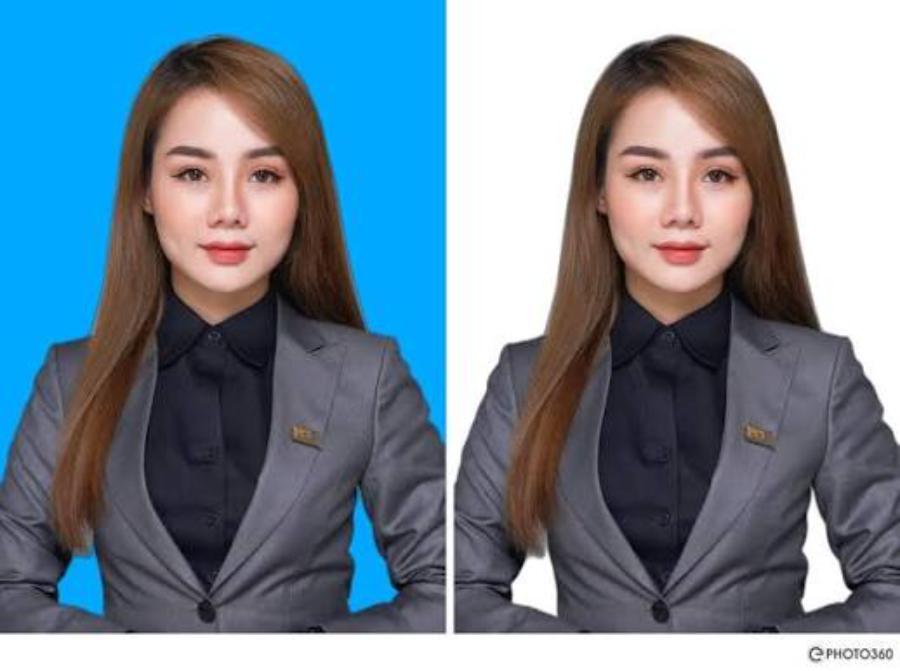
1.1. Solving the time problem for busy people
Modern life demands speed and convenience in all online administrative procedures. Searching for a photo studio, traveling in bad weather, and waiting for your files can often waste an entire workday. Utilizing photo editing apps at home allows you to complete your ID photo in just a few taps, ready to submit your application online anytime.
1.2. Overcoming shyness and anxiety in front of strangers' cameras.
Many people experience stiff facial muscles, wide eyes, or unnatural smiles when standing in front of a photographer's camera in a store. Taking selfies in a familiar space offers complete comfort, allowing you to easily adjust your facial expressions, perspective, and take multiple shots until you find the most radiant moment.
2. Mandatory technical standards for ID photo applications.
2.1. Automatic background detection and extraction algorithm
The most important element of a high-quality photo editing app is the accuracy of its background removal tool. The system needs to clearly distinguish between the hairline, shoulders, and background to smoothly remove the background. The insertion of a new green or white background must be natural, leaving no blurry or jagged edges that reveal signs of editing.
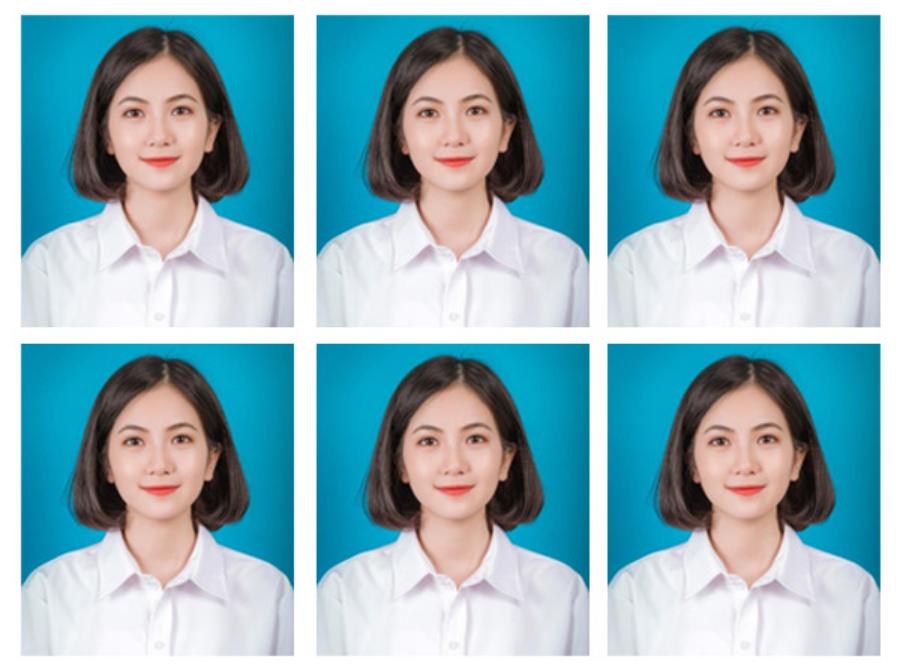
2.2. Library storage of various sizes according to prescribed standards.
Each country and type of administrative document applies its own strict size standards. Standard applications must include pre-set options for common aspect ratios such as 2x3, 3x4, 4x6, or international standard passport photo formats. A grid system helps users correctly position their eyes and head within the safe area.
2.3. Integrating a diverse digital clothing store with various designs.
A professional ID photo always requires formal attire such as a collared shirt or business suit. The smart clothing merging feature allows users to transform ordinary casual outfits into formal business attire in an instant, creating the feeling of being photographed in a high-end studio.
3. Step-by-step process for creating high-quality portrait photos.
3.1. Step one: Setting up the shooting space and lighting
You need to find an area with evenly distributed light, ideally facing a window during the day to take advantage of natural light. Ensure your face isn't shadowed on one side and avoid standing directly under harsh ceiling lights. Position the camera at eye level and maintain a comfortable distance of one to one and a half meters.
3.2. Step two: Import the image into the application's processing system.
Open your chosen app and upload a photo from your gallery or take one directly with the built-in camera. Ensure you are sitting with a straight back, shoulders balanced, head not tilted, and eyes looking directly into the lens. Maintaining a serious yet relaxed expression will make the photo more appealing.
3.3. Step three: Crop the image and change the background as required.
Select the correct size corresponding to the type of document you need to complete from the toolbar. Next, activate the automatic background removal function and choose the background color (blue or white) as required. Carefully check the edges of the hairline to ensure the new background is evenly and sharply applied.
3.4. Step four: Correcting flaws and putting together a presentable outfit.
Use skin smoothing and light balancing tools at a moderate level to remove temporary blemishes or dark circles. Next, access the clothing library to select a shirt or vest that suits the character's figure, adjusting the collar proportions to match the character's neck as naturally as possible.
3.5. Step five: Final quality check and file export
Review the entire image at a larger size to detect any minor errors. Export the file in a high-quality format such as JPEG or PNG to maintain sharpness when uploading to online public service systems or printing at a local photo shop.
4. Mistakes to avoid so your ID photo isn't rejected by authorities.
4.1. Abusing beauty filters and distorting facial features.
The core purpose of a photo ID is to accurately identify biometric facial features. Making the chin excessively sharp, enlarging the eyes, or blurring distinctive moles will transform the photo into that of a different person. This significantly increases the risk of your application being rejected during the automated review process by relevant authorities.
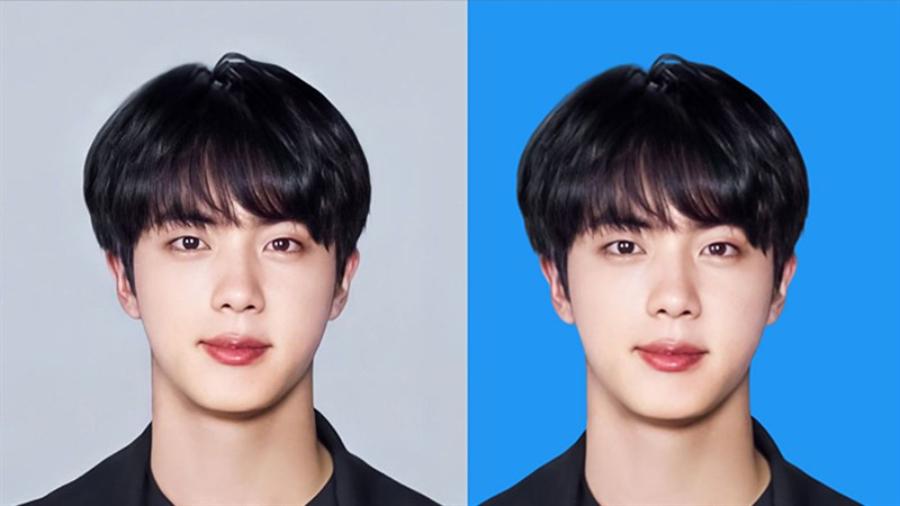
4.2. Incorrect head-to-frame ratio selection.
Passport and ID card photo standards always require the head to occupy seventy to eighty percent of the photo area. Cropping the photo too far, making the face appear smaller, or cropping too close, cutting off the shoulders, will make the photo non-standard and unacceptable on online application systems.
4.3. Using input images of excessively low quality.
Taking photos in low-light conditions or using a low-resolution front camera will result in grainy, blurry images. Even with the best apps, it's difficult to restore lost details. A blurry photo always looks unprofessional and unsuitable for printing.
5. Experience the groundbreaking photo ID processing solution at appvip.ai
For users seeking a fast and accurate portrait photo editing solution without the need to download or install complex software, the appvip.ai web system is the ideal destination. Developed using next-generation artificial intelligence, appvip.ai specializes in optimizing images according to standard procedures. At appvip.ai , every step, from ultra-accurate background removal and shadow elimination to automatic face ratio adjustment, is performed automatically in just seconds. Customers simply access appvip.ai , upload their photo, and select the desired ID photo type. The intelligent AI at appvip.ai will automatically calculate and return a sharp, correctly sized, and perfectly valid result, giving you complete peace of mind when submitting any type of application.
6. How to optimize your personal device before taking photos.
6.1. Clean the camera lens surface thoroughly.
Camera lenses on mobile devices easily accumulate dust, sweat, and fingerprints due to constant daily use. This hazy film is the main reason why photos lose contrast and clarity. You should use a soft, specialized cloth to clean the camera lens before you start taking pictures.
6.2. Activate the sensor's maximum resolution mode.
Many phone models default to a medium resolution to save storage space. Before taking a passport photo, access your camera settings and switch to the highest quality or professional mode to capture every sharp detail on your face.
7. The vision for the development of mobile portrait photography technology.
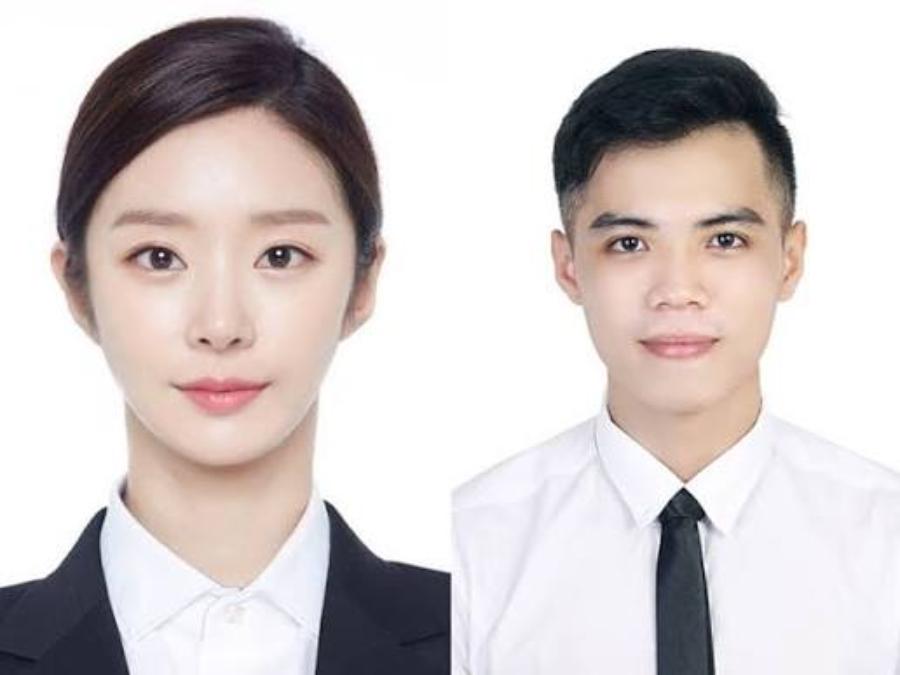
7.1. Extensive integration of deep machine learning technologies
Next-generation applications are shifting dramatically from manual editing to intelligent AI-powered processing. This technology is capable of analyzing millions of pixels on a face to provide the most optimal lighting and skin tone adjustments for each ethnic group, while ensuring maximum realism of the character.
7.2. Trends towards direct synchronization with public service systems
In the near future, portrait photo editing apps will integrate real-time validation filters. The system will immediately alert you if your photo violates standards regarding brightness, angle, or attire, ensuring that the output image file achieves a perfect approval rate when uploaded to government portals.
8. Conclusion
Modern technological solutions have made preparing your own passport photos simpler and more efficient than ever before. Owning a suitable photo editing app and mastering the basic rules of lighting and proportions allows you to completely control your appearance on important documents. By choosing smart processing platforms, you not only save time and effort but also always get the best photos.





















VIP Products








Best Selling Products
Freepik Premium Account
59 USD
Copyright Adobe Lightroom Account
59 USD
Genuine Cheap Canva Pro
39 USD
Windows 10 & 11 Pro Key
36 USD
ChatGPT Plus Account (GPT-4)
16 USD
Upgrade Genuine Office 365
49 USD
Adobe Premiere Pro Account
99 USD
Genuine Adobe Illustrator account
99 USD
Capcut Pro 1 Year
39 USD
Upgrade genuine Capture One account
120 USD
Plugin Retouch4me
69 USD
Autodesk All App Account Copyright
120 USD
Upgrade Duolingo Super
29 USD
Adobe Photoshop Copyright - Full App
120 USD
MidJourney Account
29 USD
Articles on the same topic