Best Selling Products

Copyright Adobe Lightroom Account
59 USD

Adobe Photoshop Copyright - Full App
120 USD

MidJourney Account
29 USD

Genuine Cheap Canva Pro
39 USD

Genuine Adobe Illustrator account
99 USD

Capcut Pro 1 Year
39 USD

Plugin Retouch4me
69 USD

Upgrade genuine Capture One account
120 USD

Upgrade Genuine Office 365
49 USD

Autodesk All App Account Copyright
120 USD

Windows 10 & 11 Pro Key
36 USD

Freepik Premium Account
59 USD

ChatGPT Plus Account (GPT-4)
16 USD

Adobe Premiere Pro Account
99 USD

Upgrade Duolingo Super
29 USD
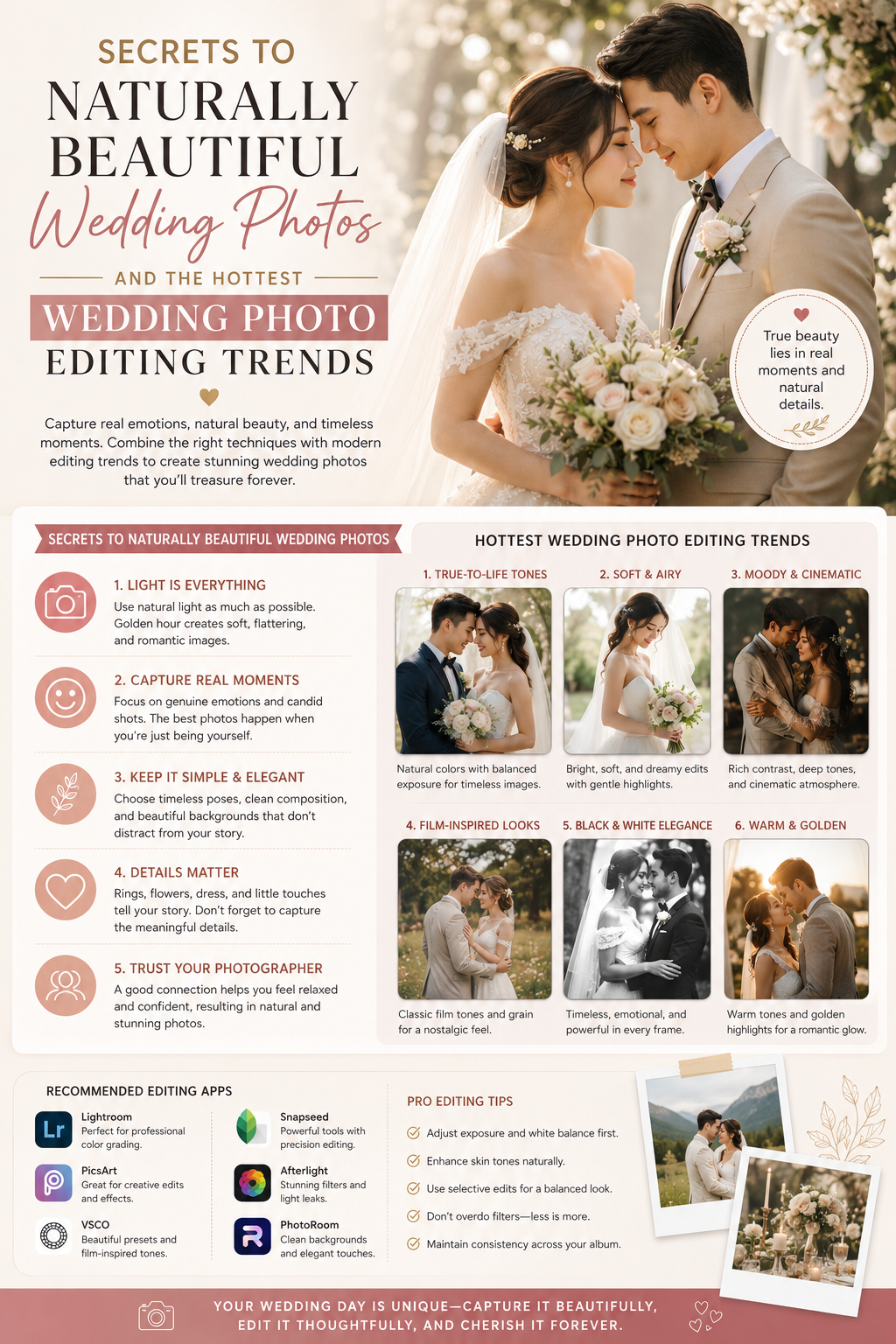
Secrets to naturally beautiful wedding photos and the hottest wedding photo editing trends.
Nội dung
- 1. The importance of editing wedding photos on the big day.
- 1.1. Overcoming unwanted flaws when taking photos
- 1.2. Shaping the style and emotion of the photo album
- 2. Key factors to consider when editing wedding photos
- 2.1. Preserving the natural beauty of the bride and groom.
- 2.2. Appropriate balance of light and contrast
- 2.3. Synchronize the tone of the entire album.
- 3. The most popular color editing trends for wedding photos today.
- 3.1. Korean color palette: clean and gentle
- 3.2. Vintage wedding photo color tones: nostalgic and romantic.
- 3.3. Luxurious and bold European color palette
- 4. Popular professional wedding photo editing tools and software.
- 4.1. Adobe Lightroom - Suitable for batch color management and correction.
- 4.2. Adobe Photoshop - The pinnacle of detail processing and advanced cutting and pasting.
- 4.3. Quick wedding photo editing apps on smartphones
- 5. Introducing the groundbreaking wedding photo editing solution at appvip.ai
- 6. A step-by-step guide to editing wedding photos perfectly for beginners.
- 6.1. Step one: Filter and classify high-quality images
- 6.2. Step two: Adjusting basic composition and brightness balance
- 6.3. Step three: Apply color filters and fine-tune the tonal range.
- 6.4. Step four: Adjusting facial and body details
- 6.5. Step five: Export the image file in high-quality format.
- 7. Common mistakes to avoid when editing wedding photos yourself.
- 7.1. Overuse of complex effects and filters
- 7.2. Skip checking the color accuracy of the display screen.
- 7.3. Over-smoothing the skin can cause the loss of facial detail.
- 8. Conclusion
A detailed guide to editing wedding photos, from basic to advanced. Discover top-rated software, the hottest color trends, and professional wedding photo editing services at appvip.ai.
1. The importance of editing wedding photos on the big day.
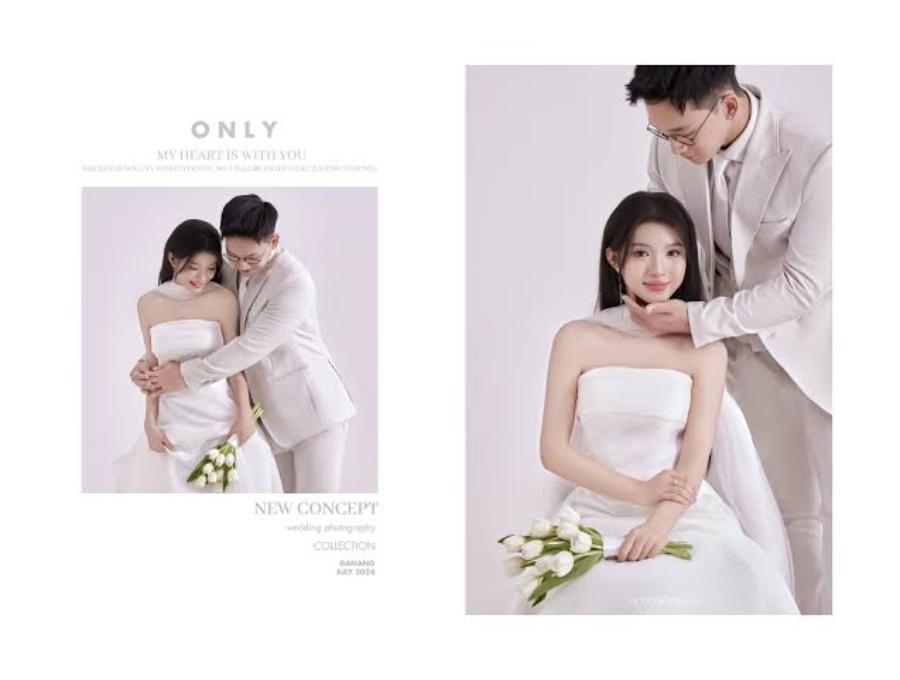
1.1. Overcoming unwanted flaws when taking photos
Wedding photoshoots, whether outdoors or in a studio, are often heavily influenced by external factors such as weather, constantly changing lighting, or dust. Photo editing helps photographers thoroughly remove unwanted details, clean up the background, and balance out overly dark or harsh lighting. Additionally, minor flaws in clothing, such as wrinkles in the wedding dress, or imperfections on the bride and groom's faces and skin, are minimized to create a more radiant look.
1.2. Shaping the style and emotion of the photo album
Each couple has a unique love story with its own distinct nuances. Post-production is when the photographer breathes life into the picture by adjusting the color tones. Warm tones evoke sweetness, while cool or vintage tones convey elegance and depth. The consistency of color across the photos creates a cohesive narrative for the entire album.
2. Key factors to consider when editing wedding photos
2.1. Preserving the natural beauty of the bride and groom.
Modern post-processing trends prioritize authenticity. Professional post-processors should avoid excessive face reshaping or leg lengthening that makes the subject look alien. Preserving natural features, focusing only on smoothing skin, brightening eyes, and harmoniously adjusting body shape will help the image retain its lasting value over time.
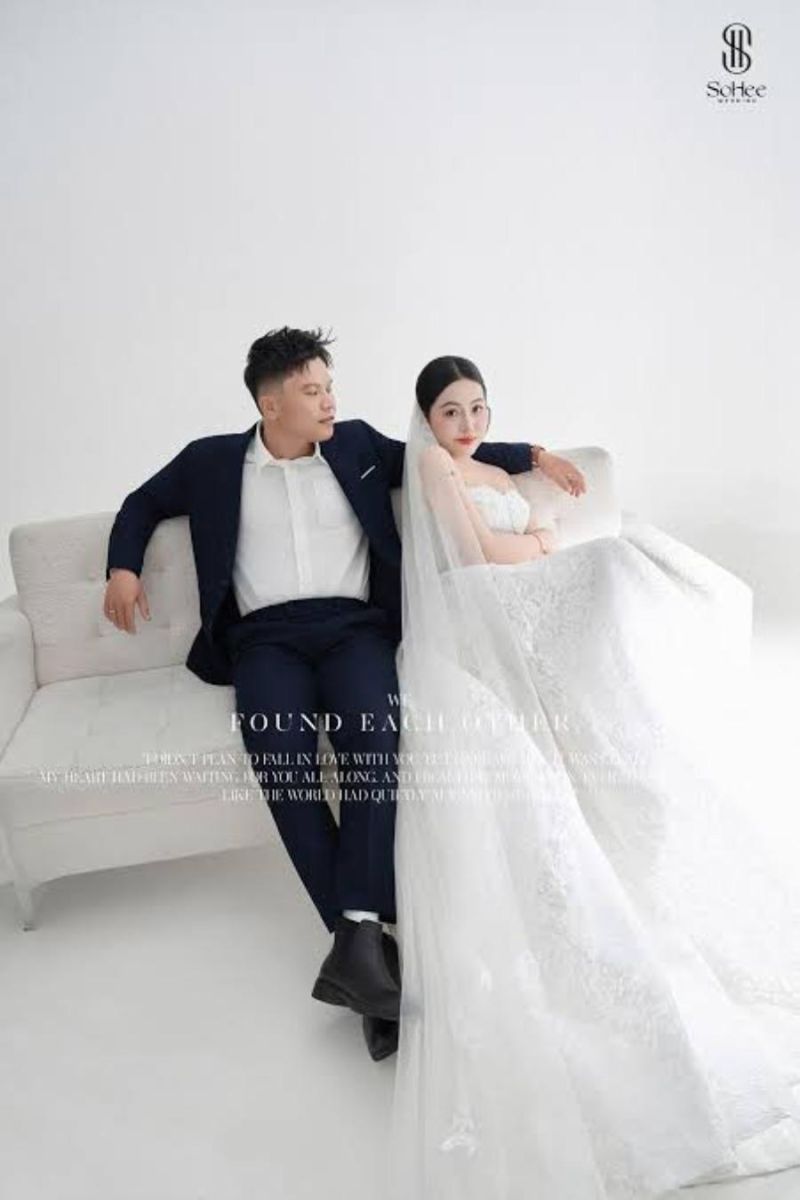
2.2. Appropriate balance of light and contrast
Light is the soul of photography. When editing wedding photos, mastering the tools for adjusting brightness, shadows, and contrast is crucial. A high-quality photo should clearly display details in both the brightest and darkest areas, without overexposure or loss of detail in hidden corners.
2.3. Synchronize the tone of the entire album.
A common mistake many people make when editing their own wedding photos is giving each photo a different color tone. This makes the overall photo catalog look disjointed and unprofessional. Establishing a dominant color filter and applying it consistently to all image files will create a professional and aesthetically pleasing result.
3. The most popular color editing trends for wedding photos today.
3.1. Korean color palette: clean and gentle
Korean-style wedding photos have always captured the hearts of couples thanks to their gentle and pure aesthetic. This trend focuses on brightening the background, reducing the saturation of warm colors, and aiming for naturally rosy, fair skin. Photos in this tone evoke a pleasant, elegant feeling and are timeless.
3.2. Vintage wedding photo color tones: nostalgic and romantic.
For couples who appreciate a sense of depth and nostalgia, vintage or retro tones are the perfect choice. By adding a touch of fine grain effect, reducing contrast, and overlaying a warm brown or light moss green hue, the wedding photos will resemble a poetic, classic cinematic scene.
3.3. Luxurious and bold European color palette
In contrast to the gentle tone of Korean style, European color tones emphasize high contrast and sharp detail. Colors in the photos are often bold and deep, with dominant shades such as bronze, dark blue, or deep brown. This style is perfectly suited for wedding photoshoots in historic buildings or luxurious castles.
4. Popular professional wedding photo editing tools and software.
4.1. Adobe Lightroom - Suitable for batch color management and correction.
Adobe Lightroom is considered a top-tier tool for photographers when editing wedding photos. This software boasts the ability to manage thousands of files simultaneously and allows for color synchronization with just one click. Its intelligent color adjustment sliders make it easy for users to manipulate specific color ranges.
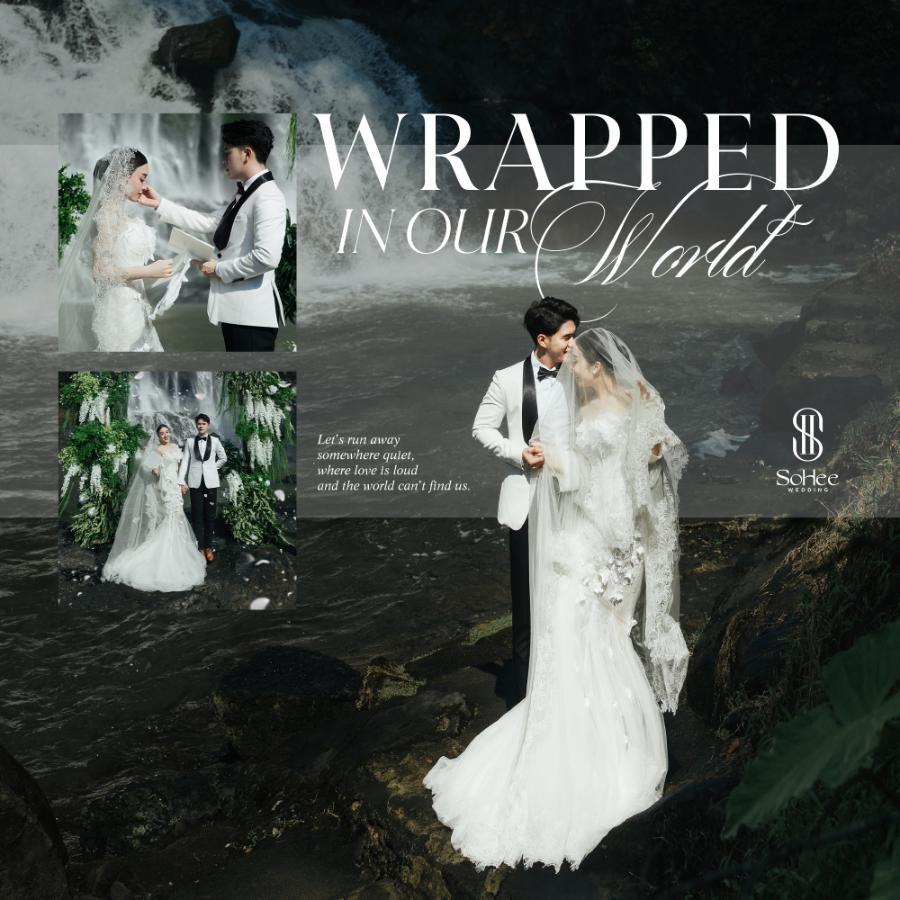
4.2. Adobe Photoshop - The pinnacle of detail processing and advanced cutting and pasting.
While Lightroom excels at overall color reproduction, Photoshop reigns supreme in detail processing. When it comes to editing wedding photos, such as removing complex unwanted objects, reshaping, facial adjustments, or adding clouds and scenes, Photoshop provides advanced tools that allow for smooth and precise processing down to the pixel.
4.3. Quick wedding photo editing apps on smartphones
The digital age allows couples to quickly edit wedding photos taken with their phones or party photos. Mobile apps come with a variety of built-in color filters, intuitive interfaces, and ease of use, helping users create beautiful photos to share on social media in just minutes.
5. Introducing the groundbreaking wedding photo editing solution at appvip.ai
The website appvip.ai offers users intelligent wedding photo editing tools integrated with modern artificial intelligence. At appvip.ai , the previously complex post-processing of wedding photos has been simplified to the maximum, allowing even non-professionals to create satisfying works of art. Customers can easily experience automatic color filtering, natural skin smoothing, and intelligent lighting adjustments with just a few clicks. appvip.ai is the ideal destination for couples who want to own a perfect wedding album, saving costs while ensuring top-notch artistic quality.
6. A step-by-step guide to editing wedding photos perfectly for beginners.
6.1. Step one: Filter and classify high-quality images
The post-processing stage always begins with selecting the best camera angles. You need to eliminate blurry, out-of-focus photos or those with too many duplicate shots. Categorizing photos by specific context helps the subsequent color grading process to be more coherent.
6.2. Step two: Adjusting basic composition and brightness balance
Crop the image to position the subject in the golden ratio, such as the one-third mark, to enhance its appeal. Next, adjust the overall brightness, increase the shadows to salvage dark details, and decrease the highlights to preserve the sky or the wedding dress.
6.3. Step three: Apply color filters and fine-tune the tonal range.
Choose a dominant color tone that matches the message of your wedding photo album. After applying presets or filters, you need to fine-tune the individual color tones, especially skin tones (usually in the orange and yellow ranges), to ensure the subjects' skin doesn't have an unusual color cast.
6.4. Step four: Adjusting facial and body details
Use advanced tools to cleanse blemishes, reduce dark circles under the eyes, and even out skin tone. Pay attention to adjusting the body shape moderately, maintaining a natural look so that the photo doesn't appear distorted or artificial to the viewer.
6.5. Step five: Export the image file in high-quality format.
The final step is image publishing. For wedding photos intended for large-format printing or photobook albums, you need to export the files in JPEG format with maximum quality or TIFF format, using RGB or CMYK color systems depending on the printer's requirements to avoid color inaccuracies.
7. Common mistakes to avoid when editing wedding photos yourself.
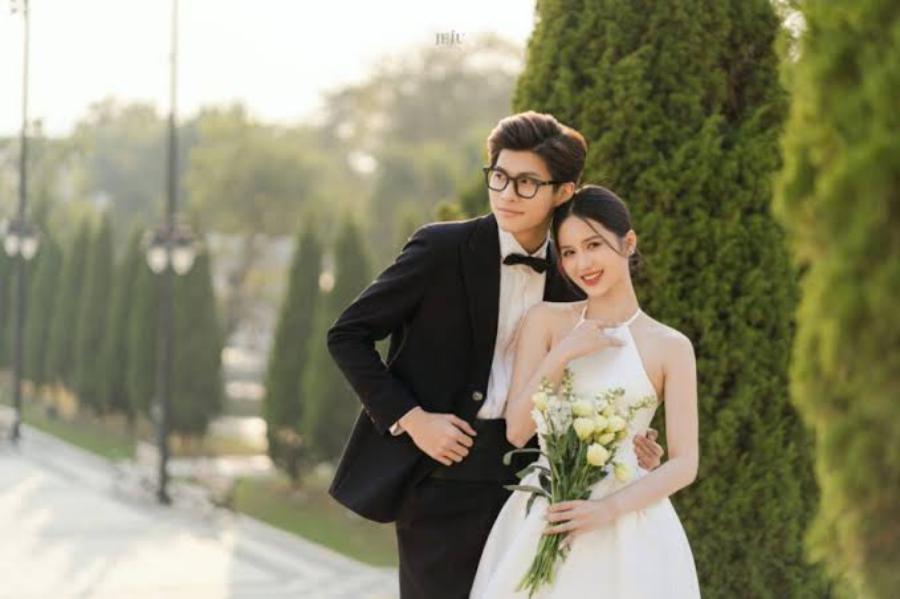
7.1. Overuse of complex effects and filters
Many people tend to overdo it with artificial lighting effects or overlapping color overlays. This inadvertently detracts from the authenticity and clarity of the wedding photo, causing eye strain for the viewer.
7.2. Skip checking the color accuracy of the display screen.
A classic mistake is editing wedding photos on a computer screen that hasn't been color-calibrated. The result is that the photo looks great on your computer, but when transferred to a phone or printed, the color tone is severely off, possibly with a blue or yellow tint.
7.3. Over-smoothing the skin can cause the loss of facial detail.
Overuse of automatic skin smoothing tools can easily make the subject's face look flat, losing its natural skin texture and facial contours. High-quality wedding photos still need to retain the most authentic and expressive details on the couple's faces.
8. Conclusion
Post-production and editing of wedding photos is an art that requires patience, a refined aesthetic sense, and the support of appropriate technological tools. A perfectly beautiful wedding photo will be a bridge through time, bringing you both back to the sacred emotions of your wedding day. By mastering the core principles, staying up-to-date with trendy color trends, and knowing how to utilize smart solutions, owning your dream wedding album is entirely within your reach.





















VIP Products








Best Selling Products
Copyright Adobe Lightroom Account
59 USD
Adobe Photoshop Copyright - Full App
120 USD
MidJourney Account
29 USD
Genuine Cheap Canva Pro
39 USD
Genuine Adobe Illustrator account
99 USD
Capcut Pro 1 Year
39 USD
Plugin Retouch4me
69 USD
Upgrade genuine Capture One account
120 USD
Upgrade Genuine Office 365
49 USD
Autodesk All App Account Copyright
120 USD
Windows 10 & 11 Pro Key
36 USD
Freepik Premium Account
59 USD
ChatGPT Plus Account (GPT-4)
16 USD
Adobe Premiere Pro Account
99 USD
Upgrade Duolingo Super
29 USD
Articles on the same topic