1. The nature and appeal of the art movement that integrates imagery into writing.
1.1 Concept of using images to create text in flat graphic design
Image-to-text is a technique that uses the strokes of text characters as a clipping mask to reveal a portion of the image underneath. Instead of displaying the text in monotonous, uniform colors, the strokes of the letters showcase the colors, details, and lighting of a landscape, portrait, or artistic pattern. This interplay creates an interesting optical illusion, allowing viewers to both understand the text and discover the hidden image within the strokes.
1.2 Behavioral psychology effects that attract the attention of digital users
The human brain is always stimulated and intrigued by unusual geometric structures or multi-layered, interwoven images. When browsing a publication that uses images to form text, viewers will unconsciously pause for a few extra seconds to try to decipher the information and see the image hidden behind the characters. This precious pause is a golden opportunity for brands to convey their advertising message, increase recall rates, and encourage deeper customer interaction.
1.3 The ability to convey dual messages in a single viewport
The most distinctive feature of this art style is its ability to tell two stories simultaneously without creating clutter or a cramped design. A meaningful message conveyed through text, when combined with a realistic photograph depicting the exact meaning of the text, creates a powerful emotional impact. For example, the word "FOREST" combined with a photograph of lush green trees provides a much more vivid and realistic visual experience than simply writing the word in plain green.
2. The core elements that make up an excellent photo monogram artwork.
2.1 Choose a font with thick strokes and a sturdy structure.
The success of a photo overlay design depends heavily on the display area of the text. If you choose thin fonts or or ornate handwritten fonts, the image hidden within will be largely obscured, making it difficult for viewers to understand the details. Prioritize sans-serif fonts with a bold (Black or Extra Bold) format to create ample space for the image below to shine.
2.2 Content compatibility between the source image and the meaning of the keyword
The image chosen as the background should not be a random choice but should have a strong logical connection to the meaning of the written text. This synchronization creates consistency in design thinking and helps the work achieve the desired artistic depth. An image with too many small details or chaotic colors should also be avoided to prevent blurring the edges of the text, making it difficult for the viewer to read and understand the text.
2.3 Techniques for handling borders and shadows to separate text from the main background.
When incorporating a complex image into text, the lettering can easily blend into the background if the background has similar color tones. Professional designers often apply additional effects such as creating thin, contrasting strokes or drop shadows to make the text stand out from the design surface. This spatial separation gives the artwork a distinct three-dimensional depth and makes it look much more professional.
3. A step-by-step guide to designing images with added text using specialized online software.
3.1 Step 1: Create the workspace and prepare design materials
The process of creating the artwork requires careful preparation, starting from the selection of materials, to ensure the best possible display quality for the final product.
-
Prepare source images: Look for high-resolution images with sharp contrast and a rich color range so that when cropped into smaller pieces, the text retains its detail.
-
System setup: Access the design website and select the standard frame size according to the regulations of the social media platform you plan to post on to avoid cropping later.
3.2 Step 2: Set up the artistic text block and proceed with image integration.
This stage is the heart of the editing process, requiring meticulous adjustments to capture the most valuable angles for inclusion in the text.
-
Text input: Type your desired keywords using bold fonts, increasing the font size to the maximum to dominate the main design space.
-
Apply a clipping mask: Upload the source image, place the image file on top of the text, and use a masking tool to automatically limit the image's display to the outlines of the text.
-
Adjust image position: Move the image behind the text to select the segment with the most beautiful colors or the most valuable details to be displayed.
3.3 Step 3: Refine spatial effects and publish high-quality file
The final step involves perfecting the artwork using lighting techniques and storing the data in the most optimal format.
-
Add a background effect: Set the main background color to a solid color that strongly contrasts with the tone of the text, for example, using a black background for a block of text containing a light-toned image.
-
Shadowing to create volume: Add a subtle, soft shadow beneath the text to create the illusion of the letters floating above the surface, enhancing the realism of a flat design.
-
Download high-quality files: Choose a high-quality PNG format to preserve the sharpness of text outlines and maintain the vibrant color range of the original image when displayed on devices.
4. The website appvip.ai provides next-generation automated innovation solutions.
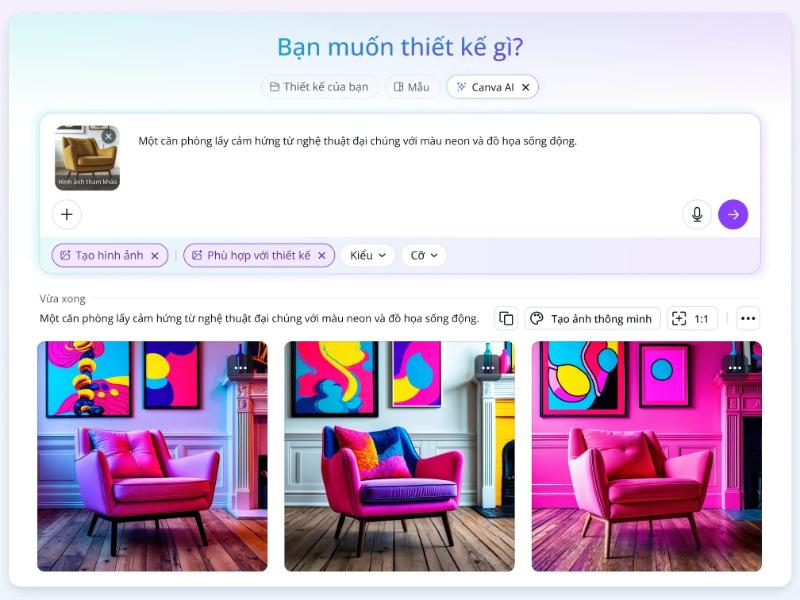
The website appvip.ai is a leading ecosystem integrating the power of advanced artificial intelligence into everyday image and text processing tasks for general users. The platform is built to completely eliminate cumbersome technical barriers, allowing those without artistic talent or professional graphic design software skills to create expert-quality media publications and text-based images with just a click of the mouse. The intelligent system automatically analyzes text structure, identifies color ranges in the source image, and perfectly adjusts geometric proportions, resulting in superior work efficiency for content creators and small business owners. Experiencing this next-generation technology space not only saves you maximum operational time but also opens up opportunities to access the most advanced automated graphic design trends today.
5. Practical applications of the trend of creating text in images in digital life.
5.1 Designing attractive cover images and advertising banners for marketing campaigns.
In marketing campaigns promoting new products or major events, banners using image overlay techniques always create a strong visual impact on viewers. Integrating images of a summer beach into the word "TRAVEL" or a warm cup of coffee into the word "MORNING" helps convey the campaign's message quickly, directly, and artistically without the need for overly complicated explanations.
5.2 Develop a creative and highly iconic brand logo system.
An excellent brand logo needs to be minimalist yet still contain a deep story within. Applying the image-to-text method to logo design helps businesses create unique and unparalleled impressions. When customers see the logo, they will immediately understand the business's field of activity through the distinctive image cleverly integrated within the initials of the brand name.
6. Conclusion
The application of online photo-generated text is a groundbreaking design solution, freeing content creators to unleash their aesthetic thinking and elevate the visual quality of all digital media publications in the new era. The perfect combination of profound words and vivid images creates a powerful way to express emotions, easily touching the hearts of viewers at first glance. Start your creative journey today, experiment with unique color combinations to create outstanding photo-generated text artworks, asserting your position and unique personal style on the global digital art map.