Best Selling Products

Windows 10 & 11 Pro Key
36 USD

MidJourney Account
29 USD

Plugin Retouch4me
69 USD

Upgrade Duolingo Super
29 USD

Copyright Adobe Lightroom Account
59 USD

Upgrade genuine Capture One account
120 USD

Freepik Premium Account
59 USD

Upgrade Genuine Office 365
49 USD

Autodesk All App Account Copyright
120 USD

Adobe Photoshop Copyright - Full App
120 USD

Capcut Pro 1 Year
39 USD

Genuine Cheap Canva Pro
39 USD

ChatGPT Plus Account (GPT-4)
16 USD

Genuine Adobe Illustrator account
99 USD

Adobe Premiere Pro Account
99 USD
Experience Nano Banana – Smart AI Image Editing from Gemini
Nội dung
- 1. A Complete 10-Step Guide to Mastering Nano Banana
- 1.1. Log into Gemini to Use Nano Banana
- 1.2. Activate Nano Banana
- 1.3. Create Your First Image
- 1.4. Refine Images as Desired
- 1.5. Edit Your Images
- 1.6. Describe the Edits
- 1.7. Change the Background
- 1.8. Blend and Combine Images
- 1.9. Multi-Step Editing to Create the Perfect Image
- 1.10. Apply Patterns for Unique Highlights
- 2. A Guide to Writing Prompts for the Most Accurate Nano Banana Images
- 3. Advice for Users When Choosing an Image Editing Tool
- 4. Buy Genuine Licensed Software at Appvip
- 5. Conclusion
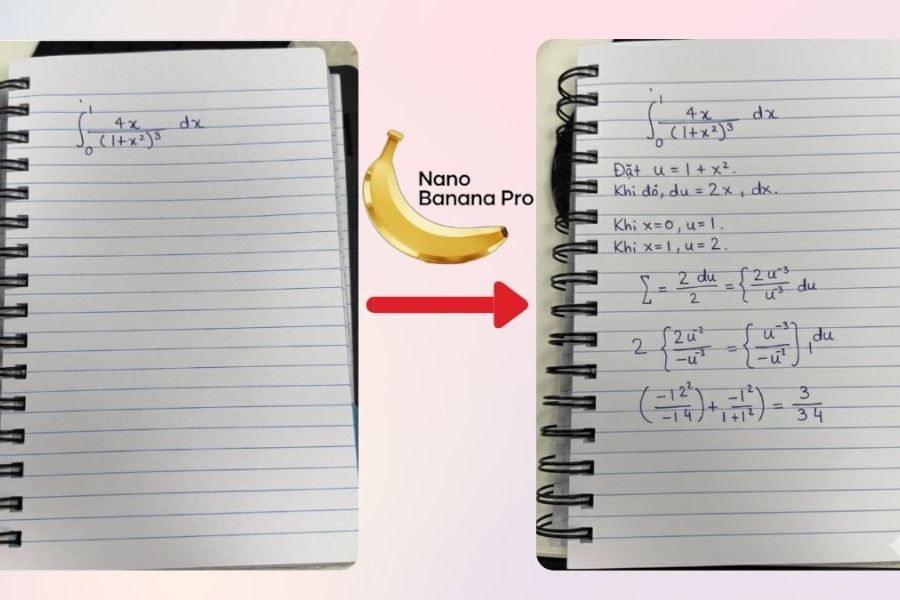
In the era of rapidly advancing AI technology, creating beautiful and impressive images is no longer difficult or time-consuming. Nano Banana from Gemini delivers an intelligent image editing experience, helping you turn every creative idea into reality with just a few simple actions.
1. A Complete 10-Step Guide to Mastering Nano Banana
1.1. Log into Gemini to Use Nano Banana
First, to begin experiencing Nano Banana, you need to log into the Gemini application. If you already use Google products such as Gmail or Docs, signing in becomes extremely simple because you can directly use your existing Google Account. With just a few basic steps, you can connect and get ready to explore this smart image editing tool.
If you do not yet have an account, there is no need to worry. Creating a free account on Gemini takes less than a few minutes. After registration, you will gain access to all basic features, including Nano Banana, and can start creating images immediately. This is an important step to ensure all your editing actions are stored and synchronized seamlessly.
.jpg)
1.2. Activate Nano Banana
Once you log into Gemini, you will see an introduction notification for Nano Banana. Since this is a new feature, the application will guide you through quick access instructions. You simply need to click the provided link or select the “Create Image” option in the tools section to get started.
After activation, Nano Banana will be ready for use. Its intuitive interface makes it easy to familiarize yourself with, even if you have never used AI image editing tools before. This is an important step to ensure you can fully experience the power of AI quickly and conveniently.
1.3. Create Your First Image
One of the most exciting experiences with Nano Banana is the ability to create images from your own ideas. Although its biggest attraction comes from image editing functions, you can still experiment with generating completely new visuals. Simply enter a text command describing your idea in detail and press Enter — Nano Banana will transform it into a vivid image.
For example, you can try creating a scene of a swan gliding gently across a lake with two baby swans beside it. Within just a few seconds, you will see your imagination brought to life in a vibrant and visual way. This not only helps you explore creativity but also makes it easy to understand how Nano Banana works in a simple and intuitive manner.
.jpg)
1.4. Refine Images as Desired
After generating an image, Nano Banana allows you to refine it until it matches your expectations. You simply describe the changes you would like to see, such as modifying the time of day, colors, or background setting. The more detailed your description is, the closer the result will align with your vision.
For example, if the original image is set during the daytime, you can request a nighttime atmosphere, and Nano Banana will automatically adjust the lighting, colors, and environment accordingly. This is one of the tool’s strongest advantages, helping each image not only look visually appealing but also accurately reflect the user’s unique ideas and style.
1.5. Edit Your Images
The most impressive feature of Nano Banana is its intelligent and intuitive image editing capability. You can use AI-generated visuals or upload photos taken with your phone or camera. Uploading images is extremely simple — just click the plus icon, select an image from your device, and Nano Banana will be ready to edit it according to your preferences.
This functionality opens countless creative opportunities. You can refine details, change outfits, add lighting effects, or fix small imperfections that previously required complex software to accomplish. Most importantly, every action is highly intuitive, helping you quickly transform ordinary photos into vivid and professional-looking images.
.jpg)
1.6. Describe the Edits
After selecting an image, the next step is describing the edits you want Nano Banana to perform. You do not need to know complicated photography terminology or technical concepts — simply write the changes you want as if you were talking to a friend. The more specific your description is, the more accurate and suitable the results will be.
For example, you can upload your portrait and ask Nano Banana to dress you in a suit standing in front of a window overlooking the Brooklyn Bridge. The tool will understand your concept and automatically adjust details from clothing to lighting, creating a complete image while maintaining a natural appearance. This is what makes Nano Banana approachable and easy for all users.
1.7. Change the Background
Another remarkable feature of Nano Banana is the ability to change image backgrounds. You simply select an image and clearly describe the new background you want, such as moving from an outdoor setting to an indoor space or changing from a modern environment to a vintage one. AI will preserve the important character and composition details while only modifying the background as requested.
For example, you can use the command: “Use the image of me standing in front of the Brooklyn Bridge, keep everything intact but place me inside a classic library.” Nano Banana will automatically adjust the lighting, colors, and background details, creating a completely new image while remaining faithful to the original. This feature allows you to transform simple photos into highly creative works within seconds.
.jpg)
1.8. Blend and Combine Images
Nano Banana not only helps edit individual images but is also an excellent tool for combining two or more images into a completely new creation. You simply upload the images you want to blend and describe the new scene you wish to create. AI will automatically merge the details from each image naturally and harmoniously, producing results that often exceed expectations.
For example, you can upload a photo of an antique lamp and ask Nano Banana to replace a book lying on a table with that lamp. Within seconds, the tool will turn your idea into a complete image while preserving important details and naturally integrating the new object. This blending feature unlocks endless creative possibilities, from creating virtual environments to editing products for professional projects.
1.9. Multi-Step Editing to Create the Perfect Image
Another standout advantage of Nano Banana is its multi-step editing capability, meaning you can perform multiple edits consecutively on the same image or subsequent versions. This feature allows you to build an image step by step, creating the final product exactly as desired without needing to start over.
For example, you can begin by adding a tree to an empty field. In the next step, you can request a tent nearby, followed by additional elements such as a pathway or a small lake. By repeating this process, you gain control over every detail and gradually perfect the image. This is an ideal tool for users who want to carefully and flexibly express creative ideas step by step.(1).jpg)
1.10. Apply Patterns for Unique Highlights
Nano Banana also allows you to apply patterns from one image onto another, opening opportunities to create unique and stylish designs. You simply upload an image containing the pattern you like and instruct AI to apply it onto an object within the main image. AI will automatically recognize and blend the pattern naturally, making the image more vibrant and distinctive.
For example, you can upload a photo of a vintage fabric pattern and ask Nano Banana to apply it to a chair or jacket within your image. The result will preserve the original composition and important details while adding a creative and eye-catching style. This feature is especially useful for interior design, fashion, or digital art projects, allowing users to fully express creative ideas without requiring advanced design skills.
2. A Guide to Writing Prompts for the Most Accurate Nano Banana Images
When using Nano Banana, one of the most important factors in creating beautiful and accurate images is the prompt — the detailed command describing the image you want AI to generate or edit. A well-written prompt helps Nano Banana understand your idea precisely and produce natural, vivid results without mismatched tones or missing details.
First, begin with specificity and detail. The clearer your description of the subject, environment, lighting, colors, style, and emotions, the closer the result will be to your expectations. For example, instead of simply writing “a dog in the park,” you could write: “a Golden Retriever running on green grass in a park during the morning, soft lighting, clear blue sky, realistic photography style, full of energy.” This prompt provides enough detail for AI to understand not only the subject but also the setting, lighting, and emotional atmosphere.
Next, use additional elements to enhance aesthetics and creativity. You can include details about artistic style, photography techniques, lighting effects, prominent colors, or the overall feeling. For example, if you want an artistic portrait, you could add: “oil painting style, soft lighting, subtle background bokeh, warm color tones.” These details help the final image gain more depth, vibrancy, and individuality.
In addition, dividing prompts into clear sections is also an effective technique. Describe the main subject first, then the setting, followed by supporting details, and finally the style or emotional tone you want the image to convey. This structure helps Nano Banana better understand your idea and reduces the risk of generating cluttered or inconsistent visuals.
Another important factor is using simple, natural, but specific language. You do not need complex photography terminology or technical words — simply write as if you were describing a scene to a friend. For example: “A girl wearing a red dress standing on the beach at sunset, hair blowing in the wind, warm light reflecting on the water.” This command is detailed, easy to understand, and AI-friendly, helping Nano Banana create vivid and realistic imagery.
Finally, do not hesitate to experiment and refine multiple times. Nano Banana allows you to edit or add details after the first image generation. If the image is not exactly as expected, clearly describe what needs to be changed and AI will refine it accordingly. This process gradually helps you perfect the image and achieve a more satisfying and creative final result.
3. Advice for Users When Choosing an Image Editing Tool
When faced with many image editing tool options, you should consider your purpose and skill level to choose the most suitable solution. For beginners or users without professional design experience, Nano Banana is an ideal choice. This tool saves time, offers intuitive operations, and is easy to use, allowing you to create beautiful images with just a few clicks.
On the other hand, if you are a designer, photographer, or someone working deeply with images, licensed Photoshop remains irreplaceable. With its full suite of professional features, detailed editing capabilities, color management, and advanced effects, Photoshop allows you to create high-quality professional-standard works.
An optimal solution is combining both tools. You can use Nano Banana for quick editing, idea experimentation, and AI image creation, then use Photoshop for advanced refinements and final polishing. This combination saves time while still ensuring maximum quality and creativity..jpg)
4. Buy Genuine Licensed Software at Appvip
Using licensed software provides many practical benefits. First, you gain access to the latest features, ensuring a smooth and modern experience. In addition, licensed software helps secure data and protect your computer from viruses and malicious software — especially important when working with images and important projects.
Another advantage is receiving official technical support from developers. Whenever problems arise or consultation is needed, professional experts will be ready to assist you, ensuring uninterrupted work and maximum efficiency. This is a major benefit that pirated or cracked software cannot provide.
In Vietnam, Appvip is a trusted source for licensed software at competitive prices. From Microsoft 365 and Adobe Photoshop to AI tools and educational applications, all products are genuine and include dedicated support. When purchasing from Appvip, you not only gain confidence in product quality but also receive detailed consultation to help choose the right software for your needs and usage goals.
5. Conclusion
Nano Banana truly opens a new direction in the world of AI image editing, where the power of artificial intelligence combines with an intuitive interface to help users create and edit effortlessly. This tool not only allows you to refine every small detail in selfies but also expands creative possibilities through unique visuals generated from personal ideas. You can experiment with various styles, naturally modify image details, or even create visuals that previously existed only in imagination. With Nano Banana integrated into the Gemini application, image editing becomes faster, more convenient, and more inspiring, helping users confidently express individuality and personal style through every image. This is undoubtedly a tool that anyone passionate about creativity and smart image editing should not miss.





















VIP Products








Best Selling Products
Windows 10 & 11 Pro Key
36 USD
MidJourney Account
29 USD
Plugin Retouch4me
69 USD
Upgrade Duolingo Super
29 USD
Copyright Adobe Lightroom Account
59 USD
Upgrade genuine Capture One account
120 USD
Freepik Premium Account
59 USD
Upgrade Genuine Office 365
49 USD
Autodesk All App Account Copyright
120 USD
Adobe Photoshop Copyright - Full App
120 USD
Capcut Pro 1 Year
39 USD
Genuine Cheap Canva Pro
39 USD
ChatGPT Plus Account (GPT-4)
16 USD
Genuine Adobe Illustrator account
99 USD
Adobe Premiere Pro Account
99 USD