Best Selling Products

Upgrade genuine Capture One account
120 USD

Adobe Photoshop Copyright - Full App
120 USD

Autodesk All App Account Copyright
120 USD

Plugin Retouch4me
69 USD

Upgrade Genuine Office 365
49 USD

MidJourney Account
29 USD

ChatGPT Plus Account (GPT-4)
16 USD

Capcut Pro 1 Year
39 USD

Upgrade Duolingo Super
29 USD

Copyright Adobe Lightroom Account
59 USD

Freepik Premium Account
59 USD

Genuine Cheap Canva Pro
39 USD

Windows 10 & 11 Pro Key
36 USD

Genuine Adobe Illustrator account
99 USD

Adobe Premiere Pro Account
99 USD
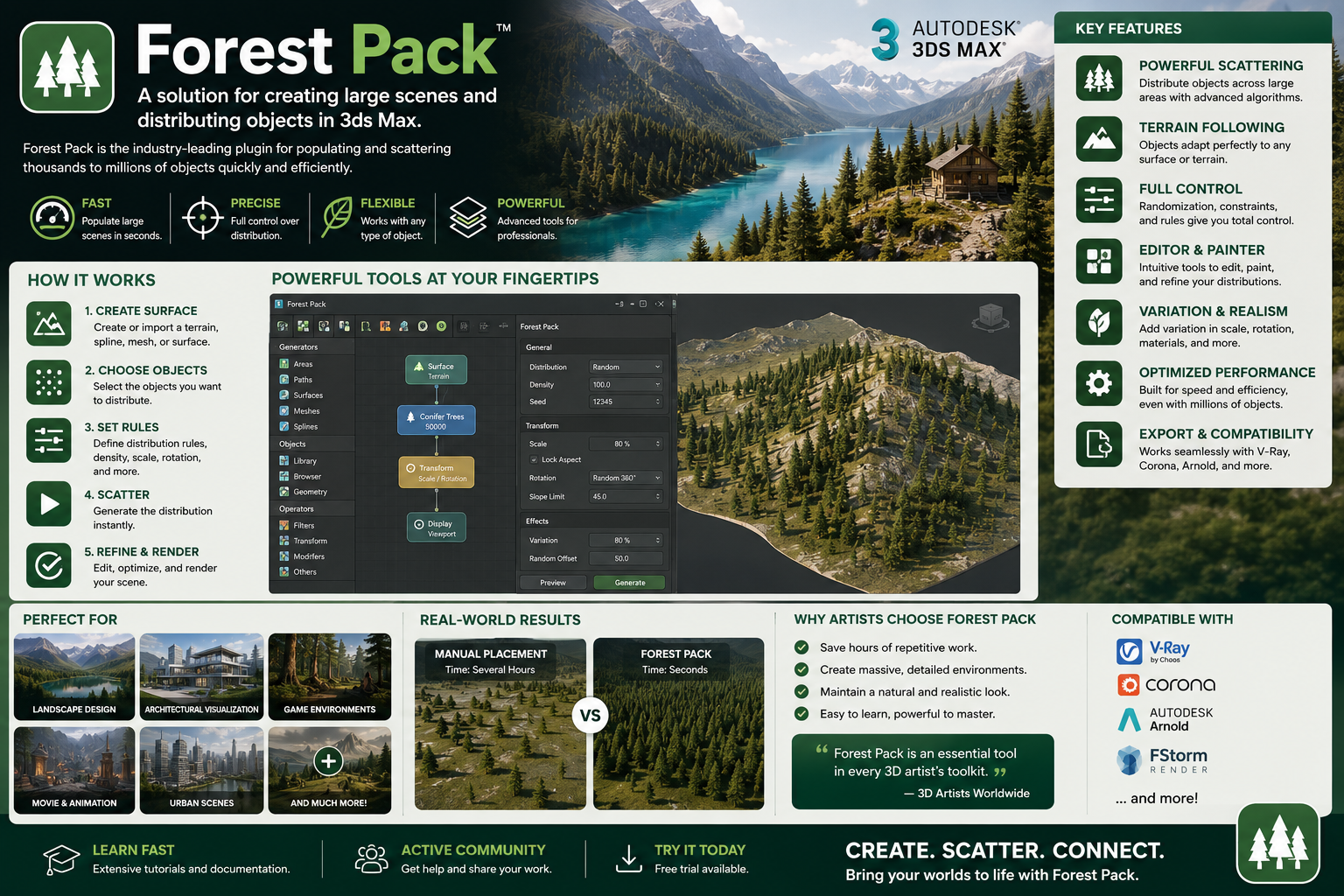
Forest Pack: A solution for creating large scenes and distributing objects in 3ds Max.
Nội dung
- 1. Learn about Forest Pack
- 2. What is a Forest Pack used for?
- 3. What is Scattering?
- 4. Create large-scale scenes
- 5. Not just for plants
- 6. Art Control
- 7. Erect climbing plants.
- 8. Library Management
- 9. Scene Assembly và Procedural Layout
- 10. Forest Pack in the 3ds Max workflow
- 11. Is Forest Pack just a plugin for scattering trees?
Forest Pack is a complete toolset for Autodesk 3ds Max, focusing on scene rendering, object placement, and procedural environment creation.
1. Learn about Forest Pack
Forest Pack is a comprehensive toolset for Autodesk 3ds Max, focusing on scene rendering, object distribution, and procedural environment creation. Its most well-known component is the scattering plugin, widely used to create areas with very high object density.
With the manual method, if you want to create a forest, a meadow, or a rocky area, you have to copy, move, rotate, and resize each object individually. When the number reaches thousands or millions, this method quickly becomes time-consuming and makes the scene difficult to manage.
Forest Pack solves this problem by allowing users to define the source objects, the distribution area, and the distribution rules. The plugin then creates a procedural system to distribute the objects according to the settings. Users can still control the density, position, orientation, size, and many other characteristics of the objects.
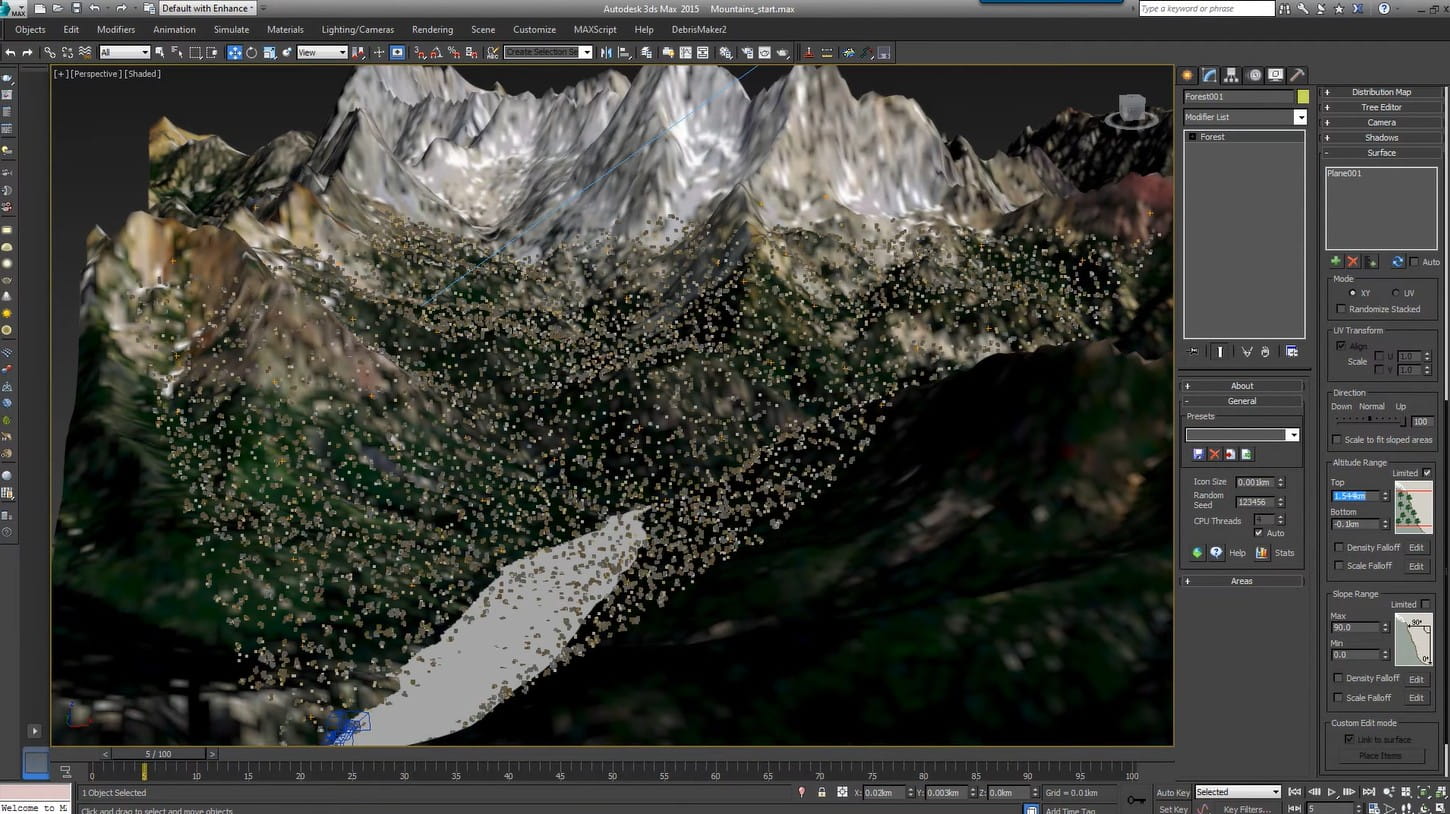
The important point is that Forest Pack isn't just for trees. In principle, if an object can be created and used in a 3ds Max scene, Forest Pack can use it as a component for distribution.
2. What is a Forest Pack used for?
The primary purpose of Forest Pack is to help users build large-scale scenes faster while maintaining artistic control.
In architecture and exterior rendering, Forest Pack can be used to create lawns, rows of trees, parks, gardens, forests, or urban landscapes. Instead of placing each tree into the scene, users can create a distribution area and let the system handle it automatically.
In the field of 3D environments, Forest Pack is particularly useful when the scene requires a large number of repeating objects. These objects could be trees, grass, bushes, rocks, gravel, ground cover, or other scene elements.
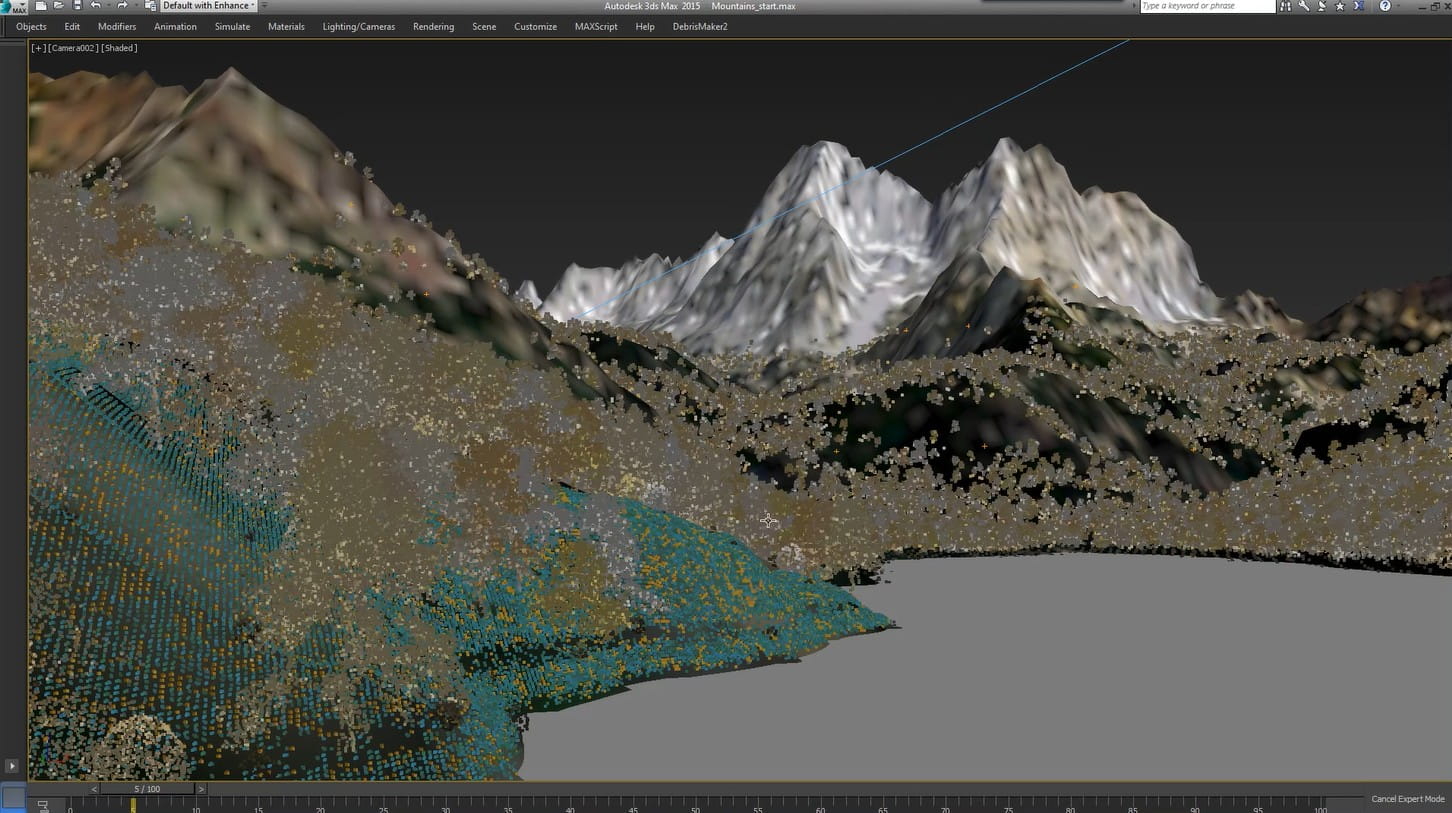
Plugins can also be used for less common scenarios such as distributing buildings, lights, crowds, or groups of objects. This shows that Forest Pack should not be understood simply as a "planting" tool, but rather as a procedural layout and scattering system with a wide range of applications.
3. What is Scattering?
Scattering can be understood as the process of distributing one or more objects into an area according to certain rules. This is the foundation of Forest Pack's power.
For example, an exterior scene spanning thousands of square meters might need grass. Creating each grass patch manually would require a huge number of operations. With scattering, users only need to define the grass pattern, distribution area, and necessary parameters. Forest Pack will then create multiple instances of the object within that area.
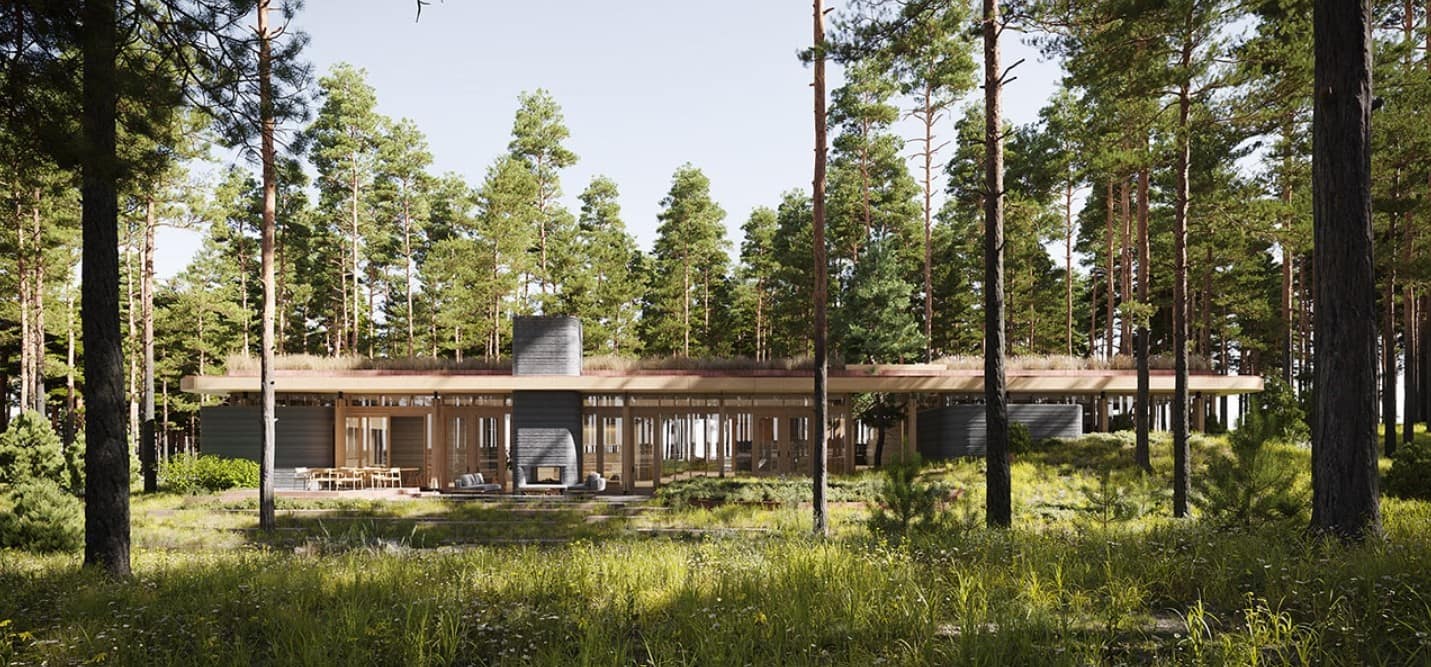
The important thing is that the objects don't necessarily have to appear exactly the same. Users can change the size, rotation angle, or arrangement to create a more natural feel.
For example, in a forest setting, some trees might be taller, some shorter, with different orientations and varying densities depending on the area. These variations help avoid the feeling that the scene was created by simple copying.
4. Create large-scale scenes
One of the reasons Forest Pack is so popular is its ability to support the construction of very large-scale scenes.
A forest scene can contain thousands of trees, millions of blades of grass, and a lot of rocks, bushes, or low-lying vegetation. If all of this were handled manually, the scene would quickly become difficult to manage.
Forest Pack offers a procedural approach, where users set rules instead of directly defining every object. When changes are needed to tree density, distribution area, or tree type, users can adjust the settings instead of editing each object individually.
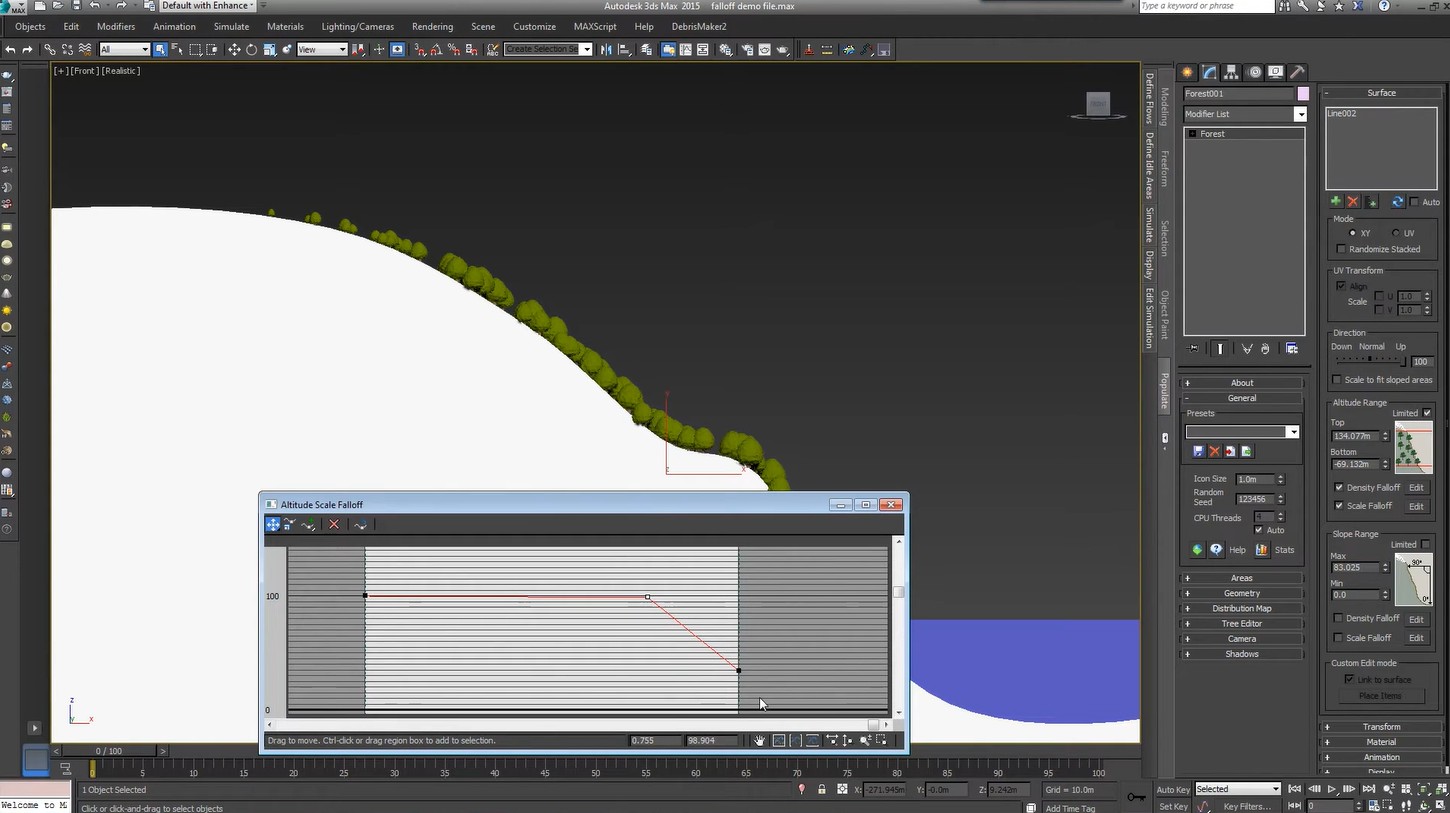
This is especially useful during production. When client requirements change, the artist can update the system's settings and recreate the layout instead of building the scene from scratch.
5. Not just for plants
The name Forest Pack might lead newcomers to believe that the plugin is only for forests or plants. In reality, its applications are much broader.
Forest Pack can distribute grass, trees, vegetation, rocks, ground cover, structures, crowds, lights, aggregates, and many other types of objects.
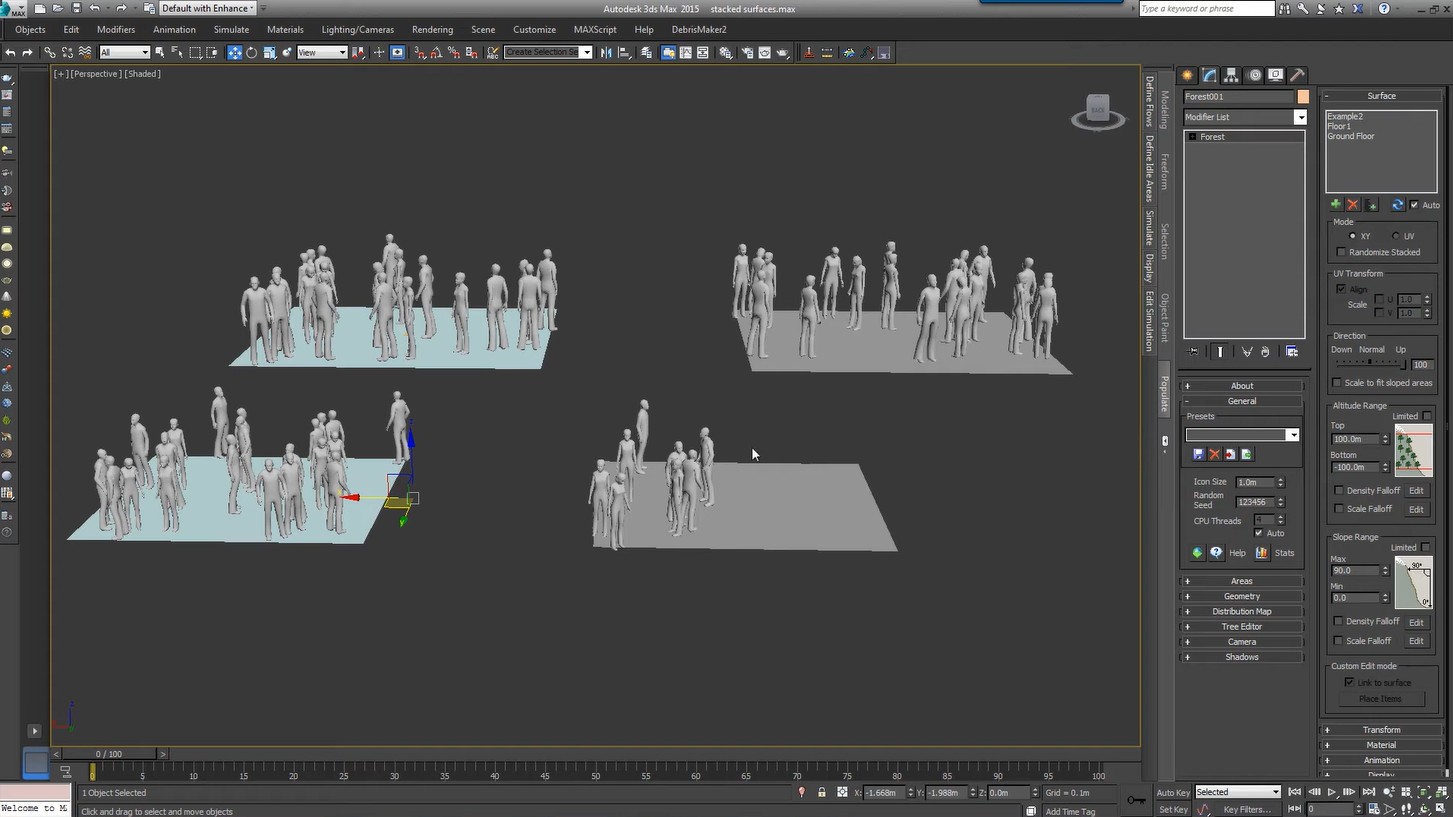
The core principle lies in the idea that "if an object can be created, Forest Pack can scatter that object." Therefore, artists can apply the tool to a wide variety of scenes.
For example, instead of simply creating a forest, users could build a plaza with various objects arranged according to a pattern, a residential area with repeating structures, or a terrain surface covered with rocks and environmental elements.
6. Art Control
A key advantage of Forest Pack is its focus on artist control. Procedural doesn't mean the user loses control over the image.
Conversely, the system helps artists control how objects appear in a scene through layout settings. Users can build layouts according to their artistic vision instead of accepting a completely random outcome.
For example, a forest might require a high density of trees in the distance but a lower density in the foreground. A garden might need to concentrate trees in certain areas and leave others open. These requirements can be addressed by controlling the distribution area and following procedural rules.
This is what makes Forest Pack suitable for professional workflows: it automates repetitive tasks while still allowing the artist to decide on the final result.
7. Erect climbing plants.
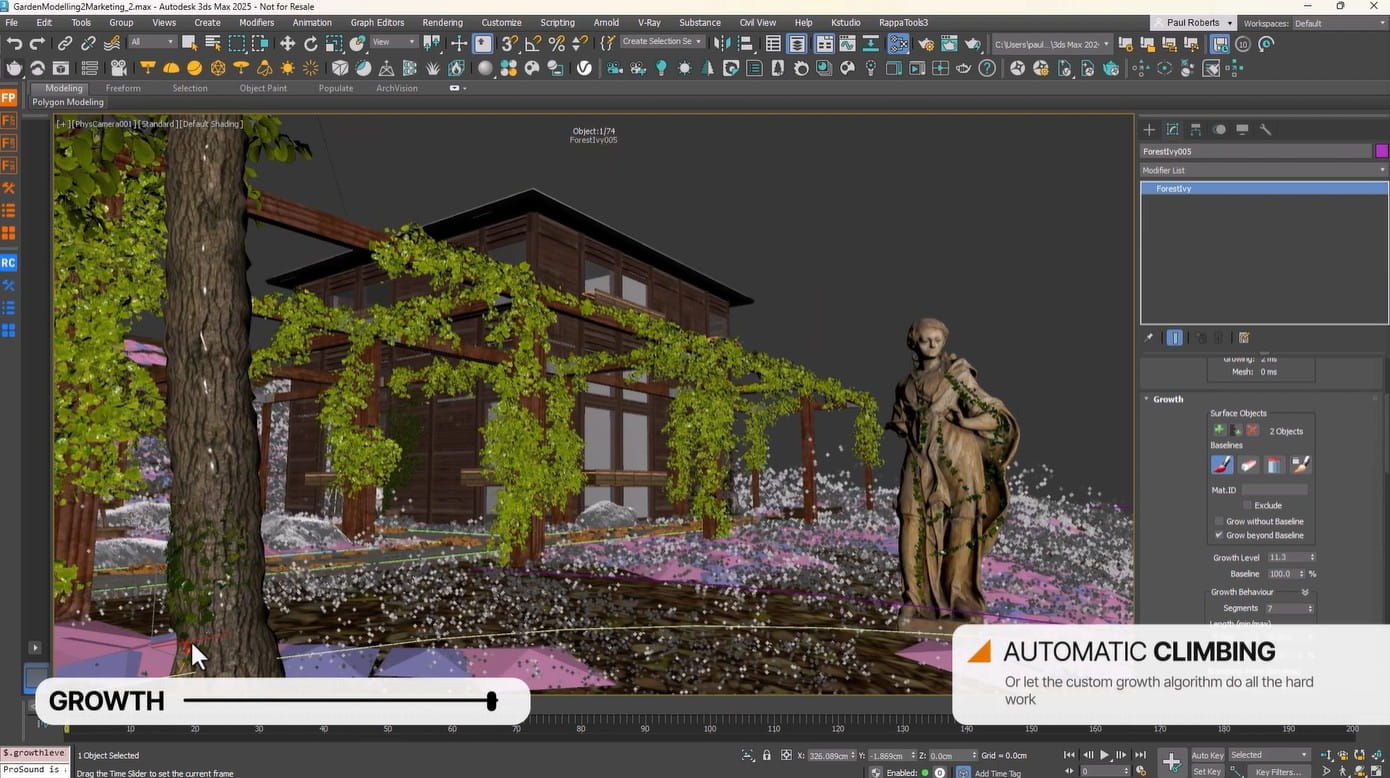
In addition to scattering, Forest Pack is also marketed as a toolkit to assist in creating climbing plants, which are types of plants that climb or cling to surfaces.
This is a common need in architecture and 3D environments, especially when creating walls covered in vines, old buildings with vegetation, or natural landscapes.
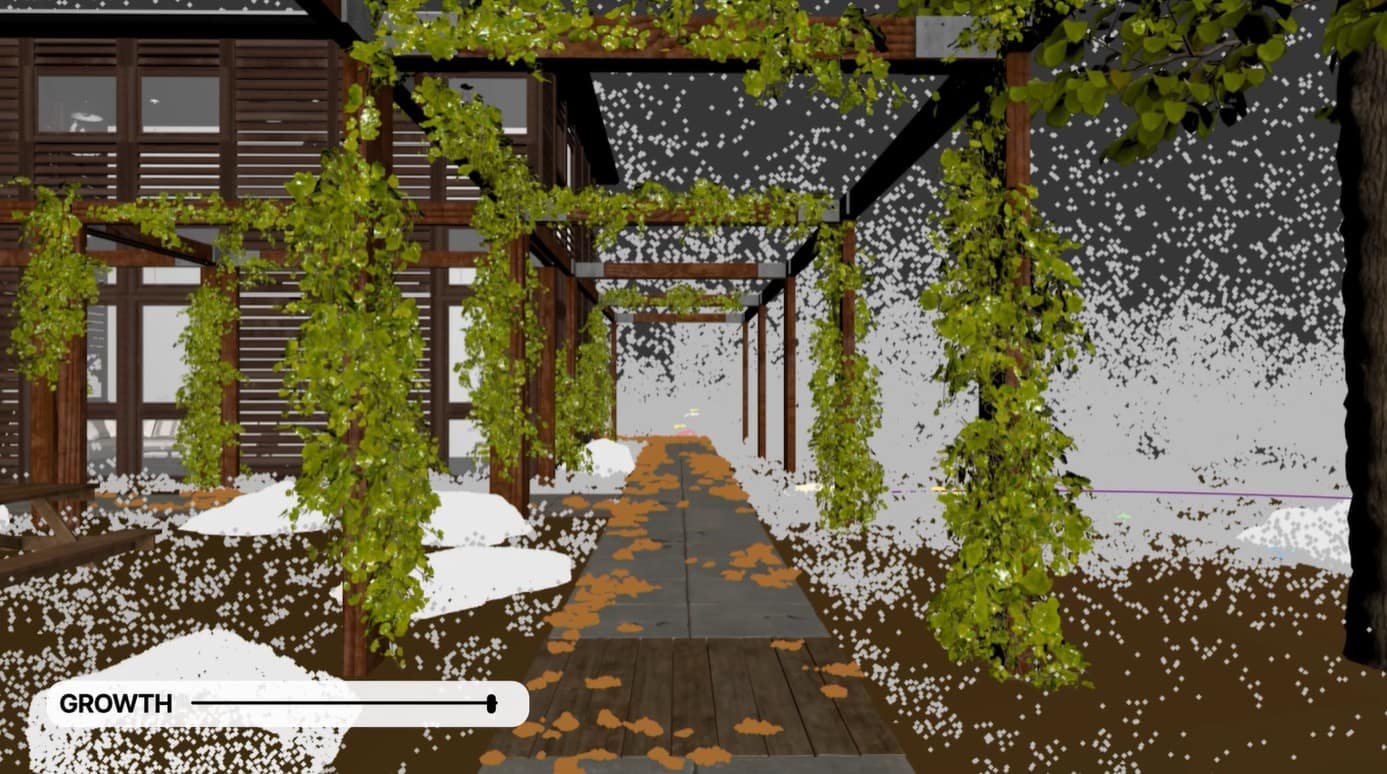
Instead of manually erecting each branch and adjusting its position to the surface, procedural tools make creating these plant forms more convenient.
Combining scattering with the ability to erect climbing plants, Forest Pack can support the construction of natural environments with multiple layers of detail, from the ground, grass, and bushes to large trees and vegetation clinging to structures.
8. Library Management
A large scene typically doesn't just have one type of tree or one type of rock. Users may need many different assets to create variety.
Forest Pack supports library management, making the workflow for using assets more organized. Instead of handling each resource individually, artists can build collections of objects and use them during scene creation.
This is especially useful for projects that require asset reuse. A library of trees, grass, rocks, or scene elements can be used across multiple projects, reducing scene preparation time.
Good library management also contributes to maintaining consistency in workflows, especially when a project involves many team members.
9. Scene Assembly và Procedural Layout
Forest Pack also focuses on scene assembly, which is the process of gathering and organizing multiple elements to form a complete scene.
Instead of viewing each object as an independent component, users can build a layout system based on rules. When a parameter changes, the layout can be updated according to that system.
Procedural layouts are particularly suitable for scenes that require multiple revisions. For example, if a client wants to increase the density of trees, change the grassy areas, or create a new layout, the artist doesn't need to redo the entire work.
This approach helps reduce technical barriers in the scene-setting process and allows artists to dedicate more time to composition, lighting, materials, and rendering.
10. Forest Pack in the 3ds Max workflow
Forest Pack is built for Autodesk 3ds Max, so it can be considered part of the scene rendering workflow in this environment.
A basic process might begin with preparing the assets needed. Then, the user defines the distribution area and selects the source objects. Forest Pack will then create the distribution system based on the selected settings.
Next, the artist can adjust the composition to achieve the desired result. Changes to the density, position, size, or variety of objects can be made within the procedural system instead of manually editing each object.
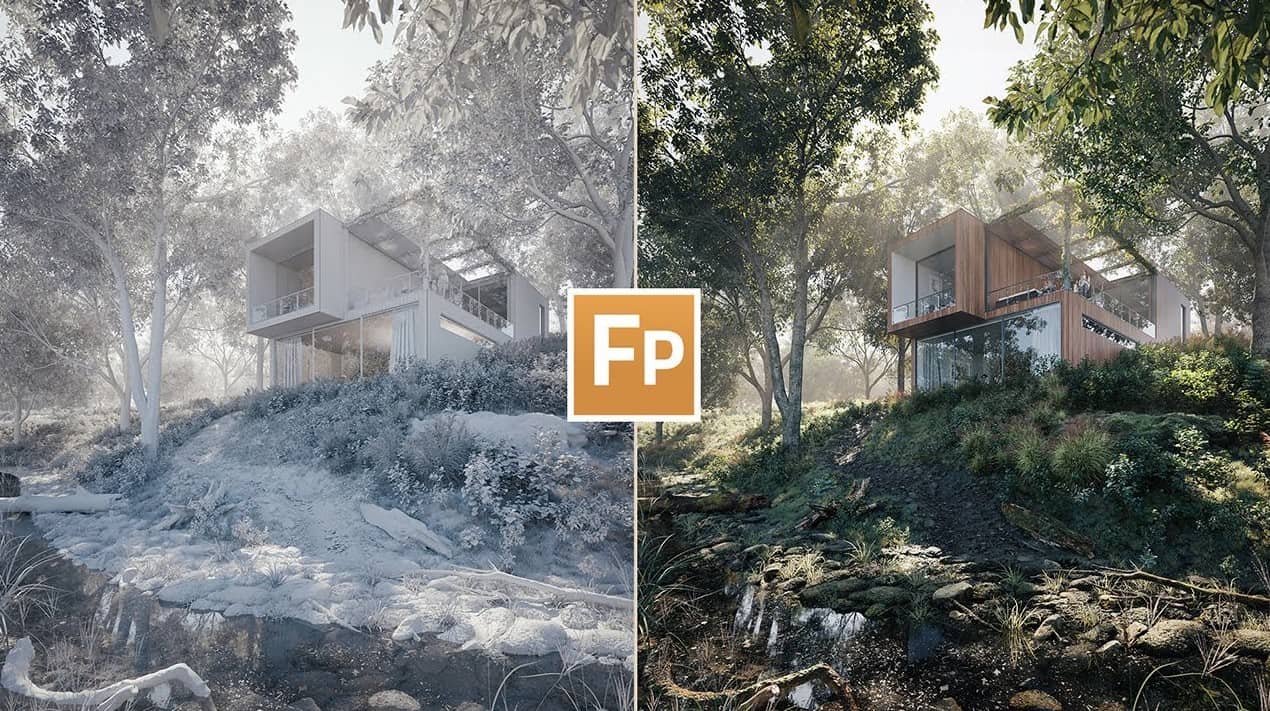
Finally, the scene can be perfected using materials, lighting, camera, and rendering steps in 3ds Max.
This approach transforms the environment building process from a series of manual operations into a more systematic workflow.
11. Is Forest Pack just a plugin for scattering trees?
No. This is a fairly common but incomplete understanding.
Scattering is the most important and well-known component of Forest Pack, but the entire toolset also focuses on scene assembly, library management, procedural layout, and creating climbing plants.
The value of Forest Pack lies in its ability to transform a large number of objects into a manageable system. Trees, grass, rocks, or other components are just examples of the data the system can distribute.
Therefore, a more accurate way to describe Forest Pack is as a set of scene rendering and procedural scattering tools for Autodesk 3ds Max, where scattering is central to the system.
If you frequently use 3ds Max to create landscapes, environments, or scenes with a large number of objects, Forest Pack is a noteworthy solution for building fast, flexible, and highly procedural scattering and scene assembly workflows.





















VIP Products








Best Selling Products
Upgrade genuine Capture One account
120 USD
Adobe Photoshop Copyright - Full App
120 USD
Autodesk All App Account Copyright
120 USD
Plugin Retouch4me
69 USD
Upgrade Genuine Office 365
49 USD
MidJourney Account
29 USD
ChatGPT Plus Account (GPT-4)
16 USD
Capcut Pro 1 Year
39 USD
Upgrade Duolingo Super
29 USD
Copyright Adobe Lightroom Account
59 USD
Freepik Premium Account
59 USD
Genuine Cheap Canva Pro
39 USD
Windows 10 & 11 Pro Key
36 USD
Genuine Adobe Illustrator account
99 USD
Adobe Premiere Pro Account
99 USD