Best Selling Products

Copyright Adobe Lightroom Account
59 USD

Capcut Pro 1 Year
39 USD

MidJourney Account
29 USD

Genuine Cheap Canva Pro
39 USD

Adobe Photoshop Copyright - Full App
120 USD

ChatGPT Plus Account (GPT-4)
16 USD

Autodesk All App Account Copyright
120 USD

Upgrade Duolingo Super
29 USD

Plugin Retouch4me
69 USD

Freepik Premium Account
59 USD

Genuine Adobe Illustrator account
99 USD

Adobe Premiere Pro Account
99 USD

Upgrade Genuine Office 365
49 USD

Windows 10 & 11 Pro Key
36 USD

Upgrade genuine Capture One account
120 USD
Free, Simple, and Fast GIF Creation Websites: The Ultimate Solution for Creating Animated Content
Nội dung
- 1. GIPHY – The world's most popular GIF search and creation platform.
- GIF Maker features are versatile and powerful.
- Ecosystem storage and integration capabilities
- 2. EZGIF – A versatile GIF editing tool for tech-savvy users.
- Convert and optimize GIF image size.
- Cutting, splicing, and frame adjustment tools
- 3. Canva – How to create professional GIFs for marketing designers
- A diverse and elegant library of animated image templates.
- Publishing content across multiple platforms is easy.
- 4. Imgflip – Speed and humor in every GIF frame
- The simplest tool for creating GIFs from photos and videos.
- A strong creative and sharing community.
- 5. Adobe Express – Professional graphics power on the web platform
- Smart video to GIF converter
- Sophisticated supplementary editing tools
- 6. Some important tips for creating the perfect GIF.
- Control file size
- Frame rate and smoothness of action
- 7. Trends in GIF usage in media in 2026
- GIFs in Email Marketing and Customer Service
- Personalized GIFs on messaging platforms.
- 8. Techniques for optimizing GIF images for maximum website performance.
- Reduce the color palette (Color Reduction) to save storage space.
- Lossy GIF Compression Technique
- 9. How to create artistic "Cinemagraph" style GIFs
- Leverage masking tools on web platforms.
- Applications of the Seamless Loop
- 10. Security and privacy procedures when using online websites
- Check the platform's hosting policy.
- Beware of hidden watermarks.
- 11. Conclusion
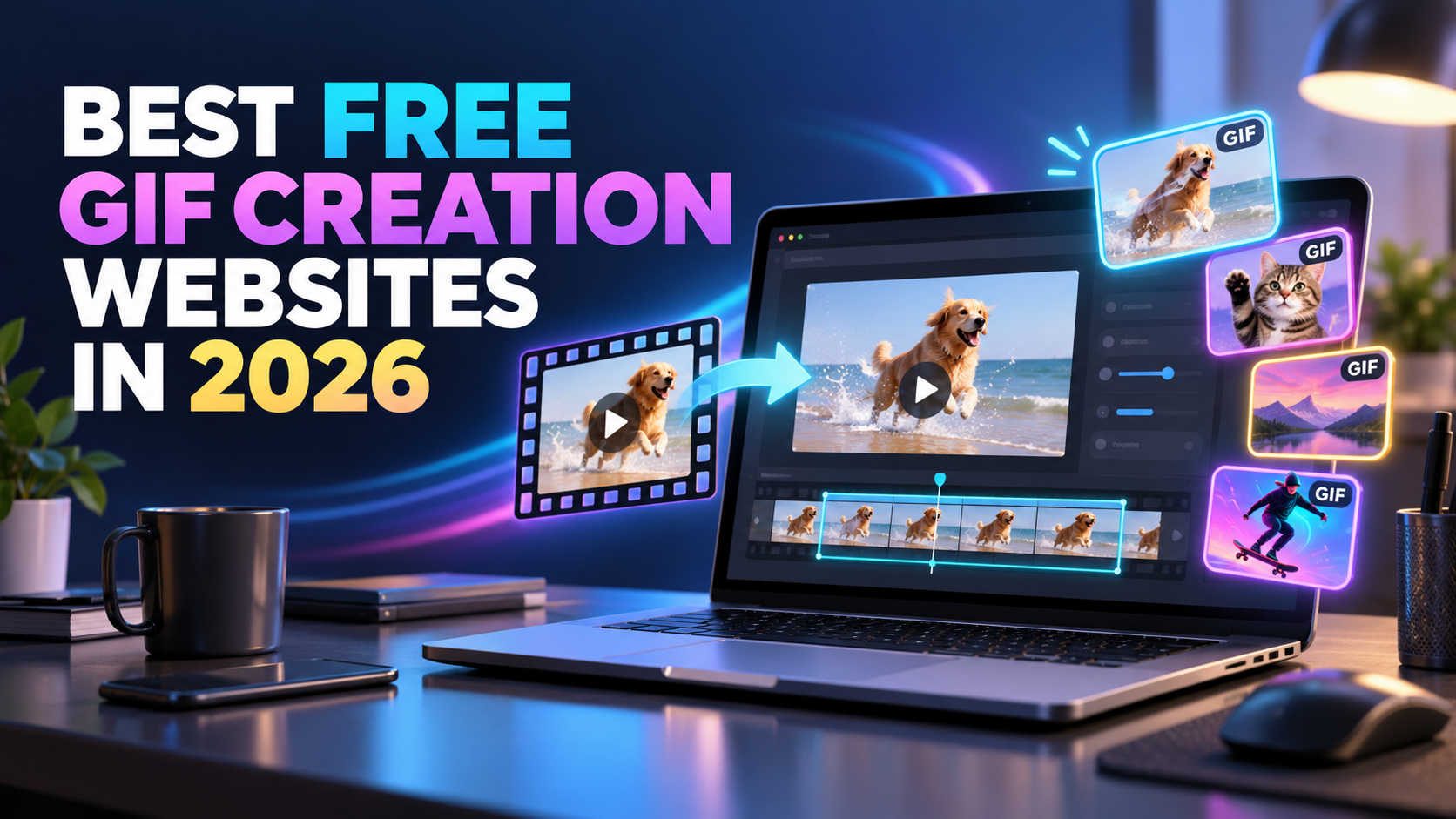
Discover the list of the best free, simple, and fast GIF creation websites in 2026. Learn how to convert videos to GIFs and create professional-looking animations without complex software.
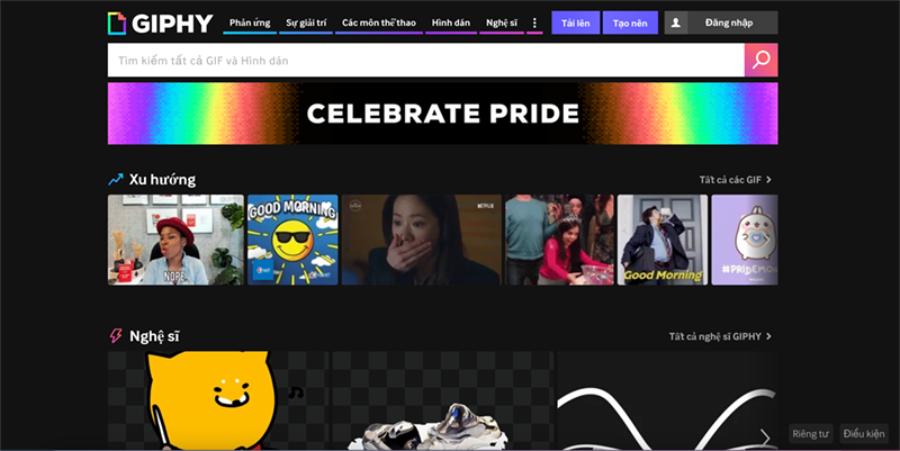
1. GIPHY – The world's most popular GIF search and creation platform.
GIPHY is not just a massive GIF archive; it also boasts one of the most intuitive GIF creation tools available today. It's the first choice for anyone wanting to quickly create animated GIFs to share on major platforms like Facebook, Instagram, or Twitter.
Genuine Adobe Photoshop License
GIF Maker features are versatile and powerful.
GIPHY's GIF creator allows users to upload video files from their computer or directly paste links from YouTube and Vimeo. Users can easily select the start time and length of the GIF image via simple drag-and-drop sliders. GIPHY's convenience lies in its extensive library of stickers, color filters, and artistic text effects. Personalizing your animated GIF becomes more fun than ever as you can draw directly on the frame or add lively emojis.
Ecosystem storage and integration capabilities
All GIFs created on GIPHY can be stored online in your personal account, making it easy to manage and share them anytime, anywhere. With deep integration into the keyboards of most messaging apps, GIPHY ensures your work can reach millions of users with just a few clicks. Importantly, the platform is completely free and doesn't use overly obvious watermarks, maintaining the aesthetic appeal of your content.
2. EZGIF – A versatile GIF editing tool for tech-savvy users.
If you're looking for a tool that prioritizes detailed editing and in-depth file processing over flashy aesthetics, EZGIF is an unmissable choice. It's an "all-in-one" toolkit for those who want complete control over their GIF files.
Convert and optimize GIF image size.
EZGIF is renowned for its incredibly smooth video-to-GIF conversion capabilities, offering numerous resolution and frame rate (FPS) options. Its strongest point is its optimization toolkit. It allows you to compress GIF image size without significantly reducing image quality through techniques such as reducing the number of colors or removing unnecessary frames. This is crucial for web developers who want to use GIFs on their homepage without impacting page load speed.
Cutting, splicing, and frame adjustment tools
Beyond simply creating new GIFs, EZGIF allows you to crop, rotate, resize, or reverse an existing GIF file. EZGIF's interface is classic in style, focusing entirely on functionality. Each step is clearly guided, allowing users to apply effects such as blurring the background, changing the speed of actions, or adding text overlays with millisecond precision.
3. Canva – How to create professional GIFs for marketing designers
Canva has transformed from a simple static image design tool into a powerful multimedia content creation platform, including the ability to create high-quality GIFs.
A diverse and elegant library of animated image templates.
Canva allows users to combine images, videos, text, and animated icons to create a complete GIF file. This is especially useful for small businesses that want to create highly branded animated content without hiring professional designers.
Publishing content across multiple platforms is easy.
The process of exporting GIF images on Canva is very simple: you just select the "GIF" format when you click the download button. Canva automatically optimizes moving elements to ensure the file works smoothly on all devices. With its intuitive drag-and-drop interface and perfect Vietnamese language support, Canva helps anyone, even those without graphic design knowledge, create the most sophisticated and professional GIF images.
4. Imgflip – Speed and humor in every GIF frame
For the global meme community, Imgflip is a familiar name thanks to its ability to create GIFs and memes incredibly quickly.
The simplest tool for creating GIFs from photos and videos.
Imgflip offers a minimalist yet highly effective interface. You can create GIFs by uploading a series of still images to combine into a motion effect or extracting them from short video clips. The website processes data very quickly, allowing you to preview the results instantly after each parameter change. A major plus of Imgflip is the ability to customize fonts in classic "meme" styles, making your message humorous and easily shareable on social media.
A strong creative and sharing community.
Besides creating images, Imgflip is also a mini social network where users can upload and comment on each other's work. Referencing ideas from other users can provide inspiration for your GIFs. Although the free version adds a small watermark to the corner of the image, its processing speed and convenience make it a great choice for quick creative needs.
5. Adobe Express – Professional graphics power on the web platform
Adobe isn't just about heavy-duty software; its online version, Adobe Express, is a free GIF creation tool built with the expertise of top image processing specialists.
Smart video to GIF converter
Adobe Express offers a fast conversion tool that lets you turn any video clip into a GIF in just seconds. A strong point of this platform is the high quality of the output images, which are very clear and less pixelated compared to many other free websites. You can choose the appropriate file size for platforms like Instagram, TikTok, or YouTube during the creation process, ensuring your content always displays perfectly.
Sophisticated supplementary editing tools
Besides creating GIFs, Adobe Express also allows you to perform post-processing operations such as removing backgrounds using AI, adding decorative frames, and unique text effects. Backed by Adobe's vast database, the accompanying graphic elements are always aesthetically pleasing and modern. This is an ideal choice for those who want a combination of the simplicity of a web application and the top-notch quality of professional software.
6. Some important tips for creating the perfect GIF.
To ensure your GIF is as effective as possible in conveying your message, mastering a few basic technical principles is essential.
Control file size
GIFs are essentially a collection of stacked static frames, so their file size can increase rapidly if not managed properly. An excessively large GIF file can make it difficult to send via email or post on websites. Try to keep GIF lengths between 2 and 6 seconds and use a moderate resolution. Optimizing file size not only results in a smoother viewing experience but also makes your content easier to share.
Frame rate and smoothness of action
Frame rate (FPS) determines the smoothness of a GIF. Generally, 15-20 FPS is sufficient to create natural-looking action without making the file too large. If the FPS is too low, the GIF will stutter; conversely, if it's too high, the file size will increase dramatically. Additionally, creating seamless, looping GIF sequences provides a very engaging visual effect, making viewers want to watch it repeatedly.
7. Trends in GIF usage in media in 2026
In 2026, GIFs will no longer be just funny videos but will have become an integral part of brand positioning strategies and personalized communication.
GIFs in Email Marketing and Customer Service
Using GIFs in email subject lines or product illustrations can significantly increase click-through rates (CTR). Instead of a static image of the product, a short GIF demonstrating its use or different angles is more persuasive to customers. Many free GIF creation websites now support exporting files compatible with most modern email clients, opening up creative promotional opportunities for businesses.
Personalized GIFs on messaging platforms.
Creating your own GIF stickers featuring your face or expressions is becoming a strong trend. This helps make conversations more personal and individualistic. Online tools make this process so simple that anyone can do it with just a smartphone and an internet connection.
8. Techniques for optimizing GIF images for maximum website performance.
When using GIFs on personal or business web platforms, the biggest problem often encountered is slow page loading speed due to large file sizes. Mastering compression parameters will help you balance image quality and user experience.
Reduce the color palette (Color Reduction) to save storage space.
GIF format is limited to a maximum of 256 colors. However, for simple images or meme-style dialogues, you can easily reduce the color palette to 64 or 128 colors using tools like EZGIF or Lossy GIF compressor . This can cut file size by 30% to 50%, with the difference in color intensity barely noticeable to the naked eye. This is an extremely useful tip for those who want to embed many animated images in SEO-optimized articles without negatively impacting their PageSpeed score.
Lossy GIF Compression Technique
Unlike lossless compression, lossy compression removes some unnecessary pixel details. Modern GIF creation websites integrate a "Compression Level" slider. When you increase the compression level to around 30-80, the GIF file will be significantly lighter. Although a little noise will appear if viewed closely, for phone screens or small frames on websites, this is a completely worthwhile trade-off for instant display speed.
9. How to create artistic "Cinemagraph" style GIFs
Cinemagraphs are a type of high-end GIF where only a portion of the image moves while the rest remains completely still. This effect creates a unique and sophisticated visual appeal, often seen on fashion and architecture websites.
Leverage masking tools on web platforms.
Some specialized websites allow you to upload videos and use brushes to specify the areas you want to move. For example, in a scene of someone sitting at a coffee shop by the window, you can have only the rising smoke move, while the model and surrounding scenery remain static like a painting. Creating cinemagraphs drastically reduces file size because most pixels are static, while also providing a professional feel far superior to regular GIFs.
Applications of the Seamless Loop
For a perfect cinematic or artistic GIF, the start and end points of the action must coincide. Websites like Kapwing or Online Image Editor offer a "Reverse" or "Crossfade" feature between the beginning and end frames. This eliminates the "jerky" effect at the end of the loop, creating a continuous, smooth, and mesmerizing flow of movement for the viewer.
10. Security and privacy procedures when using online websites
Working on cloud platforms offers convenience, but you also need to be mindful of data security, especially when using personal images or internal company documents.
Check the platform's hosting policy.
Free websites often have a policy of storing files on their servers for a certain period (usually 24 hours) before automatically deleting them. Before uploading private videos, ensure the website has a privacy commitment and will not publicly disclose user files without permission. For sensitive content, you should prioritize platforms that require login and offer "Private" storage.
Beware of hidden watermarks.
Some websites offer free GIF creation but automatically insert hidden code snippets or links into the file's metadata. This can negatively impact SEO rankings if you embed the file on your website. Use tools like EZGIF to check and remove unnecessary metadata after creation, ensuring your GIF is completely "clean" and professional.
11. Conclusion
Exploring and using free GIF creation websites is the simplest and quickest way to refresh your content creation style. Whether you prioritize the convenience of GIPHY, the in-depth features of EZGIF, or the aesthetic appeal of Canva and Adobe Express, each platform offers unique value to suit specific needs. In today's dynamic digital age, the ability to convey concise, impactful, and emotionally resonant messages through GIFs will help you stand out from the crowd. Start experimenting with these tools today to transform your interesting ideas into captivating animated GIFs, enriching your digital content library and providing viewers with amazing visual experiences.





















VIP Products








Best Selling Products
Copyright Adobe Lightroom Account
59 USD
Capcut Pro 1 Year
39 USD
MidJourney Account
29 USD
Genuine Cheap Canva Pro
39 USD
Adobe Photoshop Copyright - Full App
120 USD
ChatGPT Plus Account (GPT-4)
16 USD
Autodesk All App Account Copyright
120 USD
Upgrade Duolingo Super
29 USD
Plugin Retouch4me
69 USD
Freepik Premium Account
59 USD
Genuine Adobe Illustrator account
99 USD
Adobe Premiere Pro Account
99 USD
Upgrade Genuine Office 365
49 USD
Windows 10 & 11 Pro Key
36 USD
Upgrade genuine Capture One account
120 USD