Best Selling Products

Adobe Photoshop Copyright - Full App
120 USD

Capcut Pro 1 Year
39 USD

Copyright Adobe Lightroom Account
59 USD

Windows 10 & 11 Pro Key
36 USD

Upgrade Duolingo Super
29 USD

Plugin Retouch4me
69 USD

Genuine Cheap Canva Pro
39 USD

Freepik Premium Account
59 USD

ChatGPT Plus Account (GPT-4)
16 USD

MidJourney Account
29 USD

Adobe Premiere Pro Account
99 USD

Genuine Adobe Illustrator account
99 USD

Autodesk All App Account Copyright
120 USD

Upgrade Genuine Office 365
49 USD

Upgrade genuine Capture One account
120 USD
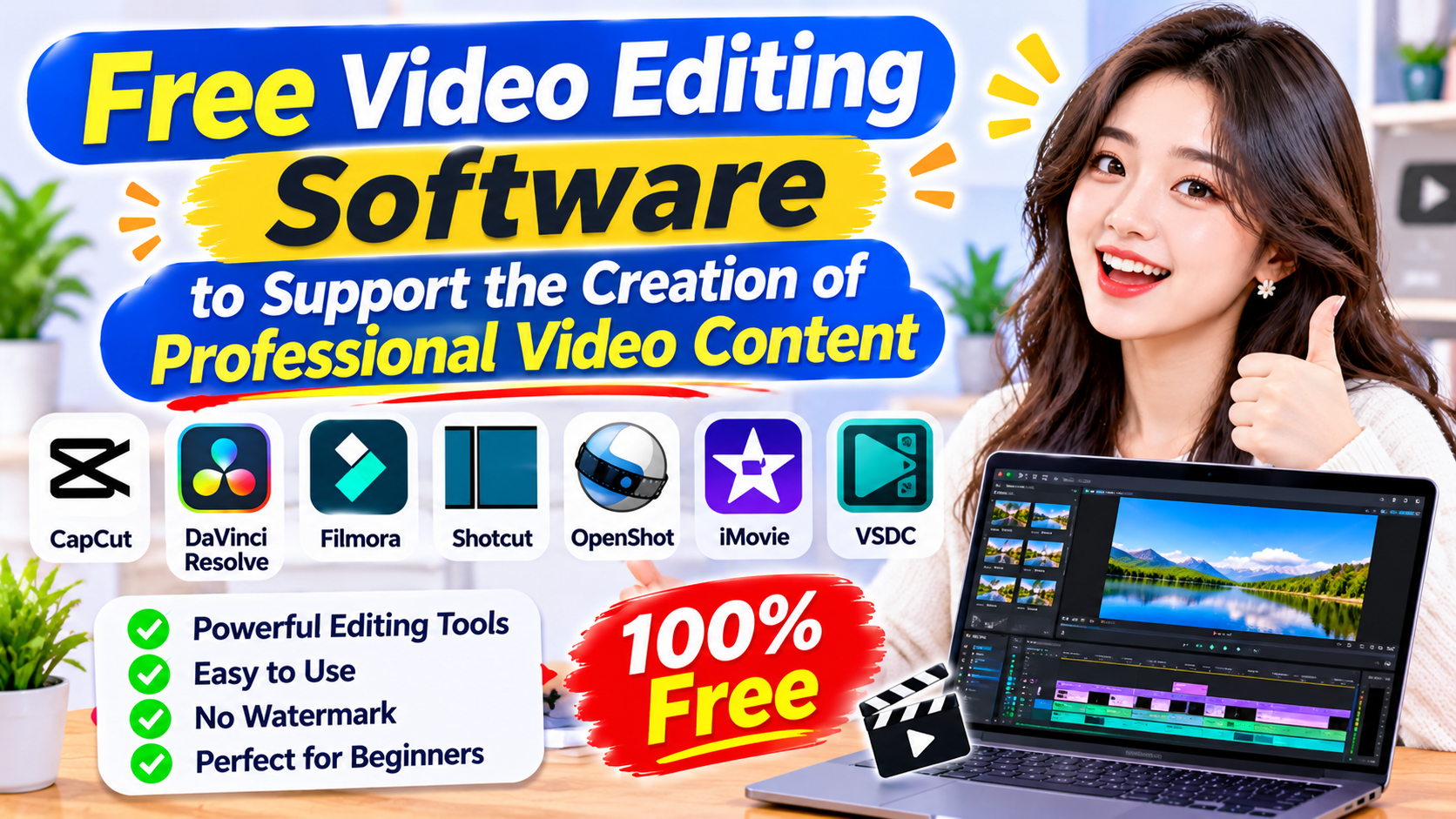
Free video editing software to support the creation of professional video content.
Nội dung
Video creation is becoming a trend that many individuals, businesses, and entrepreneurs are interested in. From short TikTok videos and everyday vlogs to advertising content, product introductions, or knowledge-sharing on YouTube, each video needs investment in visuals, sound, and message delivery. However, not everyone has the means to use expensive professional editing software. Currently, many free video editing software programs have been developed with user-friendly interfaces, diverse features, and effective editing support. With just a phone or computer, you can create visually appealing videos without needing much experience. Let''s explore these useful tools and how to use them to improve the effectiveness of your content creation.
1. CapCut
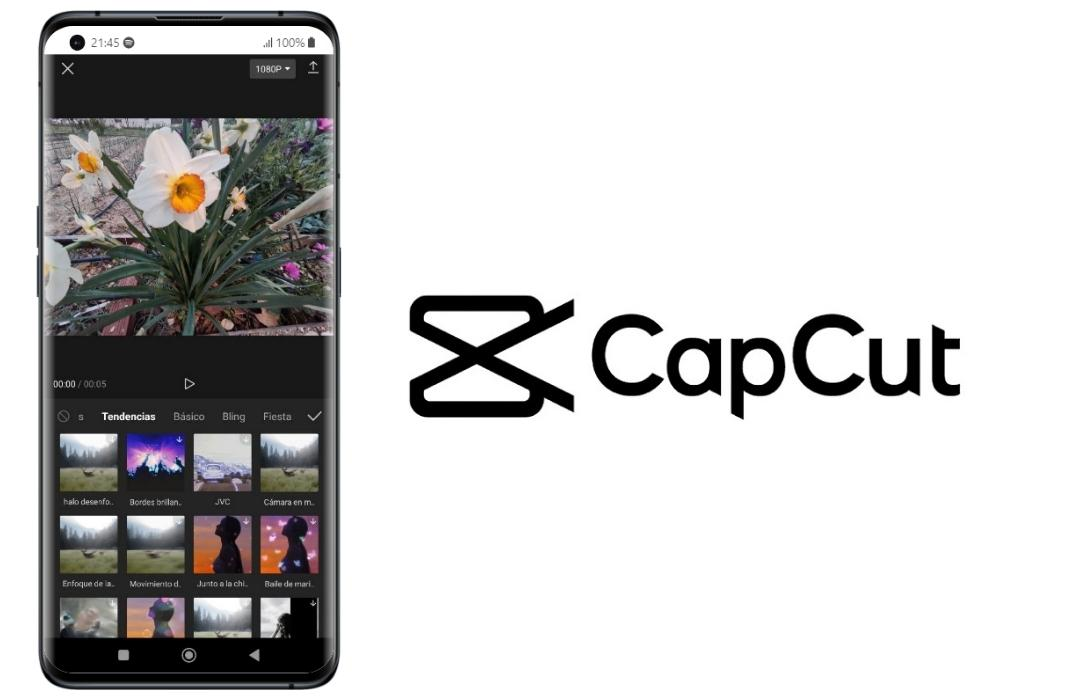
CapCut is a familiar video editing software for those who frequently create content on TikTok, Facebook Reels, and YouTube Shorts. The tool offers versions for phones, computers, and web browsers, making it easy for users to choose the device that best suits their needs. The interface is intuitively designed, and the editing features are clearly organized, so even beginners can quickly get used to it.
CapCut's standout feature is its diverse editing tools. Users can cut and merge videos, add background music, insert text, adjust playback speed, use color filters, and create transition effects. Additionally, the software integrates several AI features such as automatic subtitle generation, text-to-speech, and image editing support. Its extensive library of video templates also saves time when creating trending content.
For online businesses, CapCut is a useful tool for creating product introduction videos, user guides, or sharing real-life experiences. The free version meets many basic needs, however, some advanced effects, resources, and features require a Pro account.
2. Canva
Canva is a popular online design tool for those who want to combine images, graphics, and videos in a single project. The software is suitable for non-professional designers who still want to create visually appealing and consistent content. Instead of building everything from scratch, you can choose from pre-made templates and then modify images, colors, text, and audio to your needs.
For video editing features, Canva supports cutting and splicing footage, adding background music, inserting text, illustrations, and transition effects. Users can also combine multiple video clips on the timeline to create a complete piece of content. In addition, the library of design templates for TikTok, Instagram, Facebook, and YouTube makes creating content across multiple platforms more convenient.
One notable advantage of Canva is its ability to work online without needing to install complex software. You can start with a free account and save your projects to continue editing as needed. However, some design templates, images, and advanced tools are only available to Canva Pro users. When exporting videos, prioritize free resources to avoid unexpected costs.
3. Microsoft Clipchamp
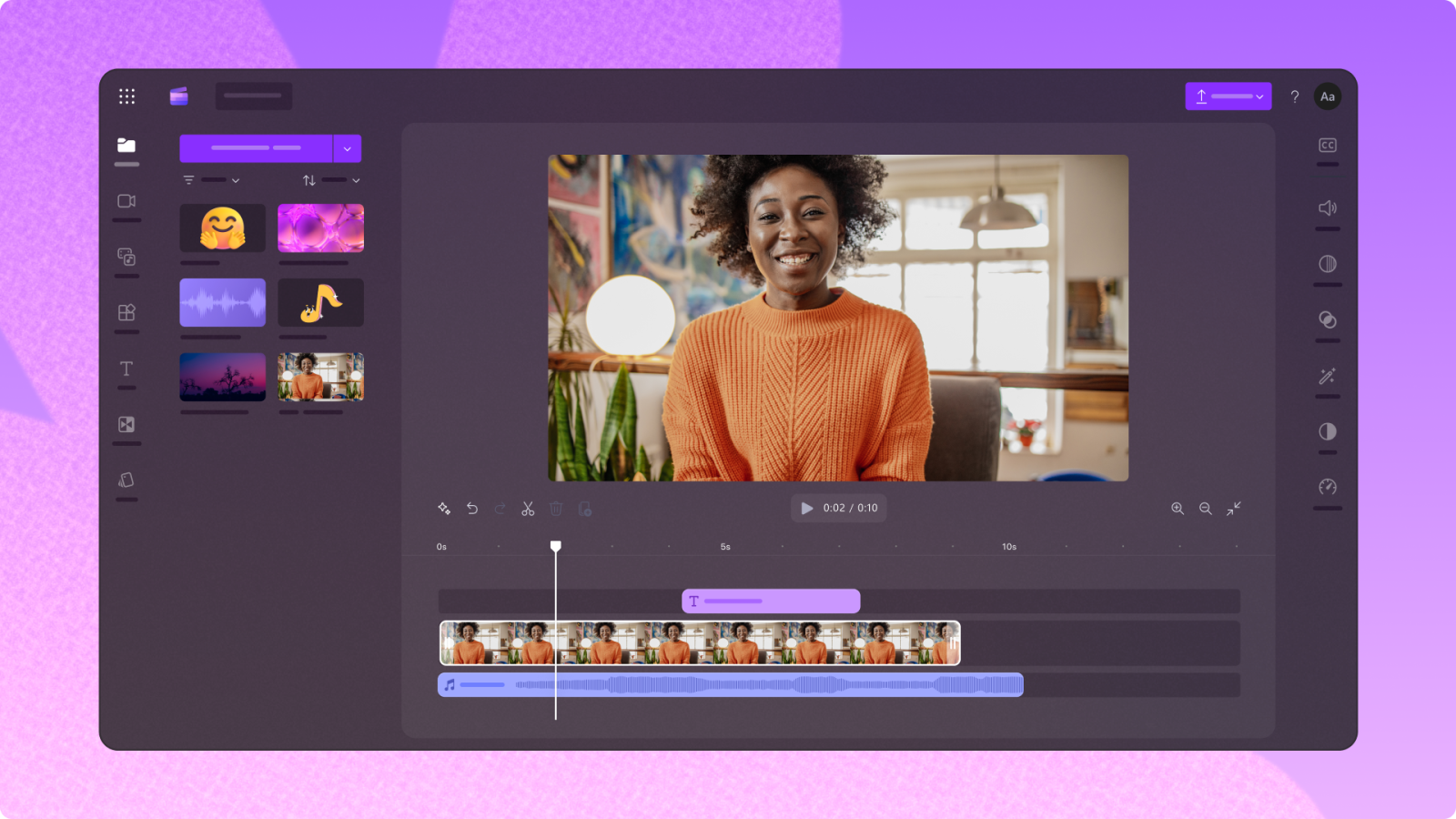
Microsoft Clipchamp is video editing software suitable for beginners and those who frequently work on computers. The tool can be used directly in a browser or through a Windows application, allowing for flexible editing without the need to install complex programs.
Clipchamp provides essential editing features such as cutting, merging, rotating, resizing videos, and adjusting playback speed. Users can add text, background music, illustrations, and transition effects to make their content more engaging. Additionally, the software supports screen recording, webcam recording, and audio recording, which is very useful for creating software tutorials, lectures, or knowledge-sharing videos.
One advantage of Clipchamp is its ability to export watermark-free videos at a maximum resolution of 1080p in the free plan. This quality level is suitable for many types of content posted on social media. If you frequently create video presentations, business introductions, or online tutorials, you can try this tool to optimize your editing time.
4. VN Video Editor
VN Video Editor is a popular video editing software thanks to its simple interface and flexible editing capabilities on mobile phones. It's suitable for those who frequently shoot vlogs, create travel videos, share their lives, or produce short content for social media.
The software supports cutting and merging multiple video clips, adding images, inserting text, background music, and transition effects. Notably, the multi-layered timeline allows users to combine video, audio, images, and stickers within a single project. Other notable features include adjusting speed along a curve, creating keyframes, and using color filters to change image styles.
VN Video Editor has a relatively easy-to-understand interface, suitable even for those who have never used professional video editing software. You can take advantage of the free features to perfect your videos without investing too much money. However, some additional tools may come with in-app purchases, so be sure to check before using them.
5. DaVinci Resolve
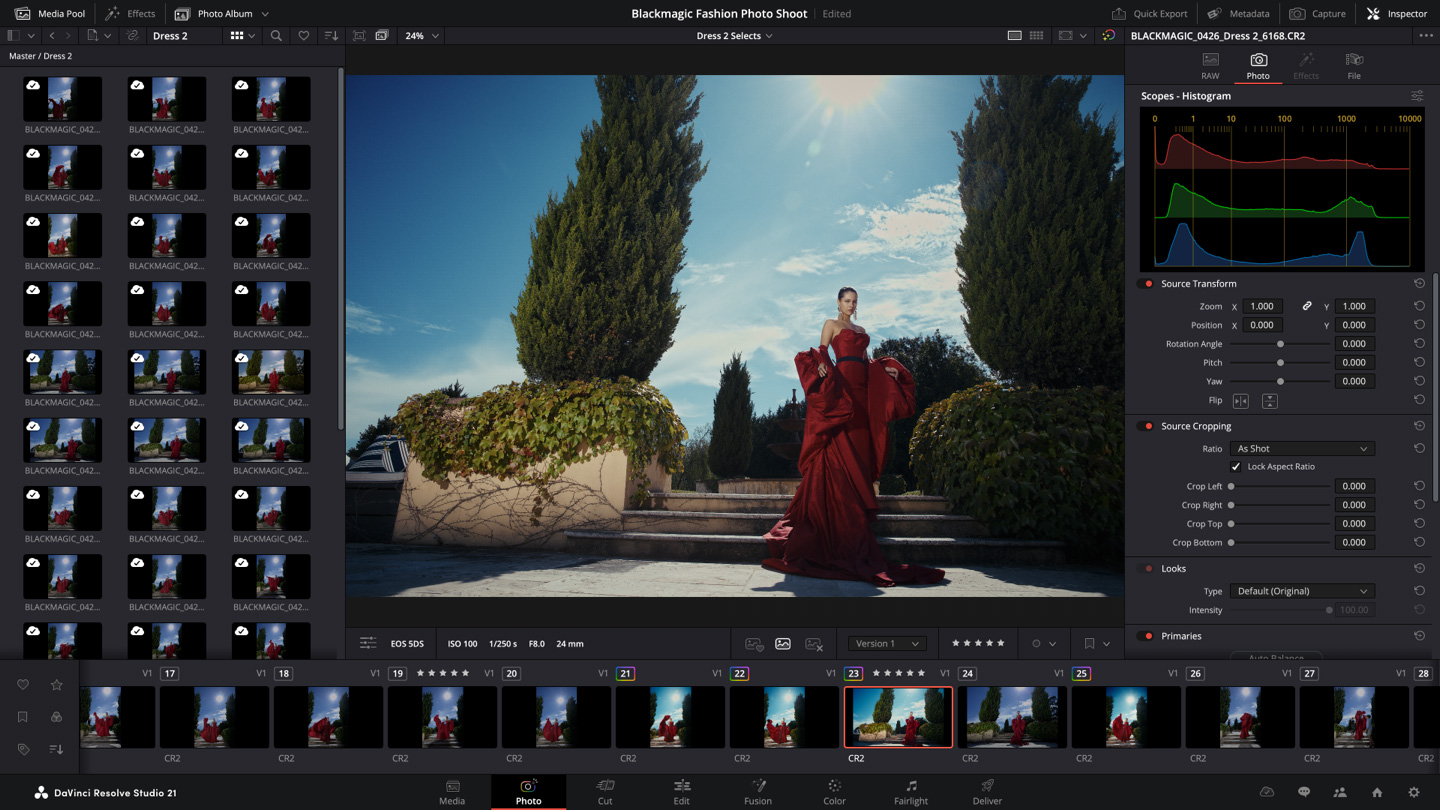
DaVinci Resolve is a sophisticated video editing software for those who want to enhance their editing skills and produce high-quality content. The tool is used in many professional post-production workflows, excelling in image editing, color correction, and visual and audio effects.
The software integrates multiple separate workspaces, supporting users in performing tasks from cutting and splicing footage to finalizing videos. Among its notable strengths is the color correction feature, which helps control brightness, contrast, and image tones. Additionally, DaVinci Resolve provides tools for audio processing, motion effects, and combining multiple image layers.
The free version meets many video editing needs, supporting high-resolution output within certain limits. However, the software has quite a few advanced tools, so beginners need time to learn them. Additionally, you should check your computer's specifications before installation to ensure stable editing performance.
6. Shotcut
Shotcut is open-source video editing software compatible with Windows, macOS, and Linux. It's a suitable choice for those who want to use a free tool on their computer without having to subscribe to a recurring plan.
The software supports a wide range of video and audio formats, making it easy for users to import materials from various devices. Key features include cutting and splicing footage, arranging videos on a timeline, adding filters, adjusting color, and processing audio. You can also use multiple image layers to create content with a richer layout.
Shotcut offers flexible customization options, suitable for those who want to actively control every detail in their videos. However, the interface has many toolbars, so beginners may need some time to get used to it. If you frequently create vlogs, knowledge-sharing videos, or long content, this is a worthwhile option to try.
7. OpenShot
OpenShot is a free, open-source video editing software developed to make video editing easier for users. It supports multiple operating systems including Windows, macOS, and Linux, making it suitable for anyone who wants to edit videos directly on their computer.
OpenShot offers basic features such as cutting, merging, resizing clips, adding text, and adjusting audio. Additionally, users can combine multiple video layers and images, use transition effects, and create motion using keyframes. These features make it easy to create intro videos, slideshows, or short films for work.
OpenShot's advantages include a relatively intuitive drag-and-drop interface that doesn't require users to have in-depth knowledge of video editing. The software also supports many video export formats and, according to the developer, does not add watermarks. However, when working on projects with many effects or image layers, processing performance still depends significantly on the computer's configuration.
8. Conclusion
Free video editing software is a useful solution that helps individuals and businesses save costs while still creating creative and visually appealing content. Each tool, such as CapCut, Canva, Clipchamp, VN Video Editor, DaVinci Resolve, Shotcut, or OpenShot, possesses its own advantages, meeting various editing needs. If you're a beginner, prioritize software that's easy to use and has all the basic features. Once you gain experience, experiment with more advanced tools to improve image, sound, and effect quality. Most importantly, an engaging video isn't just about editing techniques; it also depends on a unique idea, storytelling, and the value you bring to your viewers.





















VIP Products








Best Selling Products
Adobe Photoshop Copyright - Full App
120 USD
Capcut Pro 1 Year
39 USD
Copyright Adobe Lightroom Account
59 USD
Windows 10 & 11 Pro Key
36 USD
Upgrade Duolingo Super
29 USD
Plugin Retouch4me
69 USD
Genuine Cheap Canva Pro
39 USD
Freepik Premium Account
59 USD
ChatGPT Plus Account (GPT-4)
16 USD
MidJourney Account
29 USD
Adobe Premiere Pro Account
99 USD
Genuine Adobe Illustrator account
99 USD
Autodesk All App Account Copyright
120 USD
Upgrade Genuine Office 365
49 USD
Upgrade genuine Capture One account
120 USD