Best Selling Products

Adobe Premiere Pro Account
99 USD

Adobe Photoshop Copyright - Full App
120 USD

Upgrade Genuine Office 365
49 USD

Upgrade Duolingo Super
29 USD

Windows 10 & 11 Pro Key
36 USD

Capcut Pro 1 Year
39 USD

ChatGPT Plus Account (GPT-4)
16 USD

Plugin Retouch4me
69 USD

Genuine Cheap Canva Pro
39 USD

MidJourney Account
29 USD

Copyright Adobe Lightroom Account
59 USD

Upgrade genuine Capture One account
120 USD

Genuine Adobe Illustrator account
99 USD

Freepik Premium Account
59 USD

Autodesk All App Account Copyright
120 USD
From Personal Notes to Team Collaboration: Is Obsidian or Notion the Optimal Choice?
Nội dung
- 1. Core differences between local files and shared pages
- 1.1 Obsidian and file-based note vaults
- 1.2 Notion and the page, block and database model
- 2. Data ownership, privacy and offline access
- 2.1 What works offline?
- 2.2 Local storage does not mean everything is encrypted
- 2.3 Can you take your content elsewhere?
- 3. Comparing note links, graph views and visual canvases
- 4. Built-in templates, Bases and relational databases
- 4.1 Obsidian already has database-like views in its core
- 4.2 Notion connects records across multiple databases
- 5. Which tool suits students and second-brain systems better
- 6. Pricing and AI
- 7. Conclusion
Obsidian and Notion are often placed on the same scale, but the two tools start from two different philosophies. One centers on a folder of files that you control yourself, while the other centers on pages shared by the whole team. Both can organize linked notes, but the way they operate in practice leads to very different experiences. This article goes through the core differences, from storage, privacy, note linking and databases to cost and AI, so that you can choose the right tool for your own workflow rather than by a feature table.

1. Core differences between local files and shared pages
Old feature lists are often misleading. Notion now has offline pages and automatic backlinks. Obsidian has Canvas and Bases built into its core, so visual and database-style views no longer necessarily depend on community plugins. Therefore, the useful question is not which tool has which feature, but how that feature operates in your real workflow.
If your priority is a personal knowledge base built from local files, Obsidian is a reasonable starting point. If your priority is a shared space with databases, permissions and collaborative editing, Notion is a better fit.
1.1 Obsidian and file-based note vaults
An Obsidian vault is essentially a folder located on your device. The notes are Markdown text files that many other editors can also open. You decide where to put the folder, and how to back it up and sync it. Obsidian only adds a layer of navigation and organization on top of those files, and notes do not need a cloud workspace to exist.
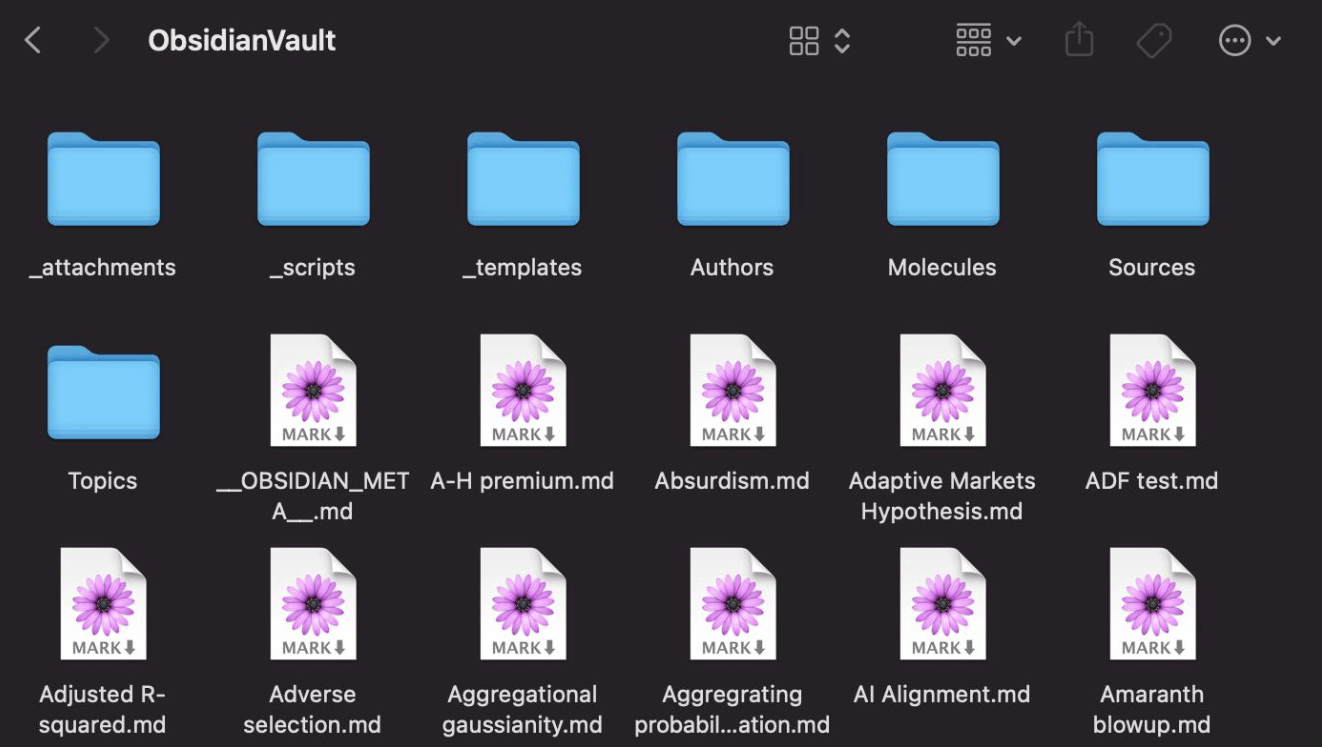
This approach is especially suitable for writers or researchers who want to return to their material after many years, even when their favorite application has changed. In return, you have to take on part of the operational work yourself. You need to maintain backups, keep attachments together with notes, and check which parts of your system depend on the application's own features.
1.2 Notion and the page, block and database model
In Notion, a database is a collection of pages. Each record can contain notes, attachments and properties such as dates or status. Views allow the same source of information to serve many different purposes, such as a reading list, a project board or a calendar.
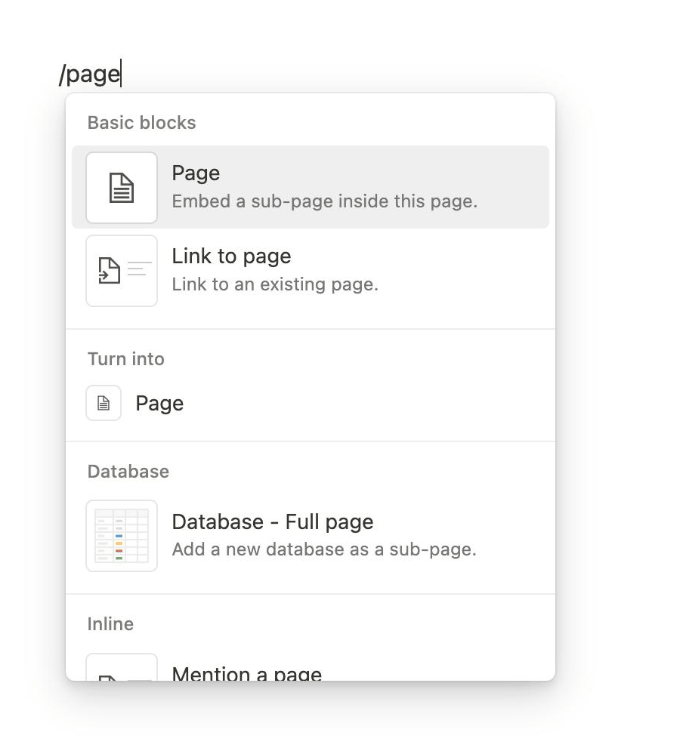
This shared structure shows its value when multiple people need to agree on what a record means. A project can have just one owner and one status, instead of everyone interpreting it in their own way in personal notes. The price to pay is that your working system consists not only of text content, but also of the behavior of the workspace, from access permissions to how views are configured.
2. Data ownership, privacy and offline access
Offline capability and file ownership are two separate questions. An application may allow reading when the connection is lost while the data still sits on the provider's servers, and conversely, an application that stores files locally may still depend on external services for certain features.
2.1 What works offline?
Obsidian works with the files already present in the local vault. Services that require a network and embedded content from outside still need a connection. Before a trip, you should check that attachments have also been downloaded to your device, because seeing a file name does not prove that the cloud storage service has actually kept a local copy.
Notion supports offline pages on the desktop and mobile apps on all plans, but not in the web browser. You can download pages manually, and paid plans also automatically download recent and favorite pages. Downloads are tied to each device, subpages need to be handled separately, and for databases only the first fifty rows of the first view are included initially. AI blocks, embedded content, forms, buttons and sharing actions also have limits when there is no network.
For a planned trip, both are usable. But if you worry about unexpected connection losses, right when you need any old note, a complete local vault is a more predictable starting point. This is an assessment about workflow, not a reliability test result.
2.2 Local storage does not mean everything is encrypted
Obsidian Sync provides end-to-end encryption by default for remote vaults, with an additional standard encryption option. However, this service does not encrypt the vault located on your device. You need to protect your device and backups yourself, and carefully consider the data access rights of every plugin or external service you add.
Notion, meanwhile, provides sharing and access control mechanisms for the workspace. You should review who can view, comment, edit or share pages further, including permissions inherited from parent pages. The permission model of a cloud workspace and the protection level of a local file are two different control mechanisms, and should not be reduced to a label of private or unsafe.
2.3 Can you take your content elsewhere?
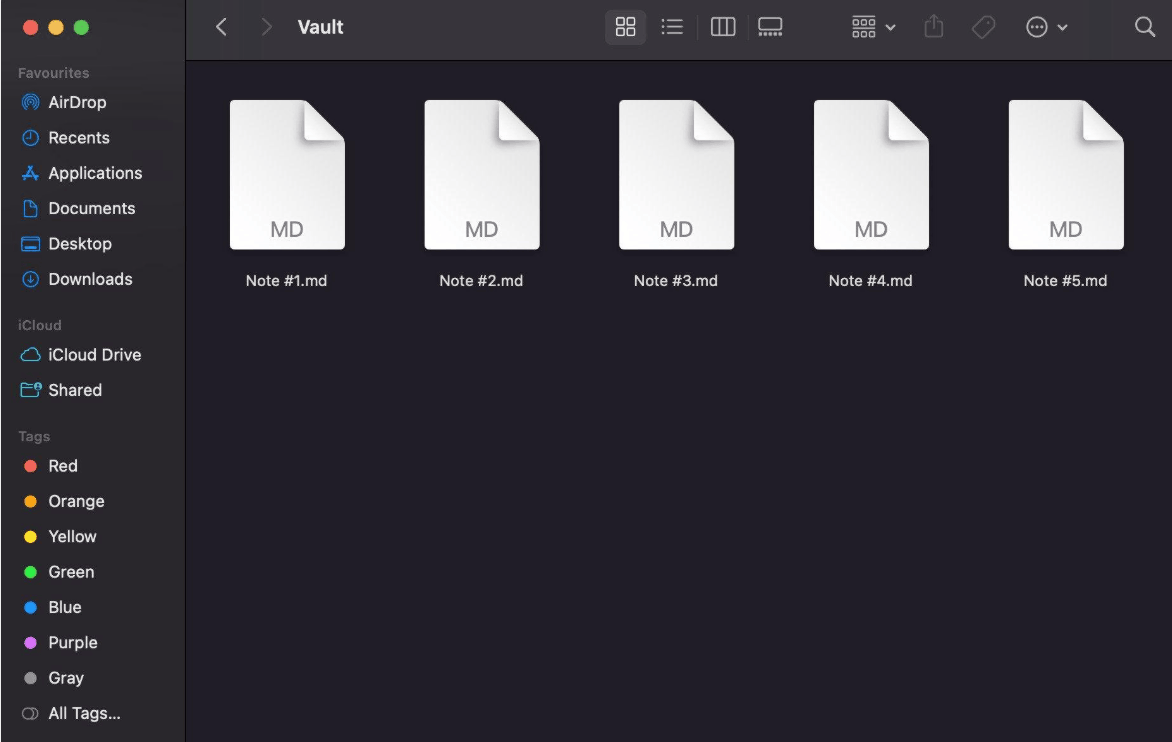
Obsidian's plain-text notes can be accessed directly, but the behavior of a plugin or a specialized view will not automatically work in another editor. Before switching, make a list of the parts that depend on plugins.
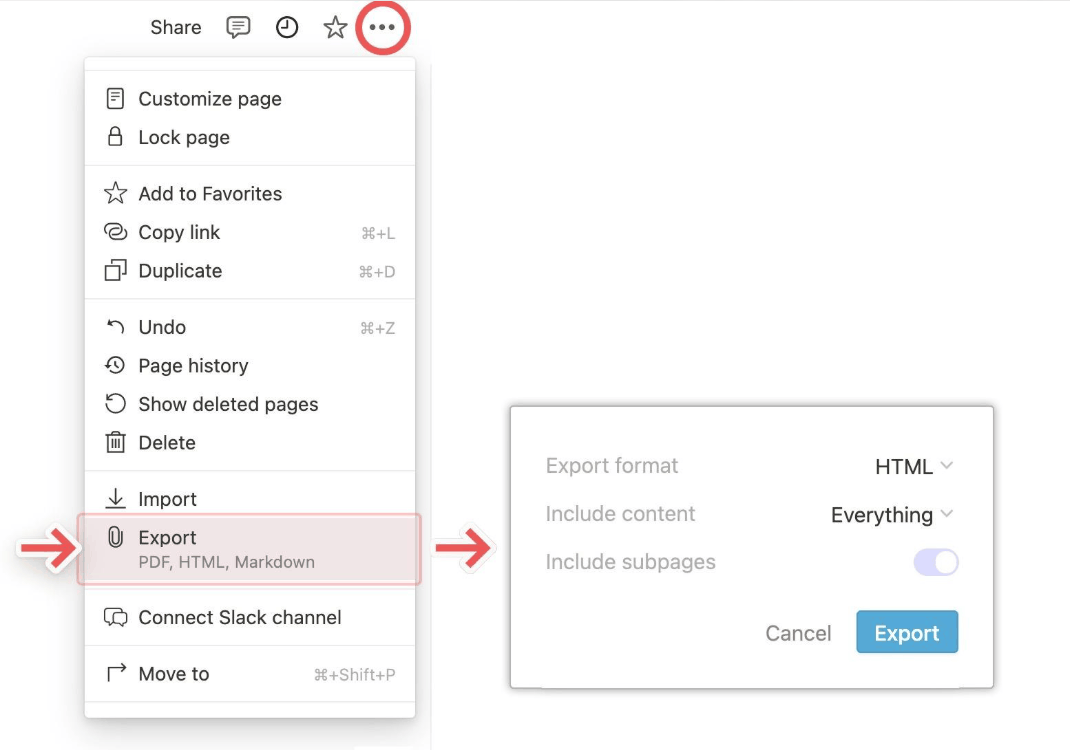
Notion allows exporting pages as HTML or Markdown and databases as CSV, with options varying by content type and plan. This feature is useful for access and backup, but Notion itself also notes that re-uploading an export will not immediately rebuild the entire workspace. Check the results rather than treating the export button as a guarantee of a reversible migration.
3. Comparing note links, graph views and visual canvases
Both tools have backlinks. What is worth comparing is how each presents relationships.
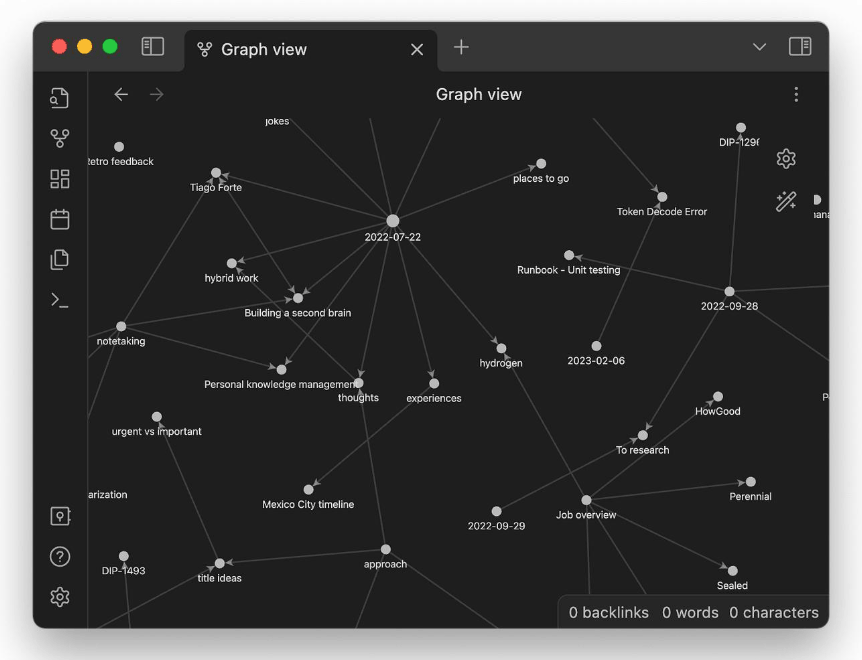
Obsidian's Graph view visualizes notes and the links between them. The local graph helps you see the connections around one note, while the global graph can reveal clusters of ideas. However, the graph only shows links that you created yourself, and it does not prove that two ideas are truly related in content.
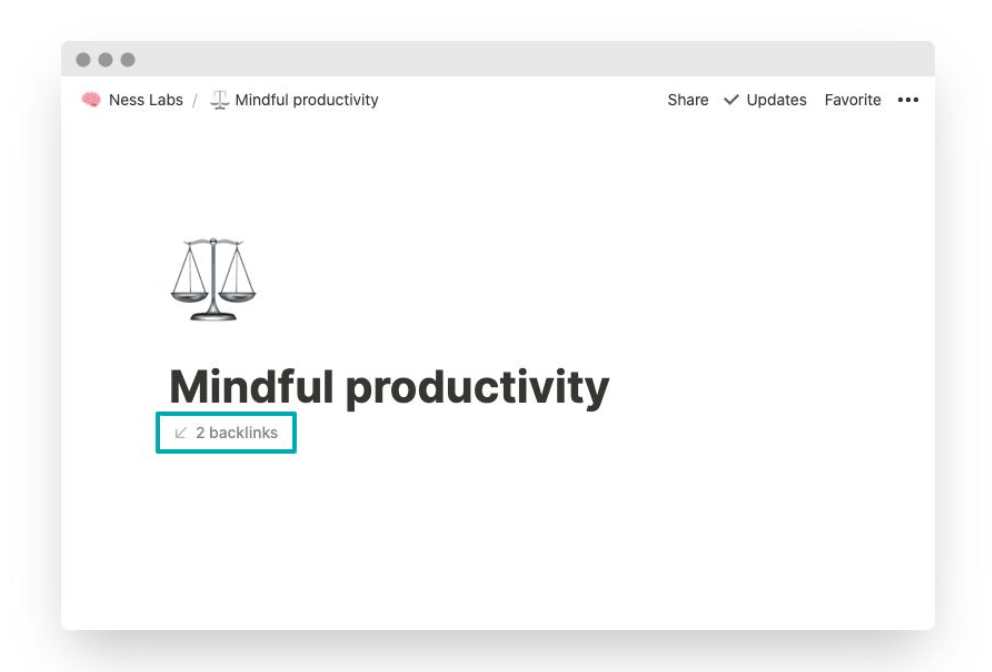
Notion's backlinks appear automatically when a page has a link pointing to it, depending on access permissions and visibility settings. Readers cannot use a backlink to open a page they do not have permission to view. The belief that every backlink must be created manually is inaccurate.
Obsidian's Canvas is a core plugin used to arrange notes, images and other content spatially. It is different from Graph view and does not need the community plugin Excalidraw.
You can think of these three representations as three different questions. Links answer the question of what connects to what, database views answer which records meet a condition, and canvases answer how everything should be arranged. Suppose you are comparing three research papers: you can use links to connect each paper to a common concept, use a table to compare publication years and methods, then use a canvas to place conflicting arguments side by side. Choose the representation that helps you answer the question you actually have, rather than building all three just because the tool allows it.
4. Built-in templates, Bases and relational databases
4.1 Obsidian already has database-like views in its core
Bases is a core plugin of Obsidian that lets you view, edit, sort and filter files and their properties. The data remains in Markdown files and local properties, while the definition of each view can be saved in separate files. You do not need Dataview just to display a structured collection of notes.
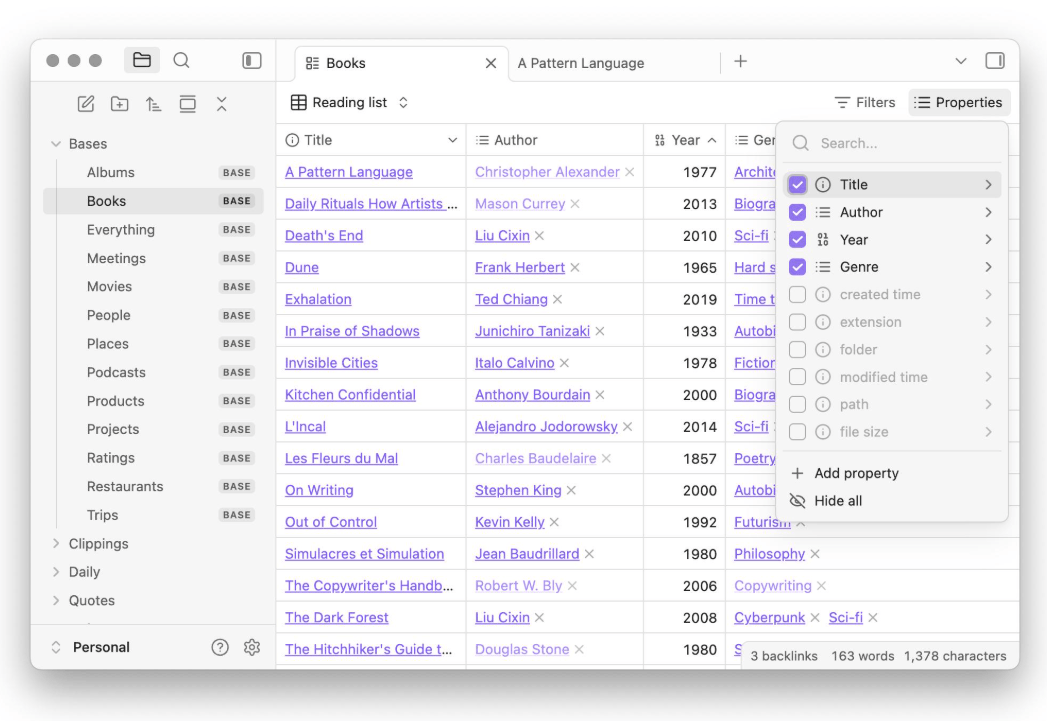
A reasonable way to start is to create a reading list with title, topic and reading status, then try Bases on those notes before adding any community plugin. If you later need a specialized query or workflow, evaluate that extension separately. The native Bases and the community Dataview are two different tools, so do not assume that old queries will run intact on the new tool.
Obsidian also has the core plugin Templates for inserting reusable text snippets, with variables such as title, date and time. Community templates can extend this further, but basic templates do not require them.
4.2 Notion connects records across multiple databases
Relations in Notion connect pages belonging to different databases, while rollups aggregate information from related records. For example, a project can be linked to its tasks and aggregate a property from those tasks. This is entirely different from merely linking two paragraphs together.
For teamwork, start by naming the records you need, such as projects, tasks, customers or decisions. Then determine which relationships must always remain consistent. Obsidian can organize structured collections of notes, but that alone does not make Bases a direct replacement for a shared relational workspace.
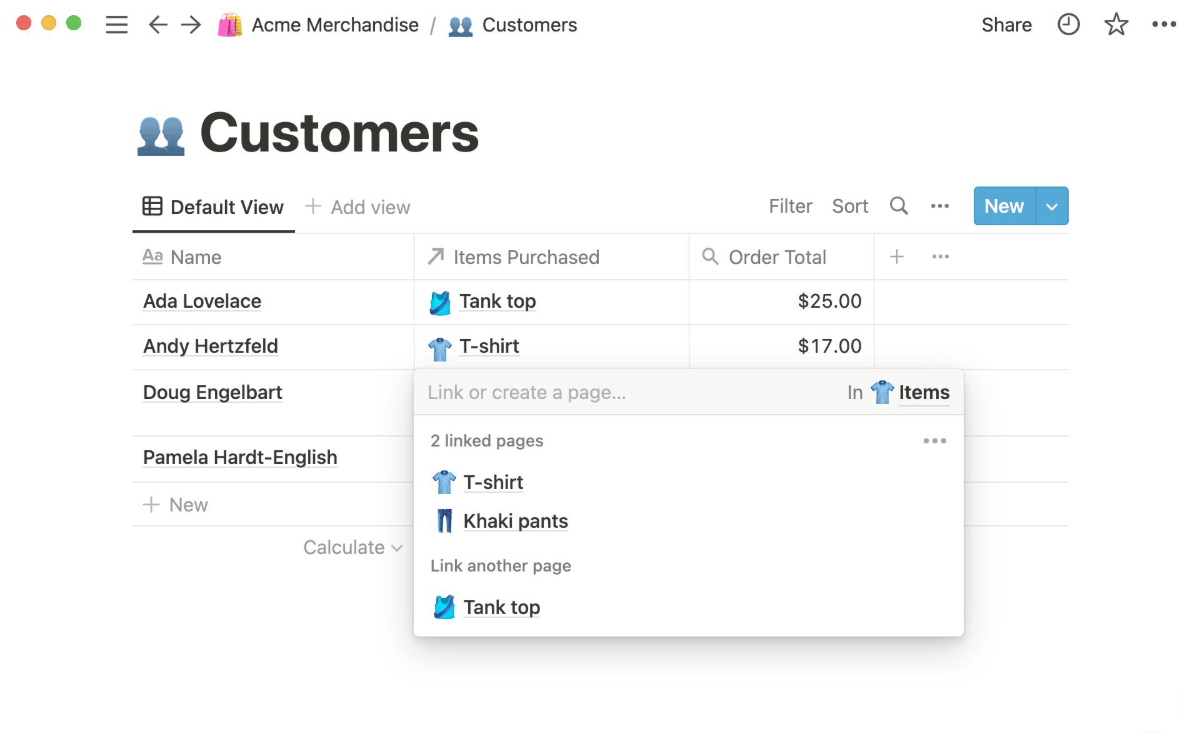
By specific task: to reuse a meeting-note structure, Obsidian has Templates while Notion has page or database templates. To track a collection of notes, Obsidian uses properties and Bases, while Notion uses databases with properties and views. To explore connections between ideas, Obsidian has links, backlinks and Graph view, while Notion has page links and backlinks. To aggregate the tasks belonging to a project, Notion has relations and rollups, whereas Obsidian requires you to design and verify a workflow based on files and properties yourself. To arrange material spatially, Obsidian has Canvas, while Notion usually needs a page layout or a separate drawing tool.
On collaboration, there is a point that is often confused. Obsidian supports sharing a vault through Obsidian Sync, and every participant needs an active Sync plan. However, the official documentation states that this mode does not yet support live editing of the same file and does not yet have fine-grained permissions. Changes arrive through syncing, and simultaneous edits may need to be handled. This approach is useful for sharing a set of files, but it differs from watching teammates type live on the same page. Notion remains a stronger starting point for a shared wiki or project tracking board where many people need to work at the same time with different permission levels.
5. Which tool suits students and second-brain systems better
For a personal thesis or a writing material archive, start with Obsidian. An effective approach is to create one note for each source, save the path and bibliographic information, then link each source to the concepts it contributes to. When you need to compare the whole collection, use Bases. Obsidian's official web clipper also lets you save and highlight web content into the vault, so collecting material is not limited to unofficial plugins.
For group projects or a shared course tracking board, start with Notion. You need to determine who is responsible for each task and where members find the latest documents. Do not confuse benefits for individual students with a free plan for a whole group, because Notion's education program distinguishes an individual's single-member workspace from the workspace of an approved student organization. Check the current terms and conditions.
For a second-brain system, retrieval habits matter more than the look of the dashboard. A useful rhythm is to review new notes every week, add one sentence explaining why each source matters, and connect it to your current work. Neither graphs nor databases guarantee better learning.
You can try a small exercise on each candidate tool. Record a lecture or a meeting, link it to two existing ideas, find it again without browsing through folders, then turn one observation into a concrete action. Note down where you run into difficulty. This is a suggestion for your own evaluation, not an experiment that has already been conducted.
6. Pricing and AI
The Obsidian application is free for both personal and commercial purposes. The commercial license is only a form of support and is not mandatory for work use. The basic Sync plan costs about 4 US dollars per user per month when paid annually, or 5 dollars when paid monthly. The Publish service starts at about 8 US dollars per site per month when paid annually, or 10 dollars when paid monthly. These are separate services, and you should check the current price list before deciding.
Notion offers Free, Plus, Business and Enterprise plans. When comparing cost per member, you need to look at the correct currency and whether you choose annual or monthly payment. The free plan has limits on collaboration. AI availability and quotas differ by plan, and some agent features are also charged separately by credits.
7. Conclusion
Choose Obsidian when the deciding requirements are local files, linked research and control over your own storage. Choose Notion when the deciding requirements are shared pages, relational data and access permissions for the whole team. The most important point is not which tool has more features, but which tool matches how you actually work every day.
The safest way is to start with a real project, test both retrieval and data migration rather than only note creation, and add complexity only when it solves a problem you have already encountered.





















VIP Products








Best Selling Products
Adobe Premiere Pro Account
99 USD
Adobe Photoshop Copyright - Full App
120 USD
Upgrade Genuine Office 365
49 USD
Upgrade Duolingo Super
29 USD
Windows 10 & 11 Pro Key
36 USD
Capcut Pro 1 Year
39 USD
ChatGPT Plus Account (GPT-4)
16 USD
Plugin Retouch4me
69 USD
Genuine Cheap Canva Pro
39 USD
MidJourney Account
29 USD
Copyright Adobe Lightroom Account
59 USD
Upgrade genuine Capture One account
120 USD
Genuine Adobe Illustrator account
99 USD
Freepik Premium Account
59 USD
Autodesk All App Account Copyright
120 USD