Best Selling Products

Plugin Retouch4me
69 USD

MidJourney Account
29 USD

Autodesk All App Account Copyright
120 USD

Capcut Pro 1 Year
39 USD

Adobe Premiere Pro Account
99 USD

Freepik Premium Account
59 USD

Genuine Adobe Illustrator account
99 USD

Windows 10 & 11 Pro Key
36 USD

Upgrade Genuine Office 365
49 USD

ChatGPT Plus Account (GPT-4)
16 USD

Upgrade Duolingo Super
29 USD

Adobe Photoshop Copyright - Full App
120 USD

Copyright Adobe Lightroom Account
59 USD

Upgrade genuine Capture One account
120 USD

Genuine Cheap Canva Pro
39 USD
Working More Effectively with Online Collaboration Platforms for Teams in 2026
Nội dung
- 1. What is a collaborative workspace
- 2. Core benefits of a unified collaborative workspace
- 2.1 A single source of truth
- 2.2 Enhanced visual thinking
- 2.3 Preserving full work context
- 3. Why traditional tools have not solved the fragmentation problem
- 3.1 Google Workspace and the linear trap
- 3.2 Notion and the limits of the block model
- 3.3 Confluence and the patchwork of extensions
- 4. Comparing the leading collaborative workspaces
- 5. Conclusion
Many teams are still managing 2026 projects with habits formed more than a decade ago. Messages sit in a chat app, documents sit in a separate editor, and brainstorming sessions take place on a standalone whiteboard tool. This approach still works, but at the cost of switching time, out-of-sync information and scattered focus. The article below analyzes the concept of a collaborative workspace, the practical benefits of a unified model, the limits of familiar tools and how to weigh them against each other to choose the right solution.

1. What is a collaborative workspace
To understand the value of this concept, we need to look back at how it has changed over time. About ten years ago, a collaborative workspace was usually just a shared folder on a server, or an online document that allowed multiple people to edit together. Its role stopped at storing and sharing files.
Today, the definition is much broader. An online collaborative workspace is a centralized digital environment where a team can plan projects, execute tasks, manage knowledge and communicate in real time, no matter where the members are. It supports both synchronous work, when everyone participates at the same time, and asynchronous work, when each person contributes at their own pace and leaves full context for those who come later.

A workspace that meets the demands of this era needs to cover three main groups of activity. The first group is content creation, including drafting documents, writing product specifications and working with source code. The second group is idea development, including whiteboard brainstorming, drawing diagrams and mapping mind maps. The third group is management, including tracking tasks, operating databases and arranging schedules.
If your process requires opening one tool for documents, another for brainstorming and yet another for task management, then what you have is not yet a true workspace. It is a patchwork, and the fatigue of having to rotate between too many applications is the factor quietly eroding the whole team's speed. Studies on the future of work also show that high-performing organizations tend to shift from standalone solutions to integrated platforms that can cover the entire lifecycle of a piece of work.
2. Core benefits of a unified collaborative workspace
Moving to a unified platform is often simply understood as a way to save on subscription fees. In reality, the far greater value lies in the quality of information, the capacity for thinking and the ability to maintain each member's focus.
2.1 A single source of truth
In a fragmented model, information always tends to degrade over time. A process diagram on the whiteboard tool is updated, but the specification written in the document tool keeps the old content. This inconsistency creates small misunderstandings, which then accumulate into implementation errors, rework and meetings held just to check which version is the latest.
When diagrams and documents live in the same ecosystem, this problem is almost eliminated at the root. Updating the plan means updating the execution, because both refer to the same data. Every member, from managers to those carrying out the work, looks at the same version and can trust it. For projects with many stakeholders, this is an important foundation for maintaining consistency and minimizing risks caused by inaccurate information.
2.2 Enhanced visual thinking
Humans take in images much faster than text, and many studies on cognition show that combining words with images, often called dual coding, increases memory and improves problem-solving effectiveness. Some complex ideas, such as user flows, system architecture or relationships among stakeholders, are almost impossible to express neatly in text alone.
A workspace that supports visual collaboration lets teams switch between text and images almost instantly. You can sketch ideas as diagrams while thinking is still forming, then move to structured text when you need to finalize them into an official document. As a result, the thinking process happens more naturally, instead of being chopped up by tool switches.
2.3 Preserving full work context
One of the biggest causes of lower productivity is constant context switching. Each time you leave one application to open another, the brain has to reload the context, remember how far you got, find the files you need and restore an unfinished train of thought. These interruptions seem small, but accumulated over a working day they consume a considerable amount of cognitive energy.
A unified platform keeps context seamless. You do not have to leave a document to draw an illustrative diagram, nor leave a whiteboard to write a report. Everything needed for a task is within reach, helping members maintain a state of deep focus and complete thinking-intensive tasks with higher quality.
3. Why traditional tools have not solved the fragmentation problem
To understand why a new generation of tools has appeared, we need to look squarely at the design limits of the products leading the market. The assessments below are not meant to deny the value these tools have created, but to point out gaps as work needs lean increasingly toward the visual and the connected.
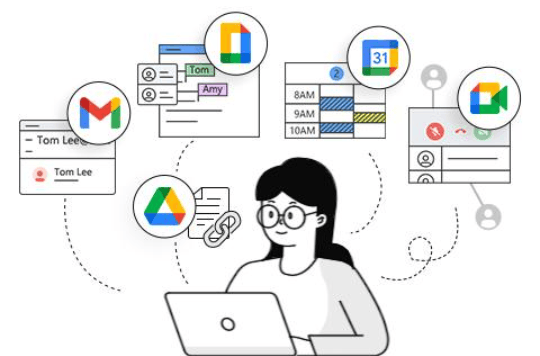
3.1 Google Workspace and the linear trap
The suite of Docs, Sheets and Slides was among the pioneers in bringing real-time editing to the masses. However, in essence, these tools are still digitized versions of paper. They put users into a linear way of thinking, going from top to bottom, page by page.
This way of organizing is very suitable for drafting contracts, minutes or reports with a clear structure. But when you need to sketch a complex software architecture, a customer journey map or a multi-branch storyline, the linear format becomes a barrier. Whiteboards and diagrams usually have to sit in a separate application, leaving content scattered and hard to sync with the main document.
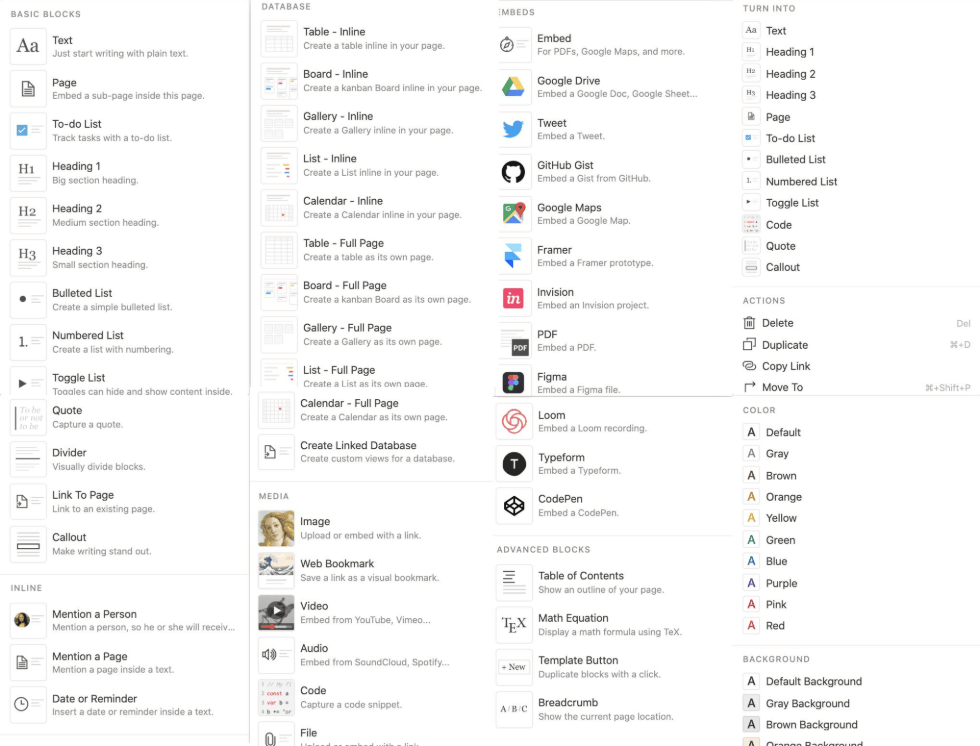
3.2 Notion and the limits of the block model
Notion is loved for its flexible database system, which lets you create tables, calendars, Kanban boards and links between pages intuitively. This is a genuine strength, especially for teams that need to manage structured information.
However, at its core, Notion is a block-based text editor. Free-form drawing, connecting ideas with connector lines and building mind maps right inside a page are still quite limited, and often rely on embedded content from other tools. This forces chaotic, exploratory thoughts into fixed frames before they have had a chance to take shape. For teams that need a truly free idea phase before moving to structure, this is a significant sticking point.
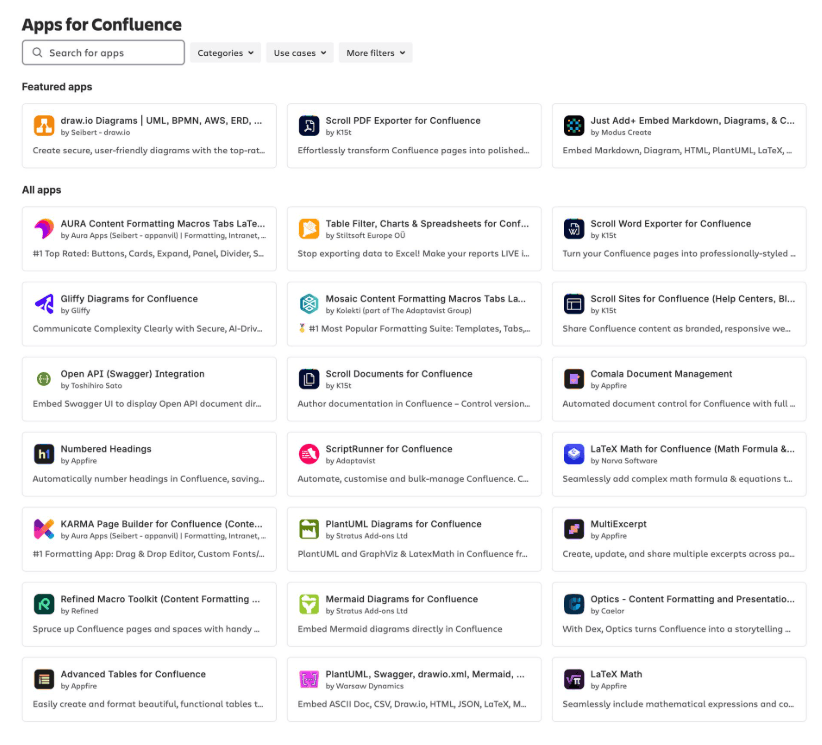
3.3 Confluence and the patchwork of extensions
Confluence is one of the most familiar enterprise wiki platforms, strong in organizing knowledge in a hierarchical structure and deeply integrated with the ecosystem of project management tools. Even so, as we enter the era of visual collaboration, the platform's native capabilities are not truly seamless.
Many teams have to buy and manage third-party add-ons themselves just to draw a simple process. That increases costs, increases operational complexity and creates more points of interruption in the experience. In addition, the end of support for the server version forces organizations that value privacy and want to control their own infrastructure to weigh moving to the public cloud against paying more for the Data Center version. Flexible options for small and mid-sized teams that need to control their data are thus narrowed.
4. Comparing the leading collaborative workspaces
When you place the three popular solutions, Notion, Confluence and Google Workspace, side by side, each has a fairly clear position and suitable audience. The most practical view is not to find the best tool for every case, but to identify the tool that best matches how your team actually works.
In terms of suitable audience, Notion suits those who love databases and organizing information in blocks, Confluence is for large enterprises that need a tightly hierarchical wiki, and Google Workspace serves familiar document-drafting needs well.
In terms of core structure, Notion organizes by pages and blocks, Confluence by a hierarchical wiki model, and Google Workspace by separate linear files.
In terms of drawing and visual collaboration, Notion mainly relies on embedded content, Confluence usually needs additional add-ons, and Google Workspace separates the whiteboard into its own application.
In terms of offline mode, Notion and Google Workspace offer partial support, while Confluence operates mainly on the cloud platform.
In terms of data control, Notion and Google Workspace are mainly services operated by the provider. Confluence offers a cloud or Data Center option at a higher cost.
In terms of cost, Notion has a free plan and paid subscription plans, Confluence charges per user and can become quite large as scale grows, and Google Workspace uses a monthly subscription model.
Even so, the final choice should still be based on specific context. If your team is deeply tied to the Google ecosystem, the cost of switching may be greater than the benefit received. If the focus is a large-scale enterprise wiki tied to existing project management tools, Confluence remains a reasonable choice. And if the work leans toward brainstorming, process design and needs data control, a unified platform with a native whiteboard deserves serious consideration.
5. Conclusion
Team productivity in 2026 no longer lies in typing faster or holding more meetings, but in thinking more clearly and keeping information consistent. A good collaborative workspace is not just a place to store files, but an environment that amplifies collective intelligence, allowing teams to move naturally between the freedom of a whiteboard and the rigor of a structured document.
The world of work is shifting from file management to knowledge management. In that context, a suitable tool needs to meet three requirements: be flexible across many styles of thinking, be fast and stable enough not to interrupt the flow of work, and be safe enough that organizations feel reassured about their data. Do not let your team's potential get stuck in linear documents or lost on whiteboards used only once.
Before deciding, start by reviewing how your team is working: how many tools are being used in parallel, at which stage information tends to fall out of sync and how much time switching between applications consumes each week. From there, you can try a unified platform on a small project, measure real-world effectiveness and only then expand. This step-by-step approach reduces risk and allows the team to adapt naturally to the new way of working.





















VIP Products








Best Selling Products
Plugin Retouch4me
69 USD
MidJourney Account
29 USD
Autodesk All App Account Copyright
120 USD
Capcut Pro 1 Year
39 USD
Adobe Premiere Pro Account
99 USD
Freepik Premium Account
59 USD
Genuine Adobe Illustrator account
99 USD
Windows 10 & 11 Pro Key
36 USD
Upgrade Genuine Office 365
49 USD
ChatGPT Plus Account (GPT-4)
16 USD
Upgrade Duolingo Super
29 USD
Adobe Photoshop Copyright - Full App
120 USD
Copyright Adobe Lightroom Account
59 USD
Upgrade genuine Capture One account
120 USD
Genuine Cheap Canva Pro
39 USD