Best Selling Products

Autodesk All App Account Copyright
120 USD

Capcut Pro 1 Year
39 USD

MidJourney Account
29 USD

Adobe Photoshop Copyright - Full App
120 USD

Freepik Premium Account
59 USD

Genuine Adobe Illustrator account
99 USD

Genuine Cheap Canva Pro
39 USD

Upgrade Genuine Office 365
49 USD

Windows 10 & 11 Pro Key
36 USD

Upgrade genuine Capture One account
120 USD

Plugin Retouch4me
69 USD

Copyright Adobe Lightroom Account
59 USD

Adobe Premiere Pro Account
99 USD

Upgrade Duolingo Super
29 USD

ChatGPT Plus Account (GPT-4)
16 USD
Guide to Create a Podcast on Spotify for Free for Beginners
Nội dung
- 1. Why Should You Create a Podcast on Spotify?
- 2. Requirements for Creating a Podcast on Spotify
- 3. Detailed Guide to Creating a Podcast on Spotify for Beginners
- 3.1 How to Create a Podcast on Spotify Using Buzzsprout
- 3.2 How to Create a Podcast on Spotify Using Anchor
- 3.3 Spotify’s Service – Spotify for Podcasters
- 4. Frequently Asked Questions About Podcasting on Spotify
- 4.1 Can You Make Money From Podcasting on Spotify?
- 4.2 How Do You Share a Podcast on Social Media?
- 4.3 How Long Does Synchronization Take After Creating a Podcast on Spotify?
- 5. Conclusion
In today’s rapidly growing digital content era, Podcasts are gradually becoming a “golden opportunity” to share knowledge, stories, and build a personal brand sustainably.
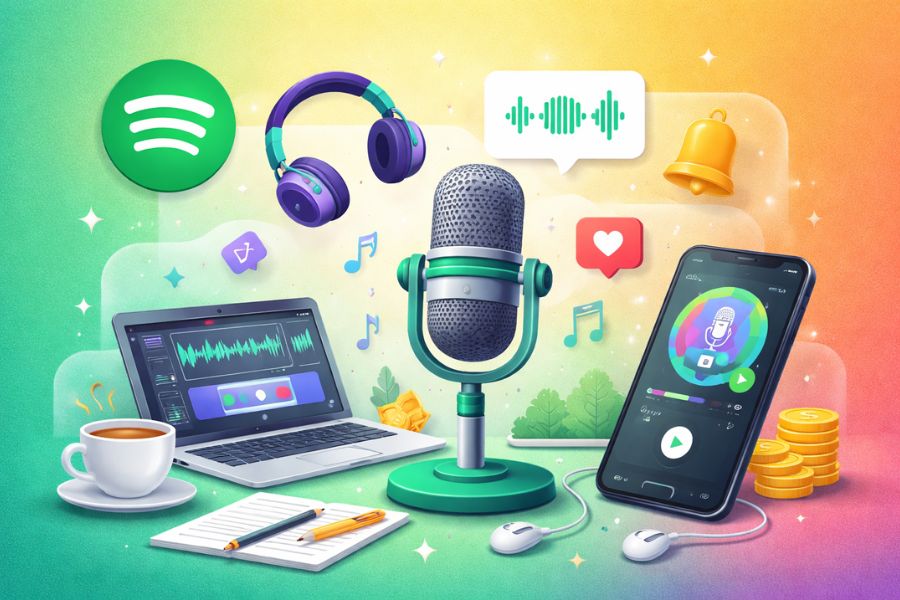
1. Why Should You Create a Podcast on Spotify?
Podcasts are gradually becoming an important content channel in personal and business branding strategies thanks to their ability to deliver information in a close, natural, and accessible way. Among current platforms, Spotify stands out with its massive global user base, helping your Podcast quickly reach the right audience without requiring large upfront advertising costs.
Creating a Podcast on Spotify is not just about sharing knowledge, stories, or personal opinions, but also an effective way to build authority and create a unique identity in your chosen field. With quality content and a clear direction, a Podcast can become a lasting bridge between you and your community while opening many monetization opportunities such as advertising, brand collaborations, or selling related products and services.
In addition, Spotify provides a powerful analytics system that allows creators to easily track listens, engagement time, and audience behavior. This data helps you understand what listeners care about, allowing you to optimize your content and Podcast growth strategy more effectively. Thanks to automatic distribution and smart promotion support, Spotify becomes the ideal choice for anyone wanting to start Podcasting professionally and for the long term.
.jpg)
2. Requirements for Creating a Podcast on Spotify
For your Podcast to officially appear and be distributed on Spotify, you need to use a suitable Podcast hosting platform and ensure your channel meets all the basic criteria set by Spotify. These conditions are not too complicated but play an important role in helping your Podcast get approved quickly, displayed in the correct category, and reach the right audience. Preparing everything from the start will make your Podcast look more professional, create a positive first impression, and increase long-term growth potential.
The required conditions for creating a Podcast on Spotify include:
At least one published episode: Your Podcast channel must have at least one uploaded episode. If your official episodes are not ready yet, you can upload a short introduction episode to present your topic, style, and value to listeners.
A clear Podcast description: The description should highlight the main content, target audience, and unique value of your channel. This helps listeners quickly understand what your Podcast is about while improving SEO and increasing recommendation opportunities on Spotify.
A standard Podcast cover image: Your Podcast needs a main cover image for the channel or separate images for each episode. The cover must be square, sized from 1400 x 1400 to 3000 x 3000 pixels, saved as .jpg or .png, sharp, recognizable, and suitable for the content.
Specific content category: Your Podcast must be placed in at least one suitable category such as education, business, technology, entertainment, etc., so Spotify can classify it accurately and recommend it to the right audience.
Choose the main language: Defining the language helps Spotify distribute your Podcast to the correct region and audience, increasing reach and listener retention.
Author or creator name: Your Podcast channel must clearly display the name of the individual, group, or brand behind the content, helping build trust and credibility.
Sensitive content confirmation (if applicable): If your Podcast contains explicit language or mature content, you must clearly mark it to comply with Spotify’s policies and ensure an appropriate listening experience.
Meeting all these requirements not only helps your Podcast get accepted easily by Spotify but also creates a solid foundation for professional, sustainable growth and attracting listeners from your very first episodes.
3. Detailed Guide to Creating a Podcast on Spotify for Beginners
After understanding why you should start a Podcast and the required conditions, the next step is taking action. In reality, to upload your Podcast to Spotify, you need to use an intermediate Podcast hosting platform. Below are the two most popular and beginner-friendly methods today.
3.1 How to Create a Podcast on Spotify Using Buzzsprout
Buzzsprout is a famous Podcast hosting platform thanks to its intuitive interface, simple operation, and fast distribution to Spotify. With Buzzsprout, you don’t need much technical knowledge to create a professional Podcast in just a few steps.
Step 1: Register Podcast distribution to Spotify
After creating your account and uploading your first Podcast episode to Buzzsprout, go to the Directories section in your dashboard. Here, Buzzsprout will display a list of popular Podcast distribution platforms, including Spotify.
Next, click Get Listed below the Spotify icon. This allows Buzzsprout to submit your Podcast directly to Spotify without requiring you to manually complete each complicated step.
Step 2: Check Podcast requirements according to Spotify
Before submitting your Podcast for review, Buzzsprout will ask you to review all channel information such as Podcast name, description, cover art, category, language, and published episodes. This is an important step to ensure your Podcast meets Spotify’s standards.
Take time to carefully review each criterion, improve the description for clarity, choose the correct category, and ensure your cover image meets size requirements. Full preparation will help your Podcast get approved faster and displayed accurately on Spotify.
Step 3: Submit your Podcast to Spotify
Once all requirements are met, simply scroll down and click Submit Your Podcast to Spotify. Buzzsprout will handle the entire submission process for you.
After submission, you only need to wait a few days for Spotify’s review process. Once approved, your channel will officially appear on Spotify and be ready to reach listeners worldwide.
.jpg)
3.2 How to Create a Podcast on Spotify Using Anchor
If you want a 100% free solution with built-in recording, editing, and publishing tools, then Anchor (now Spotify for Podcasters) is the best choice. This platform is especially suitable for beginners because every step is clearly guided.
Step 1: Create an account and Podcast channel
First, visit Anchor’s homepage and register using email or your Spotify account. After email confirmation, the system will guide you to create your first Podcast channel with a name, description, and language.
At this stage, spend time choosing a clear, memorable Podcast name that matches your topic, as this directly affects brand recognition and search visibility on Spotify.
Step 2: Create your first Podcast episode
After setting up your channel, click Let’s do it to begin producing your first episode. Anchor allows you to upload existing audio files or record directly on the platform.
Once uploaded, review the content, make edits if needed, and click Save episode. Anchor automatically processes your audio to ensure stable quality without requiring external software.
.jpg)
Step 3: Enter information and publish your Podcast episode
Next, fill in the title, detailed description, select the appropriate category, and mark sensitive content if needed. This is crucial for better recommendations and reaching the right listeners.
After completion, click Publish now to release your Podcast episode. At this point, your content is ready for Spotify distribution.
Step 4: Design your Podcast cover art
Anchor provides a built-in cover art creation tool with many templates, perfect for users without design skills. You can customize colors, fonts, or upload your own image for a personal touch.
After selecting your preferred cover, click Continue to proceed. A clear and attractive cover image helps your Podcast stand out on Spotify.
Step 5: Distribute your Podcast to Spotify
In the final step, you can make last-minute cover adjustments and click Update cover art. Then Anchor will ask if you want to distribute your Podcast—click Yes, distribute my podcast to confirm.
Once the system confirms completion, simply click Ok, thanks. From this moment, your Podcast will automatically appear on Spotify after approval without any extra steps.
.jpg)
3.3 Spotify’s Service – Spotify for Podcasters
To fully support content creators, Spotify developed a dedicated platform called Spotify for Podcasters. This official tool helps you manage Podcasts, monitor audience data, measure episode performance, and optimize content based on real listener behavior. Through Spotify for Podcasters, you can expand reach, build a professional growth strategy, and manage your Podcast efficiently without relying on complicated third-party tools.
Step 1: Log in to Spotify for Podcasters
First, open your browser and visit Spotify for Podcasters. On the homepage, click GET STARTED to begin creating your Podcast.
Next, log in with your personal Spotify account. If you don’t have one yet, you can create one for free. Using your Spotify account ensures easy synchronization and management later.
.jpg)
Step 2: Enter your Podcast RSS feed link
After successful login, Spotify will ask for your Podcast RSS feed. This link is provided by your Podcast hosting platform and contains all Podcast information and episodes.
Paste the correct RSS feed and click NEXT. Spotify will automatically scan the data to check if your Podcast meets basic requirements.
Step 3: Verify Podcast ownership
To ensure you are the legitimate owner, Spotify requires email verification. Click SEND CODE, and the system will send a verification code to the email associated with your Podcast hosting account.
Check your email, enter the code into Spotify for Podcasters, then click NEXT. This mandatory step protects copyright and prevents unauthorized uploads.
.jpg)
Step 4: Provide Podcast description details
Next, fill in and select Podcast details such as content category, main language, country, and audience suitability. This helps Spotify classify your Podcast accurately.
Choosing the correct category and language improves audience targeting and recommendation potential. Once completed, click NEXT.
Step 5: Submit your Podcast to Spotify
Finally, to complete the process, click SUBMIT. Your Podcast will now be sent for review.
Once approved, your Podcast will officially appear on Spotify and be ready to reach millions of listeners. From there, you can track performance, manage episodes, and professionally grow your Podcast directly within Spotify for Podcasters.
.jpg)
4. Frequently Asked Questions About Podcasting on Spotify
After creating and publishing a Podcast, many beginners often have questions about monetization, sharing content, and synchronization time. These are very common concerns when starting Podcasting. Below, Thế Giới Phần Mềm AI answers the most frequently asked questions to help you confidently grow your Podcast channel.
4.1 Can You Make Money From Podcasting on Spotify?
The answer is yes, and this is one reason Podcasts attract so many creators. Once your Podcast gains a stable audience, you can monetize through different methods. The most common is advertising partnerships, where ads are inserted directly into episodes or products/services relevant to your channel are promoted.
Besides ads, Spotify Podcasts can generate income through sponsorships, affiliate marketing, selling personal products/services, or building a paid listener community. However, effective monetization requires quality content, consistent publishing, and long-term trust-building with listeners.
4.2 How Do You Share a Podcast on Social Media?
Spotify supports convenient sharing features, allowing you to easily spread content across social media platforms. Simply select the Podcast episode you want to share, tap the share icon, and choose platforms like Facebook, Instagram, Twitter, or copy the direct link.
You can also embed your Podcast link or RSS feed into your website, blog, or email marketing campaigns. Regular social sharing not only increases listens but also strengthens personal branding and builds a loyal audience community.
4.3 How Long Does Synchronization Take After Creating a Podcast on Spotify?
After publishing a new Podcast episode, Spotify usually takes about 5–10 minutes to sync and display it on the platform. In most cases, Podcasts appear quite quickly, especially if your RSS feed is stable and error-free.
However, during system delays or due to Podcast hosting issues, display time may take longer. If your Podcast still hasn’t appeared after about 30 minutes, check your RSS feed, episode details, or contact Spotify support for assistance.
5. Conclusion
Creating a free Podcast on Spotify is not as difficult as many people think, even if you are completely new and have never recorded or produced content before. With just a clear idea, a basic microphone, and persistence, you can build a professional Podcast channel that reaches thousands—even millions—of listeners. More importantly, Podcasting is not only a place to share your passion but also a sustainable income opportunity if you invest seriously and consistently in content. Hopefully, the detailed guidance from Thế Giới Phần Mềm AI will help you confidently begin your own Podcast journey starting today.





















VIP Products








Best Selling Products
Autodesk All App Account Copyright
120 USD
Capcut Pro 1 Year
39 USD
MidJourney Account
29 USD
Adobe Photoshop Copyright - Full App
120 USD
Freepik Premium Account
59 USD
Genuine Adobe Illustrator account
99 USD
Genuine Cheap Canva Pro
39 USD
Upgrade Genuine Office 365
49 USD
Windows 10 & 11 Pro Key
36 USD
Upgrade genuine Capture One account
120 USD
Plugin Retouch4me
69 USD
Copyright Adobe Lightroom Account
59 USD
Adobe Premiere Pro Account
99 USD
Upgrade Duolingo Super
29 USD
ChatGPT Plus Account (GPT-4)
16 USD