Best Selling Products

Adobe Premiere Pro Account
99 USD

Plugin Retouch4me
69 USD

Upgrade genuine Capture One account
120 USD

Windows 10 & 11 Pro Key
36 USD

Upgrade Duolingo Super
29 USD

Upgrade Genuine Office 365
49 USD

Autodesk All App Account Copyright
120 USD

Genuine Cheap Canva Pro
39 USD

MidJourney Account
29 USD

Copyright Adobe Lightroom Account
59 USD

ChatGPT Plus Account (GPT-4)
16 USD

Genuine Adobe Illustrator account
99 USD

Capcut Pro 1 Year
39 USD

Freepik Premium Account
59 USD

Adobe Photoshop Copyright - Full App
120 USD
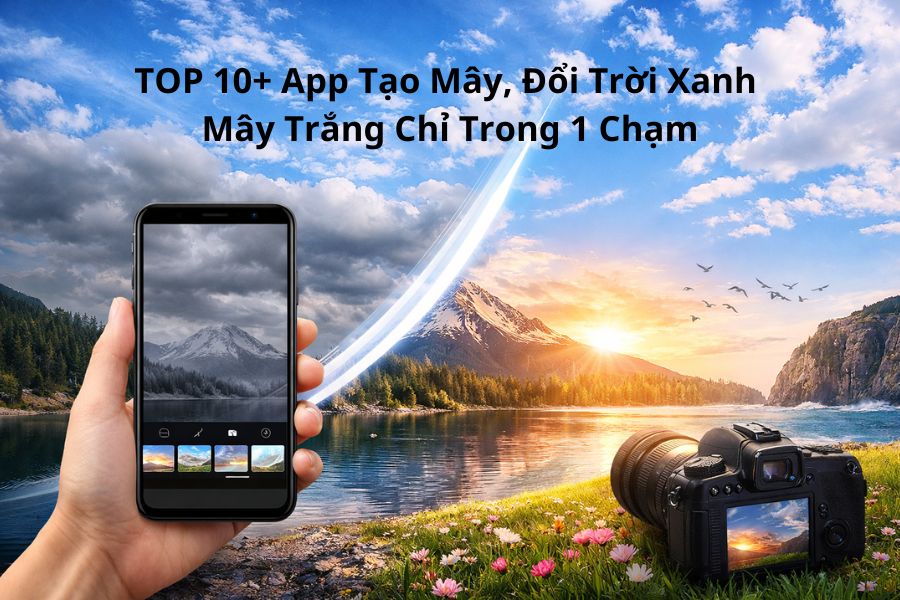
TOP 10+ Apps to Create Clouds and Turn the Sky Blue with White Clouds in Just One Tap
Nội dung
- 1. PicsArt
- PicsArt is one of the leading cloud editing and creative photo editing apps today, loved by millions of users thanks to its rich library of effects and nearly limitless customization options. Its most outstanding feature is the Sky Replace tool, which allows you to change gloomy skies into bright blue skies with white clouds in just a few seconds, bringing freshness and energy to your photos. The cloud effects are designed to look natural and blend seamlessly with surrounding scenery, making your images appear more realistic and artistic.
- Outstanding features of PicsArt:
- 2. Enlight Pixaloop
- Outstanding features of Enlight Pixaloop:
- 3. Enlight Quickshot
- Outstanding features of Enlight Quickshot:
- 4. Picnic
- Outstanding features of Picnic:
- 5. Mix
- Outstanding features of Mix:
- 6. Meitu
- Outstanding features of Meitu:
- 7. SnapEdit
- Outstanding features of SnapEdit:
- 8. Photoleap
- Outstanding features of Photoleap:
- 9. Adobe Lightroom
- Outstanding features:
- 10. SkyPic
- Outstanding features:
- 11. Photoshop Express
- Outstanding features:
- 12. Fotor
- Outstanding features of Fotor:
- 13. Conclusion
Cloud editing apps are becoming an essential tool for anyone who loves photo editing, especially landscape photography and aesthetic social media photos.
1. PicsArt
PicsArt is one of the leading cloud editing and creative photo editing apps today, loved by millions of users thanks to its rich library of effects and nearly limitless customization options. Its most outstanding feature is the Sky Replace tool, which allows you to change gloomy skies into bright blue skies with white clouds in just a few seconds, bringing freshness and energy to your photos. The cloud effects are designed to look natural and blend seamlessly with surrounding scenery, making your images appear more realistic and artistic.
Beyond that, PicsArt is also considered a flexible cloud-compositing app, supporting multi-layer editing similar to professional software. Users can freely combine clouds, lighting, colors, and effects to create depth in their photos with a unique personal style. Thanks to its intuitive interface and simple yet powerful tools, PicsArt is suitable for both beginners and advanced photo editors, especially content creators on social media.
Outstanding features of PicsArt:
Sky Replace tool for fast and natural sky replacement
Diverse cloud, sky, and lighting effect library, updated regularly
Supports multi-layer editing for flexible cloud compositing
Allows detailed adjustment of color, brightness, and blending
Friendly interface for both Android and iOS
Perfect for aesthetic selfies, landscapes, and creative artistic edits
.jpg)
2. Enlight Pixaloop
Enlight Pixaloop makes a strong impression with its ability to turn static skies into dynamic moving clouds, creating the feeling of a miniature cinematic scene. With just a few swipes and taps, you can make clouds drift gently and skies move smoothly, adding depth and emotion to otherwise ordinary photos. This is what makes Enlight Pixaloop one of the most beloved animated cloud editing apps among creative content communities.
Not limited to photo editing, Enlight Pixaloop also lets you create high-quality short videos from still images, making it perfect for Instagram, TikTok, or Facebook. Combined with color filters, lighting effects, and atmospheric effects, it transforms photos into something magical yet realistic. If you’re searching for a unique and artistic cloud creation app, Enlight Pixaloop is definitely worth trying.
Outstanding features of Enlight Pixaloop:
Creates smooth moving cloud and sky animations
Turns still photos into emotional short videos
Rich library of clouds, fog, and lighting effects
Intuitive motion control tools
Suitable for landscapes, artistic photos, and social media
Exports high-quality videos optimized for digital platforms
.jpg)
3. Enlight Quickshot
Enlight Quickshot is known as a professional sky editing app thanks to its famous Sky Control feature, which gives users complete control over the sky in their photos. You can easily change sky colors, lighting, contrast, and cloud shapes within seconds, from bright blue skies to glowing sunsets and soft dawn atmospheres. The effects are delicately processed, ensuring natural-looking results without appearing fake or over-edited.
A major advantage of Enlight Quickshot is its ability to automatically balance lighting between the sky and scenery, creating harmony and a premium camera-like quality. Its intuitive interface and quick workflow make it ideal for both beginners and professional photographers. If you prioritize natural and elegant blue sky replacement, Enlight Quickshot is an excellent choice.
Outstanding features of Enlight Quickshot:
Sky Control for detailed cloud and sky editing
Hundreds of sky templates: sunrise, sunset, blue skies
Automatic light and color balancing
Realistic cloud effects with no obvious editing traces
Simple and efficient interface
Perfect for landscapes, travel, and lifestyle photography
.jpg)
4. Picnic
Picnic is a highly popular cloud and sky replacement app thanks to its intelligent automatic sky recognition. Within seconds, it can replace dull gray skies with clear blue skies and soft white clouds, even if the original photo was taken in poor lighting. Picnic’s cloud effects feel natural and harmonize beautifully with the rest of the image, making photos look brighter and more vibrant.
One major advantage of Picnic is that it is a free cloud-compositing app, ideal for casual users who want quick and beautiful results without complicated editing. Simply select a photo, choose your favorite sky, make small adjustments, and your image is completely transformed. If you want something simple and effective, Picnic is highly recommended.
Outstanding features of Picnic:
Smart automatic sky detection and replacement
Large collection of blue sky and white cloud effects
Works well even on low-light photos
Easy to use for beginners
Many free features with minimal manual editing
Great for travel, daily life, and aesthetic photography
.jpg)
5. Mix
Mix is a professional sky and color editing app developed by Camera360, featuring premium filters and smart color-processing tools. It allows users to replace skies, add clouds, and adjust lighting with just a few taps while delivering visually striking results. Mix presets are designed with cinematic aesthetics, giving photos depth and emotional impact.
More than a typical cloud editor, Mix is especially suitable for travel, lifestyle, and artistic photography lovers. Its realistic sky simulation and harmonious color tones help create movie-like blue sky photos that look as if they were shot with professional cameras. Mix is an ideal option for users seeking elegant edits with a personal signature.
Outstanding features of Mix:
High-quality cinematic sky presets
Smart cloud, lighting, and color adjustment tools
Natural blue sky and white cloud effects
Deep customization with simple controls
Perfect for travel and artistic photography
Developed by Camera360 with excellent stability
.jpg)
6. Meitu
Meitu is not only famous as a beauty enhancement app but is also highly rated for its impressive cloud and sky replacement capabilities. It offers a rich collection of sky styles, including blue skies, white clouds, sunsets, and glowing sunrises, helping users transform ordinary scenery into emotional masterpieces within seconds. Meitu’s cloud effects are soft and colorful, making it ideal for dreamy social media and lifestyle photos.
Besides sky editing, Meitu integrates professional-level color and lighting tools that make photos brighter, cleaner, and more natural. This all-in-one combination makes Meitu perfect for users who want soft, glowing results without spending too much time editing.
Outstanding features of Meitu:
Diverse sky and cloud collections
Lighting effects for depth and brightness
Natural color enhancement for aesthetic photos
Easy-to-use interface
Convenient combination of cloud editing and beauty tools
Suitable for portraits, travel, and lifestyle photography
.jpg)
7. SnapEdit
SnapEdit is a free cloud-compositing app loved for its simplicity and fast processing speed. It uses AI to automatically detect skies and replace them with blue skies or lively cloud effects with just one tap. Even complete beginners can create beautiful edits without complicated techniques.
In addition to cloud editing, SnapEdit includes useful tools such as color correction, smoothing, and object removal, helping make photos cleaner and more polished. Lightweight, fast, and packed with free features, SnapEdit is ideal for users seeking a quick and effective sky-editing app.
Outstanding features of SnapEdit:
AI-powered automatic sky detection
Fast cloud replacement with no manual editing
Many free beginner-friendly features
Includes color correction, smoothing, and object removal
Lightweight app with fast performance
Great for travel and social media photos
.jpg)
8. Photoleap
Photoleap is a professional cloud-creation and editing app designed for artistic creativity. It allows users to combine multiple image layers to create unique skies, from soft white clouds to dramatic cinematic scenes. With AI technology, Photoleap detects clouds, lighting, and colors, automatically balancing everything for seamless results.
Its greatest strength lies in advanced tools that let users fine-tune cloud areas, lighting, and colors in detail. This gives photos a polished, highly personalized finish. If you love artistic editing and advanced sky replacement, Photoleap is a must-try.
Outstanding features of Photoleap:
Professional layer-based cloud compositing
AI sky recognition and smart color balancing
Detailed editing for clouds and lighting
Unique artistic sky effects
Perfect for concept and creative photography
Ideal for advanced editing enthusiasts
.jpg)
9. Adobe Lightroom
Adobe Lightroom is not only a professional color-grading tool but also a trusted cloud and sky editing app for photographers and creators. Its Sky Masking feature allows you to isolate the sky and adjust colors, brightness, and contrast naturally. The result is skies with authentic depth and realistic emotion.
Lightroom excels at subtle, elegant cloud enhancement rather than exaggerated effects, making it perfect for natural and premium-looking photography. If you want professional-grade sky editing, Lightroom is absolutely worth investing in.
Outstanding features:
Sky Mask for isolated editing
Precise control of clouds, light, and depth
Natural and realistic colors
Perfect for landscapes and travel photography
Preset synchronization
Professional-grade editing quality
10. SkyPic
SkyPic is a specialized cloud and sky replacement app optimized for users who want fast yet beautiful edits. It offers a huge collection of skies, including blue skies, sunsets, thick clouds, and artistic cloud formations. Thanks to its intelligent algorithms, cloud replacements blend naturally into photos.
SkyPic is perfect for everyday users who want quick, beautiful edits without technical complexity. If you need vibrant sky photos ready for social media instantly, SkyPic will satisfy you.
Outstanding features:
Huge sky and cloud library
Automatic sky replacement
Sharp and realistic cloud effects
Simple and intuitive interface
Perfect for travel and aesthetic photos
Saves editing time
11. Photoshop Express
Photoshop Express is Adobe’s lightweight mobile version of Photoshop, bringing powerful sky and cloud editing to smartphones. It lets you intensify blue skies, highlight white clouds, and balance overall lighting and colors for more depth. Despite being simple, it still delivers Adobe’s professional-quality editing experience.
Its intuitive interface makes it suitable for both beginners and experienced editors. If you want an efficient mobile blue-sky editor, Photoshop Express is an excellent option.
Outstanding features:
Fast sky and cloud color adjustments
Powerful lighting and contrast tools
Natural and controllable colors
Simple beginner-friendly interface
Perfect for mobile editing
Adobe-level quality
12. Fotor
Fotor is a versatile photo and cloud editing app loved for balancing simplicity with strong editing performance. It allows users to replace skies, enhance blue tones, and emphasize white clouds naturally with just a few taps. Photos with dull skies are quickly transformed into vibrant emotional scenes.
Fotor’s AI sky recognition ensures accurate and fast cloud replacement while keeping harmony with surrounding scenery. It also offers many beautiful presets, perfect for users who want fast edits for social media without deep manual adjustments.
Beyond cloud editing, Fotor supports full photo enhancement including lighting, contrast, and sharpness. Its intuitive interface works smoothly on both mobile and desktop, making it ideal for beginners, travel bloggers, online sellers, or anyone seeking beautiful blue-sky photos efficiently.
Outstanding features of Fotor:
AI-powered sky recognition and editing
Natural blue-sky enhancement
Beautiful preset library
Combines cloud editing with full photo enhancement
Simple and quick workflow
Perfect for social, travel, and product photos
13. Conclusion
With the help of cloud and sky replacement apps, turning ordinary photos into works of art has never been easier. Each app in this Top 8 cloud creation list has its own strengths, from diverse sky libraries and realistic cloud effects to quick editing workflows that take only seconds. Depending on your needs and personal style, you can choose the blue-sky replacement app that best suits you to elevate your image quality and increase social media engagement. Don’t hesitate to experiment and create—sometimes, simply changing the sky can completely transform the emotion of a photo.





















VIP Products








Best Selling Products
Adobe Premiere Pro Account
99 USD
Plugin Retouch4me
69 USD
Upgrade genuine Capture One account
120 USD
Windows 10 & 11 Pro Key
36 USD
Upgrade Duolingo Super
29 USD
Upgrade Genuine Office 365
49 USD
Autodesk All App Account Copyright
120 USD
Genuine Cheap Canva Pro
39 USD
MidJourney Account
29 USD
Copyright Adobe Lightroom Account
59 USD
ChatGPT Plus Account (GPT-4)
16 USD
Genuine Adobe Illustrator account
99 USD
Capcut Pro 1 Year
39 USD
Freepik Premium Account
59 USD
Adobe Photoshop Copyright - Full App
120 USD