Best Selling Products

ChatGPT Plus Account (GPT-4)
16 USD

Genuine Adobe Illustrator account
99 USD

Autodesk All App Account Copyright
120 USD

Capcut Pro 1 Year
39 USD

Upgrade Genuine Office 365
49 USD

Copyright Adobe Lightroom Account
59 USD

Adobe Photoshop Copyright - Full App
120 USD

Adobe Premiere Pro Account
99 USD

Freepik Premium Account
59 USD

Windows 10 & 11 Pro Key
36 USD

Upgrade Duolingo Super
29 USD

MidJourney Account
29 USD

Plugin Retouch4me
69 USD

Genuine Cheap Canva Pro
39 USD

Upgrade genuine Capture One account
120 USD
Guide to Writing Prompts for Creating Veo 3 Videos Easily
Nội dung
- 1. What is Veo 3 AI?
- 2. Formula for Writing Prompts to Create Veo 3 Videos
- 2.1. Who? – The Subject in the Video
- 2.2. Doing What? – The Action of the Subject
- 2.3. Where? – Context/Environment
- 2.4. How? – The Mood of the Subject or Video
- 2.5. Saying What? – The Sound of the Subject and Environment
- 2.6. Film Style
- 2.7. Additional Details
- 3. How to Optimize Veo 3 Prompts
- 4. Notes for Creating Cinematic-Standard Videos
- 5. Conclusion
Surely you have once dreamed of creating unique, attractive videos, but hesitated because you do not have professional technical skills? Now, with Veo 3, an intelligent AI video creation tool, turning creative ideas into reality becomes easier than ever. With just one carefully written prompt, you can design vivid, colorful, and professional videos without needing to understand video editing or visual effects. Let’s explore with Appvip how to write effective prompts so Veo 3 can turn your imagination into impressive film footage with your own personal mark.
1. What is Veo 3 AI?
Veo 3 AI is an artificial intelligence video creation tool that helps users turn creative ideas into vivid film footage with just a few clicks. Instead of spending a lot of time learning complicated video editing software, Veo 3 AI allows you to write prompts, detailed commands describing content, style, sound, and images, and the tool will automatically transform them into high-quality videos. This is an ideal solution for even non-professionals who still want to produce impressive, unique videos suitable for social networks, marketing, or personal projects.
The strength of Veo 3 AI lies in its flexible customization and intuitive interaction. You can adjust colors, lighting, movement, characters, or backgrounds simply by adding or editing the prompt. Thanks to that, each video created carries a strong personal mark, while saving time and effort compared to traditional methods. This is also a tool currently highly appreciated by the AI video creation community thanks to its convenience and unlimited creative expansion capabilities.
2. Formula for Writing Prompts to Create Veo 3 Videos
To create impressive videos with Veo 3 AI, you need to know how to write prompts – the command that describes in detail every element in the video. An effective prompt usually includes basic questions: Who? Doing what? Where? How? Saying what? What film style? And additional details. Answering all these elements fully will help AI clearly understand your idea and recreate it as accurately as possible.
2.1. Who? – The Subject in the Video
The subject is the central factor that determines the content and appeal of the video. When writing prompts for Veo 3, you need to clearly identify the character, object, or main element, while describing in detail their appearance, features, and characteristics. A subject described in detail will help the video become more vivid and realistic.
Common subject groups that can be used:
Humans: Including individuals (men, women, children, elderly people), groups of people (family, friends, crowds), occupations (doctors, engineers, artists), or according to specific activities (walking, talking, dancing, working…).
Animals: From common species such as cats, dogs, birds, fish, to wild animals such as tigers, elephants, or mythical creatures such as dragons, unicorns.
Plants: Ancient trees, young trees, roses, sunflowers, weeds, bushes…
Means of transportation: Cars, motorbikes, bicycles, trains, airplanes, ships, helicopters, spaceships…
Objects: Phones, computers, books, cups, tables and chairs, beds, cameras, robots…
Food & drinks: Fruits, vegetables, dishes, soft drinks, coffee…
Architecture & structures: Houses, high-rise buildings, castles, bridges, monuments, streets, squares…
Terrain & landscapes: Mountains, rivers and lakes, sea, deserts, jungles, valleys, caves…
Weather & natural phenomena: Rain, sunshine, wind, snow, fog, lightning, natural light…
Special effects: Smoke, fire, water, light streams, energy rays, magical effects…
Illustrative examples:
“A young girl wearing a white áo dài standing beside a lake at dawn.”
“A fluffy cat playing with a flower in the garden.”
“A futuristic city with flying cars moving among bright neon lights.”
Note: If you want the subject to appear consistently across scenes, describe details about hair color, clothing, accessories, and unique identifying features.
.jpg)
2.2. Doing What? – The Action of the Subject
Action is the part that makes the video lively and conveys the story. When describing action in the prompt, be detailed and use words that express movement, interaction, and emotion.
Basic movements: Walking, running, jumping, flying, swimming, sliding, rolling, spinning…
Interactive actions: Holding, grasping, releasing, pushing, pulling, opening, closing, placing, picking up, eating, drinking, talking, singing, dancing…
Emotional/expressive actions: Laughing, crying, angry, happy, relaxed, tense, cold, fierce…
Contextual actions: Flying around, diving down, appearing, disappearing, speeding up, spinning, approaching, leaving, rising or sinking…
Changes in state/shape: Transforming, developing, shrinking, spreading, melting, freezing, evaporating…
Illustrative examples:
“Walking through a night market full of lanterns.”
“Floating on a fog-covered lake.”
“Fighting a dragon in a mysterious cave.”
.jpg)
2.3. Where? – Context/Environment
The context is the foundation that creates emotion and space for the video. When writing prompts, it is necessary to describe in detail the location, time, weather, space, and lighting so Veo 3 can build the scene accurately and attractively.
a) Location:
Specific: Eiffel Tower, Great Wall of China, Sydney Opera House, Bangkok night market, European cobblestone street, Malibu beach…
Natural: Jungle, desert, coast, mountaintop, cave, waterfall, glacier…
Urban & architecture: Modern city, old quarter, park, subway station, highway, square…
Interior: Cozy living room, modern kitchen, messy bedroom, minimalist office, large library…
Landscape features: Rugged hills and mountains, vast plains, deep valleys, clear blue lakes, rocky coasts, unique architecture, dense trees, fast-flowing river…
b) Time & season:
Time of day: Dawn, daytime, sunset, night, noon, midnight…
Season: Spring (flowers blooming, fresh air), Summer (harsh sun, blue sky), Autumn (yellow leaves, chilly), Winter (snow falling, freezing cold).
Era/Age: Prehistoric times, medieval, modern, distant future, the 80s…
c) Weather & special effects:
Sunshine, rain, wind, storm, snow, fog, thunder and lightning
Temperature: Hot, freezing cold, cool, warm
Effects: Rainbow, halo, aurora, flying dust
d) Space & lighting:
Space: Peaceful, dramatic, cheerful, sad, magical, science fiction
Natural light: Golden sunlight, moon, stars, firefly light, light in fog
Artificial light: Neon lights, streetlights, flashlight, fireworks, stage lighting
Light colors: Warm, cold, mysterious purple, brilliant, gentle
Lighting effects: Long shadows, rays of light shining through, sparkling light, dazzling, romantic, hazy
e) Overall color:
Warm color tones, cool color tones, bright colors, brilliant, vivid
Dark colors, gloomy, deep, monochrome
Illustrative examples:
“In the dawn fog, Bangkok night market shines with purple and cool blue neon lights.”
“A tropical beach at sunset, soft light shining on the water surface.”
“A magical winter cave, covered with snow and eerie light from crystals.”
.jpg)
2.4. How? – The Mood of the Subject or Video
Mood is a key factor that creates emotion and atmosphere for the whole video. When writing prompts for Veo 3, you need to clearly identify the overall mood or emotional state of each subject so the video becomes vivid and attractive.
Positive, cheerful: Joyful, excited, brilliant, bright, optimistic, comfortable, gentle, lively, warm, bustling, peaceful…
Negative, gloomy: Sad, sorrowful, lonely, gloomy, pessimistic, dark, painful…
Dramatic, tense: Suspenseful, thrilling, intense, chaotic, scary, fierce…
Magical, mysterious: Eerie, fairy-like, dreamy, surreal, miraculous…
Peaceful, quiet: Peaceful, calm, solemn, still…
Romantic, nostalgic, epic: Romantic, nostalgic, majestic, tragic, adventurous, grand…
Illustrative examples:
“The young girl is cheerful, her eyes sparkling with happiness.”
“The young man is silent, his eyes sorrowful in the rainy night.”
“The explorer is tense, his determined eyes facing the challenge.”
.jpg)
2.5. Saying What? – The Sound of the Subject and Environment
Sound is the soul of the video, creating depth and helping viewers immerse themselves in the story. When writing Veo 3 prompts, you can describe voices, environmental sounds, and background music in detail.
a) Character voice and expression
Volume level: Whispering, speaking softly, speaking loudly, shouting, yelling…
Tone and emotion: Trembling, hoarse, clear, sweet, resentful, melodious, warm, hesitant…
Sound expressions: Laughter, crying, screaming, sighing, sobbing, coughing, groaning…
Regional voice characteristics: Northern, Central, Southern Vietnamese accent, or foreign accents as desired.
b) Natural environmental sounds
Water: Waves crashing, waterfall flowing, stream murmuring, rain falling, water drops dripping…
Wind: Whistling, howling, storm gusts, gentle wind…
Animals: Birds singing, dogs barking, cats meowing, tigers roaring, insects buzzing…
Natural phenomena: Thunder and lightning, leaves rustling as they fall, trees falling, rocks sliding…
c) Object and machinery sounds
Explosion and fire sounds: Bombs, fireworks, guns, fire crackling, smoke bursting up…
Machinery: Engines, fans spinning, train horns, phones, clock bells, keyboard typing…
Movement: Footsteps, wheels rolling, vehicle brakes, doors creaking…
Collision/breaking: Shattering, crashing down loudly, glass breaking, impact…
d) Music and musical instruments
Instruments: Piano, guitar, violin, cello, organ, trumpet, saxophone, bamboo flute…
Percussion: Drums, gongs, rattles, cymbals…
Traditional music: Đàn tranh, đàn bầu, gongs…
Melody: Melodious, urgent, echoing, fast/slow rhythm, gentle, heroic…
Music mood: Suspenseful, reflective, dramatic, cheerful, sad, eerie, epic…
Special sound effects: Echoing, reverberating, electronic sounds, distant sounds…
Illustrative examples:
“Gentle piano music, blending with the whistling wind from the forest.”
“Majestic background music, urgent drumbeats as the battle begins.”
.jpg)
2.6. Film Style
Film style determines the image, color, and overall feeling of the video. When writing prompts, choose one or combine multiple styles so Veo 3 can easily understand your idea.
By technique/visuals: 2D/3D animation, hyper-realistic 3D, anime, watercolor painting, illustration…
Cinema & art: Cinematic, retro, Noir, vintage…
By theme/content: Science fiction, travel, healing, psychological, historical costume, police, dreamy, futuristic, romantic…
Reference famous styles: You can take inspiration from famous movies or art styles to clarify the idea.
Illustrative examples:
“Surrealism style combined with Japanese anime and brilliant neon lighting.”
“3D animation with bright colors and cinematic camera angles.”
.jpg)
2.7. Additional Details
These details are not required but will make your prompt more vivid and realistic:
Camera angles: Wide angle, close-up, low angle, high angle, tilted, top-down, bottom-up, flycam, following movement…
Camera movement: Horizontal pan, vertical pan, zoom in/out, tracking the subject, handheld filming (creating slight shake), rotating…
Emotions: Excited, confident, worried, nervous, happy, strong, tired, anxious…
Illustrative examples:
“The camera slowly zooms in on the character’s face in the sunset light, gentle piano music, a peaceful feeling.”
“Flycam wide shot of the city at night, neon lights and majestic background music creating a dramatic feeling.”
.jpg)
3. How to Optimize Veo 3 Prompts
After creating the prompt for the Veo 3 video, the next step is to translate and optimize the prompt so the video is more accurate and professional. A few small tips will help you keep the original idea and ensure video quality.
Translate the prompt into English: Use ChatGPT or Google Translate to translate the entire prompt, ensuring descriptions, actions, and context are not distorted.
Adjust Vietnamese dialogue again: If the prompt contains dialogue, after translating into English, adjust the dialogue back into Vietnamese so the video is easy to understand and natural.
Create multiple prompts if needed: Depending on the length or content of the video, you can write one or several different prompts to achieve the best effect.
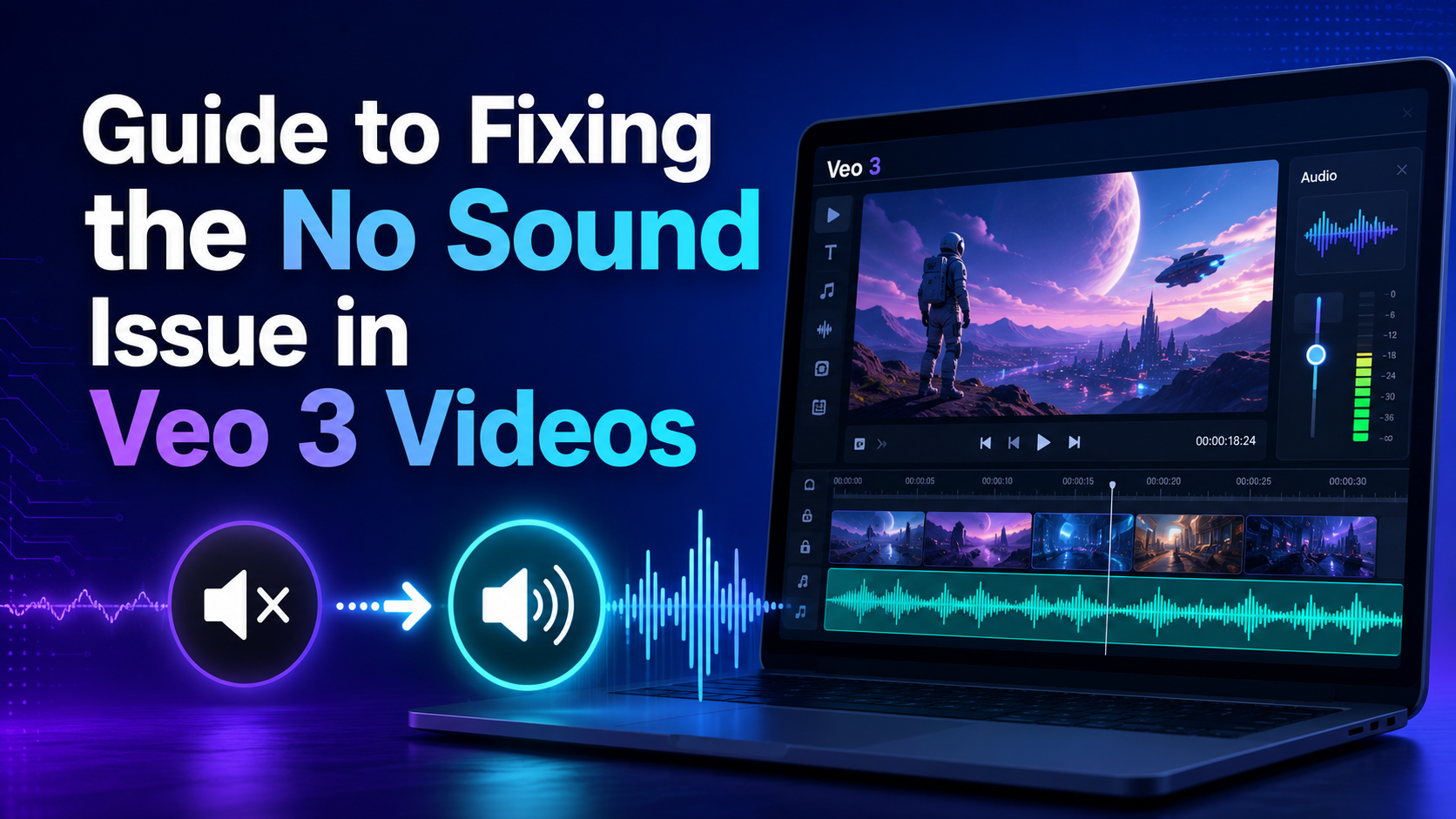
Create multiple videos: Veo 3 supports producing videos up to 1 minute long, but the sound is not yet synchronized, so consider creating separate clips and then merging them with editing software such as CapCut or Adobe Premiere.
4. Notes for Creating Cinematic-Standard Videos
If the created video is not as desired, don’t be discouraged! With a few small tips below, you can improve the prompt and create more vivid, accurate videos.
Start simple, add details gradually: Begin with a short prompt, then add detailed elements such as context, action, lighting, and emotion so AI can understand more easily.
Experiment and repeat: AI video creation is still in development, so try many different prompt versions to find the best result.
Avoid being vague: Instead of writing “a person walking,” describe specifically: “A middle-aged man, wearing a brown leather jacket, wearing a fedora, walking slowly on a wet cobblestone street.”
Describe actions clearly: “Flying around” is different from “diving down,” “staring” is different from “glancing quickly,” choose precise words so the video feels natural.
Use strong adjectives and adverbs: For example: “brilliant,” “hazy,” “smoothly,” “quickly,” “slowly” help the video become more vivid.
Describe emotion and atmosphere: “Gloomy,” “excited,” “peaceful” will help AI visualize the overall mood of the scene.
Use descriptive keywords instead of general words: Instead of “beautiful,” use “brilliant,” “exquisite,” “splendid.”
Avoid contradictions in the prompt: Do not combine opposite elements such as “bright sunny sky and heavy rain” in the same sentence.
Use commas to separate elements: This helps AI understand each component of the prompt more clearly.
Concise but specific: The prompt should have enough detail but not be wordy, for example: “A girl wearing a red coat walking in a snow-covered pine forest, hazy light.”
Avoid sensitive content: Veo 3 has limits on violence, pornography, or copyright violations.
Check feasibility: Make sure the request fits Veo 3’s limits, for example: maximum duration of 8 seconds.
Identify the problem and adjust: If the video is not as intended, add to or edit the prompt, for example: increase video speed or add new movements.
Adjust small details: Adding a few descriptive words or modifying a small detail can also create a big difference.
Use the original prompt if needed: If the video is still not correct even though it has fully conveyed the idea, try generating again with the original prompt so the system can understand better.
Change to a new idea when needed: If the result is still not achieved, try writing a completely different prompt with a new idea.
5. Conclusion
Try the Veo 3 prompts above now and create impressive videos of your own! Don’t forget to share your unique videos with us so the community can enjoy and be inspired together. Exploration and creativity are never limited, just a little imagination and the right guidance, Veo 3 will help you reach new heights in the world of creative video.





















VIP Products








Best Selling Products
ChatGPT Plus Account (GPT-4)
16 USD
Genuine Adobe Illustrator account
99 USD
Autodesk All App Account Copyright
120 USD
Capcut Pro 1 Year
39 USD
Upgrade Genuine Office 365
49 USD
Copyright Adobe Lightroom Account
59 USD
Adobe Photoshop Copyright - Full App
120 USD
Adobe Premiere Pro Account
99 USD
Freepik Premium Account
59 USD
Windows 10 & 11 Pro Key
36 USD
Upgrade Duolingo Super
29 USD
MidJourney Account
29 USD
Plugin Retouch4me
69 USD
Genuine Cheap Canva Pro
39 USD
Upgrade genuine Capture One account
120 USD