Best Selling Products

Adobe Premiere Pro Account
99 USD

Windows 10 & 11 Pro Key
36 USD

Capcut Pro 1 Year
39 USD

Copyright Adobe Lightroom Account
59 USD

Genuine Cheap Canva Pro
39 USD

Genuine Adobe Illustrator account
99 USD

Upgrade Genuine Office 365
49 USD

Adobe Photoshop Copyright - Full App
120 USD

ChatGPT Plus Account (GPT-4)
16 USD

Upgrade genuine Capture One account
120 USD

Upgrade Duolingo Super
29 USD

Freepik Premium Account
59 USD

MidJourney Account
29 USD

Plugin Retouch4me
69 USD

Autodesk All App Account Copyright
120 USD
How to create a profile picture to celebrate November 20th using ChatGPT with beautiful and meaningful template prompts.
Nội dung
- 1. Why should you create a profile picture to celebrate November 20th using ChatGPT?
- 2. Preparation before creating a 20/11 profile picture using ChatGPT
- 3. Instructions on how to create a profile picture to celebrate November 20th using ChatGPT
- Step 1: Access ChatGPT
- Step 2: Upload your portrait photo to ChatGPT and enter the prompt.
- Step 3: Adjust the image to your liking.
- Step 4: Download the image and use it as your profile picture.
- 4. Tips to make your 20/11 profile picture created using ChatGPT look more beautiful and natural.
- 5. Conclusion
Vietnamese Teachers'' Day on November 20th is a special occasion for everyone to express their gratitude to their teachers, those who have dedicated themselves to imparting knowledge and accompanying generations of students on their journey to adulthood. Besides meaningful greeting cards or wishes, a profile picture designed specifically for this day is also a creative way to show your appreciation. With ChatGPT, you can easily transform a regular portrait into a profile picture with a 20/11 theme, complete with fresh flowers, a blackboard, chalk, and heartfelt wishes. In this article, let''s explore with Sadesign how to create a 20/11 profile picture using ChatGPT and check out some beautiful, easy-to-use template prompts to create an impressive image.

1. Why should you create a profile picture to celebrate November 20th using ChatGPT?
Instead of using pre-made templates online, you can leverage ChatGPT to create a personalized profile picture. This AI tool can receive reference images and text requests, thereby generating images in your desired style. You can choose a formal image for teachers, a youthful style for students, or a light design for posting on Facebook, Zalo, and other social media platforms. Simply prepare a suitable image, clearly describe your idea, and select the appropriate prompt, and ChatGPT will help you create an image themed for November 20th (Vietnamese Teachers' Day). Some popular ideas include:
-
Traditional style: Combining the ao dai (Vietnamese traditional dress), lotus flowers, a blackboard, white chalk, and messages of gratitude to teachers.
-
Modern style: Utilizes lighting effects, vibrant colors, a youthful layout, and 3D imagery.
-
Gentle style: Prioritize pastel colors, fresh flowers, soft lighting, and delicate decorative details.
-
Artistic style: Transform portraits into illustrations, watercolors, or emotionally rich cinematic images.
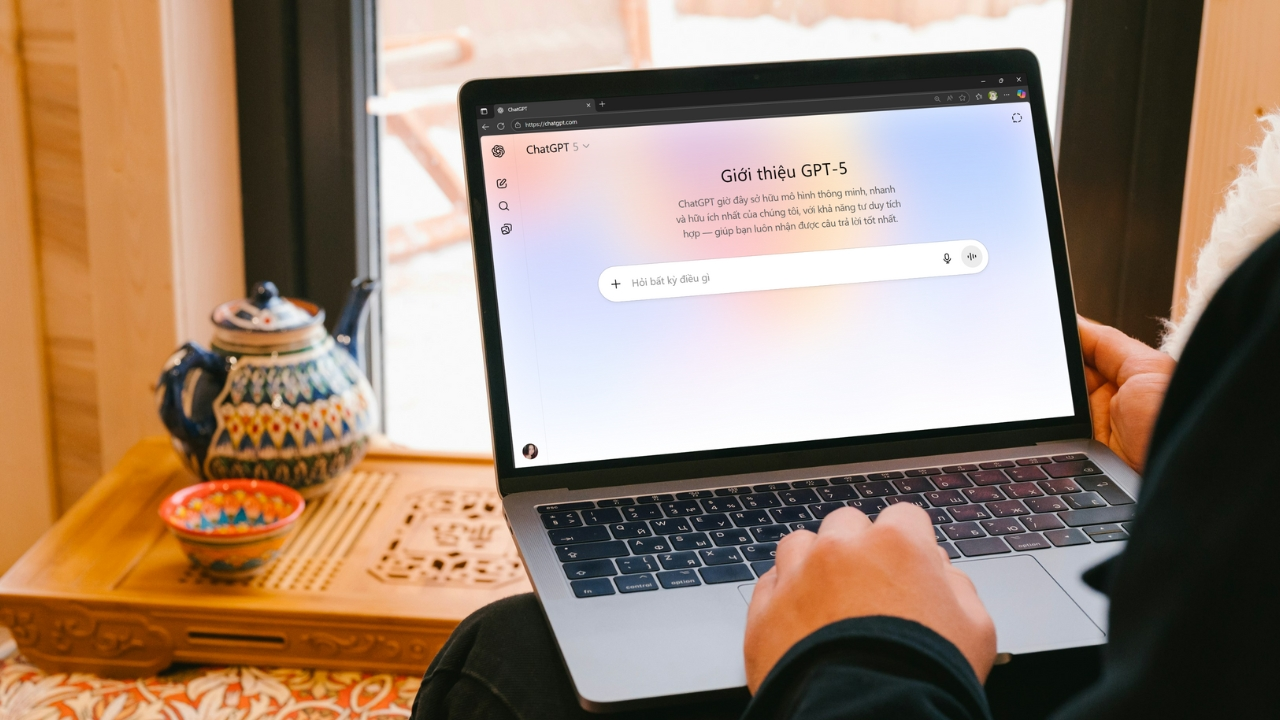
2. Preparation before creating a 20/11 profile picture using ChatGPT
To create a high-quality image that retains natural features, you should prepare a few things before you begin. Most importantly, choose a clear portrait photo with good lighting and no obscured facial features. If you want to create a profile picture specifically for your teachers, you can use their photo with their permission. If creating a picture for yourself, prioritize a frontal shot so the AI can easily recognize your facial features. Some things to keep in mind before you start:
-
Choose photos with good resolution, ensuring the faces are not blurry or out of focus.
-
Prioritize photos with simple backgrounds to make them easier to combine with decorative details.
-
Identify color tones such as red, yellow, white, blue, or pastel pink.
-
Prepare a short message if you want to include a thank-you note in the image.
-
Clearly describe the requirement to preserve the face, hairstyle, and other key identifying features.
Upgrade ChatGPT at a low cost.
3. Instructions on how to create a profile picture to celebrate November 20th using ChatGPT
Creating a profile picture using ChatGPT is quite simple, even if you've never used an AI image creation tool before. Just follow the steps below, and you can transform an ordinary portrait photo into a profile picture that perfectly captures the spirit of Vietnamese Teachers' Day.
Step 1: Access ChatGPT
First, open your browser on your computer or phone and go to ChatGPT . Next, log in to your personal account to use the chat and image creation features. You should check if your account supports image creation, as access and usage limits may vary depending on your account plan and the time.
After accessing the main interface, open a new chat to begin fulfilling your request. It's recommended to use a version of ChatGPT that supports image creation for a smoother process. If you want a visually appealing avatar, prepare some ideas beforehand, such as a portrait next to a bouquet of flowers, standing in front of a blackboard, or appearing in a classroom decorated for Teachers' Day (November 20th).
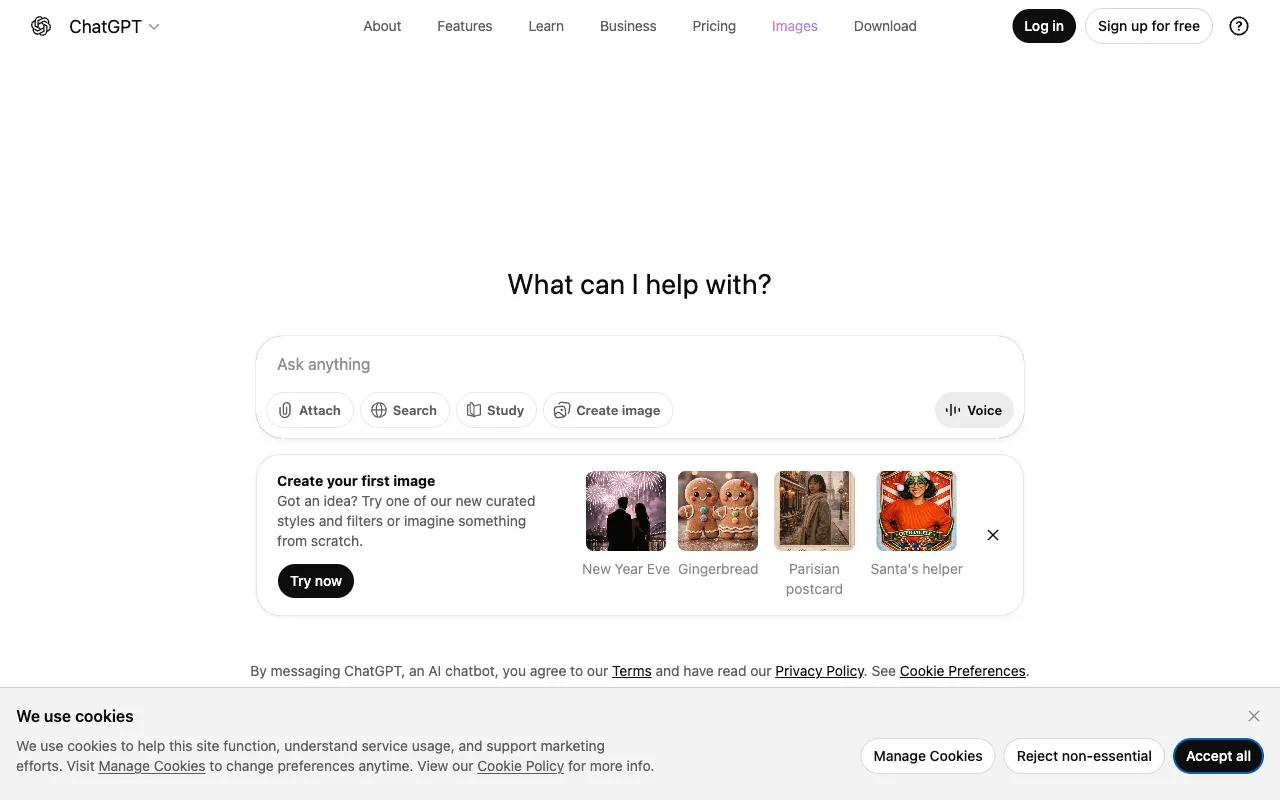
Step 2: Upload your portrait photo to ChatGPT and enter the prompt.
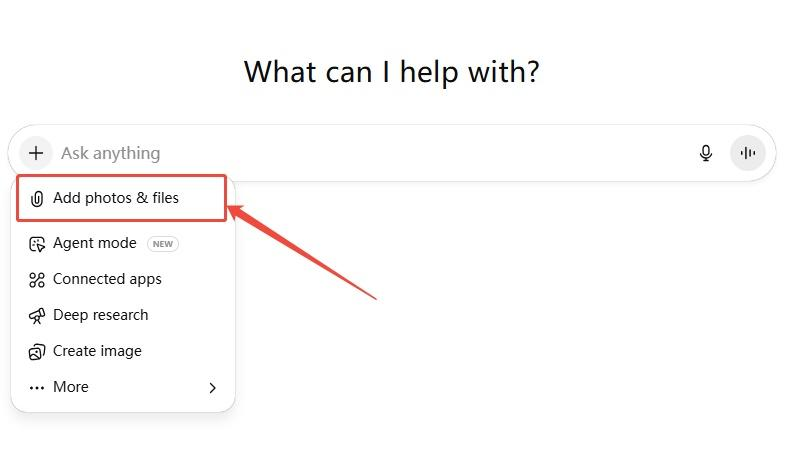
In the content input box, click the plus (+) icon, select "Add image and file," and upload your prepared portrait photo. After the image is successfully uploaded, enter a detailed description of the desired style. This is a crucial step that determines whether the final image will match your vision. You should request that ChatGPT preserve the identifying features of the person in the photo, and clearly describe the clothing, background, lighting, colors, and decorative details related to November 20th.
If you're unsure how to write a prompt, you can refer to the sample commands below. Each prompt has its own style, suitable for different audiences and purposes.
Prompt 1: Traditional, formal style
Please use the portrait photo I uploaded as a reference image. Create a profile picture with a Vietnamese Teachers' Day theme (November 20th) in a traditional, dignified, and emotionally rich style. Keep the face, features, hairstyle, and identifying characteristics of the person in the photo. The person should be wearing an elegant ao dai (traditional Vietnamese dress), standing in a classroom setting with a blackboard, chalk, fresh flowers, and books. The main colors should be red, yellow, and white, with warm lighting, a balanced composition, a realistic and high-quality image, and a 1:1 aspect ratio.
Copy prompt
Prompt 2: Modern and youthful style
Create a profile picture to celebrate November 20th (Vietnamese Teachers' Day) from the provided portrait photo. Keep the face and identifying features of the person intact. Design it in a modern, youthful style with elegant attire, surrounded by vibrant flowers, books, and decorative details reflecting gratitude to teachers. Use soft lighting effects, bright colors, creative composition, sharp, natural, and professional images. Maintain a 1:1 square aspect ratio.
Copy prompt
Prompt 3: Artistic Illustration Style
Transform your uploaded portrait into an artistic illustration for Vietnamese Teachers' Day on November 20th. Retain key facial features so the subject retains a resemblance to the original photo. Use a gentle watercolor style, incorporating sunflowers, roses, books, and pages floating in the air. Warm pastel tones, soft lines, and a delicate, emotionally rich feel. The square design is suitable for use as a social media profile picture.
Copy prompt
Prompt 4: Elegant Portrait Style
Create an artistic portrait photograph with a 20/11 theme from a reference image. Keep the subject's face, expression, and hairstyle unchanged. The subject should be elegantly dressed, standing amidst a space decorated with fresh flowers, warm yellow lighting, and books. The style should be professional portrait photography, cinematic lighting, a deep background, luxurious colors, and a realistic and sharp image. The composition should focus on the face, with a 1:1 aspect ratio.
Copy prompt
After completing the command, press the submit button and wait for ChatGPT to process the image. The image creation time may vary depending on the complexity of the request and system status. If the result is not as desired, you do not need to re-upload the image from scratch; you can continue entering editing requests directly in the current chat.
Step 3: Adjust the image to your liking.
Once ChatGPT has finished generating the image, carefully review the results to check the face, clothing, colors, and overall composition. If the image doesn't closely resemble the original or has unsuitable details, you can request direct adjustments from the AI. For example, enter commands like: "Keep the face the same as the original image, change the background to a classroom with fresh flowers, reduce color saturation, and make the lighting more natural." Specific requests often help ChatGPT understand what needs changing without having to recreate the entire concept.
Here are some details you should check before using the image:
-
Face: Ensure the character retains natural features and expressions.
-
Attire: Check if the dress, accessories, or outfit are appropriate for the theme.
-
Composition: Prioritize images that focus on the subject, avoiding flowers or decorations that obscure the face.
-
Color: Choose a harmonious color scheme, avoiding overly vibrant colors that would detract from the sophistication of the profile picture.
-
Text content: If there is a 20/11 greeting, please check the spelling and Vietnamese diacritics.
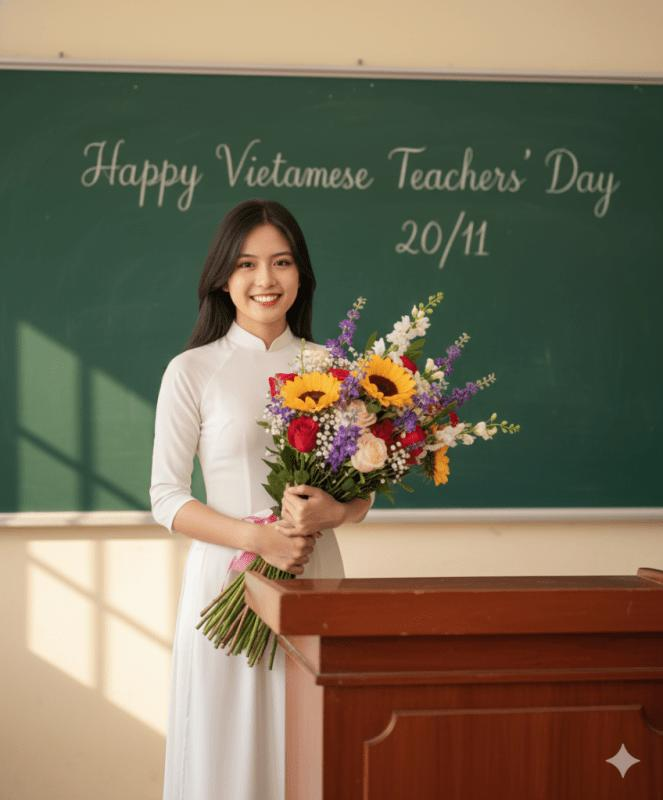
Step 4: Download the image and use it as your profile picture.
Once you're satisfied with the result, tap on the generated image to open the details view. Depending on the ChatGPT interface, you can select the download icon to save the image to your phone or computer. Check the file quality after downloading and crop the image to a 1:1 square aspect ratio to fit the profile picture frame on social media platforms.
Besides using the image directly, you can also import it into Canva or Photoshop to add borders, greetings, and decorative details. A phrase like "Gratitude to the unsung heroes" or "Happy Vietnamese Teachers' Day 20/11" will make the photo more meaningful. However, keep the design simple so that the subject's face remains the main focus. If posting a photo of a teacher or someone else, you should also ask for permission before using it.
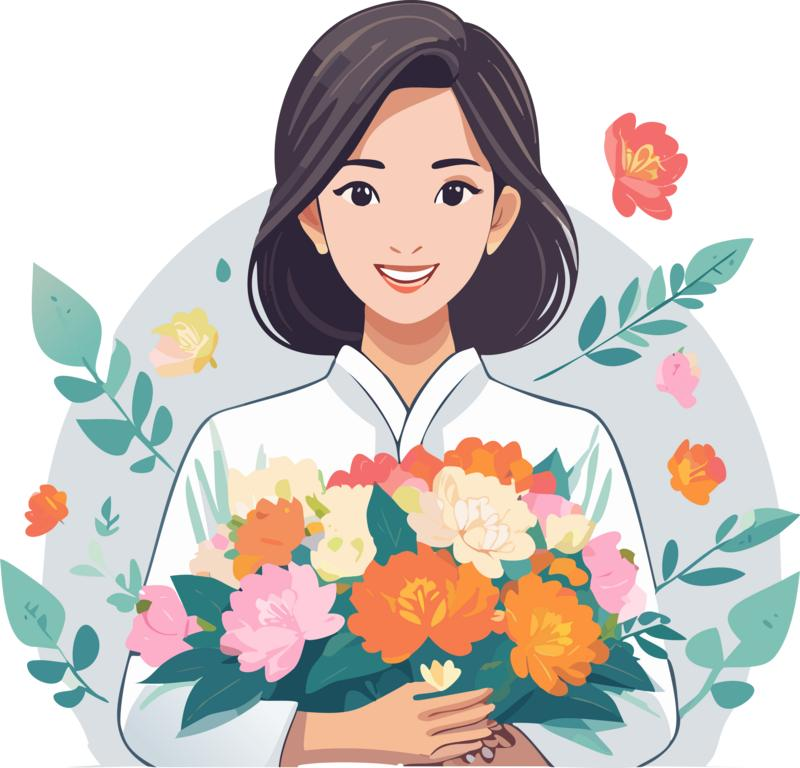
4. Tips to make your 20/11 profile picture created using ChatGPT look more beautiful and natural.
To get the desired image, you shouldn't just enter short commands like "Create a beautiful 20/11 photo." Instead, clearly describe the subject, setting, artistic style, and the emotion you want to convey. For example, if you want to create a photo as a gift for your teacher, you could request the subject wearing a white ao dai (traditional Vietnamese dress), holding a bouquet of sunflowers, and standing in a sunlit classroom. Specific details will help the image have a clearer theme.
In addition, you can apply some of the following tips:
-
Prioritize high-quality original images: Clear input images will provide the AI with more data to reconstruct faces.
-
Retention of identifying features: Clearly state that you do not want to change the face, hairstyle, and expression if you want the photo to look like the real person.
-
Choose the appropriate aspect ratio: A 1:1 ratio is often suitable for profile pictures on Facebook, Zalo, and many other platforms.
-
Avoid including too many details in the prompt: Choose only a few key elements such as flowers, a blackboard, books, and a traditional Vietnamese dress to keep the layout from becoming cluttered.
-
Refine each requirement individually: If you're not satisfied, request changes to individual details instead of rewriting the entire prompt.
-
Check the text on the image: AI sometimes creates text incorrectly, so you can add your greeting using Canva to ensure the content is clear.
5. Conclusion
With the help of ChatGPT, creating a profile picture to celebrate November 20th (Vietnamese Teachers' Day) becomes simpler and more enjoyable. Just prepare a portrait photo, choose a suitable prompt, and follow the instructions. You can then have a profile picture in your own style, from traditional and modern to artistic. Don't forget to adjust the small details to make the picture both visually appealing and express your gratitude to your teachers. This is also a creative way to spread the spirit of Vietnamese Teachers' Day and send meaningful wishes to those who have dedicated themselves to guiding us on our learning journey.





















VIP Products








Best Selling Products
Adobe Premiere Pro Account
99 USD
Windows 10 & 11 Pro Key
36 USD
Capcut Pro 1 Year
39 USD
Copyright Adobe Lightroom Account
59 USD
Genuine Cheap Canva Pro
39 USD
Genuine Adobe Illustrator account
99 USD
Upgrade Genuine Office 365
49 USD
Adobe Photoshop Copyright - Full App
120 USD
ChatGPT Plus Account (GPT-4)
16 USD
Upgrade genuine Capture One account
120 USD
Upgrade Duolingo Super
29 USD
Freepik Premium Account
59 USD
MidJourney Account
29 USD
Plugin Retouch4me
69 USD
Autodesk All App Account Copyright
120 USD