Best Selling Products

Windows 10 & 11 Pro Key
36 USD

ChatGPT Plus Account (GPT-4)
16 USD

Genuine Adobe Illustrator account
99 USD

Adobe Photoshop Copyright - Full App
120 USD

Upgrade genuine Capture One account
120 USD

Adobe Premiere Pro Account
99 USD

Capcut Pro 1 Year
39 USD

Plugin Retouch4me
69 USD

Upgrade Duolingo Super
29 USD

Genuine Cheap Canva Pro
39 USD

Copyright Adobe Lightroom Account
59 USD

Upgrade Genuine Office 365
49 USD

Freepik Premium Account
59 USD

Autodesk All App Account Copyright
120 USD

MidJourney Account
29 USD
How to Download 4K YouTube Videos on Your Computer Without Software
Nội dung
- 1. How to download 4K YouTube videos on your computer
- 1.1. Download 4K videos using Cốc Cốc
- 1.2. 4K Video Downloader
- 1.3. Download 4K YouTube videos via the 4K Video Downloader website.
- 1.4. Download 4K videos from the 9Convert website.
- 1.5. Use WinX YouTube Downloader software.
- 1.6. Download 4K videos using Free YouTube Downloader
- 1.7. Download videos using YTD Video Downloader software.
Focus on websites that offer fast and free video downloads. No installation required, no space usage on your computer. Simply copy and paste the link and select 4K quality.

The demand for downloading high-quality YouTube videos, especially 4K, is growing increasingly popular. Users not only want to enjoy videos in high definition but also need to store them for use in studying, working, video editing, or offline playback. However, YouTube doesn't support a direct download button on computers. This forces many people to turn to external software or tools. This article will guide you through all the ways to download 4K YouTube videos for free and quickly on your computer, while also analyzing the advantages and disadvantages of each method to help you easily choose the right tool.
1. How to download 4K YouTube videos on your computer
There are many ways to download 4K YouTube videos. Each tool has its own advantages in terms of download speed, video quality, convenience, or playlist support. Below are some popular, easy-to-use methods suitable for everyone from basic users to those who need to download a large number of videos.
1.1. Download 4K videos using Cốc Cốc
Cốc Cốc has long been known as one of the best browsers for downloading videos in Vietnam. Cốc Cốc's strength lies in its built-in Fast Download feature, allowing users to download YouTube videos without installing any additional software.
This convenience makes the browser the top choice for those who want to download 4K videos quickly and without the hassle of ads or limitations from third-party websites.
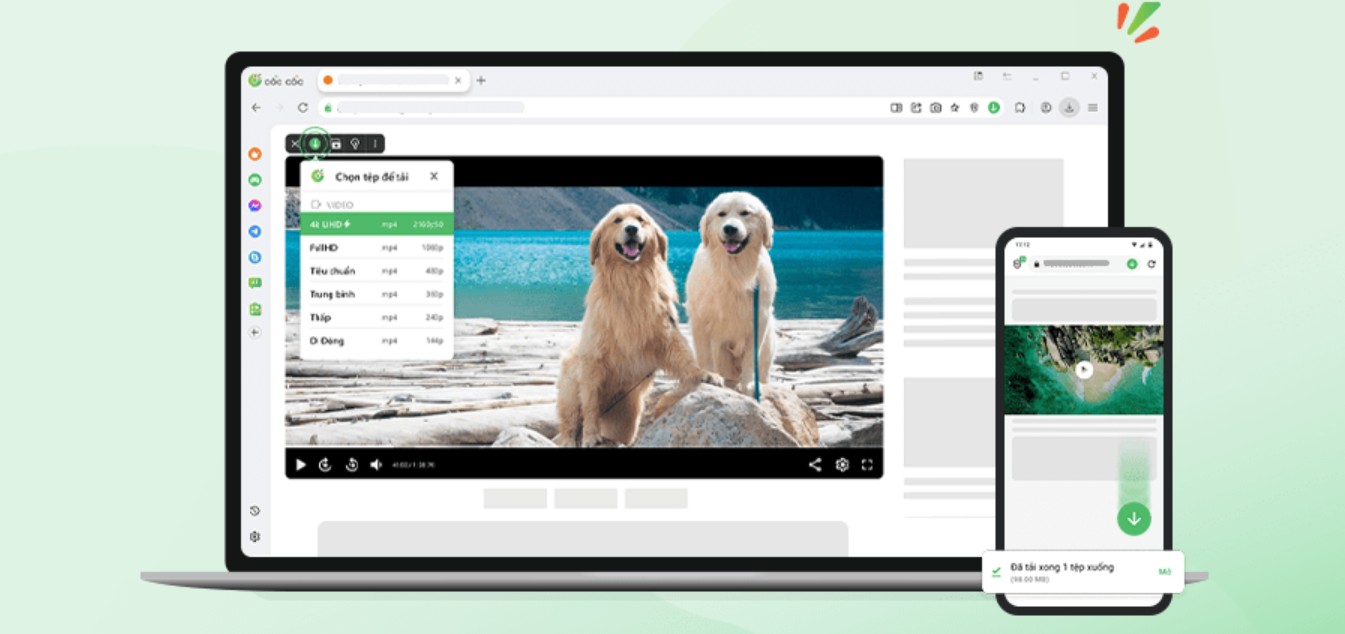
To download 4K videos from YouTube using the Cốc Cốc browser, you can follow these steps:
Step 1: Download and open the Cốc Cốc browser on your computer.
If you haven't installed Cốc Cốc yet, simply visit the browser's official website and download the latest version. After installation, the interface is quite similar to Chrome, so you won't need much time to get used to it.
Step 2: Access the 4K YouTube video you want to download.
Open YouTube and find the video you want to download. Note that not all videos are available in 4K quality. 4K videos are usually marked with a resolution of 2160p.
Step 3: Click the blue Download (↓) icon on the video.
As soon as the video starts playing, you will see the Download icon appear next to the video or in the playback frame. This is Cốc Cốc's signature fast download feature.
Step 4: Select 4K HD (2160p) video quality to automatically download the video.
After clicking download, a list of resolutions will appear. Simply select 2160p to download the video in 4K quality.
What's special is that Cốc Cốc also supports downloading YouTube videos on Android phones, giving you flexibility in many situations where you need to download videos immediately without a computer nearby.
1.2. 4K Video Downloader
Among the various YouTube video download software available today, 4K Video Downloader is one of the most trusted tools by users worldwide. The tool boasts a user-friendly interface, is easy to use, and supports downloading videos in various qualities, including 4K and 8K (depending on the version).
The software operates independently, not depending on the browser, so the download speed is more stable compared to tools on websites. This is a suitable option for users who need to download large videos or download many videos in a short amount of time.
Step 1: Download and install the software.
You can go to Google and search for "4K Video Downloader" to download the official software to your computer. Installation is quite fast and does not require powerful hardware.
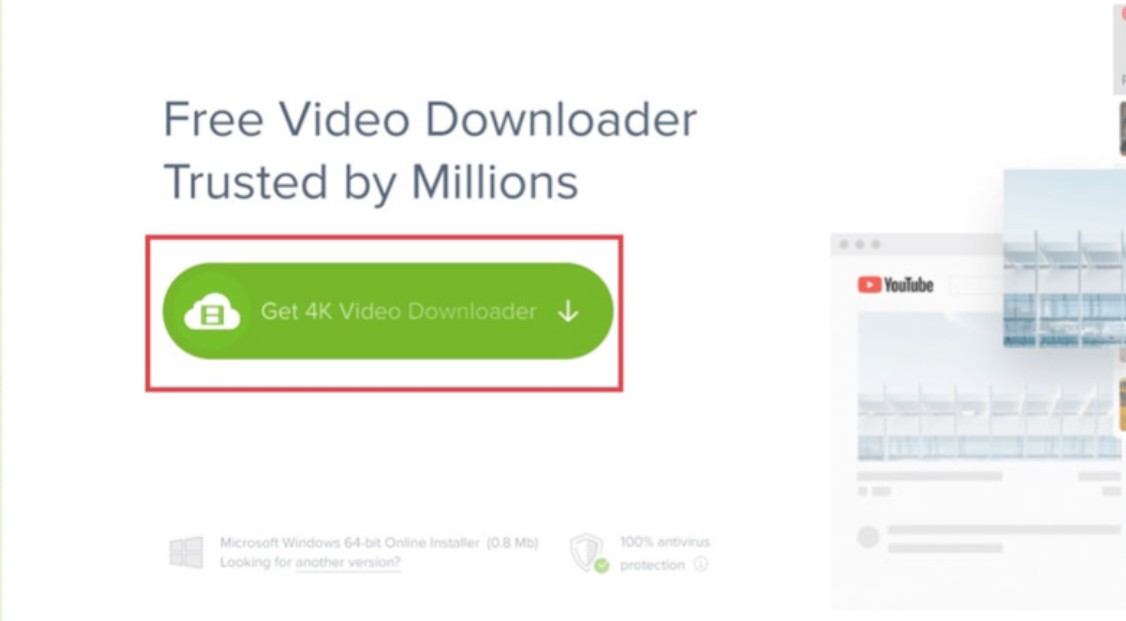
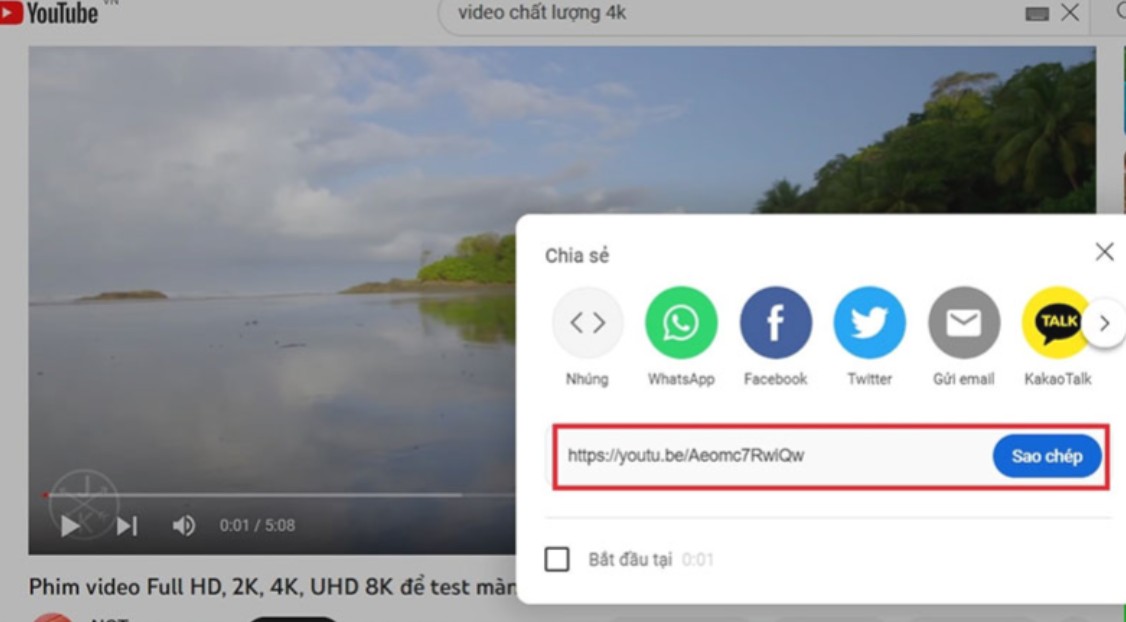
Step 2: Get the 4K YouTube video link.
Access the YouTube video you want to download. Click the Share button and select Copy link.
Step 3: Paste the link into the 4K Video Downloader software
. Open the software and select Paste Link. The tool will automatically analyze the video and provide a list of formats and resolutions.
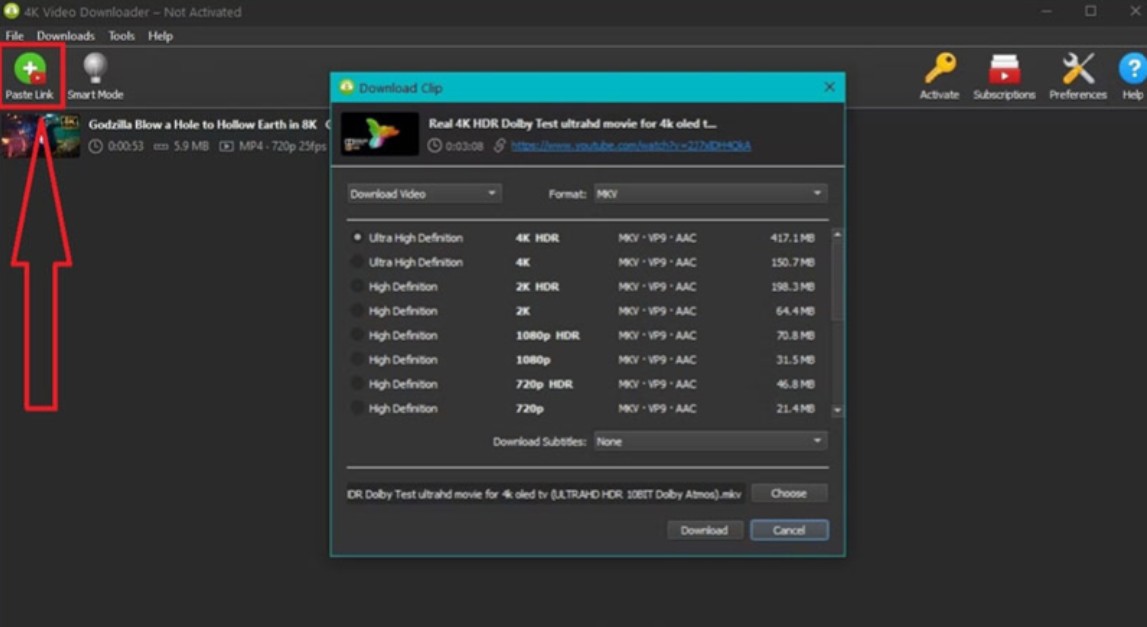
Step 4: Download the 4K video to your computer.
Select 4K (2160p) resolution and click Download. Download speed depends on your internet connection, but it's generally quite fast and stable.
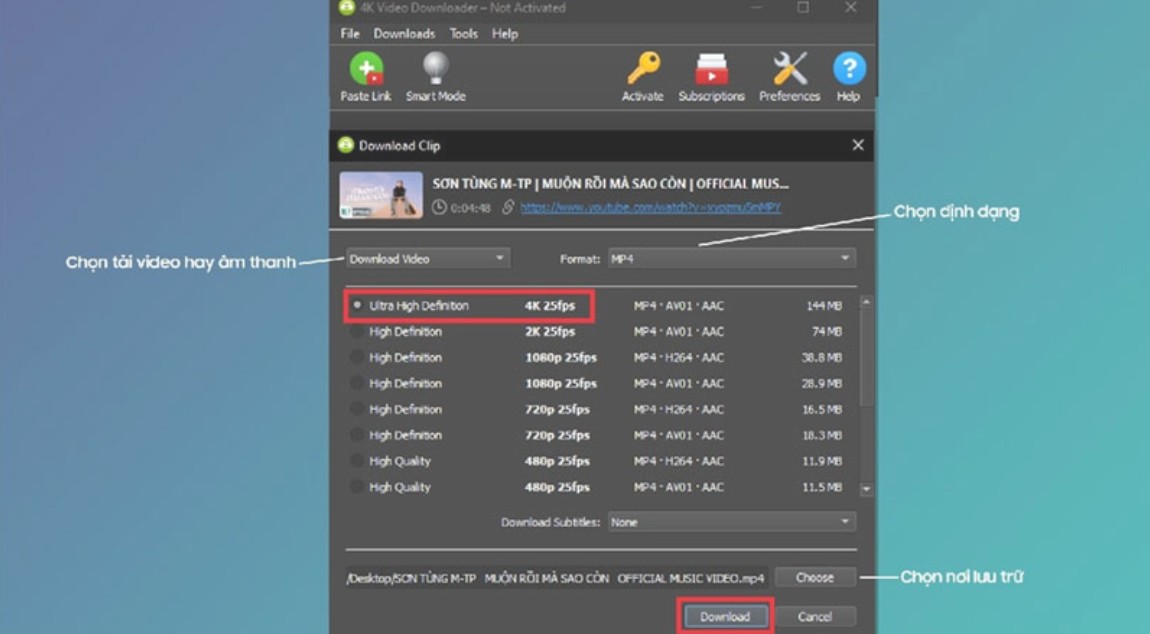
With its simple interface, this tool is especially suitable for beginners but still meets the needs of professional-grade video downloads.
1.3. Download 4K YouTube videos via the 4K Video Downloader website.
If you don't want to install the software, you can still use the web version of 4K Video Downloader to download videos directly in your browser. This method is simpler, but sometimes you may encounter download speed limitations or ads depending on the website's server.
Step 1: Access the 4K Video Downloader website.
Simply open your browser and access the official website.
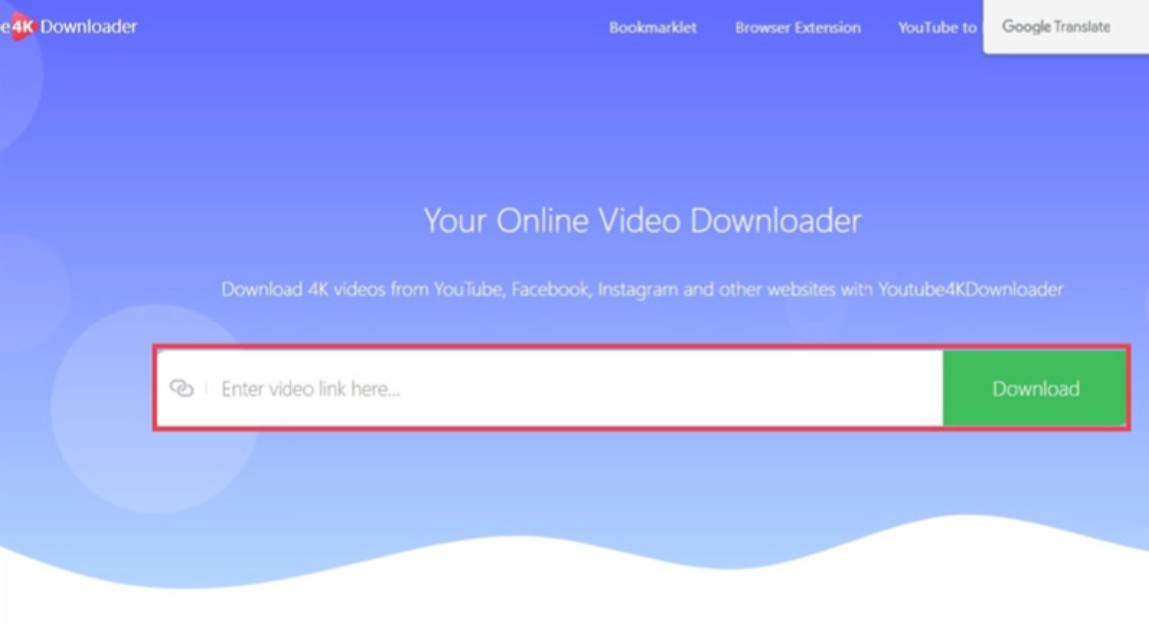
Step 2: Copy the YouTube video URL.
Open the YouTube video you want to download and copy the link using the Share button → Copy link.
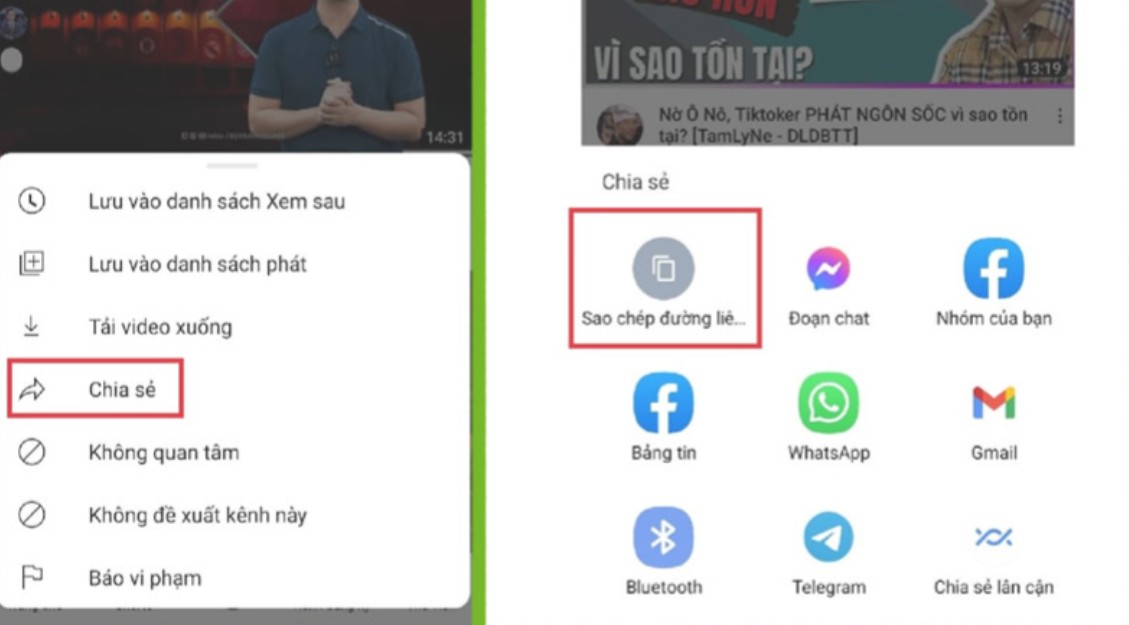
Step 3: Paste the link and download the 4K video.
Return to the website and paste the link into the corresponding box. After the system processes the video, you will see a list of resolutions. Select the video with 4K quality, then click Download.
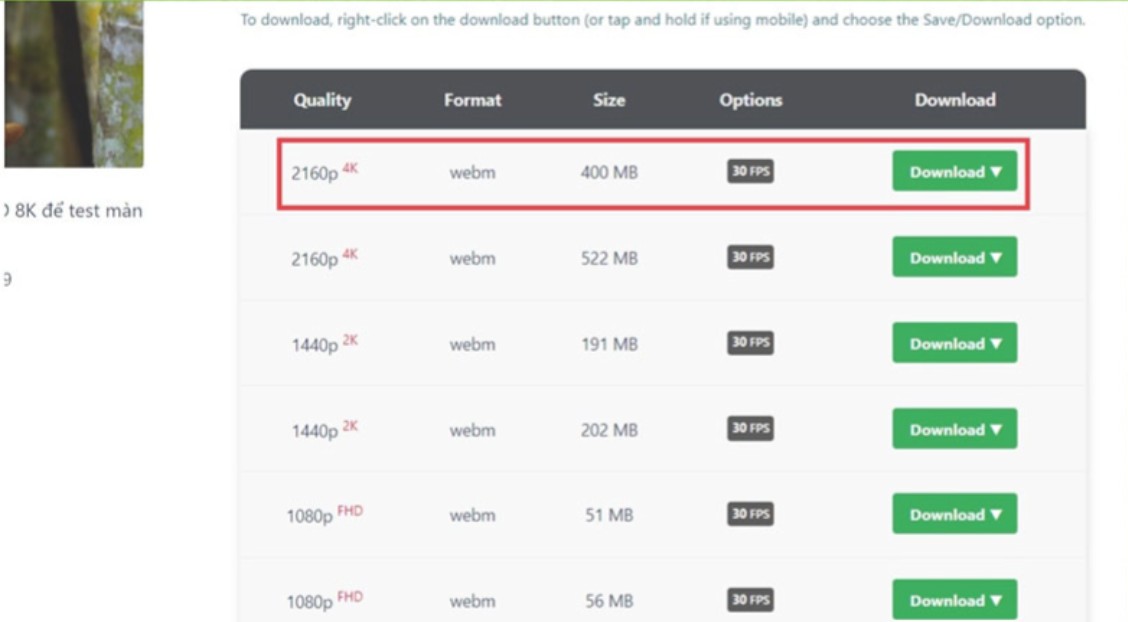
This method is suitable for users who need to quickly download a few individual videos without installing cumbersome software.
1.4. Download 4K videos from the 9Convert website.
9Convert is one of the most popular YouTube video download websites in Vietnam. This free video download tool has a simple interface, relatively fast processing speed, and requires no installation.
This is the optimal choice for students or regular users who simply need to download videos in high quality without requiring advanced features.
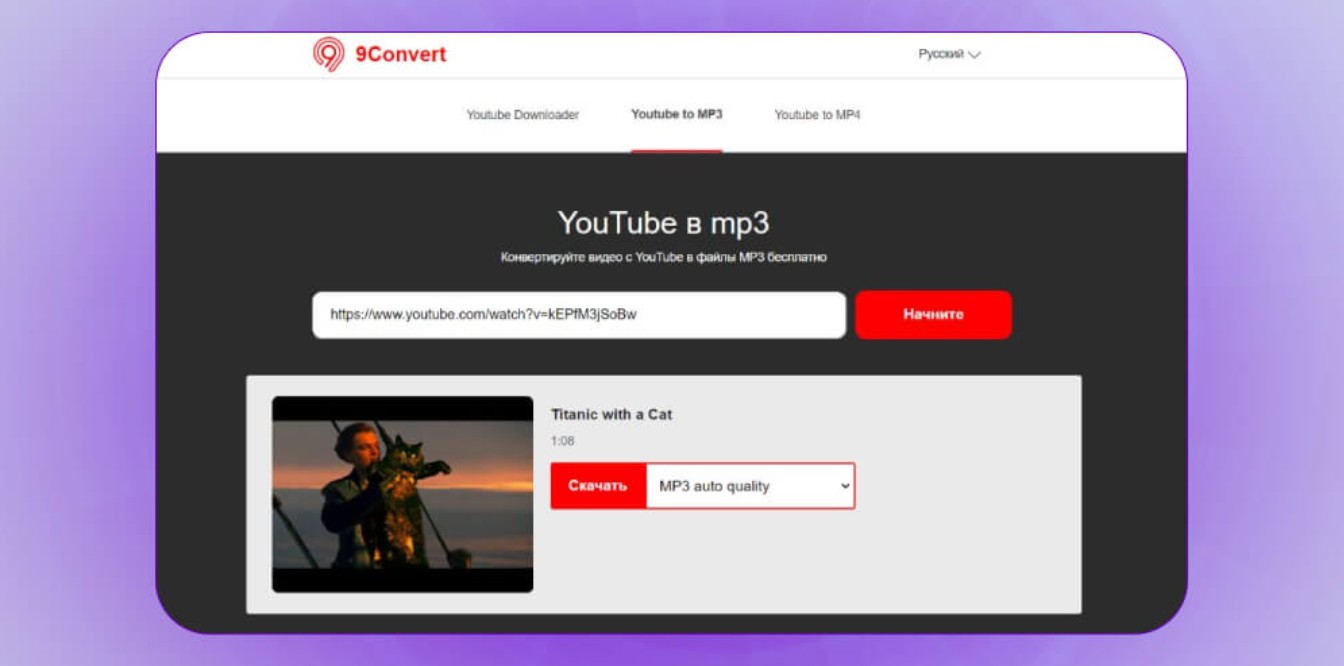
Advantages of 9Convert
9Convert's strengths include being completely free and requiring no account registration. All operations are performed directly in the browser, saving time and computer memory. The interface is designed to be simple and easy to use from the first visit. Furthermore, it loads faster than many other websites thanks to its stable server.
Limit
Advertisements can be annoying for users. Additionally, the website may struggle with high traffic, leading to slow loading speeds or temporary errors. Another limitation is that 9Convert only supports downloading individual videos, not playlists or entire channels like dedicated software.
Nevertheless, for those who want to download videos quickly without requiring complex features, 9Convert is still a tool worth trying.
1.5. Use WinX YouTube Downloader software.
WinX YouTube Downloader is a powerful software that supports downloading high-resolution videos, including Full HD, 4K, and sometimes up to 8K. It's highly rated for its fast download speed, playlist support, and intuitive interface. It's an excellent choice for users who download large quantities of YouTube videos.
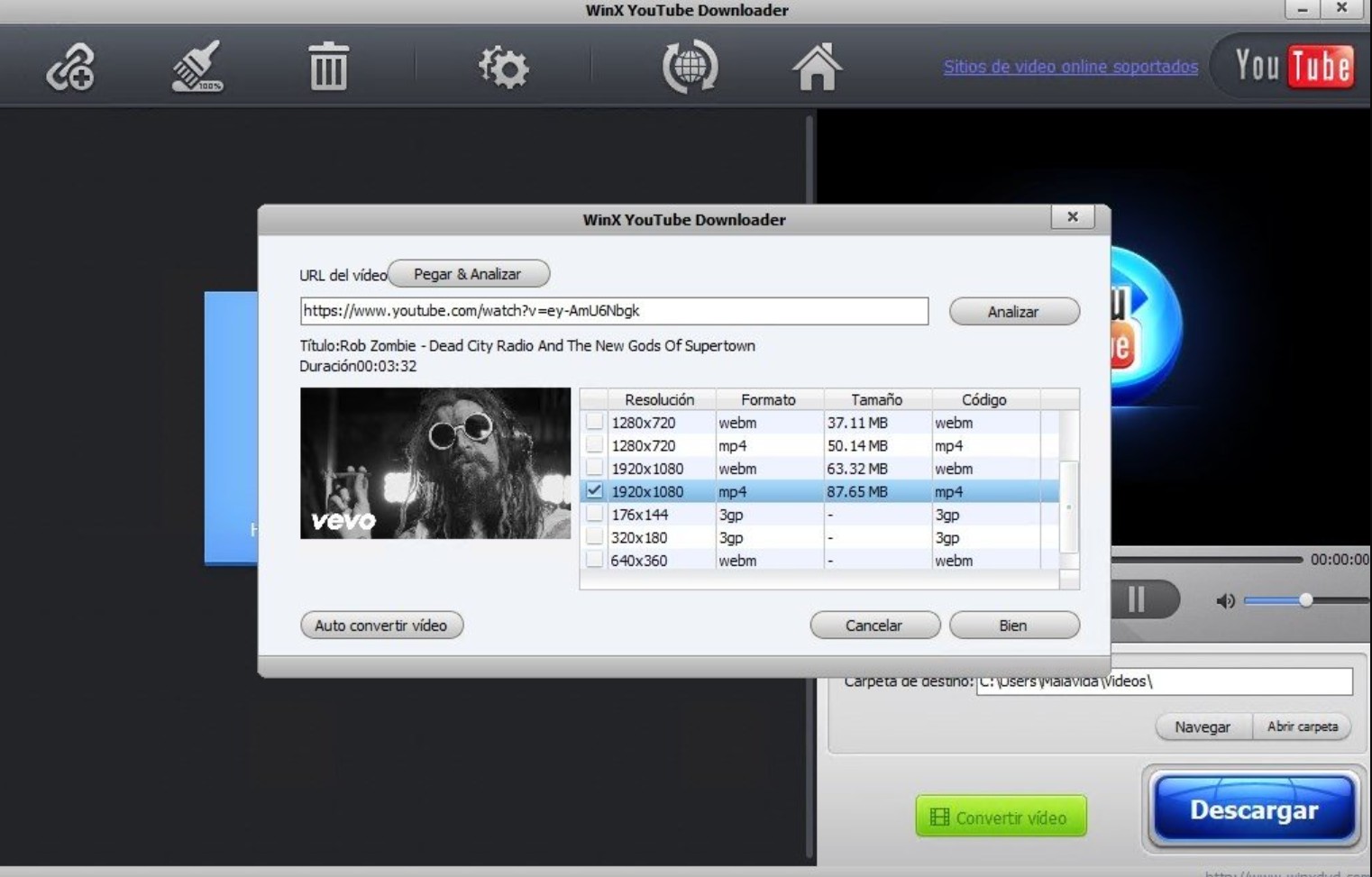
Advantages of WinX YouTube Downloader
The tool is completely ad-free, providing a smoother and more professional experience. A significant advantage is the ability to download entire playlists or YouTube channels with just one click, something many other free tools lack. The download speed is fast and has few errors, making it suitable for users who frequently store large video files.
Additionally, the software supports various formats such as MP4, FLV, and WebM, allowing users to choose according to their needs.
Limit
The free version of WinX has some limitations, such as not supporting ultra-high resolutions like 8K or a limit on the number of videos that can be downloaded per day. To use all the features, you need to purchase a license. Additionally, WinX YouTube Downloader only supports Windows, so macOS users will have to find an alternative tool.
1.6. Download 4K videos using Free YouTube Downloader
Free YouTube Downloader is a simple video downloader software for general users. The tool supports many popular formats and allows unlimited video downloads.
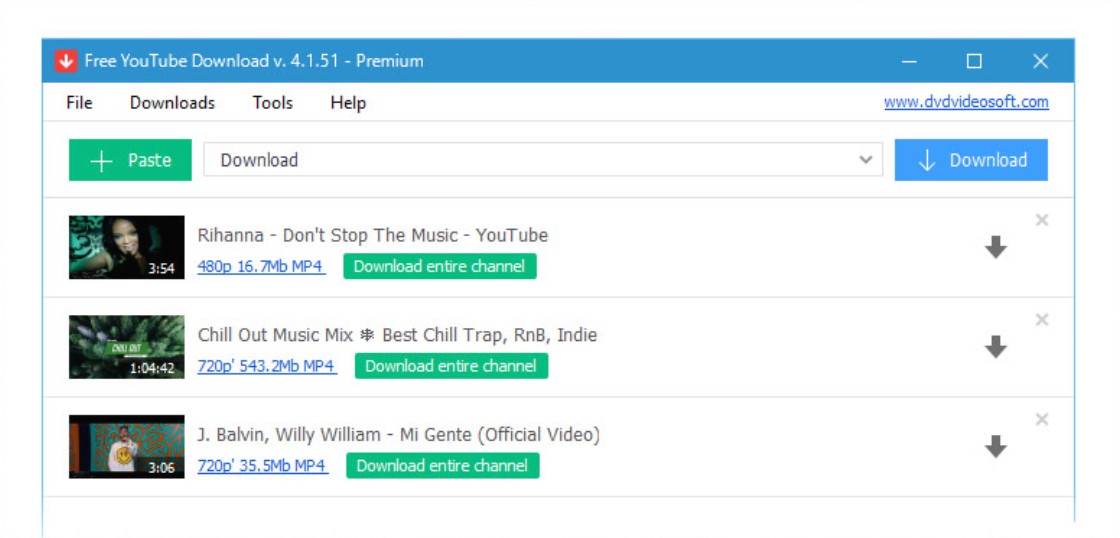
Advantage
Thanks to its clear and intuitive interface, new users can easily use it right away without needing to read instructions. The software supports many video formats and has no download limit. This is suitable for users who want to download many videos in a short amount of time.
Limit
Advertisements appear during use, affecting the user experience. To remove ads, you will have to upgrade to the paid version. The software also does not support automatic playlist downloads, so users have to download each video manually.
Nevertheless, Free YouTube Downloader remains a suitable option if you need a lightweight, simple, and free tool.
1.7. Download videos using YTD Video Downloader software.
YTD Video Downloader used to be one of the most popular video download tools. Although it now has many competitors, YTD still maintains its important position thanks to its stability and ease of use.
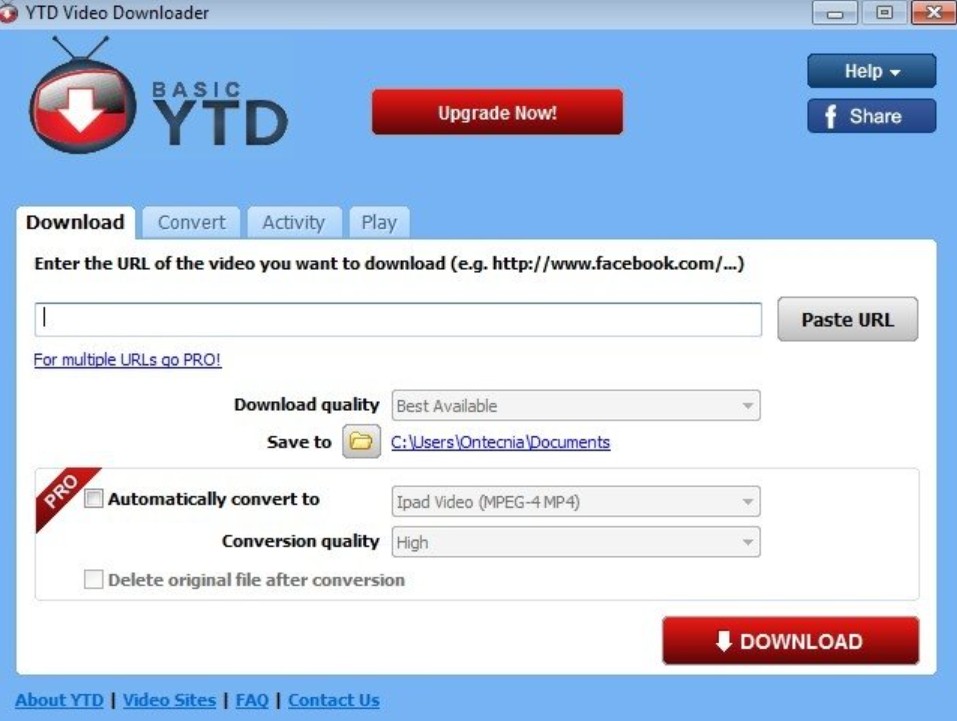
Advantage
The software supports multiple video storage formats and allows unlimited video uploads. Its user-friendly interface makes it suitable for users who need a lightweight, efficient tool that doesn't require high-end computer specifications.
Limit
The free version has ads and slower download speeds compared to the paid version. Additionally, the software requires installation on a computer, making it unsuitable for those who want to download videos directly from their browser. YTD also doesn't support downloading playlists or channels, so users need to manually download multiple videos.
Downloading 4K YouTube videos is now very simple thanks to the strong support of browser tools, software, and video download websites. If you want convenience and speed, Cốc Cốc is the perfect choice. If you need powerful, flexible software that supports playlists, tools like WinX YouTube Downloader or 4K Video Downloader will be the optimal solution.





















VIP Products








Best Selling Products
Windows 10 & 11 Pro Key
36 USD
ChatGPT Plus Account (GPT-4)
16 USD
Genuine Adobe Illustrator account
99 USD
Adobe Photoshop Copyright - Full App
120 USD
Upgrade genuine Capture One account
120 USD
Adobe Premiere Pro Account
99 USD
Capcut Pro 1 Year
39 USD
Plugin Retouch4me
69 USD
Upgrade Duolingo Super
29 USD
Genuine Cheap Canva Pro
39 USD
Copyright Adobe Lightroom Account
59 USD
Upgrade Genuine Office 365
49 USD
Freepik Premium Account
59 USD
Autodesk All App Account Copyright
120 USD
MidJourney Account
29 USD