Best Selling Products

Upgrade Duolingo Super
29 USD
Upgrade genuine Capture One account
120 USD

ChatGPT Plus Account (GPT-4)
16 USD

Genuine Adobe Illustrator account
99 USD

Copyright Adobe Lightroom Account
59 USD
Upgrade Genuine Office 365
49 USD
Adobe Photoshop Copyright - Full App
120 USD

MidJourney Account
29 USD

Freepik Premium Account
59 USD
Genuine Cheap Canva Pro
39 USD

Adobe Premiere Pro Account
99 USD

Capcut Pro 1 Year
39 USD

Plugin Retouch4me
69 USD
Autodesk All App Account Copyright
120 USD
Windows 10 & 11 Pro Key
36 USD
How to use ElevenLabs AI: Create catchy and emotional 20/10 (Vietnamese Women''s Day) greeting voices.
Nội dung
- 1. What is ElevenLabs AI? Why should you use it to create 20/10 greetings?
- 2. What preparations are needed before creating a voiceover for Women's Day (October 20th)?
- 3. Instructions on how to use ElevenLabs AI to create a congratulatory voice for October 20th.
- Step 1: Access ElevenLabs and log in to your account.
- Step 2: Open the text-to-speech tool.
- Step 3: Write a congratulatory message for October 20th.
- Step 4: Choose a voice that suits the message.
- Step 5: Adjust the reading style and create the sound.
- Step 6: Listen again and make corrections for any parts that don't sound right.
- Step 7: Download the audio file to your device.
- Step 8: Combine voice with video or e-card
- 4. Suggestions for great 20/10 greetings to create voices using ElevenLabs AI.
- Wishes for Mom on October 20th
- 20/10 wishes for your lover
- 20/10 wishes for colleagues
- 5. Tips to make AI voices sound more natural on October 20th.
- 6. Common mistakes when creating 20/10 voices using ElevenLabs AI
- 7. Conclusion
Vietnamese Women''s Day on October 20th is a special occasion to send loving messages to mothers, wives, girlfriends, colleagues, and other important women in your life. Instead of just sending a familiar text message, you can create a greeting using AI voiceovers with expressive tones and soothing background music to make your gift more unique. With ElevenLabs AI, transforming text into natural-sounding speech is simple, even if you''ve never used a voice generator before. In this article, let''s explore how to use ElevenLabs AI to create a 20/10 greeting voiceover, from preparing the message and choosing a voice to uploading the audio file and sharing it with the recipient.

1. What is ElevenLabs AI? Why should you use it to create 20/10 greetings?
ElevenLabs is an artificial intelligence platform specializing in speech generation, text-to-speech conversion, and supporting various speech processing applications. This tool is suitable for creating natural-sounding 20/10 greetings, making the message more personal than ordinary text. Some advantages that make ElevenLabs AI a worthwhile choice for 20/10 include:
-
Natural voice: The sound has intonation and rhythm that is relatively similar to a real human voice, suitable for heartfelt greetings.
-
Multiple voice styles: You can choose male, female, or gentle, warm voices depending on the available library resources.
-
Save time: Simply prepare the content, choose your voiceover, and create the audio without having to record it yourself.
-
Easy to combine with video: Audio files can be used as narration for photo videos, e-cards, or congratulatory clips for October 20th.
2. What preparations are needed before creating a voiceover for Women's Day (October 20th)?
Before you begin, you should identify the recipient of your greeting and the emotions you want to convey. A greeting for your mother usually needs to be sincere and warm; a greeting for your lover can be more romantic, while a message to a colleague should be polite and cheerful. Clearly defining your purpose will help you choose the appropriate tone and content. Things to prepare include:
-
ElevenLabs Account: Visit the official website at https://elevenlabs.io/ and register or log in following the instructions.
-
Content of the greeting: Prepare a short paragraph of about 50 to 150 words beforehand to easily control the length and emotions.
-
Voice style: Determine whether it's a deep, warm male voice, a gentle female voice, or a youthful, cheerful voice.
-
Equipment needed: A computer or phone with an internet connection to manipulate and preview the audio file.
3. Instructions on how to use ElevenLabs AI to create a congratulatory voice for October 20th.
Below are the basic steps to convert your greetings into an audio file using ElevenLabs AI. The names and locations of some buttons may vary depending on the interface or version of the tool.
Step 1: Access ElevenLabs and log in to your account.
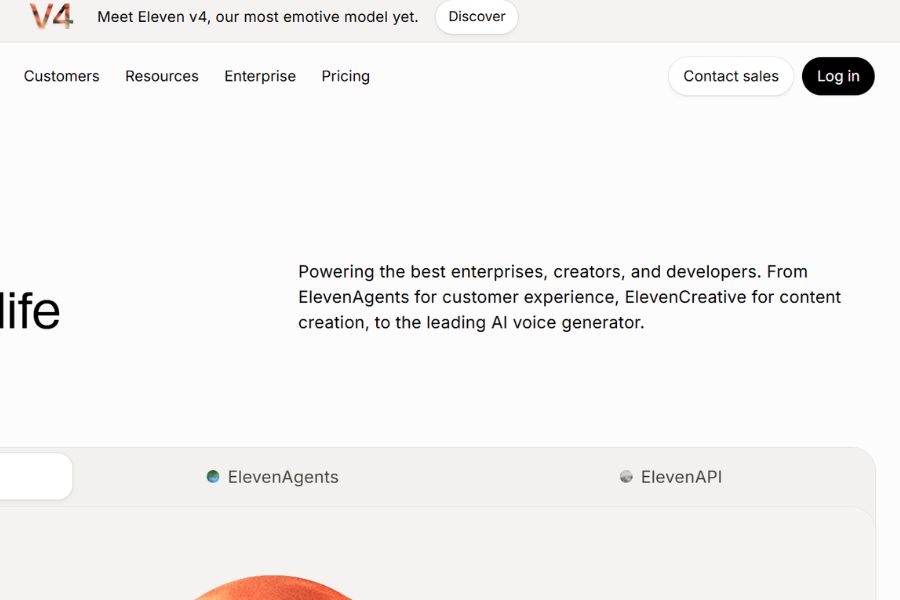
First, open your browser on your computer or phone and go to https://elevenlabs.io/ . On the homepage, find the register or login button to access your account. You can follow the on-screen instructions to complete this process. After successfully logging in, find the voice creation area or the text-to-speech feature to get started.
Step 2: Open the text-to-speech tool.
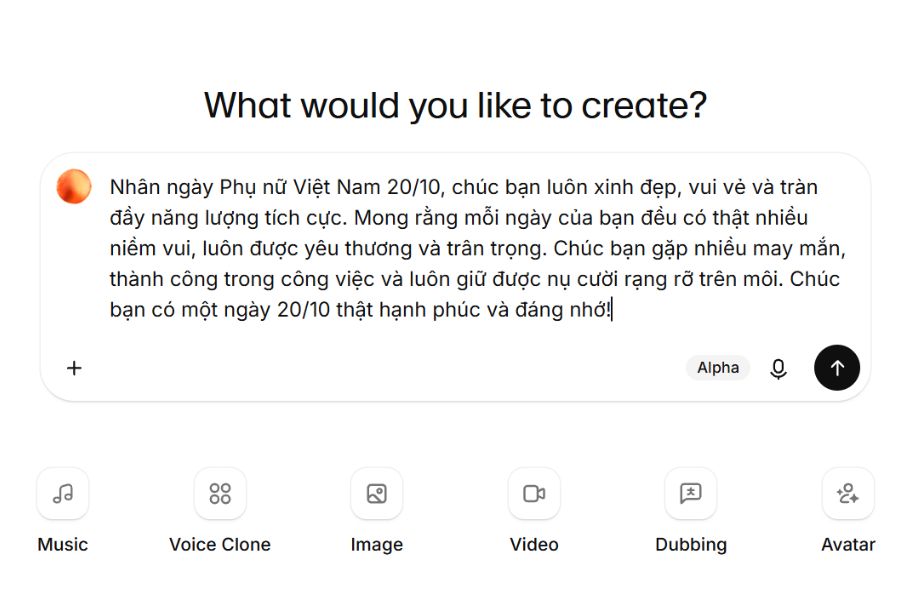
In the ElevenLabs interface, select the Text-to-Speech feature if it's in the list of tools. This is the area where you can input content and have it translated into spoken words using AI. Take some time to familiarize yourself with items like the text input box, voice selection, and sound creation button. If the interface displays many different tools, prioritize the text-to-speech feature over the effects or advanced audio processing functions.
Step 3: Write a congratulatory message for October 20th.
The content of the message largely determines the emotional impact of the audio file, so you should write in natural, familiar language that reflects your relationship with the recipient. Avoid using overly long sentences or many consecutive ideas that disrupt the rhythm of your voice. You can refer to the following message:
"On the occasion of Vietnamese Women's Day, October 20th, I wish you always beautiful, cheerful, and full of positive energy. May each day of yours be filled with joy, love, and appreciation. I wish you good luck, success in your work, and that you always keep a radiant smile on your face. I wish you a very happy and memorable October 20th!"
Once completed, copy the content and paste it into the text input field of ElevenLabs.
Step 4: Choose a voice that suits the message.
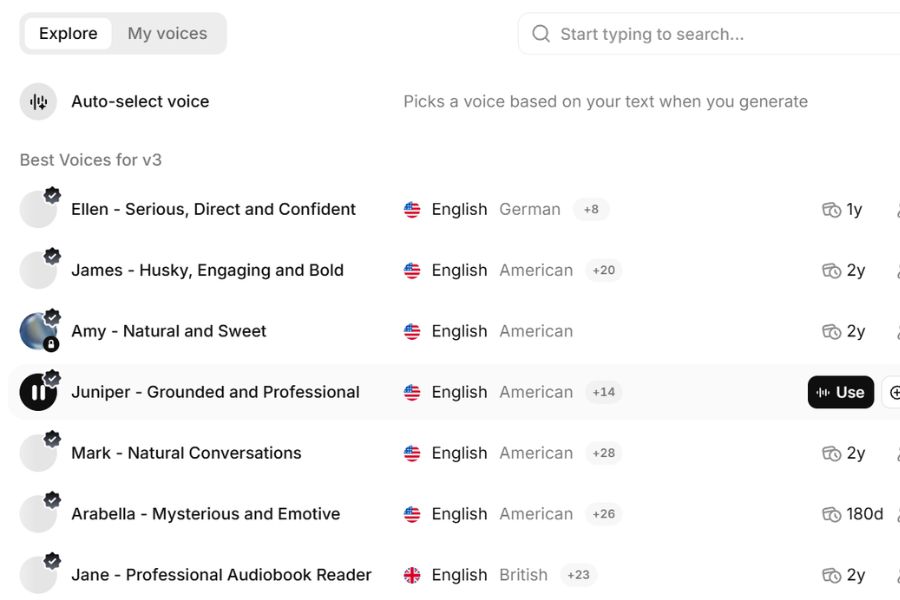
Next, choose a voice tone that suits the recipient. If you want to send greetings to your mother, you can prioritize a slow, warm voice; for a lover, try a gentle, affectionate voice; and for a colleague, you can use a bright, clear voice. If there's a voice preview feature, use it before creating the audio. You should also check the pronunciation of the chosen voice in Vietnamese to avoid mispronouncing proper names or words with accents.
Step 5: Adjust the reading style and create the sound.
After selecting a voice, check the options for adjusting the voice if the interface supports them, such as speaking speed, stability, or expressiveness. For a 20/10 greeting, choose a moderate pace, not too fast, so that the listener can clearly understand each sentence. If the tool supports punctuation and pauses, divide the content into short sentences, using commas or periods appropriately. Once finished, press the voice generation button such as Generate or a similar button and wait for the system to process.
Step 6: Listen again and make corrections for any parts that don't sound right.
Don't rush to use the audio file immediately after creating it. Listen to the entire greeting again to check pronunciation, speed, pauses, and overall emotion. If the voice sounds too fast, unnatural, or some Vietnamese words are mispronounced, you can edit the text, change the voice, or adjust the parameters and recreate it. In particular, carefully check the recipient's name and any expressions of affection to ensure the greeting conveys the intended meaning.
Step 7: Download the audio file to your device.
Once you're satisfied with the result, find the download button on the voice creation interface to save the file to your computer. Depending on the options and features provided, the audio may be in formats such as MP3 or WAV. You should name the file something easy to remember, for example, loi-chuc-20-10.mp3 , for convenient searching and use. If your account or the feature you're using has download limits, check the instructions displayed before proceeding.
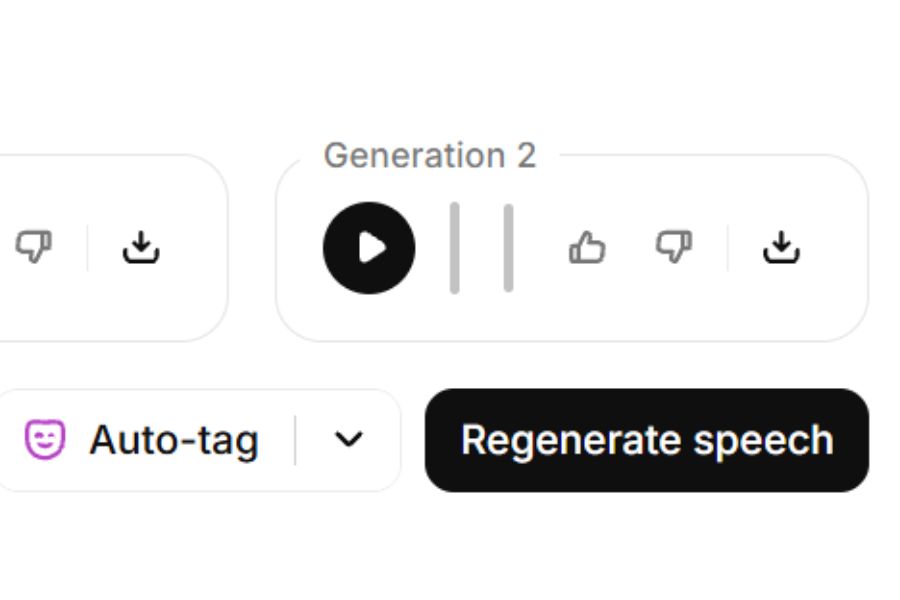
Step 8: Combine voice with video or e-card
After obtaining the audio file, you can use video editing applications like CapCut to combine the greeting with images, background music, and transition effects. Choose an image that is appropriate for the recipient, add short text such as "Happy Vietnamese Women's Day 20/10," and set the voiceover file as the main audio. If using background music, keep the volume at a moderate level so the greeting is always clear. Finally, export the video and send it via Zalo, Messenger, or post it on social media if appropriate.
4. Suggestions for great 20/10 greetings to create voices using ElevenLabs AI.
If you're unsure how to write your message, you can refer to some of the examples below. Adjust the pronouns and details to give your greeting a personal touch.
Wishes for Mom on October 20th
"Dear Mom, on October 20th, I wish you good health, peace, and lots of joy in your life. Thank you for always loving, caring for, and giving me the best. I hope that every day of yours is filled with laughter, and that I will always have the opportunity to be by your side to care for you even more. I love you so much!"
20/10 wishes for your lover
"Wishing my special girl a sweet and happy October 20th. May you always be radiant, confident in pursuing your passions, and have lots of luck on your journey. Thank you for being in my life and bringing me so many memorable moments. May you always be happy, loved, and cherished every day!"
20/10 wishes for colleagues
"On the occasion of Vietnamese Women's Day, October 20th, I wish all women to always be beautiful, confident, and full of energy. May everyone have smooth sailing in their work, achieve many successes, and always maintain a positive spirit in life. May each workday bring joyful experiences, new opportunities, and many beautiful memories. Wishing everyone a meaningful October 20th!"
5. Tips to make AI voices sound more natural on October 20th.
To make your audio product sound intimate and emotionally resonant, you should pay attention to how you write the content instead of relying solely on a pre-recorded voice. A few small adjustments can also help make the greeting more pleasant to listen to.
-
Write as if you're having a conversation: Prioritize simple, friendly sentences that reflect how you would normally speak to the recipient.
-
Use punctuation appropriately: Commas and periods help create natural pauses in the reading voice, preventing the reading from being too continuous.
-
Choose a voice that suits the occasion: A deep, warm voice is appropriate for formal greetings, while a bright, cheerful voice is suitable for lighthearted messages.
-
Check the Vietnamese pronunciation: Some voices may not handle tones, proper names, or abbreviations correctly. Listen to a sample before using it.
-
Avoid overusing background music: If you do use music, choose a gentle melody and keep the volume lower than your speech.
-
Respect the right to use your voice: If you use the voice cloning feature, please ensure you have the necessary consent and comply with the platform's regulations.
6. Common mistakes when creating 20/10 voices using ElevenLabs AI
During use, you may encounter some issues that prevent the audio file from producing the desired results. Most of these can be improved by checking the content and adjusting the settings.
-
Your Vietnamese pronunciation isn't perfect: Try changing your accent, rewriting difficult words, or breaking long sentences into shorter ones.
-
The audio lacks emotion: Choose a more suitable voice, adjust the speed, and edit the greeting to sound more natural and sincere.
-
Unable to create audio file: Check your internet connection, login status, and account usage limits.
-
File failed to download: Try downloading again after the audio creation process is complete, or check if the feature you are using supports downloading.
-
Audio file is too long: Condense the content, focus on the main message, and remove repetitive sentences.
7. Conclusion
Using ElevenLabs AI to create a voice message for Women's Day (October 20th) is a creative way to make your wishes more lively and memorable. With just a few steps—from entering the content and choosing a voice to creating and uploading the audio file—you can prepare a unique and thoughtful gift for the women in your life. For best results, prioritize sincere wishes, choose a suitable voice, and listen carefully before sending. A simple audio message can still bring joy if it conveys genuine care. Try creating your wishes with ElevenLabs AI and make this year's October 20th a special occasion with loving messages delivered in a warm and intimate voice.
















VIP Products





Best Selling Products
Upgrade Duolingo Super
29 USD
Upgrade genuine Capture One account
120 USD
ChatGPT Plus Account (GPT-4)
16 USD
Genuine Adobe Illustrator account
99 USD
Copyright Adobe Lightroom Account
59 USD
Upgrade Genuine Office 365
49 USD
Adobe Photoshop Copyright - Full App
120 USD
MidJourney Account
29 USD
Freepik Premium Account
59 USD
Genuine Cheap Canva Pro
39 USD
Adobe Premiere Pro Account
99 USD
Capcut Pro 1 Year
39 USD
Plugin Retouch4me
69 USD
Autodesk All App Account Copyright
120 USD
Windows 10 & 11 Pro Key
36 USD