Best Selling Products

Upgrade Genuine Office 365
49 USD

Upgrade genuine Capture One account
120 USD
Adobe Photoshop Copyright - Full App
120 USD

Genuine Adobe Illustrator account
99 USD

Capcut Pro 1 Year
39 USD
Upgrade Duolingo Super
29 USD

ChatGPT Plus Account (GPT-4)
16 USD

MidJourney Account
29 USD
Genuine Cheap Canva Pro
39 USD

Freepik Premium Account
59 USD

Copyright Adobe Lightroom Account
59 USD

Adobe Premiere Pro Account
99 USD

Windows 10 & 11 Pro Key
36 USD
Plugin Retouch4me
69 USD
Autodesk All App Account Copyright
120 USD
Instructions on how to create a 20/10 quiz game using AI without needing programming knowledge.
Nội dung
- 1. What is an AI-powered quiz game for October 20th?
- 2. What preparations are needed before creating a 20/10 quiz game using AI?
- 3. Instructions on creating a 20/10 quiz game using AI on Claude.
- Step 1: Access Claude
- Step 2: Enter the game creation prompt.
- Step 3: Test the AI-generated application.
- Step 4: Set up and start playing
- Step 5: Edit the questions and interface.
- Step 6: Conduct a trial run before organizing.
- 4. Suggested questions to make the October 20th quiz game more engaging.
- 5. Things to note when creating a 20/10 quiz game using AI.
- 6. Frequently Asked Questions when creating a 20/10 quiz game using AI
- 7. Conclusion
Vietnamese Women''s Day on October 20th is a meaningful occasion to express love and gratitude to mothers, teachers, and other beloved women. Instead of organizing familiar activities, you can create an interactive quiz game to make class activities, cultural programs, or parties more lively. The interesting thing is that you don''t need to know programming to design the game thanks to AI. With just a command describing your idea, tools like Claude can help create the interface, build questions, and set up a scoring system. Let''s explore how to create a simple AI-powered quiz game for Vietnamese Women''s Day using Sadesign below!
1. What is an AI-powered quiz game for October 20th?
AI-powered quiz games for October 20th are interactive games built with the support of artificial intelligence. Instead of writing your own code, you simply describe your requirements and the AI creates an application that suits your needs. A complete game can integrate many useful features:
-
Vibrant interface: Uses shades of pink, red, and white, combined with images of flowers and hearts.
-
Interactive questions: Display multiple-choice questions along with answer options.
-
Automatic scoring: Indicates correct/incorrect answers, adds up the points, and summarizes the results.
-
Multiple game modes: Allows for individual play or team competition.
-
Flexible customization: Add questions, change the time limit, and adjust the rules of the game.
2. What preparations are needed before creating a 20/10 quiz game using AI?
Before you begin, you should identify your target audience and the topic of the questions so that the AI can create a game that closely matches real-world needs. Clear preparation also helps minimize errors and reduce editing time.
-
AI tools: Prepare a Claude or ChatGPT account capable of supporting application creation.
-
Topic: Choose content about October 20th, family feelings, gratitude, or civilized behavior.
-
Equipment: Use a computer with a web browser for convenient design and presentation.
-
Rules of the game: Determine the number of questions, time limit for answering, scoring method, and competition format.
You don't need to prepare the source code yourself. Just have a specific idea, and AI will help you with the rest within the tool's capabilities.
3. Instructions on creating a 20/10 quiz game using AI on Claude.
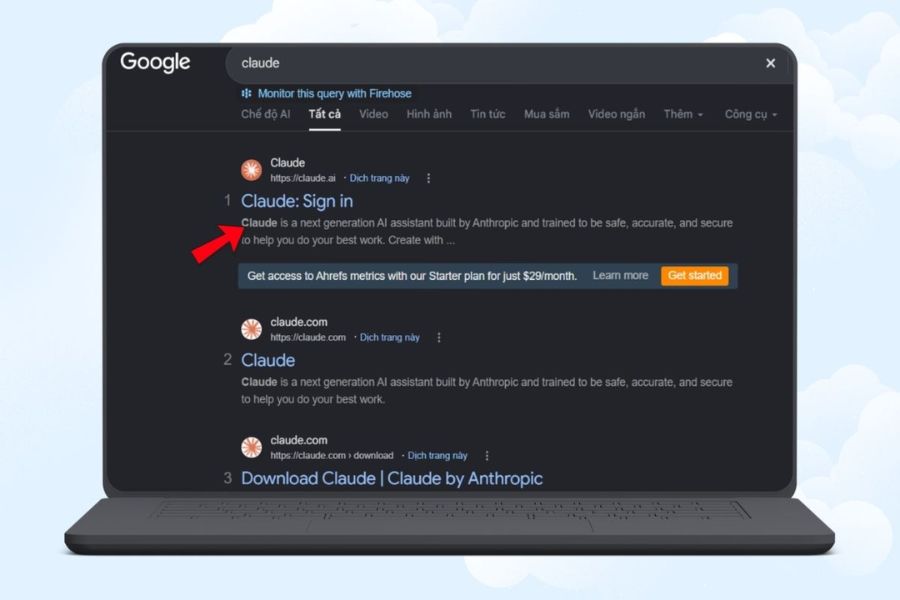
Step 1: Access Claude
Open your browser, go to Claude's official website, and log in to your account. In the chat interface, you can enter your request for the AI to start building the October 20th quiz game.
Step 2: Enter the game creation prompt.
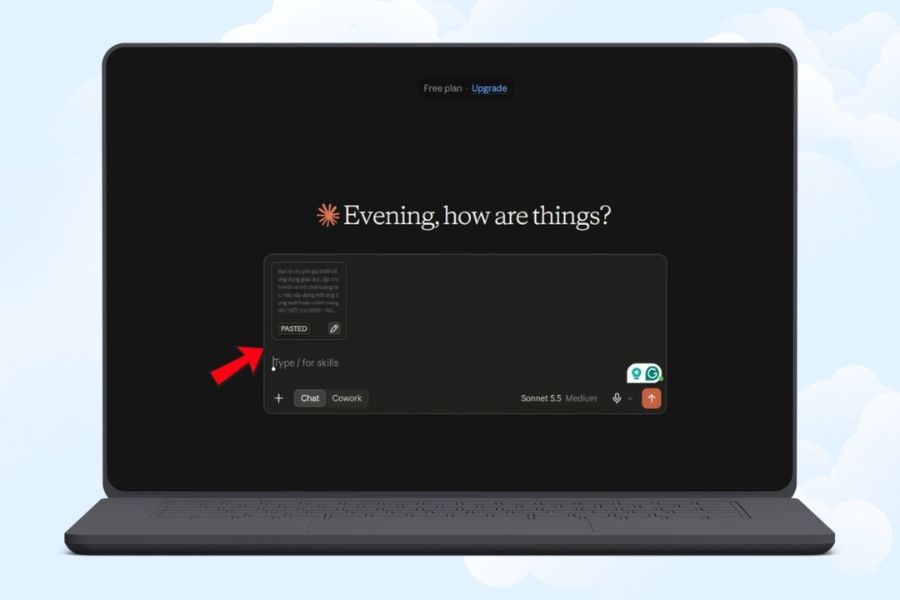
Please describe the game name, interface, number of questions, and desired features in detail. You can copy the prompt below into Claude's chat window:
Sample prompt:
You are a web interface design and application development expert. Create an interactive game called "20/10 Quiz - A Thousand Words of Love" for students.
Request:
-
The interface is in Vietnamese, with a color scheme of pink, red, white, and cream yellow, decorated with flowers and hearts.
-
Create 15 multiple-choice questions about the significance of October 20th, feelings for mothers and teachers, and respectful behavior towards women. Each question has four answer options, one correct answer, and a short explanation.
-
There are start screen, settings screen, question management screen, and summary screen.
-
Supports individual or team play, with a default 20-second countdown timer.
-
A correct answer earns 10 points, while an incorrect answer or running out of time earns 0 points.
-
Allows adding, editing, and deleting questions, shuffling answers, and replaying.
-
The design is compatible with computers, tablets, and phones.
-
Prioritize creating applications that allow for preview and direct interaction. If this is not possible, provide the source code along with instructions on how to run it.
-
Test the functionalities before handover; do not claim to have tested them if they haven't been done.
Create a complete application, not just provide ideas or illustrations. After submitting the prompt, you can add the class name, school name, or a personal message to make the game truly unique.
Step 3: Test the AI-generated application.
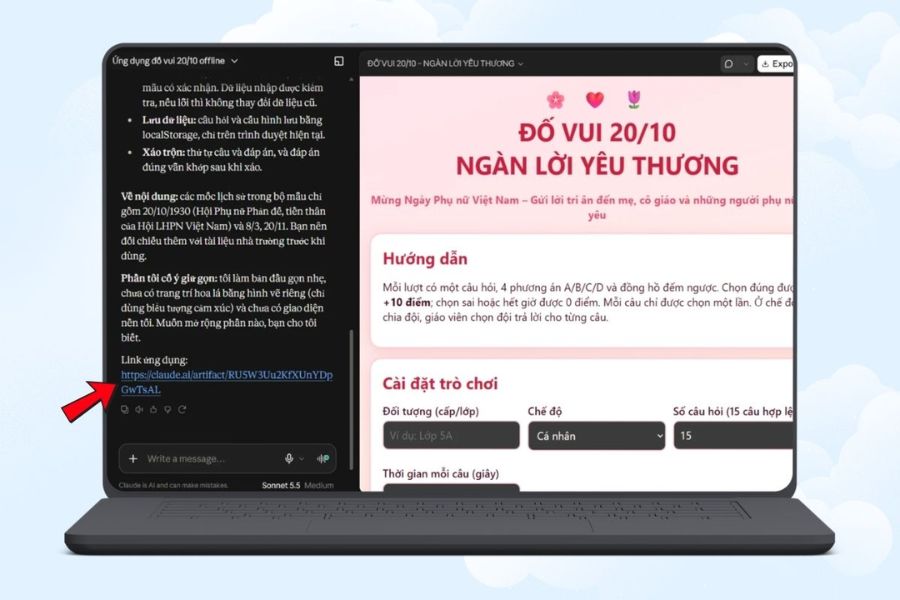
Wait for Claude to process your request. If the tool supports app preview, open the preview to experience it firsthand. If you only receive the source code, you need to follow the instructions to run the application.
Try selecting the correct and incorrect answers, check the clock, the score, and the question skip button. If you find an error, describe it specifically so the AI can fix it, for example: "Please fix the scoring function so that each correct answer only receives points once."
Step 4: Set up and start playing
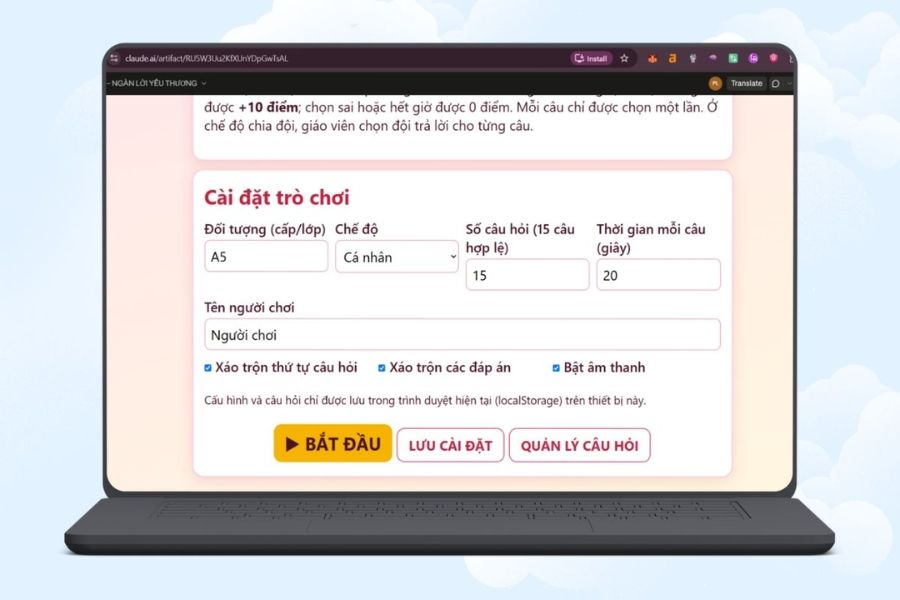
Open the app, access the settings, and select the parameters that best suit the program. If organizing in a classroom, you can name the teams according to their group to easily track results.
-
Choose to play individually or in teams.
-
Enter the player's name or team name.
-
Adjust the number of questions and the time allotted for answering.
-
Turn sounds and effects on or off.
-
Press the start button to begin playing the game.
Before playing the video, test it once to ensure all functions are working as intended.
Step 5: Edit the questions and interface.
To make the game more engaging, you can ask Claude to add questions or change the design. For example, enter the command: “Add 5 questions about gratitude for mothers and teachers, suitable for elementary school students, each with four options and one correct answer.”
You can also request to change the colors, increase the font size, or add a greeting on the summary screen. After each edit, double-check your answers and the scoring system.
Step 6: Conduct a trial run before organizing.
Finally, review the entire game from the start screen to the end. Pay attention to timeouts, question changes, replays, and scoring when dividing into teams.
If using a projector, check its display capabilities on a large screen. You should also prepare a backup list of questions so the program can continue if the application malfunctions.
4. Suggested questions to make the October 20th quiz game more engaging.
An engaging game needs diverse content, not just rote memorization. You can combine multiple-choice questions with real-life scenarios so players can have fun while learning how to show consideration for the women around them. Some suitable topics include:
-
Knowledge about October 20th: The meaning of the holiday and verified historical information.
-
Family affection: Small actions that show love and gratitude to Mom.
-
Expressing gratitude to teachers: How to send greetings and show appreciation to your teacher.
-
Etiquette: Situations involving respect, sharing, and helping women.
-
Fun challenge: Guess the message from the symbols or complete the 20/10 greeting.
You should adjust the difficulty level according to age and check the answers before using them to ensure the content is accurate and easy to understand.
5. Things to note when creating a 20/10 quiz game using AI.
AI can help you create games quickly, but the output still needs to be thoroughly tested before real-world use.
-
Verify the information: Reread the question, answer, and explanation to avoid errors.
-
Test the functions: Ensure the buttons, clock, and scoring system are working correctly.
-
Note regarding data: If the application uses localStorage, data is typically stored in the current browser and does not automatically sync between devices.
-
Prepare a backup plan: Save the questions or prepare a presentation if needed.
-
Information protection: We do not collect unnecessary personal data from players.

6. Frequently Asked Questions when creating a 20/10 quiz game using AI
Is it possible to create a quiz game for October 20th if you don't know how to program?
Yes. You can describe your requirements in plain language so that AI can help create the application. However, whether it can run directly or requires additional installation steps will depend on the supported tools and environment.
Is it possible to add questions to the game myself?
Yes, if the app is built with question management functionality. You can add, edit, delete content, or request the AI to add new questions. After editing, review the answers and scores.
Can the game be played on a phone?
It's possible if the interface is designed to be compatible with phone screens. You should test it directly on a real device before organizing it to check its display and usability.
Can games be used to organize competitions between teams?
Yes. You can ask the AI to create a team division mode, allowing you to name teams, record scores, and display rankings. You need to test different turn-changing and scoring scenarios to ensure there are no duplicate point counts.
7. Conclusion
Creating a quiz game for Vietnamese Women's Day using AI is a creative way to transform the celebration into a fun and interactive experience. Simply prepare your ideas, write a clear prompt, and follow the steps in Claude, and you can create a game without programming from scratch. Take the time to test the content and run a trial run before organizing the event. A well-prepared game will liven up the gathering and spread a message of love and gratitude to the women in your life.
















VIP Products





Best Selling Products
Upgrade Genuine Office 365
49 USD
Upgrade genuine Capture One account
120 USD
Adobe Photoshop Copyright - Full App
120 USD
Genuine Adobe Illustrator account
99 USD
Capcut Pro 1 Year
39 USD
Upgrade Duolingo Super
29 USD
ChatGPT Plus Account (GPT-4)
16 USD
MidJourney Account
29 USD
Genuine Cheap Canva Pro
39 USD
Freepik Premium Account
59 USD
Copyright Adobe Lightroom Account
59 USD
Adobe Premiere Pro Account
99 USD
Windows 10 & 11 Pro Key
36 USD
Plugin Retouch4me
69 USD
Autodesk All App Account Copyright
120 USD