Best Selling Products

Adobe Premiere Pro Account
99 USD

Plugin Retouch4me
69 USD

Autodesk All App Account Copyright
120 USD

MidJourney Account
29 USD

Genuine Adobe Illustrator account
99 USD

Freepik Premium Account
59 USD

ChatGPT Plus Account (GPT-4)
16 USD

Copyright Adobe Lightroom Account
59 USD

Upgrade genuine Capture One account
120 USD

Upgrade Duolingo Super
29 USD

Genuine Cheap Canva Pro
39 USD

Capcut Pro 1 Year
39 USD

Upgrade Genuine Office 365
49 USD

Windows 10 & 11 Pro Key
36 USD

Adobe Photoshop Copyright - Full App
120 USD
Illustrator 2026: The Tool That “Turns Ideas Into Money” for Designers
Nội dung
Adobe Illustrator is not only a vector graphic design software but also an industry standard in the modern creative field.
1. What Adobe Illustrator Is and Why It Has Become an Industry Standard
Adobe Illustrator is a vector graphic design software developed by Adobe that allows users to create images that can be scaled infinitely without losing quality. Unlike raster graphics that depend on pixels, Illustrator uses mathematical paths and points to construct images, ensuring perfect sharpness at any size, from small screens to large-format printed materials.
This characteristic has made Illustrator an indispensable tool in many fields such as logo design, branding, illustration, printing, and advertising. A logo created in Illustrator not only ensures visual appeal but also maintains its quality when applied across different platforms, from mobile applications and websites to outdoor billboards. This is a crucial factor that helps brands maintain a consistent and professional image at every customer touchpoint.
Beyond its vector-processing capabilities, Illustrator stands out with a comprehensive set of professional tools that allow users to control even the smallest design details. Users can fine-tune anchor points, curves, colors, and layouts with exceptional precision. Features such as global editing make it possible to modify multiple objects simultaneously, while pattern repeat tools enable the rapid creation of complex designs. The layer and artboard management systems also help organize projects efficiently, especially when working with large files containing multiple components.
.jpg)
Another important factor that has helped Illustrator become an industry standard is its powerful integration within Adobe’s ecosystem. Users can easily combine Illustrator with other software such as Photoshop and InDesign to complete the design process from concept to final product. This synchronization not only saves time but also ensures consistency throughout the entire project.
In addition, Illustrator continues to be updated with new technologies, particularly artificial intelligence. These improvements help automate many complex tasks, from coloring and image expansion to design suggestions, allowing users to focus more on creative ideas.
2. The Power of Vector Graphics in Modern Design
With Illustrator, users can create designs that remain sharp whether enlarged or reduced, ensuring consistent quality across all use cases. This is especially important in an era where a single design may appear simultaneously on smartphones, tablets, large displays, and printed materials.
One of the greatest advantages of vector graphics is their flexibility in reuse and editing. Design elements can be separated, modified, or recombined without affecting overall quality. This allows designers to experiment with multiple approaches and find the optimal solution for each project. In professional environments where revisions are frequent, this is an extremely valuable advantage.
In addition, vector graphics help optimize file sizes, making storage and sharing more convenient. Compared to high-resolution raster files, vector files are often lighter while still maintaining excellent image quality. This not only saves storage space but also increases data transfer speed, especially when collaborating with teams or delivering files to clients.
.jpg)
3. Real-World Applications of Illustrator in Design and Business
In the branding field, the software enables the creation of highly personalized logos, icons, and identity systems. These elements play a vital role in establishing a unique brand identity, helping businesses stand out in highly competitive markets.
A brand identity system created with Illustrator can be implemented consistently across multiple platforms, from product packaging and websites to social media channels. This creates a unified customer experience, enhancing brand recognition and trust. In a marketplace where consumers increasingly value visual presentation and experience, this is a decisive factor.
In marketing and advertising, Illustrator plays a crucial role in producing visually engaging materials. From posters and banners to digital advertising campaigns, the software ensures that every design maintains high quality and adapts to multiple formats. Its ability to resize without quality loss allows a single design to be used effectively across different contexts, from print to digital displays.
Additionally, Illustrator is widely used in content creation and digital art. Artists can take advantage of the software’s powerful tools to create works with distinctive styles, ranging from simple illustrations to complex projects. The ability to control every detail of lines and colors helps bring ideas to life with precision and vibrancy.
.jpg)
Not limited to these areas, Illustrator also supports industries such as fashion design, architecture, and multimedia production. Its flexibility and customization capabilities make it a versatile tool capable of meeting the needs of many different sectors.
4. Standout Features in the Latest Version
The latest version of Adobe Illustrator clearly reflects the trend of combining traditional design with artificial intelligence to improve both speed and creative quality. One of the most notable features is Generative Shape Fill, which allows users to quickly experiment with multiple shapes, color schemes, and styles using simple descriptions. With support from models such as GPT-4o and Gemini 2.5, the design process becomes more flexible, reducing reliance on manual work while maintaining creativity and precision.
Alongside AI, the improved font management system makes it easier to search, filter, and synchronize fonts throughout the Adobe ecosystem. This is particularly important for branding projects, where typographic consistency plays a critical role. The Generative Expand feature also provides significant benefits by allowing layouts to be expanded or resized without rebuilding them from scratch, saving time while maintaining visual continuity.
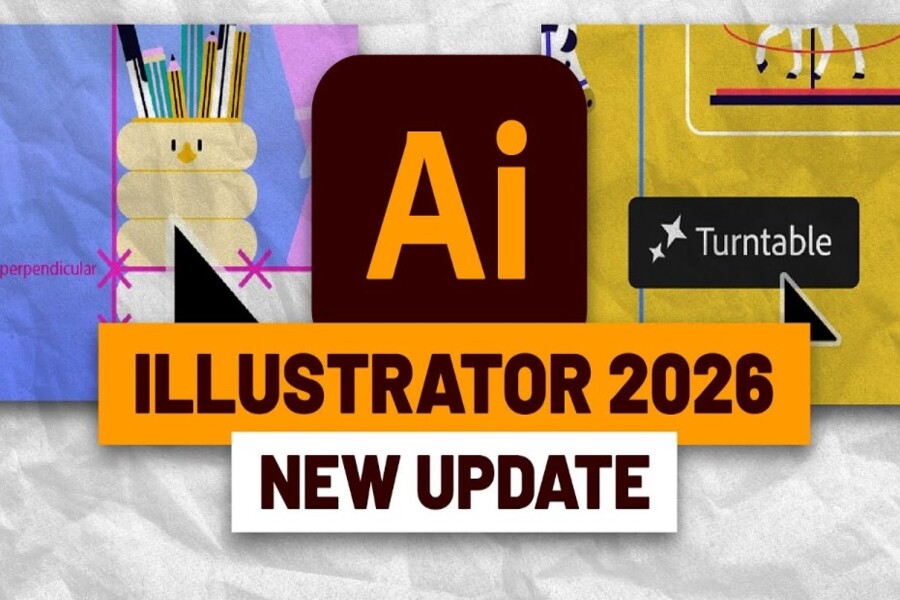
Additionally, the Turntable tool introduces the ability to view designs from multiple angles, making it especially useful for product mockups and character illustrations. Improvements to gradients and color handling make transitions smoother and more accurate, while intelligent snapping tools provide greater control over fine details. Together, these enhancements create a modern design environment where users can work quickly while maintaining professional-quality results.
.jpg)
5. Performance, Speed, and Workflow
Beyond feature enhancements, the latest version of Adobe Illustrator delivers a significant leap in performance. Common effects such as shadows, blurs, and gradient processing are now executed much faster, reducing wait times and increasing productivity. This is especially important in professional environments where efficiency directly impacts project timelines.
Large file handling has also been optimized, allowing users to work with numerous layers, objects, and complex effects while maintaining smooth performance. Reducing lag not only improves the user experience but also helps maintain focus throughout the creative process. This is an important factor that enables designers to work continuously without interruptions.
Furthermore, Illustrator helps streamline workflows through its close integration with other tools within the Adobe ecosystem. Users can seamlessly switch between Illustrator and software such as Photoshop to complete projects efficiently. Combined with cloud synchronization capabilities, design files can be accessed and edited across multiple devices, increasing flexibility and supporting effective team collaboration.
Adobe Illustrator has firmly established itself as an indispensable tool in the graphic design industry. With its combination of powerful performance, diverse features, and integration of new technologies, Illustrator provides a comprehensive creative environment for users of all levels.





















VIP Products








Best Selling Products
Adobe Premiere Pro Account
99 USD
Plugin Retouch4me
69 USD
Autodesk All App Account Copyright
120 USD
MidJourney Account
29 USD
Genuine Adobe Illustrator account
99 USD
Freepik Premium Account
59 USD
ChatGPT Plus Account (GPT-4)
16 USD
Copyright Adobe Lightroom Account
59 USD
Upgrade genuine Capture One account
120 USD
Upgrade Duolingo Super
29 USD
Genuine Cheap Canva Pro
39 USD
Capcut Pro 1 Year
39 USD
Upgrade Genuine Office 365
49 USD
Windows 10 & 11 Pro Key
36 USD
Adobe Photoshop Copyright - Full App
120 USD