Best Selling Products

Upgrade genuine Capture One account
120 USD

Upgrade Duolingo Super
29 USD

Capcut Pro 1 Year
39 USD

Upgrade Genuine Office 365
49 USD

Autodesk All App Account Copyright
120 USD

Freepik Premium Account
59 USD

Plugin Retouch4me
69 USD

Copyright Adobe Lightroom Account
59 USD

Genuine Cheap Canva Pro
39 USD

ChatGPT Plus Account (GPT-4)
16 USD

Adobe Photoshop Copyright - Full App
120 USD

Adobe Premiere Pro Account
99 USD

Windows 10 & 11 Pro Key
36 USD

Genuine Adobe Illustrator account
99 USD

MidJourney Account
29 USD
What Is Vector Graphic Art? The Foundation Behind Every Sharp Design
Nội dung
Vector graphics enable the creation of images that can be scaled infinitely without losing quality. This is the technology behind professional logos, icons, and designs. Discover how vector graphics unlock unlimited creative possibilities for every project.
1. What Is Vector Graphic Art?
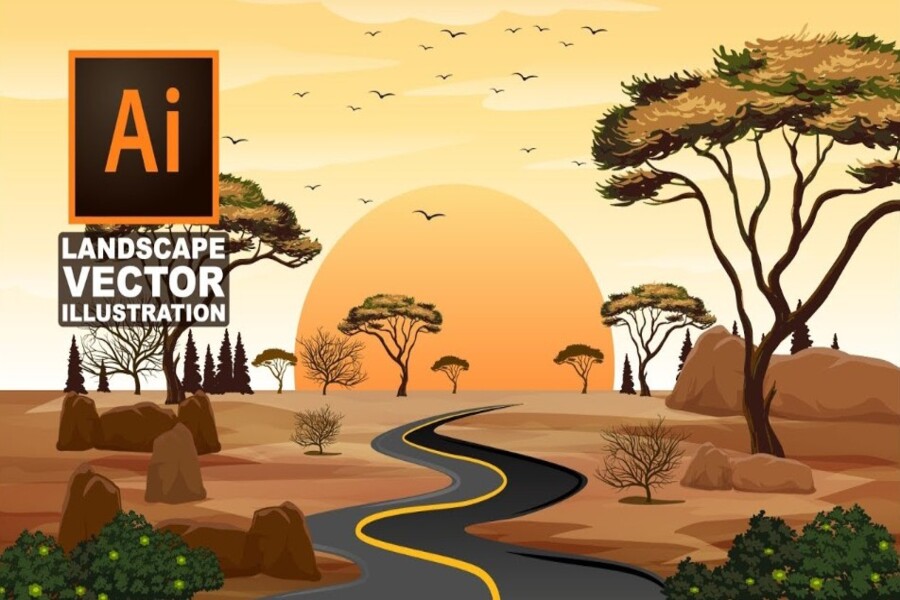
Vector graphic art is a method of creating images based on mathematical elements such as points, straight lines, curves, and shapes. Instead of being composed of millions of pixels like raster images, vector graphics are built from equations, allowing them to maintain perfect sharpness at any size. This means you can enlarge a logo from a small business card to a giant advertising billboard without any loss of quality, and you can also reduce it to extremely small sizes while preserving complete clarity. This is the core advantage that makes vector graphics the foundation of modern design.
Software such as Adobe Illustrator plays a central role in creating professional vector artwork. Users can control every line, anchor point, and shape with near-perfect precision. Unlike pixel-based image editing, where every modification may affect overall quality, vector graphics allow flexible editing without degrading the image. This enables designers to experiment with multiple concepts without worrying about “damaging” the original artwork.
In addition, vector graphics provide significant advantages in terms of reusability and workflow optimization. A vector design can be modified, transformed, or combined with other elements while preserving its original structure. This is particularly useful in long-term projects or projects requiring multiple versions, such as brand identity systems where the same design element must appear across various platforms.
.jpg)
2. The Difference Between Vector and Raster
To fully understand the value of vector graphics, it is important to compare them with raster graphics—the two most common image foundations today. While vector graphics rely on mathematical formulas to create images, raster graphics are composed of pixels, which are tiny individual color points. This fundamental difference creates two entirely distinct approaches to design and image processing.
Raster graphics excel at reproducing detail, lighting, and texture realistically, making them especially suitable for photography and complex imagery. Thanks to their pixel-based structure, raster images can display millions of different colors, creating depth and strong emotional impact. This is why software such as Adobe Photoshop has become the standard in photo editing and highly detailed image design.
However, raster graphics have a major limitation when it comes to scalability. When an image is enlarged beyond its original resolution, the pixels become visible, causing the image to appear blurry, jagged, and less aesthetically pleasing. This makes raster graphics unsuitable for designs that require flexible resizing.
In contrast, vector graphics are not tied to a fixed resolution. No matter how much you enlarge or reduce them, they remain perfectly sharp. This is why vector graphics are widely used in logo design, icons, and products that need to be displayed at various sizes. Furthermore, vector graphics allow individual components to be edited separately without affecting the entire image, making the design process more flexible and efficient.
.jpg)
3. The Development History of Vector Graphics
During the 1960s and 1970s, when hardware technology was still limited and processing costs were high, computer systems used vector displays to render graphics. Instead of displaying individual pixels, these screens directly drew lines and shapes, conserving resources while producing clear images.
During this period, vector graphics were not only used in technical systems but also appeared in the entertainment industry. A notable example is the video game “Asteroids,” released in 1979, which used vector graphics to create simple yet iconic visuals. The bright lines displayed against dark backgrounds became a defining characteristic of that era.
By the 1980s, as technology advanced and hardware costs declined, raster graphics gradually gained dominance due to their ability to display richer colors and more detailed images. Pixel-based screens became widespread, ushering in a new era of digital imagery. However, vector graphics did not disappear; instead, they continued to evolve in fields requiring high precision, such as technical design, architecture, and professional graphics.
In the modern era, vector graphics have experienced a strong resurgence due to the demand for multi-platform design. The rise of responsive web design, mobile devices, and displays with varying resolutions has made scalable imagery more essential than ever. Vector graphics perfectly meet this requirement, allowing a single design to be used across multiple devices without needing redesign.
In addition, vector graphics play a crucial role in modern typography, where characters are built from mathematical curves and shapes to ensure sharpness at every size. In film production and 3D graphics, vector principles are also applied to create complex and realistic visual effects.
.jpg)
4. The Role of Vector Graphics in Modern Design
A design created with vector graphics can easily adapt to any format, from website interfaces and mobile applications to printed materials and outdoor advertising displays, without requiring redesign from scratch. This not only saves time but also ensures consistency throughout an entire visual system.
Vector graphics are particularly important in brand identity development. A logo designed in vector format can be used across multiple platforms while maintaining its shape, color, and proportions. This is a key factor that helps businesses maintain a professional and recognizable image in the eyes of customers. When a brand appears across various channels, from digital to offline environments, visual consistency plays a decisive role in building trust.
In addition, vector graphics are essential in user interface design, illustration, and animation. Icons, symbols, and UI components are typically built as vector graphics to ensure sharpness on all displays, especially devices with high pixel density. Their flexibility allows designers to experiment with different layouts, colors, and styles without worrying about image degradation.
.jpg)
5. The Difference Between Designers and Illustrators in Vector Art
In the world of vector graphics, two roles frequently work with this format: designers and illustrators. Although both use tools such as Adobe Illustrator, their approaches and objectives differ significantly, creating two parallel paths within the creative industry.
Designers focus on the overall product. They are concerned with layout, structure, and how visual and textual elements work together to create a complete experience. In website design, advertising, or communication materials, designers use vector elements to build visual systems that are consistent and easy to understand. Their work is strategic and aimed at delivering messages effectively.
Illustrators, on the other hand, focus on individual images. They create highly artistic illustrations that can stand alone or be integrated into larger designs. The work of an illustrator requires creativity, aesthetic sensitivity, and a distinctive personal style. Each piece is not merely an image but also a story and a unique way of expressing ideas.
.jpg)
6. How to Get Started with Vector Art
For beginners, learning vector graphics may initially feel complicated because it differs significantly from traditional drawing or pixel-based image editing. However, once you understand the fundamental principles, you will realize that it is an incredibly powerful and flexible tool that opens creative possibilities difficult to achieve through other methods.
One of the most effective ways to begin is by building a wireframe, which serves as the basic structure of the artwork. Similar to constructing a house, you need a strong foundation before adding decorative details. Focusing on shapes, proportions, and composition helps you maintain better control throughout the design process while avoiding mistakes that become difficult to correct later.
At the same time, becoming familiar with the tools in Adobe Illustrator is an essential step. From creating paths and editing anchor points to working with colors and gradients, every skill contributes to improving the quality of your artwork. Once you master the fundamentals, you can begin experimenting with more advanced effects and styles.
Beyond technical skills, learning from renowned vector artists is also an effective way to develop creative thinking. Artists such as Orlando Arocena, Susanne Paschke, Cristiano Siqueira, and Helen Huang have created remarkable works with distinctive styles, demonstrating the limitless potential of vector graphics. However, learning should not stop at imitation; it should be transformed into your own unique artistic voice.
.jpg)
Vector graphic art is not merely a technical tool but also a powerful creative language in the digital age. With infinite scalability, exceptional precision, and outstanding flexibility, vector graphics have become the foundation of modern design. From logos and illustrations to user interfaces and films, the influence of vector graphics can be seen everywhere. Understanding and mastering vector graphics not only improves your design skills but also opens the door to countless new creative opportunities.





















VIP Products








Best Selling Products
Upgrade genuine Capture One account
120 USD
Upgrade Duolingo Super
29 USD
Capcut Pro 1 Year
39 USD
Upgrade Genuine Office 365
49 USD
Autodesk All App Account Copyright
120 USD
Freepik Premium Account
59 USD
Plugin Retouch4me
69 USD
Copyright Adobe Lightroom Account
59 USD
Genuine Cheap Canva Pro
39 USD
ChatGPT Plus Account (GPT-4)
16 USD
Adobe Photoshop Copyright - Full App
120 USD
Adobe Premiere Pro Account
99 USD
Windows 10 & 11 Pro Key
36 USD
Genuine Adobe Illustrator account
99 USD
MidJourney Account
29 USD