Best Selling Products

Upgrade Genuine Office 365
49 USD

MidJourney Account
29 USD

Windows 10 & 11 Pro Key
36 USD

Genuine Adobe Illustrator account
99 USD

Autodesk All App Account Copyright
120 USD

Upgrade genuine Capture One account
120 USD

Capcut Pro 1 Year
39 USD

Adobe Premiere Pro Account
99 USD

Adobe Photoshop Copyright - Full App
120 USD

ChatGPT Plus Account (GPT-4)
16 USD

Copyright Adobe Lightroom Account
59 USD

Plugin Retouch4me
69 USD

Genuine Cheap Canva Pro
39 USD

Upgrade Duolingo Super
29 USD

Freepik Premium Account
59 USD
Should you close all browser tabs every day? The answer might surprise you.
Nội dung
Closing browser tabs daily has long been a habit for many, with the belief that it helps computers run faster and "frees up" memory. However, in the context of modern browsers being heavily optimized, is this habit still really necessary?
1. The habit of closing browser tabs and user psychology.
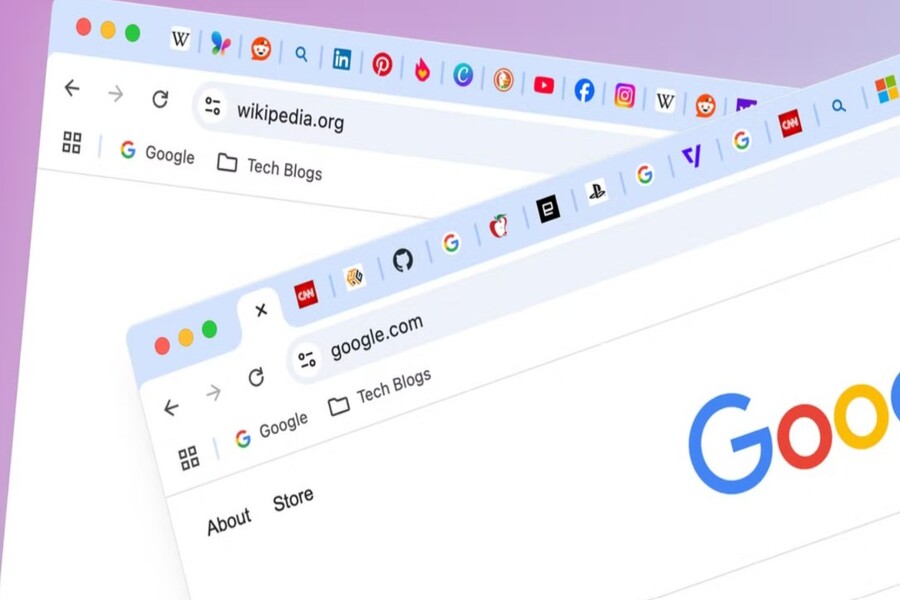
The habit of closing browser tabs daily stems from a very natural human need to keep the workspace tidy, easy to manage, and reduce the feeling of "information overload" when faced with dozens of tabs at once. As the number of tabs increases, the human brain tends to feel visual and psychological pressure, leading to the immediate urge to "clean up" by closing all unnecessary tabs. Especially in modern work environments, where users constantly switch between multiple tasks, keeping too many tabs open makes them feel out of control and unable to concentrate. Furthermore, this habit is strongly influenced by the past when computers had low specifications, limited RAM, and unoptimized browsers. During that era, opening many tabs significantly slowed down the computer, leading to a negative experience and forming the reflex of "closing as many as possible." This experience has become deeply ingrained in many people's habits, even though technology has changed considerably since then. Some people even view closing tabs as a ritual to end work, helping them clearly separate work and rest time, creating a sense of accomplishment for the day. However, it's worth noting that modern browsers have completely changed how resources are managed, making daily tab closing less effective than users might think.

2. How modern browsers manage memory and tabs
Each tab in today's browser is no longer simply a window displaying content, but is often treated as a separate process or an isolated part of a process to increase stability and security. When a user opens multiple tabs, the system allocates RAM to store the necessary data for each page, including HTML, CSS, JavaScript, images, and other dynamic resources. However, a key difference of modern browsers is their ability to optimize resources in real time. Mechanisms such as "tab sleeping," "tab freezing," or "memory discard" allow the browser to automatically pause tabs that have not been used for a long time, significantly reducing RAM consumption without completely losing the page's state. When the user returns to that tab, the system will restore the content almost instantly or reload only the necessary parts instead of reloading everything from scratch as before. Furthermore, modern operating systems play a crucial role in memory management by automatically reallocating RAM to more demanding applications and depriving unnecessary background processes. Thanks to the integration between the browser and the operating system, opening multiple tabs no longer puts as much strain on the system as many people believe.
3. The real impact of closing tabs daily
When a tab is closed, all temporary data related to that webpage is removed from RAM, including session state, unsaved form data, and cached resources. If the user accesses the page again later, the browser is forced to reload everything from scratch, including images, videos, scripts, and dynamic data, resulting in increased time and bandwidth consumption. In modern work environments where users frequently switch between multiple platforms such as online documents, project management systems, email, and data analytics tools, constantly closing tabs can disrupt the natural workflow, making the process less smooth. Furthermore, some web applications lack robust state-saving mechanisms, potentially causing users to lose logged data if a tab is closed abruptly, leading to inconvenience or even the loss of important information. Another often overlooked aspect is that constantly closing and reopening tabs also increases unnecessary network load, especially when reloading heavy content like videos or data dashboards. Meanwhile, if tabs are left in sleep mode, the system can quickly resume without reloading the entire content, saving both time and resources. This shows that closing tabs daily doesn't always provide real benefits and, in many cases, creates hidden costs in terms of performance and user experience.

4. When is closing a tab really necessary?
The most common scenario is when the browser encounters problems, such as a tab crashing, freezing, or consuming excessive system resources due to running heavy scripts or complex multimedia content. In this situation, closing the tab can immediately free up resources and restore stability to the entire browser without restarting the entire application. Additionally, for devices with low specifications, limited RAM, or running multiple applications simultaneously, proactively closing unnecessary tabs remains a reasonable solution to ensure smoother system operation and prevent memory overload. Another important case relates to security and privacy. When users access websites containing sensitive information such as bank accounts, personal emails, work data, or internal corporate systems, closing tabs after use is necessary to reduce the risk of unauthorized access, especially when the device is shared or the screen is not properly locked. However, it is important to emphasize that these situations are exceptional and should not be taken as a default daily routine.

5. Alternatives to manually closing tabs
One of the most effective solutions is to use tab groups, which allows users to categorize tabs by topic such as work, study, entertainment, or research. This helps to keep the workspace tidy and easier to manage without having to close tabs. In addition, modern browsers have integrated mechanisms to automatically put inactive tabs into sleep mode, significantly reducing RAM consumption while maintaining content so users can return to them at any time. This is a major improvement over previous manual management methods, balancing performance and convenience. Furthermore, using bookmarks or read-later lists is also an effective solution for storing important pages instead of keeping them constantly open, thus reducing strain on the browser interface. Furthermore, users can also take advantage of extensions that support tab management, allowing for automatic session saving, restoring all tabs after closing the browser, or automatically closing tabs that have been inactive for a long time. These tools help optimize the browser experience more flexibly, reduce reliance on manual operations, and minimize unwanted data loss.

6. Develop smarter browser habits.
Instead of viewing the problem of having many tabs open, users should focus on clearly defining the purpose of each tab and prioritizing them. Important tabs for current work can be kept open, while those for reference or not needed immediately can be saved with bookmarks or a read-later list. Simultaneously, making the most of modern browser features such as tab grouping, automatic tab sleep, and data synchronization between devices will help users manage information more effectively without relying on manually closing tabs. Furthermore, regularly updating the browser is also crucial, as new versions often come with improvements in performance, security, and memory management, resulting in a smoother user experience. Most importantly, users need to change their perspective, recognizing that computer performance doesn't depend on the number of tabs open or how often tabs are closed, but rather on the rational and optimal use of resources and the proper utilization of the tools that modern technology provides.
Modern browsers are optimized to automatically manage resources, allowing users to keep many tabs open without significantly impacting performance. However, constantly closing tabs can sometimes be inconvenient, leading to temporary data loss and increased loading times. Therefore, instead of maintaining old habits, users should understand how browsers work and adopt smarter tab management methods.





















VIP Products








Best Selling Products
Upgrade Genuine Office 365
49 USD
MidJourney Account
29 USD
Windows 10 & 11 Pro Key
36 USD
Genuine Adobe Illustrator account
99 USD
Autodesk All App Account Copyright
120 USD
Upgrade genuine Capture One account
120 USD
Capcut Pro 1 Year
39 USD
Adobe Premiere Pro Account
99 USD
Adobe Photoshop Copyright - Full App
120 USD
ChatGPT Plus Account (GPT-4)
16 USD
Copyright Adobe Lightroom Account
59 USD
Plugin Retouch4me
69 USD
Genuine Cheap Canva Pro
39 USD
Upgrade Duolingo Super
29 USD
Freepik Premium Account
59 USD