Best Selling Products
Windows 10 & 11 Pro Key
36 USD
Upgrade Genuine Office 365
49 USD

MidJourney Account
29 USD
Plugin Retouch4me
69 USD
Autodesk All App Account Copyright
120 USD
Adobe Premiere Pro Account
99 USD
Adobe Photoshop Copyright - Full App
120 USD
Upgrade genuine Capture One account
120 USD
Capcut Pro 1 Year
39 USD

ChatGPT Plus Account (GPT-4)
16 USD
Genuine Cheap Canva Pro
39 USD
Genuine Adobe Illustrator account
99 USD

Freepik Premium Account
59 USD
Copyright Adobe Lightroom Account
59 USD
Upgrade Duolingo Super
29 USD
Instructions on creating personalized 20/10 greeting videos using ChatGPT and Visla
Nội dung
- 1. Instructions on creating personalized 20/10 greeting videos using ChatGPT and Visla
- Step 1: Open ChatGPT and access GPT Visla
- Step 2: Chat with the AI to create a greeting script.
- Step 3: Receive and edit the AI-generated script.
- Step 4: Preview the video and save it for editing.
- Step 5: Register a Visla account and open a video.
- Step 6: Customize the video to your liking.
- Step 7: Export the video and share your greetings.
- 2. Tips to make your October 20th greeting video using ChatGPT and Visla more impressive.
- 3. Conclusion
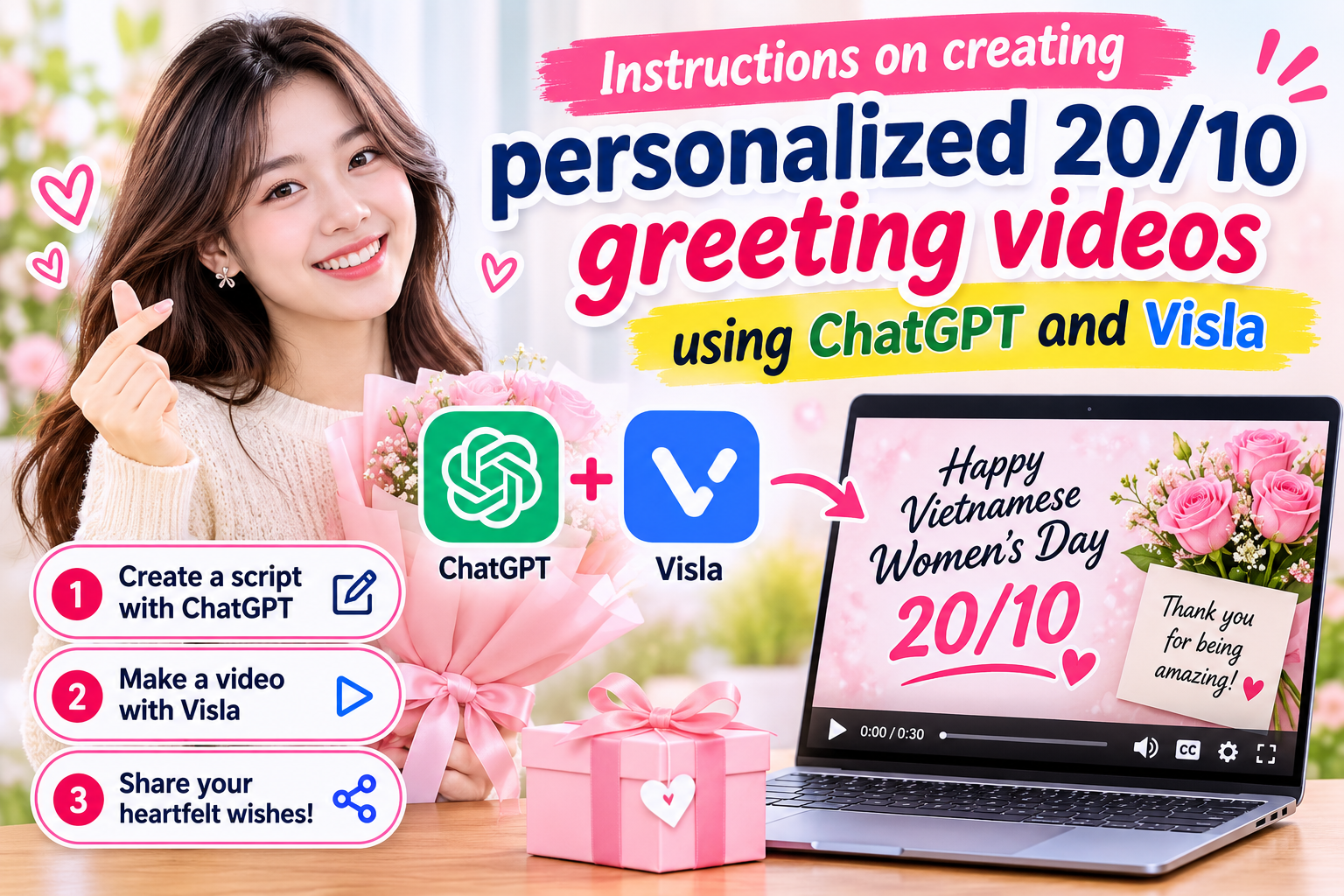
Vietnamese Women''s Day on October 20th is an occasion to send love and appreciation to mothers, wives, girlfriends, friends, or colleagues. Instead of using pre-made greeting cards, you can create your own congratulatory video with images, messages, and music that reflect your personal touch. Thanks to the support of artificial intelligence, the process becomes simpler, even if you have no video editing experience. Combining ChatGPT and Visla is a fun way to turn your ideas into meaningful digital gifts. ChatGPT helps build the script and message, while Visla converts the content into a video for you to further edit to your liking. Below is a detailed step-by-step guide to easily create a personalized video for the women you cherish on October 20th. Let''s explore with Sadesign!
1. Instructions on creating personalized 20/10 greeting videos using ChatGPT and Visla
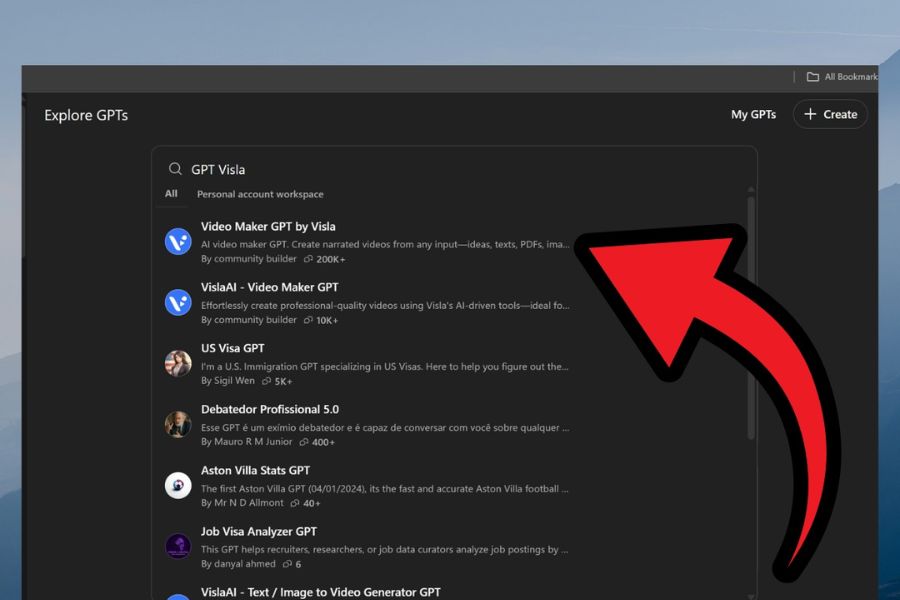
Step 1: Open ChatGPT and access GPT Visla
First, access ChatGPT on your browser or app, then log in to your account. On the main interface, find the Explore GPTs section to discover GPTs that support creative work. Enter the keyword "Visla" into the search bar and select the appropriate tool if it appears in the list. This step helps you access the process of creating videos from chat content with AI without having to build the entire script from scratch.
After opening GPT Visla, follow the on-screen instructions to get started. If you can't find the tool or integrated feature is unavailable with your account, you can access Visla directly to find a suitable video creation method. The interface and connectivity may change from time to time, so please check the available options before proceeding.
Step 2: Chat with the AI to create a greeting script.
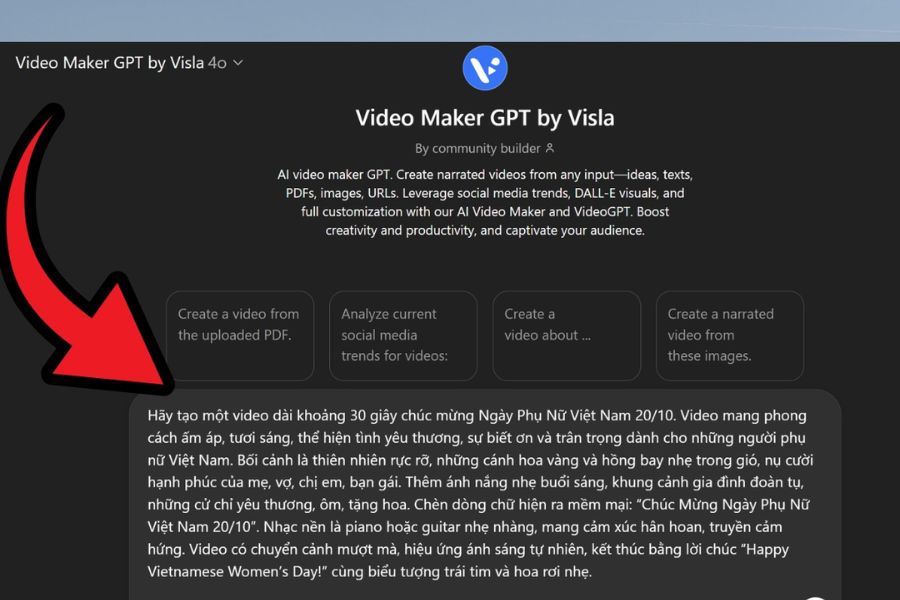
After accessing the tool, begin by describing the video idea you want to create. Provide key information such as the recipient, duration, visual style, and main emotion. For example, if you want to make a video for your mother, you could choose a warm, gentle style, focusing on family affection and gratitude. The clearer you describe your wishes, the better ChatGPT can suggest a script that closely matches your idea.
You can enter the following command as a reference:
"Write a 45-second video script for Mother's Day (October 20th). The content should express gratitude, love, and the sacrifices your mother has made for the family. The video should have a warm and intimate style, including an engaging opening, sincere wishes, and a touching ending. Suggest suitable images for each scene and natural, easy-to-understand Vietnamese narration."
Step 3: Receive and edit the AI-generated script.
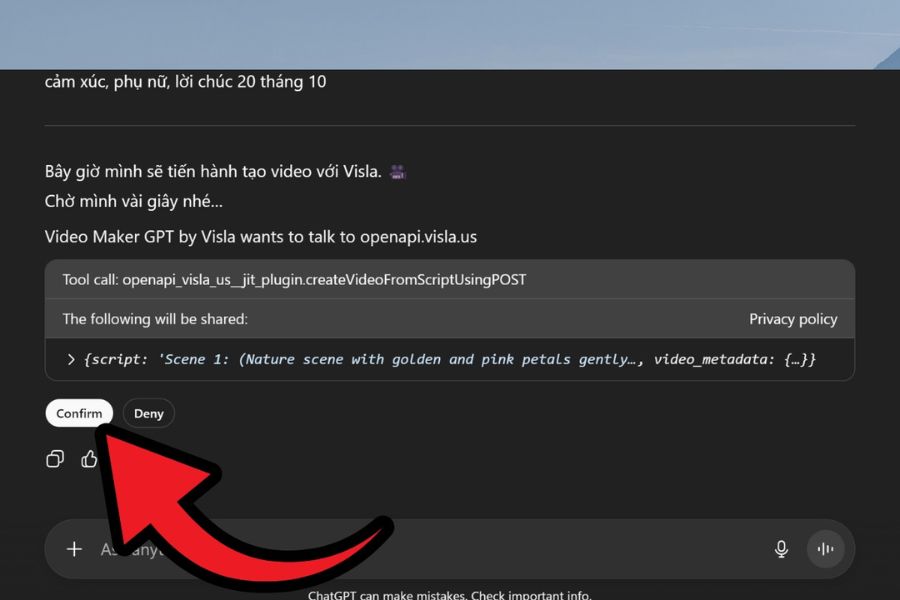
After processing your request, ChatGPT will provide a suggested script for your reference. Please reread the content, check the form of address, and adjust any wording that doesn't convey the intended sentiment. You can add a memorable anecdote, a personal thank you, or a familiar term of endearment commonly used with the recipient. These small details help make the video more personal and avoid feeling like a copied greeting from a pre-made template.
Once you're satisfied with the script, you can then instruct the Visla content conversion tool to create a video, for example: "Create a video from the above script using Visla ." If the system asks for connection confirmation or to switch to the Visla platform, follow the displayed instructions. Before proceeding, you should ensure the greeting is complete to minimize the need for multiple revisions during the video editing process.
Step 4: Preview the video and save it for editing.
After the video creation process is complete, open the preview to check the visuals, the arrangement of scenes, and the suitability of the content to the message. A video dedicated to your mother might use family photos and heartwarming moments, while a video for your lover could lean towards a romantic style. If the visuals don't quite match your vision or the transitions aren't natural, you can go back and adjust the script to create a different version.
Once the draft is relatively good, look for a save option for editing, such as “Save to edit” if the interface supports it. This feature allows you to continue refining the video in Visla’s editor instead of stopping at the initial build. Don’t forget to review the entire video again to identify any details that need adding before moving on to advanced editing.
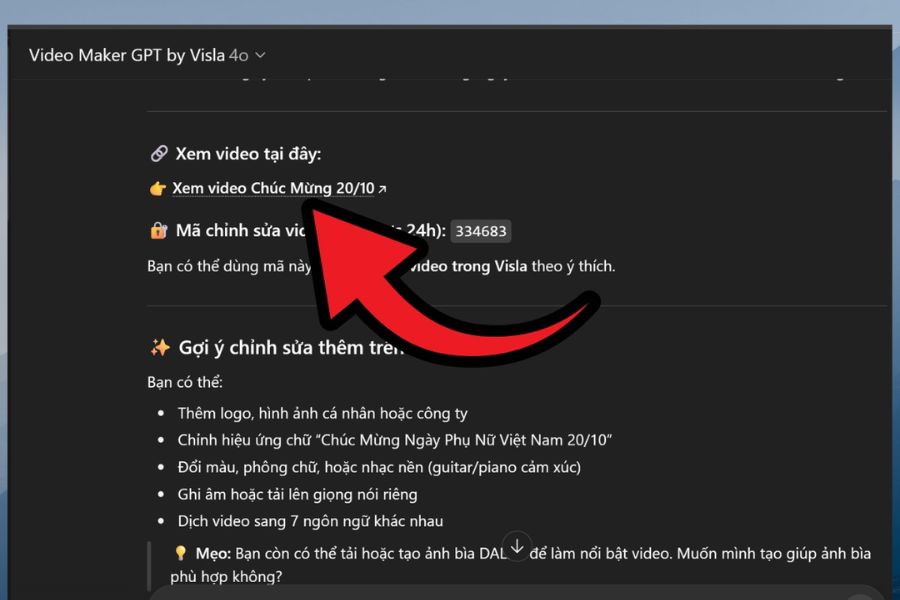
Step 5: Register a Visla account and open a video.
To edit your video in detail, you may need to log in or register a Visla account. Visit the platform and select a supported registration method, such as email or a Google account. After successfully logging in, you can continue to open the video you created from ChatGPT following the instructions of the integrated tool. Using an account allows you to continue working on your build in the corresponding editing environment.
In some processes, the system may provide a video claim code, often called a “video claim,” to open the build in the Visla editor. If prompted, enter the correct code as instructed and check that the video has opened correctly. Depending on the version and connection method, this may vary, so you should follow the actual on-screen instructions rather than looking for a fixed button on every interface.
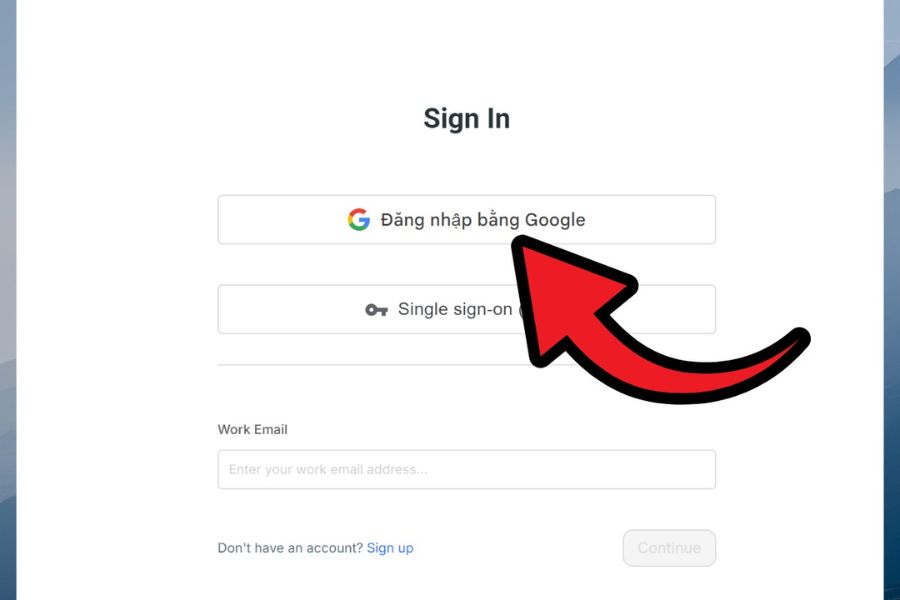
Step 6: Customize the video to your liking.
This step helps your October 20th congratulatory video stand out from the crowd, instead of just using ordinary illustrative images. In the editor, you can add personal photos, choose background music, adjust the narration, and add subtitles if these features are supported. For a video dedicated to your mother, family photos or everyday moments will create a sense of familiarity. If you're making a video for colleagues, you can choose group photos and a bright, polite style.
To make the video more complete and easier to watch, pay attention to the following elements:
-
Image: Prioritize clear photos that are appropriate for the recipient and the message.
-
Background music: Choose a gentle or cheerful melody depending on the emotion you want to convey.
-
AI voiceover: If Visla supports Vietnamese voiceovers, choose a natural, easy-to-understand voice.
-
Subtitle: Carefully check spelling, proper nouns, and the presentation of the greeting.
-
Transition effects: Use them sparingly to ensure smooth transitions between scenes without being visually jarring.
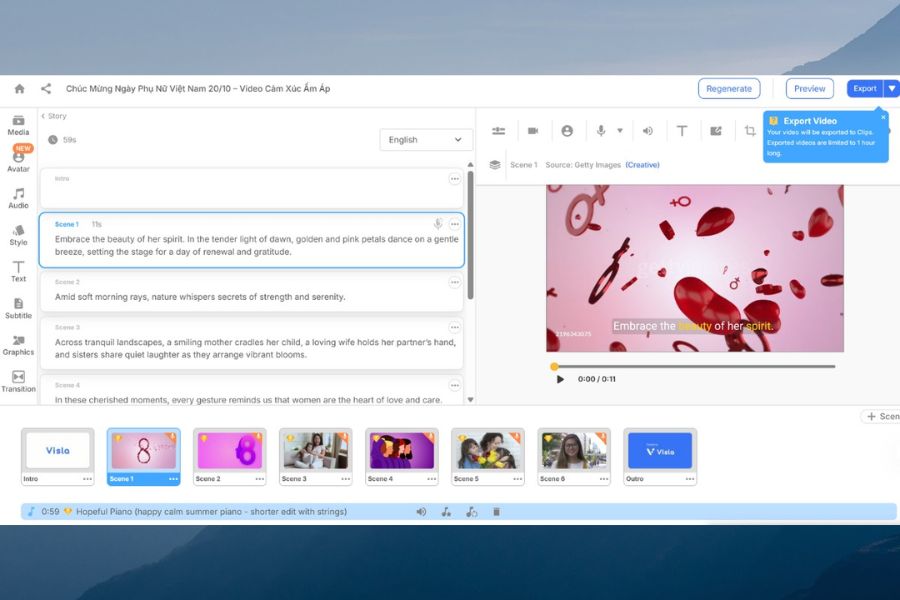
Step 7: Export the video and share your greetings.
After you've finished editing, play the video from beginning to end to check the image, sound, and content. Pay particular attention to whether any greetings are missing, if the voiceover is clear, and if the details on the screen are accurate. If using personal photos, ensure they are arranged appropriately and suitable for the recipient. Checking before exporting will help you minimize errors and avoid having to re-edit after sharing.
Once you're satisfied with the result, find the "Export" option to export the video as a complete file. Choose the quality that suits your needs and the options supported by your account, then save the video to your device if possible. You can send the gift via Zalo, Messenger, email, or upload it to Facebook, TikTok, and other platforms. A short message accompanying the video will make the gift even warmer and help the recipient feel the sentiment you want to convey more clearly.
2. Tips to make your October 20th greeting video using ChatGPT and Visla more impressive.
To ensure your video isn't simply a collage of images, start with a clear message and build the content around the recipient. Avoid excessive effects or elaborate greetings, as the true meaning of a gift often lies in genuine details. Prioritize naturalness, choose meaningful images, and maintain a consistent emotional flow throughout the video.
Some tips you can apply include:
-
Identify the recipient from the start: A greeting for your mother will be different from one for your wife, girlfriend, or colleague.
-
Keep the length to a reasonable level: Videos between 30 and 60 seconds are suitable for many sharing needs.
-
Prioritize meaningful images: Family photos, group photos, or memorable moments help make the video more personal.
-
Check the Vietnamese content: Pay attention to the narration, subtitles, and recipient names before exporting the video.
-
Choose appropriate music: Ensure the volume is moderate and that you have the right to use the music when posting it publicly.
-
Review before submitting: Check the entire video for any errors in image, audio, or content.
3. Conclusion
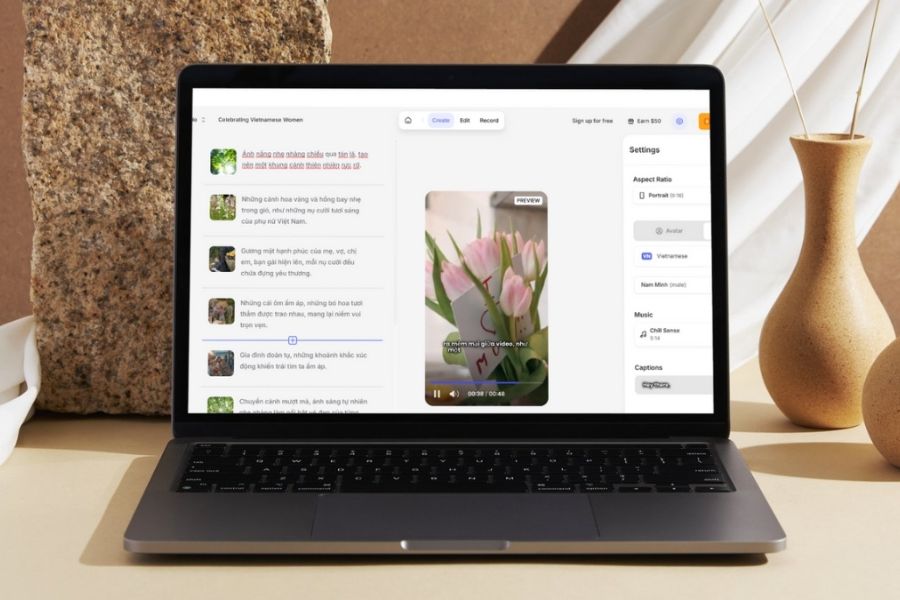
With ChatGPT and Visla, you can transform familiar greetings into personalized 20/10 videos without needing advanced video editing skills. From brainstorming and scriptwriting to image editing and video export, each step can be done to suit your needs and style. Take the time to choose heartfelt wishes and meaningful images to make your gift a memorable keepsake, conveying your love to the important women in your life.







VIP Products
Best Selling Products
Windows 10 & 11 Pro Key
36 USD
Upgrade Genuine Office 365
49 USD
MidJourney Account
29 USD
Plugin Retouch4me
69 USD
Autodesk All App Account Copyright
120 USD
Adobe Premiere Pro Account
99 USD
Adobe Photoshop Copyright - Full App
120 USD
Upgrade genuine Capture One account
120 USD
Capcut Pro 1 Year
39 USD
ChatGPT Plus Account (GPT-4)
16 USD
Genuine Cheap Canva Pro
39 USD
Genuine Adobe Illustrator account
99 USD
Freepik Premium Account
59 USD
Copyright Adobe Lightroom Account
59 USD
Upgrade Duolingo Super
29 USD