Best Selling Products

Freepik Premium Account
59 USD

Upgrade Genuine Office 365
49 USD
Genuine Cheap Canva Pro
39 USD

ChatGPT Plus Account (GPT-4)
16 USD

Adobe Premiere Pro Account
99 USD
Autodesk All App Account Copyright
120 USD

Windows 10 & 11 Pro Key
36 USD
Copyright Adobe Lightroom Account
59 USD

Capcut Pro 1 Year
39 USD
Upgrade genuine Capture One account
120 USD

Upgrade Duolingo Super
29 USD

MidJourney Account
29 USD
Adobe Photoshop Copyright - Full App
120 USD
Genuine Adobe Illustrator account
99 USD

Plugin Retouch4me
69 USD
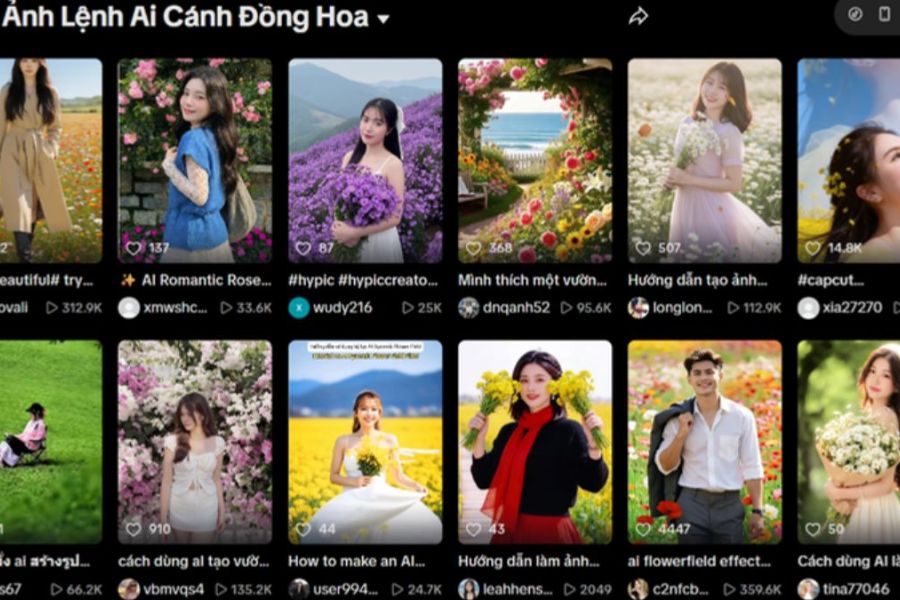
Join the trend of creating stunning flower field photos using AI that look just like real photos.
Nội dung
- 1. Why is the trend of creating flower field photos using AI so popular?
- 2. Prompt creates natural-looking photos of flower fields using AI.
- 3. How to create flower field images using AI on your phone with ChatGPT
- Step 1: Open ChatGPT on your phone.
- Step 2: Select a portrait photo as the reference image.
- Step 3: Enter the prompt to create a flower field image.
- Step 4: Review and edit the final product.
- Step 5: Save the image to your phone.
- 4. Secrets to making your AI-generated flower field photos look as good as real photos.
- 5. Suggested AI-powered concepts for creating trendy flower field photos.
- 6. Things to keep in mind when creating and sharing photos using AI.
- 7. Conclusion
The trend of creating photos using AI is gaining popularity thanks to its ability to transform creative ideas into vibrant images in just minutes. Among them, the concept of taking photos in a field of vibrant flowers stands out with its dreamy scenery, eye-catching colors, and natural feel, as if you just had an outdoor photoshoot. You don''t need to travel far, prepare elaborate outfits, or wait for the right flower season to have impressive photos; you can have stunning pictures right at home. With just a portrait photo and the right command, you can join the trend of creating AI-powered flower field photos to refresh your personal profile, post on TikTok, or share with friends. Let''s explore it with Sadesign!
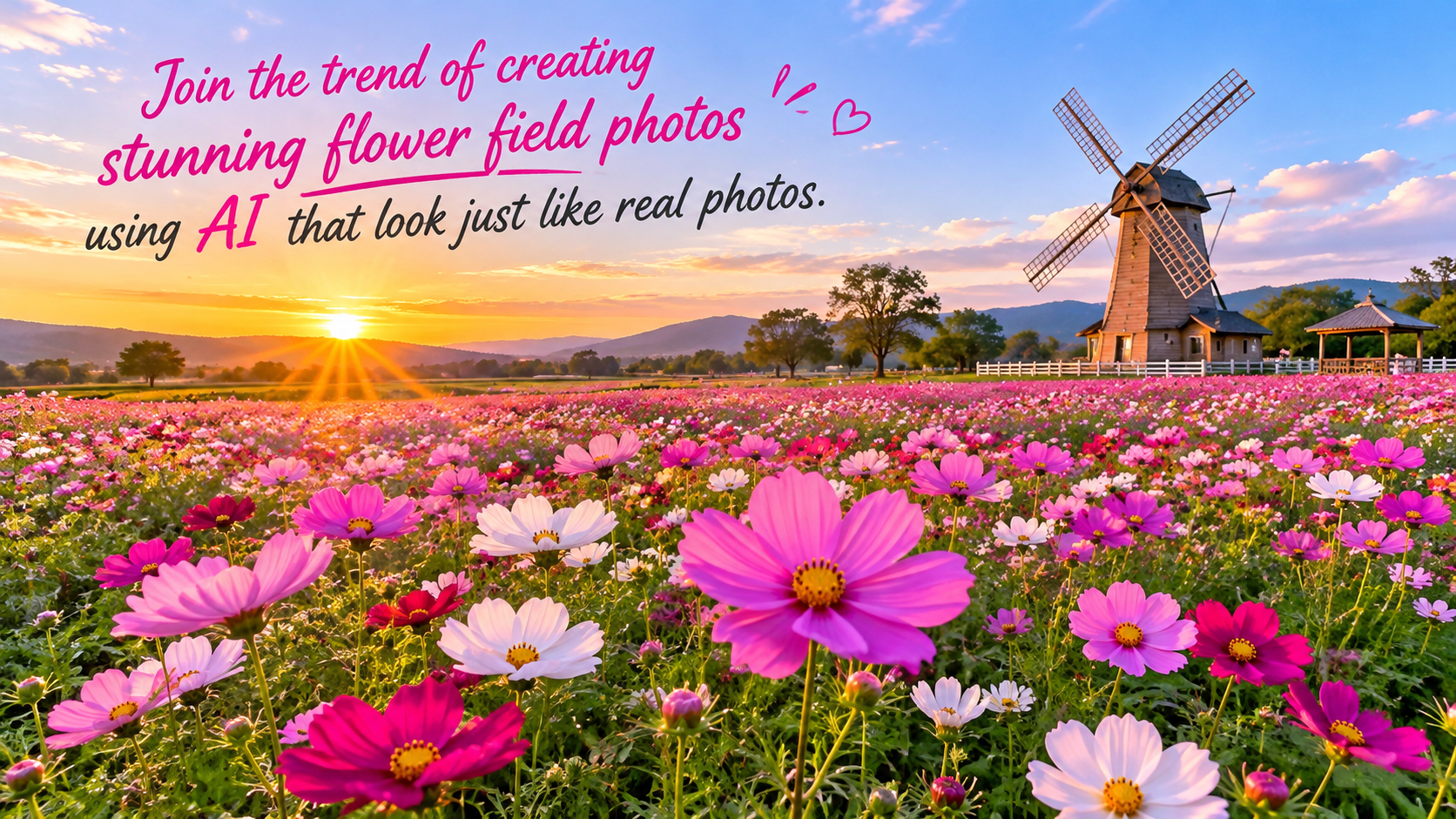
1. Why is the trend of creating flower field photos using AI so popular?
Photos taken in flower fields always evoke a feeling of gentleness, romance, and vitality. When combined with AI, this idea becomes even more interesting because users can choose the setting, flower colors, clothing, and shooting style according to their preferences. A regular portrait can also be transformed into an artistic image with soft sunlight, flower petals stretching to the horizon, and a professional-looking bokeh effect. The appeal of this trend also comes from its simplicity, suitable even for those without photo editing experience. Some reasons why the flower field concept is so popular include:
-
Save time and money: No need to rent a location, prepare a photography team, or travel to famous flower gardens.
-
Creative freedom: Easily change colors, scenery, costumes, and lighting to suit your personal style.
-
Eye-catching images: These can create photos with a fashion, travel, or artistic portrait style.
-
Easy to share: The finished product is suitable for use as a profile picture, posting on Facebook, Instagram, TikTok, or as a phone wallpaper.
2. Prompt creates natural-looking photos of flower fields using AI.
To have AI create a harmonious photo, you should clearly describe the background, lighting, clothing, pose, and desired image style. In particular, if you want to retain your individuality, request that the tool use an uploaded portrait photo as a reference, preserving your facial features and minimizing changes to your natural lines. Below is a sample prompt you can refer to:
Sample prompt:
“Please create a realistic portrait using the image I uploaded as the primary reference. Maintain the original identity, facial features, eyes, nose, and natural smile of the person in the photo. The subject stands amidst a vast field of blooming flowers, stretching to the horizon, adding depth to the frame. Gentle natural morning sunlight, a soft breeze gently stirring the hair and dress. The subject wears elegant attire, colors harmonizing with the scenery, a relaxed expression, and natural eyes. The composition should be like a professional photograph, with realistic colors, natural skin and hair details, balanced lighting, depth in the background, no excessive skin smoothing, no artificial facial features, no distorted hands, and no unnecessary details. High-quality image, 4:5 aspect ratio, realistic outdoor portrait style.”
You can change some details in the prompt to give the photo a unique look:
-
Flower colors: Bright yellow sunflowers, fields of white daisies, purple lavender, or pink cosmos.
-
Outfit: A light white dress, pastel maxi dress, traditional ao dai, or vintage attire.
-
Best time to shoot: Gentle sunrise, golden afternoon sun, or a romantic sunset.
-
Shooting angles: Close-up portraits, full-body shots, shots from behind, or shots of the subject walking among flowerbeds.
The key is to describe the scene as specifically as possible, but avoid including too many conflicting requests in a single command. This helps the AI identify the main subject more easily and create a more naturally composed image.
3. How to create flower field images using AI on your phone with ChatGPT
ChatGPT is a convenient option for those who want to create images using natural language commands. Depending on the version, account, and available features, you can upload a reference image and then ask the AI to create a new scene according to your wishes. Follow the steps below to get started.
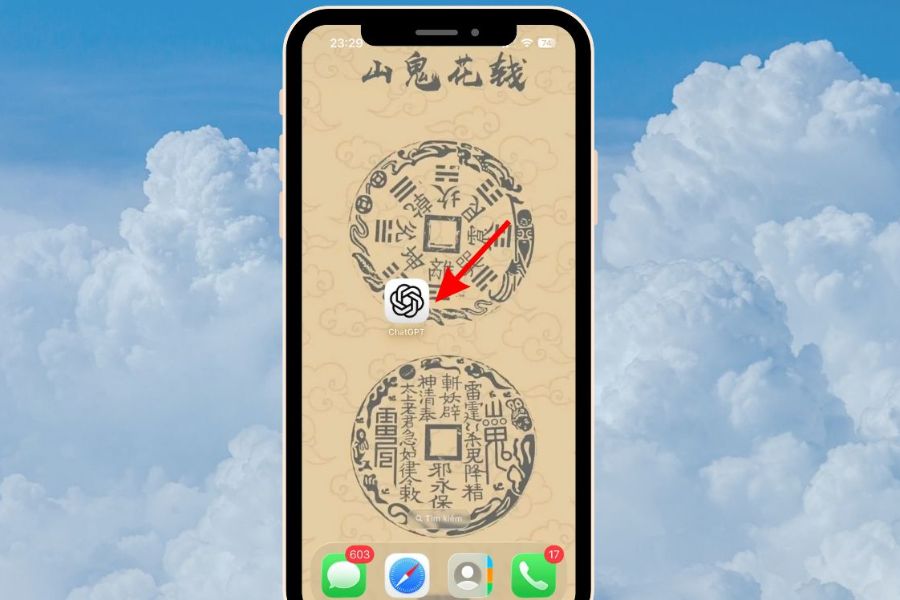
Step 1: Open ChatGPT on your phone.
Access the ChatGPT app installed on your phone or open the web version in your browser. Log in to your account if prompted, then open a new chat to prepare to upload photos and enter the prompt.
Before proceeding, you should check your internet connection and ensure the application is functioning correctly. If the interface differs from the instructions, look for the file upload or image creation buttons corresponding to the version you are using.
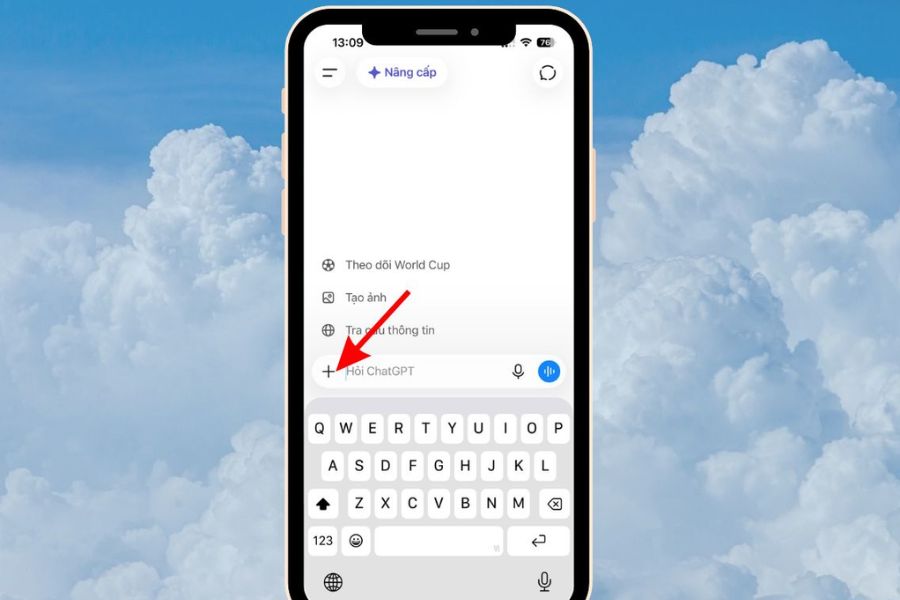
Step 2: Select a portrait photo as the reference image.
In the message input field, tap the plus icon or the attach file button, then select "Photos" to upload an image from your phone's gallery. You should prioritize photos with a clear, well-lit face that isn't obscured by hair, sunglasses, or large accessories.
Some things to keep in mind when choosing photos:
-
Choose photos with good resolution, free from blurring or pixelation.
-
Prioritize photos taken from a frontal view or at a slight angle to make it easier for the AI to recognize facial features.
-
Avoid using photos with many people if you only want to create a character portrait.
-
Choose photos with natural expressions, even lighting, and avoid using too many filters.
Step 3: Enter the prompt to create a flower field image.
After uploading the image, copy the sample prompt above and paste it into the chat box. You can adjust the flower color, clothing style, lighting, or shooting angle before sending the request.
If you want the image to resemble a real outdoor shoot, emphasize phrases like "natural light," "realistic skin tones," "professional photographic composition," and "preserving facial features from the reference photo." Then, press the submit button and wait for the processing tool to complete the image. Image creation time may vary depending on the complexity of the request and system conditions.
Step 4: Review and edit the final product.
Once the image is created, check the face, hair, clothing, hands, and the arrangement of the flowers in the frame. If the result isn't satisfactory, you don't need to start over; you can request edits directly in the chat.
You can use additional statements such as:
-
"Keep the face as it is, adjust the lighting to be softer and more natural."
-
"Make the flower field wider, increase the depth of the background, but don't change the characters."
-
"Adjusting image colors for a more realistic look, reducing saturation, and minimizing skin smoothing effects."
-
"Change into an elegant white dress, maintaining the same posture and facial features."
Requesting adjustments to individual details will give you better control over the outcome compared to changing the entire photo at once.
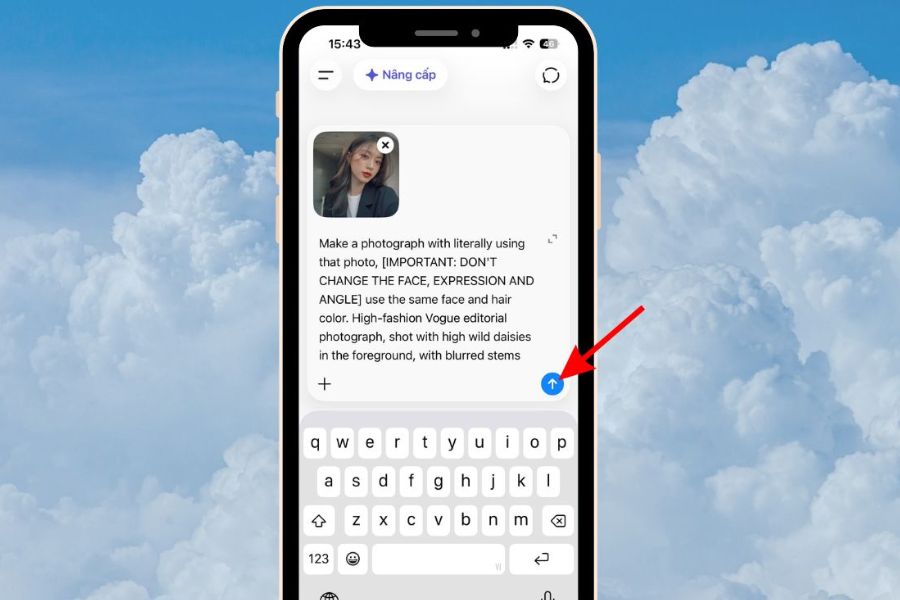
Step 5: Save the image to your phone.
Once you're satisfied with the result, open the image in full size and select the download or save option if the interface supports it. On some devices, you can press and hold the image to open the action menu. Then, check your photo library to ensure the image has been successfully saved.
If you plan to post photos on social media, check the aspect ratio and resolution. Vertical 4:5 images are suitable for many portrait posts, while 9:16 is better suited for Stories or short videos. You should keep the high-quality version of the image for easier cropping and editing later.
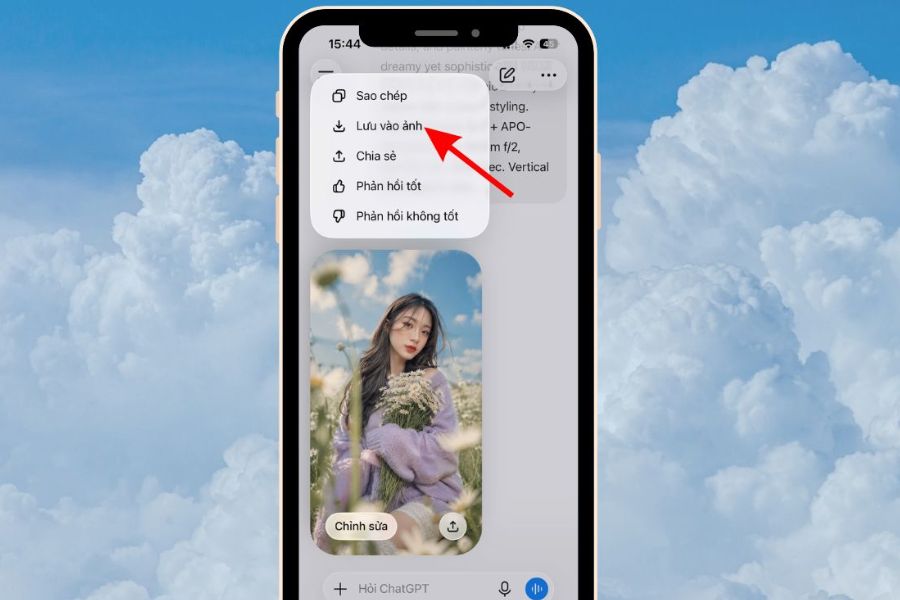
4. Secrets to making your AI-generated flower field photos look as good as real photos.
A long prompt doesn't necessarily make for a great photo. What's important is knowing how to depict the details that create a sense of realism, from lighting and depth of field to the harmony between the subject and the background. If the photo looks too polished or like an illustration, add requirements related to realistic materials and lighting.
-
Maintain a natural look: Instruct the AI to closely follow the reference image, avoiding changes to the shape of the eyes, nose, mouth, and individual features.
-
Choose the right lighting: Morning or late afternoon light often creates a soft, pleasant atmosphere and is suitable for outdoor settings.
-
Create depth in the image: Depict the flowers in the foreground, the subject in the center, and the field stretching out in the background.
-
Limit over-the-top effects: Avoid demanding perfectly flawless skin, overly vibrant colors, or effects that completely blur the background.
-
Pay attention to the small details: Examine the fingers, fabric creases, flower petals, and hairline to detect common AI errors.
Additionally, you should try multiple versions of the same idea. Simply changing the shooting angle or the timing of the light can create photos with different emotions without requiring too much editing.
5. Suggested AI-powered concepts for creating trendy flower field photos.
If you're unsure which style to start with, you can choose one of the concepts below. Each idea can be combined with a sample prompt and adjusted to suit your appearance, clothing, or personal preferences.
-
A muse amidst a field of white flowers: A white dress, gently flowing hair, soft sunlight, and a pure, pristine color palette. This style suits those who appreciate pure, gentle beauty.
-
A girl in a field of sunflowers: The striking yellow color combined with simple clothing creates an energetic photo, perfect for a summer profile picture.
-
Romantic lavender scenery: The sprawling purple fields, the late afternoon light, and the wide-angle shot create the feeling of traveling in a European countryside.
-
Vintage photo amidst a flower garden: Classic attire, slightly muted colors, and golden sunlight give the picture a nostalgic feel.
-
A muse-like image at sunset: The subject stands amidst a field of flowers under the warm evening light, creating a cinematic feel and fitting for emotionally charged posts.
You can also create a photo series with multiple concepts but keep the outfits or characters consistent to create a sense of uniformity. This is a fun way to build a personal album without having to do many different photo shoots.
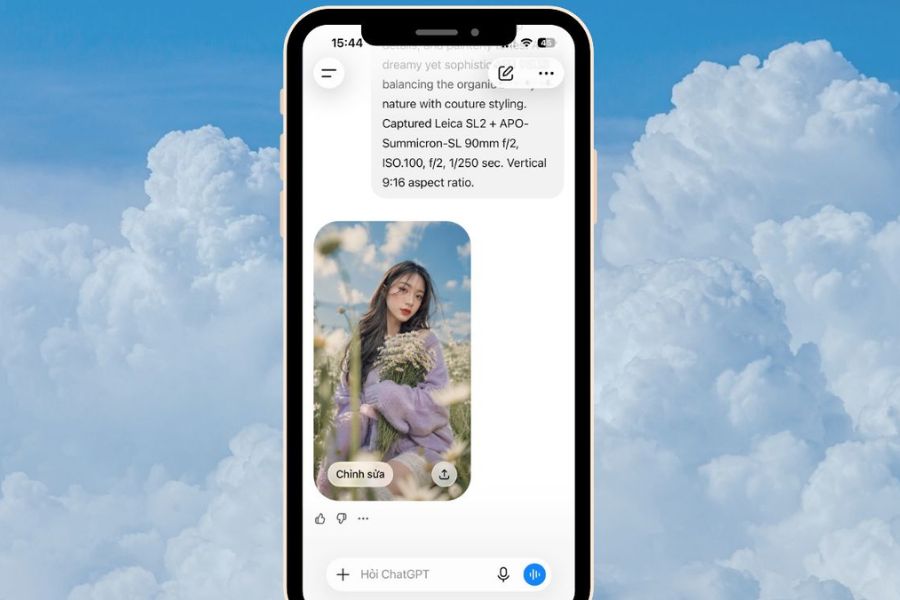
6. Things to keep in mind when creating and sharing photos using AI.
Despite advancements in AI technology, image creation results may still exhibit inaccuracies. Some images might slightly alter facial features, create unnatural-looking hands, or result in inconsistent lighting between the subject and the background. Therefore, you should carefully check the final product before using it.
Besides image quality, privacy is also a concern. When uploading personal photos to AI tools, be sure to read the data settings and privacy policy of the service you are using. Do not upload images containing identification documents, sensitive information, or photos of other people without their consent.
If you share photos on social media, you can note that they were created or edited using AI when you need to clarify the image's source. Transparent use helps avoid misunderstandings, especially when the photo is highly authentic.
7. Conclusion
Following the trend of creating flower field photos using AI is a simple way to refresh your personal images and unleash your creativity with various styles. Just prepare a clear portrait photo, use the appropriate prompt, and fine-tune the necessary details, and you can create a dreamy picture without having to go to a flower garden to shoot. Try changing the flower colors, clothing, lighting, and camera angle to find the concept that suits you best. Sometimes, a few well-written commands are enough to transform a familiar photo into a moment full of emotion.

















VIP Products



Best Selling Products
Freepik Premium Account
59 USD
Upgrade Genuine Office 365
49 USD
Genuine Cheap Canva Pro
39 USD
ChatGPT Plus Account (GPT-4)
16 USD
Adobe Premiere Pro Account
99 USD
Autodesk All App Account Copyright
120 USD
Windows 10 & 11 Pro Key
36 USD
Copyright Adobe Lightroom Account
59 USD
Capcut Pro 1 Year
39 USD
Upgrade genuine Capture One account
120 USD
Upgrade Duolingo Super
29 USD
MidJourney Account
29 USD
Adobe Photoshop Copyright - Full App
120 USD
Genuine Adobe Illustrator account
99 USD
Plugin Retouch4me
69 USD