Best Selling Products

Adobe Premiere Pro Account
99 USD

MidJourney Account
29 USD

Upgrade genuine Capture One account
120 USD

Copyright Adobe Lightroom Account
59 USD

Upgrade Duolingo Super
29 USD

Autodesk All App Account Copyright
120 USD

Plugin Retouch4me
69 USD

Upgrade Genuine Office 365
49 USD

ChatGPT Plus Account (GPT-4)
16 USD

Genuine Cheap Canva Pro
39 USD

Windows 10 & 11 Pro Key
36 USD

Adobe Photoshop Copyright - Full App
120 USD

Genuine Adobe Illustrator account
99 USD

Capcut Pro 1 Year
39 USD

Freepik Premium Account
59 USD
Mobile App Interface Design: Things to Note for Newcomers to Design
Nội dung
- 1. What is Mobile App Interface Design?
- 2. Why should you design a mobile app interface in the digital age?
- 3. Valuable tips that beginners need to know when designing mobile apps.
- 3.1. Clearly define objectives before beginning the design process.
- 3.2. Develop a detailed project plan.
- 3.3. Market research and competitor analysis
- 4. Fundamental principles to help you design professional mobile app interfaces.
- 4.1. Simplicity – A key factor in user experience.
- 4.2. Choosing appropriate colors and fonts
- 4.3. High-quality images and consistency
- 5. Tools to help mobile app design for beginners.
- 5.1. Figma – The most popular mobile app interface design tool
- 5.2. Adobe XD – Professional UI/UX Design Solution
- 5.3. Canva Pro – Supports quick design of visual elements
- 6. Conclusion
In the digital age, mobile app interface design is becoming a promising and attractive field, especially for those who love creativity and design.
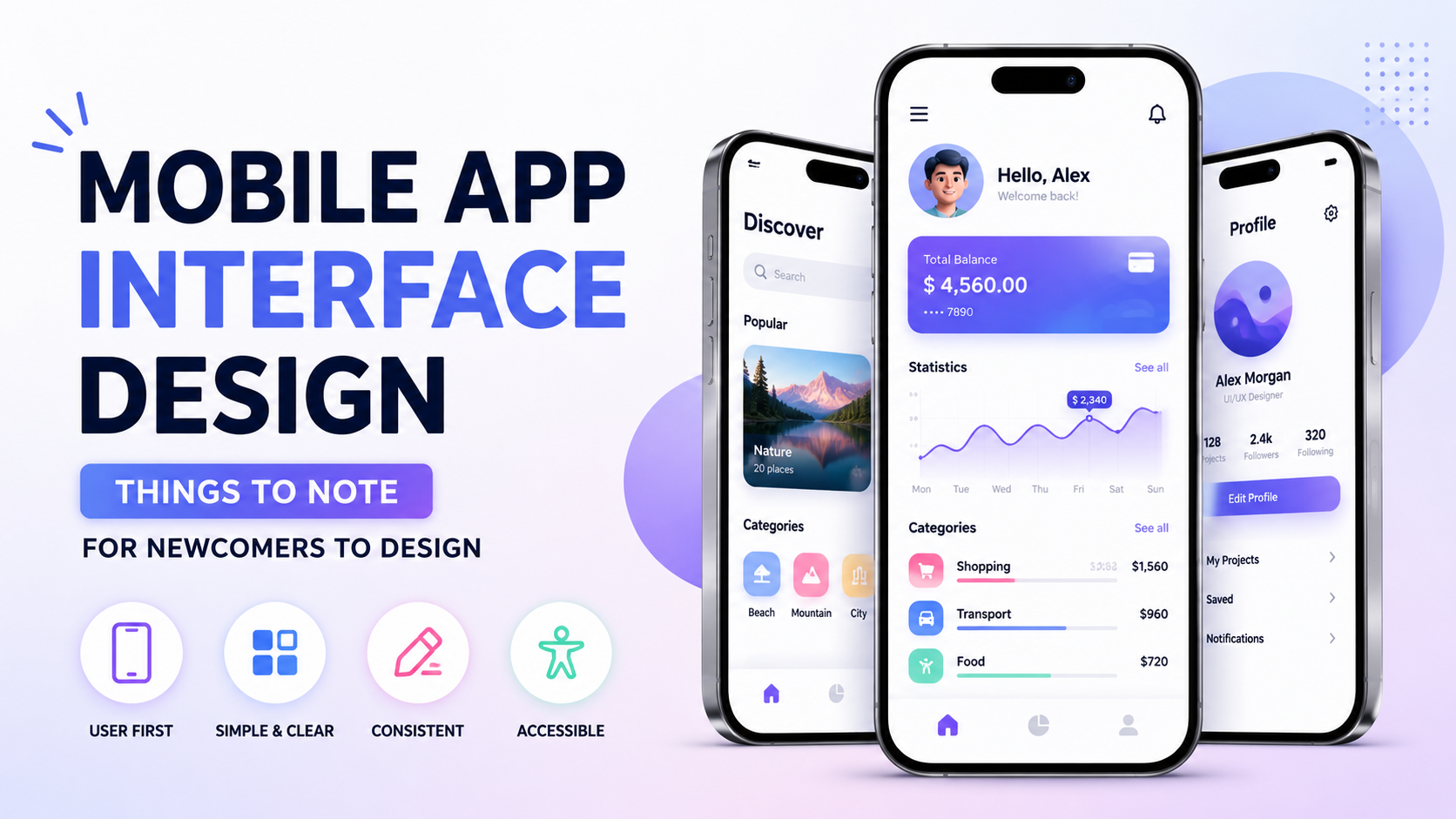
1. What is Mobile App Interface Design?
Mobile app interface design is the process of building and optimizing the visual interface for applications on mobile devices such as smartphones and tablets. It's not just about creating visually appealing images, but also about arranging the layout, colors, icons, and features so that users can interact easily, quickly, and conveniently. In the digital age, app interface design plays a crucial role in enhancing user experience, helping businesses convey their brand message, and effectively promoting purchasing behavior and interaction.
Essentially, mobile app design is not simply the work of programmers or designers, but a closely coordinated process between user experience (UX) research and user interface (UI). To create a quality mobile application, designers must ensure a balance between aesthetics and usability. This requires them not only to be proficient in design tools but also to have a deep understanding of user psychology and technological trends, thereby delivering products with user-friendly, easy-to-use, and attractive interfaces.
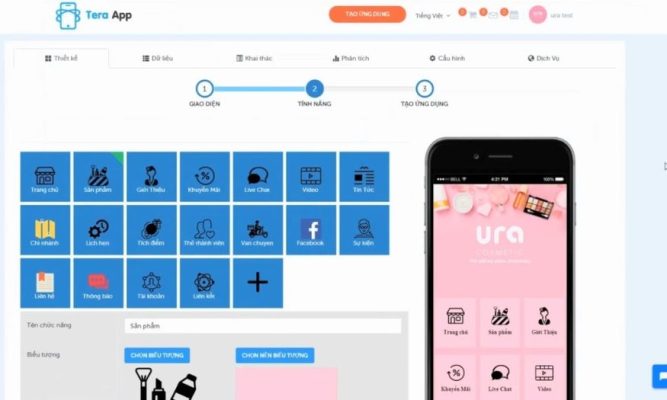
2. Why should you design a mobile app interface in the digital age?
In the digital age, where users spend most of their time on mobile devices, owning a mobile app is no longer an option but a necessity for businesses to enhance customer experience and solidify their brand position. Mobile apps not only help connect with customers quickly but also open up more effective business opportunities compared to traditional websites.
Here are the key benefits of businesses investing in mobile app interface design:
- Increased competitiveness: When other businesses already have their own apps, owning a mobile app helps you avoid being left behind and creates a clear competitive advantage in the market.
- Establishing a professional brand image: Mobile apps have their own unique style and character, making it easy for customers to recognize the brand among thousands of competitors.
- Always by your customer's side: With the popularity of smartphones, mobile apps allow businesses to take care of customers anytime, anywhere, from consultation and sales to quick support.
- Instant updates: Promotions, new products, and important news are announced immediately through the app, without the delays experienced on websites.
- Showcase your products and services easily: The app helps you manage and change product images and information flexibly, while also connecting directly with platforms like Facebook and YouTube…
- Expanding the market and increasing loyalty: Mobile apps create personalized experiences, making customers feel valued and difficult for competitors' apps to replace.
- Keeping up with modern consumer trends: With the strong development of app stores and smartphones, mobile apps are the shortest path for businesses to reach users and optimize revenue.
Designing a professional mobile app interface is not only an investment in the present but also a strategic step that helps businesses break through in the future of comprehensive digitalization.
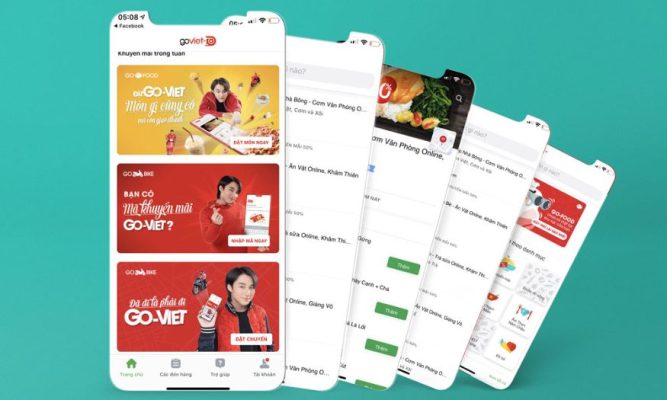
3. Valuable tips that beginners need to know when designing mobile apps.
3.1. Clearly define objectives before beginning the design process.
Before starting to design a mobile app interface , the first thing a beginner needs to do is clearly define the reason and goals of the project. This helps you understand why the app needs to be built, who the target user group is, and what problem you want to solve for the client. An app without a clear direction often falls into the category of being "beautiful but not useful," failing to provide an effective user experience and struggling to make an impact on the market.
Take the time to sketch out your basic ideas on paper or use a mind map. Ask yourself questions like: “What is the core goal of the application?”, “What benefits will users receive from the app?”, “What makes this application stand out from the competition?” . Answering these questions will provide a solid foundation, helping you define the direction of the project and make accurate decisions in the subsequent design phases.
3.2. Develop a detailed project plan.
Once you have a clear goal, the next step is to create a detailed plan to turn your idea into reality. A specific plan will help you manage your time, costs, and resources more effectively. In this plan, you need to clearly define the main features of the application, the monetization model (free, paid, advertising, or in-app purchases), and the development roadmap for each stage.
Additionally, the plan should include a user flow diagram to describe the customer journey when using the app. This helps you easily visualize the user experience and identify any inconsistencies before moving on to the detailed design phase. Thorough planning not only saves time but also minimizes risks, ensuring the final product meets its stated goals.

3.3. Market research and competitor analysis
In the highly competitive world of mobile applications, market and competitor research is a crucial step that newcomers cannot skip. By analyzing the market, you will gain a better understanding of user needs, current design trends, and factors that can create a competitive advantage. Start by exploring applications in the same field, evaluating features, interfaces, and user feedback to draw practical lessons.
The key is not to copy your competitors' ideas, but to find the weaknesses in their products so you can improve and create unique value. Carefully read reviews on app stores like the App Store or Google Play to understand customer needs and pain points. When you understand what users truly need, you can easily create an app that is not only visually appealing but also useful and provides a great user experience.
4. Fundamental principles to help you design professional mobile app interfaces.
To create a mobile app interface that is both visually appealing and provides a great user experience, businesses and designers need to focus on core elements. This is not only a fundamental step in ensuring the app's effectiveness, but also helps increase user retention and build a professional brand image. Below are some important criteria you shouldn't overlook:
4.1. Simplicity – A key factor in user experience.
An application with a simple and user-friendly interface always scores strongly with users. Simplicity in design doesn't mean boredom; rather, it means optimizing the layout, eliminating unnecessary details, and focusing on core value elements. This helps users easily navigate, avoiding visual clutter or wasting time searching for the functions they need.
To achieve this, you need to focus on a clear navigation bar, an intuitive layout, and ample white space to allow users to concentrate on important information. Additionally, prioritize familiar and easy-to-understand icons, combined with clear instructions. A simple yet modern interface not only enhances the user experience but also makes your application more user-friendly and professional.
4.2. Choosing appropriate colors and fonts
Color and font play a crucial role in conveying emotions and shaping brand style. Each color carries its own meaning, which can directly influence the psychology and behavior of users. For example, light tones often evoke a feeling of dynamism and youthfulness, while dark colors suggest elegance and professionalism.
In addition, fonts need to be carefully chosen to ensure readability and harmony with the overall design. Avoid using too many different fonts in the same application, as this can easily become visually confusing. Choose one or two main fonts and use them consistently throughout the app. When combining colors and fonts appropriately, you will create a cohesive interface that is easy to remember and leaves a strong impression on users.

4.3. High-quality images and consistency
Images are a visual element that helps users quickly understand the message an application wants to convey. However, image selection requires careful consideration, avoiding low-quality or irrelevant images. Sharp, aesthetically pleasing images will enhance the application, creating a professional feel from the very first experience.
Furthermore, consistency in imagery, icons, and buttons is extremely important. When all elements in the app are synchronized in color and style, users will easily recognize the brand and have a better impression of the business. This not only enhances the user experience but also helps build trust and affirm the brand's professionalism in the market.
5. Tools to help mobile app design for beginners.
5.1. Figma – The most popular mobile app interface design tool
Figma is a popular online UI/UX design platform known for its strong teamwork capabilities and high flexibility. With its intuitive interface and easy operation, Figma is especially suitable for beginners in mobile app design. All you need is a web browser and a free account to create professional designs without installing heavy software.
Figma's strength lies in its real-time collaboration capabilities, allowing multiple people to edit a project simultaneously, much like Google Docs for design. Additionally, its vast library of free resources, including UI kits, icons, and plugins, saves beginners time and makes it easy to learn and improve their mobile app design skills.
5.2. Adobe XD – Professional UI/UX Design Solution
Adobe XD is application and website interface design software developed by Adobe, notable for its ability to create professional interactive prototypes. With Adobe XD, you can design everything from basic screens to complete user experiences in a smooth and intuitive way. It's a popular choice among mobile app designers due to its diverse features and ability to connect with other software in the Adobe ecosystem, such as Photoshop and Illustrator.
A key feature of Adobe XD is its Responsive Resize function , which automatically adjusts the interface to various screen sizes, from phones to tablets. This makes it easy for beginners to optimize their designs without having to create multiple manual versions. Additionally, Adobe XD supports project sharing to receive direct feedback from clients or teammates, saving time and improving work efficiency.
5.3. Canva Pro – Supports quick design of visual elements
Canva Pro is an ideal choice for beginners in mobile app design who are not yet proficient in more advanced software. This tool offers thousands of ready-made design templates, from icons, banners, and backgrounds to small visual elements within the app. With its simple drag-and-drop interface, Canva helps you quickly create beautiful designs without requiring extensive technical knowledge.
Canva Pro expands to include many advanced features such as automatic background removal, a premium resource library, and unlimited cloud storage. It's a useful tool for quickly designing visual elements for mobile apps, and helps synchronize brand style with other marketing materials such as posters, advertisements, or social media posts.

6. Conclusion
Mobile app interface design requires not only tool skills but also a deep understanding of users and the market. With the tips shared above, beginners can avoid common mistakes and build a solid foundation for improving their design skills. Be patient, practice continuously, learn, and welcome feedback to improve your product every day. When you combine passion with knowledge and creativity, you will gradually create impressive mobile app interfaces, providing excellent user experiences and establishing your personal mark in this highly competitive design field.





















VIP Products








Best Selling Products
Adobe Premiere Pro Account
99 USD
MidJourney Account
29 USD
Upgrade genuine Capture One account
120 USD
Copyright Adobe Lightroom Account
59 USD
Upgrade Duolingo Super
29 USD
Autodesk All App Account Copyright
120 USD
Plugin Retouch4me
69 USD
Upgrade Genuine Office 365
49 USD
ChatGPT Plus Account (GPT-4)
16 USD
Genuine Cheap Canva Pro
39 USD
Windows 10 & 11 Pro Key
36 USD
Adobe Photoshop Copyright - Full App
120 USD
Genuine Adobe Illustrator account
99 USD
Capcut Pro 1 Year
39 USD
Freepik Premium Account
59 USD