Best Selling Products

Genuine Cheap Canva Pro
39 USD

Upgrade Genuine Office 365
49 USD

Freepik Premium Account
59 USD

Upgrade Duolingo Super
29 USD

Autodesk All App Account Copyright
120 USD

Copyright Adobe Lightroom Account
59 USD

Genuine Adobe Illustrator account
99 USD

Adobe Photoshop Copyright - Full App
120 USD

Plugin Retouch4me
69 USD

Adobe Premiere Pro Account
99 USD

MidJourney Account
29 USD

Upgrade genuine Capture One account
120 USD

Windows 10 & 11 Pro Key
36 USD

Capcut Pro 1 Year
39 USD

ChatGPT Plus Account (GPT-4)
16 USD
What is Adobe Dimension? A Detailed Exploration of the Software from A to Z.
Nội dung
- 1. Introduction to Adobe Dimension
- 2. What are the applications of the Adobe Dimension tool?
- 2.1 Creating professional 3D images
- 2.2 Creating realistic and sharp images
- 2.3 Render Preview Feature
- 2.4 Output images in high quality and real time.
- 2.5 Unleash your creativity without limits.
- 3. Guide to using Adobe Dimension most effectively
- 4. How does Adobe Dimension compare to other tools?
- 5. When should you upgrade Adobe Dimension?
- 6. Why should you upgrade Adobe Dimension at AI Software World?
- 7. Conclusion
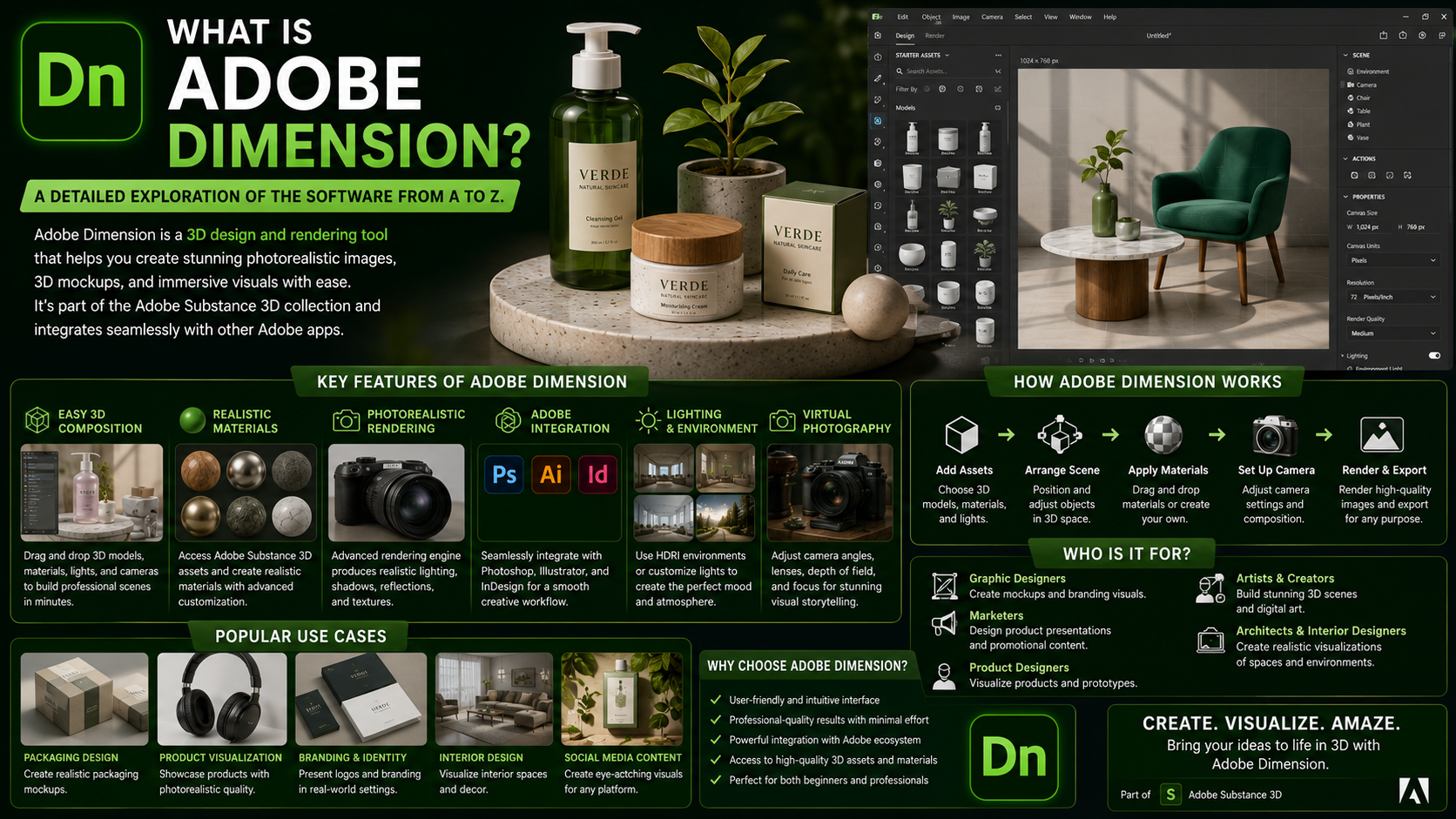
Adobe Dimension is a familiar and extremely useful tool for designers, especially those specializing in 3D product and advertising design.
1. Introduction to Adobe Dimension
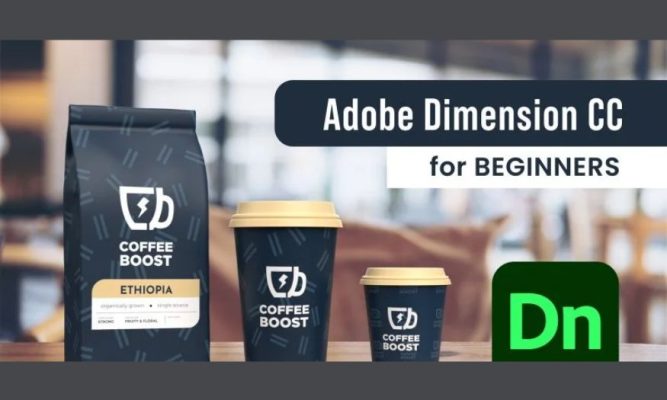
Adobe Dimension is a professional design software developed by Adobe, designed to assist designers in seamlessly and creatively combining 2D and 3D images. The highlight of Adobe Dimension is its intuitive, user-friendly interface, yet it possesses a full range of powerful, modern tools. This allows users to easily realize their ideas and create high-quality design products without needing complex software. This application is particularly useful in fields such as packaging design, product mockups, and brand identity development, delivering realistic and attractive visuals.
Beyond basic features, Adobe Dimension integrates intelligent technology that automatically identifies suitable lighting sources, thereby enhancing the realism and vibrancy of images. Users can customize elements such as lighting, textures, colors, and rendering effects to achieve optimal results. Thanks to the combination of modern technology and user-friendly design, Adobe Dimension has become a top choice for both professional designers and beginners in the field of graphic design.
2. What are the applications of the Adobe Dimension tool?
2.1 Creating professional 3D images
Adobe Dimension is a powerful tool that helps users easily create realistic and vibrant 3D images. With its diverse library of models and materials, the software allows you to customize the size, color, and texture to create products exactly to your needs. It's an ideal choice for designers working on projects such as packaging design, product simulation, interior design, or advertising projects requiring professional, high-quality 3D imagery.
Furthermore, Adobe Dimension integrates visual support tools such as Zoom, Hand, and Orbit, allowing users to view objects from multiple angles. This makes the design process easier and more accurate, saving editing time and improving work efficiency. This is a key factor in making Adobe Dimension a favorite software among 3D graphic designers.
2.2 Creating realistic and sharp images
One of Adobe Dimension's outstanding strengths is its ability to create realistic images, meeting the highest requirements for aesthetics and accuracy. Users simply drag and drop images or vector graphics from their computer or from other software such as Illustrator and Photoshop onto the 3D model. Immediately, Adobe Dimension will simulate the product in a vivid and sharp context, helping you easily visualize the finished product before actual production.
Furthermore, Adobe Dimension supports integration with Adobe Stock, providing access to a library of high-quality images and models, making the design process faster and more professional. Thanks to this feature, designers can create highly functional products for branding, logo design, or packaging mockups in an impressive and effective way.
2.3 Render Preview Feature
The Render Preview feature in Adobe Dimension plays a crucial role in quality control before publishing. Instead of repeatedly exporting files, users can preview the results directly within the software to identify and correct any unsatisfactory details. This not only saves time but also ensures the highest quality final product before release.
With Render Preview, the design process becomes more optimized and precise. Users can meticulously fine-tune lighting, materials, colors, and effects, creating 3D images with superior depth and realism. This is a feature that professional designers cannot ignore when they want to improve their work efficiency.
2.4 Output images in high quality and real time.
Adobe Dimension boasts real-time image output capabilities through its Real Time engine. This feature allows viewers to instantly monitor the product within the design environment, providing a vivid and intuitive experience. As a result, designers can easily assess the accuracy and aesthetics of the product before delivering it to clients or launching it into marketing campaigns.
Beyond speed, this feature also ensures sharp and stable image quality. Users can control all content and file output formats, making the final product compatible with various platforms, from digital media to professional printing.
2.5 Unleash your creativity without limits.
Adobe Dimension offers an unlimited creative space where users can freely experiment and turn ideas into reality. With its intuitive interface and powerful tools, you can easily design everything from detailed 3D models to abstract artwork or unique advertising campaigns. This allows users to break free from traditional limitations, creating products with a distinct and personal touch.
Furthermore, Adobe Dimension supports a flexible workflow and is compatible with many other software programs in the Adobe ecosystem. This allows designers to harmoniously combine 2D and 3D elements, opening up new avenues for idea development and improving the quality of the final product. This provides a foundation for users to enhance their creativity and establish themselves in the design industry.

3. Guide to using Adobe Dimension most effectively
How to use Adobe Dimension is a topic of great interest to many, especially those new to this professional 3D design software. Adobe Dimension is known as a powerful tool that helps users combine 2D and 3D images, creating visually realistic and high-quality products. To make the most of the software's features, you can refer to the detailed instructions below.
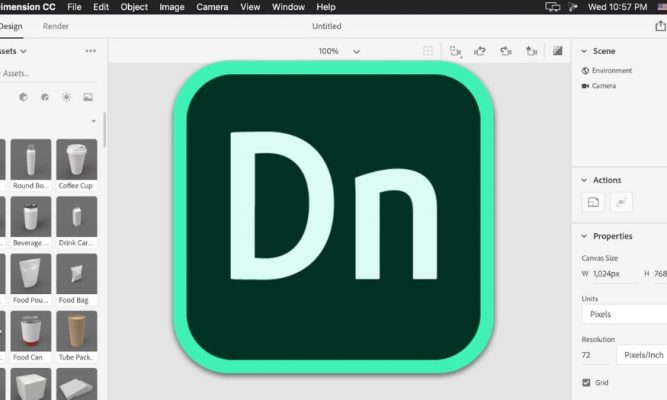
- First, users need to prepare a licensed Adobe account to fully experience the advanced features that Adobe Dimension offers. Using genuine software not only ensures stable performance but also helps you avoid data security risks. After completing the purchase and account activation process, you can log in to the software. The intuitive interface of Adobe Dimension will display all the tools and features, helping you easily operate and start designing immediately.
- During the design process, you can drag and drop 3D models, adjust lighting, color, and materials to achieve the highest level of realism and aesthetics. Once completed, users can export the file as a JPG image or PDF, depending on their needs. The export process is fast, ensuring sharp images, optimal file size, and saving time. With this simple yet effective process, Adobe Dimension will undoubtedly become a powerful tool to help you realize your creative ideas professionally and impressively.

4. How does Adobe Dimension compare to other tools?
| Criteria | Adobe Dimension | Blender | KeyShot | Cinema 4D |
| Interface and ease of use | The interface is intuitive, simple, and easy to get used to, making it especially suitable for designers already familiar with the Adobe ecosystem. | The interface is complex with many tools, requiring time to learn and get familiar with it. | The interface is optimized for rendering, easy to use, and intuitive. | The interface is professional and has many features that support motion graphics, but it takes time to master. |
| 3D modeling capabilities | Suitable for designing product mockups, packaging, and branding. Advanced modeling capabilities are limited. | Powerful with complex modeling, sculpting, animation, and simulation capabilities. | The modeling is limited, primarily serving to display products. | Very strong in modeling, animation, and motion graphics. |
| Rendering quality and speed | The image quality is good, suitable for advertising and commercial products. Complex scenes may require a more powerful computer configuration. | Supports multiple rendering engines with high quality and optimal speed. | Distinguished by its real-time rendering speed and realistic image quality. | High-quality rendering, especially powerful when combined with additional plugins or engines. |
| Ecosystem and additional features | Seamless integration with Photoshop, Illustrator, and Adobe Stock. Includes a library of ready-made materials and templates. | Large community, many free plugins, and diverse support ranging from animation to 3D printing. | Focus on showcasing materials, lighting, and products with superior material management capabilities. | Distinguished by motion graphics, animation effects, and complex media projects. |
| Cost of use | Included as part of an Adobe Creative Cloud subscription, it's a reasonable cost if you already use other Adobe software. | Completely free and open source. | License fees are high, especially for the enterprise version. | The cost is high, depending on the version and included plugins. |
| Suitable candidates | Designers, marketers, and businesses who want to design product mockups quickly and professionally. | Professional designers, engineers, or 3D artists require complex modeling and animation. | Product and advertising designers need realistic images and fast rendering speeds. | Studios or individuals specializing in motion graphics, film, and animation effects. |
5. When should you upgrade Adobe Dimension?
Upgrading Adobe Dimension is essential if you want to fully utilize its professional features and optimize your workflow. Using the free or limited-feature version may present limitations in the design process, such as a lack of material libraries, lighting effects, or advanced rendering tools. This results in products that don't achieve the desired realism and professionalism. This is especially true for packaging designers, marketers, or businesses that frequently create product mockups; upgrading is a smart move to save time and improve image quality.
Furthermore, when working on large projects requiring high resolution or multiple file formats, the upgraded version of Adobe Dimension will fully meet these requirements. Not only does it offer a smoother experience, but the Premium version is also continuously updated by Adobe, allowing you to access new features and keep up with modern design trends. This is a worthwhile investment for those who want to develop their skills and establish themselves in the graphic design industry.

6. Why should you upgrade Adobe Dimension at AI Software World?
At AI Software World , you can rest assured when upgrading to genuine Adobe Dimension with full features. Our support team is always ready to advise and guide you through the installation process quickly, ensuring you can start using it immediately. Any questions you have during use will be answered thoroughly, providing you with the most convenient and professional experience.
Beyond providing quality service, AI Software World also commits to offering the most reasonable and competitive prices on the market. You will receive a fully licensed product with all features, ensuring value for your investment. This is a great opportunity to upgrade Adobe Dimension, improve design quality, and create more impressive and professional products.
7. Conclusion
Through the article above, the question "What is Adobe Dimension?" has been answered in detail, from its concept and features to its practical applications in design. This is a powerful software that helps designers realize their creative ideas and optimize their work efficiency. If you want to stay updated on Adobe tools or professional design tips, don't forget to visit our "News" section , where we continuously share useful knowledge and the latest trends in graphic design.





















VIP Products








Best Selling Products
Genuine Cheap Canva Pro
39 USD
Upgrade Genuine Office 365
49 USD
Freepik Premium Account
59 USD
Upgrade Duolingo Super
29 USD
Autodesk All App Account Copyright
120 USD
Copyright Adobe Lightroom Account
59 USD
Genuine Adobe Illustrator account
99 USD
Adobe Photoshop Copyright - Full App
120 USD
Plugin Retouch4me
69 USD
Adobe Premiere Pro Account
99 USD
MidJourney Account
29 USD
Upgrade genuine Capture One account
120 USD
Windows 10 & 11 Pro Key
36 USD
Capcut Pro 1 Year
39 USD
ChatGPT Plus Account (GPT-4)
16 USD