Best Selling Products

Freepik Premium Account
59 USD

Copyright Adobe Lightroom Account
59 USD

Windows 10 & 11 Pro Key
36 USD

Adobe Photoshop Copyright - Full App
120 USD

ChatGPT Plus Account (GPT-4)
16 USD

Plugin Retouch4me
69 USD

Genuine Cheap Canva Pro
39 USD

Autodesk All App Account Copyright
120 USD

Upgrade Duolingo Super
29 USD

Adobe Premiere Pro Account
99 USD

Capcut Pro 1 Year
39 USD

Genuine Adobe Illustrator account
99 USD

MidJourney Account
29 USD

Upgrade Genuine Office 365
49 USD

Upgrade genuine Capture One account
120 USD
Photoshop, Express, and Acrobat Officially Join ChatGPT
Nội dung
- 1. Adobe and its strategic shift into the era of conversational AI.
- 2. Edit images, designs, and documents directly within the ChatGPT window.
- 3. How AI performs operations in Adobe applications
- 3.1. Editing images using text
- 3.2. Fast, flexible, and accessible design
- 3.3. Intelligent PDF document processing
- 4. Free for all ChatGPT users worldwide.
- 4.1. Limitations of the free integration
- 4.2. Impact on designers, marketers, and general users
Adobe is bringing design and document editing closer to the average user. Integration with ChatGPT makes everything simpler, more intuitive, and more accessible than ever before. Design now starts with a conversation.
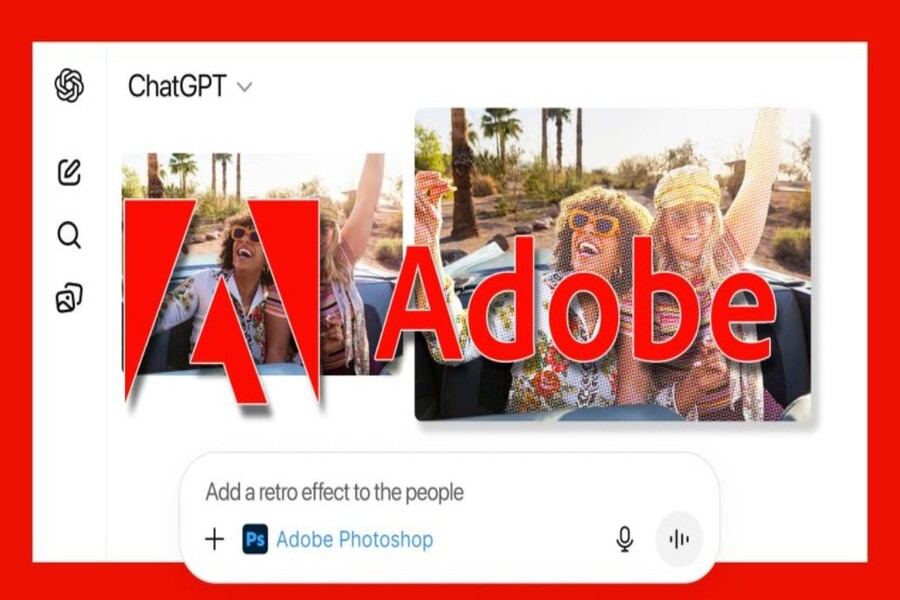
Adobe's official integration of Photoshop, Express, and Acrobat into ChatGPT is not simply a feature update. It marks a significant milestone, demonstrating a clear intersection between traditional design and conversational AI, between sophisticated tools and a "no-priority-learning" experience. Users no longer need to open each software program, find the right tool, and perform complex multi-step operations; instead, they simply upload images or documents and describe their needs in text.
This integration reflects a larger trend in the creative industry: design is shifting from purely technical skills to the ability to think critically, ask questions, and generate ideas. AI isn't replacing designers, but it's changing how designers work and opening doors to creativity for those without specialized backgrounds. In this article, we'll analyze in detail Adobe's integration of Photoshop, Express, and Acrobat into ChatGPT: how it works, its implications for designers, marketers, businesses, and general users, the practical benefits, and the current limitations of the free integration.
1. Adobe and its strategic shift into the era of conversational AI.
Adobe is no stranger to the AI race. Before integrating it into ChatGPT, the company introduced Adobe Firefly, Sensei AI, and a host of AI-generated features in Photoshop, Illustrator, and Premiere Pro. However, these tools still require users to work directly within the application interface, with a certain learning curve.
ChatGPT represents a completely different approach. Instead of learning tools, users simply express their desires. Therefore, integrating Adobe's core applications into ChatGPT demonstrates a strategic shift: bringing the power of professional design closer to natural language and conversational experiences.
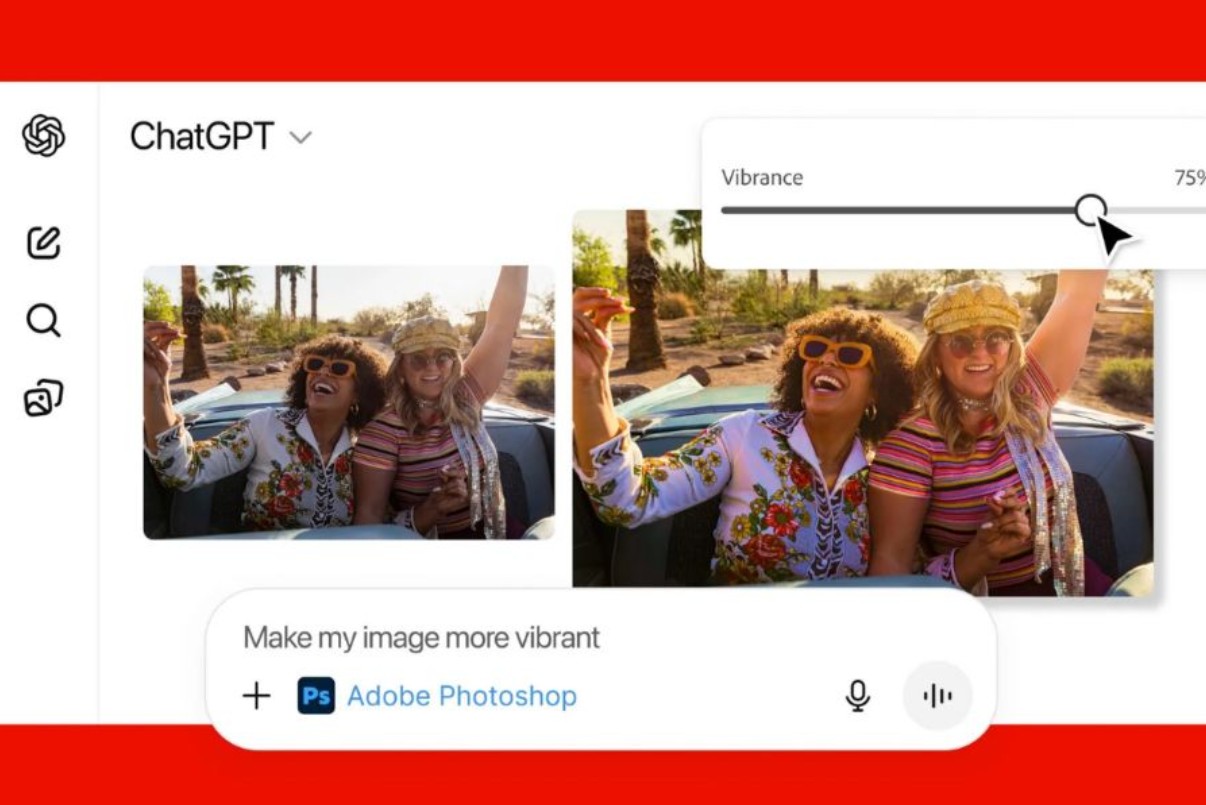
Instead of asking "how do I adjust the brightness in Photoshop," users can now simply say: "Illuminate the brightness slightly, make skin tones more natural, and blur the background." The AI will understand the request, identify the appropriate tool, and perform the operation in the background. This not only saves time but also significantly reduces the barrier to entry for beginners.
2. Edit images, designs, and documents directly within the ChatGPT window.
According to the official announcement, ChatGPT users can upload images or documents directly into the chat window, then enter a command describing the desired edits. ChatGPT will act as an "intelligent intermediary," forwarding this request to the corresponding Adobe applications and returning the processed results.
This experience creates a very different feeling compared to traditional work methods. No more opening multiple software programs at once, no more remembering the location of each tool or complex menu. Everything is brought together in a single conversational space, where ideas and actions happen almost simultaneously.
For professional designers, this speeds up basic and repetitive tasks. For marketers, content creators, or office workers, it opens up the possibility of independently handling images, designs, and documents that previously required the assistance of specialized departments.
3. How AI performs operations in Adobe applications
Notably, the AI doesn't "simulate" editing results, but actually calls upon core functions of Photoshop, Express, and Acrobat. When the user issues a command, the system analyzes the context, identifies the appropriate application, and then performs the corresponding sequence of operations.
For example, when you request color correction for an image, the system will activate image processing tools in Photoshop. When you want to create a quick design for social media, Adobe Express will be used to apply templates, layouts, and typography. For PDF documents, Acrobat handles editing, extracting, organizing, or converting formats.
This shows that Adobe is not just "surface-connecting" with ChatGPT, but is actually opening up a core part of the applications' capabilities for conversational AI to utilize.
3.1. Editing images using text
Photoshop has long been considered a powerful yet complex tool. With its integration into ChatGPT, the Photoshop user experience has become more accessible than ever.
Users can ask the AI to adjust the brightness, contrast, exposure, white balance, or overall color of an image. Beyond general adjustments, the AI can also fine-tune specific areas, such as brightening faces, naturally smoothing skin, or highlighting the subject against the background.
In addition, creative effects such as blurring the background, creating a cinematic feel, increasing sharpness, or applying a specific color style can also be achieved through descriptions using natural language. This is especially useful during the idea testing phase, when designers need to quickly review many different options before deciding on detailed edits.
However, for tasks requiring precise control over each layer, mask, or blending mode, advanced users still need to revert to the full Photoshop interface.
3.2. Fast, flexible, and accessible design
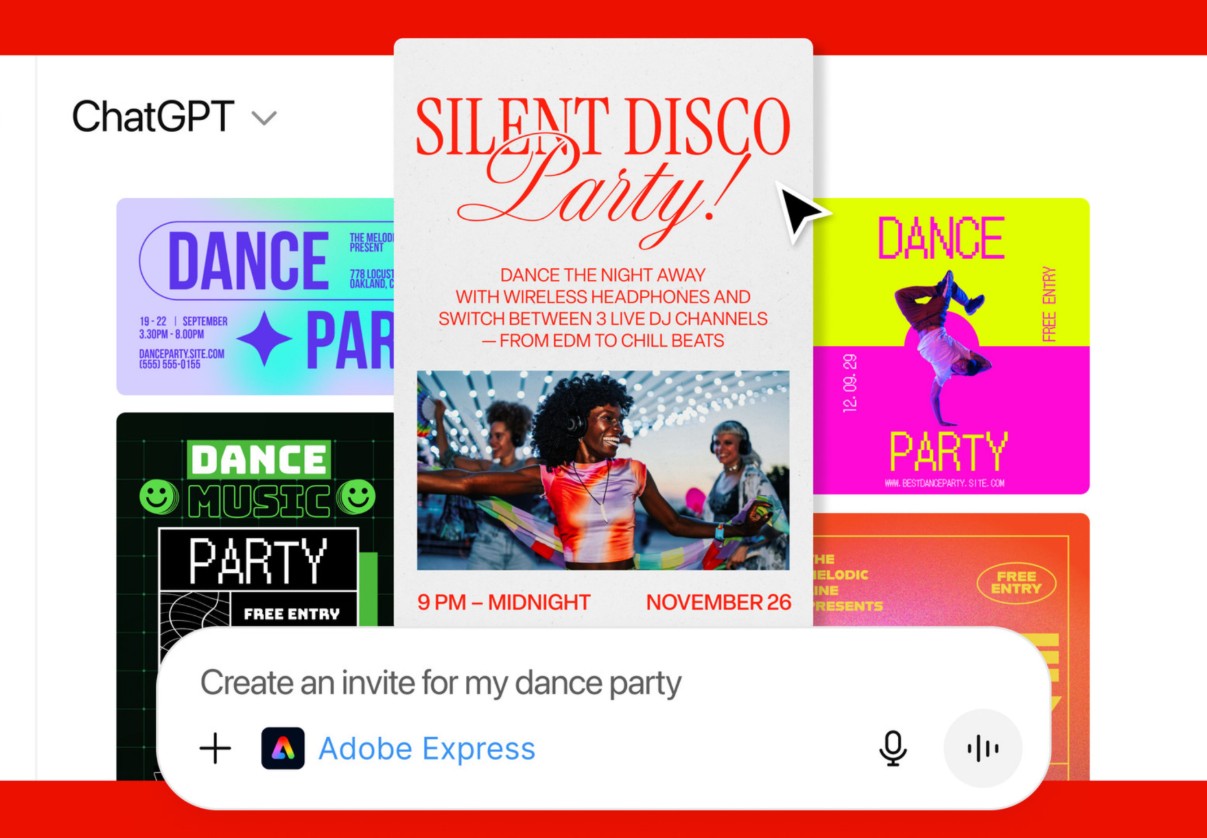
Adobe Express is positioned as a design tool for the masses, and this role is further emphasized when integrated into ChatGPT. Users can request AI to create designs based on pre-existing templates, then customize text, images, colors, layout, or animations to their needs.
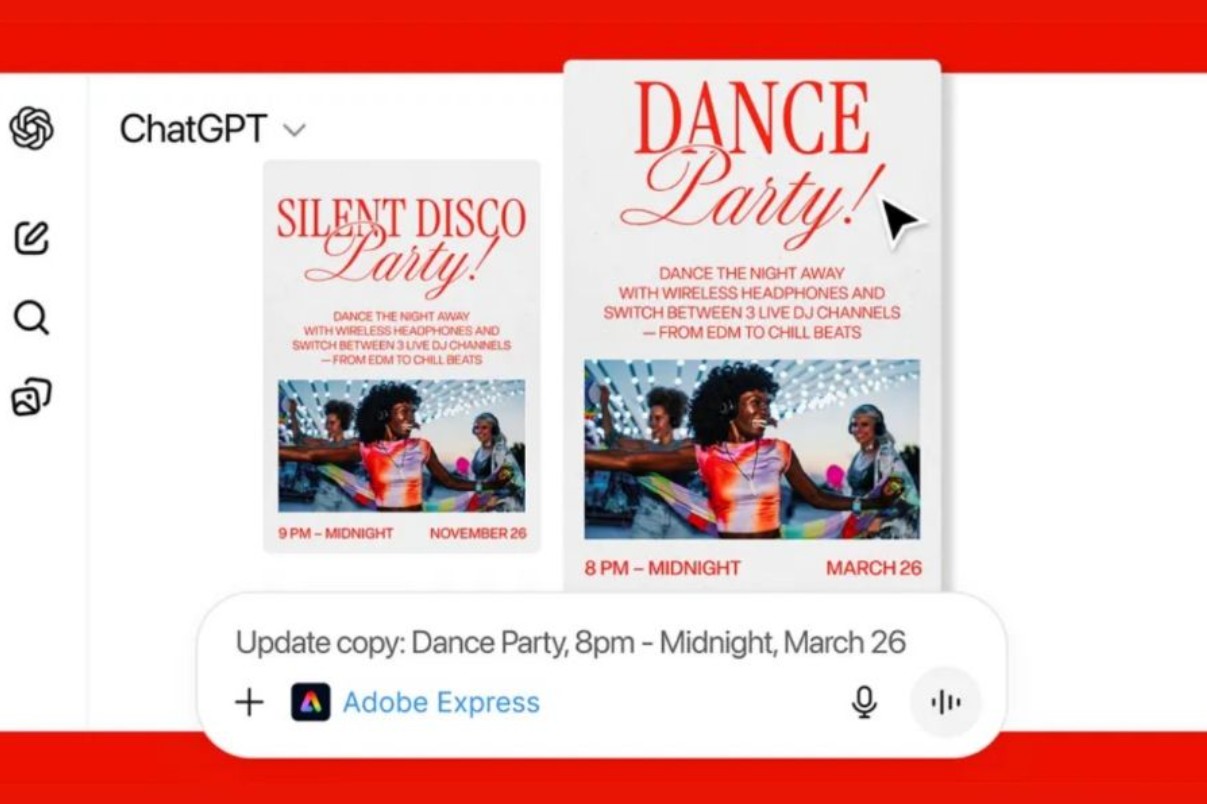
For example, a marketer might say, "Create an Instagram post for me to promote an event, with a youthful style and bright colors." The AI will select a suitable template in Adobe Express, fill in suggested content, and return a complete design in just seconds.
This combination is particularly useful for those who need to produce content quickly and in large quantities while maintaining aesthetic appeal. It also helps reduce pressure on the design team, as simple tasks can be handled directly by AI.
3.3. Intelligent PDF document processing
Acrobat is a crucial piece in this integration, as PDF documents remain a popular format in business, education, and administrative environments. Through ChatGPT, users can request AI to edit PDF content, extract text or tables, rearrange pages, merge multiple files, compress files, or convert to other formats.
Instead of having to open Acrobat, find the right tool, and follow each step, users can simply describe their needs. This is especially useful for those who don't frequently work with PDFs but still need to process documents quickly and accurately.
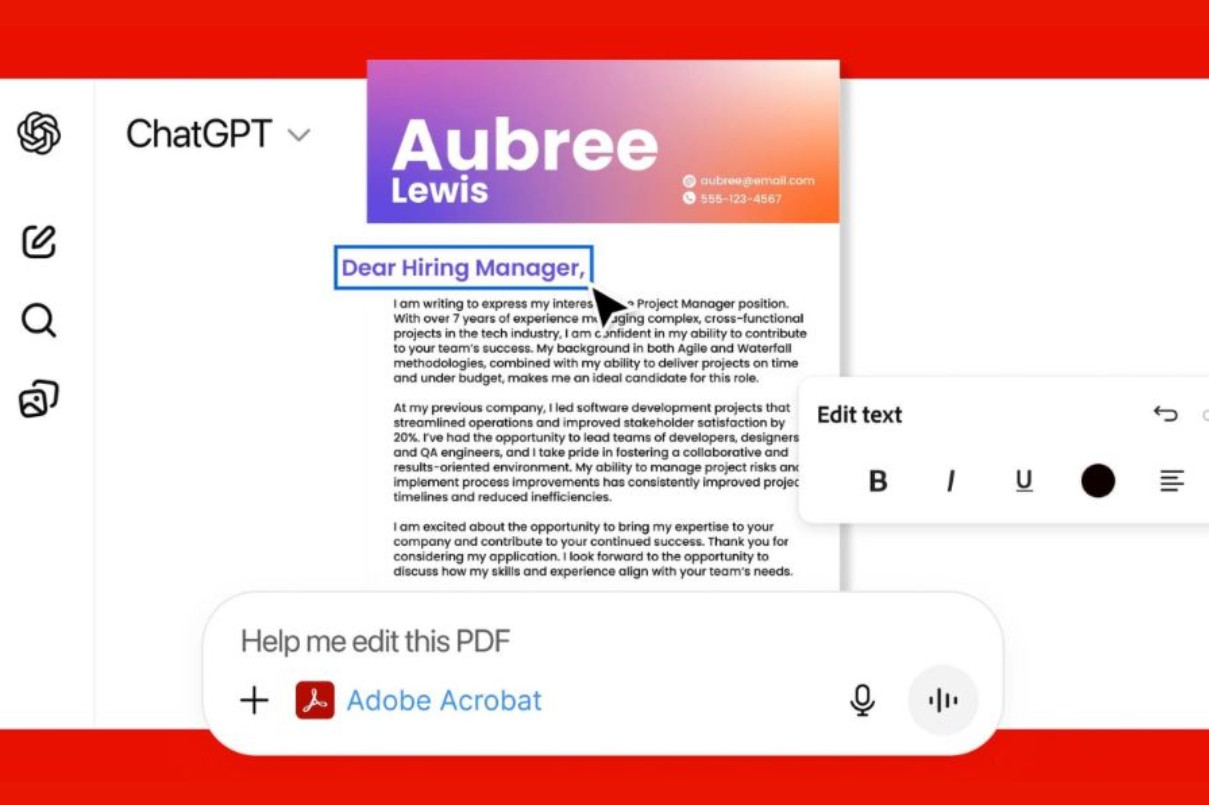
For businesses, this capability helps optimize workflows, reduce paperwork processing time, and increase overall efficiency.
4. Free for all ChatGPT users worldwide.
Notably, Adobe is offering this integration free of charge to all ChatGPT users worldwide. Features are currently available on desktop, web, and iOS. Adobe Express already supports Android, while Photoshop and Acrobat are expected to be rolled out to the platform soon.
Offering it for free shows that Adobe is prioritizing expanding its reach and familiarizing users with new ways of working, rather than focusing on short-term revenue. This is a common strategy during major technological transitions, where user experience is paramount.
4.1. Limitations of the free integration
Despite its many benefits, Adobe frankly admits that the free integration in ChatGPT only offers a fraction of the features of the original application. Advanced editing operations, detailed control requirements, or complex workflows still need to be performed in the full versions of Photoshop, Express, or Acrobat.
This helps maintain a clear distinction between quick support tools and professional software. AI helps speed up, suggest, and process common tasks, while user skills and thinking remain crucial in large, complex projects.
4.2. Impact on designers, marketers, and general users
For designers, this integration is not a threat, but a powerful tool. It saves time on repetitive tasks, allowing for greater focus on ideas, concepts, and visual strategies.
For marketers and content creators, this is a huge step forward in creative autonomy. They can quickly create images, designs, and materials without relying entirely on the design team.
For the average user, the inclusion of Adobe directly in ChatGPT helps eliminate the feeling that "Photoshop is something very difficult." Design becomes more accessible, easier to learn, and more experimental.
Although the current integration still has limitations, the potential it unlocks is enormous. In the future, as AI gains deeper contextual understanding and Adobe expands its capabilities, the line between "knowing how to use software" and "knowing how to think creatively" will become increasingly blurred.Buy Genuine Licensed Software at Affordable Prices





















VIP Products








Best Selling Products
Freepik Premium Account
59 USD
Copyright Adobe Lightroom Account
59 USD
Windows 10 & 11 Pro Key
36 USD
Adobe Photoshop Copyright - Full App
120 USD
ChatGPT Plus Account (GPT-4)
16 USD
Plugin Retouch4me
69 USD
Genuine Cheap Canva Pro
39 USD
Autodesk All App Account Copyright
120 USD
Upgrade Duolingo Super
29 USD
Adobe Premiere Pro Account
99 USD
Capcut Pro 1 Year
39 USD
Genuine Adobe Illustrator account
99 USD
MidJourney Account
29 USD
Upgrade Genuine Office 365
49 USD
Upgrade genuine Capture One account
120 USD