Best Selling Products

Windows 10 & 11 Pro Key
36 USD

Capcut Pro 1 Year
39 USD

Copyright Adobe Lightroom Account
59 USD

Upgrade genuine Capture One account
120 USD

Genuine Adobe Illustrator account
99 USD

Upgrade Duolingo Super
29 USD

Genuine Cheap Canva Pro
39 USD

Autodesk All App Account Copyright
120 USD

Plugin Retouch4me
69 USD

MidJourney Account
29 USD

Freepik Premium Account
59 USD

Upgrade Genuine Office 365
49 USD

ChatGPT Plus Account (GPT-4)
16 USD

Adobe Premiere Pro Account
99 USD

Adobe Photoshop Copyright - Full App
120 USD
Top 6 Digital Painting Software Programs from Basic to Professional Level
Nội dung
- 1. Criteria for Choosing Digital Painting Software
- 2. List of the Best Digital Painting Software
- 2.1 Adobe Photoshop
- 2.2 Procreate (for iPad)
- 2.3 Fallen
- 2.4 Corel Painter
- 2.5 MediBang Paint (Lightweight, suitable for manga)
- 2.6 ArtRage (Traditional Material Simulation)
- 3. Quick Comparison of Software Programs
Whether you're new to digital drawing or a seasoned professional, this article has suggestions for you. The software is selected based on drawing experience, stability, and scalability. A clear roadmap for the artist.
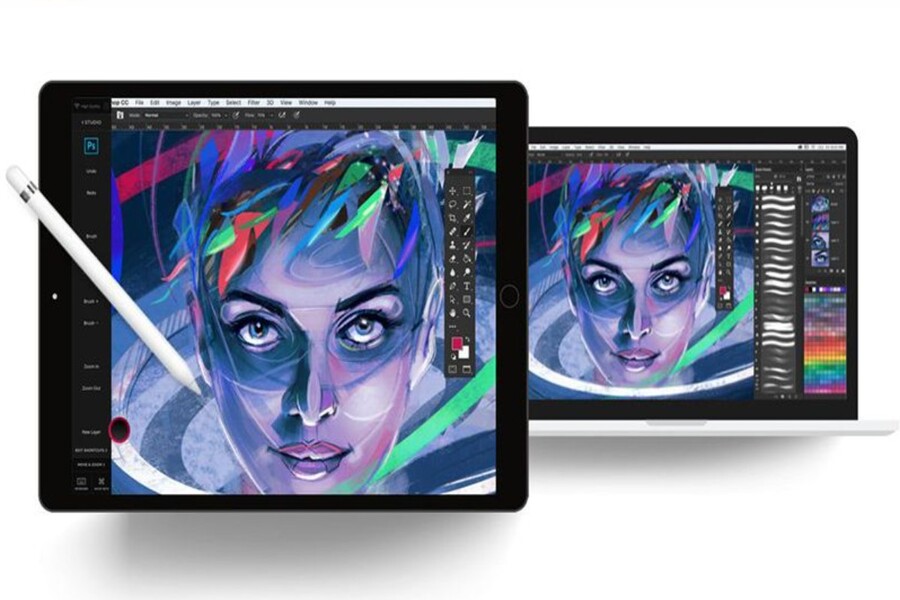
Digital painting is no longer a foreign concept in the modern creative world. From book illustrations, game and film concept art, character design, comics, manga, to NFTs and social media content, digital painting has become a core skill for many artists, designers, and content creators. The rapid development of hardware such as Wacom drawing tablets, dedicated drawing monitors, iPad Pro with Apple Pencil, and other stylus devices has led to an explosion of increasingly powerful and diverse digital painting software.
However, with so many digital drawing tools on the market, choosing the right software is no easy task. Each software has its own design philosophy, strengths, and target user: some are geared towards photo editing, some simulate traditional textures, and others are optimized for manga illustration or quick sketching on tablets. Choosing the wrong tool can easily lead to struggling with unsuitable interfaces and workflows, and a loss of creative inspiration. This article will provide a comprehensive overview of the top 6 best digital painting software currently available , helping readers make the best decision based on their needs, skill level, and personal creative style.
1. Criteria for Choosing Digital Painting Software
Before delving into specific software programs, it's crucial to understand the selection criteria. A software program is considered "best" not because it's the most popular, but because it's the best fit for a user in a particular creative context.
The first factor to consider is the intended use. Digital painting has many different branches such as concept art illustration, comic book/manga drawing, semi-realistic painting, personal art, or commercial design. Each branch will require a different set of tools, brushes, and workflow. For example, concept artists need flexible layers, diverse brushes, and the ability to handle large files; while manga artists need lineart, tone, panel tools, and efficient page management.
The next criterion is the ability to simulate drawing strokes and materials. Good digital painting software needs to recreate the feel of natural drawing, respond accurately to pen pressure, and simulate materials such as pencil, charcoal, watercolor, oil paint, or acrylic. This directly impacts the creative experience and personal style of the artist.
Performance and stability are also crucial factors. When working with high-resolution files, multiple layers, and complex brushes, the software needs to run smoothly, minimize crashes, and be well-optimized for the hardware. A powerful tool that frequently lags will disrupt the creative flow.
In addition, the interface and workflow determine the speed of work. An intuitive, customizable interface that supports keyboard shortcuts and quick operations will help artists focus on their art instead of struggling with tools.
Finally, there's the cost and accessibility. Not everyone is willing to pay a monthly subscription fee, especially beginners or freelance artists. Therefore, free or one-time paid software always has its place in the market.
2. List of the Best Digital Painting Software
Based on the criteria above, here are six of the highest-rated digital painting software programs currently available, each representing a different approach and creative philosophy.
2.1 Adobe Photoshop
Adobe Photoshop is an almost indispensable name when it comes to digital painting, even though the software was initially developed for photo editing. Over the decades, Photoshop has evolved into a versatile tool, chosen by a wide range of professional artists, illustrators, and concept artists.
Photoshop's greatest strength lies in its incredibly rich ecosystem of tools. Its layer, mask, blending mode, and adjustment layer systems allow artists to control their work at a high level of detail. For digital painting, Photoshop boasts a powerful brush engine, enabling deep customization from brush tip shape and pressure sensitivity to texture and stroke behavior.
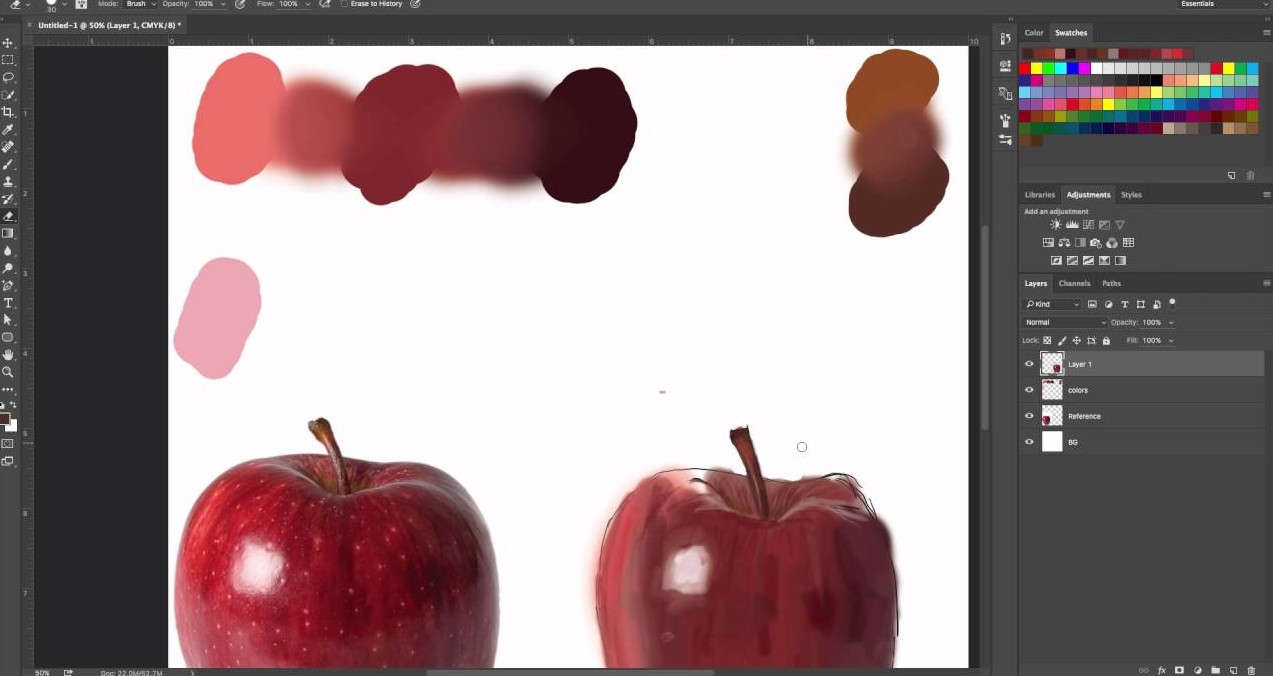
Photoshop is particularly well-suited for those pursuing semi-realistic, realistic painting, and concept art. Its ability to combine hand-drawn elements with photo editing allows artists to easily create works with depth, intricate lighting, and realistic colors. Furthermore, Photoshop is the industry standard in professional work environments, ensuring file compatibility when working in teams or sending to clients.
However, Photoshop isn't the perfect choice for everyone. Its interface can be somewhat complex for beginners, and Adobe's monthly subscription model can be a cost barrier. Even so, if you aim for a professional career in design or illustration, Photoshop remains an almost essential tool to learn.
2.2 Procreate (for iPad)
Procreate has revolutionized digital painting on mobile devices. Designed exclusively for iPad, this software leverages the full power of Apple's hardware and the touch capabilities of the Apple Pencil to deliver a natural and smooth drawing experience.
Procreate's standout features are its intuitiveness and speed. Its minimalist interface, gesture-based controls, and near-instantaneous response allow users to focus entirely on drawing. Procreate boasts a high-quality brush library, ranging from sketching and inking to painting, and allows users to customize or import brushes from the community.
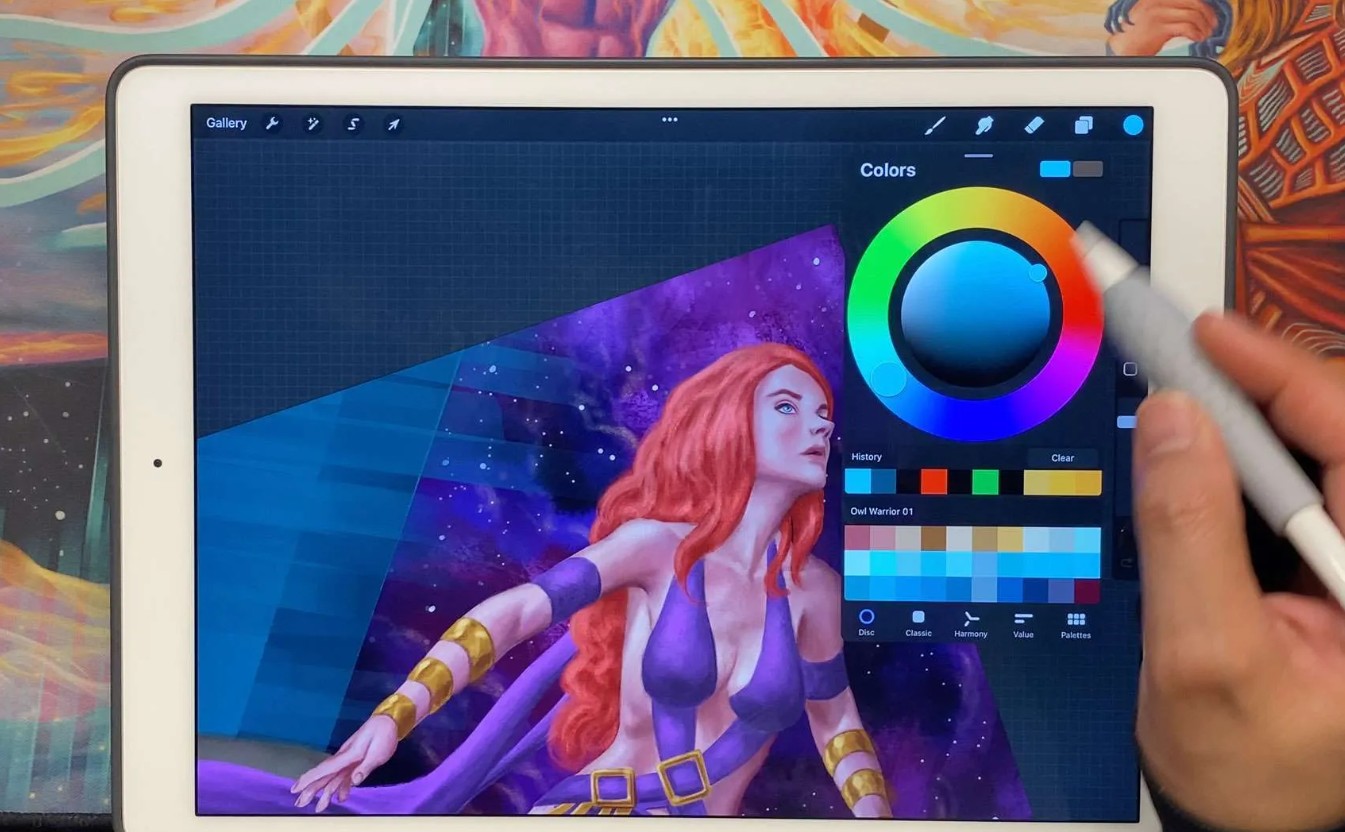
Procreate is especially suitable for illustrators, concept artists, and freelance artists who love flexibility. The ability to draw anywhere, from a coffee shop to a trip, makes Procreate an ideal tool for sketching ideas and perfecting personal artwork.
Despite its power, Procreate still has certain limitations. Its ability to handle extremely large files and complex workflows is not yet fully comparable to Photoshop on a PC. Furthermore, the software only works within the Apple ecosystem, making it inaccessible to Android or Windows users.
2.3 Fallen
Krita is one of the most prominent open-source digital painting software programs available today. Developed by a community of artists and programmers, Krita focuses strongly on the digital painting experience rather than photo editing.
Krita's most valuable feature is that it's completely free but boasts a professional set of features. The software offers excellent drawing support, precise pressure sensitivity, and a diverse brush system, especially strong in painting and illustration. Krita also provides tools to support comic drawing such as panels, text, and page management.
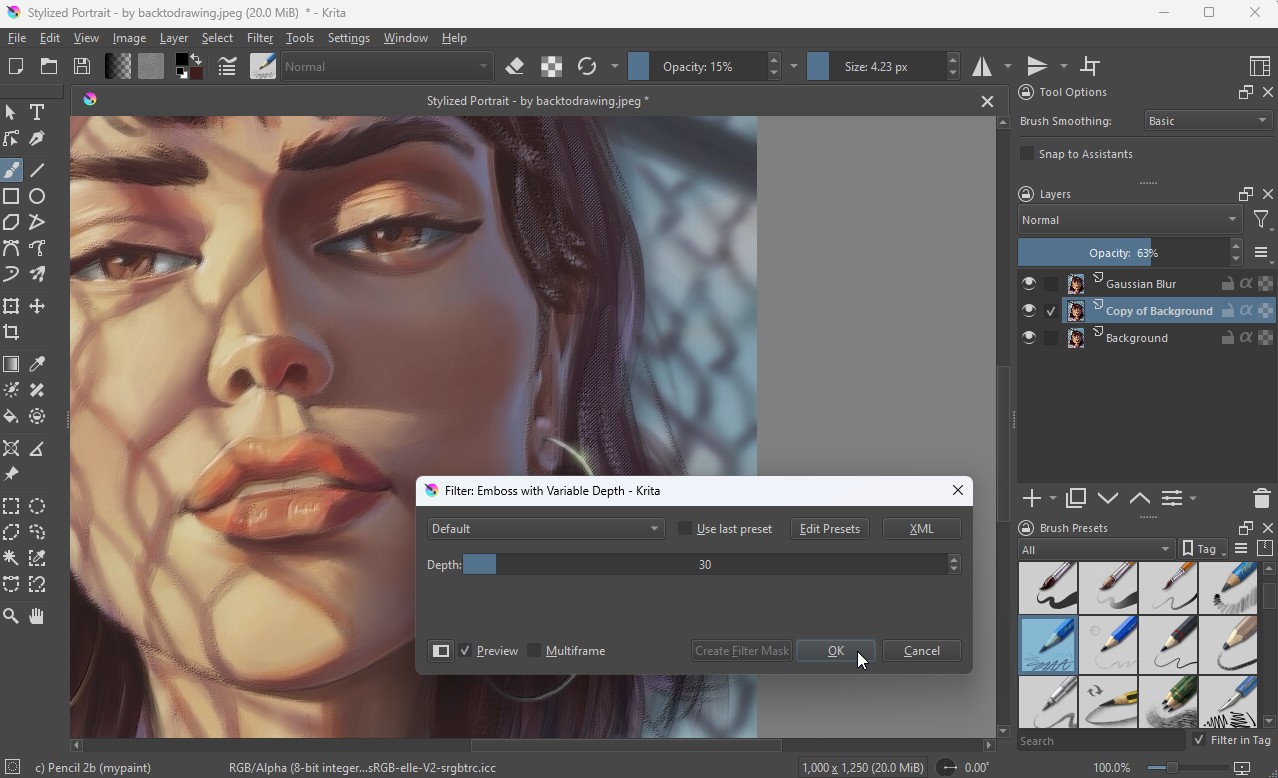
Krita's interface is artist-friendly, allowing users to customize their workspace to their personal habits. This makes it easy for users to build their own workflows without being restricted.
Krita's limitations lie in its performance with extremely large files and its ability to integrate with other software in a professional pipeline. However, for beginners in digital painting or independent artists who want a powerful yet inexpensive tool, Krita is a very worthwhile option.
2.4 Corel Painter
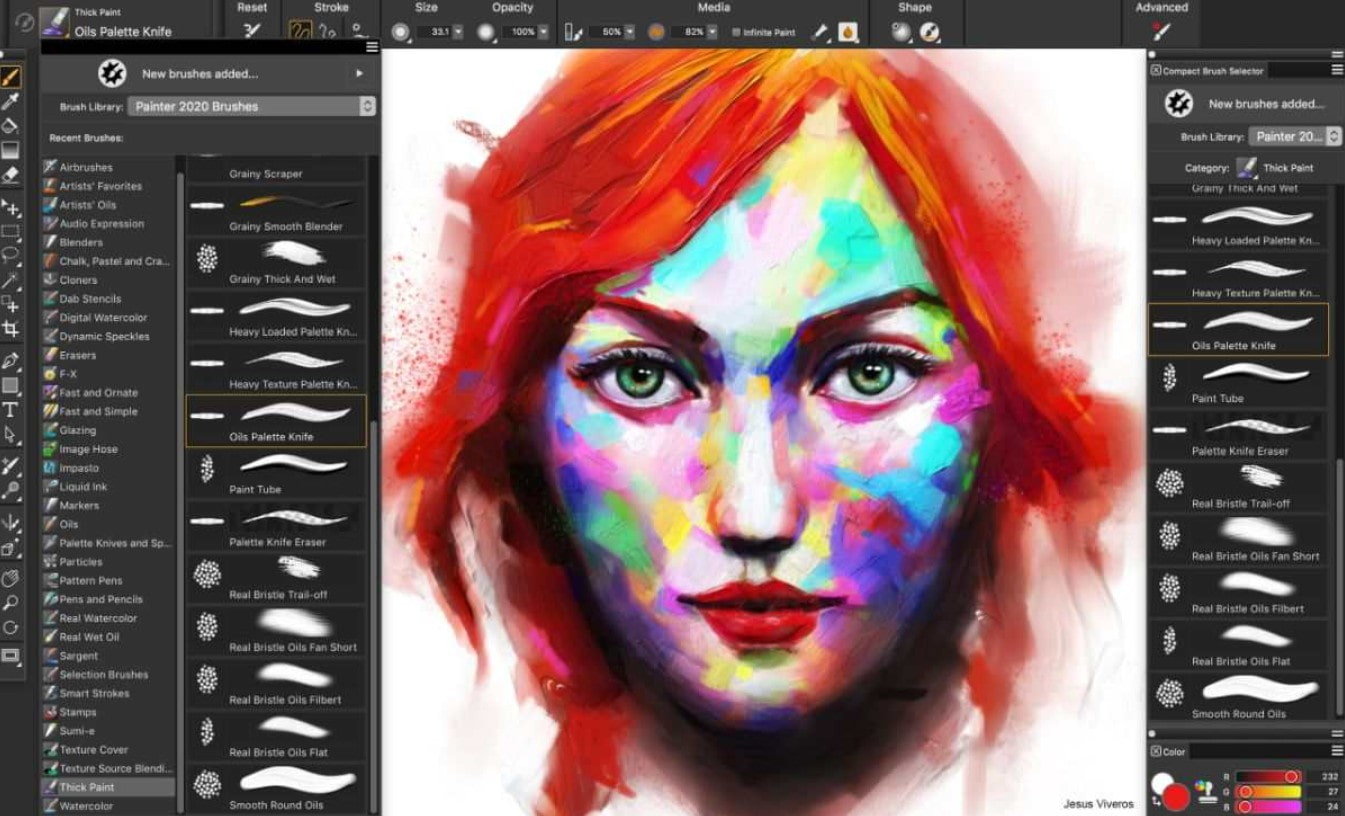
Corel Painter is considered the best software for simulating traditional textures currently available. While Photoshop focuses on versatility, Painter concentrates entirely on the drawing experience and a realistic feel.
Corel Painter's standout feature is its incredibly detailed brush simulation system. Materials like oil paint, watercolors, pastels, and pencils are reproduced with physical behavior that closely resembles real life, from color blending to paint drying speed. This makes Painter an ideal tool for artists with a traditional art background.
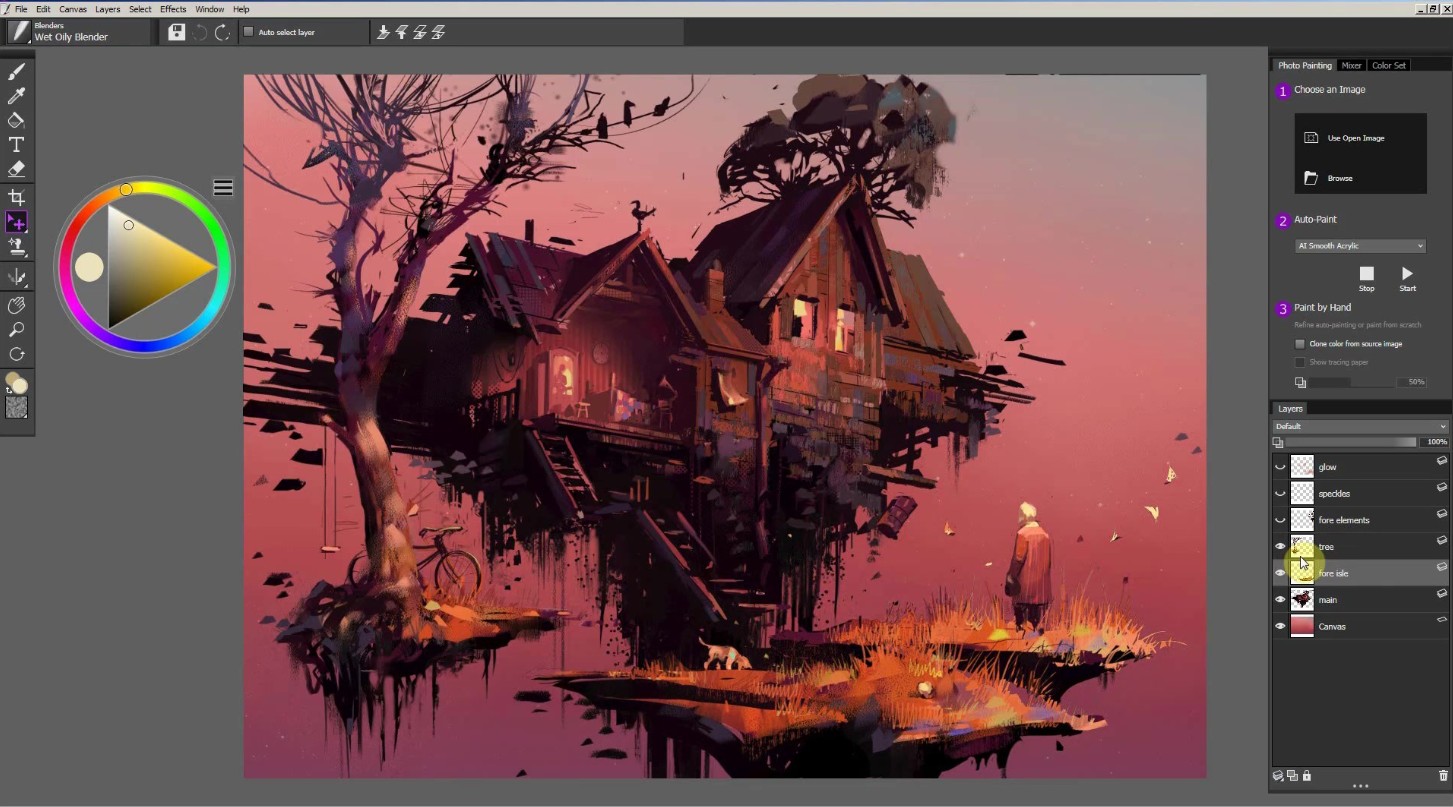
Painter is suitable for those who pursue a fine art digital painting style and want to transition from hand-drawn to a digital environment without losing the familiar feel. However, this software is quite expensive and requires a powerful computer configuration to run smoothly.
2.5 MediBang Paint (Lightweight, suitable for manga)
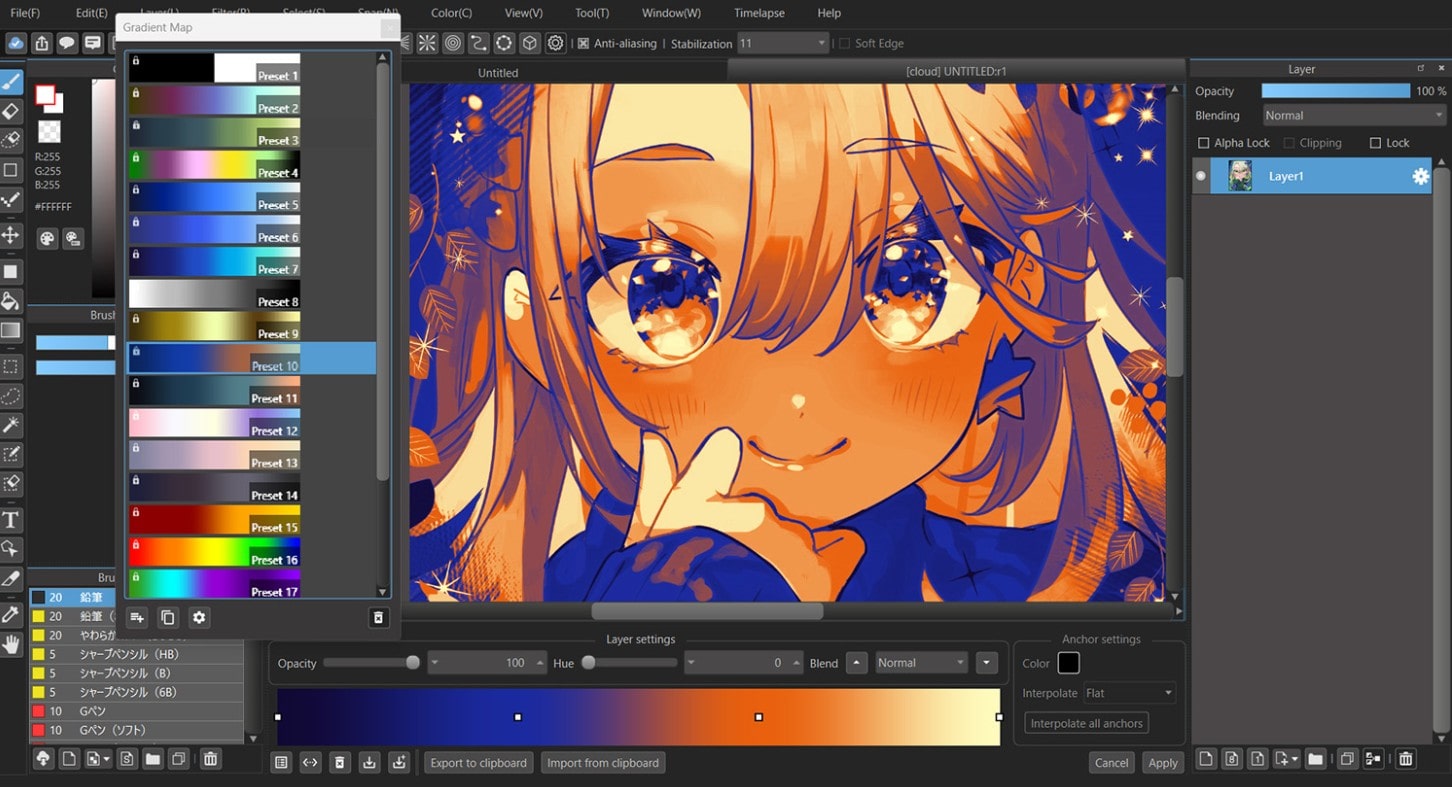
MediBang Paint is a digital painting software strongly geared towards comics and manga. With its lightweight design and low system requirements, MediBang Paint is easily accessible to new users and students.
This software provides a full range of tools for drawing manga, such as lineart, tone, panel, and page management. In addition, MediBang integrates a rich library of brushes and textures, providing excellent support for anime and manga drawing styles.
Although not strong in semi-realistic painting, MediBang Paint shines in environments for creating comics quickly, efficiently, and effectively. It's a suitable choice for young artists or those who focus on visual storytelling.
2.6 ArtRage (Traditional Material Simulation)
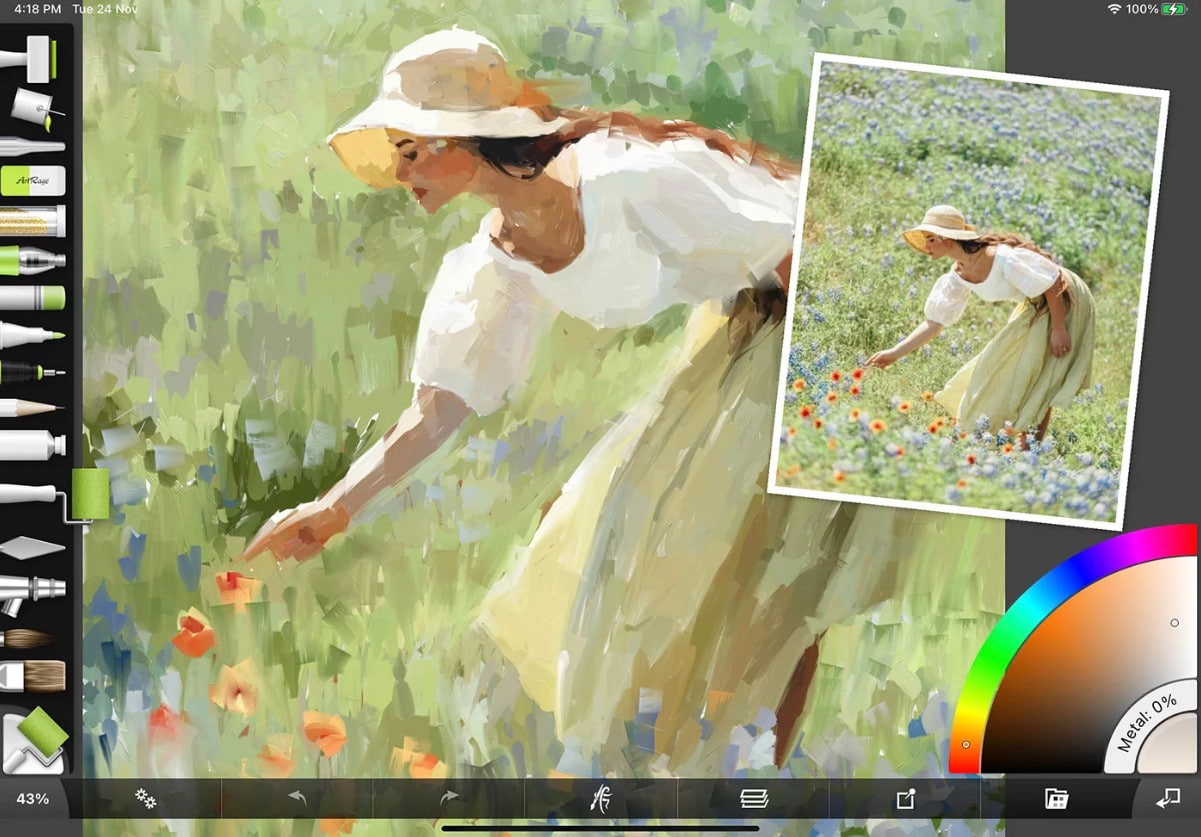
ArtRage is digital painting software focused on recreating the traditional painting experience in a familiar and intuitive way. ArtRage's interface is designed to be simple and user-friendly, making it easy for users to get acquainted with from the first use.
ArtRage's strength lies in its realistic simulation of painting materials such as oil paint, watercolor, and paintbrushes. Each stroke feels physical, from the thickness of the paint to how the colors blend on the "canvas."
ArtRage is suitable for lovers of traditional art, art teachers, or artists who want to create personal, emotionally rich works rather than commercial productions. Although it doesn't have a robust ecosystem like Photoshop, ArtRage still maintains its own niche thanks to its natural drawing experience.
3. Quick Comparison of Software Programs
When these software programs are compared side-by-side, each tool represents a different creative philosophy. Photoshop is suited to professional environments, complex pipelines, and high-level editing needs. Procreate offers flexibility, speed, and a natural drawing feel on mobile devices. Krita proves that free software can still meet serious creative needs. Corel Painter and ArtRage cater to those who prefer traditional materials, while MediBang Paint is the optimal choice for manga and comics.
The choice of software should not be based on reputation or the number of features, but rather on each person's drawing style, creative goals, and usage conditions. Many professional artists even combine multiple software programs in the same workflow to take advantage of the strengths of each tool.
Digital painting is a constantly evolving creative journey, and software is merely a tool to support the artist's imagination and skills. Choosing the right software not only optimizes workflow but also nurtures inspiration and personal style.





















VIP Products








Best Selling Products
Windows 10 & 11 Pro Key
36 USD
Capcut Pro 1 Year
39 USD
Copyright Adobe Lightroom Account
59 USD
Upgrade genuine Capture One account
120 USD
Genuine Adobe Illustrator account
99 USD
Upgrade Duolingo Super
29 USD
Genuine Cheap Canva Pro
39 USD
Autodesk All App Account Copyright
120 USD
Plugin Retouch4me
69 USD
MidJourney Account
29 USD
Freepik Premium Account
59 USD
Upgrade Genuine Office 365
49 USD
ChatGPT Plus Account (GPT-4)
16 USD
Adobe Premiere Pro Account
99 USD
Adobe Photoshop Copyright - Full App
120 USD