Best Selling Products

Upgrade genuine Capture One account
120 USD

MidJourney Account
29 USD

Adobe Premiere Pro Account
99 USD

Freepik Premium Account
59 USD

Upgrade Duolingo Super
29 USD

Plugin Retouch4me
69 USD

Genuine Cheap Canva Pro
39 USD

Adobe Photoshop Copyright - Full App
120 USD

Upgrade Genuine Office 365
49 USD

Genuine Adobe Illustrator account
99 USD

Copyright Adobe Lightroom Account
59 USD

ChatGPT Plus Account (GPT-4)
16 USD

Autodesk All App Account Copyright
120 USD

Capcut Pro 1 Year
39 USD

Windows 10 & 11 Pro Key
36 USD
Photoshop Mobile: How to Professionally Edit Photos on Your Phone
Nội dung
- 1. What is Photoshop on a mobile phone?
- 2. Change what you want, keep what you like.
- 3. Edit images directly on your phone.
- 4. Remove distracting details.
- 5. Change background quickly
- 6. Precise editing on the touchscreen.
- 7. Create images that reflect your unique style.
- 8. Quickly optimize images
- 9. Image editing process on Photoshop mobile
Photoshop on mobile phones offers powerful image editing capabilities right on iPhones and Android devices.
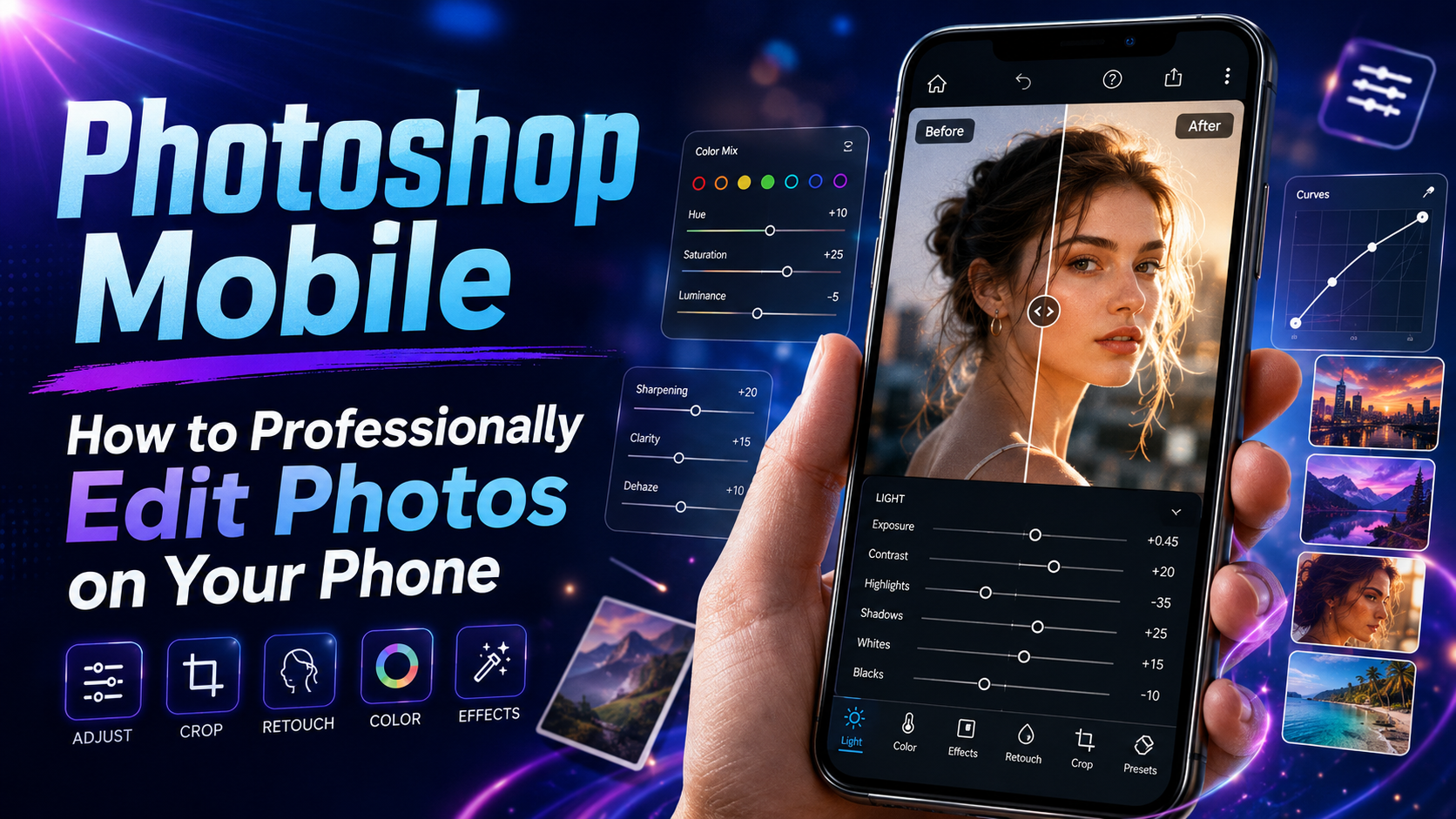
1. What is Photoshop on a mobile phone?
Photoshop on mobile is a version of Photoshop designed for iPhone and Android devices, allowing users to perform image editing tasks directly on their smartphones.
The goal of the mobile version is not just to miniaturize Photoshop on a computer, but also to build an experience suitable for touch screens. The tools are intuitively arranged so that users can quickly find the necessary function, edit images, and continue to develop their skills.
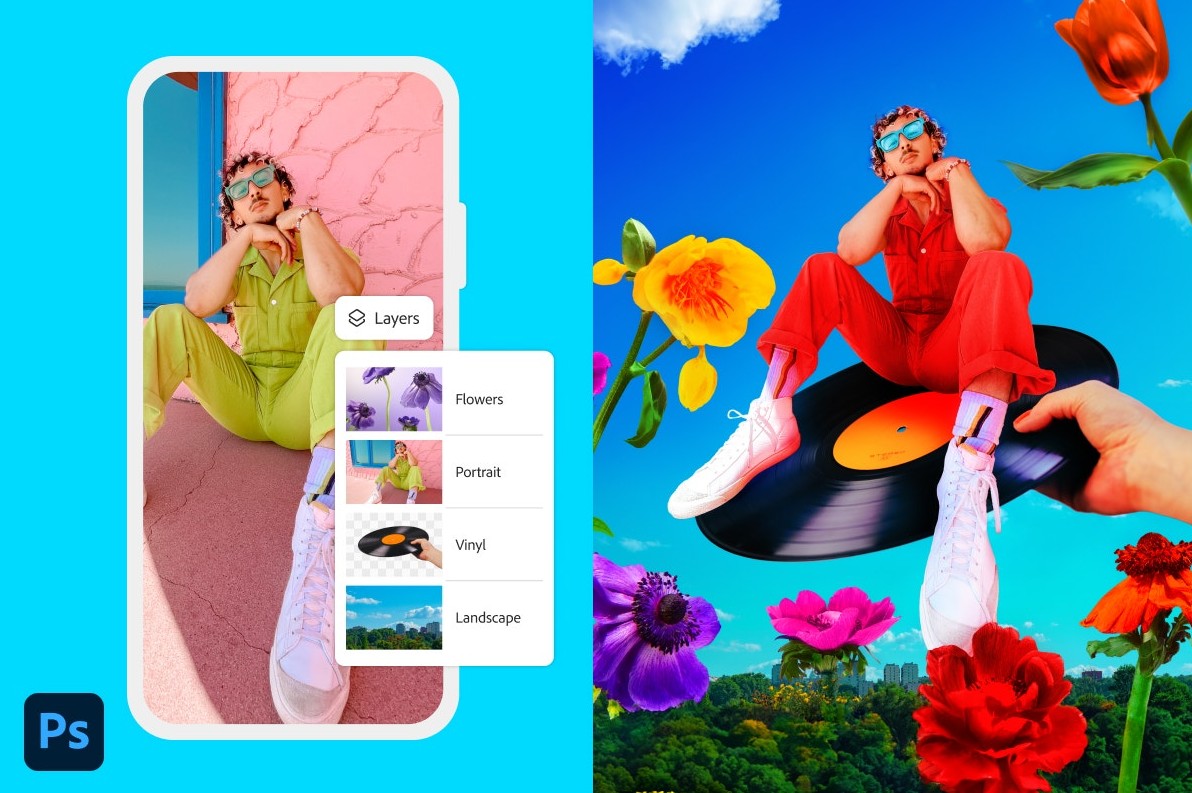
With Photoshop on mobile, you can combine photos, graphics, and images from Adobe Stock in a single project. From simple operations like cropping and editing to more complex tasks like changing backgrounds, removing objects, or adjusting specific areas, everything can be done right on your phone.
2. Change what you want, keep what you like.
One of the most notable aspects of Photoshop today is its ability to combine traditional editing tools with AI.
With AI Assistant , users can describe what changes they want to make to an image. Instead of having to manually identify tools, create selections, and perform multiple operations, AI can assist in fulfilling the request based on the information provided.
The key point is that AI Assistant is designed to focus on the part of the image you want to edit, while trying to keep other areas unchanged.
For example, you have a travel photo but want to add an object to the frame. Instead of editing the entire photo, you can ask AI to help add the object that fits the current composition.
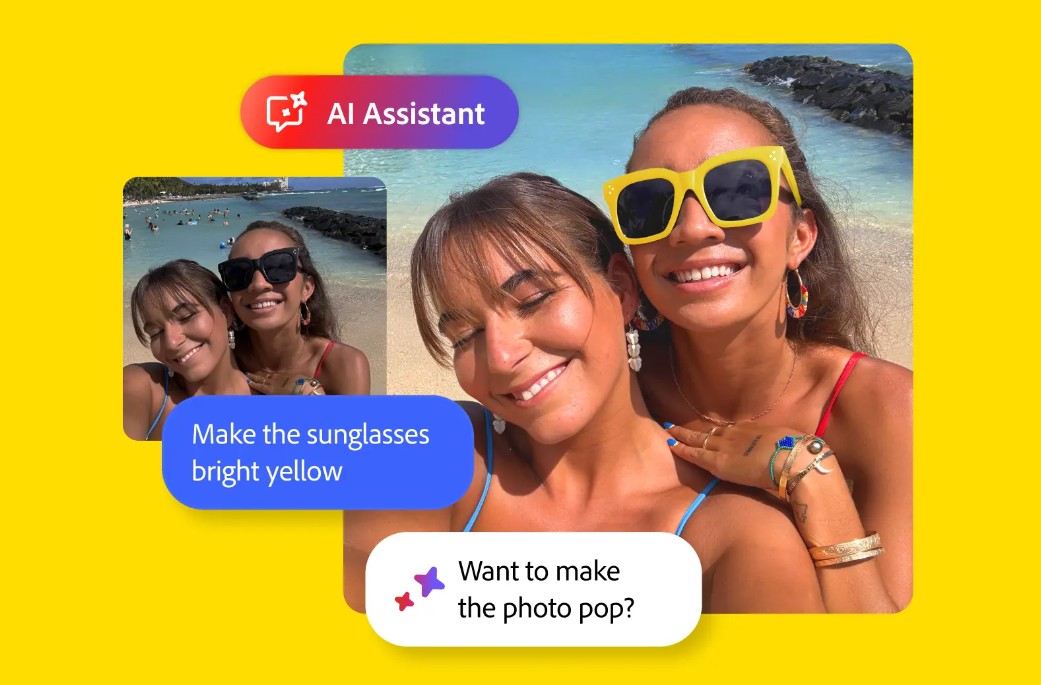
Similarly, if you want to remove a distracting detail, you can ask Photoshop to process that area without changing the rest of the image.
AI Assistant is now available on web and mobile, expanding the flexibility of editing options for Photoshop users.
3. Edit images directly on your phone.
Photoshop's strength on mobile lies in its ability to consolidate many editing tools into a single application.
Users can add new objects, remove distracting details, precisely adjust images, change backgrounds, and perform many other operations without switching between multiple applications.
The intuitive interface makes it easy for beginners to get started. The tools are organized so you can find and use them quickly, instead of spending a lot of time learning a complex system.
The creative process can begin with a simple photograph. You add subjects, edit, continue to adjust, and refine the image according to your ideas.
The basic process can be visualized as: Add → Edit → Adjust → Finalize → Repeat as needed.
This flexibility transforms the phone into a mobile creative space, ideal for situations where you need to edit photos quickly but still want control over the outcome.

4. Remove distracting details.
In a beautiful photograph, sometimes even a small, misplaced object can distract the viewer.
This could be a person walking behind the subject, an object lying on the ground, a sign, or unwanted details in the frame.
Photoshop on mobile allows users to process these elements with greater precision than with simpler photo editing tools.
Instead of cropping out a portion of the image, you can focus on the subject you want to remove and retain the original composition. This is a significant advantage when an image has a good composition but contains some unnecessary elements.
In particular, the ability to remove details directly on your phone is very useful when you've just taken a photo and want to upload it to social media shortly.
5. Change background quickly
Changing the background is one of the commonly used operations in image design and editing.
On Photoshop mobile, users can change the background in just a few steps instead of having to manually process the entire selection.
This feature can be used in many situations. You can change the background of a portrait photo, create a simple advertising image, or place the subject in a new setting that suits your idea.

The key is to accurately separate the subject from the background. Photoshop uses intelligent tools to assist in this process, saving users time when making edits that would normally be laborious if done manually.
After changing the background, you can further adjust the colors, lighting, and effects to make the subject blend better with the new setting.
6. Precise editing on the touchscreen.
Phone screens are smaller than computer screens, but Photoshop mobile is built to make editing on touch devices as intuitive as possible.
Instead of simply offering pre-set filters, the app focuses on targeted editing capabilities. Users can manipulate specific areas of an image instead of changing the entire image at once.
This is especially useful when you want to edit a subject without affecting the background.
For example, you can focus on one area of the image to adjust, then continue to process other elements. This approach allows for better control over the image and produces results closer to the original vision.
For beginners, this is also an opportunity to gradually familiarize themselves with professional image editing thinking.
7. Create images that reflect your unique style.
Photoshop on mobile isn't just for editing existing photos. The app also aims to unleash entirely new creative possibilities for image editing.
You can combine photographs, graphics, Adobe Stock images, and many other elements to create a new design.

For example, a portrait photograph can be combined with new graphics, backgrounds, and effects to create a poster. A product photograph can be placed in a different context to serve promotional purposes.
The ability to combine multiple image sources allows users to avoid being limited by a single image. An idea can start from a single image and then develop into a complete layout.
Photoshop mobile also supports operations such as creating collages, retouching, and adding effects. Thanks to this, the process of transforming inspiration into visual products can be done anywhere.
8. Quickly optimize images
In the content creation process, processing speed is a crucial factor. Users may need to change images immediately after shooting or finalize designs within a short timeframe.
Photoshop on mobile focuses on operations that can be performed quickly, such as adding objects, changing backgrounds, and editing subjects.
One notable feature is the Harmonize function . This feature helps blend the subject with the background to create a more natural and cohesive image.

After changing the background, one common problem is that the subject's color, lighting, or overall feel doesn't match the new context. If you only change the background without addressing these differences, the image can easily look like a composite.
Harmonize simplifies the process of blending the subject with a new background, thereby shortening editing time.
9. Image editing process on Photoshop mobile
To effectively utilize Photoshop on your phone, users can start with a simple process.
Step 1: Open Photoshop on your iPhone or Android device.
Step 2: Select the image you want to edit or start a new project.
Step 3: Define your editing goals, such as adding objects, removing details, or changing the background.
Step 4: Use the corresponding tool to select the area you want to edit.
Step 5: Implement the changes and test the results across the entire layout.
Step 6: If using AI Assistant, clearly describe what you want Photoshop to change.
Step 7: Review the areas that don't need editing to ensure they remain as desired.
Step 8: Continue adjusting the color, lighting, or effects as needed.
Step 9: Finalize the image and save or export the artwork as needed.
Breaking the process down into steps makes it easier for beginners to get acquainted with the application. More importantly, you should define your goals before editing to avoid using too many unnecessary effects.
Photoshop on mobile brings powerful image editing capabilities to a device always within easy reach. With iPhone and Android, you can combine photos, graphics, and Adobe Stock, add objects, remove details, change backgrounds, and make precise adjustments right on the touchscreen.





















VIP Products








Best Selling Products
Upgrade genuine Capture One account
120 USD
MidJourney Account
29 USD
Adobe Premiere Pro Account
99 USD
Freepik Premium Account
59 USD
Upgrade Duolingo Super
29 USD
Plugin Retouch4me
69 USD
Genuine Cheap Canva Pro
39 USD
Adobe Photoshop Copyright - Full App
120 USD
Upgrade Genuine Office 365
49 USD
Genuine Adobe Illustrator account
99 USD
Copyright Adobe Lightroom Account
59 USD
ChatGPT Plus Account (GPT-4)
16 USD
Autodesk All App Account Copyright
120 USD
Capcut Pro 1 Year
39 USD
Windows 10 & 11 Pro Key
36 USD