Best Selling Products

Autodesk All App Account Copyright
120 USD

Copyright Adobe Lightroom Account
59 USD

Capcut Pro 1 Year
39 USD

ChatGPT Plus Account (GPT-4)
16 USD

Genuine Adobe Illustrator account
99 USD

Upgrade genuine Capture One account
120 USD

Adobe Premiere Pro Account
99 USD

Upgrade Genuine Office 365
49 USD

Adobe Photoshop Copyright - Full App
120 USD

Genuine Cheap Canva Pro
39 USD

Plugin Retouch4me
69 USD

Upgrade Duolingo Super
29 USD

Windows 10 & 11 Pro Key
36 USD

MidJourney Account
29 USD

Freepik Premium Account
59 USD
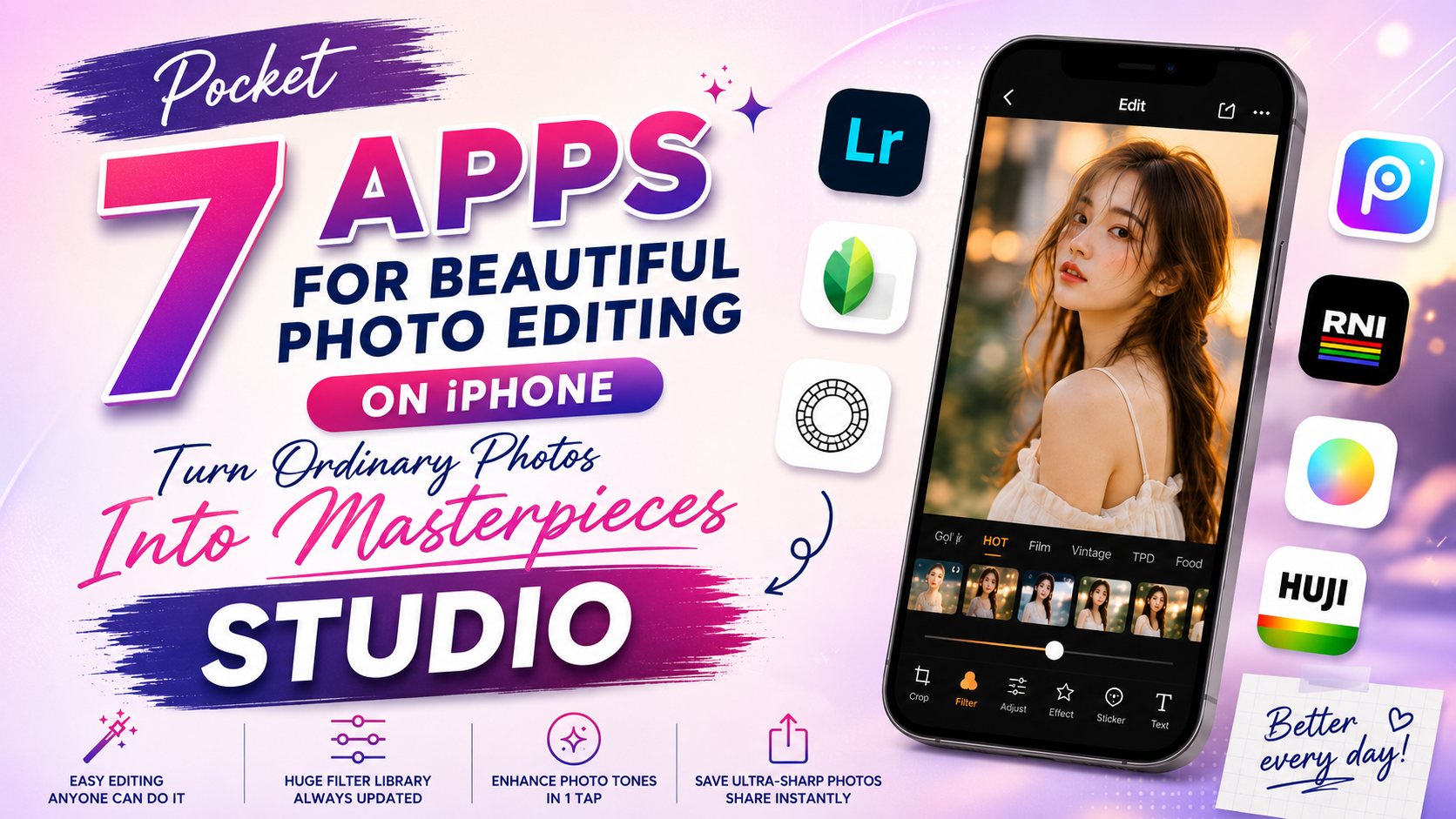
Pocket These 7 Beautiful Photo Editing Apps for iPhone: Turning Ordinary Photos Into STUDIO-Grade Masterpieces
Nội dung
- 1. Why is the iPhone camera so excellent yet you still need a photo editing app?
- 2. Detailed review of the top 7 hottest beautiful photo editing apps for iPhone today
- 2.1 Adobe Photoshop Lightroom Mobile – Top-Tier Exposure Rescue and In-Depth Color Grading
- 2.2 Snapseed – A Completely Free, Versatile Photo Editing Assistant From Google
- 2.3 VSCO – The Icon of Cinematic Film Color-Grading Art
- 2.4 Dazz Cam – A Classic Film Camera Experience Right on Your iPhone
- 2.5 Xingtu (醒图) – The Craze for Body-Slimming and "Golden Ratio" Makeup
- 2.6 BeautyPlus – The Queen of Natural Selfies, With a Friendly Interface
- 2.7 Picsart – A Versatile Graphic Design and Compositing Studio
- 3. Quick comparison table of iOS photo editing apps
- 4. Secrets to editing photos on iPhone like a professional photographer
- 5. Conclusion
The secret isn''''t in the device — it''''s in the post-production software. Finding and mastering the right beautiful photo editing app for iPhone is the golden key that helps you elevate your visual aesthetic. This article from AppVip.ai will give you a detailed A-Z roundup of the best photo editing apps available today on iOS.
1. Why is the iPhone camera so excellent yet you still need a photo editing app?
Many people often wonder: "Why does the iPhone's original camera take such sharp, realistic photos, yet we still need third-party apps?" The answer lies in Apple's photography philosophy:
Too high a level of realism: The iPhone's original camera tends to preserve faithful colors, moderate contrast, and accurately reflect the real space. This inadvertently makes a photo sometimes look "normalized," exposing more lighting flaws and lacking artistic quality.
Limited built-in filters: The default filters in the iPhone's Photos app are fairly basic, not diverse enough to create trending styles such as clear Chinese-style color, retro cyberpunk film color, or a deep cinematic look.
Lack of deep-intervention tools: To remove a piece of clutter in the background, slim down a face, or add artistic lighting effects, you're required to use specialized third-party tools.
Using a beautiful photo editing app for iPhone isn't about artificially transforming a photo — it's how you breathe soul into it, expressing your personality and personal aesthetic taste in every frame.
2. Detailed review of the top 7 hottest beautiful photo editing apps for iPhone today
So you don't feel overwhelmed among the thousands of apps on the App Store, below is a detailed review list of each top app currently dominating the trend:
2.1 Adobe Photoshop Lightroom Mobile – Top-Tier Exposure Rescue and In-Depth Color Grading
If you ask any photographer about a beautiful photo editing app for iPhone for professional color grading, 90% of the time the answer will be Lightroom. The Mobile version inherits almost all the power from the legendary desktop software of the same name.
Standout features:
The HSL (Hue - Saturation - Luminance) tool: Lets you change the hue, saturation, and brightness of each individual color (for example, only making the sky bluer without affecting skin tone).
RAW (DNG) photo support: Helps preserve maximum detail in photos shot on iPhone Pro/Pro Max models, letting you brighten shadows without breaking up or introducing noise.
The Preset feature (ready-made color formulas): You can easily copy a color formula from someone else and apply it to your own photo with just one tap.
Advantages: Extremely realistic light processing and color reproduction, without reducing the original photo's quality.
Disadvantages: The interface is somewhat complex for beginners, and some advanced features require a paid (Premium) subscription.
.jpg)
2.2 Snapseed – A Completely Free, Versatile Photo Editing Assistant From Google
Coming from tech giant Google, Snapseed is a rare app that offers a massive, professional toolkit without charging any fee at all, and without inserting any annoying ads.
Standout features:
The Selective and Brush tools: Let you extremely precisely increase brightness or contrast at just one specific point on a photo.
Object removal (Healing): Smartly wipes away passersby, litter, or unwanted details.
Photo expansion (Expand): Uses AI to automatically fill in more surrounding space if your original framing was too tight.
Advantages: Completely free, an intuitive swipe-and-tap interface, supports saving high-quality files.
Disadvantages: Its minimalist tool design means users need some time to get familiar with and fully understand the more than 29 tools available.
2.3 VSCO – The Icon of Cinematic Film Color-Grading Art
VSCO has long become an icon within the iOS user community. Over many years, the app has kept its dominant position thanks to color filters that excellently simulate classic film stock from Kodak, Fujifilm, or Agfa.
Standout features:
A massive filter library, finely and fashionably designed, without ever looking overdone or losing photo detail.
Accompanying parameter tools such as Grain (creates film grain), Fade (creates a hazy fade), and Split Tone (tints the highlight/shadow areas) work extremely smoothly.
Integrates a social space for sharing color formulas among users.
Advantages: Colors carry a very high artistic quality, creating a distinctive "taste" for the photo.
Disadvantages: Most of the best color filters are locked behind the VSCO X membership subscription (charged annually).
.jpg)
2.4 Dazz Cam – A Classic Film Camera Experience Right on Your iPhone
Dazz Cam isn't simply a post-capture editing app. It turns your iPhone into a genuine film camera from the '80s and '90s, complete with unique nostalgic touches.
Standout features:
Simulated live shooting: When using Dazz Cam, you select a camera model (such as an Instax instant camera, a VHS camcorder, or an old point-and-shoot) and shoot. The resulting photo will have a light-leak effect, blurred edges, and random color shifts.
Supports Double Exposure — merging two images into one in a hauntingly beautiful way.
Advantages: No time needed for post-production color grading — the moment you shoot, you get an artistic film photo instantly.
Disadvantages: Because it simulates the randomness of a film camera, it's hard for you to control the color parameters exactly as you want 100% of the time.
2.5 Xingtu (醒图) – The Craze for Body-Slimming and "Golden Ratio" Makeup
Although not officially available on the Vietnamese App Store (users have to switch their region to China to download it), Xingtu is still an extremely "hot" beautiful photo editing app for iPhone, sought after by selfie enthusiasts for quite some time.
Standout features:
Top-tier artificial intelligence (AI): Smart facial and body recognition capability. The app can slim the face, lift the nose, enlarge the eyes, and lengthen the legs extremely naturally without distorting the surrounding space.
One-touch makeup: Automatically applies makeup in many trending layouts (Douyin style, clear Korean style, sharp Western style).
Advantages: An extremely brilliant ability to handle portrait flaws, giving natural rosy-white skin rather than a fake, cakey white look.
Disadvantages: The language is entirely in Chinese, causing some initial difficulty for users.
.jpg)
2.6 BeautyPlus – The Queen of Natural Selfies, With a Friendly Interface
If you'd rather not deal with switching regions to download complicated foreign apps, BeautyPlus is the perfect alternative, already available on the Vietnamese App Store with an easy-to-use Vietnamese-language interface.
Standout features:
Blemish removal, teeth whitening, and dark-circle removal features work extremely fast with just a tap.
An Auto-Retouch mode instantly makes you look more beautiful right after pressing the shutter button, without complex manual adjustment.
Advantages: An intuitive interface, easy to use for all ages, integrated with many cute animated stickers.
Disadvantages: If you push the tool sliders too far, the photo can easily lose the skin's natural texture.
2.7 Picsart – A Versatile Graphic Design and Compositing Studio
Picsart isn't just a light-balancing app — it's a comprehensive art-creation tool. If you want to blend multiple photos, insert artistic typography, or draw over a photo, choose Picsart.
Standout features:
A massive resource library: Millions of stickers, frames, and artistic backgrounds contributed by the community.
The Cutout (background removal) tool: With just 1 tap, AI will separate a person from the background so you can easily composite them into different settings.
Unique Dispersion (disintegration) and Sketch effects that help create surreal artistic photos.
Advantages: Extremely high creative potential, versatile, solving both photo editing needs and simple banner design.
Disadvantages: The free version contains quite a lot of ads and constantly invites you to upgrade to the Gold plan.
.jpg)
3. Quick comparison table of iOS photo editing apps
4. Secrets to editing photos on iPhone like a professional photographer
Owning a good beautiful photo editing app for iPhone is only the necessary condition — knowing how to use the right technique is the sufficient condition for creating an excellent piece:
Preserve natural texture: The most common beginner mistake is pushing the skin-smoothing or face-slimming sliders all the way to 100%. Always keep a bit of pore and original skin texture so the photo looks authentic and doesn't end up looking like a wax figure.
Color-grade according to the setting: If shooting the ocean or a blue sky, increase the Cyan/Blue tone and increase Exposure (brightness) to create a clear feeling. If shooting a dark-toned café, lower the cool tones and increase the warm Yellow/Orange tones.
Make the most of natural light while shooting: No app can rescue a photo that's blurry from camera shake or pitch black from severe underexposure. Prioritize shooting during the "golden hour" (8–9 AM or 4–5 PM) for the best original photo quality before bringing it into a post-production app.
.jpg)
5. Conclusion
Each beautiful photo editing app for iPhone has its own strengths, made to serve a different aesthetic mindset. If you love perfection and precision in landscape color, choose the Lightroom + Snapseed combo. If you want to preserve poetic, nostalgic youthful moments, VSCO and Dazz Cam are the ideal companions. And if your goal is to shine brilliantly on social media with perfectly polished selfies, don't hesitate to download Xingtu or BeautyPlus right now.





















VIP Products








Best Selling Products
Autodesk All App Account Copyright
120 USD
Copyright Adobe Lightroom Account
59 USD
Capcut Pro 1 Year
39 USD
ChatGPT Plus Account (GPT-4)
16 USD
Genuine Adobe Illustrator account
99 USD
Upgrade genuine Capture One account
120 USD
Adobe Premiere Pro Account
99 USD
Upgrade Genuine Office 365
49 USD
Adobe Photoshop Copyright - Full App
120 USD
Genuine Cheap Canva Pro
39 USD
Plugin Retouch4me
69 USD
Upgrade Duolingo Super
29 USD
Windows 10 & 11 Pro Key
36 USD
MidJourney Account
29 USD
Freepik Premium Account
59 USD