Best Selling Products

Freepik Premium Account
59 USD

Upgrade Genuine Office 365
49 USD

Capcut Pro 1 Year
39 USD

ChatGPT Plus Account (GPT-4)
16 USD

Adobe Premiere Pro Account
99 USD

Genuine Adobe Illustrator account
99 USD

Copyright Adobe Lightroom Account
59 USD

Autodesk All App Account Copyright
120 USD

MidJourney Account
29 USD

Genuine Cheap Canva Pro
39 USD

Plugin Retouch4me
69 USD

Upgrade Duolingo Super
29 USD

Adobe Photoshop Copyright - Full App
120 USD

Upgrade genuine Capture One account
120 USD

Windows 10 & 11 Pro Key
36 USD
Prompt That Makes Gamma AI “Understand You” and Create Pixel-Perfect Slides
Nội dung
- 1. What Gamma AI Is and Why It Has Become a Popular Slide Creation Tool
- 1.1 What is Gamma AI?
- 1.2 Outstanding Features of Gamma AI
- 1.3 Why Gamma AI Works Effectively Thanks to Prompts
- 1.4 Common Goals Users Use Gamma to Build Slides For
- 2. How Prompts Work in Gamma AI
- 2.1 How Gamma AI Understands and Analyzes Requests
- 2.2 The Impact of Prompts on Slide Structure
- 2.3 Why Longer and Clearer Prompts Produce Better Results
- 3. The Structure of an Effective Gamma AI Prompt
- 3.1 Presentation Goal
- 3.2 Audience
- 3.3 Design Style
- 3.4 Layout and Number of Slides
- 3.5 Tone and Writing Style
- 3.6 Required Visual Illustrations
- 3.7 Common Visual Types in Prompts
- 4. Advanced Tips to Optimize Prompts in Gamma AI
- 4.1 Use CTA, Examples, and Bullet Points for Clearer Content
- 4.2 Specify Design Style for Emotional Accuracy
- 4.3 Combine ChatGPT and Gamma AI for Deeper Content
- 5. Five Common Prompt Mistakes and How to Avoid Them
- 6. Conclusion
Have you ever tried creating slides with Gamma AI only to find that the results were not what you expected? Sometimes the presentation pages look a little cluttered, lack emphasis, or fail to reflect the style you were aiming for.

1. What Gamma AI Is and Why It Has Become a Popular Slide Creation Tool
1.1 What is Gamma AI?
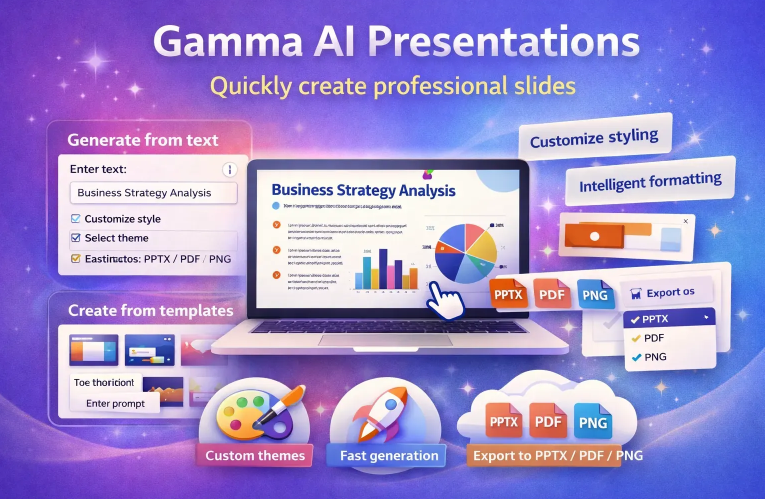
Gamma AI is a platform that helps you create slides, documents, and websites simply by describing your request in words, instead of spending hours manually adjusting every detail as you would in PowerPoint or Canva. The tool is built on an AI model capable of understanding natural language and automatically generating presentations with logical layouts, modern designs, and well-structured content. As of 2024, the platform has served millions of users worldwide and has become a familiar choice for those who want to shorten design time while still maintaining professionalism on every presentation page.
1.2 Outstanding Features of Gamma AI
Gamma AI has strengthened its position through powerful features that support content creators. The tool can transform a simple block of text into multiple slide styles, helping users quickly choose the version that best fits their presentation purpose. The system also automatically suggests content arrangements to improve readability and aesthetics while adding AI-generated illustrations to increase presentation appeal. Finally, Gamma allows file export in multiple familiar formats, making it easy for you to share or flexibly edit in any tool.
The strengths most appreciated by users include:
Creating slides many times faster than manual design
Designs that always follow modern and minimalist trends
The ability to expand content or fine-tune based on detailed requests
Support for multiple languages, including Vietnamese
Automatic layout optimization for clearer and more visual slides
Generating AI illustrations from descriptions to make slides more dynamic
One user once shared that they reduced the time needed to create a pitch deck from three hours to just a few minutes, and what impressed them most was how beautiful the design looked despite requiring very little manual intervention.
1.3 Why Gamma AI Works Effectively Thanks to Prompts
Gamma AI operates based on its ability to accurately understand and interpret the requests you provide. If your prompt is clear, coherent, and properly describes the intended spirit of the presentation, Gamma will generate a slide deck with strong structure, suitable visuals, and content aligned with your objectives. In practice, most of Gamma’s output quality is determined by how you write your prompt. This is why prompt-writing skills have become essential for anyone who wants to fully unlock the power of Gamma AI.
1.4 Common Goals Users Use Gamma to Build Slides For
Presenting projects or investor pitch decks
Preparing lectures or internal training materials
Creating business reports, data summaries, and recurring analysis
Designing slides for marketing or communication campaigns
When you understand the art of prompt writing, Gamma AI becomes almost like a trusted collaborator, transforming your ideas into complete presentations in just minutes while preserving your unique personal touch.
.jpg)
2. How Prompts Work in Gamma AI
2.1 How Gamma AI Understands and Analyzes Requests
Gamma AI processes prompts based on its ability to understand the goal you are aiming for. When you enter a description, the system analyzes each idea to identify the content needed, the presentation style, and the scope of the presentation. Thanks to this mechanism, Gamma can automatically build logical layouts and add suitable visual elements without requiring manual edits. However, if the information in the prompt is not specific enough, the AI will have to make assumptions, which can lead to slides drifting away from your original intention.
Gamma processes prompt information through these steps:
Identifying the goal such as introduction, training, reporting, or investor pitching
Reading the style you want such as modern, youthful, or minimalist
Estimating the appropriate presentation length
Generating corresponding text content for each section
Automatically arranging layouts and creating fitting illustrations
Thanks to this workflow, as long as your description is accurate, Gamma will produce balanced slides with clear focal points.
2.2 The Impact of Prompts on Slide Structure
Prompts directly affect how Gamma builds slides. A clear request helps the AI generate coherent content, proper segmentation, and alignment with the presentation goal. The more details included in the prompt, the more accurate the slide structure becomes, from the opening section to analysis, illustration, and conclusion. This is exactly why professional Gamma users always emphasize describing goals and style right from the start.
The elements strongly affected by prompt quality include:
Logical content division across sections
Coherence on each slide page
A design style suited to the target audience
The visuals selected or generated by AI
Common examples:
Weak prompt: create slides about marketing → generic results, difficult to use
Strong prompt: describes goal, length, style, and illustration requirements → accurate results, easy to present
2.3 Why Longer and Clearer Prompts Produce Better Results
Long prompts do not make slide creation more complicated. On the contrary, they help AI fully understand the context and direction you want. When you describe your audience, presentation purpose, and design style in detail, Gamma can recreate content much more accurately, saving you time spent manually revising each page. This is also one of the key principles frequently emphasized by AI content experts.
Complete prompts bring many benefits such as:
Helping AI understand context and user intent
Correctly defining goals to generate accurate content
Optimizing layout for clarity and readability
Reducing errors and minimizing editing time
.jpg)
3. The Structure of an Effective Gamma AI Prompt
3.1 Presentation Goal
The goal is the most important foundation of every prompt in Gamma AI. When you clearly state whether the slides are for persuasion, training, reporting, or introduction, the AI will shape the entire content structure accordingly. A vague goal forces Gamma to guess, often leading to presentations that lack focus or fail to convey the intended message.
When you describe the goal specifically, Gamma builds a more coherent content narrative, creates continuity across slides, and keeps viewers focused on the most important ideas. This is especially useful for situations requiring clarity such as pitch decks, lectures, or internal training materials.
Common goals include:
Investor pitch decks
Lecture or training materials
Product or feature introductions
Business reports or market analysis
3.2 Audience
Every audience group absorbs information differently, and Gamma AI adjusts tone accordingly. If you are creating materials for students, AI prioritizes simple language, visual examples, and easy understanding. On the other hand, presentations for investors require concise logic and data-heavy persuasion.
Describing the audience in the prompt helps Gamma automatically choose detail level, wording style, and visual support.
Typical audiences include:
Students
Investors or executives
Potential customers
Internal trainees
3.3 Design Style
Design style is the visual language of the presentation. When you specify modern, minimalist, or professional styles, Gamma adjusts layout, color palette, and presentation style accordingly.
Common requested styles:
Modern
Minimalist
Professional
Creative
Corporate
3.4 Layout and Number of Slides
Layout shapes the presentation flow. If you request a specific slide count or divide content into clear sections, AI organizes information accordingly.
Examples:
Create twelve slides including introduction, body, and conclusion
Require slides three to five to include charts
Divide the presentation into three clear chapters
.jpg)
3.5 Tone and Writing Style
Tone determines emotional impact. Friendly wording makes slides approachable, while academic style increases detail and precision.
Common tones include:
Friendly
Professional
Inspirational
Academic
3.6 Required Visual Illustrations
Images increase engagement and understanding. By specifying AI illustrations, real-world photos, or infographics, Gamma generates or selects visuals accordingly.
3.7 Common Visual Types in Prompts
AI-generated illustrations
Contextual real-world images
Visual infographics
.jpg)
4. Advanced Tips to Optimize Prompts in Gamma AI
Optimizing prompts is the fastest way to turn Gamma AI into a powerful design assistant.
4.1 Use CTA, Examples, and Bullet Points for Clearer Content
Request summaries as bullets instead of long paragraphs
Ask for practical examples
Use checklists for action guidance
Request grouped sections by topic
4.2 Specify Design Style for Emotional Accuracy
Minimalist for spacious clean slides
Corporate for business presentations
Creative for marketing ideas
Futuristic for modern technology themes
For example: create slides in Futuristic style with thin fonts and neutral colors
4.3 Combine ChatGPT and Gamma AI for Deeper Content
Write detailed content in ChatGPT first
Input completed content into Gamma
Export and refine in PowerPoint if needed
.jpg)
5. Five Common Prompt Mistakes and How to Avoid Them
Prompt too short: describe topic, audience, style, and slide count
No clear goal: pitch decks, lectures, and sales slides require different structures
No design style specified: Gamma will choose randomly
No illustration type requested: specify AI images, real photos, or infographics
No final review: always check logic, spelling, and visuals before presenting
6. Conclusion
Gamma AI can be powerful enough to help you create an entire presentation in just minutes, but only if you know how to give it the right instructions. Once you understand how to write clear, complete prompts that accurately communicate the spirit of your content, you will realize that Gamma AI is not just a slide creation tool, but a creative partner that truly understands the story you want to tell. From defining goals to describing style, layout, and emotion, every detail in the prompt contributes to shaping a high-quality presentation.
If you frequently create slides for study, work, or communication purposes, investing in prompt-writing skills will save you hours of editing and elevate the professionalism of every presentation you deliver. A good prompt is like a key that unlocks Gamma AI’s ability to understand your vision and create a polished product that only needs light final adjustments before use. The more you practice writing prompts, the more you will unlock the true power of the tool and turn slide creation into an easy, enjoyable, and highly effective experience.





















VIP Products








Best Selling Products
Freepik Premium Account
59 USD
Upgrade Genuine Office 365
49 USD
Capcut Pro 1 Year
39 USD
ChatGPT Plus Account (GPT-4)
16 USD
Adobe Premiere Pro Account
99 USD
Genuine Adobe Illustrator account
99 USD
Copyright Adobe Lightroom Account
59 USD
Autodesk All App Account Copyright
120 USD
MidJourney Account
29 USD
Genuine Cheap Canva Pro
39 USD
Plugin Retouch4me
69 USD
Upgrade Duolingo Super
29 USD
Adobe Photoshop Copyright - Full App
120 USD
Upgrade genuine Capture One account
120 USD
Windows 10 & 11 Pro Key
36 USD