Best Selling Products

Genuine Adobe Illustrator account
99 USD

ChatGPT Plus Account (GPT-4)
16 USD

Upgrade genuine Capture One account
120 USD

Capcut Pro 1 Year
39 USD

Plugin Retouch4me
69 USD

Upgrade Duolingo Super
29 USD

Adobe Premiere Pro Account
99 USD

Adobe Photoshop Copyright - Full App
120 USD

Autodesk All App Account Copyright
120 USD

Windows 10 & 11 Pro Key
36 USD

Genuine Cheap Canva Pro
39 USD

Upgrade Genuine Office 365
49 USD

MidJourney Account
29 USD

Freepik Premium Account
59 USD

Copyright Adobe Lightroom Account
59 USD
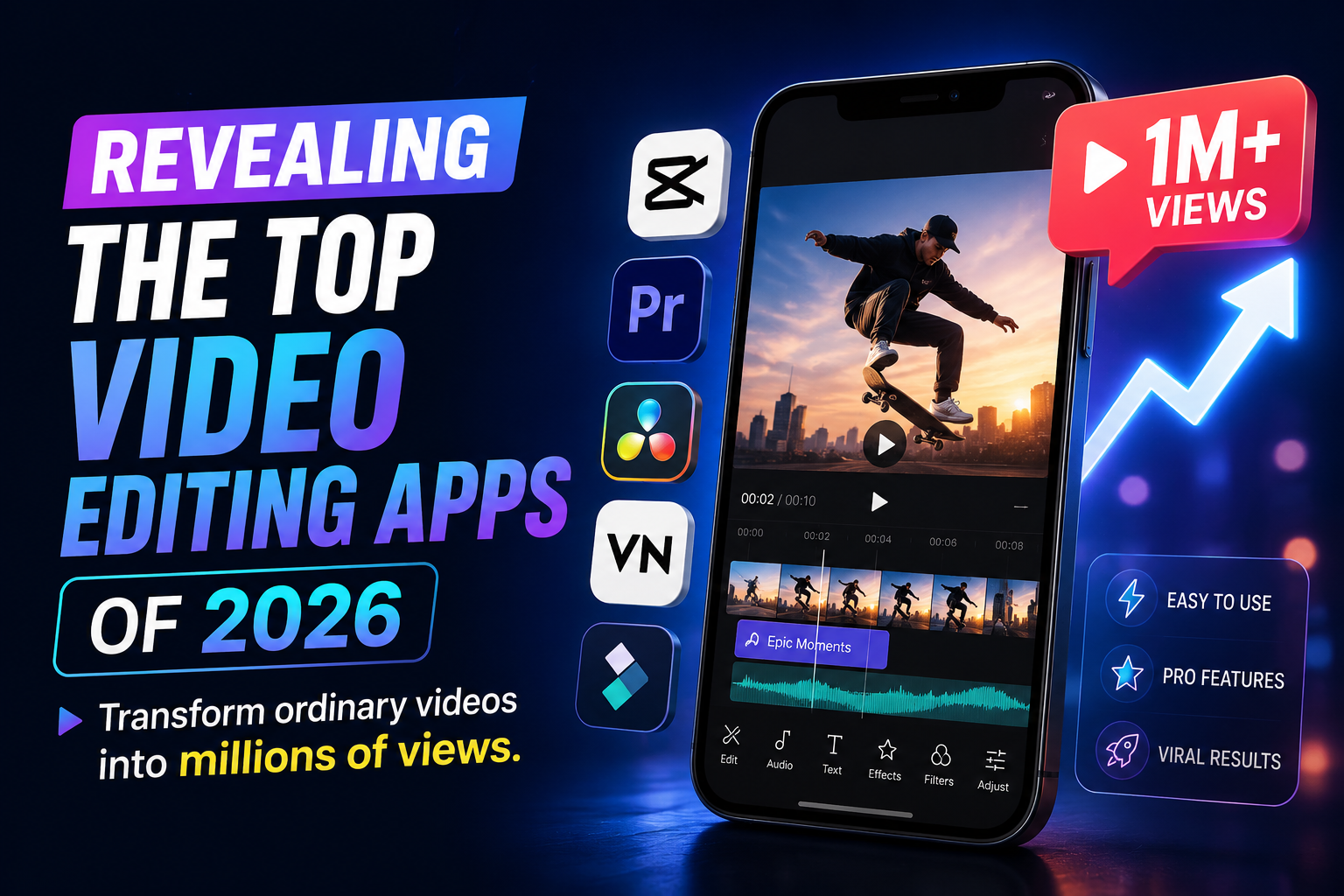
Revealing the top video editing apps of 2026: Transform ordinary videos into millions of views.
Nội dung
- 1. Trends in content creation using video editing apps in 2026
- 2. The Golden Criteria for Choosing the Right Video Editing App
- 3. Detailed review of the top most popular video editing apps currently available.
- 3.1. CapCut - The king of short video editing apps with millions of views.
- 3.2. InShot - A convenient video editing solution for beginners
- 3.3. VN Video Editor - Professional editing experience without watermarks
- 3.4. Adobe Premiere Rush - Adobe's graphics power at your fingertips
- 3.5. KineMaster - Professional horizontal cropping and splicing power
- 3.6. Alight Motion - The pinnacle of animation and motion graphics.
- 4. Secrets to editing SEO-optimized videos to trend quickly.
- 5. Steps to create a complete video using a video editing application.
- 6. Conclusion
Faced with hundreds of editing tools on the market, both beginners and professional creators often feel overwhelmed, unsure of which one is right for them.
1. Trends in content creation using video editing apps in 2026
To avoid being left behind, using video editing applications integrated with modern technology has become a mandatory requirement for every content creator. Today's viewers not only demand high-quality content but are also discerning about visuals, transition speed, and sound pacing. Therefore, editing tools have evolved significantly to help you optimize production time while ensuring the highest artistic quality.
-
The rise of artificial intelligence (AI): AI-powered features like automatic subtitling, intelligent cropping, and background removal reduce editing time by 70%.
-
High demands for editing speed: Audiences prefer videos with a fast pace, sharp transitions, and eye-catching effects in the first 3 seconds.
-
Cross-platform optimization: Once published, a video can easily have its aspect ratio (9:16, 16:9, 1:1) changed for uploading to various social media platforms.
-
Personalized style: Users are increasingly favoring exclusive color filters (LUTs) and unique sound effects to define their personal brand.
-
Simplifying professional workflows: Complex techniques like Keyframe and Chroma Key (green screen removal) can now be performed smoothly on mobile phones.
2. The Golden Criteria for Choosing the Right Video Editing App
There's no single best video editing app , only the one that best suits your needs, device, and skill level. An ideal editing tool should strike the perfect balance between smooth operation, a wealth of resources, and the ability to publish high-quality videos without sacrificing original clarity.
-
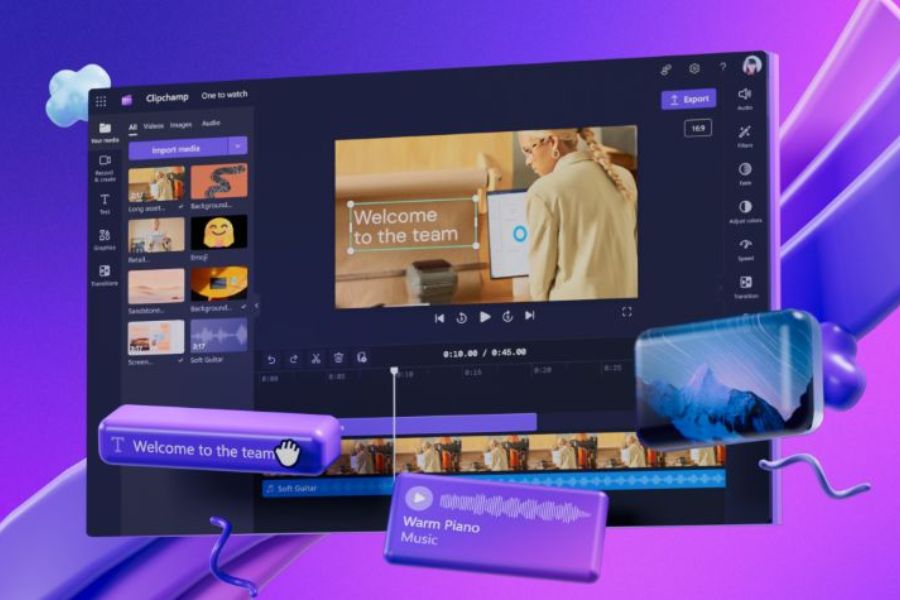
Intuitive and accessible interface: The drag-and-drop interface and well-organized toolbars make it easy for beginners to use without feeling overwhelmed.
-
Good compatibility with device configuration: The application must run smoothly on your device, without causing lag or crashes when rendering long videos.
-
A rich library of available resources: Own a library of copyrighted music without worrying about copyright strikes, unique transition effects, stickers, and a diverse font system.
-
Sharp video output quality: Supports output formats from at least Full HD 1080p to 4K at high frame rates (60fps) to ensure smooth performance.
-
Reasonable and flexible pricing: Offering a free version sufficient for basic needs and paid packages (Premium/Pro) with prices commensurate with advanced features.
3. Detailed review of the top most popular video editing apps currently available.
3.1. CapCut - The king of short video editing apps with millions of views.
If you're a true Gen Z or a TikTok content creator, then CapCut is definitely a familiar name. It's dubbed the king of short videos thanks to its close connection with the ByteDance ecosystem, providing incredibly fast trend-following experiences.
-
Huge template library of trending designs: Simply browse, choose your favorite template, insert your images/videos, and you'll have a perfectly on-trend product.
-
The ultimate Auto-Caption feature: Accurate AI-powered speech recognition, support for various Vietnamese dialects, and automatic subtitle generation in seconds.
-
Diverse effects and color filters: Constantly updated with hot effects such as 3D Zoom, Motion Blur, and cinematic color filters.
-
Integrate TikTok music without copyright concerns: Easily extract audio from other videos or use the most popular music library without fear of being muted.
-
Superior cross-platform compatibility: Includes a professional version for PC/MacBook, making it incredibly convenient to synchronize projects from your phone to your computer.
3.2. InShot - A convenient video editing solution for beginners
Tired of software with too many complicated buttons? InShot is the perfect answer for those looking for an intuitive application that still has all the tools to create a polished, smooth product.
-
Super-fast aspect ratio setup: Change video format to fit YouTube (16:9), Instagram (1:1/4:5), or TikTok (9:16) with just one click.
-
Visual editing and cutting: The simple timeline design allows for easy stretching to precisely trim each frame without disrupting the music.
-
Direct music insertion and recording features: Supports importing music from files, extracting audio from existing videos, or recording your own voiceover.
-
Transition effects and animations (Stickers): Provides thousands of unique stickers and funny memes to make videos more lively and engaging.
-
Background Blur feature: Automatically blurs the empty border area when resizing the video, making the frame look fuller and more aesthetically pleasing.
3.3. VN Video Editor - Professional editing experience without watermarks
One of the biggest annoyances for users of free software is the prominent logo (watermark) in the corner of the screen after publishing. VN Video Editor appears as a "savior," completely eliminating this unpleasant barrier.
-
Completely Watermark-Free: Export high-quality videos without any developer logos, maintaining the professionalism of your product.
-
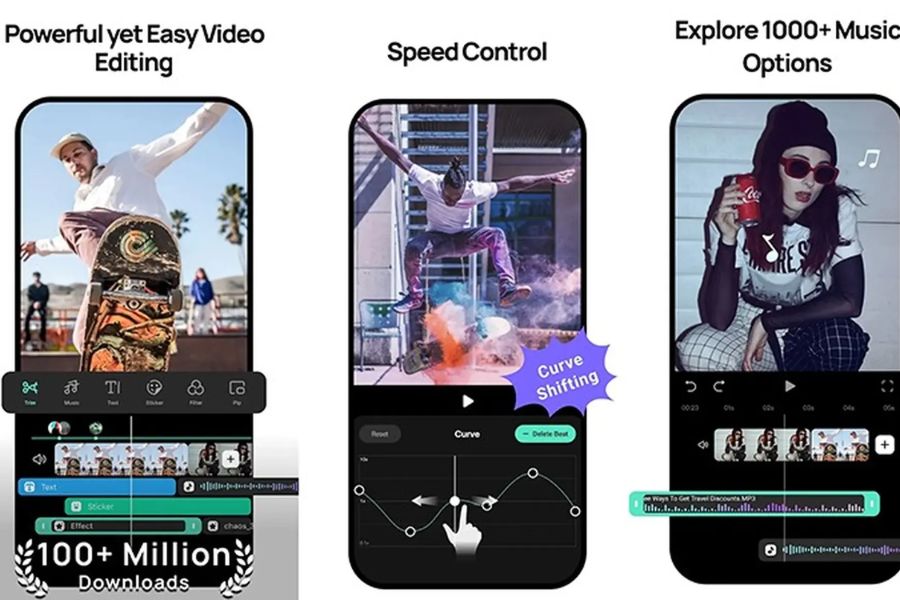
Multi-Track Timeline: Allows you to layer multiple videos, images, stickers, and audio tracks on top of each other to create complex overlay effects.
-
Curve Shifting feature: Helps you create smooth, flowing slow-motion or fast-motion sequences like those in movies.
-
Supports importing external LUT color files: Easily load professional color filters from the internet in .cube format into the application to blend colors to your liking.
-
Diverse font system: Freely customize subtitles with various appearance effects, text borders, shadows, and support for uploading personal fonts.
3.4. Adobe Premiere Rush - Adobe's graphics power at your fingertips
If you've heard of the "monster" Adobe Premiere Pro on PC but haven't had time to learn its complex usage, then Adobe Premiere Rush is the ultimate mobile version that inherits all of its core image processing algorithms.
-
Flexible cloud synchronization: You can shoot and start editing drafts on your phone while on the go, then open your computer to finish the project.
-
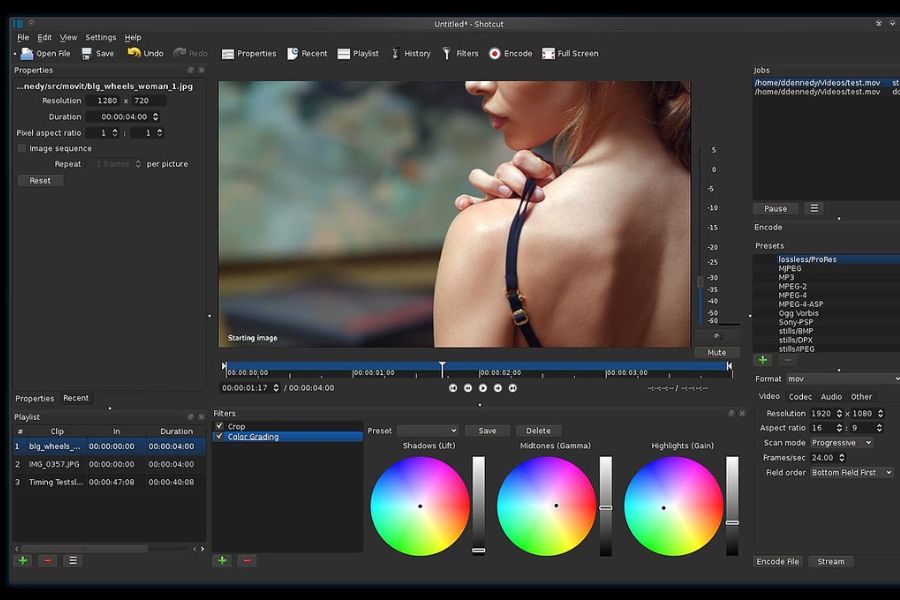
Advanced color grading system: Provides extremely precise white balance, exposure, and contrast tools with artistic depth.
-
Intelligent Auto-Ducking audio feature: Automatically reduces background music volume when it detects speech or character voiceovers, ensuring clear dialogue.
-
Exclusive Motion Graphics Library: Hundreds of stunning, pre-designed headline and intro templates from Adobe Stock.
-
Optimized publishing process: Supports direct configuration of optimal formats for each individual social network without compromising file quality.
3.5. KineMaster - Professional horizontal cropping and splicing power
KineMaster is one of the early icons and still maintains its popularity thanks to its ability to force users to rotate their screens horizontally while working, opening up a spacious workspace that accurately simulates the editing desk of a real studio.
-
Landscape orientation optimizes space: It allows for a longer timeline, making it easier to select and edit small details without accidentally clicking.
-
Powerful Chroma Key feature: Its ability to recognize and remove background colors incredibly smoothly, allowing you to seamlessly integrate your character into a realistic virtual environment.
-
Supports multiple video layers: Allows you to insert multiple videos on top of each other, creating picture-in-picture effects or incorporating motion graphics.
-
Volume Envelope Tool: Deeply manipulates the volume at precise points in the video, creating a sense of near and far sound.
-
KineMaster Asset Store: Weekly updates of unique effects packs, vibrant sound effects (SFX), and 3D stickers.
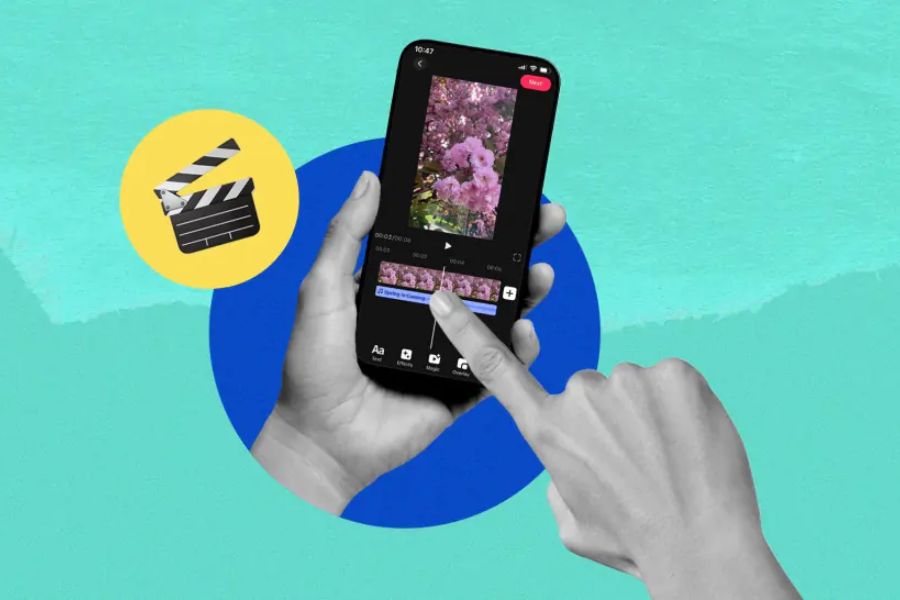
3.6. Alight Motion - The pinnacle of animation and motion graphics.
If your needs go beyond simply cutting and pasting pre-made clips and you want to design your own flying effects, complex animations, or create amazing lyric videos, then this is the number one choice.
-
Master the Keyframe Animation system: Freely customize the movement, zoom in/out, rotate, and change the opacity of objects in milliseconds.
-
Powerful vector graphics support: You can draw or import vector graphics files directly into the application to create animations without fear of pixelation.
-
Extensive Visual Effects System: Features over 100 advanced effects such as shadows, glowing borders, and image distortion effects.
-
Advanced Grouping and Masking features: Merge layers together or use masks to hide/show images in creative shapes.
-
Diverse export formats: In addition to exporting videos, the application also supports exporting files as GIF animations or PNG image sequences for design purposes.
4. Secrets to editing SEO-optimized videos to trend quickly.
-
Optimize the first 3 seconds (The Hook): Place the most engaging part, the most intriguing question, or a captivating image at the beginning of the video to prevent users from skipping over it.
-
Use eye-catching subtitles throughout: Over 70% of users habitually watch videos with the sound off in public places, so subtitles will help them understand your entire content.
-
Inserting key keywords into the video title helps the platform's AI algorithms easily scan, identify the topic, and deliver the video to the right target audience.
-
Choose trending background music (Trending Audio): Use popular audio clips from video editing apps to capitalize on algorithmic trends and increase your chances of appearing on the Discover page.
-
A clear call to action (CTA) at the end: Dedicate the last 2 seconds of the video to remind viewers to "Like," "Follow," or "Leave a comment" to increase overall video engagement.
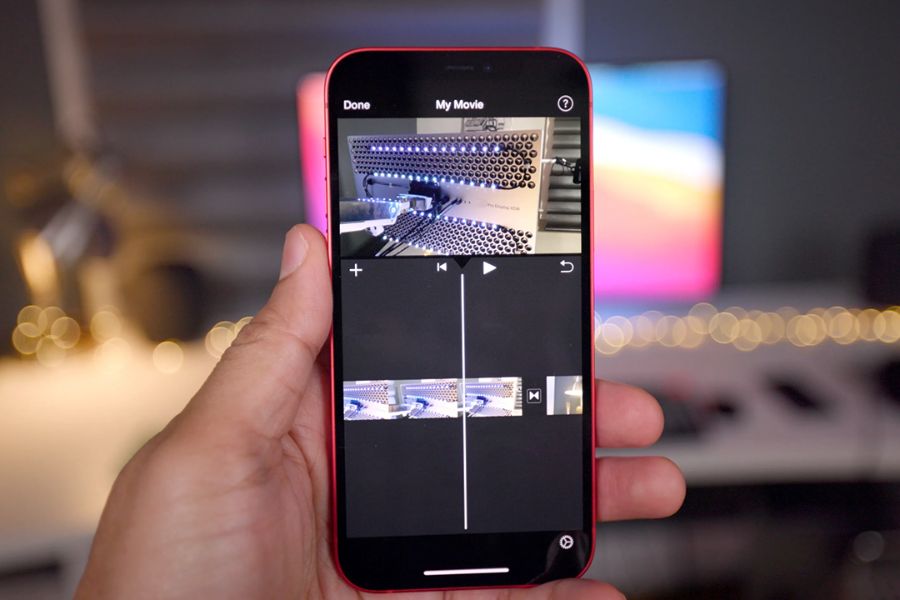
5. Steps to create a complete video using a video editing application.
-
Step 1: Brainstorm and write a storyboard: Clearly define the core message, write out the dialogue, and visualize the necessary camera angles beforehand to avoid shooting too much or too little footage.
-
Step 2: Record high-quality footage: Set your phone camera to the highest resolution, clean the lens, ensure adequate lighting, and record clear audio while minimizing background noise.
-
Step 3: Rough Cut in the application: Upload all files to the video editing application, cut out any awkward sections, unnecessary pauses, and arrange the clips according to the script's flow.
-
Step 4: Fine Cut the Video: This is when you add transition effects, blend colors, add automatic subtitles, insert background music, and fine-tune sound effects (SFX) for a more lively video.
-
Step 5: Review and Render: Review the entire video once to check for subtitle spelling errors, ensure the music volume doesn't drown out the dialogue, then export the file in Full HD 1080p or 4K format.
6. Conclusion
The explosion of mobile and desktop video editing apps has leveled the playing field in terms of technology, giving everyone an equal opportunity to shine. A million-view video is no longer the exclusive privilege of large studios with million-dollar equipment; it can now be created right on your phone in your pocket. The most important thing isn't owning the most expensive tools, but daring to take action, persistently honing your visual thinking, and continuously creating valuable content for viewers. Choose the most suitable app from the list above, download it, and start your journey to conquer the diverse world of video editing today!





















VIP Products








Best Selling Products
Genuine Adobe Illustrator account
99 USD
ChatGPT Plus Account (GPT-4)
16 USD
Upgrade genuine Capture One account
120 USD
Capcut Pro 1 Year
39 USD
Plugin Retouch4me
69 USD
Upgrade Duolingo Super
29 USD
Adobe Premiere Pro Account
99 USD
Adobe Photoshop Copyright - Full App
120 USD
Autodesk All App Account Copyright
120 USD
Windows 10 & 11 Pro Key
36 USD
Genuine Cheap Canva Pro
39 USD
Upgrade Genuine Office 365
49 USD
MidJourney Account
29 USD
Freepik Premium Account
59 USD
Copyright Adobe Lightroom Account
59 USD