Best Selling Products

Upgrade Genuine Office 365
49 USD

MidJourney Account
29 USD

Autodesk All App Account Copyright
120 USD

Freepik Premium Account
59 USD

Adobe Premiere Pro Account
99 USD

Genuine Cheap Canva Pro
39 USD

Plugin Retouch4me
69 USD

ChatGPT Plus Account (GPT-4)
16 USD

Capcut Pro 1 Year
39 USD

Windows 10 & 11 Pro Key
36 USD

Upgrade genuine Capture One account
120 USD

Upgrade Duolingo Super
29 USD

Adobe Photoshop Copyright - Full App
120 USD

Copyright Adobe Lightroom Account
59 USD

Genuine Adobe Illustrator account
99 USD
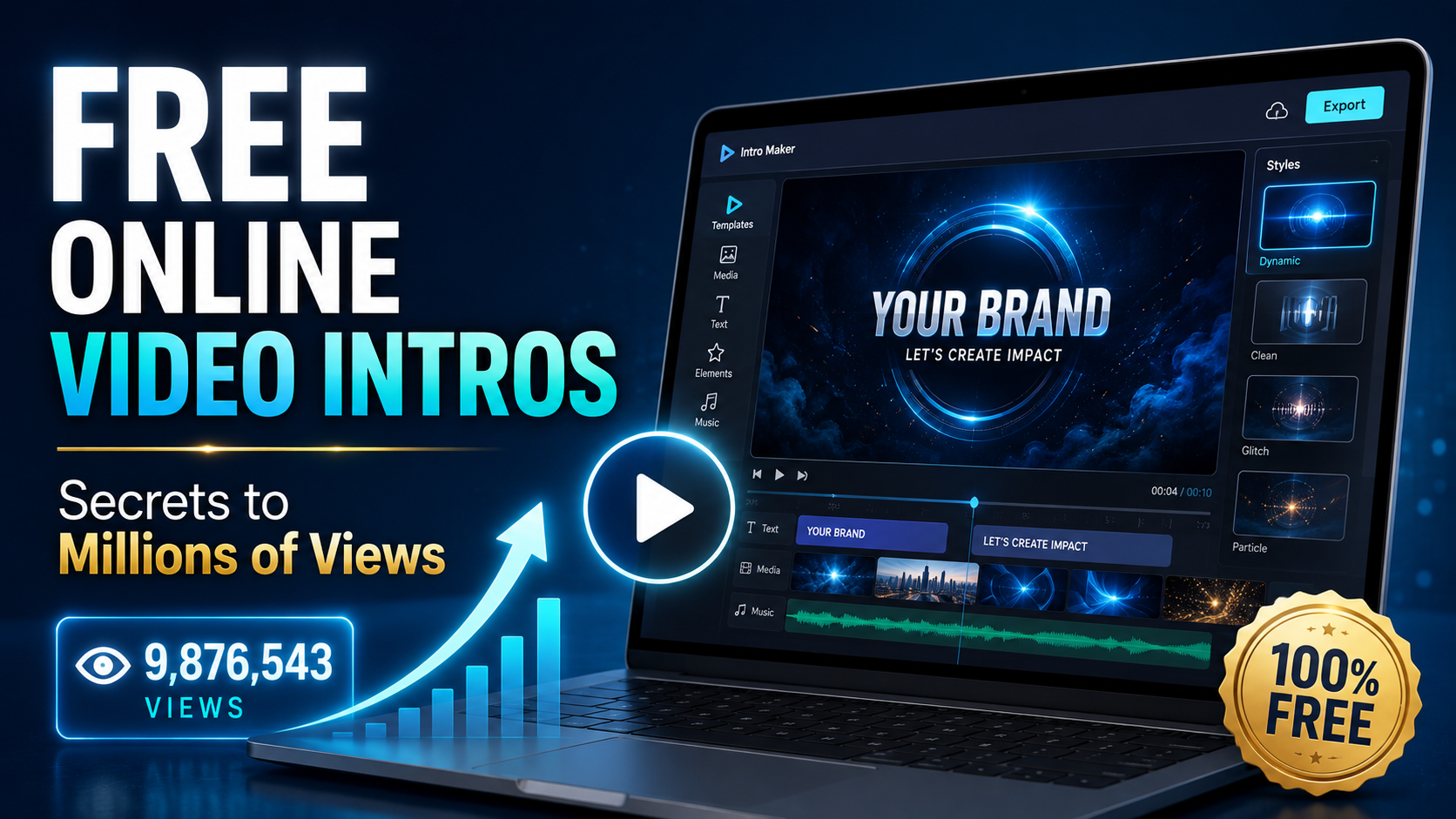
Secrets to Creating Free Online Video Intros That Attract Millions of Views
Nội dung
- 1. Why is the intro video crucial to the success or failure of a channel?
- 2. Criteria for evaluating a professional intro video
- 3. The dominant intro design trends this year
- 4. Top 10 best free online intro video creation websites
- 5. Step-by-step guide to creating a free intro video using Canva
- 6. Guide to creating a 3D gaming-style intro using Panzoid
- 7. Critical mistakes to avoid when making intro videos
- 8. Tips for optimizing intros for YouTube, TikTok, and Facebook platforms.
- 9. Conclusion
A bland, unprofessional intro will drive viewers away immediately, reducing retention rates and negatively impacting YouTube, TikTok, or Facebook''s distribution algorithms.
1. Why is the intro video crucial to the success or failure of a channel?
An intro is not simply an eye-catching special effect that appears at the beginning of a video; it's the face of your entire brand. It acts as a greeting, a digital business card that defines the style and class of the content creator.
-
Brand positioning : Helping your audience instantly recognize you among millions of other content channels.
-
Enhance professionalism : Create the impression that the video is well-produced, serious, and of high quality.
-
Create consistency : Connect all the video episodes in the same series into a unified whole.
-
Stimulate curiosity : Keep viewers engaged longer to discover the main content behind it.
-
Increase subscriber rates : An impressive intro often includes a subtle call to action (CTA) that helps increase subscribers quickly.
2. Criteria for evaluating a professional intro video
A successful intro isn't a video crammed with flashy effects or one that drags on endlessly. It needs to adhere to core design principles to ensure both aesthetic appeal and an optimized online viewing experience.
-
Optimal duration : It should only last from 3 to 5 seconds, with a maximum of 8 seconds to avoid causing impatience.
-
Catchy sound : The musical rhythm must match the movement of the logo and images.
-
Color consistency : Use the channel's brand color scheme to create a cohesive look.
-
Clear messaging : Display the channel name, logo, or core slogan in a sharp, easily readable format.
-
Matching the theme : The intro style should be consistent with the channel's content (e.g., gaming needs to be energetic, finance needs to be minimalist).
3. The dominant intro design trends this year
Audience tastes change daily, so keeping up with the latest design trends will help your videos stay relevant. Let's take a look at some of the most popular intro styles currently receiving high engagement on social media platforms.
-
Minimalism : Uses a monochrome background combined with elegant and modern typography.
-
3D Gaming Style : Neon lighting effects, neon gradient color schemes, and dynamic embossed logo animations.
-
Glitch and Cyberpunk : Digital noise effects, simulating screen glitches suitable for tech channels.
-
Hand-drawn animation : Simple, hand-drawn animation strokes create a warm, friendly feel for lifestyle vlogs.
-
Liquid Motion : A smooth, fluid-like motion effect that creates a highly artistic feel.
4. Top 10 best free online intro video creation websites
If you're looking for tools to create free online intro videos , the list of 10 platforms below will provide you with a huge resource of ready-made templates, sounds, and transition effects, all without spending a penny.
-
Canva : The national design platform with a huge library of intro templates and an extremely easy drag-and-drop interface for beginners.
-
Panzoid : A gamer's paradise with a community sharing countless incredibly cool 2D and 3D animated intro templates.
-
Renderforest : A professional website that supports exporting animated intro videos and high-definition augmented reality (AR) logos.
-
Flixpress : Offers high-quality pre-made intro templates; simply replace the text and logo and they're ready to use.
-
Biteable : Famous for its short animated video style, bright colors, and extremely intuitive interface.
-
FlexClip : Integrates many powerful editing tools, supports inserting royalty-free background music and animated text.
-
CapCut Online : A convenient web version that inherits the library of trending effects, filters, and super hot sounds from TikTok.
-
Intro Maker : A specialized website optimized for creating short intros, with extremely fast video processing and export.
-
Wideo : A powerful tool that allows for deep customization of motion graphics objects to your liking.
-
Ivipid : Where you can find simulated opening sequences of spectacular scenes from major Hollywood studios.
5. Step-by-step guide to creating a free intro video using Canva
Canva is the most user-friendly tool to help you bring your ideas to life in just a few clicks. Below is a detailed process for designing a complete product yourself without any graphic design knowledge.
-
Step 1: Log in and search : Access Canva, log in with your free account, and type "Video Intro" into the search bar.
-
Step 2: Choose a suitable template : Browse through thousands of available templates and select one that best matches your channel's style.
-
Step 3: Customize your branding: Upload your logo, change the text to your channel name, and adjust the colors to your liking.
-
Step 4: Add effects and music : Choose an animation effect for the text (Animate) and insert a short background music track from the sound library.
-
Step 5: Publish in high quality : Click the "Share" button, select "Download" in 1080p MP4 video format to save it to your computer.
6. Guide to creating a 3D gaming-style intro using Panzoid
For those creating content about video games, streaming, or technology, a spectacular 3D intro is a must. Panzoid is the most powerful free online tool to meet this need.
-
Step 1: Access Clipmaker : Go to the Panzoid homepage and select the Clipmaker feature to open the advanced 3D workspace.
-
Step 2: Choose a Template from the Community : Go to the "More creations" section to search for and select 3D intro templates shared by other users.
-
Step 3: Edit the 3D object : Go to the square box icon (Objects), find the lines containing the word "Text" or "Logo" and replace them with your name.
-
Step 4: Preview the effects : Click the eye icon to preview the video playing with all the lighting effects, camera, and music.
-
Step 5: Render and download : Select the download icon, set the quality (Mode) and video format, then click "Start video render".
7. Critical mistakes to avoid when making intro videos
Many beginners tend to try to cram too much into the first few seconds, inadvertently turning the intro into a major drawback that annoys viewers. Be aware of these common mistakes to optimize your video.
-
An overly long intro : An intro longer than 10 seconds will kill the viewer's patience, causing them to fast-forward or exit the video.
-
Background music that's too loud : A sudden increase in intro volume compared to the main content can startle and annoy listeners.
-
Using copyrighted music : Using music by famous singers without permission will result in your video being flagged for copyright infringement or having its monetization disabled.
-
Text that's too small or hard to read : Using overly ornate, cluttered fonts makes it difficult for viewers to read your channel name.
-
Low resolution : Exporting poor-quality video (such as 480p or 720p with pixelated images) reduces the credibility and professionalism of the entire video.
8. Tips for optimizing intros for YouTube, TikTok, and Facebook platforms.
Each social media platform has completely different video viewing habits and aspect ratios. Optimizing the intro format for each platform will help your video display perfectly on your audience's screen.
-
For YouTube : Use the standard 16:9 aspect ratio and place the intro approximately 10-15 seconds after the introductory hook to keep viewers engaged.
-
For TikTok and Reels : Use a vertical 9:16 aspect ratio, the intro must be extremely short (under 3 seconds) or integrate a smooth, scrolling logo directly into the corner of the screen.
-
For Facebook : Utilize a 1:1 square or 4:5 vertical aspect ratio, and ensure the text in the intro is clear, as most Facebook users tend to mute their feeds.
-
Smart calls to action : Subtly insert animated icons such as "Like," "Subscribe," or a finger pointing at a notification bell.
-
Save files in standard format : Always export files in .MP4 or .MOV format to ensure the highest compatibility when uploading to editing programs.
9. Conclusion
Creating free online intro videos is no longer the exclusive domain of professional video editors. With the help of online tools like Canva, Panzoid, or Renderforest, you can create high-quality, personalized intro videos yourself without spending any money. Remember, an excellent intro should always be concise, consistent with your brand, and deliver positive energy to viewers from the very first seconds. Don't hesitate to experiment with different styles to find the "key" to keeping your audience engaged for your channel.





















VIP Products








Best Selling Products
Upgrade Genuine Office 365
49 USD
MidJourney Account
29 USD
Autodesk All App Account Copyright
120 USD
Freepik Premium Account
59 USD
Adobe Premiere Pro Account
99 USD
Genuine Cheap Canva Pro
39 USD
Plugin Retouch4me
69 USD
ChatGPT Plus Account (GPT-4)
16 USD
Capcut Pro 1 Year
39 USD
Windows 10 & 11 Pro Key
36 USD
Upgrade genuine Capture One account
120 USD
Upgrade Duolingo Super
29 USD
Adobe Photoshop Copyright - Full App
120 USD
Copyright Adobe Lightroom Account
59 USD
Genuine Adobe Illustrator account
99 USD