Best Selling Products

Autodesk All App Account Copyright
120 USD

Adobe Premiere Pro Account
99 USD

Copyright Adobe Lightroom Account
59 USD

MidJourney Account
29 USD

Windows 10 & 11 Pro Key
36 USD

Adobe Photoshop Copyright - Full App
120 USD

ChatGPT Plus Account (GPT-4)
16 USD

Plugin Retouch4me
69 USD

Freepik Premium Account
59 USD

Genuine Cheap Canva Pro
39 USD

Upgrade Duolingo Super
29 USD

Upgrade Genuine Office 365
49 USD

Upgrade genuine Capture One account
120 USD

Capcut Pro 1 Year
39 USD

Genuine Adobe Illustrator account
99 USD
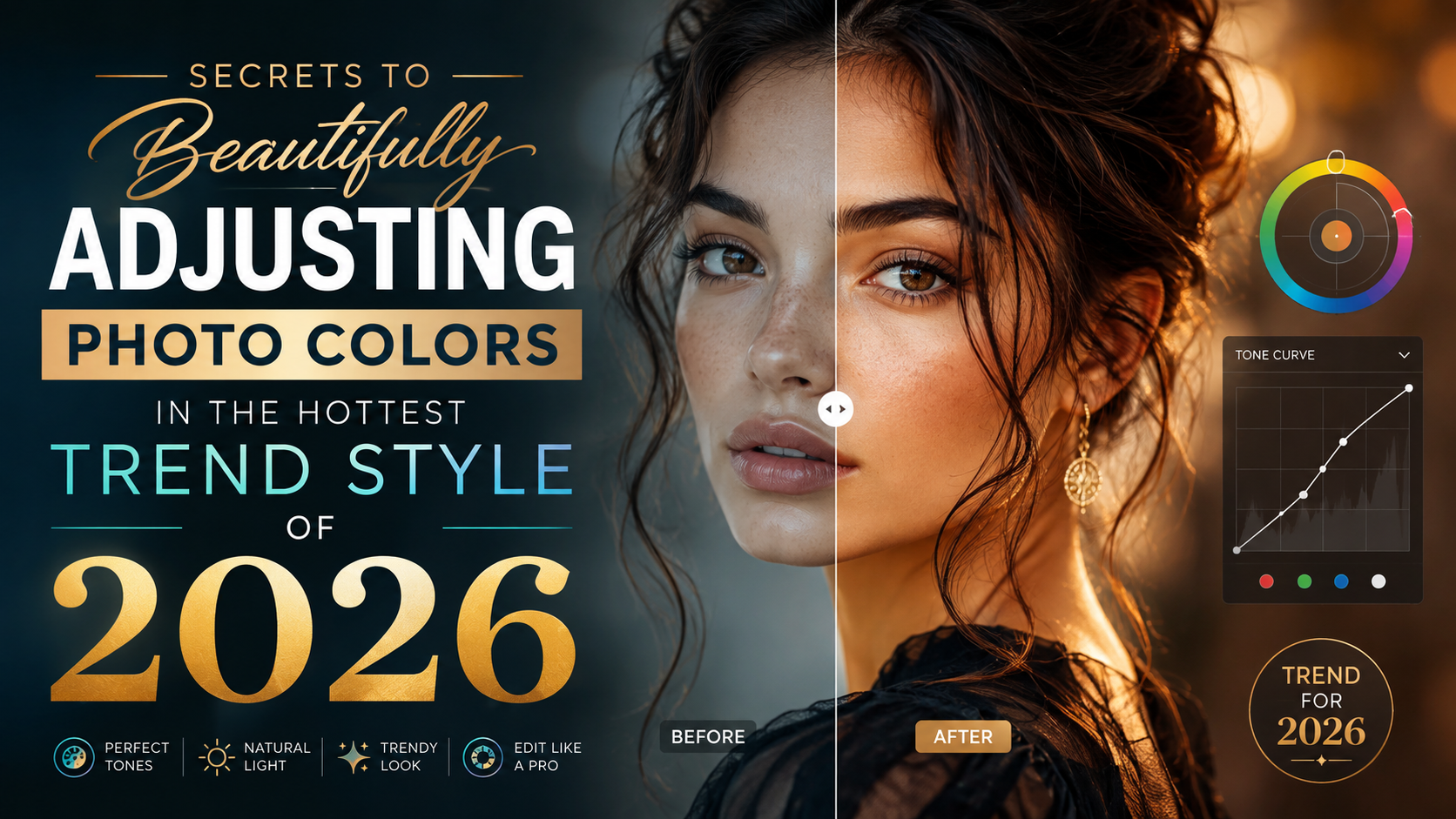
Secrets to Beautifully Adjusting Photo Colors in the Hottest Trend Style of 2026
Nội dung
- 1. Why is it important to adjust the colors of photos to look good?
- 2. Popular and beautiful photo editing styles for 2026
- 2.1 Classic film tone
- 2.2 Clear Korean Tone
- 2.3 Cinematic Tone
- 3. Principles for achieving beautiful, professional-looking color correction in photos.
- 3.1 Understanding light in photography
- 3.2 Avoid overusing color filters.
- 3.3 Maintain natural skin tone
- 4. Parameters you need to know when adjusting colors for beautiful photos.
- 4.1 Exposure – Adjusting Brightness
- 4.2 Contrast – Adjusting the contrast
- 4.3 Temperature – Adjusting Color Temperature
- 4.4 Saturation – Color saturation
- 5. Tips for beautifully adjusting the colors of photos according to different themes.
- 5.1 Adjusting the color of portrait photos
- 5.2 Adjusting the color of travel photos
- 5.3 Adjusting the color of food photos
- 6. Common mistakes when adjusting colors for beautiful photos.
- 7. Here are 3 suggestions for popular photo color correction tools currently available.
- 7.1 Canva
- 7.2 Meitu
- 7.3 Adobe Lightroom
- 8. Why upgrade your photo editing software at AppVip.ai ?
- 9. Conclusion
A beautiful photograph depends not only on the shooting angle or the equipment used, but also on how the colors are processed.
1. Why is it important to adjust the colors of photos to look good?
Color correction isn't simply about making a photo brighter or more vibrant. It's a process that adds depth to the image, conveys emotion, and creates a unique style for the photographer. A well-processed color photograph will make the subject stand out more, while also enhancing the overall aesthetic appeal.
For content creators, online businesses, or personal branding professionals, achieving beautiful color correction also helps create a professional image and increase viewer engagement. Photos with consistent colors are often more memorable and leave a stronger impression on viewers.
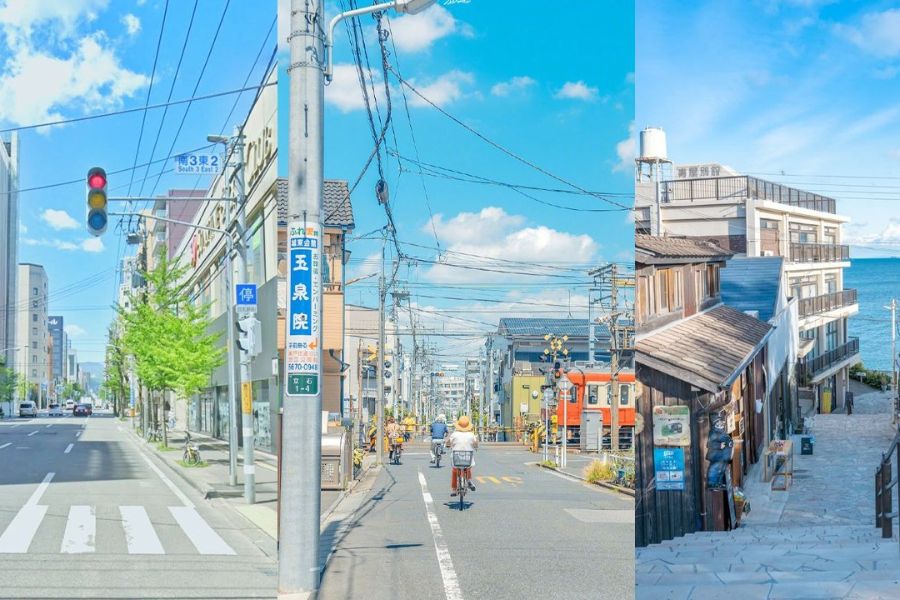
2. Popular and beautiful photo editing styles for 2026
2.1 Classic film tone
Film-style photography has remained a popular trend in recent years. This color tone evokes a sense of nostalgia and artistry with moderate contrast, warm, muted colors, and sometimes an added film grain effect.
Travel photos, portraits, or street photography that use a film tone often create emotional depth. This is also a style chosen by many bloggers and professional photographers.
2.2 Clear Korean Tone
If you love a gentle, youthful look, then the Korean style is an option you can't miss. This color palette typically features high brightness, rosy complexion, soft lighting, and vibrant colors.
This style is particularly suitable for:
-
Portrait photos.
-
Fashion photos.
-
Couple photo.
-
Travel photos.
-
Everyday photos posted on social media.
2.3 Cinematic Tone
In recent years, cinematic color palettes have become a popular trend among young people. This style is characterized by the combination of contrasting colors such as blue and orange, creating a professional and emotionally resonant feel.
Cinematic tones are particularly suitable for wide-angle shots, outdoor photos, or storytelling photos. With the right color adjustments, the image will look like an artistic film.
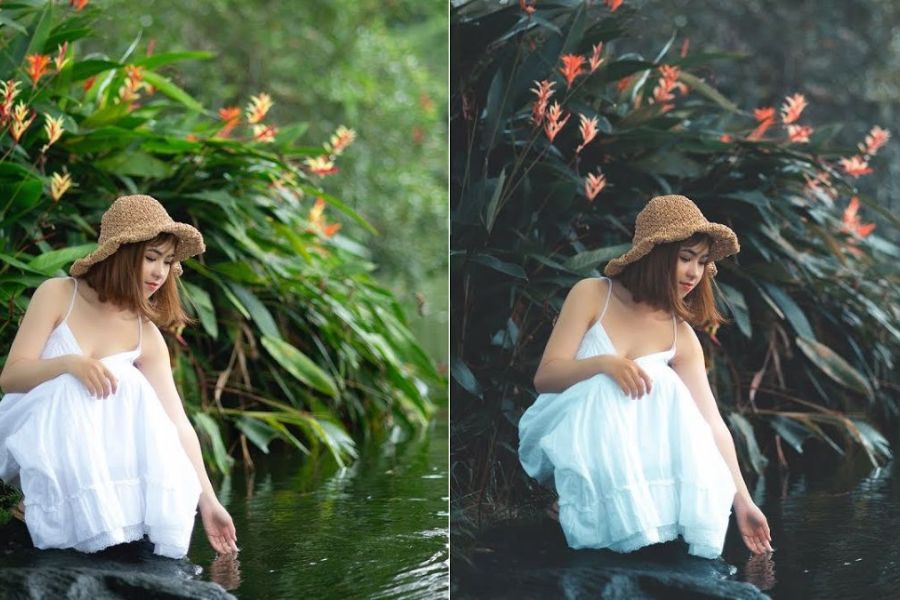
3. Principles for achieving beautiful, professional-looking color correction in photos.
3.1 Understanding light in photography
Lighting is a crucial factor in determining color quality. If an image is underexposed or overexposed, color correction will be difficult to achieve the desired results. Before adjusting the color, observe the image's light source to decide whether to increase or decrease brightness, and adjust dark or bright areas to create balance.
3.2 Avoid overusing color filters.
Many people have a habit of using filters that are too strong, making photos look unnatural. Beautiful color correction doesn't mean making colors excessively vibrant. A beautiful photo needs to retain detail and true-to-life colors. Adjust each parameter individually instead of relying entirely on pre-set presets.
3.3 Maintain natural skin tone
Skin tone greatly influences the emotional impact of a photograph. When adjusting colors, you should avoid making the skin too white or too yellow, as this will make the image lose its realism. Balancing skin tone appropriately helps the subject stand out and creates a pleasant feeling for the viewer.
4. Parameters you need to know when adjusting colors for beautiful photos.
4.1 Exposure – Adjusting Brightness
Exposure helps increase or decrease the overall brightness of a photograph. This is the first parameter to adjust to achieve the appropriate brightness level. However, it shouldn't be increased too much as it can cause a loss of detail in bright areas.
4.2 Contrast – Adjusting the contrast
Contrast adds depth to an image by increasing the difference between light and dark areas. If you want a cinematic or fashion-style photo, you can increase the contrast. Conversely, for Korean-style photos, it's best to keep the contrast at a moderate level.
4.3 Temperature – Adjusting Color Temperature
This parameter determines whether the photo leans towards a cool or warm tone.
-
Increase the temperature: the image will have a yellowish tint, creating a warm feeling.
-
Reduce the temperature: the image has a bluish tint, giving a cold and modern feel.
-
Maintain a balance: the photo will look more natural.
4.4 Saturation – Color saturation
Saturation enhances the vibrancy of colors in a photograph. However, increasing it too much can make the image look harsh and unnatural. For portraits, you should increase it slightly to make the photo look lively while maintaining harmony.
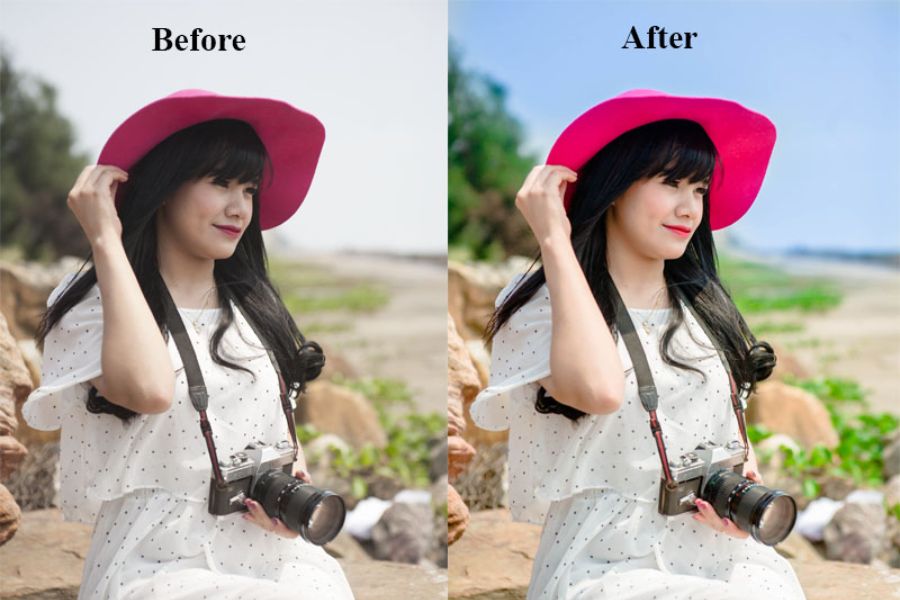
5. Tips for beautifully adjusting the colors of photos according to different themes.
5.1 Adjusting the color of portrait photos
For portraits, prioritize brightening the face, maintaining natural skin tones, and slightly increasing contrast to make the subject stand out. Additionally, you can slightly reduce the saturation of the background to allow the viewer to focus more on the main subject.
5.2 Adjusting the color of travel photos
Travel photos often feature many landscapes, so it's necessary to enhance the clarity of the sky, highlighting the trees and surrounding scenery. Film or cinematic tones will help make travel photos more impressive and emotionally rich.
5.3 Adjusting the color of food photos
For food photos, the colors should convey the freshness and appeal of the dish.
You should:
-
Increase the brightness to a moderate level.
-
Slightly increased saturation.
-
Highlight the yellow and red colors.
-
Reduce the amount of blue if needed.
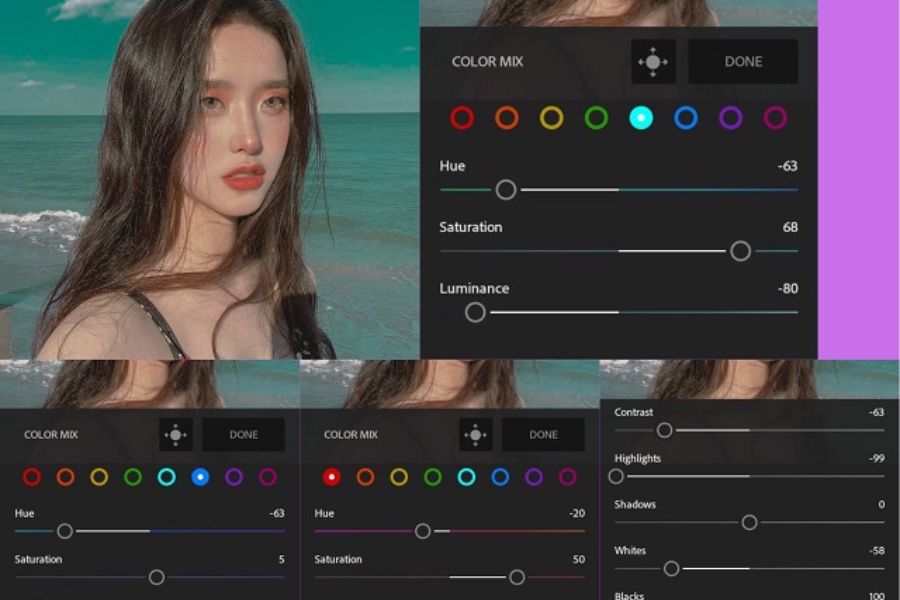
6. Common mistakes when adjusting colors for beautiful photos.
Many beginners often adjust colors intuitively, resulting in photos that are too bright, too dark, or have inconsistent colors.
Some common mistakes include:
-
Too much saturation.
-
Overuse of filters.
-
Correcting overly pale skin.
-
The contrast is set too high.
-
The lighting is unbalanced.
Understanding the parameters and practicing regularly will help you avoid these mistakes. If you are looking for quality photo editing software to create trendy photos for 2026, AppVip.ai is a worthwhile place to check out. This platform aggregates many popular photo editing software and tools, making it easy for users to choose a solution that suits their needs, from basic to professional.
Besides updating the latest color correction apps, AppVip.ai also shares many user guides, post-processing tips, and popular photo editing trends. Thanks to this, even beginners can quickly find suitable software to improve the quality of their images.
7. Here are 3 suggestions for popular photo color correction tools currently available.
7.1 Canva
Canva is not only famous for its design capabilities but also boasts many convenient photo editing features. Users can easily adjust brightness, contrast, color temperature, and apply a wide range of filters in various styles. With its intuitive interface, Canva is especially suitable for beginners or those who want to quickly adjust the color of photos to post on social media.
7.2 Meitu
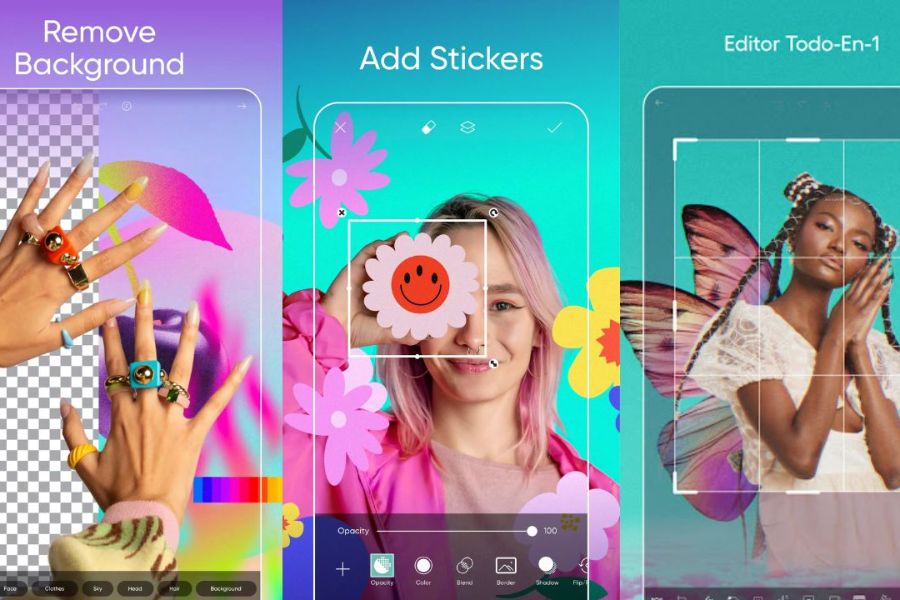
Meitu is a photo editing app popular among young people thanks to its ability to enhance beauty and adjust colors naturally. The software offers many hot trend filters such as Korean tone, film tone, vintage color, and cinematic style. In addition, Meitu also supports skin smoothing, facial brightening, and color optimization with just a few simple steps.
7.3 Adobe Lightroom
Adobe Lightroom is the top choice for those who want professional photo color correction. The software offers a powerful set of tools, allowing users to meticulously control parameters such as Exposure, Contrast, Highlights, Shadows, and HSL. In addition, Lightroom boasts a diverse library of presets, helping to create photos with a strong personal touch and keep up with the latest color correction trends.
8. Why upgrade your photo editing software at AppVip.ai ?
AppVip.ai has become the choice of many photo editing enthusiasts because the platform offers a variety of solutions to meet different needs.
Some notable advantages include:
-
Updates to many new and popular photo editing software.
-
Suggest suitable applications for each purpose.
-
Sharing a guide to color grading according to the latest trends.
-
Suitable for both beginners and professional users.
-
Save time searching for and selecting software.
AppVip.ai is suitable for photography enthusiasts, content creators, TikTokers, online shop owners, or anyone who wants to improve the quality of their images. Especially if you frequently upload photos to social media or work in design, exploring the photo editing software at AppVip.ai will help you easily find the right tools to create beautiful, professional photos that are on trend in 2026.
9. Conclusion
Beautifully adjusting the colors in photos not only makes them more visually appealing but also allows you to express your own style and personality. By mastering the basic principles, understanding each parameter, and choosing the right style, you can create impressive photos that follow the hot trends of 2026. Don't be afraid to experiment with new color tones and utilize modern tools to enhance the quality of your images. A subtly color-corrected photo can sometimes be the key to standing out among millions of other social media content.





















VIP Products








Best Selling Products
Autodesk All App Account Copyright
120 USD
Adobe Premiere Pro Account
99 USD
Copyright Adobe Lightroom Account
59 USD
MidJourney Account
29 USD
Windows 10 & 11 Pro Key
36 USD
Adobe Photoshop Copyright - Full App
120 USD
ChatGPT Plus Account (GPT-4)
16 USD
Plugin Retouch4me
69 USD
Freepik Premium Account
59 USD
Genuine Cheap Canva Pro
39 USD
Upgrade Duolingo Super
29 USD
Upgrade Genuine Office 365
49 USD
Upgrade genuine Capture One account
120 USD
Capcut Pro 1 Year
39 USD
Genuine Adobe Illustrator account
99 USD