Best Selling Products

Copyright Adobe Lightroom Account
59 USD

Genuine Adobe Illustrator account
99 USD

Adobe Premiere Pro Account
99 USD

Autodesk All App Account Copyright
120 USD

Windows 10 & 11 Pro Key
36 USD

ChatGPT Plus Account (GPT-4)
16 USD

Adobe Photoshop Copyright - Full App
120 USD

Plugin Retouch4me
69 USD

Upgrade Duolingo Super
29 USD

Freepik Premium Account
59 USD

Capcut Pro 1 Year
39 USD

Upgrade genuine Capture One account
120 USD

MidJourney Account
29 USD

Genuine Cheap Canva Pro
39 USD

Upgrade Genuine Office 365
49 USD
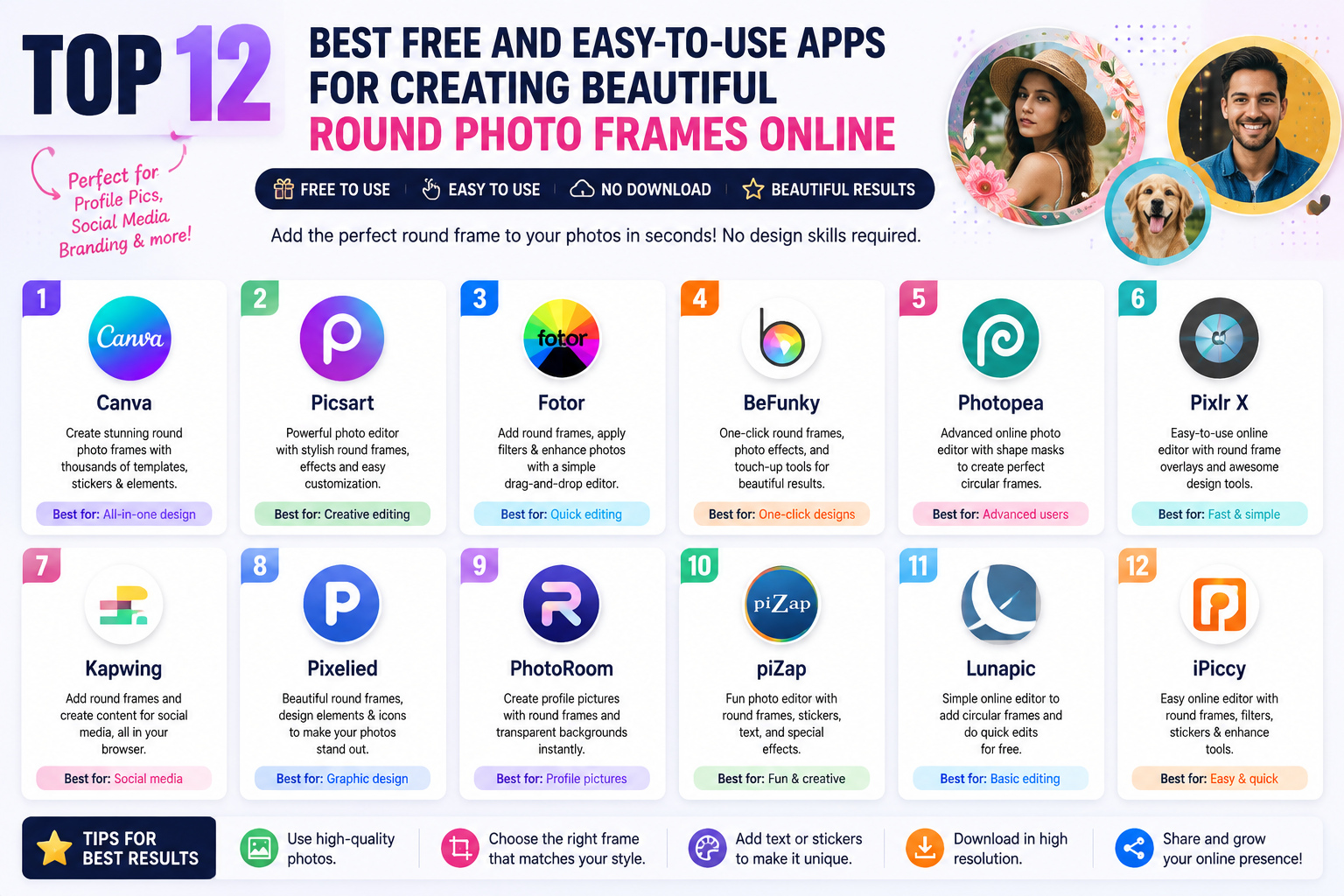
Top Tools for Inserting Photos into Beautiful and Professional Frames for Beginners
Nội dung
- 1. Canva – The Most Popular Tool for Inserting Images into Frames
- Advantage:
- 2. Fotor – Insert Photos into Frames in Just Seconds
- Advantage:
- 3. PicsArt – A Tool for Inserting Images into Creative Frames
- Advantage:
- 4. Photo Collage Maker – Specializes in combining and inserting photos into frames.
- Advantage:
- 5. BeFunky – Insert Photos into Artistic Frames
- Advantage:
- 6. Adobe Express – Professional Design Tool
- Advantage:
- 7. PicMonkey – A Tool for Inserting Images into Frames for Content Creators
- Advantage:
- 8. Photovisi – A Free and Fast Online Tool for Inserting Photos into Frames
- Advantage:
- 9. PiZap – A Tool for Inserting Images into Frames with Hundreds of Ready-Made Templates
- Advantage:
- 10. Online Photo Frames – A Quick and Easy Solution for Inserting Photos into Frames for Those Without Design Skills
- Advantage:
- 11. Conclusion
Instead of plain photos, adding frames will make your images stand out, add a focal point, and express your personal style.
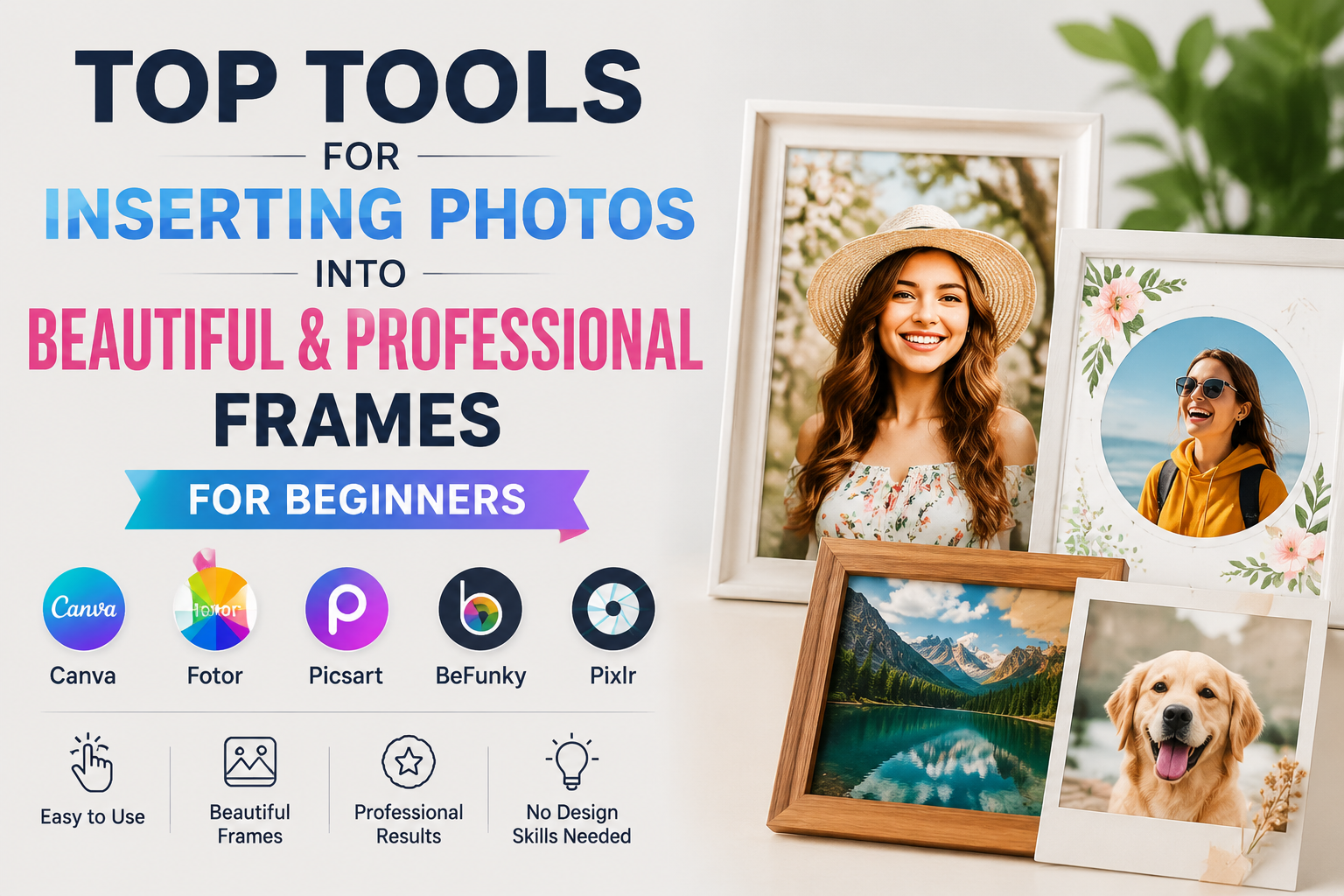
1. Canva – The Most Popular Tool for Inserting Images into Frames
When it comes to tools for adding photos to frames , Canva is definitely the first name that comes to mind for many people. With its simple drag-and-drop interface, Canva allows users to add photos to thousands of pre-made frame templates with just a few taps.
Canva's highlight is its huge library of templates with many different styles such as vintage, minimalist, modern, or cute. You can use Canva to create social media photos, birthday photos, product advertisements, or design extremely professional personal albums without needing to know Photoshop.
Advantage:
-
Thousands of beautiful frame designs.
-
Easy to use on phones and computers.
-
Vietnamese language support is available.
-
There is a free version.
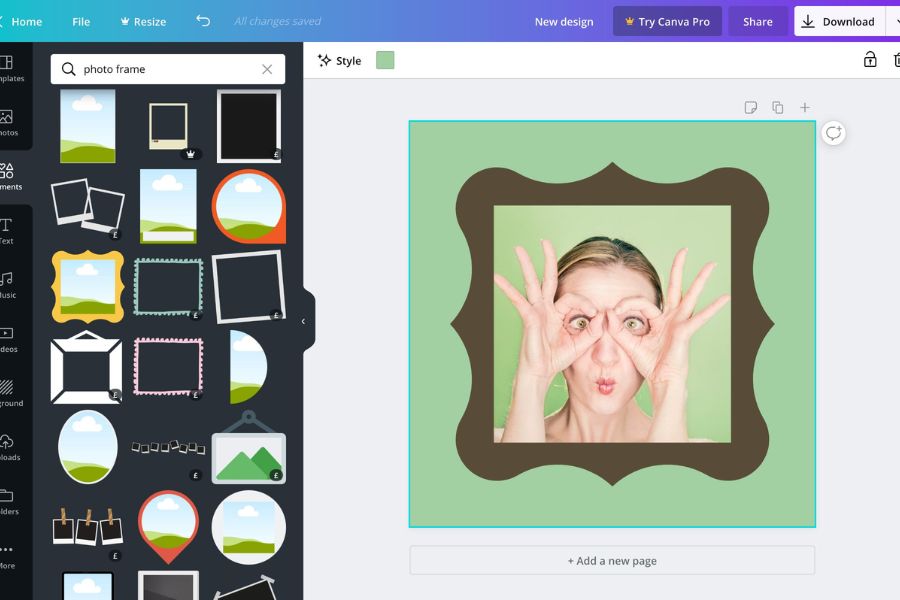
2. Fotor – Insert Photos into Frames in Just Seconds
Fotor is one of the most popular online photo editing websites today. This tool offers a wide variety of photo frame templates, from simple to artistic, helping users easily create impressive photos.
Besides supporting image insertion into frames , Fotor also integrates many editing features such as beautification, sharpening, adding effects, and adding text to images. This is an ideal choice for those who want quick editing without installing software.
Advantage:
-
A wide variety of picture frames available.
-
Simple interface.
-
Supports professional photo editing.
-
It can be used online.
3. PicsArt – A Tool for Inserting Images into Creative Frames
PicsArt has long been a familiar photo editing app for young people. Its strength lies in its ability to create artistic and personalized photos.
The app offers a wide variety of themed photo frames such as love, Christmas, Lunar New Year, birthdays, travel, etc. Users simply need to choose a photo and a suitable frame to create eye-catching works to share on social media.
Advantage:
-
Many unique picture frames.
-
Supports advanced photo editing.
-
There are many beautiful effects.
-
Free to use on your phone.

4. Photo Collage Maker – Specializes in combining and inserting photos into frames.
If you frequently create photo collages, Photo Collage Maker is a great option to try. This software is specifically designed for combining multiple photos into pre-designed frames.
You can choose from hundreds of different frame styles, ranging from simple to artistic. This tool is especially suitable for creating commemorative albums, family photos, or travel photos.
Advantage:
-
Many photo collage frame designs.
-
Easy to use.
-
Create images quickly.
-
Suitable for beginners.
5. BeFunky – Insert Photos into Artistic Frames
BeFunky is a popular online photo editing tool thanks to its modern and easy-to-use interface. It features many artistic frame templates that help make photos more vibrant.
In addition to inserting images into frames , BeFunky also supports adding effects, color filters, image cropping and merging, and basic graphic design. This is an ideal choice for content creators, online sellers, or those creating images for social media.
Advantage:
-
Beautiful artistic picture frame.
-
There are many editing tools.
-
No installation required.
-
User-friendly interface.

6. Adobe Express – Professional Design Tool
Adobe Express is a simpler version of Photoshop, suitable for general users. This tool allows you to insert images into frames using pre-designed templates that are incredibly beautiful.
Adobe Express's standout features include professional design quality, sharp images, and the ability to synchronize across multiple devices. If you frequently design advertising images or social media posts, this is a tool well worth trying.
Advantage:
-
Professional design.
-
Many premium frame options.
-
Supports multiple image formats.
-
Convenient data synchronization.
7. PicMonkey – A Tool for Inserting Images into Frames for Content Creators
If you're looking for a simple, easy-to-use yet professional-looking tool to add photos to frames , PicMonkey is a name you shouldn't miss. This software is trusted by many bloggers, content creators, marketers, and online shop owners thanks to its flexible photo editing capabilities and diverse frame template library. PicMonkey offers hundreds of photo frame templates in various styles, from minimalist and modern to cute, vintage, and elegant. With just a few drag-and-drop actions, you can transform ordinary photos into eye-catching designs for posting on Facebook, Instagram, TikTok, or using in advertising campaigns.
What makes PicMonkey special is that, in addition to inserting photos into frames , users can also add text, stickers, artistic effects, color filters, and many other graphic elements. This allows you to create photos with a strong personal touch without needing complex design software like Photoshop.
Advantage:
-
A wide variety of templates and photo frames are available.
-
We provide support for designing professional marketing images.
-
Easy to use, even for beginners.
-
It incorporates many unique effects and stickers.
-
Suitable for content creators and online sellers.
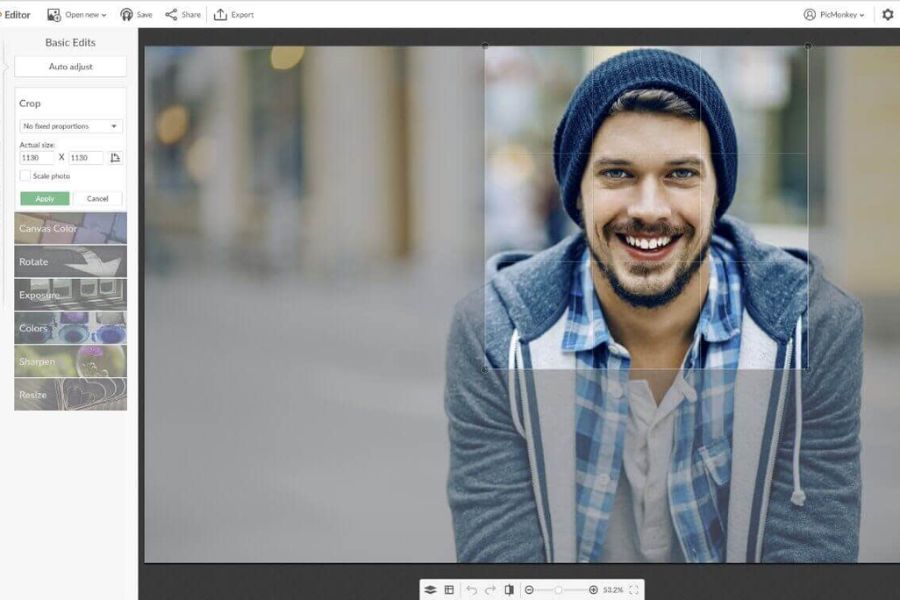
8. Photovisi – A Free and Fast Online Tool for Inserting Photos into Frames
Photovisi is one of the most popular online photo frame websites thanks to its simplicity and convenience. You don't need to install any software or create a complicated account; simply access the website, upload your photos, and choose your favorite frame to create your finished product in just a few minutes. This tool boasts a diverse library of photo frames with many themes such as birthdays, love, family, travel, Christmas, and New Year. Therefore, users can easily create beautiful commemorative photos to share with friends or preserve memorable moments.
Another advantage of Photovisi is its intuitive and user-friendly interface, suitable for everyone from students to online business owners. If you need to quickly insert photos into a frame without requiring too many complex editing features, Photovisi is definitely a worthwhile option to try.
Advantage:
-
It's used entirely online.
-
No software installation required.
-
No account registration is required.
-
Many beautiful frame designs based on various themes.
-
Create images in just a few minutes.
9. PiZap – A Tool for Inserting Images into Frames with Hundreds of Ready-Made Templates
PiZap is a popular online photo editing tool known for its vast graphic resources and incredibly simple photo frame insertion capabilities . It's an ideal choice for those who love creating content for social media or want to design eye-catching images without needing professional skills. A highlight of PiZap is its hundreds of photo frame templates, constantly updated to reflect the latest trends. You can find many different styles, such as cute frames, artistic frames, festive frames, or templates specifically for Facebook, TikTok, and Instagram.
In addition to the feature of inserting images into frames , PiZap also supports designing posters, banners, cover photos, and greeting cards with many convenient editing tools. Users can add text, icons, color filters, or unique effects to make images more outstanding and professional.
Advantage:
-
A diverse collection of photo frames with various themes.
-
Stay up-to-date with the latest design trends.
-
The interface is user-friendly and easy to use.
-
Support for creating banners and posters.
-
There is a free version available for users.
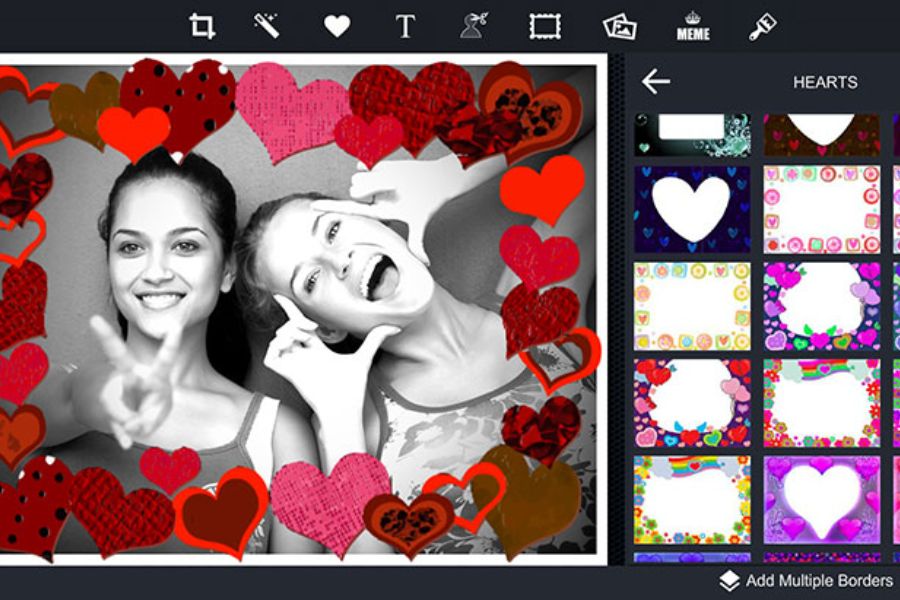
10. Online Photo Frames – A Quick and Easy Solution for Inserting Photos into Frames for Those Without Design Skills
Not everyone has the time to learn design or use professional photo editing software. Therefore, websites that add photos to frames online have become a popular solution due to their convenience and ease of use.
With just a few simple steps—uploading your photo, choosing your favorite frame template, and clicking download—you can instantly have a beautiful photo without installing any software. This is the perfect choice for those who need to quickly create photos for social media, profile pictures, commemorative photos, or product images. Currently, online photo frame tools offer many frame templates categorized by theme, such as birthdays, weddings, travel, holidays, or modern art styles. Thanks to this, users can easily create unique and professional photos in just a few minutes.
Advantage:
-
The operation is quick and easy to perform.
-
No design skills required.
-
No software installation required.
-
Many beautiful and free frame templates are available.
-
Suitable for students and online sellers.
11. Conclusion
Currently, there are many tools for inserting images into beautiful and professional frames , from Canva, PicsArt, Fotor to Adobe Express. Each tool has its own advantages, suitable for different needs. If you are a beginner, Canva and PicsArt will be the easiest choices to use. If you need a more professional design, Adobe Express or PicMonkey will help you create impressive images. Hopefully, the above suggestions will help you choose the right tool to create more beautiful, professional, and attractive photos every day.





















VIP Products








Best Selling Products
Copyright Adobe Lightroom Account
59 USD
Genuine Adobe Illustrator account
99 USD
Adobe Premiere Pro Account
99 USD
Autodesk All App Account Copyright
120 USD
Windows 10 & 11 Pro Key
36 USD
ChatGPT Plus Account (GPT-4)
16 USD
Adobe Photoshop Copyright - Full App
120 USD
Plugin Retouch4me
69 USD
Upgrade Duolingo Super
29 USD
Freepik Premium Account
59 USD
Capcut Pro 1 Year
39 USD
Upgrade genuine Capture One account
120 USD
MidJourney Account
29 USD
Genuine Cheap Canva Pro
39 USD
Upgrade Genuine Office 365
49 USD